Microsoft Teams Troubleshooting

Aland Johnson is an Automation & RevOps Consultant and Technical Writer, and he serves as the Founder & Editor-in-Chief of Workflow Tipster (workflowtipster.top)—a resource for bite-sized workflow tips, tool guidance, and troubleshooting solutions for popular software used by modern teams. From 2008 to 2012, Aland developed his foundation in information systems and workplace productivity tools, focusing on how businesses operationalize data across CRM, project management, customer support, and marketing platforms. During this period, he began documenting repeatable processes, building simple integrations, and learning the practical constraints that shape automation outcomes—such as inconsistent field formats, user permissions, and data quality issues. In 2013, Aland moved into hands-on operational support roles where reliability and speed mattered daily. He supported teams working across cloud-based tools, addressing recurring problems like login failures, permission mismatches, missing required fields, and data sync inconsistencies. Between 2014 and 2016, he expanded into cross-application workflow design, connecting systems through APIs and webhooks and establishing a structured troubleshooting method: reproduce the failure, isolate the failing hop, validate credentials and scopes, inspect payload shape, confirm rate-limit behavior, and implement safe retries with logging. From 2017 to 2019, Aland specialized further in RevOps enablement—helping organizations map business requirements into automation-ready schemas and governance. This phase emphasized durable system design: clear ownership of fields and objects, consistent naming conventions, deduplication strategies, and measurable KPIs. In 2019, he earned the Salesforce Certified Administrator credential, reinforcing his expertise in CRM configuration, permissioning, reporting, and operational controls that keep automations stable as teams and pipelines evolve. In 2020, Aland broadened his marketing operations skill set by completing the HubSpot Marketing Software Certification, deepening his work in lifecycle stages, attribution, segmentation, and automated communications—areas where subtle property mapping and timing rules often cause downstream failures. Between 2021 and 2022, he concentrated on integration resilience at scale: reducing duplicates, adding idempotency safeguards, standardizing payload validation, and creating runbooks for incident response when webhooks fail or third-party APIs degrade. In 2023, Aland earned the Zapier Certified Expert credential and continued refining advanced automation patterns across multi-step workflows, conditional routing, and cross-tool data normalization. That same year, he formalized his editorial approach: every guide must be reproducible, version-aware, and supported by verification steps so readers can confirm success rather than “guess and hope.” Since 2024, Aland has been building Workflow Tipster as a practical knowledge base for operators, founders, and teams who need quick, reliable answers. His content emphasizes clarity and measurability—short, actionable tips when speed matters, and deeper troubleshooting playbooks when reliability is the priority. Aland’s guiding standard remains consistent: state the goal, show the exact steps, surface common failure modes, and include a prevention checklist so the workflow stays healthy after the fix.

Microsoft Teams Troubleshooting
Microsoft Teams field mapping failed usually means your automation is trying to place data into a Teams action (message, channel post, adaptive card, task, or chat) but the incoming payload does not match what the module expects, so fields resolve to blank, null, or an invalid structure. In practical microsoft teams troubleshooting, you fix this by validating the payload shape, normalizing types, and remapping fields to the correct property paths.

Aland Johnson January 7, 2026 at 3:44 PM
Microsoft Teams Troubleshooting
If you are seeing microsoft teams duplicate records created , the root problem is almost always replay : the same business event (a message, mention, form submission, file upload, or adaptive card action) is processed more than once, so your downstream “create record” step runs twice (or more). In practice, microsoft teams troubleshooting for duplicates means proving where the second execution came from : trigger re-delivery, retry-on-timeout, concurrent runs, or an upstream system emitting the same event with a new identifier.
Aland Johnson January 7, 2026 at 3:38 PM
Microsoft Teams Troubleshooting
Microsoft teams data formatting errors happen when Teams (or the integration posting into Teams) cannot parse, validate, or render the data you send—so the message fails, looks broken, or silently drops fields. The fastest path to resolution is to treat the issue as a payload quality problem: schema, types, encoding, and size.
Aland Johnson January 7, 2026 at 3:32 PM
Microsoft Teams Troubleshooting
If you see “attachments missing” or “upload failed” in Microsoft Teams, the underlying problem is rarely the chat itself—it is usually the upload-to-cloud handoff to SharePoint Online or OneDrive for Business failing partway through. In practice, effective microsoft teams troubleshooting means separating “the file never uploaded” from “the file uploaded but can’t be retrieved,” because each path points to different root causes: permissions, policy blocks, client cache, or storage-side access.
Aland Johnson January 7, 2026 at 3:22 PM
Microsoft Teams Troubleshooting
If you see microsoft teams api limit exceeded , the real issue is almost always throttling : Microsoft Graph (and Teams-backed workloads) are protecting service availability by temporarily rejecting your bursty or sustained request pattern with HTTP 429 and related signals. The fastest path to recovery is to respect Retry-After , reduce concurrency, and redesign “poll-heavy” flows into event- or delta-based patterns.
Aland Johnson January 7, 2026 at 3:16 PM
Make timeouts and slow runs usually come from one of three places: the scenario itself (too much work per run), the upstream/downstream systems (slow APIs, throttling, or retries), or platform-level scheduling (queued executions waiting their turn). The fastest path to stability is to diagnose which bucket you are in and then apply the matching design pattern.
Aland Johnson January 7, 2026 at 3:00 PM
If you are seeing make tasks delayed queue backlog , the core issue is simple: your scenario is receiving work faster than it can process it, so executions wait in line and appear “late” even when triggers keep arriving. In practice, make troubleshooting starts by separating three delay sources: the Make execution queue, external API latency/throttling, and scenario design choices that inflate runtime or multiply operations.
Aland Johnson January 7, 2026 at 2:47 PM
If you’re seeing make permission denied in Make (Make.com), the fastest path to resolution is to identify which “permission layer” is blocking the run: the app connection, the target resource (file/record/folder), or your Make workspace role.
Aland Johnson January 7, 2026 at 2:40 PM
If you are seeing make missing fields empty payload in a Make scenario, the core issue is rarely “no data exists.” More often, Make cannot materialize optional keys into mappable fields because the last captured sample bundle did not include them, so your mapping looks blank even when the source intermittently sends values.
Aland Johnson January 7, 2026 at 2:34 PM
If you’re seeing make duplicate records created in your scenarios, the practical answer is: duplicates happen when the same “business event” gets processed more than once—either because the source resent it or because the scenario produced more than one create-effect per event. To resolve it with make troubleshooting discipline, you need to separate “why the trigger fired” from “why the create happened,” then enforce an idempotent rule: one event must produce one write, even if it arrives multiple times.
Aland Johnson January 7, 2026 at 2:28 PM
Make data formatting errors happen when a module receives a value that does not match the type, structure, or locale it expects; the fastest fix is to normalize inputs before they hit fragile connectors, then enforce consistent output formats. This make troubleshooting guide shows how to do that without turning every scenario into a brittle patchwork.
Aland Johnson January 7, 2026 at 2:21 PM
If you’re seeing make attachments missing upload failed , it means your scenario reached a step that expected a real file object (filename + binary data), but it received an empty/invalid attachment payload—or a link/metadata that cannot be uploaded as a file. In practice, the fastest path is disciplined make troubleshooting : confirm where the attachment first becomes empty, then correct mapping, file download, and upload formatting (especially multipart and content-type) so every run produces a verifiable file bundle.
Aland Johnson January 7, 2026 at 2:14 PM
A make webhook 500 server error means the receiving system returned an internal failure while Make (formerly Integromat) was delivering a webhook, so the problem is usually in the target endpoint, its dependencies, or how the request is shaped. In practical make troubleshooting , you treat “500” as a symptom and work backward from one failing execution to the exact failing line of backend logic.
Aland Johnson January 7, 2026 at 2:06 PM
If you see make webhook 429 rate limit , your scenario is receiving more webhook calls than the receiver (your endpoint, Make, or an upstream gateway) is willing to process in a short window, so requests are being throttled instead of accepted. In practical make troubleshooting, the fastest win is to identify where the 429 is generated (sender, Make, reverse proxy, or your app) and then reduce burst pressure while you add retry-safe controls.
Aland Johnson January 7, 2026 at 2:00 PM
A make webhook 404 not found error means the HTTP request reached a server, but the server could not match the requested URL path to any active route, so it returned 404 Not Found instead of the expected success response. In practice, the fastest fix is rarely “retry the scenario.
Aland Johnson January 7, 2026 at 1:55 PM
A make webhook 403 forbidden error means the receiving system understood the request but is refusing to authorize it, so your scenario cannot proceed as designed. In practice, this is rarely “random”—it is almost always a permission, policy, or identity mismatch.
Aland Johnson January 7, 2026 at 1:46 PM
If you are seeing make webhook 401 unauthorized , the receiver is rejecting the request because it cannot authenticate it (missing, malformed, expired, or mismatched credentials), and the fastest path to resolution is to validate headers, secrets, and token lifecycle end-to-end in one trace. In practical make troubleshooting , the critical question is not “Why is it failing?
Aland Johnson January 7, 2026 at 1:40 PM
A make webhook 400 bad request error means the HTTP request reaching your Make webhook endpoint is being rejected as a client-side problem, so resending the same request usually fails again unless you change the payload, headers, or routing. In practice, the fastest path is make troubleshooting that separates “bad request content” (malformed JSON, wrong Content-Type, unexpected encoding) from “bad request capacity” (a webhook queue that’s full and getting rejected with 400).
Aland Johnson January 7, 2026 at 1:35 PM
If your make trigger not firing problem is real, you should treat it like a pipeline outage: confirm the trigger type, validate scheduling, prove whether events exist upstream, and then isolate where bundles stop appearing. The fastest wins usually come from checking scenario state, trigger configuration, and run history before touching modules.
Aland Johnson January 7, 2026 at 1:27 PM
Make timezone mismatch happens when your scenario reads, writes, or compares timestamps using different time zones (UTC, account time zone, app-specific time zone), causing schedules to fire “early/late” and date-based filters to include the wrong records. To resolve it, you must standardize on one reference zone (usually UTC), explicitly convert at the boundaries (triggers, API calls, storage, notifications), and validate formatting (ISO 8601, offsets, daylight saving transitions) in every module that touches time.
Aland Johnson January 7, 2026 at 1:20 PM
If you are seeing make pagination missing records in Make (formerly Integromat), the problem is almost never “random.” It is typically a predictable interaction between an API’s paging model, your sorting/filtering strategy, and how the scenario iterates pages during make troubleshooting .
Aland Johnson January 7, 2026 at 1:16 PM
If you see make oauth token expired in Make, it means the connection credential that authorizes your scenario to call an external app is no longer valid, so the module can’t authenticate and the run fails until you refresh or re-authorize. In practical make troubleshooting , the fastest path is to confirm whether the failure is a true token expiration (time-based) or a token invalidation (revoked/rotated permissions), because each requires a different recovery action inside the connection.
Aland Johnson January 7, 2026 at 1:11 PM
If you’re seeing make invalid json payload , the short version is: Make received or generated a request body that is not valid JSON at the point where a module expects strict JSON parsing (webhook intake, HTTP request body, JSON parser, or an app module that validates JSON). In practical make troubleshooting , this error is rarely “random.
Aland Johnson January 7, 2026 at 1:05 PM
If you see make field mapping failed , the scenario is telling you that a value you mapped cannot be assigned to the target field in the next module—usually because the data shape or data type is not what the mapping expects. To resolve it reliably, you need to identify which mapped field is breaking, confirm the actual payload coming from the previous module, then adjust mapping with normalization, defaults, or an iterator/aggregator pattern.
Aland Johnson January 7, 2026 at 12:57 PM
Make API limit exceeded usually means your scenario has sent too many requests in a short window (or consumed an API quota) and the platform or a connected app is throttling you, often returning an HTTP 429 response. For day-to-day make troubleshooting , the fastest path is to identify whether the limit is coming from Make’s own API , a third-party app API (Google Sheets, Airtable, etc.
Aland Johnson January 7, 2026 at 12:51 PM
Yes—you can sync an Airtable base with GitHub Issues and Pull Requests without code by combining a clear data model (tables + fields) with an integration method that reliably creates, updates, and links work items across both systems. Next, you’ll need to decide what “sync” really means for your team: one-way visibility into GitHub inside Airtable, or two-way automation where Airtable can also create and update GitHub Issues.
Aland Johnson January 28, 2026 at 1:14 AM
Integrating Airtable with Freshdesk is the most practical way for support teams to turn structured intake data into actionable tickets, keep ticket updates visible in a shared workspace, and reduce manual copy-paste across tools—without losing the operational rigor a helpdesk requires. Next, you’ll learn how to decide between one-way automation and true two-way sync, because the “right” direction depends on where your team wants the source of truth to live and how much change control you’re willing to manage.
Aland Johnson January 28, 2026 at 12:56 AM
Title analysis (STEP 1.1): Main keyword focus: airtable to freshbooks .
Aland Johnson January 28, 2026 at 12:41 AM
Designers can sync Airtable records to Figma layers by treating Airtable as the “structured content source” and Figma as the “layout template,” then mapping fields (title, price, image, status) into named layers to generate consistent, data-driven mockups. Below, you’ll learn what “records-to-layers mapping” really means in a UX/UI workflow, because the fastest results come from aligning Airtable record structure with Figma frame structure before you push any data into design.
Aland Johnson January 28, 2026 at 12:26 AM
Yes—you can connect Airtable to Evernote without writing code by using a no-code automation tool, mapping a few key fields, and applying simple guardrails (like unique IDs) so each record reliably becomes the right note (and vice versa) without duplicates. Next, you’ll want to understand what an Airtable–Evernote integration actually does in practice—what data moves, what stays put, and which direction (Airtable → Evernote, Evernote → Airtable, or both) matches your workflow.
Aland Johnson January 28, 2026 at 12:08 AM
You can connect Airtable to Dropbox Sign (formerly HelloSign) by using a no-code automation platform (like Zapier or Make) or a custom API workflow so new Airtable records automatically generate and send signature requests, then write the signed status and file links back to your base. To choose the right setup, you need to understand what an “Airtable → Dropbox Sign” integration actually does, which data fields must be mapped (signer, roles, merge fields), and how the final signed PDF and audit trail are stored for compliance and reporting.
Aland Johnson January 27, 2026 at 11:50 PM
If your goal is to connect Airtable to Dropbox, the most search-intent-aligned answer is yes : you can automate Airtable → Dropbox workflows so files and records stay aligned, approvals move faster, and teams spend less time hunting for the “right” document. Next, the fastest wins come from choosing a workflow pattern— record-driven file organization (Airtable creates/links Dropbox folders) or file-driven record updates (new Dropbox files update Airtable)—because the pattern determines your triggers, permissions, and failure modes.
Aland Johnson January 27, 2026 at 11:34 PM
Yes, you can connect Airtable to Doodle with Zapier to automate scheduling polls and booking sync, because Zapier can capture scheduling events from Doodle and write them into Airtable records so your team has one reliable, searchable source of truth. Next, you can choose the most practical workflow pattern for your exact scheduling model—such as “new booking creates a record,” “confirmation updates status,” or “poll responses build availability”—so you start with automations that reduce manual work immediately.
Aland Johnson January 27, 2026 at 11:21 PM
Title & outline analysis (for semantic alignment): Main keyword focus: airtable to docusign . Predicate: Connect .
Aland Johnson January 27, 2026 at 11:07 PM
Yes—you can automate an Airtable to DocSend integration so every meaningful DocSend view becomes structured Airtable data, which gives sales teams faster follow-up, cleaner pipeline notes, and consistent engagement history without manual copy/paste. To make that automation accurate, you first need to understand what “Airtable to DocSend sync” really means in Zapier terms (triggers, actions, fields, and the exact “unit” you’re tracking: a visit, a visitor summary, or a lead record).
Aland Johnson January 27, 2026 at 10:52 PM
If you want real-time visibility without manual copy-pasting, connecting Airtable to Discord is one of the fastest ways to turn new or updated records into channel notifications—so your team sees the right updates at the right time and acts immediately. Beyond “just send a message,” most teams also need a practical way to choose an automation method that fits their workflow—whether that’s a simple no-code setup for quick alerts or a more flexible flow for routing, filtering, and multi-step logic.
Aland Johnson January 27, 2026 at 10:37 PM
Yes—you can connect Airtable to Datadog in a practical, no-code way by using an integration layer (like Zapier or Make) to push curated records from Airtable into Datadog events, monitors, or incident workflows, and then route outcomes back to Airtable for tracking and ownership. Next, you’ll want to understand what “Airtable → Datadog” actually means in data terms—what fields move, what Datadog objects can be updated, and when two-way sync is realistic versus a “push + callback” pattern.
Aland Johnson January 27, 2026 at 10:23 PM
To connect Airtable to Kit (ConvertKit), you build an automation that moves subscriber data between your Airtable base and your Kit audience so new leads get added, tagged, and routed into the right sequences without manual copy-paste. Next, you’ll learn how to choose the best integration method—such as a no-code connector or a workflow builder—based on how complex your creator workflow is and how much control you need over routing, mapping, and error handling.
Aland Johnson January 27, 2026 at 10:06 PM
Integrating Airtable with Confluence Cloud means turning Airtable records into consistently formatted Confluence pages (or embedding Airtable views inside pages) so your team can publish, update, and trust documentation without manual copy-paste. Next, you’ll choose the right integration method—embedding, one-way automation, or ongoing sync—based on what your team actually needs: visibility, documentation publishing, or lifecycle updates across systems.
Aland Johnson January 27, 2026 at 9:20 PM
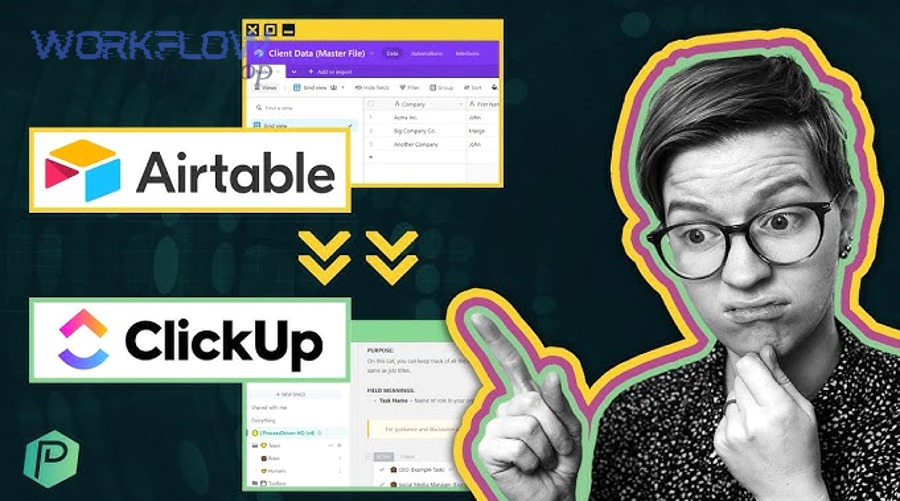
Syncing Airtable to ClickUp is the fastest way for project teams to turn structured records (requests, assets, backlog items, customer entries) into actionable work (tasks, owners, due dates, statuses) without manual copy-paste. This guide shows you how to design the integration so Airtable and ClickUp stay aligned as your team executes.
Aland Johnson January 27, 2026 at 9:04 PM
If you want an “Airtable to Calendly” workflow that actually sticks, the best approach is to automate the data flow from Calendly invitees into a clean Airtable table so your team can track leads, bookings, ownership, and follow-ups without manual copy/paste. Next, you’ll want to understand what “Airtable to Calendly integration” really means operationally —because most teams don’t need a two-way sync; they need one reliable source of truth and a predictable handoff into pipelines, views, and automations.
Aland Johnson January 27, 2026 at 8:48 PM
Connecting Airtable to Box is the fastest way for no-code teams to keep structured work (records, statuses, owners, due dates) in Airtable while keeping files (contracts, designs, PDFs, deliverables) safely managed in Box—linked back to the exact record that needs them. Next, you’ll learn what “integration” actually means in practice, because “attach a file,” “link a file,” and “sync a folder list” sound similar but behave very differently once permissions, updates, and scale enter the picture.
Aland Johnson January 27, 2026 at 8:34 PM
An airtable to bitbucket integration helps development and product teams connect planning data in Airtable with code activity in Bitbucket so work stays aligned, statuses stay accurate, and handoffs happen faster without manual copying. Next, you’ll see what this integration really means in practice—what gets connected, what “sync” actually looks like, and which parts of your workflow benefit most (issues, pull requests, deployments, or release tracking).
Aland Johnson January 27, 2026 at 8:18 PM
If you want the most reliable way to integrate Airtable to Basecamp for teams , the winning approach is to treat Airtable as your structured “source database” and Basecamp as your execution hub—then connect them with clear triggers, clean field mapping, and a no-duplicate rule so tasks and projects appear in Basecamp exactly when you need them. Most teams then need a second layer of clarity: which method to use (one-way automation vs two-way sync) , because that choice determines how you avoid conflicts, how much maintenance you’ll do, and how “real-time” your workflow will feel across planning and delivery.
Aland Johnson January 27, 2026 at 8:01 PM
You can connect Airtable to Asana by using a no-code automation flow that turns Airtable records into Asana tasks (and keeps them aligned), so your team stops chasing updates and starts executing from a single, trackable work pipeline. Next, you’ll need to choose the right integration approach for your team—one-way automation for simple “record → task” handoffs, or a two-way sync pattern when both tools must stay updated as work moves.
Aland Johnson January 27, 2026 at 7:47 PM
Yes—most product teams can integrate Airtable to Aha! without writing code by using a no-code connector (such as Zapier or Make) that turns Airtable records into Aha!
Aland Johnson January 27, 2026 at 7:03 PM
Connecting Airtable to ActiveCampaign is the fastest no-code way to turn your Airtable records into updated ActiveCampaign contacts—so your lists, tags, segments, and automations stay in sync without manual exports. Next, this guide helps you decide whether you truly need an integration (and what you gain if you do), so you don’t overbuild a workflow that should have stayed simple.
Aland Johnson January 27, 2026 at 6:49 PM
ActiveCampaign to Zoho CRM integration means your marketing engagement data and your sales pipeline data stop living in separate worlds: new leads, contact updates, and key activities can flow into the right Zoho CRM modules with consistent field mapping and clear ownership rules. To get the sync right, you’ll need to decide whether one-way or two-way sync matches your sales process, because sync direction changes who “wins” when the same field is edited in both tools, and it determines how you prevent overwrites and data drift.
Aland Johnson January 27, 2026 at 6:36 PM
Connecting ActiveCampaign to Smartsheet is the fastest way to turn email engagement and lead activity into a living spreadsheet-style workflow—so your team can track, route, and follow up without manual copy/paste. In practice, this integration usually means: a new lead (or key event) in ActiveCampaign creates or updates a row in Smartsheet , where sales/ops can take action.
Aland Johnson January 27, 2026 at 6:23 PMTitle analysis: Main keyword focus: activecampaign to slack . Predicate: Integrate (action).
Aland Johnson January 27, 2026 at 6:10 PM