


If you see make field mapping failed, the scenario is telling you that a value you mapped cannot be assigned to the target field in the next module—usually because the data shape or data type is not what the mapping expects.
To resolve it reliably, you need to identify which mapped field is breaking, confirm the actual payload coming from the previous module, then adjust mapping with normalization, defaults, or an iterator/aggregator pattern.
This guide also covers Make Troubleshooting tactics that reduce “guess-and-check,” plus prevention methods so your scenarios survive schema drift, optional fields, and nested arrays.
Giới thiệu ý mới: below is a systematic playbook that starts with meaning and root causes, then moves into concrete fixes you can apply module-by-module.
What does “make field mapping failed” mean in Make.com scenarios?
Definition: “make field mapping failed” means Make.com cannot convert or place a mapped value into the destination field, typically because the destination expects a different type (number vs text), a different structure (array vs single value), or a missing/empty key.
To begin, treat the error as a contract mismatch between the output bundle and the next module’s input expectations.

Concretely, mapping in Make is not just “copy-paste a token.” Each target field implicitly requires a shape: a single scalar, a collection/object, or an array of items. When the incoming value violates that shape, Make fails the mapping step before the module can execute normally.
In practice, the same root issue presents in three common ways: the mapped token is empty, the token points to a different bundle path than you think, or the token is valid but incompatible with the receiving module’s field definition.
Where the error usually appears and why it matters
The error commonly surfaces on a module that is downstream of the real problem because the downstream module is the first place where a strict field contract is enforced.
Next, you should trace the mapping back one module at a time until you find where the data shape first diverges from what you expected.
For example, a webhook trigger might suddenly send an array where it previously sent a single object; your mapping tokens still “exist,” but the path now points to an array container rather than a scalar field, so the next module fails when it tries to write a text field.
What the error is not
This error is usually not an authentication failure, a connectivity failure, or a rate-limit problem, because those tend to produce HTTP status messages, OAuth errors, or retries rather than a pure mapping conversion failure.
However, once you resolve mapping, you should still watch for adjacent runtime issues that can resemble mapping failures when logs are incomplete.
Keep the distinction clear: mapping failure is about data compatibility, not permission or reachability.
Which data-shape mismatches cause field mapping to fail most often?
Grouping: There are four major mismatch categories that trigger mapping failures: type mismatches, array vs single-value mismatches, date/time format mismatches, and null/missing field mismatches.
Next, use these categories as a checklist to diagnose the broken field instead of scanning every token blindly.
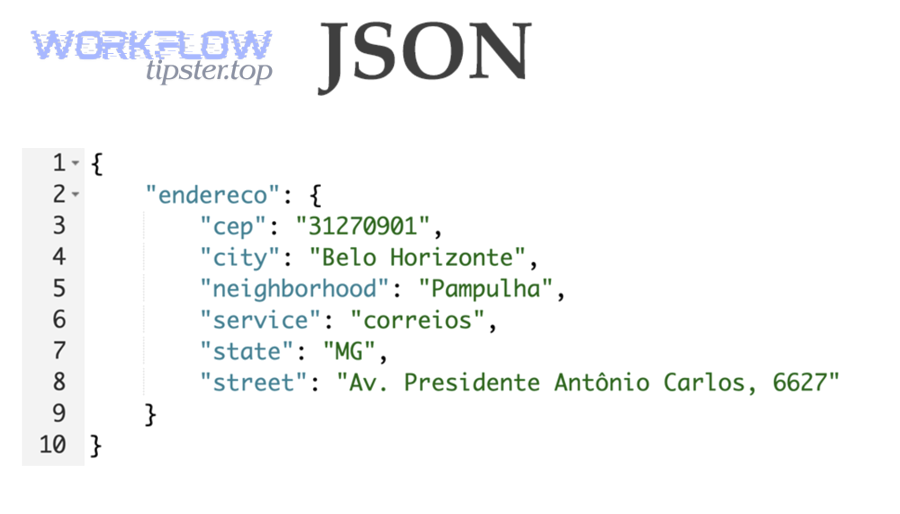
Most mapping failures are predictable if you compare what you think the payload looks like with what the last run actually produced. Make’s visual mapping panel makes it easy to select tokens, but it also hides the underlying reality: tokens are just pointers into a bundle structure, and that structure can change across runs.
Type mismatch: text, number, boolean, and files
A type mismatch happens when the destination field expects one primitive type but receives another, such as sending a collection into a text field or sending “true/false” text into a boolean field.
Next, normalize at the boundary: convert to text, parse to number, or explicitly build the expected structure before mapping.
Common culprits include currency fields, IDs that flip between numeric and string, and “file” fields where the destination expects a URL or binary handle but receives a plain filename.
Array vs single value: collection paths and bundle indexing
An array mismatch happens when the destination expects a single scalar but you map an array (or vice versa), often caused by a webhook or API returning multiple items under the same key.
Next, decide the correct behavior: pick the first item, iterate through all items, or aggregate into a single formatted output.
If you truly only want one item, select a stable element intentionally (first/last by business rule) rather than relying on whatever appears first today.
Date/time and locale format issues
Date/time mismatches occur when a destination expects an ISO timestamp but receives a localized string, a date-only value, or a number (epoch) in seconds/milliseconds.
Next, standardize the format at one place in the scenario so every downstream module receives a consistent timestamp.
Be especially careful when a source switches from “2026-01-07T10:30:00Z” to “01/07/2026 10:30 AM” or when it changes timezone rules, because mapping tokens may remain valid while conversion fails.
Null, missing keys, and optional fields
Null/missing-field mismatches happen when the token you mapped is absent in the current bundle, even if it existed in a previous run, leading to an empty value where the destination field is required.
Next, treat missing keys as a first-class case: provide defaults, branch logic, or short-circuit behavior.
This is especially common with CRMs and form tools that omit fields entirely when the user leaves them blank, instead of sending an empty string.
How does make troubleshooting pinpoint the exact broken mapping in minutes?
How-to: The fastest way is to re-run the failing module with a known bundle, inspect the exact input/output structure, then isolate the failing token by simplifying mappings one field at a time until the module succeeds.
Next, convert the discovery into a permanent fix by normalizing the data before it reaches the strict module.

“Fast troubleshooting” in Make is about shrinking the search space. You are not debugging your entire scenario; you are debugging one failed field contract. The moment you find which input is incompatible, the solution options become obvious: convert, pick an element, create a default, or restructure the payload.
Re-run a single module and inspect the bundle
Start by re-running the module immediately before the failure and open its output bundle to confirm the real keys, nesting, and item counts.
Next, compare that structure to the token you mapped—many failures are simply a token pointing into the wrong branch, bundle index, or array level.
If the previous module outputs multiple bundles, confirm you are mapping from the bundle you intended (e.g., the iterator output, not the pre-iterator array).
Use a “minimum viable mapping” to find the culprit field
Temporarily map only one required field, run the module, then add fields back incrementally until it fails again; the last added field is usually the culprit.
Next, fix that one field and restore the full mapping with confidence.
This method is boring but extremely effective because it removes guesswork and avoids chasing unrelated fields that happen to look suspicious.
Log the raw payload at the boundary where the shape changes
If you suspect a schema shift, capture the raw JSON payload (or the raw response body) right after the trigger/API call so you can see what changed between “working” and “failing” runs.
Next, build the conversion once, at the boundary, and keep downstream modules stable.
This is the core principle: isolate unstable external payloads early; keep internal “scenario contracts” stable.
How do you validate incoming payloads before you map fields?
How-to: Validate by capturing a representative sample run, confirming field presence and types, then standardizing the payload into a predictable internal structure before you map into strict modules (databases, CRMs, spreadsheets, invoices).
Next, make the validation repeatable so a single vendor change does not break your production scenario silently.

Validation is the preventive version of troubleshooting. Instead of reacting to a failure, you proactively ensure your inputs meet a contract. In Make, the most reliable validation mindset is to treat every external system as “eventually inconsistent,” especially webhooks and SaaS APIs that evolve without warning.
Capture a clean “golden” sample and a worst-case sample
Capture at least two samples: a “typical” payload and an edge-case payload (missing optional fields, empty arrays, unusual characters, unexpected locales).
Next, compare how your mapping behaves across both samples; if the mapping only works on the golden sample, it is fragile by design.
This approach surfaces hidden assumptions like “this key always exists” or “this array always has one item.”
Normalize the payload into an internal contract
Normalize by converting types, providing defaults, and flattening or restructuring nested objects into a stable internal format that downstream modules can rely on.
Next, map downstream modules only from this normalized structure, not directly from raw webhooks or raw API responses.
When you do this, mapping failures become rare because the strict modules see consistent types and consistent paths every time.
Validate critical fields explicitly
Explicitly validate business-critical fields (IDs, email/phone, amounts, timestamps) before writing them downstream, because these fields are most likely to fail conversion or violate destination constraints.
Next, branch invalid records into a quarantine path rather than letting them kill the entire run.
Even a simple validation mindset—“fail fast before persistence”—dramatically reduces mapping errors.
How can you map arrays and nested collections without losing items?
How-to: Use an iterator to process each array item, apply per-item mapping inside the iterator scope, then aggregate results only when the destination requires a single combined structure (a list, a table, a summary, or one API payload).
Next, choose the correct strategy—iterate, pick-one, or aggregate—based on the destination field’s required shape.
Nested data is the single most common reason automators run into mapping failures. The key is to respect scope: tokens inside an iterator refer to one item, while tokens outside refer to the whole array. Mixing these scopes typically produces array-vs-scalar mismatches.
Iterator + aggregator: the safest default for multi-item outputs
If your source returns multiple items and your destination expects multiple rows/records, iterate and create one destination record per item.
Next, only aggregate when you must generate a single output (e.g., one email body listing all items).
Aggregators are powerful but easy to misuse; ensure you know whether you’re aggregating to an array of collections or to a single collection.
Pick-one behavior: define a business rule, not a technical shortcut
If the destination expects a single value, define an explicit “pick-one” rule such as “first by created time,” “highest priority,” or “last updated,” then map that element intentionally.
Next, document the rule in your scenario notes so future you understands why you chose that element.
Randomly picking “the first” without a rule is how mapping failures return later when item ordering changes.
Flatten and format: when the destination expects text
If you need a text field but you have an array, flatten the array into a formatted string (joined lines, bullet list, comma-separated values) before mapping.
Next, ensure the formatting handles empty arrays gracefully so you don’t generate malformed outputs or required-field blanks.
This pattern is common when you build email summaries, Slack messages, PDF invoice line items, or CRM notes.
How do you handle optional fields, empty bundles, and partial records safely?
How-to: Make optional data safe by setting defaults, guarding branches with filters, and explicitly handling empty arrays or missing keys so the scenario continues with controlled behavior instead of crashing on a required-field conversion.
Next, treat “missing” as normal input, not an exception, because real-world data is incomplete by nature.

Optional fields are where mapping failures hide. The scenario may run fine for weeks, then one record arrives with a blank phone number, a missing address object, or an empty line-items array—and your “required destination field” conversion fails. The fix is not to hope for better data; it is to build guardrails.
Defaults: choose a safe fallback for every critical field
For fields that are required downstream but optional upstream, provide defaults like “Unknown,” “0,” a placeholder ID, or a controlled null-handling strategy that the destination supports.
Next, keep defaults consistent across scenarios so reporting and downstream logic remain predictable.
Defaults should be business-approved; otherwise you risk silently corrupting data instead of failing loudly.
Filters and routing: isolate invalid records without killing the run
Use filters to route incomplete records into a separate path (log, notify, store for manual review) while allowing valid records to proceed.
Next, include a clear diagnostic message that records which field was missing and what the source record ID was.
This pattern turns a hard failure into a manageable exception pipeline.
Guard against empty arrays and missing objects
When you map nested fields like customer.address.city, ensure the parent objects exist; if address is missing, the child path cannot resolve and mapping may fail.
Next, create a normalization step that always produces a complete address object with optional children, even if some values are blank.
The same applies to line items: decide what the scenario should do when there are zero items.
How do you prevent mapping failures when apps change their schemas?
How-to: Prevent failures by treating external payloads as unstable, creating a stable internal schema, monitoring for drift, and making changes in one boundary layer rather than editing mappings across many downstream modules.
Next, operationalize the prevention: tests, alerts, and controlled rollouts are what keep scenarios stable in production.

Schema drift is inevitable. SaaS vendors add fields, rename keys, change nested structures, and modify pagination behavior. If your scenario maps directly from raw payloads into strict modules, every drift becomes a potential mapping failure. A more resilient approach is to build an internal contract that you own.
Build a boundary layer: normalize once, map many
Put all conversions, defaults, and restructuring immediately after the trigger/API call, then map all downstream modules from that normalized output.
Next, when a vendor changes the schema, you update one normalization layer instead of dozens of mappings.
This is the same principle used in ETL pipelines: separate extraction from transformation and loading.
Keep a regression runbook and sample payload library
Store representative payload samples (including edge cases) so you can test changes quickly when a mapping failure appears.
Next, run controlled tests after any module update, app connection change, or API version bump.
This habit reduces downtime because you can reproduce the issue without waiting for “the right record” to arrive again.
Monitor key invariants rather than every field
Monitor invariants like “array length should be ≥ 1 for paid orders,” “amount is numeric,” “timestamp parses,” and “ID is present,” because these are the values that most often trigger conversion failures.
Next, alert on invariant violations so you act before downstream persistence breaks.
Observability is not optional once the scenario supports a real business workflow.
What step-by-step recovery playbook should you follow when the error repeats?
How-to: Follow a repeatable eight-step playbook: confirm the failing module, inspect the prior bundle, isolate the failing field by minimal mapping, normalize the data shape, re-map with scoped tokens, add guardrails, test with edge cases, and document the contract.
Next, convert the fix into a pattern you can reuse across scenarios, not a one-off patch.
A repeatable playbook matters because mapping failures tend to recur—especially in scenarios with webhooks, AI-generated JSON, or multi-step data enrichment. The point is to reduce mean time to recovery and avoid “fixing the symptom” while the next edge case is already on the way.
Triage: confirm whether the failure is upstream shape or downstream contract
First, confirm whether the previous module output is already wrong (missing keys, empty arrays) or whether the downstream module is enforcing a stricter contract than you assumed.
Next, decide whether the fix belongs in normalization (upstream) or in mapping rules (downstream).
If you fix upstream shape, you typically protect multiple downstream modules at once.
Isolate: rebuild the broken mapping from fresh output
When in doubt, reselect tokens from a fresh run output rather than relying on old tokens that may point to stale paths, especially after you changed a module, data structure, or iterator scope.
Next, keep mappings as simple as possible; complex expressions are harder to keep stable when payloads drift.
This step often fixes the “it used to work” class of mapping failures with minimal effort.
Harden: add guardrails so a single bad record cannot stop the workflow
Add filters, defaults, and a quarantine path so the scenario handles bad records gracefully and continues processing good records.
Next, log enough context (source record ID, module name, key fields) so you can remediate without re-running blind.
A hardened scenario is one that treats data variability as normal and operationalizes exceptions.
Contextual border: At this point you can fix the mapping contract itself; next, we expand to runtime symptoms that can look like mapping failures when the underlying issue is request execution or platform performance.
What issues around requests and runtime can be mistaken for mapping failures?
Grouping: Three adjacent issue clusters can masquerade as mapping failures: runtime delays that change which bundles arrive, server-side errors that return unexpected payload bodies, and retry/rate-limit behavior that transforms data flow timing and completeness.
Next, use this section to avoid “fixing mapping” when the real culprit is that the payload never matched your expectations in the first place.
In real operations, you will sometimes see symptoms that look like conversion problems—empty fields, missing arrays, inconsistent keys—but the root cause is that the request did not succeed cleanly or returned a fallback error body. This is where disciplined logs and structured recovery steps matter.
Timeouts and slow execution can change which data arrives
When a scenario experiences platform delays or long module execution, you may process partial data or hit cases where bundles arrive in a different sequence than your mental model.
Next, if you observe intermittent failures, review whether you are experiencing make timeouts and slow runs that correlate with missing fields or truncated payload handling.
This is also where the phrase Make Troubleshooting becomes operational: you are not just fixing a field—you are verifying the end-to-end execution conditions that make the field exist at all.
Server errors can return unexpected response bodies
If an upstream HTTP call or webhook processing endpoint fails, the body you receive may be an error HTML/JSON object rather than the “normal” schema you mapped against.
Next, treat make webhook 500 server error as a strong signal to inspect the raw response body because mapping tokens that once pointed to business data may now point into an error object.
In these cases, the “mapping failed” symptom is secondary; the primary action is to handle the server error path explicitly (retries, fallbacks, alerts) and only then map the success payload.
Rate limits and retries can distort data completeness
When APIs throttle you or Make retries requests, you can end up with incomplete pages, empty arrays, or repeated bundles that break assumptions like “this array always has at least one item.”
Next, add defensive checks for completeness before mapping into strict destinations, especially if you rely on pagination or multi-step enrichment.
If you maintain best practices and patterns, communities like Workflow Tipster often describe these as “flow integrity” problems rather than mapping problems—and that framing helps you fix the right layer.
FAQ about make field mapping failed
Yes—most “mystery” cases are explainable. These FAQs address the most common questions that remain after you apply the main fixes and still see intermittent or confusing behavior.
Next, use the answers to validate whether you should adjust mapping, normalization, or scenario architecture.
Can a scenario fail even if the mapped token exists?
Yes. A token can exist while still being incompatible with the destination field (wrong type/shape), or it can exist only in some bundles while missing in others, leading to intermittent failures.
Next, validate across multiple runs and ensure your normalization produces a stable internal contract.
Why did it start failing after I “only changed one module”?
Because module changes can alter output structure, bundle paths, or array handling, causing previously selected tokens to point to different levels of nesting.
Next, reselect tokens from fresh output and confirm iterator scope where you perform mapping.
Is it better to fix mapping at the failing module or earlier?
Earlier is usually better: fix at the boundary (right after the trigger/API call) so downstream modules receive stable data and your scenario becomes easier to maintain.
Next, keep downstream mappings simple and map only from normalized outputs.
How do I avoid breaking changes from optional fields?
Use defaults, filters, and explicit handling for empty arrays or missing parent objects, then route invalid records into a quarantine path rather than letting them crash the scenario.
Next, keep a small library of edge-case samples so you can test changes quickly.
When should I use an iterator instead of mapping the whole array?
Use an iterator when the destination expects one record/action per item; map the whole array only when the destination expects an array structure or you intentionally aggregate items into a single combined output.
Next, confirm whether you are mapping within item scope (iterator) or array scope (pre-iterator) to avoid shape mismatches.