


A make webhook 404 not found error means the HTTP request reached a server, but the server could not match the requested URL path to any active route, so it returned 404 Not Found instead of the expected success response.
In practice, the fastest fix is rarely “retry the scenario.” Instead, you identify where the 404 is generated (your endpoint, a proxy/CDN, or a wrong environment), then correct the exact mismatch: path, method, host, or routing rules.
This guide focuses on Make Troubleshooting patterns that reliably isolate the root cause, even when the endpoint “works in the browser” but fails from Make, or when staging works but production returns 404.
To begin, follow a disciplined triage sequence—request source, URL integrity, routing, and infrastructure—so you stop guessing and start closing the exact gap between a 404 and a 200. After this, we will expand into advanced edge cases that keep recurring across deployments.
What does a Make webhook 404 not found error actually mean?
A make webhook 404 not found response means Make successfully sent a request, but the destination responded that the requested resource (route) does not exist at that URL.
To move from symptom to cause, you first interpret 404 as a routing resolution failure, not a “webhook failure,” and then confirm which layer produced the response.

Concretely, Make can only report what it received back. If your server (or an intermediary) returns 404, Make will surface “Not Found” even if the payload was correct.
To keep the mental model clean, separate the webhook flow into three entities:
- Make scenario: the module that sends/receives webhook traffic and records the run log.
- Transport path: DNS, TLS, CDN/WAF, reverse proxy, and load balancer in front of your app.
- Application route: the actual handler that matches the URL path and HTTP method, then returns a response.
If you want a quick visual refresher on how webhooks work conceptually, the video below is a useful grounding before you debug details.
The rest of this article assumes your intent is how-to: identify the failing layer, correct the mismatch, and make the fix durable across releases.
How does make troubleshooting confirm whether the 404 comes from Make or your server?
The 404 almost always comes from your server-side path or an intermediary (proxy/WAF), and make troubleshooting confirms this by correlating Make’s run log timestamps with your inbound access logs.
Next, you compare what Make sent (URL, method, headers) with what your infrastructure received (host, path, upstream route), because that delta reveals the misroute.
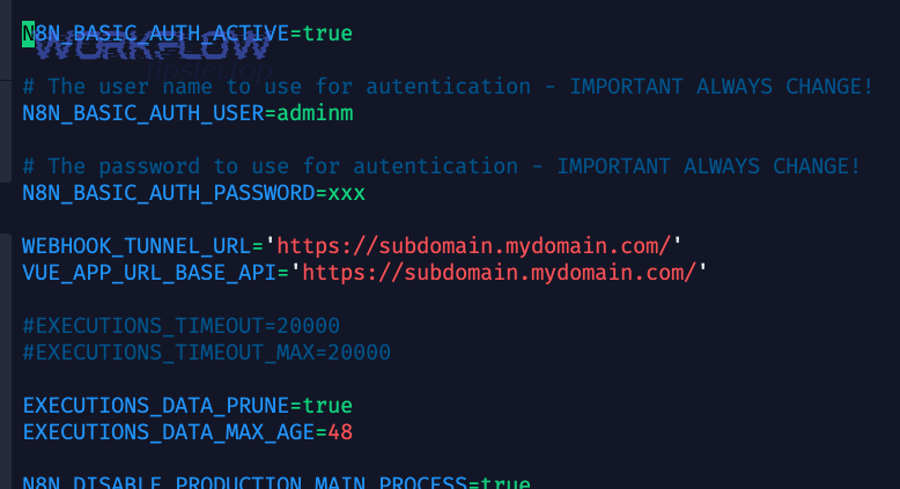
Use this verification sequence:
- Check Make run details: locate the exact module execution that shows 404 and note the request URL and time window.
- Check your edge logs: CDN/WAF logs (if present), reverse proxy access logs, and application request logs for that same time window.
- Look for correlation: if the request never appears in your logs, the issue is upstream (DNS, firewall, routing to the wrong host). If it appears but hits a fallback route, the issue is application routing.
Common correlation outcomes and what they imply:
- Make shows 404; app logs show no hit: the request likely hit a different host/environment, was blocked, or was served by a proxy rule that returns 404.
- Make shows 404; proxy logs show hit; app logs show no hit: reverse proxy routing mismatch (upstream path rewrite, location block mismatch, missing route forwarding).
- Make shows 404; app logs show hit: your application route matcher did not match (method mismatch, path mismatch, missing prefix, trailing slash rule).
Once you know “who said 404,” you stop debugging the wrong component and can fix the exact mismatch efficiently.
How do you validate the webhook URL, path, and environment mapping?
You fix most 404s by validating the exact webhook URL Make is calling—host, path, and environment—then ensuring it matches the route deployed in that environment.
After you validate the string, you validate the meaning: the host must resolve to the right deployment, and the path must map to the correct router prefix.

Run this URL integrity checklist:
- Host correctness: confirm you did not mix staging and production domains, or an old subdomain that no longer routes to the app.
- Path correctness: verify the path segment spelling, casing, and prefixes (e.g., /api/webhooks/receive vs /webhooks/receive).
- Protocol: ensure Make calls the protocol you intend (HTTPS vs HTTP), and that your server is listening and routing appropriately.
- Port assumptions: if you rely on a non-standard port, verify the port is reachable externally and the proxy forwards correctly.
A frequent real-world 404 pattern is “URL copied from a different environment.” You may have deployed the handler to staging and copied the staging URL into the production scenario (or the reverse). The fix is to align Make scenario environment with the deployment environment, not just the hostname string.
To make this durable, store environment-specific endpoints as scenario variables or connection parameters, and avoid hard-coding URLs inside multiple modules where drift is inevitable.
How do HTTP methods, trailing slashes, and routing rules cause 404s?
A webhook returns 404 when the server receives the request but cannot match both the HTTP method and the route pattern, even if the path looks “almost correct.”
Next, you eliminate the “almost” by testing method/path pairs and normalizing slash and rewrite behavior at one consistent layer.

Three route-matching traps cause disproportionate 404s in webhook integrations:
- Method mismatch: your route accepts POST, but Make (or an intermediary test) is sending GET. Some frameworks respond 404 instead of 405, which makes method errors look like missing routes.
- Trailing slash mismatch: /webhook and /webhook/ can be different routes depending on the framework and proxy configuration.
- Prefix/rewrite mismatch: reverse proxies often rewrite paths (e.g., strip /api), so the app sees a different path than Make sent.
To resolve these cleanly:
- Lock the method: Make webhooks should typically use POST. Ensure your handler explicitly accepts POST and returns a clear non-404 response for unexpected methods.
- Normalize slashes: pick one canonical form and redirect or rewrite consistently (either at the proxy or in the app, but not both).
- Document the canonical path: keep the canonical webhook path in one place (config) and generate environment URLs from it.
For disciplined debugging, do not change five things at once; adjust one routing rule, retest, then continue. This prevents “fixing” the 404 while introducing a hidden future regression.
How do you fix DNS, reverse proxy, and HTTPS termination in make troubleshooting?
In make troubleshooting, DNS, proxy routing, and TLS termination are the top causes when your endpoint “exists” but Make still receives 404, because the request is routed to the wrong upstream or served by a default virtual host.
Next, you verify each hop in order—DNS resolution, proxy virtual host selection, and upstream path forwarding—so you can prove where the route disappeared.
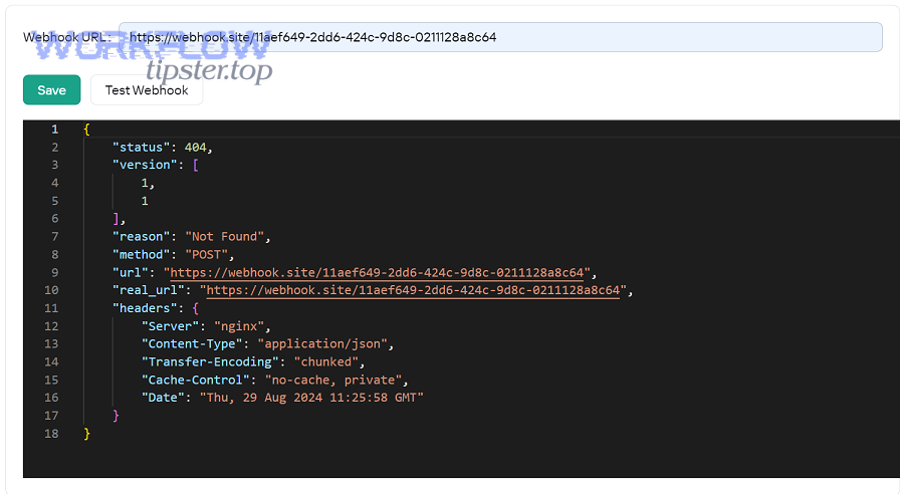
Apply this infrastructure triage path:
- DNS resolution: confirm the domain resolves to the expected IP(s) and that you are not seeing stale records from old deployments.
- Virtual host selection: a reverse proxy may return a default 404 if the Host header does not match a configured server block.
- Path forwarding: verify the proxy forwards the expected URI to the upstream (no unintended stripping or duplication of path prefixes).
- TLS termination: ensure HTTPS is terminated at the right layer and that redirects do not alter the path in a way that breaks routing.
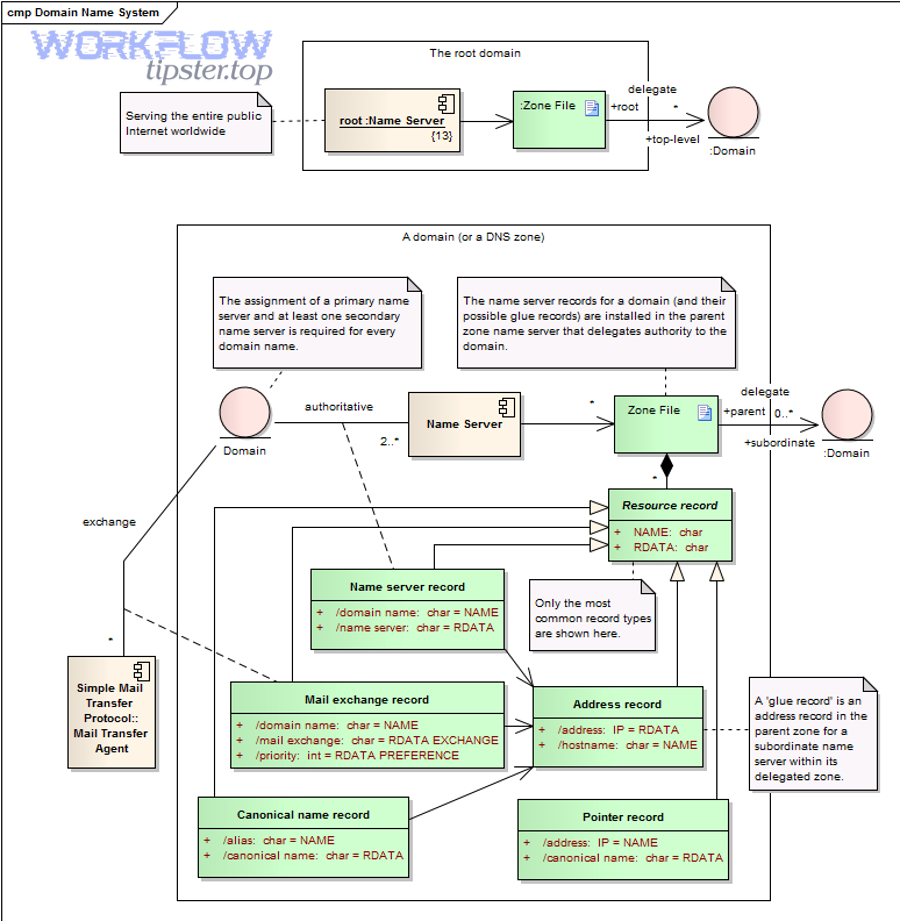
Two high-signal checks that often resolve “mysterious” 404s:
- Host header check: confirm Make is calling the same hostname you tested manually. If you tested https://api.example.com/webhook but Make calls https://example.com/webhook, your proxy may serve a different site and return 404.
- Default route check: if the request hits the proxy but not the app, you likely have a location block mismatch or an upstream not configured for that route.
Once DNS and proxy are aligned, webhook delivery becomes predictable and the remaining 404 issues are almost always application-level routing mismatches.
How do security layers (firewalls, WAFs, auth) turn real errors into 404?
Security layers can intentionally respond with 404 to hide protected endpoints, so your webhook may be blocked even though the route exists and would otherwise return 401 or 403.
Next, you decide whether the 404 is a deliberate concealment policy, then create an allowlist strategy that is compatible with Make’s outbound traffic model.
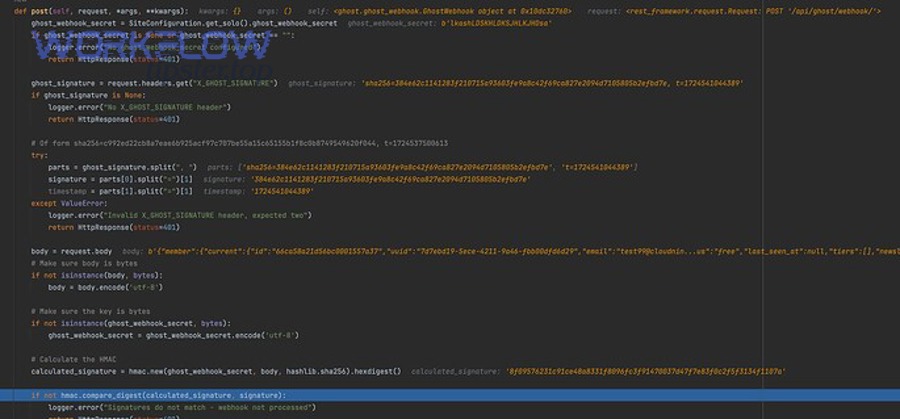
Security-induced 404 scenarios to check:
- WAF rule hiding endpoints: some WAF configurations return 404 for suspected bots or untrusted clients rather than a visible block page.
- IP allowlisting mismatch: if you allowlist specific source IPs but Make’s outbound IPs are not included, your edge may respond 404.
- Auth middleware masking: an authentication layer may be configured to return 404 when credentials are missing or invalid.

To fix this without weakening security:
- Prefer signed requests over IP allowlists: if possible, validate a shared secret, HMAC signature, or random token in a header/query parameter.
- Allowlist by route + signature: keep the webhook route accessible but require a signature, then rate-limit and log aggressively.
- Return explicit errors in non-production: in staging, configure the edge to return 401/403 with a diagnostic message to speed debugging, then tighten behavior in production.
This is also where teams accidentally conflate a missing route with a blocked route. The cure is always the same: check edge logs first, then application logs, then adjust the policy with evidence.
How do you reproduce the request with curl or Postman to isolate the issue?
You isolate a webhook 404 by reproducing the same request outside Make—same URL, method, and headers—so you can confirm whether the endpoint is fundamentally reachable and routable.
Next, you replicate the request as precisely as possible, because small differences (Host, path, method, redirects) are exactly what create 404s.

Use a structured reproduction approach:
- Start with a minimal POST: send an empty JSON body to confirm route matching and basic reachability.
- Add required headers: content-type, signature/token headers, and any custom headers your gateway requires.
- Add the full payload: only after the route returns 200/202, introduce real payload size and structure.
Example request format (adapt to your endpoint):
POST https://your-domain.com/your/webhook/path
Header: Content-Type: application/json
Header: X-Webhook-Token: <shared-secret>
Body: {“ping”: true}

When using Postman, focus on these diagnostics:
- Redirect behavior: if the first request receives a 301/302, ensure the redirected URL still matches the correct route path.
- SNI / TLS host: confirm the certificate and host match the exact domain Make uses.
- Proxy differences: a corporate proxy or local DNS override can make your manual test succeed while Make fails.
At this stage, you should be able to answer a critical question: “Does the URL return 404 universally, or only when called by Make?” If it is universal, fix routing. If it is Make-specific, fix edge policy, host mapping, or request composition differences.
How do you configure Make’s webhook module and scenario execution to avoid stale endpoints?
You prevent recurring 404s by configuring Make webhook modules so the scenario always listens on the intended endpoint and you retire old endpoints safely rather than silently replacing them.
Next, you treat webhook endpoints as versioned interfaces: stable paths, explicit lifecycle, and clear observability so you can detect drift before it becomes production downtime.

Configuration principles that reduce 404 exposure:
- Choose the correct webhook type: “custom webhook” endpoints are typically event-driven, while polling modules behave differently and can mask delivery assumptions.
- Keep one canonical endpoint per event type: avoid proliferating multiple webhook URLs that call different handlers unless you truly need them.
- Use environment-specific connections: ensure the production scenario never points to staging variables or staging hostnames.
- Control deployment timing: do not rotate routes at the same time you change Make scenario configuration unless you can rollback cleanly.
Operationally, your goal is to avoid “stale URL” failure modes where Make continues calling a URL you no longer serve. The easiest prevention is route stability: keep the route stable and change internal behavior behind it, rather than changing the public path repeatedly.
Within scenario operations, also verify that the module execution is actually firing and the scenario is enabled, because a disabled scenario can lead teams to test the wrong endpoint and misinterpret results.
How do you harden production so webhook routes stay stable across releases?
You harden webhook reliability by stabilizing URL contracts, adding route-level health checks, and instrumenting request logs so 404s become visible and actionable within minutes, not days.
Next, you implement a small set of controls—versioning, fallbacks, and observability—that make route changes safe even under continuous deployment.

Adopt these production-hardening practices:
- Route versioning strategy: keep a stable base path and version behind it only when needed (e.g., /webhooks/order remains stable; internally it routes to v1/v2 handlers).
- Grace period for old routes: when you must change a route, keep the old path alive temporarily and return a clear response that directs you to update the caller.
- Edge + app logging: log host, path, method, status code, and a request identifier at every layer so you can correlate Make runs with infrastructure traces.
- Alert on 404 spikes: a sudden increase in 404s on webhook routes is almost always a deploy or routing regression, and it is measurable.
Also consider creating a dedicated “webhook ingress” component that does nothing except validate signatures, log, and enqueue events. Your core application then processes jobs asynchronously. This separation makes routing simpler and reduces the risk that unrelated app routes or middleware changes cause webhook 404 regressions.
If you implement only one reliability change, make it this: ensure every webhook route returns a fast, deterministic response and logs enough context to reproduce failures without guessing.
After this contextual border, the content shifts from core resolution into advanced edge cases and compact FAQs that address recurring failures across real-world Make integrations.
Advanced edge cases and FAQs for persistent 404s
If your baseline checks are clean but 404 persists, the cause is usually an edge policy, a stale deployment artifact, or a hidden rewrite rule; the fastest path is to test controlled variations and observe which layer changes behavior.
Next, use these FAQs to close the less common—but highly recurring—failure modes that appear in long-lived automation stacks.
During Make Troubleshooting sessions, teams often discover that “404” is a symptom shared by multiple classes of misconfiguration, not a single bug, and that resolving it requires naming the exact class first.
Also note that you may see adjacent errors in the same scenario run history such as make webhook 500 server error or make field mapping failed; these are different failure modes, but they commonly appear together when route instability triggers partial retries and inconsistent payload handling.
Can a CDN or WAF return 404 even if the application route exists?
Yes, some CDNs/WAFs intentionally return 404 for blocked traffic to conceal protected endpoints, so the route exists but is not visible to Make’s outbound client.
To validate, temporarily bypass the CDN (direct origin test), or check the WAF event logs for a rule match on the request path and user-agent.
Mitigation that preserves security is typically: require a signature/token, rate-limit, and allow access to the route only when the signature is valid, rather than relying on brittle IP allowlists.
Why does the webhook URL work in a browser but return 404 from Make?
This happens when the browser test is not equivalent to Make’s request: the browser defaults to GET, follows redirects differently, and may hit a different host due to cached DNS or local overrides.
To isolate, test with a real POST and identical headers; if the browser path “works” only as GET, your POST route may be missing or masked by middleware.
In addition, some systems return a friendly HTML page for GET on the root path, while POST to the webhook path returns 404; that is not a contradiction—it is a method+route mismatch.
How do you rotate webhook URLs without breaking existing deliveries?
Rotate webhook URLs by running old and new routes in parallel for a defined grace period, then cut over the caller, then remove the old route after you confirm no traffic remains.
A safe rotation sequence is: deploy new route → update Make → confirm 2xx on new route → monitor old route traffic → retire old route.
If you remove the old route immediately, late deliveries and retries will hit 404 and create confusing, intermittent failures that are hard to reproduce.
What is the fastest on-call checklist when you see repeated 404s in Make run history?
The fastest checklist is to confirm URL correctness, confirm edge reachability, and confirm route matching, in that order, because each step eliminates an entire category of root causes.
Use this short operational runbook, then deepen only where evidence points.
- Step 1: Verify Make is calling the intended hostname and path (no staging/production drift).
- Step 2: Check edge logs (CDN/WAF/proxy) for the request; if missing, suspect DNS, firewall, or wrong host.
- Step 3: If edge sees it but app does not, fix proxy routing and path rewrites.
- Step 4: If app sees it but returns 404, fix method/path matching, trailing slash, and router prefixes.
- Step 5: Add a durable control (signature validation, stable route contract, logging) so the same issue does not recur.
Totaled up, this approach turns “404 not found” from a vague symptom into a precise diagnosis you can close quickly, even under production pressure, while keeping the webhook interface stable over time.