Aland Johnson
Founder & Editor-in-Chief
Company / Organization
Workflow Tipster
Experience / Skills
Workflow automation patterns, integration design, webhook/API troubleshooting, data mapping and normalization, document generation and e-sign flows, operational checklists and playbooks for popular software.
About Aland Johnson
Aland Johnson is an Automation & RevOps Consultant and Technical Writer, and he serves as the Founder & Editor-in-Chief of Workflow Tipster (workflowtipster.top)—a resource for bite-sized workflow tips, tool guidance, and troubleshooting solutions for popular software used by modern teams. From 2008 to 2012, Aland developed his foundation in information systems and workplace productivity tools, focusing on how businesses operationalize data across CRM, project management, customer support, and marketing platforms. During this period, he began documenting repeatable processes, building simple integrations, and learning the practical constraints that shape automation outcomes—such as inconsistent field formats, user permissions, and data quality issues. In 2013, Aland moved into hands-on operational support roles where reliability and speed mattered daily. He supported teams working across cloud-based tools, addressing recurring problems like login failures, permission mismatches, missing required fields, and data sync inconsistencies. Between 2014 and 2016, he expanded into cross-application workflow design, connecting systems through APIs and webhooks and establishing a structured troubleshooting method: reproduce the failure, isolate the failing hop, validate credentials and scopes, inspect payload shape, confirm rate-limit behavior, and implement safe retries with logging. From 2017 to 2019, Aland specialized further in RevOps enablement—helping organizations map business requirements into automation-ready schemas and governance. This phase emphasized durable system design: clear ownership of fields and objects, consistent naming conventions, deduplication strategies, and measurable KPIs. In 2019, he earned the Salesforce Certified Administrator credential, reinforcing his expertise in CRM configuration, permissioning, reporting, and operational controls that keep automations stable as teams and pipelines evolve. In 2020, Aland broadened his marketing operations skill set by completing the HubSpot Marketing Software Certification, deepening his work in lifecycle stages, attribution, segmentation, and automated communications—areas where subtle property mapping and timing rules often cause downstream failures. Between 2021 and 2022, he concentrated on integration resilience at scale: reducing duplicates, adding idempotency safeguards, standardizing payload validation, and creating runbooks for incident response when webhooks fail or third-party APIs degrade. In 2023, Aland earned the Zapier Certified Expert credential and continued refining advanced automation patterns across multi-step workflows, conditional routing, and cross-tool data normalization. That same year, he formalized his editorial approach: every guide must be reproducible, version-aware, and supported by verification steps so readers can confirm success rather than “guess and hope.” Since 2024, Aland has been building Workflow Tipster as a practical knowledge base for operators, founders, and teams who need quick, reliable answers. His content emphasizes clarity and measurability—short, actionable tips when speed matters, and deeper troubleshooting playbooks when reliability is the priority. Aland’s guiding standard remains consistent: state the goal, show the exact steps, surface common failure modes, and include a prevention checklist so the workflow stays healthy after the fix.
Related topics
Latest posts by Aland Johnson


Connect ActiveCampaign to Pipedrive for Sales Teams: Two-Way Contact & Deal Sync Integration Guide
If you’re trying to connect ActiveCampaign to Pipedrive , the fastest path is to pick the right integration style (native, iPaaS, or two-way sync app), then map fields so contacts and deals stay accurate instead of duplicating. Most teams start with the native ActiveCampaign–Pipedrive options to move contacts in and/or push contacts out via an automation action, because it’s the simplest setup and is maintained by ActiveCampaign.
Aland Johnson January 27, 2026 at 5:43 PM
Connect ActiveCampaign to Notion for Marketers: Set Up Automation Workflows (Triggers & Actions)
Connecting ActiveCampaign to Notion is a practical way for marketers to automate lead tracking, campaign operations, and sales handoffs by turning ActiveCampaign events (triggers) into Notion updates (actions) —so your team stops copying data manually and starts working from a single, organized system. Then, once you understand the basics, the real leverage comes from choosing the right triggers , mapping fields cleanly, and designing Notion databases that match how marketers actually triage leads, manage deals, and coordinate campaigns—without creating chaos or duplicates.
Aland Johnson January 27, 2026 at 5:31 PM
Connect ActiveCampaign to Microsoft Teams for Team Alerts (Integrate & Sync) — No-Code Guide for Marketing & Sales Teams
Connecting ActiveCampaign to Microsoft Teams is the fastest way to turn contact and deal activity into real-time team alerts—so marketing and sales can respond to hot leads, pipeline changes, and customer signals without living inside the CRM. To choose the right approach, you need to match your alert goals to the integration path: a simple no-code connector for quick wins, or a more flexible workflow builder when you need routing rules, formatting, and guardrails.
Aland Johnson January 27, 2026 at 5:17 PM
Migrate ActiveCampaign to HubSpot: Contacts, Tags & Automations Checklist for Marketing Teams
Migrating from ActiveCampaign to HubSpot is doable—and the fastest way to do it cleanly is to follow a checklist that moves in this order: audit → export → map → import → rebuild automations → QA → cutover. That sequence protects your data, preserves segmentation, and prevents “silent failures” like broken personalization and misfiring workflows.
Aland Johnson January 27, 2026 at 5:03 PM
Connect ActiveCampaign to Google Sheets: Automate Contacts & Tags Sync for Marketing Teams (Native Integration Guide)
Connecting ActiveCampaign to Google Sheets lets you automatically capture contact details and tag changes in a spreadsheet—so your team can track leads, run lightweight reporting, and reduce manual copy-paste without breaking the automation flow. Next, you’ll learn what “automated contact syncing” really means in practice—what data moves, what doesn’t, and why marketing teams typically treat Google Sheets as a clean, shareable “single view” of the activity they care about.
Aland Johnson January 27, 2026 at 4:50 PM
Sync ActiveCampaign to Airtable: Step-by-Step Integration Guide for Marketing Teams (Zapier vs Make vs n8n)
To sync ActiveCampaign to Airtable, you typically connect ActiveCampaign events (new/updated contacts, tags, deals, automation webhooks) to Airtable record create/update actions using an automation platform like Zapier, Make, or n8n, then standardize field mapping so the same contact stays one row over time. Most teams also need to decide whether this is a one-way feed (ActiveCampaign → Airtable for reporting and ops) or a true two-way sync (Airtable ↔ ActiveCampaign for enrichment and workflow control), because the “right” direction depends on ownership of truth, deliverability risk, and how frequently each system changes.
Aland Johnson January 27, 2026 at 4:35 PM
Fix HubSpot Webhook 500 Internal Server Error for Developers : Causes, Logs, and Reliable Retries
A HubSpot webhook 500 Internal Server Error is fixed by proving where the 500 is generated (your receiver vs HubSpot), then removing the crashing condition (parsing, auth, dependency, timeout), and finally making delivery resilient with safe retries and deduplication. Next, you’ll learn how to tell whether HubSpot is failing or your endpoint is failing, because the correct fix depends on the error’s true origin—HubSpot can surface the status, but your infrastructure typically creates it.
Aland Johnson January 27, 2026 at 3:59 PM
Fix HubSpot Webhook 429 Rate Limit Errors for Developers: Retry-After, Backoff, and Workflow Throttling
A HubSpot workflow webhook 429 rate limit error happens when your endpoint (or a dependency behind it) is telling HubSpot “too many requests right now,” and the fix is to control burst traffic using Retry-After , queue-based processing , backoff + jitter , and (when needed) HubSpot workflow rate limiting so retries don’t turn into repeated failures. Next, you’ll want to pinpoint whether the 429 is caused by your webhook receiver capacity , workflow-driven traffic spikes , or downstream APIs throttling your processing path , because each root cause requires a different stabilization strategy.
Aland Johnson January 27, 2026 at 3:46 PM
Fix HubSpot Webhook 404 Not Found: Troubleshoot Target URL Routing for Developers (404 vs 400 vs 429)
A HubSpot webhook 404 Not Found is almost always telling you one thing: HubSpot successfully reached a server , but the exact path (and often the HTTP method) you configured does not map to a real route on your receiving application. The fix is therefore less about “HubSpot being down” and more about making your Target URL + routing + method handling line up so your endpoint returns a fast 2xx response.
Aland Johnson January 27, 2026 at 1:29 PM
Fix HubSpot Webhook 403 Forbidden (Access Denied) for Developers: Scopes, Permissions & Endpoint Checks
A HubSpot webhook 403 Forbidden usually means “the request was denied,” and you can fix it by identifying whether the block comes from HubSpot permissions/scopes or from your webhook endpoint and network controls —then applying the right correction. Many 403 cases are actually permission-shaped problems: the app is installed with the wrong OAuth scopes , the token belongs to the wrong portal, or the connected user lacks the right feature access for the operation being attempted.
Aland Johnson January 27, 2026 at 1:17 PM
Fix HubSpot Webhook 401 Unauthorized (Unauthenticated) Errors for Developers
A HubSpot webhook 401 Unauthorized problem is almost always an authentication failure between HubSpot and your receiving endpoint—meaning your endpoint didn’t accept the credentials (or signature) you expected, or you didn’t send/verify them correctly. HubSpot’s API docs also use 401 specifically for invalid authentication in API requests, which matches how webhook endpoints typically surface auth mistakes during validation.
Aland Johnson January 27, 2026 at 1:06 PM
Fix HubSpot Webhook HTTP 400 (Bad Request) Errors for Developers — Payload Parsing, Signature Validation, and Response Rules
A HubSpot webhook HTTP 400 (Bad Request) almost always means your receiving endpoint decided the incoming request was invalid—typically because your server couldn’t parse the JSON body, rejected the schema, or failed a verification rule and returned 400 as the “catch-all” response. Next, the fastest way to stop repeated 400s is to treat webhook payload handling as an ingestion pipeline: capture the raw request , parse HubSpot’s batched (array) payloads safely, validate only what is essential, and quarantine bad events without blocking the entire delivery.
Aland Johnson January 27, 2026 at 12:55 PM
Fix HubSpot Workflow Trigger Not Firing for RevOps Teams: Troubleshoot Enrollment & Re-enrollment
HubSpot workflow triggers “not firing” are usually fixable with a disciplined diagnostic flow: first prove whether records are not enrolling , then verify whether they enroll but stall , and finally correct the specific enrollment trigger or re-enrollment rule that’s blocking the workflow. If you’re unsure where to start, the fastest win is to separate trigger failure (no enrollment event) from execution failure (enrolled, but actions don’t run).
Aland Johnson January 27, 2026 at 12:42 PM
Fix HubSpot Permission Denied Errors for Admins: “Access Denied” Synonyms Across Roles vs OAuth Scopes
To fix a HubSpot permission denied error (main keyword focus), you typically need to fix (predicate) the exact access control that blocked the action—where “permission denied” and “access denied” are synonyms that can point to user roles, paid-seat/feature gating, or OAuth/private-app scopes. A fast path is to confirm whether the denial happened in the HubSpot UI (user permissions/teams/permission sets) or through an integration/API (OAuth scopes, install permissions, or account-tier scope limits), because each route has a different root cause and fix.

Aland Johnson January 27, 2026 at 12:32 PM
Refresh & Fix HubSpot OAuth Token Expired Errors for Developers (Access Token vs Refresh Token)
An “HubSpot OAuth token expired” error usually means your access token has reached the end of its short lifetime, so HubSpot rejects API calls until you refresh it using the refresh token and retry safely. Next, it helps to understand what “expired” really means in HubSpot OAuth—especially the expires_in lifetime and why access tokens are intentionally short-lived for security and operational control.
Aland Johnson January 27, 2026 at 12:18 PM
Fix HubSpot API Limit Exceeded for Developers: 429 Too Many Requests
HubSpot API Limit Exceeded usually shows up as a 429 Too Many Requests response, which means your integration is sending requests faster than HubSpot will accept for the account/app context you’re operating in. The fix is not “try again harder”—it’s to identify which limit policy you hit , then throttle + back off + reduce call volume until you stay under the enforced windows.
Aland Johnson January 27, 2026 at 12:08 PM
Fix Google Sheets Timeouts & Slow Runs for Developers (Lagging Performance Troubleshooting Guide)
Google Sheets timeouts and slow runs are fixable when you treat them like a performance bug: isolate the bottleneck, remove the highest-latency operations, and confirm the improvement with repeatable measurements. Many “timeouts” are actually Apps Script executions that hit limits, stall on too many spreadsheet service calls, or collide with other triggers—so the fastest path is usually batching reads/writes and reducing per-cell operations.
Aland Johnson January 27, 2026 at 11:43 AM
Fix Google Sheets Tasks Delayed by a Task Queue Backlog for Automation Teams
Google Sheets tasks get delayed by a queue backlog when work arrives faster than your system can write to Sheets, so tasks stack up and “catch up” later; the practical fix is to reduce arrival bursts, cut write volume, and keep throughput above peak demand. Next, you need to confirm it’s truly a queue backlog (not a failing integration) by separating “late but successful” runs from “error-loop retries,” then pinpoint whether the delay occurs before the Sheets step or inside the Sheets write itself.
Aland Johnson January 27, 2026 at 11:30 AM
Fix Google Sheets Permission Denied (Access Denied) 403 Errors for Users & Developers — Troubleshooting Guide
Google Sheets “Permission denied” (often shown as “Access denied” or HTTP 403 PERMISSION_DENIED) is fixable in most cases by matching the correct Google account, confirming the file’s share role (Viewer/Commenter/Editor), and re-authorizing any connected app with the right access scope. Many people get stuck because they’re not sure what the error actually means—whether it’s a sharing problem, a protected range restriction, or an app/API authorization issue.
Aland Johnson January 27, 2026 at 11:19 AM
How to Handle Missing Fields and Empty Payloads in Google Sheets
Missing fields and “empty payload” problems in Google Sheets usually come from how data is structured, mapped, or retrieved—not from the sheet suddenly deleting your data. The fastest fix is to confirm whether the value is truly absent, simply blank, or being omitted by an integration step.
Aland Johnson January 27, 2026 at 11:08 AM
Fix Duplicate Records Created in Google Sheets for Automation Users
The fastest way to fix duplicate records created in Google Sheets is to treat the problem as an automation reliability issue: identify the duplicate source event, choose a stable unique key, and switch from “always create/append” to an upsert flow (find → update, else create) so one event produces one row. Before you change anything, you must confirm whether duplicates are coming from your workflow (Zapier/Make/n8n/API scripts) or from human edits, because the correct fix depends on how the same event is being triggered, replayed, or written more than once.
Aland Johnson January 27, 2026 at 10:57 AM
Fix Google Sheets Data Formatting Errors for Teams: Troubleshoot Formatting Issues in Numbers, Dates, and Text
Google Sheets data formatting errors happen when the displayed value (what you see) stops matching the intended value (what formulas, sorting, filters, and exports should use). To fix them reliably, you need to identify the mismatch type (number, date/time, text) and then convert the underlying value—not just change how it looks.
Aland Johnson January 27, 2026 at 10:45 AM
Fix “Attachment Upload Failed” (Missing File Uploads) in Google Sheets for Automators — Attachments vs File Uploads
You can fix “Attachment Upload Failed” and “attachments missing” in Google Sheets automations by treating the file upload as a Drive-first pipeline: upload the file successfully, capture a stable fileId , then write the link + metadata into Sheets with validation and retries. Most failures come from a small set of root causes—OAuth scopes and permissions, Drive quota or Shared Drive access, file constraints (size/type/name), and timeouts or slow network behavior—so a structured diagnosis will usually identify the exact breaking step quickly.
Aland Johnson January 27, 2026 at 10:14 AM
Fix Google Sheets Webhook 500 Server Error for Developers: Troubleshoot “Internal Server Error”
A “google sheets webhook 500 server error” usually means your webhook-to-Sheets pipeline hit an internal failure at runtime—either inside the Sheets API, inside Apps Script (if you use it as an endpoint/bridge), or inside the sender/middleware that is posting data. The fastest fix is to pinpoint which layer returned the 500, then apply the correct remedy: reduce concurrency, harden retries, simplify writes, and log enough context to reproduce the exact failing request.
Aland Johnson January 27, 2026 at 10:02 AM
Fix Google Sheets Webhook 429 Rate Limit (Too Many Requests) for Automation Developers
If your webhook-driven workflow is failing with “Google Sheets webhook 429 rate limit” or “Too Many Requests,” you can fix it by slowing down writes, batching updates, and retrying safely with exponential backoff so your automation becomes reliable instead of bursty and fragile. Next, you need to confirm what is truly returning the 429: the Google Sheets API itself, your automation platform, or your own retry behavior that unintentionally creates a “retry storm” during traffic spikes.
Aland Johnson January 27, 2026 at 9:50 AM
Fix Google Sheets Webhook 404 Not Found (Requested Entity Not Found) — Endpoint & Spreadsheet ID Checklist for Automation Developers
If your webhook returns 404 Not Found when writing to Google Sheets, you can fix it by validating three things in order: the webhook endpoint URL , the Spreadsheet ID (plus sheet/range targeting) , and the permissions/auth identity used to access the file. This issue becomes much easier when you can first identify where the 404 is produced: the endpoint (often an Apps Script Web App) or the downstream Google Sheets API/resource lookup.
Aland Johnson January 27, 2026 at 9:36 AM
Fix Google Sheets Webhook 403 Forbidden for Developers: Resolve “Permission Denied” (OAuth vs Sharing)
A Google Sheets webhook 403 Forbidden almost always means your automation is authenticated incorrectly, authorized with the wrong scopes, or blocked by file/domain permissions—so the fix is to verify who the caller is, what it’s allowed to do, and whether the target Sheet is accessible. Next, you need to interpret what 403 Forbidden means in Google Sheets integrations, because “forbidden” can point to OAuth scopes, Drive/Sheet sharing, Workspace policy, or the webhook endpoint itself.
Aland Johnson January 27, 2026 at 9:23 AM
Fix Google Sheets Webhook 401 Unauthorized Errors (Unauthenticated): OAuth 2.0 Guide for Developers
A Google Sheets webhook 401 Unauthorized almost always means your request reached the endpoint but arrived without acceptable credentials (or with credentials Google can’t validate), so the call is treated as unauthenticated . The fastest fix is to confirm which component is the “resource server” (Apps Script Web App vs.
Aland Johnson January 27, 2026 at 9:10 AM
Fix Google Sheets Webhook HTTP 400 Bad Request (Bad Request Error) — Troubleshooting Guide for Developers
HTTP 400 Bad Request on a Google Sheets webhook almost always means the receiver (Apps Script Web App or the Sheets API layer you’re calling) considers your request invalid—so fixing it comes down to validating the endpoint, method/headers, payload shape, and the sheet/range details end-to-end. Next, you’ll verify that your webhook URL and deployment settings are correct, because a “looks right” URL can still point to the wrong script version, the wrong access mode, or an endpoint that never reaches your doPost handler.
Aland Johnson January 27, 2026 at 8:57 AM
Fix Google Sheets Trigger Not Firing (Not Running): Troubleshoot Apps Script onEdit/onChange for Spreadsheet Automations
If your Google Sheets trigger is not firing, you can usually fix it by confirming the trigger type (simple vs installable), verifying it is installed for the correct function and spreadsheet, and then eliminating the top blockers: permissions, wrong edit source, and silent runtime errors. Next, you’ll learn which Google Sheets trigger you actually need—because many “not firing” complaints are really a mismatch between onEdit , onChange , and time-driven triggers, especially when updates come from scripts, APIs, imports, or third-party automations.
Aland Johnson January 27, 2026 at 8:44 AM
Fix Google Sheets Timezone Mismatch for Spreadsheet Users: Resolve Wrong Time Zone
To fix a Google Sheets timezone mismatch, set the spreadsheet’s Time zone correctly and then validate your results with NOW() , TODAY() , and any timestamp pipelines that write into the sheet. Next, you’ll diagnose whether the mismatch is truly a timezone problem (hours or day shifting) or a look-alike issue such as locale-based date parsing, formatting, or imported UTC timestamps.
Aland Johnson January 27, 2026 at 8:33 AM
Fix Missing Records from Pagination in Google Sheets: NextPageToken Troubleshooting Guide for Developers
Missing rows during pagination usually happen because the “next page” state (page number, offset, or nextPageToken) is not handled deterministically across retries, sorting changes, or partial writes—so your Google Sheets dataset ends up with gaps that look random but follow a pattern. To resolve the issue, you need to identify where records actually disappear (source API, transformation layer, or the Sheets write step) and then rebuild pagination as a resumable loop that can survive timeouts, quotas, and reruns without skipping or duplicating data.
Aland Johnson January 27, 2026 at 8:21 AM
Fix Google Sheets OAuth Token Expired Errors: Refresh Token vs Access Token Guide for Developers
A “Google Sheets OAuth token expired” error almost always means your app can’t present a valid credential to Google anymore—either the short-lived access token timed out, or the long-lived refresh token is no longer usable (revoked, invalid, or expired). The fastest fix is to confirm which token failed, then restore a working refresh-token path or reauthorize the user when refresh is impossible.
Aland Johnson January 27, 2026 at 8:08 AM
Fix “Invalid JSON Payload” in Google Sheets API for Developers (Malformed Request Body / 400 INVALID_ARGUMENT)
If you’re seeing “Invalid JSON payload” in the Google Sheets API, the fix is almost always the same: send a request body that is valid JSON and matches the exact schema the endpoint expects (especially a correct 2D values array for Values endpoints, or a valid requests[] structure for batchUpdate ). You’ll solve most cases by confirming four basics: your JSON is syntactically valid, you aren’t double-stringifying, your headers and HTTP method are correct, and you’re not adding “extra” wrapper keys that the Sheets API doesn’t recognize (which triggers “Unknown name …
Aland Johnson January 27, 2026 at 7:56 AM
Fix Google Sheets Field Mapping Failed Errors for Automation Builders: Failed vs Successful Mapping Checklist
If you’re seeing a “Google Sheets field mapping failed” error, you can usually fix it without rebuilding your entire workflow by isolating the failure point (sheet structure, field discovery, permissions, or data shape) and then applying a small, targeted correction. Most mapping failures start after a “harmless” sheet change—adding a column, renaming a header, or moving a tab—which causes schema drift and makes the integration’s saved field list go stale.
Aland Johnson January 27, 2026 at 7:44 AM
Fix Google Sheets API Limit Exceeded (429 Too Many Requests / RESOURCE_EXHAUSTED) for Developers: Quota & Rate-Limit Troubleshooting Guide
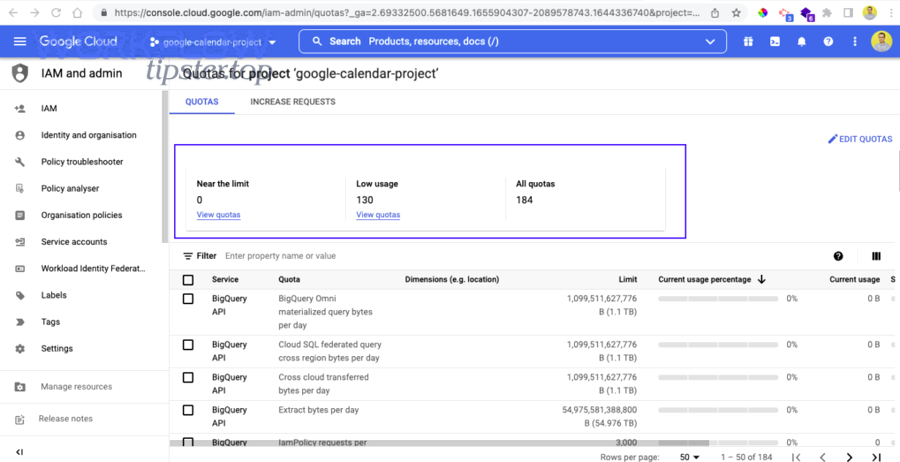
You can fix a “Google Sheets API limit exceeded” error by identifying which quota bucket you hit (per-minute, per-user, or per-project), then reducing request volume with batching and range design, and finally adding exponential backoff and client-side throttling so 429 spikes stop breaking your workflow. Next, you’ll learn how to confirm the exact quota metric behind the failure using the right logs and Cloud Console usage signals, so you stop guessing and start targeting the bottleneck that actually caused the 429 or RESOURCE_EXHAUSTED response.
Aland Johnson January 27, 2026 at 7:32 AM
Fix Google Chat Webhook 500 Internal Server Error for Developers : Causes, Checks, and Fast Resolutions
A Google Chat incoming webhook can return 500 Internal Server Error when Chat’s server can’t fulfill your request due to an unexpected condition—so the fastest “fix” is a structured triage that proves whether the failure is your payload/config or a Google-side transient . You’ll also want a reliable way to validate the request (minimal payload tests, correct content type, safe message formatting) so you can stop guessing and isolate the exact trigger that flips a working webhook into a 500.
Aland Johnson January 27, 2026 at 7:08 AM
Fix Google Chat Webhook 429 Rate Limit (Too Many Requests) for Developers: Quotas, Exponential Backoff & Retry
To fix a Google Chat webhook 429 rate limit error, you must reduce burst traffic and implement an exponential backoff retry policy that stops “retry storms” while preserving message delivery through a queue. Next, you need to understand why 429 happens —it’s rarely “random”; it’s usually a burst, concurrency spike, fan-out pattern, or an automated loop that overwhelms per-minute limits even when your daily volume looks small.
Aland Johnson January 27, 2026 at 6:56 AM
Fix Google Chat Webhook 404 Not Found for Developers (Requested Entity): Troubleshoot Wrong URL vs Valid Space
A google chat webhook 404 not found error usually means your request reached Google Chat, but the specific webhook resource you’re targeting doesn’t exist in that exact space anymore—so the fastest fix is to verify the webhook URL (space + key + token), then regenerate the webhook if any part is stale or mismatched. Next, you’ll want to diagnose why the “requested entity was not found” happened—whether it’s a copied URL issue, a deleted/rotated webhook, a space mismatch, or a thread/reply parameter mistake—so you can stop repeating the same failure across environments and automations.
Aland Johnson January 27, 2026 at 5:43 AMFix Google Chat Webhook 403 Forbidden (Permission Denied): Causes & Step-by-Step Solutions for Developers
A Google Chat webhook 403 Forbidden (Permission Denied) almost always means your request reached Google, was understood, but was refused because the identity you’re using isn’t allowed to post into that space (or your admin policy blocks the feature). To resolve it quickly, first confirm which “Chat integration” you’re actually using (incoming webhook vs Chat API vs Chat app/webhook quickstart), because each has different auth rules and different fixes.
Aland Johnson January 27, 2026 at 5:28 AMFix Google Chat Webhook 401 Unauthorized (UNAUTHENTICATED) for Developers: Key/Token vs OAuth Troubleshooting
A Google Chat webhook 401 Unauthorized (UNAUTHENTICATED) almost always means one thing: your request is reaching an endpoint that expects a different kind of authentication than you’re providing, or it’s receiving credentials that are missing, malformed, or no longer valid. Most “401” cases come down to a fast fork in the road: incoming webhook key+token (simple notification posting) versus Google Chat API OAuth (scoped API access).
Aland Johnson January 27, 2026 at 5:16 AMFix Google Chat Webhook 400 Bad Request (Invalid JSON Payload) for Developers: Causes, Supported Fields, Examples
A Google Chat webhook 400 Bad Request almost always means your request body is being rejected as not a valid Chat message payload —either the JSON is syntactically invalid, or it contains fields Chat doesn’t recognize, so the platform refuses to post the message. This guide helps you verify the webhook with a smallest valid payload , then expand safely into richer message formats so you can stop guessing and start shipping reliable notifications.
Aland Johnson January 27, 2026 at 5:00 AM
Fix Google Chat Trigger Not Firing (Events Not Delivered) for Developers & Automation Builders
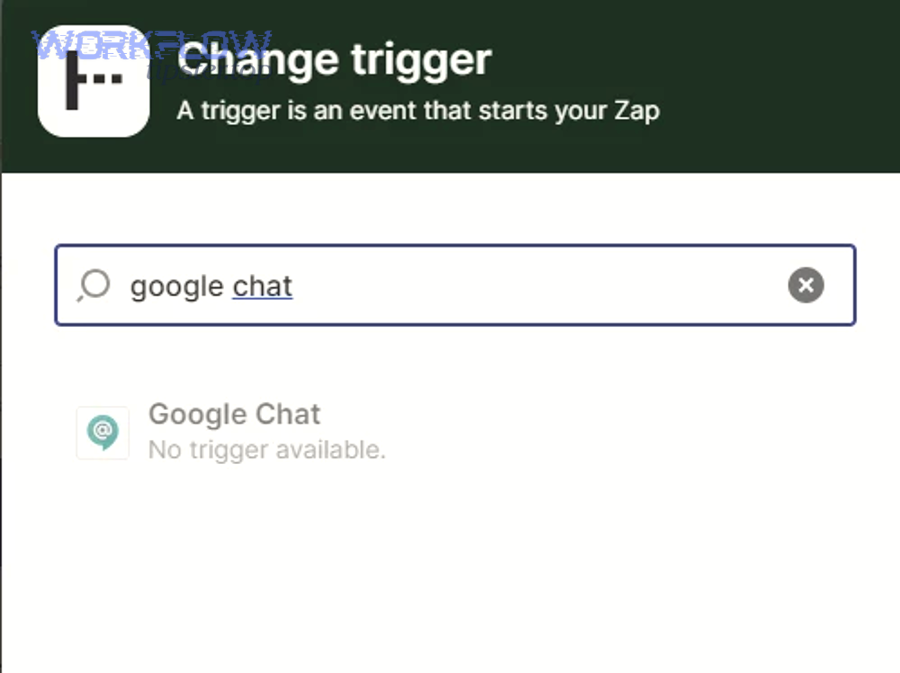
A Google Chat trigger not firing is almost always fixable when you treat it as an event-delivery problem: you confirm the correct architecture (Chat app vs incoming webhook), verify the exact event types you expect, and trace whether requests reach your endpoint and return valid responses. This guide also helps you avoid the most common “wrong mental model” issues—like expecting incoming webhooks to listen for messages, or expecting a third-party automation connector to create triggers without a properly configured Google Chat app.
Aland Johnson January 27, 2026 at 4:45 AM
Fix Google Chat Timezone Mismatch (Wrong Time Zone) for Admins & Developers: Device, Browser, and Workspace Settings
Yes—most Google Chat “wrong time” problems are caused by a timezone mismatch between your device clock, browser location/timezone assumptions, and (in managed environments) Workspace policies; fixing the highest-priority layer (device time + timezone) usually restores correct timestamps and notification timing immediately. Next, if you manage an organization, you can reduce repeat incidents by standardizing user and device timezone defaults in Google Workspace, so new users and managed devices don’t inherit a conflicting timezone configuration.
Aland Johnson January 27, 2026 at 4:31 AM
Fix Google Chat Timeouts & Slow Runs for Chat App Developers: Reduce 30-Second Latency (Timeout vs Slow Response)
Google Chat timeouts and slow runs usually happen because your Chat app can’t complete a synchronous interaction quickly enough—so Chat shows “not responding,” retries delivery, or your users experience delayed replies. The fastest fix is to acknowledge within the response window, cut blocking work, and move long tasks to an asynchronous path.
Aland Johnson January 27, 2026 at 4:17 AM
Fix Delayed Google Chat Tasks: Troubleshoot Task-Queue Backlog & Message Delivery Lag (for Developers/Admins)
Delayed Google Chat tasks usually happen because your notification pipeline cannot keep up: tasks pile up in the queue, workers fall behind, retries multiply, and messages reach Google Chat minutes (or hours) late. The fastest fix is to locate the exact “lag segment” (queue wait, execution time, or Chat delivery) and remove the bottleneck that is aging tasks.
Aland Johnson January 27, 2026 at 4:03 AMFix Google Chat Permission Denied: Troubleshoot “Access Denied” Restrictions for Workspace Users
“Google Chat permission denied” usually means your account (or your Chat app) is blocked from doing a specific action—like sending a message, joining a space, or calling the Chat API—because a permission, policy, or identity check failed. The fastest path to a fix is to identify which layer is denying access: the end-user layer (account/session/device), the Google Workspace admin layer (organization unit policies, external chat rules, space restrictions), or the developer layer (OAuth scopes, app installation, service account access).
Aland Johnson January 27, 2026 at 3:51 AM
Fix Pagination Missing Records in the Google Chat API for Developers: pageToken & nextPageToken Guide
Pagination missing records in the Google Chat API usually happens because the client stops too early, reuses the wrong pageToken , or changes request parameters between pages—so the safest fix is to paginate until nextPageToken is empty while keeping the request stable and validating results by message IDs. Next, you’ll learn exactly how pageToken and nextPageToken work in spaces.
Aland Johnson January 27, 2026 at 3:34 AM
Fix Google Chat OAuth Token Expired Errors: Troubleshoot Invalid vs Valid Tokens for Developers
A “google chat oauth token expired” error usually means your integration is trying to use an access token or refresh token that is no longer valid, so Google refuses the request and your app can’t post messages, read spaces, or act on behalf of the user. Next, you need to identify whether the failure is truly token expiration (normal lifecycle) or token invalidation (revoked consent, changed app status, rotated credentials), because the fix changes depending on which one happened.
Aland Johnson January 27, 2026 at 3:18 AM