


If you’re seeing make permission denied in Make (Make.com), the fastest path to resolution is to identify which “permission layer” is blocking the run: the app connection, the target resource (file/record/folder), or your Make workspace role.
In this guide to Make Troubleshooting, you’ll learn how to decode “permission denied” variants (403, insufficient scopes, forbidden operations), then apply fixes that map directly to Make scenarios, modules, and connections.
You’ll also get a practical decision flow for common integrations (Google Workspace, Microsoft 365, Slack, Airtable, storage providers, custom APIs) where permissions behave differently depending on user, team, and admin policies.
To tie it together, Tiếp theo we’ll move from quick checks to deeper diagnostics, so you can prevent repeat failures with least-privilege access, stable connections, and predictable run behavior.
What does “make permission denied” actually mean in Make (make troubleshooting)?
Make permission denied means the action your module attempted is not authorized by the current identity (connection/user/token) or the target resource’s access rules, so the API rejects it (often as HTTP 403) and the scenario run fails. Để bắt đầu, treat it as an “authorization mismatch,” not a random outage.

Cụ thể, Make is an orchestration layer: it calls external APIs using the credentials stored in your connection. If the external system says “no,” Make can’t override it. That “no” may come from:
- Connection-level authorization: token expired, scopes missing, wrong account, revoked consent.
- Resource-level access: file/folder/shared drive/record isn’t shared to the connected user/service account.
- Tenant or admin policy: app blocked, API disabled, conditional access, domain restrictions.
- Make workspace permissions: you cannot edit/run certain scenarios, or access team connections.
To avoid guessing, classify the failure by where it’s enforced: Make UI vs external API. If the error includes HTTP status, a provider error code, or a message like “insufficient permissions,” it’s almost always external enforcement.
The fastest mental model is “identity + scope + resource.” If any of the three doesn’t match, you’ll get permission denied. Để hiểu rõ hơn, the next sections map this model to specific Make screens and fixes.
The security context matters: according to the OWASP Foundation from the OWASP Top 10 Project, in September 2021, Broken Access Control ranked as the #1 web application risk—meaning permission failures are common and should be handled systematically, not ad hoc.
How do you confirm whether the block is Make-side or app-side (make troubleshooting)?
You can confirm the enforcement point by checking the error payload, the module’s response details, and whether the same connection works in a manual API call or a simple “list” operation. Sau đây is a reliable three-step confirmation.

Step 1: Inspect the module’s output and HTTP status
If you see HTTP 401/403, “forbidden,” “insufficient scopes,” or provider-specific codes, the external service is rejecting your request. Tiếp theo, note whether it fails on “list/search” versus “create/update/delete,” because write actions typically require extra scopes or resource permissions.
In Make, open the run’s module bubble and review the detailed error. Focus on: endpoint, method (GET vs POST), resource ID, and error message text. Often the message hints at the missing role (e.g., “requires admin,” “needs files.readwrite,” “not a member of workspace”).
Step 2: Try a minimal “read-only” module with the same connection
If a “list” module succeeds but “create/update” fails, you have a scope or role gap rather than a fully broken connection. Ngoài ra, if both fail, you likely have wrong account, revoked consent, or admin restrictions.
Step 3: Check Make workspace permissions and shared assets
If you can’t even open the scenario or the connection, it’s Make-side access control (team role, organization role, shared connection policies). Quan trọng hơn, Make-side issues usually present as UI-level restrictions, not HTTP 403 from a provider.
At this point, you’ve separated “Make access” from “provider access.” Hãy cùng khám phá the most common provider-side root causes next.
Which permission layers fail most often: token, scopes, resource, or admin policy (make troubleshooting)?
There are four primary permission failure layers, and you can usually identify the correct one in under five minutes by matching the wording of the error to the layer’s signature. Dưới đây is a practical grouping you can reuse across integrations.

Layer 1: Token identity mismatch
The connection is authenticated, but it’s the wrong account (personal vs work, old admin vs new admin), or the token was revoked. Cụ thể hơn, symptoms include “user not found,” “account disabled,” or “invalid_grant” followed by permission-like errors for resources you expected to access.
- Fix: Reconnect using the correct account; ensure the connected account is the one that actually owns or is shared to the resource.
- Fix: Ask the resource owner to share explicitly to that account (not “anyone with link” if policies restrict it).
Layer 2: OAuth scopes missing
Scopes are what the token is allowed to do. If your scenario evolved (read-only to write), the original consent may be insufficient. Tiếp theo, watch for messages like “insufficient permissions” or “Request had insufficient authentication scopes.”
- Fix: Reconnect and approve the required scopes; in some systems you must remove the app access and re-consent.
- Fix: Use a different Make app/module variant that requests broader scopes (when appropriate).
Layer 3: Resource-level ACLs (file/folder/record sharing)
The token is valid and scoped, but the specific object is not shared to it. Để minh họa, Google Drive can be “scoped OK” but still deny access to a Shared Drive file if the user isn’t a member.
- Fix: Share the exact folder/file/record to the connected identity; validate membership for shared spaces.
- Fix: Ensure you’re referencing the correct resource ID; wrong IDs can produce permission-like responses.
Layer 4: Tenant/admin and security policies
Admins can block third-party apps, require admin consent, restrict IP/device, or disable APIs. Ngược lại from the layers above, these failures often mention “policy,” “admin,” “blocked,” or “access denied by organization.”
- Fix: Request admin consent, allowlist Make, or use an approved app registration.
- Fix: Switch to service accounts or organization-managed credentials when policies require it.
Now that you can name the layer, Tiếp theo you can apply targeted fixes instead of repeatedly reconnecting at random.
How to fix Make permission denied by rebuilding the connection correctly (make troubleshooting)?
The most reliable fix is to rebuild the connection in a controlled way: verify identity, re-consent scopes, and validate with a minimal test module before returning to your full scenario. Sau đây is a step-by-step method that prevents “fixed for me, broken for others” outcomes.
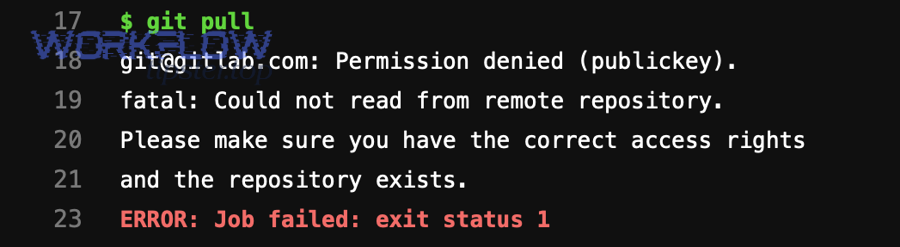
Step 1: Confirm the exact identity behind the connection
In Make, open the connection details and note the account email/tenant. If the provider supports it, run a “Get profile” or “Me” endpoint using the same connection. Tiếp theo, compare it against the identity that owns the target resource.
Step 2: Remove stale consent and reconnect with required scopes
For OAuth providers, simply “reconnect” may not upgrade scopes unless you force a fresh consent screen. Cụ thể, you may need to disconnect, remove Make’s access in the provider’s “Connected apps” settings, then reconnect to trigger full consent.
Step 3: Validate with a minimal read test, then a minimal write test
Start with “list/search” against a known accessible resource. Then try a harmless write (e.g., create a draft, add a comment, or create a test record). Hơn nữa, keep these test modules in a separate “Diagnostics” scenario for future incidents.
Step 4: Lock down least privilege after confirming success
Once it works, reduce blast radius: use the narrowest scopes, a dedicated integration account, and explicit sharing to only the needed folders/objects. Tóm lại, stability improves when the scenario is not tied to a personal account that can change roles or leave the organization.
To connect the dots with adjacent failures, you’ll sometimes see related symptoms like Make Troubleshooting notes about make field mapping failed or make api limit exceeded in the same run history; treat those as separate axes (data shape and rate limits), not substitutes for fixing authorization.
How to resolve resource-level access issues (files, folders, records) in Make (make troubleshooting)?
When your connection is valid but a specific object is blocked, you must fix sharing and ownership at the resource level—because scopes grant capability, but ACLs grant access to that particular item. Để bắt đầu, validate access outside Make with the same identity.

Files and folders: verify ownership, location, and sharing
Many “permission denied” cases are simply “wrong folder.” Cụ thể, a file moved into a restricted folder can become inaccessible even though the same connection could access it yesterday.
- Confirm the folder path and the file’s parent container (Shared Drive vs My Drive, Team vs Personal).
- Share the parent folder, not only the file, when the workflow creates new files inside that folder.
- Ensure the connected identity has “editor” (or equivalent) rights if the scenario writes or uploads.
Records and objects: confirm workspace/project membership
In tools like Airtable, ClickUp, Monday, Notion, and CRMs, records live inside bases/workspaces. Ngoài ra, a token can be valid but not a member of the specific workspace where the record resides.
- Confirm the connected user is a member of the workspace/base/project.
- Check whether the API key/token is tied to a user with restricted access roles.
- Use “list bases/workspaces” to confirm the object’s container is visible to the token.
Shared resources: membership beats link-sharing
Some platforms treat shared spaces as membership-gated, so “anyone with the link” still fails via API. Quan trọng hơn, APIs often enforce stricter rules than the UI.
- For shared drives/teams, add the integration identity as a member explicitly.
- For enterprise tenants, confirm admin allows API access to that shared space.
When you’ve confirmed resource access, Tiếp theo you’ll want to align your Make module configuration so it doesn’t accidentally switch identities or resource IDs mid-run.
How to fix module configuration mistakes that look like permission denied (make troubleshooting)?
Some “permission denied” messages are triggered by configuration errors that cause Make to call the wrong endpoint, resource, or account context—making it appear like an access problem when it’s actually a targeting problem. Dưới đây are the most common traps.

Trap 1: Using an ID from a different account or environment
If you copied an ID from a colleague’s environment or from a different tenant, the API will deny it. Cụ thể hơn, the object exists, but not for your token. Fix by re-selecting resources via dropdown pickers in Make, which fetch IDs through your connection.
Trap 2: Dynamic mapping points to a missing/empty ID
When a mapped field becomes empty, some APIs interpret it as “root” or “default” and block the request. Tiếp theo, add safeguards: filters, fallbacks, and explicit “stop” conditions if IDs are blank.
Trap 3: Mixed connections inside one scenario
A scenario might “read” with Connection A and “write” with Connection B without you noticing. Ngược lại from expected behavior, the write fails due to a different identity. Fix by standardizing connections per domain (one dedicated connection for the app) and labeling them clearly.
Trap 4: Wrong permission model for webhooks vs API calls
Incoming webhooks authenticate differently than outgoing API calls. Ngoài ra, a webhook may receive data successfully while the subsequent module call fails due to missing permissions. Treat webhook reception as separate from API authorization.
To keep your diagnosis clean, note that you may also encounter upload-related issues like make attachments missing upload failed during file steps; those can be permission-related (destination access) or payload-related (file size/type), so separate them using the provider’s response details.
How to handle Google Workspace and Microsoft 365 permission denied in Make (make troubleshooting)?
Google Workspace and Microsoft 365 often fail with permission denied due to a mix of OAuth scopes, admin consent, and resource ACLs—especially for shared drives, SharePoint sites, and mailboxes. Để hiểu rõ hơn, treat “who owns the resource” and “who the token represents” as distinct checks.

Google Drive and Shared Drives
Common causes include the connected user not being a member of the Shared Drive, or trying to create/upload into a folder not shared to that identity. Tiếp theo, verify membership and folder-level permissions.
- Add the integration user to the Shared Drive with appropriate role (Content manager/Manager as needed).
- Share the destination folder to the integration user; confirm inheritance if the platform supports it.
- If using domain policies, confirm third-party app access is allowed for Make.
Gmail and restricted mailboxes
“Permission denied” may appear when accessing another user’s mailbox or sensitive scopes are blocked. Cụ thể, Gmail API access can require admin controls in some organizations. Use a dedicated mailbox or approved delegation model.
Microsoft OneDrive, SharePoint, and Teams
SharePoint site permissions frequently block uploads even when OneDrive works. Trong khi đó, Teams/Groups resources can require explicit membership. Ensure the connected identity has access to the exact site, library, or channel.
- Confirm the user is a member of the SharePoint site and has edit rights to the library.
- For app-only models, confirm admin consent and correct Graph permissions.
- Validate that the path maps to the correct drive/site ID in the module.
If you need a conceptual refresh on OAuth permissions—often the hidden root of these errors—watch the short explainer below. It’s especially helpful when diagnosing scope-based denial versus resource-based denial.
How to fix “Permission denied” in custom APIs via HTTP module (make troubleshooting)?
With the HTTP module, “permission denied” almost always means your request is missing required authentication (token, signature, cookie) or the server rejects the token due to scope/role rules. Sau đây is a practical checklist that aligns with how APIs enforce access control.
Check the authentication mechanism first
APIs may use OAuth Bearer tokens, API keys, HMAC signatures, or session cookies. Cụ thể, confirm you are using the correct header format (e.g., Authorization: Bearer …) and that the token is not expired.
- For OAuth: verify token audience, issuer, scopes, and refresh behavior.
- For API keys: ensure the key is active and restricted to the correct IP/domain if restrictions exist.
- For HMAC: verify timestamp/nonce rules; clock drift can trigger denial.
Validate the endpoint and method match the allowed operation
Some endpoints allow GET but deny POST/PUT unless you have elevated privileges. Tiếp theo, compare the method you’re using in Make to the API docs and confirm required roles for that endpoint.
Confirm environment and tenant boundaries
Staging vs production tokens are not interchangeable. Ngược lại, using a production token against staging can return generic denial. Ensure base URL, tenant ID, and token environment are aligned.
Log and replay the request in a controlled tool
Export the exact request (headers/body) and replay it in Postman/curl. Hơn nữa, if it fails there too, it’s not Make—it’s your auth or API policy. If it succeeds there but fails in Make, compare header injection, encoding, and mapping behavior.
Once the HTTP layer is clean, Tiếp theo you can harden the scenario to reduce future permission denials caused by token rotation and role changes.
How to prevent recurring Make permission denied with least-privilege design (make troubleshooting)?
You prevent repeat permission denials by standardizing identities, separating human accounts from automation accounts, and documenting the minimum access required per scenario. Để bắt đầu, treat each scenario as a small integration product with an explicit access contract.

Use dedicated integration identities
Personal accounts change roles, get disabled, or leave the company. Cụ thể, a dedicated “automation” user reduces churn and makes sharing predictable. Where supported, use service accounts or app registrations managed by admins.
Document minimum access per resource container
Write down the exact folders, shared drives, workspaces, mailboxes, or projects the scenario touches. Tiếp theo, grant access at the container level (folder/project) rather than individual items when the scenario creates new objects.
Implement “permission checks” as preflight steps
A lightweight “list” operation at the start of a run can detect lost access early and fail fast with a clearer error. Ngoài ra, you can route failures to alerts that include the connection identity and target resource ID.
Separate authorization fixes from performance and quota fixes
Teams often mix these issues. Quan trọng hơn, rate limits produce 429 behavior, while authorization produces 401/403. Handle them with different playbooks and different retry rules.
Contextual border: At this point you can reliably fix and prevent core permission denials. Tiếp theo, we’ll extend into advanced diagnostics—how to capture enough evidence to resolve edge cases involving shared connections, team roles, and enterprise governance.
Advanced diagnostics for Make permission denied: evidence, ownership, and governance (make troubleshooting)
Advanced cases require you to prove: which identity was used, which resource was targeted, and which policy blocked it—so you can get the right admin or owner to approve the right change. Dưới đây are focused diagnostics that work even in complex organizations.

Capture a “permission packet” from the run
Include: scenario name, run timestamp, module name, endpoint URL, HTTP method/status, provider error message, connection identity (email/tenant), and resource ID. Tiếp theo, add a screenshot of the provider’s sharing settings for that resource container.
Check for shared-connection and team-role constraints
In team environments, connections may be private or shared, and scenario execution permissions can vary by role. Cụ thể, ensure the runner has rights to use the connection and the scenario is allowed to run under that workspace context.
Validate admin policies and app allowlists
Enterprise controls can silently block third-party apps or require admin consent. Ngược lại, the same scenario may work for one tenant and fail for another. Ask admins to confirm whether Make is permitted and which scopes are approved.
Create a controlled “diagnostic scenario” for regression testing
Build a tiny scenario that tests read and write on a known test resource. Hơn nữa, run it after any policy change, account migration, or admin reconfiguration to catch permission drift before production scenarios break.
FAQ
Is “make permission denied” always an HTTP 403?
No. It often appears as 403, but providers may use 401 (unauthenticated), 404 (hidden resource), or custom error codes. The key is whether the provider message indicates authorization failure versus connectivity failure.
Why does the scenario work when I test a module, but fail in a scheduled run?
Scheduled runs can hit different branches of logic, different resource IDs, or different connections than your quick test. Add logging for the resolved IDs and ensure the same connection is used throughout the execution path.
What’s the fastest fix when I’m not sure which account is connected?
Run a “get profile/me” call (or equivalent) using the same connection, then compare it to the resource owner/sharing list. Reconnect only after you confirm identity mismatch.
Can sharing a single file be enough for uploads or creates?
Usually not. If the scenario creates new items, you must share the destination container (folder/project/library) with write permissions; otherwise creates fail even if a single existing item is accessible.
Should I just give admin rights to avoid permission denied?
Avoid that by default. Admin rights reduce security and increase blast radius. Use least privilege, dedicated automation identities, and explicit container-level sharing to achieve stability without over-permissioning.
How do I separate permission issues from throttling or data problems?
Permission issues present as “not authorized/forbidden/insufficient scopes.” Throttling presents as rate-limit responses and retry headers. Data problems present as validation errors, schema mismatches, or field constraints. Use the provider’s status code and message to route the incident.