


HubSpot workflow triggers “not firing” are usually fixable with a disciplined diagnostic flow: first prove whether records are not enrolling, then verify whether they enroll but stall, and finally correct the specific enrollment trigger or re-enrollment rule that’s blocking the workflow.
If you’re unsure where to start, the fastest win is to separate trigger failure (no enrollment event) from execution failure (enrolled, but actions don’t run). That single distinction tells you whether to focus on enrollment criteria and re-enrollment settings, or on action errors, delays, and suppression.
Once you’ve categorized the failure, you can run a step-by-step enrollment checklist: test a single record against the trigger, confirm the exact property values HubSpot evaluates, validate list recalculation timing, and then fix re-enrollment patterns when “property changed” isn’t actually changing.
Introduce a new idea: after the core fixes, you’ll also want trigger-specific playbooks (forms, lists, deal stages, custom events/integrations) so you can stop repeating the same “trigger not firing” incident every quarter.
Is your HubSpot workflow trigger actually not firing, or is it firing but actions aren’t running?
No—most cases are not a “trigger not firing” problem, but an enrollment-versus-execution mismatch, and you can diagnose it quickly by checking (1) enrollment history, (2) workflow action logs, and (3) record-level issues that cause delays or skips.
Next, because “not firing” is often shorthand for “I didn’t get the outcome,” you’ll get faster resolution by proving what happened inside HubSpot before changing any logic.
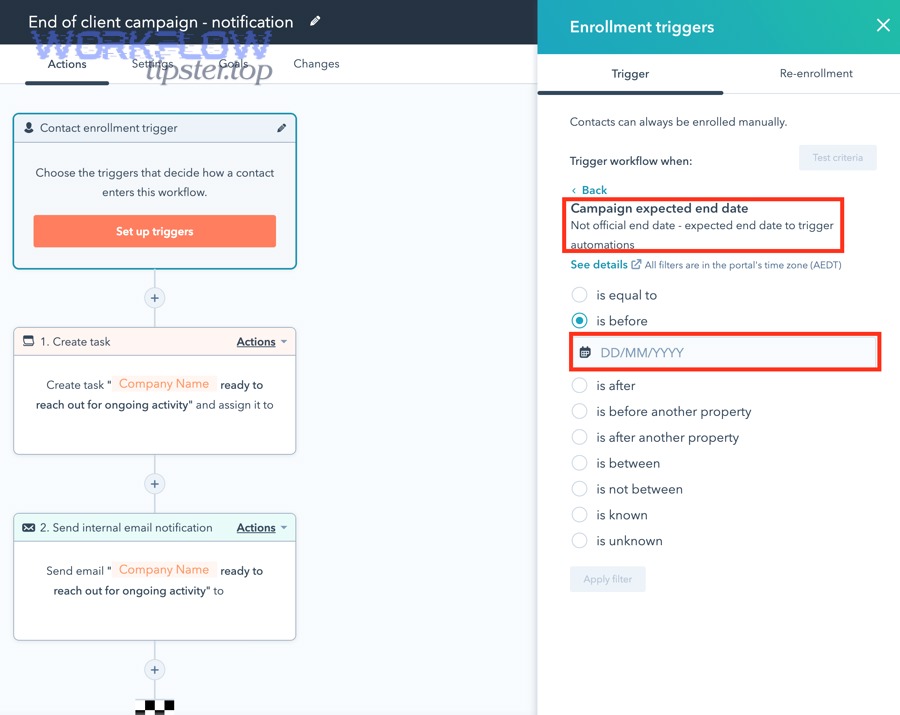
Can you confirm contacts are not enrolling at all?
Yes—you can confirm “not enrolling” by finding zero enrollment events for the expected timeframe and by testing the record against the enrollment criteria to see exactly which condition fails.
Then, because enrollment is the earliest “ground truth,” you should start with the workflow’s Enrollment history and HubSpot’s built-in enrollment troubleshooting tools before you touch triggers.
Here’s the practical check sequence RevOps teams use:
- Check the workflow is ON. This sounds obvious, but it’s one of the most common causes in real accounts (especially when testing).
- Open Enrollment history and search for a record you expected to enroll. If the record never appears in enrollment history, you are in a true “not enrolling” scenario.
- Use the “Troubleshoot enrollment” / diagnose tool in the workflow editor to test a specific record against enrollment criteria and a specific timeframe. HubSpot documents this workflow-level enrollment troubleshooting flow in its Knowledge Base.
A quick mental model that keeps teams aligned:
- No enrollment event = trigger/criteria problem.
- Enrollment event exists = execution/action problem (or a downstream eligibility rule).
To keep the hook chain tight: once you confirm contacts aren’t enrolling, every fix you apply should answer one question—“Which trigger condition is preventing enrollment right now?”
Are contacts enrolling but not progressing through actions?
Yes—contacts can enroll successfully and still “look like the trigger didn’t fire” if actions are delayed, skipped by branching logic, blocked by suppression, or failing due to record-level errors.
Moreover, once enrollment is proven, your attention should shift to workflow execution: error queues, review screens, action-level failures, and timing windows.
In HubSpot, the most reliable indicators are:
- Workflow action statuses: completed, delayed, skipped, errored.
- “Review automation issues” / error tooling: HubSpot provides a workflow errors view and guidance for troubleshooting common workflow errors.
- Record timeline: look for workflow enrollment entries, action attempts, and error notes.
A simple RevOps rule: if the workflow shows a record enrolled, the trigger did fire. The system may still be preventing your intended outcome (email, task, property update), but that’s execution—not firing.
What does “HubSpot workflow trigger not firing” mean in HubSpot terms?
“HubSpot workflow trigger not firing” means the record never creates an enrollment event because the workflow’s enrollment criteria (or re-enrollment criteria) is not met at the moment HubSpot evaluates it, or the record is suppressed/excluded from enrolling.
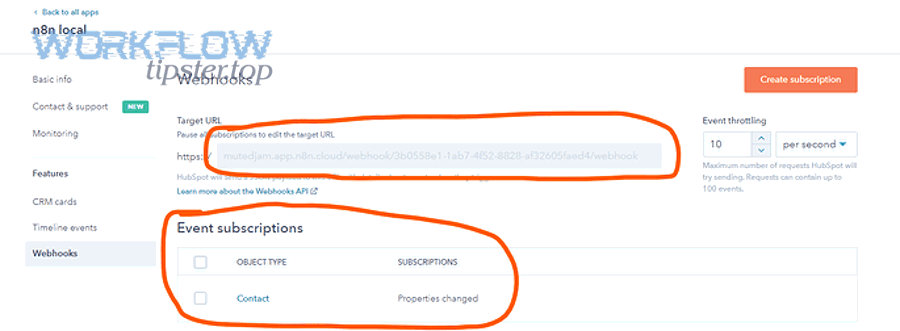
To better understand why this happens, translate the phrase “trigger not firing” into HubSpot’s actual mechanics: enrollment triggers, re-enrollment triggers, suppression, and workflow type.
In HubSpot terms, “trigger not firing” usually maps to one of these realities:
- The workflow is OFF (no enrollment happens at all).
- The workflow is ON, but the record does not meet enrollment triggers at evaluation time.
- The record meets triggers, but is blocked by exclusions/suppression (e.g., suppression lists, unenrollment rules, “don’t enroll if previously enrolled” patterns).
- Re-enrollment is expected but not configured (the record enrolled once, and you expect it to enroll again).
- Wrong workflow type for the object (e.g., using a contact workflow while expecting deal stage changes to enroll deals).
Why this definition matters: HubSpot doesn’t “fire triggers” like a single event in a vacuum—it evaluates criteria against a record and then creates an enrollment event if allowed. That’s why two records with “similar” values may behave differently: a single property value mismatch, a list delay, or a suppression rule is enough to block enrollment.
If you’re writing internal documentation, this one-liner reduces confusion: Trigger not firing = no enrollment event exists for the record.
What are the most common reasons a HubSpot workflow won’t enroll records?
There are 3 main types of reasons a HubSpot workflow won’t enroll records: (1) trigger-condition mistakes, (2) audience blocking rules like suppression/exclusions, and (3) timing/processing rules that delay enrollment and make it appear broken.
Specifically, grouping causes like this prevents random guessing and keeps your fixes aligned with the exact failure mode.
The table below contains symptoms, likely cause type, and where to verify so you can triage in minutes instead of hours.
| Symptom you see | Likely cause group | Where to confirm |
|---|---|---|
| Record never appears in Enrollment history | Trigger-condition mistake | Enrollment criteria test + record property values |
| Record appears in Enrollment history but no outcome happens | Execution issue (not a trigger issue) | Action logs + automation issues |
| Some records enroll, similar ones don’t | Criteria edge case or suppression | Compare properties + exclusions/suppression |
| Enrollment happens hours later | Timing windows / processing delays | Workflow schedule + list recalculation timing |
| Re-enrollment never happens | Re-enrollment not enabled or “no real change” | Re-enrollment settings + property change audit |
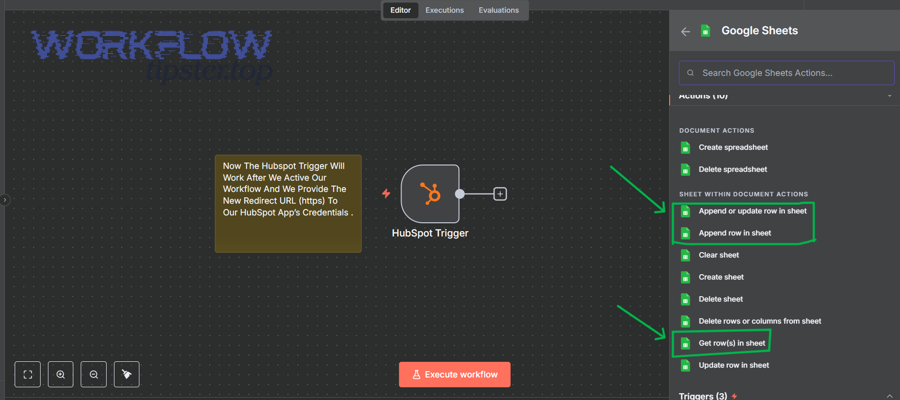
Which trigger-condition mistakes prevent enrollment (filters, AND/OR logic, empty values)?
There are 4 common trigger-condition mistakes that prevent enrollment: contradictory AND/OR logic, incorrect operators for the property type, hidden empty/unknown values, and criteria that depend on timing (like dates) without a safe buffer.
Then, because these are “silent blockers,” you should validate them with a single-record test and a property-by-property comparison.
- AND/OR logic that looks right but is contradictory (e.g., impossible combinations or unintended nesting).
- Wrong operator for the property type (dropdown vs text vs multi-checkbox behave differently).
- Unknown vs empty vs never-set values (criteria using “is known” can fail unexpectedly).
- Event-like criteria without event guarantees (tracking or timing variability can delay or miss signals).
The fastest RevOps move: pick one record you expected to enroll and run the workflow’s enrollment test against it (HubSpot’s built-in “Troubleshoot enrollment” flow is designed for this).
To support deeper stack issues while staying focused, document cross-system signals under hubspot troubleshooting so your team can reproduce failures consistently.
Which audience or suppression rules block enrollment (exclusions, suppression lists, already-enrolled limits)?
There are 3 major audience blockers: explicit exclusions in enrollment criteria, suppression/unenrollment settings that override enrollment, and “already enrolled / already been in this workflow” constraints that prevent repeats.
Moreover, these blockers are easy to miss because your criteria can be correct while the workflow still refuses to enroll.
- Exclusion lists and negative filters that silently negate eligibility.
- Suppression settings that block certain records from enrolling.
- Unenrollment rules that remove records mid-run after an early property change.
- Only-enroll-once defaults that require explicit re-enrollment design.
Which timing rules make it look like the trigger isn’t firing (delays, throttling, time windows)?
There are 3 timing rules that commonly create the illusion of a trigger not firing: workflow schedules (business hours windows), deliberate delays, and background processing delays (especially list membership recalculation and queued automation).
Next, because timing problems produce “eventually it worked” behavior, you should confirm time windows before rewriting triggers.
- Workflow schedule windows can delay actions until the next allowed period.
- Delay and wait steps can make testing feel broken when it is simply queued.
- List recalculation latency can postpone eligibility even when properties look correct.
Practical tip: add a short-lived debug action early (e.g., set a temporary property like “WF Debug = Enrolled”) during troubleshooting, then remove it when stable.
How do you troubleshoot enrollment criteria step-by-step (like a checklist) to make the trigger fire?
Use a single-record troubleshooting checklist in 6 steps—verify workflow ON, test record against enrollment criteria, validate exact property values, confirm list membership timing, check suppression/exclusions, and re-test with a controlled change—to reliably make the trigger fire (or prove exactly why it can’t).
Below, because this problem is usually a chain of small mismatches, the checklist keeps your investigation linear and fast.
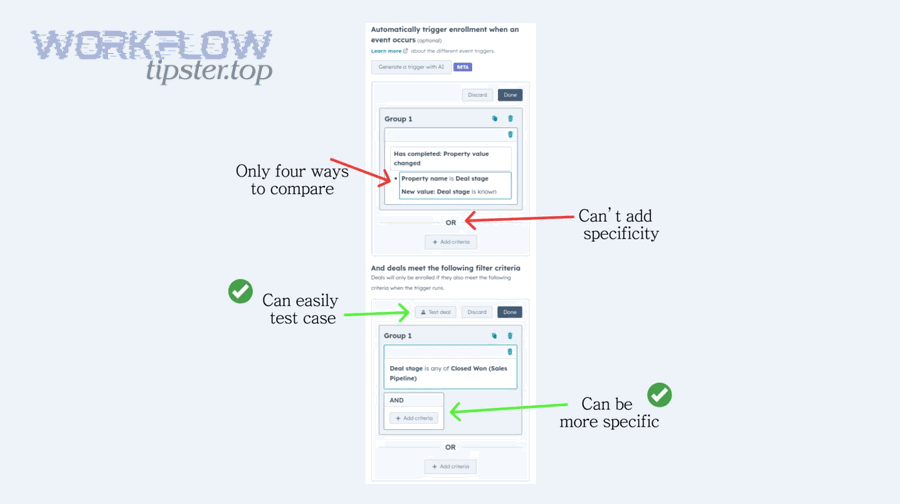
What is the fastest “single test record” method to isolate the broken condition?
The fastest method is to choose one representative record, freeze the timeframe you expect enrollment, and test it directly in the workflow’s enrollment troubleshooting panel to see which exact condition fails.
Then, because real production data is messy, you should use one “clean” test record to eliminate noise before you diagnose edge cases.
- Pick one record you expected to enroll.
- Open the workflow enrollment area and test that record against the criteria and timeframe.
- Note the first failing condition and fix only that.
- Simplify criteria temporarily to isolate the mismatch.
- Re-test until it passes, then reintroduce conditions one by one.
This method converts “it doesn’t work” into a precise statement: “The record fails condition X because property Y is empty / mismatched / excluded.”
How do you verify the exact property values HubSpot is evaluating (format, capitalization, multi-select)?
Verify evaluated property values by checking the record’s property history, confirming the property type (text vs dropdown vs multi-select), and validating internal values (not just labels) for any option-based fields.
Next, because most “trigger not firing” cases are actually “the value is not what you think,” property verification is the highest-leverage step.
- Property type (text, dropdown, multi-checkbox, number, date, calculated).
- Stored value vs displayed label for option-based fields.
- Whitespace and casing for text comparisons.
- Multi-select logic (“is any of” vs “is exactly”).
- Data source timing if the field is synced from another system.
If you need a quick RevOps debug trick, create a temporary workflow branch that sets “Debug: Condition Passed” when criteria are met, then test again.
How do you validate list-based triggers (active list rules, recalc timing, membership delays)?
Validate list-based triggers by confirming the list is an active list, reviewing its filters for contradictions, checking whether the test record is currently a member, and accounting for recalculation delays before concluding the workflow is broken.
Moreover, list membership is a derived state, so treating it like an instant event causes false alarms.
- Confirm the workflow enrolls based on list membership.
- Open the list and verify it is an active list with stable filters.
- Search for the test record and confirm membership.
- If membership is delayed, isolate the bottleneck by testing a direct property trigger temporarily.
How do you fix re-enrollment when the trigger depends on “property changed”?
A “property changed” re-enrollment trigger works only when the property’s stored value truly changes; if the value is saved as the same value, re-enrollment won’t happen—so the best fix is to choose the right re-enrollment setting and, when needed, switch to a stronger signal like a toggle or timestamp pattern.
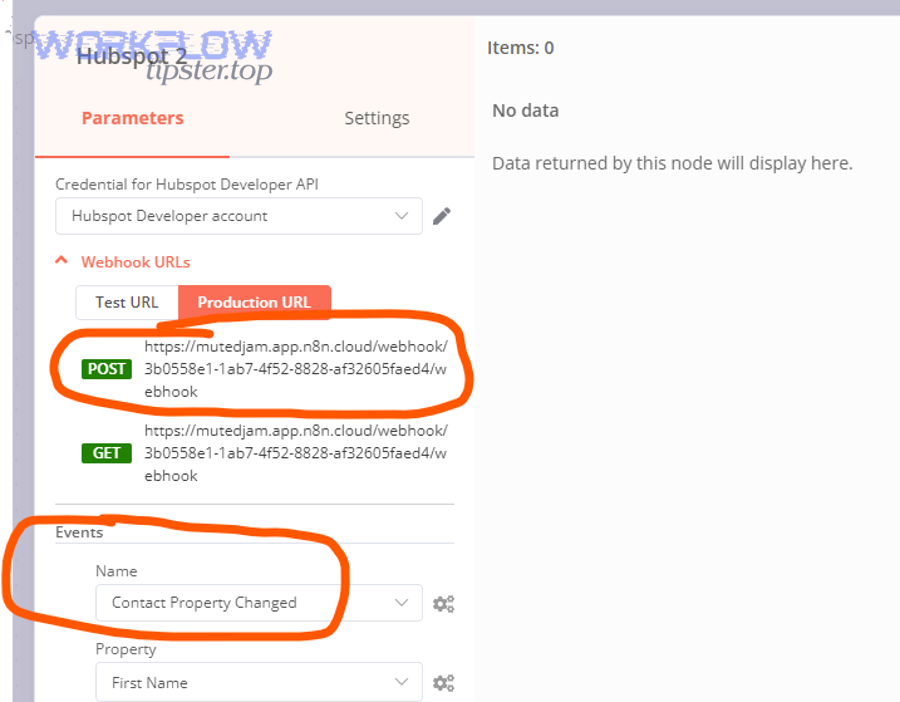
However, because teams often expect re-enrollment to behave like “run every time,” you must design for repeatability explicitly.
Is the property value truly changing (A→B), or being re-saved as the same value (A→A)?
Yes—re-enrollment usually fails because the property is not truly changing, and at least three common mechanisms cause A→A saves: integrations re-syncing the same value, users re-saving forms without changes, and workflows writing the same value repeatedly.
Then, because HubSpot evaluates “changed” based on the stored value, you should confirm the property history before editing triggers.
- Check property history for a real A→B transition.
- Watch for rapid changes back (race conditions) or repeated identical saves.
- Establish field ownership to stop two systems from overwriting each other.
If your workflow depends on integration events, this is where hubspot troubleshooting becomes data governance: define which system owns which field, and avoid two-way overwrites.
What re-enrollment setting should you use for cyclical processes (e.g., lead recycling)?
“Re-enroll when any of these properties are updated” is best for cyclical processes with clear state transitions, while “re-enroll when criteria are met again” is best when your process resets via broader conditions (like lifecycle stage and pipeline status).
Next, because lead recycling is all about repeat entry, you should select the re-enrollment model that matches how your system represents “starting over.”
- State-machine processes: use property-updated re-enrollment on a small set of state properties.
- Condition-based resets: use “criteria met again” when multiple properties define eligibility.
- High-risk repeat processes: use a dedicated re-enroll token field (toggle or timestamp).
Should you use a “toggle” property pattern (Yes/No flip) vs a timestamp pattern?
Toggle wins for simplicity and auditability, while timestamp wins for precision and repeat scalability—so toggle is best for small workflows and timestamp is optimal for mature RevOps systems that need debuggable, multi-run automation.
Meanwhile, because both patterns create true value changes, they reliably generate re-enrollment events.
- Toggle pattern: simple, testable, clear change event; can conflict if multiple workflows flip it.
- Timestamp pattern: precise, scalable, reportable; needs careful time handling.
Which trigger type are you using, and what are the trigger-specific fixes?
There are 4 common workflow trigger types to diagnose—form submission, list membership, property/value-based criteria (including deal stage), and custom events/integration events—and each has a different “most likely failure” pattern and fix.
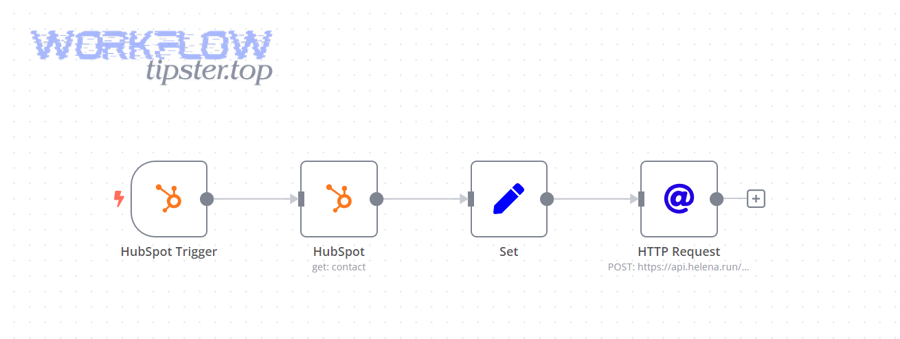
Especially when teams jump straight to rewriting logic, they miss the trigger-type-specific root cause and waste days.
If the trigger is form submission, is it the right form, right page, and right submission type?
Yes—form-based triggers fail most often because the wrong form is referenced, the submission is not recorded as a HubSpot form submission (embedded vs non-HubSpot forms), or the submission is attributed to a different record than you expect.
Then, because form events are easy to misinterpret, validate the event in the contact timeline before blaming the workflow.
- Confirm the workflow listens to the correct form (watch for duplicates).
- Confirm the submission is recorded as a HubSpot form submission event.
- Confirm merges/duplicates are not redirecting the event to another record.
- If tracking is involved, test outside preview-only scenarios.
If the trigger is deal-stage based, are you using the correct pipeline, stage, and object workflow?
Yes—deal-stage triggers fail when teams use the wrong workflow object type, reference the wrong pipeline/stage, or expect contact workflows to enroll from deal-stage changes without properly linking conditions.
Next, because deal logic is multi-dimensional, confirm the object and pipeline reality before rewriting criteria.
- Use a deal-based workflow when the primary trigger is deal stage.
- Confirm the correct pipeline and the exact stage definitions.
- Verify the stage transition is recorded (watch for integration jumps).
- If enrolling contacts from deals, test association-based criteria explicitly.
If the trigger is “list membership,” is the list definition stable and not mutually exclusive with exclusions?
Yes—list membership triggers fail when the list is unstable (filters change frequently), list criteria conflicts with workflow exclusions, or the list depends on properties that are delayed by integrations.
Moreover, list triggers are only as reliable as the list’s governance.
- Confirm the list owner and change control (operational list vs shared marketing list).
- Check for contradictions between list inclusion and workflow exclusions.
- Audit whether list criteria depends on delayed or overwritten fields.
If the trigger is “custom event / integration event,” are events reaching HubSpot with the expected payload?
Yes—event/integration triggers fail when the event never reaches HubSpot, arrives without the identifier needed to match a record, or fails due to authentication/server errors that prevent delivery.
Then, because integrations can fail outside HubSpot, you must validate the full pipeline: sender → authentication → transport → HubSpot receipt → record match.
- Authentication: investigate patterns consistent with hubspot webhook 401 unauthorized errors when delivery fails.
- Transport reliability: investigate retry patterns consistent with hubspot webhook 500 server error conditions.
- Payload mapping: confirm stable identifiers are present so HubSpot can match the correct object.
A practical RevOps approach: build a simple “event receipt logger” workflow that sets a debug property when the event is received.
How can RevOps teams prevent future “trigger not firing” incidents?
There are 4 prevention systems RevOps teams can implement: (1) a pre-launch QA checklist, (2) workflow monitoring and anomaly alerts, (3) governance over trigger inputs (properties/lists/events), and (4) a standard debugging pattern for fast isolation.
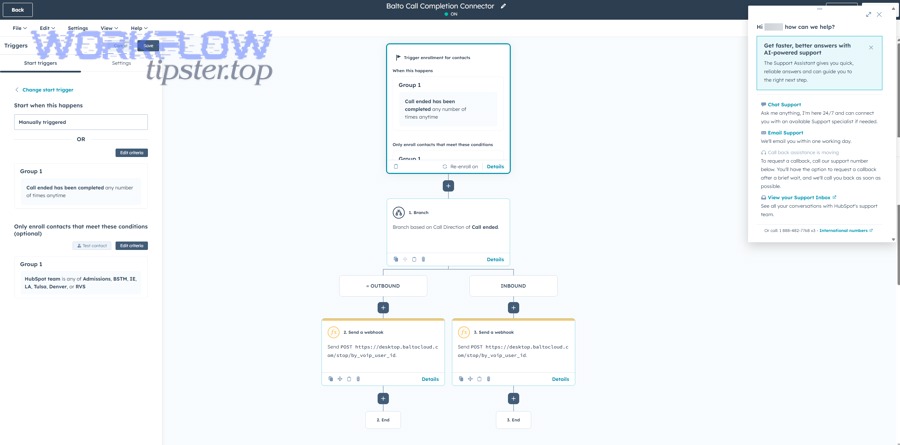
In short, prevention is cheaper than repeated firefighting, so build guardrails that make triggers observable.
What pre-launch QA checklist should you run before enabling a workflow?
There are 7 QA checks you should run before enabling a workflow: workflow ON/off control, single-record enrollment test, negative test (should not enroll), property/value validation, suppression/exclusion audit, re-enrollment simulation, and rollback plan.
Next, because most failures are configuration mismatches, QA must prove both what should happen and what must not happen.
- Name and version the workflow (include owner and date).
- Test 1 record that should enroll using enrollment troubleshooting.
- Test 1 record that should NOT enroll and confirm criteria blocks it.
- Verify trigger inputs (properties, list membership, or events).
- Audit suppression and unenrollment rules for self-cancellation risk.
- Test re-enrollment if the process is cyclical by simulating a real change event.
- Define rollback steps if enrollments spike or errors appear.
What monitoring signals catch failures early (enrollment volume drops, error rates, stuck queues)?
There are 3 monitoring signals that catch failures early: sudden enrollment volume changes, rising automation issues/errors, and growing populations stuck in delay steps or branches.
Besides, monitoring only works when you know what “normal” looks like, so you should baseline each critical workflow.
- Enrollment anomaly alerts when volumes drop toward zero unexpectedly.
- Automation issue reviews as a weekly operational ritual.
- Stuck-step audits for delays and branch bottlenecks.
According to a study by the University of Houston’s C.T. Bauer College of Business (Marketing) in 2025, automated lead nurturing increased the probability of lead conversion by up to 23 percentage points in one of the studies (with results varying by context).
What if your HubSpot trigger fires, but the workflow outcome still looks “not working”?
Trigger “firing” means enrollment exists, but “not working” often means actions are skipped, blocked, or fail—so the fix is to compare not-firing (no enrollment) versus firing-but-failing (enrolled with issues) and then repair the downstream blocker.
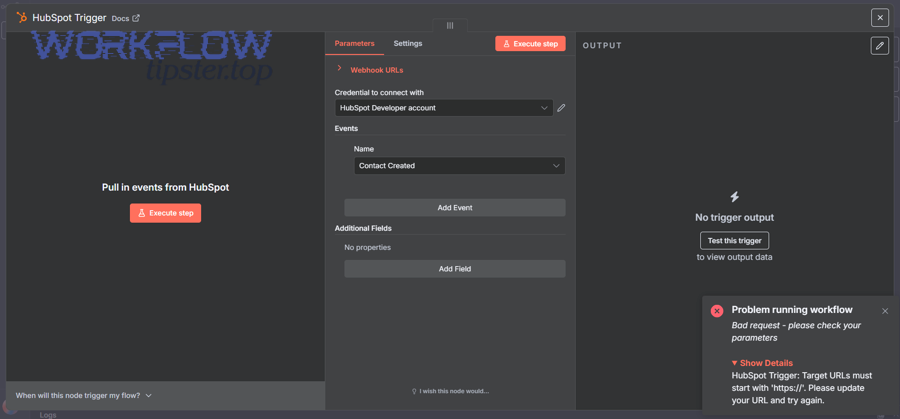
To better understand this shift, treat “not firing” and “not working” as opposites: one is enrollment failure, the other is execution failure.
Are workflow actions being skipped due to branches, suppression, or unenrollment rules?
Yes—actions are frequently skipped for at least three reasons: branch conditions route the record away, suppression rules prevent action execution, or unenrollment rules remove the record mid-run after a property changes.
Then, because skip behavior is deterministic, you should inspect the exact branch decision and the record values at decision time.
- If/then branch mismatch sends the record down an unintended path.
- Goal and jump logic skips intermediate steps by design.
- Unenrollment on property change cancels the workflow mid-run.
How to fix: instrument the workflow during debugging by writing a temporary debug property at key branch points.
Are emails/tasks failing due to permissions, send settings, or subscription status?
Yes—email and task outcomes fail most often because the record is not eligible (unsubscribe status, missing email), the sender settings are restricted, or task assignment rules cannot resolve an owner, even though enrollment succeeded.
Moreover, these are record-level constraints, so you’ll see mixed outcomes across similar records.
- Marketing email eligibility issues (unsubscribed, bounced, missing email).
- Permissions preventing an action from executing.
- Task assignment rules failing due to missing owners or teams.
Fix pattern: separate enrollment eligibility from action eligibility and confirm which blocker applies per record.
Is your integration causing the “illusion” of failure (delayed sync, overwrites, race conditions)?
Integration “illusion of failure” happens when HubSpot enrolls and executes actions, but an external system delays updates, overwrites HubSpot changes, or sends conflicting writes that reverse the state—making results appear missing or undone.
Next, because race conditions are common in connected stacks, you should identify the system of record for each property involved in the trigger and the first workflow actions.
- Define field ownership to stop two-way overwrites.
- Validate timing order: external updates may arrive after the workflow runs.
- Check sync rules that revert HubSpot-set values.
If you’re seeing repeated delivery failures, revisit event pipeline validation—especially patterns consistent with hubspot webhook 401 unauthorized and hubspot webhook 500 server error conditions.
Should you rebuild the trigger using a different signal ?
Yes—rebuilding the trigger is often the best long-term fix when the original signal is fragile: list membership is stronger for stable segmentation, property change is stronger for state transitions, and custom events are strongest when you control the event pipeline end-to-end.
In addition, rebuilding is not “giving up”—it’s choosing a more reliable synonym for the same intent: “enroll when eligible.”
- List membership for eligibility-based enrollment (“these records qualify now”).
- Property change for state transitions (“they moved to onboarding”).
- Timestamp/toggle for repeatable re-entry signals.
- Custom events for precise behavioral triggers with controlled delivery.
According to a study by the University of Houston and coauthors across multiple universities in 2025, automated lead nurturing outcomes vary by context—showing why trigger design and segmentation quality matter as much as automation itself.