


When Notion duplicate records are being created, you can stop the problem by designing your workflow to behave like an “upsert”: normalize a unique key, search the database first, update if found, and only create when no match exists—so retries and re-runs don’t multiply entries.
Next, once duplicates already exist, you can remove them safely by identifying the dedupe key, selecting a “canonical” record, merging important properties, and archiving the extras—so your database stays trustworthy without losing history.
Then, if duplicates keep coming back, you can diagnose the real cause by tracing the second “create” event: trigger double-firing, webhook retries, polling overlaps, missing unique identifiers, or mismatched property types that make search fail even when the record exists.
Introduce a new idea: the fastest way to make all of this reliable is to treat your automations like a small integration system—idempotent inputs, consistent formatting, and a single source of truth—so the same event can arrive twice without creating two pages.
What does “Notion duplicate records being created” actually mean in automation workflows?
Notion duplicate records being created means one real-world item (a person, order, URL, task, or event) is represented by two or more separate Notion database pages because the workflow repeatedly runs “Create” without a reliable “Find + Update” path.
To better understand why this happens, you need to separate the data problem (no unique key, inconsistent formatting) from the execution problem (retries, replays, concurrency).
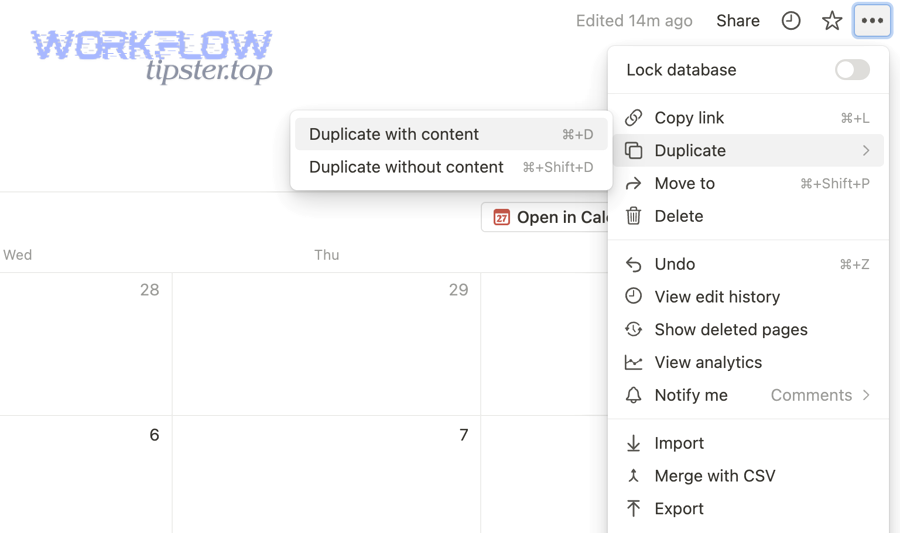
In practice, duplicates show up in a few predictable patterns:
- Same external item, multiple Notion pages: “John Smith” or “Order #1941” exists twice because the automation created again on a rerun.
- Same payload, multiple runs: a webhook delivery is retried, or a polling trigger sees the same item again, and “Create” fires twice.
- Same page, conflicting updates: two runs update different copies, and your database becomes inconsistent over time.
The key is this: Notion isn’t “randomly duplicating your data.” Your automation is repeating a side effect (creating a new page) because it cannot prove a page already exists for that entity.
What counts as a “duplicate entry” in a Notion database (same ID vs same content)?
A duplicate entry is any Notion page that matches another page on the same “uniqueness definition,” such as the same external ID, the same email, or the same canonical URL—even if titles differ slightly.
Specifically, you should define duplicates by a dedupe key, not by “looks similar,” because “looks similar” fails the moment your data formatting changes.
Common dedupe-key choices (best → risky):
- External system ID (CRM contact ID, order ID, ticket ID)
Best because it is stable and truly unique. - Email address (for contacts)
Strong if normalized (lowercase + trimmed). - Canonical URL (for links/content databases)
Strong if normalized (remove tracking params, unify trailing slashes). - Name/title
Weak because humans change it, and duplicates can be legitimate.
If you can’t get a single unique field, you can use a composite key, such as source + external_id or customer_email + invoice_date.
Are duplicates usually caused by Notion or by Zapier/Make/n8n logic?
Automation logic is usually the root cause: Notion stores what you tell it to store, while your workflow decides whether to create a new record or update an existing one.
More importantly, automations introduce repeated runs by design—polling schedules, webhook retries, and manual replays—so a “Create-only” workflow is structurally prone to duplication.
This is why the most effective fix is not “clean up the database once,” but “change the workflow so it’s safe to run twice.”
Is it possible to completely prevent duplicates in Notion when using Zapier/Make/n8n?
Yes—Notion duplicate records can be practically prevented because (1) you can enforce a unique key, (2) you can implement search-before-create upsert logic, and (3) you can make replays and retries idempotent so a repeated event updates instead of creating.
However, to make prevention stick, you need your workflow to behave consistently across triggers, filters, and error handling.
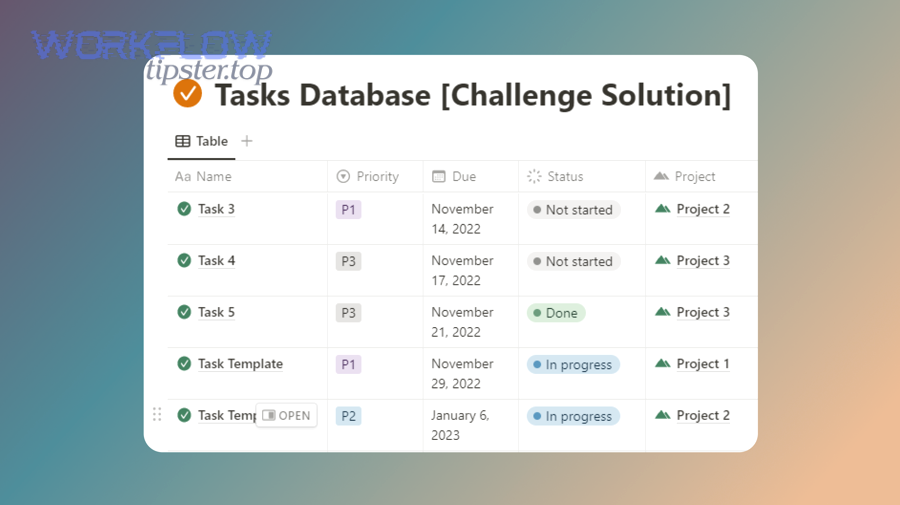
The three prevention pillars work together:
- A stable dedupe key (the identity of the entity)
- A deterministic search (the workflow can find existing pages reliably)
- A safe decision (update if found; create only if not found)
If any one pillar is weak, duplicates sneak back in—usually after the first retry storm or a minor data formatting change.
Do you need a unique identifier property (External ID) to stop duplicates?
Yes, you need a unique identifier property to stop duplicates because it (1) anchors identity across systems, (2) makes search reliable and fast, and (3) survives renames and formatting changes that break “fuzzy matching.”
More importantly, a unique identifier turns “dedupe” from a guessing game into a deterministic rule.
A good External ID property in Notion should be:
- Single-purpose: used only for identity (not for display).
- Never edited manually: your automation owns it.
- Normalized: no hidden whitespace, consistent case.
- Stable: doesn’t change when a title changes.
If your source system does not provide an ID, create one using a stable recipe (for example, hash of canonical URL, or email + source_name), and store it as the dedupe key.
Should your workflow use “Create” or “Update” when a match is found?
Create wins only when you are certain the entity is new; Update wins for long-term stability because it preserves a single record of truth while tolerating reruns, retries, and periodic resyncs.
More importantly, the correct pattern is Upsert: “Update when found, otherwise Create.”
Here’s the decision logic you want:
- If match found → Update the matched record (by page ID).
- If no match → Create a new record and write the External ID.
- If multiple matches → Treat it as a “duplicate state” and stop creating until cleanup resolves it.
This is exactly how you stop duplicates from being created again after you clean them up once.
How do you prevent duplicates with a “Search-before-Create (Upsert)” pattern?
There are 5 main parts of a reliable Notion Upsert pattern: normalization, key selection, search, branching, and logging—based on the criterion “can the workflow deterministically identify an existing page before performing a create?”
Next, once you implement these parts, your automation becomes safe to rerun without multiplying records.
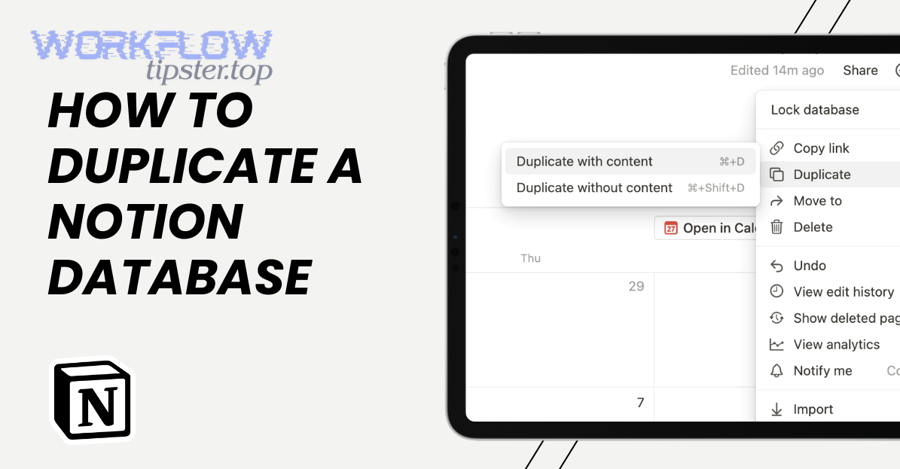
What are the exact steps of a reliable Upsert workflow for Notion?
A reliable Upsert workflow is: Normalize → Build Key → Search → Branch → Update/Create → Log.
To illustrate how it prevents duplicates, each step removes a common failure mode.
- Normalize incoming fields
- Trim whitespace
- Lowercase emails
- Canonicalize URLs (remove
utm_parameters, normalize trailing slash) - Convert dates to a consistent timezone and format
- Build or extract the dedupe key
- Prefer external ID from source system
- Otherwise generate a stable composite key
- Search the Notion database by the dedupe key
- Use the correct property type (text vs email vs URL)
- Use exact matching where possible
- Branch safely
- If one match → Update
- If zero matches → Create
- If 2+ matches → Stop and flag for dedupe cleanup (do not create more)
- Write a run log
- Store the key, action taken, timestamp, and source event ID
- This makes diagnosing repeats straightforward
The “log” step is the part most people skip—and it’s the reason they can’t explain why duplicates “randomly” come back later.
Which Notion properties work best as a dedupe key (email vs URL vs order ID)?
Order ID (or an external system ID) wins for identity, email is best for people records, and URL is ideal for content databases—while “title/name” is the weakest because it changes and collides.
More importantly, the best key is the one your source system treats as authoritative.
Here’s a quick comparison of common keys (and what they require):
- Order ID / Ticket ID / CRM ID
- Pros: truly unique, stable
- Watch-outs: ensure you always write it into Notion on creation
- Email
- Pros: natural identity for contacts
- Watch-outs: must normalize (case, whitespace)
- URL
- Pros: great for articles/videos/bookmarks
- Watch-outs: canonicalization is mandatory (tracking params create “false new” items)
- Composite key (e.g.,
source + external_id)- Pros: avoids collisions across multiple sources
- Watch-outs: must be constructed consistently every run
If your duplicates are tied to “notion data formatting errors,” it often means the key exists—but it is not normalized consistently, so search fails and create fires again.
How do you stop duplicates specifically in Zapier Notion automations?
There are 3 main ways to stop duplicates in Zapier: use Find-or-Create correctly, enforce a stable External ID mapping, and prevent replay-driven creates—based on the criterion “does the Zap search by the same key it later writes into Notion?”
Next, once those three parts are aligned, Zapier reruns stop generating duplicate pages.

Zapier-specific duplication usually comes from one of these situations:
- The Zap uses Create Database Item without a search step.
- The Zap searches by one field but writes identity to another field (mismatched keys).
- A Zap is replayed after an error, and it runs the “create” action again.
Zapier provides a built-in remedy: a Find or Create Database Item style step (or a Find step + conditional path). Zapier’s own Notion action description explicitly supports this “search or create” intent. (zapier.com)
How do you set up “Find Database Item + Create if not found” correctly?
You set it up correctly when the “Find” query uses the same dedupe key you store in Notion, and the “Create” step writes that key immediately so the next run can find it.
More specifically, treat your Zap as a strict identity pipeline:
- Step A (Normalize): format the key (lowercase email, canonical URL)
- Step B (Find): search Notion using the dedupe key property
- Step C (Decision): if found, keep the page ID for update; if not found, proceed to create
- Step D (Create): write the dedupe key and any source event ID into Notion
- Step E (Update): only update using page ID returned by Find, not by “search again”
If you’re seeing “notion field mapping failed,” it often indicates your search or create step is pointing to the wrong property type (for example, mapping a URL into a text field but searching the URL field), which makes “Find” return no result and causes “Create” to fire repeatedly.
How do you prevent Zap replays and retries from creating duplicates?
You prevent replay duplicates by (1) storing a dedupe key in Notion, (2) using that key to Find before Create, and (3) logging a source event ID so replays become harmless updates instead of new records.
Especially, when Zapier reruns after an error, it is reprocessing the same input—so your workflow must be safe to repeat.
Practical guardrails:
- Add a “Source Event ID” property in Notion
- Store the source system’s event ID (or a generated UUID)
- Add a “Last Seen At” timestamp
- Helps you detect suspicious repeats
- Use a Filter step
- If a record already has the event ID, stop the Zap
- Treat auth failures as repeat risks
- When “notion oauth token expired” occurs, teams often re-run tasks after reconnecting; that rerun will create duplicates unless the Zap finds existing items first.
How do you stop duplicates specifically in Make (Integromat) scenarios with Notion?
There are 4 main ways to stop duplicates in Make: search-first routing, bundle-level dedupe, schedule window control, and retry-safe writes—based on the criterion “does the scenario process the same entity more than once in a single run or across overlapping runs?”
Then, once your routers and filters are aligned with a unique key, duplicates stop at the source.
Make duplication tends to happen when:
- A scenario produces multiple bundles that point to the same entity.
- A scenario is scheduled too frequently, causing overlapping time windows.
- A search module returns partial or mismatched results because the key is unnormalized.
The fix is to place identity checks early, before any side effect.
How do you search and branch in Make to avoid “Create” firing twice?
You avoid double-create when you route bundles through a single “found vs not found” path and ensure only one path contains a “Create” module.
More importantly, you make “Create” unreachable unless the search result count is exactly zero.
A clean pattern:
- Normalize the dedupe key in a Set Variable step
- Search Notion using the dedupe key
- Router
- Route 1: results = 1 → Update that record
- Route 2: results = 0 → Create new record
- Route 3: results > 1 → Stop and flag duplicates
This also makes your scenario easier to debug, because you can see exactly which route ran.
How do you handle multiple bundles that point to the same Notion record?
Make wins when you dedupe bundles before Notion writes, while post-write dedupe is best for cleanup but worst for preventing churn.
Specifically, you can handle multiple bundles by grouping on the dedupe key and only allowing one “winner” bundle to proceed to the Notion create/update step.
Two effective options:
- Pre-write bundling: aggregate bundles by key, keep the newest or the highest priority
- Pre-write filtering: track keys processed within the scenario run (in a data store or variable list)
- Post-write cleanup (fallback): if duplicates slip in, archive extras later
If your scenario hits Notion rate limiting, you can accidentally trigger retries that reattempt creates; Notion’s API documentation notes rate-limited requests return HTTP 429 and recommends respecting Retry-After. (developers.notion.com)
How do you stop duplicates specifically in n8n workflows with Notion?
There are 4 main ways to stop duplicates in n8n: build an upsert branch, enforce single-create control flow, handle webhook retries, and implement run-level dedupe—based on the criterion “can the workflow guarantee only one create per unique key per execution?”
Next, once you structure your nodes around that guarantee, reruns stop producing duplicate Notion pages.
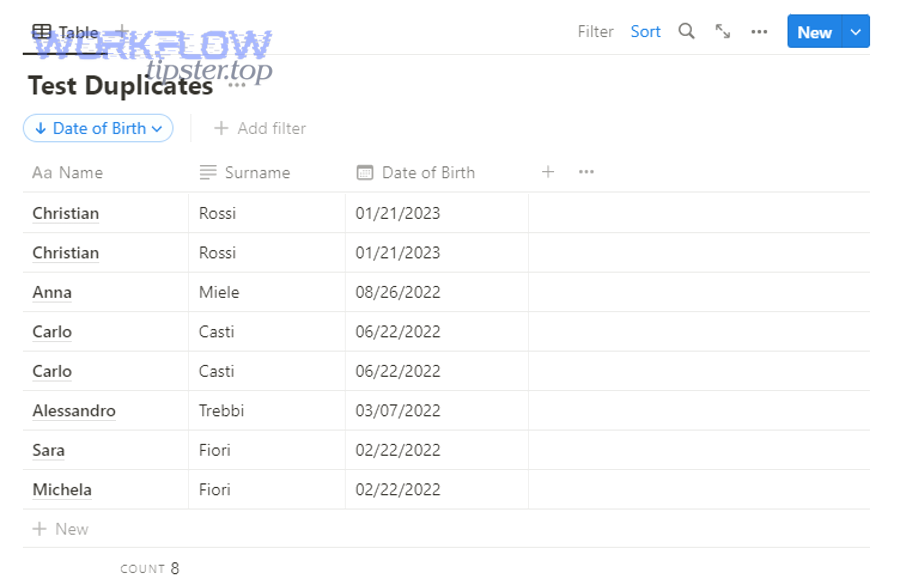
n8n duplicates commonly come from:
- Two parallel branches both contain a create node (hidden double-create).
- Webhooks retry on non-2xx responses and resend the same event.
- The workflow lacks a stable key or normalizes it inconsistently.
The fix is architectural: enforce a single “create gate.”
What’s a clean n8n dedupe pattern (normalize → query → IF → update/create)?
A clean n8n pattern is: normalize fields → query Notion by key → IF node decides → update OR create → write a log entry.
To better understand why it works, notice that it makes “Create” conditional on “no match,” not on “trigger fired.”
Recommended node sequence:
- Set / Function: normalize key (email lowercase, URL canonical)
- Notion (Query database): filter by key
- IF: if results length > 0 → update; else create
- Notion (Update/Create): use page ID when updating
- Data Store / Notion Log DB: store key + action + timestamp + source event ID
If you want a proven “archive duplicates” cleanup workflow, n8n publishes an example that finds entries sharing a property and archives extra copies. (n8n.io)
How do you stop webhook retries / trigger duplication from creating duplicates in n8n?
You stop webhook-driven duplicates by (1) acknowledging quickly, (2) deduping by event ID or key, and (3) ensuring your “create” action is idempotent behind a search gate.
More importantly, you design the workflow so the same webhook delivery can arrive twice and still produce only one record.
Practical steps:
- Always return a fast 200 response after minimal validation
- Store an “Event ID” in Notion (or a separate store) and check it first
- Throttle Notion calls to avoid 429 cascades and subsequent retries
- Add a “duplicate state” branch: if 2+ matches found, stop creating and alert
This is also where “Notion Troubleshooting” becomes straightforward: once your workflow logs event ID + key + page ID, you can explain every duplicate with one trace line.
How do you remove duplicates already created in a Notion database without losing data?
There are 4 main steps to remove duplicates safely: identify the dedupe key, choose a canonical record, merge important properties, and archive the rest—based on the criterion “does the final state preserve one authoritative page per real-world entity?”
Then, once you apply those steps, cleanup becomes repeatable rather than risky.
Before you touch anything, make your cleanup safe:
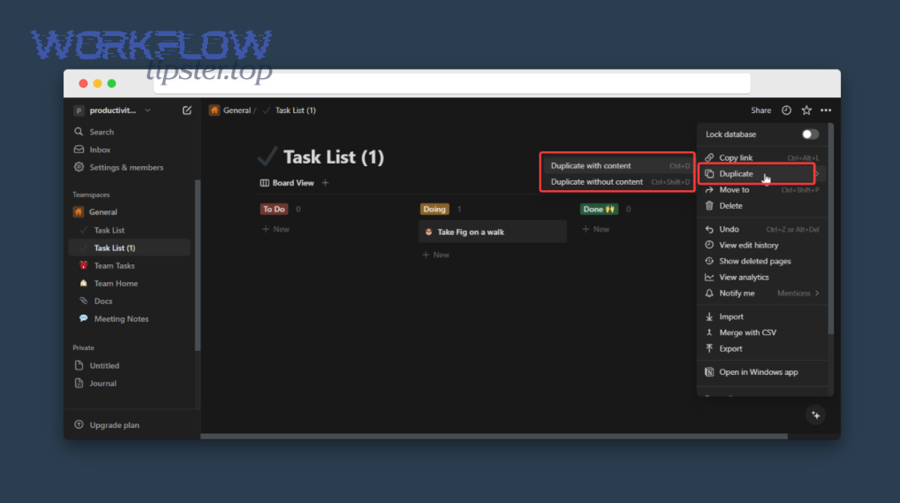
- Create a backup: export the database (CSV) or duplicate the database view
- Define merge rules: what wins when values differ? newest, non-empty, or source-of-truth?
- Prefer archiving over deletion first, so you can recover mistakes quickly
How can you detect duplicates in Notion (manual views vs automation audit)?
Manual views win for quick spotting, while automation audits win for completeness and repeatability; the best approach is to use manual views to validate your dedupe key, then run an audit to catch everything.
However, the detection method must match your duplicate definition.
Manual detection ideas:
- Sort by the dedupe key and visually scan adjacent rows
- Group by key
- Filter: “key is not empty” then sort
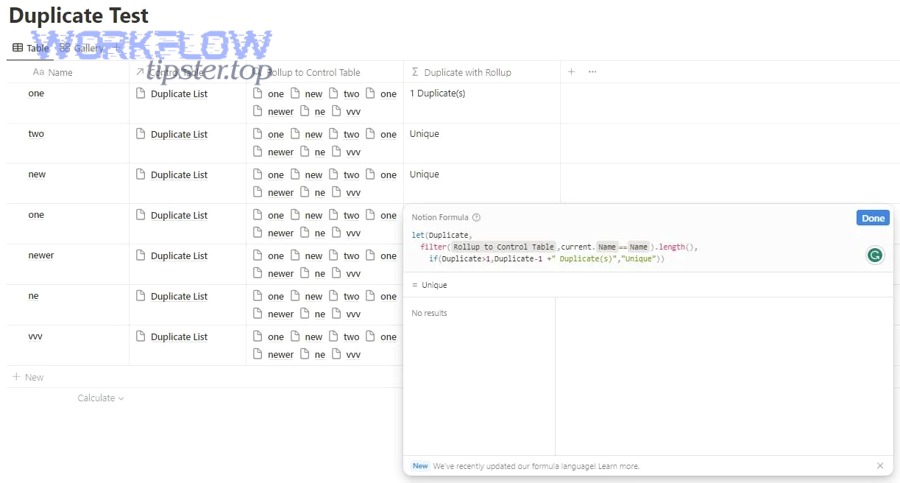
- Use a formula property to highlight missing/invalid keys
Automation audit ideas:
- Query by key and count matches
- Build a “duplicates report” database: key + count + list of page IDs
- Schedule periodic audits (weekly) to catch regressions
If your duplicates are driven by “notion data formatting errors,” a manual sort often reveals subtle differences (extra spaces, case differences, URL variants) that an audit can then standardize.
What’s the safest way to merge duplicate Notion items and archive the rest?
The safest merge is “copy values into the canonical record, verify, then archive extras,” because it (1) preserves a single source of truth, (2) retains history via archived pages, and (3) avoids destructive mistakes.
More importantly, you need property-by-property merge rules so you don’t accidentally erase information.
A practical merge checklist:
- Pick the canonical page
- Often: earliest created, or the one already referenced by relations
- Merge text and notes
- Append with timestamps if both contain valuable notes
- Merge select/multi-select
- Union sets; avoid overwriting
- Merge relations
- Move relations from duplicates to canonical; then confirm rollups update
- Merge files/links
- Consolidate attachments or reference them in canonical notes
- Archive duplicates
- Keep an “Archived because duplicate” tag for auditability
If you rely on automations for cleanup, always run them in “dry-run” mode first (log actions without archiving) so you can validate the rule set.
How do you diagnose the root cause when duplicates keep coming back?
There are 5 main root causes when duplicates keep returning: trigger duplication, retries, key instability, search mismatch, and concurrency—based on the criterion “where does the second create come from in the execution trace?”
Next, once you pinpoint that second create, you can fix the exact mechanism instead of repeatedly cleaning symptoms.
This is the section where teams typically discover the real issue wasn’t “Notion,” but a workflow that silently lost identity.
A reliable diagnostic sequence:
- Confirm the dedupe key is present on every record
- Confirm the workflow searches by the same key
- Confirm the search returns results when the record exists
- Confirm only one code path includes a create
- Confirm retries and replays are idempotent
Is your trigger firing twice (polling overlap, webhook retries, or multi-step loops)?
Yes—many duplicate issues come from triggers firing twice because (1) polling windows overlap, (2) webhook deliveries retry on errors/timeouts, and (3) workflows accidentally loop back into their own trigger path.
However, you can prove this quickly by comparing timestamps and source event IDs across duplicate pages.
How to verify:
- Check whether duplicates share the same source item ID
- Compare created times (seconds apart often indicates a retry or double-run)
- Inspect your automation history for multiple runs with the same input
- Look for “create” executed twice in the same run (parallel branches)
Fix patterns:
- Increase polling interval or adjust “since last run” window logic
- For webhooks, acknowledge fast and process safely behind the scenes
- Break loops by using flags (e.g., only trigger when “Synced = false”)
Is your “Find/Search” failing because the field is mismatched or unnormalized?
Yes—search fails frequently because (1) the key is stored in one property but searched in another, (2) property types don’t match, or (3) normalization differs between runs, so the same entity appears “new” each time.
More importantly, this is exactly what people mean when they say “notion field mapping failed” during integrations: the mapping does not match the schema you think you’re searching.
Common mismatch examples:
- Searching a URL property but writing the URL into a Text property
- Searching an email with mixed casing (
John@Email.comvsjohn@email.com) - Searching a URL with tracking parameters one day and without them the next
- Searching a “Name” title field when the true identity is in a different property
- Searching formatted numbers where the source alternates between
00123and123
This is also the most common source of “notion oauth token expired” duplicates: once auth is restored, users rerun failed jobs, and the broken search logic creates new pages because it still can’t find the original.
What advanced edge cases still create duplicates even with an Upsert pattern?
There are 4 advanced edge cases that still create duplicates even with Upsert: race conditions, idempotency gaps, error-driven retries, and record-vs-property confusion—based on the criterion “can two runs pass the search gate before either writes the new record?”
In addition, addressing these cases is what separates “works most of the time” from “works under stress.”
Here, it helps to think in antonyms: “blind create” (unsafe) versus “idempotent create” (safe), because the upsert pattern only guarantees safety when identity and timing are controlled.
How do race conditions create duplicates ?
Race conditions create duplicates when two runs search at the same time, both find “no match,” and both create before either creation becomes visible to the other run.
More specifically, upsert fails under concurrency unless you add a locking or serialization mechanism.
Mitigation strategies (choose one based on your setup):
- Serialize runs: ensure only one workflow instance processes a key at a time
- Add an external lock: store “key in progress” in a durable store for a short TTL
- Queue writes: funnel creates through a single worker
- Double-check before commit: re-run search immediately before create (helps, but not perfect)
- Use a “pending” marker: create a lightweight log record first, then create the Notion page once lock is established
A helpful mental model: concurrency turns your database into a distributed system problem, not just an automation wiring problem.
What is an idempotency key and how can you design one for Notion workflows?
An idempotency key is a unique token that represents “this exact event” so that repeated deliveries (retries, replays) produce the same side effect only once.
Then, once you store that key, you can safely accept duplicates in delivery without creating duplicates in data.
A practical idempotency key design:
- Prefer the source system’s event ID (Stripe event ID, webhook delivery ID, order event ID)
- If not available, generate a UUID in the first step and persist it
- Store it in Notion (or a dedicated log database) as Last Event ID
- On each run: if the key was processed, stop; otherwise proceed
Evidence: According to a study by McMaster University from the Dept. of Computing and Software, in 2017, a deduplication framework improved average precision and recall by about 25% and 34% over non-framework versions when detecting duplicates in real data collections. (ceur-ws.org)
Even if you don’t implement a full dedupe framework, the principle transfers cleanly: identity + repeat safety = fewer duplicates.
How do HTTP errors (429/500) and retries cause duplicate creates in webhook workflows?
HTTP errors cause duplicate creates because webhook senders retry when they do not get a successful acknowledgement, and a workflow that “creates on receive” will create again on each retry.
Especially, API rate limiting (429) and transient failures (500) are common stress conditions that amplify retries.
To prevent retry-driven duplicates:
- Acknowledge webhooks quickly (respond 2xx fast)
- Move heavy processing after acknowledgement
- Implement idempotency by event ID and/or dedupe key
- Throttle Notion calls to avoid repeated 429s
- Respect Retry-After when rate-limited (so you don’t trigger cascading retries) (developers.notion.com)
This is also the place where “notion data formatting errors” can become catastrophic: a failed write followed by a retry + inconsistent normalization can turn one event into multiple “new” records.
What’s the difference between duplicate “records” and duplicate “properties/fields” in Notion automations?
Duplicate records are multiple pages representing the same entity, while duplicate properties/fields are multiple columns representing the same concept because the schema or mapping drifted across tools.
Meanwhile, the fixes differ: record duplicates are solved by upsert logic; property duplicates are solved by schema discipline and mapping consistency.
How property duplication happens:
- An integration can’t find an existing property due to renaming and creates a new one
- Multiple workspaces/templates use similar-but-not-identical schemas
- A tool maps to a property by name and the name changes, so it “creates” instead of “reuses”
How to prevent it:
- Freeze property names used by automations (treat them as API contracts)
- Prefer stable identifiers in your tooling (where supported)
- Document schema changes and update mappings deliberately
- When you must rename, do it with a controlled migration (update the mapping first, then rename)
If you’re repeatedly seeing “notion field mapping failed,” take it as a schema signal, not just an execution error—because mismatched fields break search, and broken search creates duplicates.