


Slack data formatting errors are fixable when you treat them as two different problems—rendering problems (your message posts but looks wrong) and validation problems (Slack rejects the request with errors like invalid_blocks). This guide shows you how to identify which one you have, then apply a repeatable debugging process to get back to stable, readable messages.
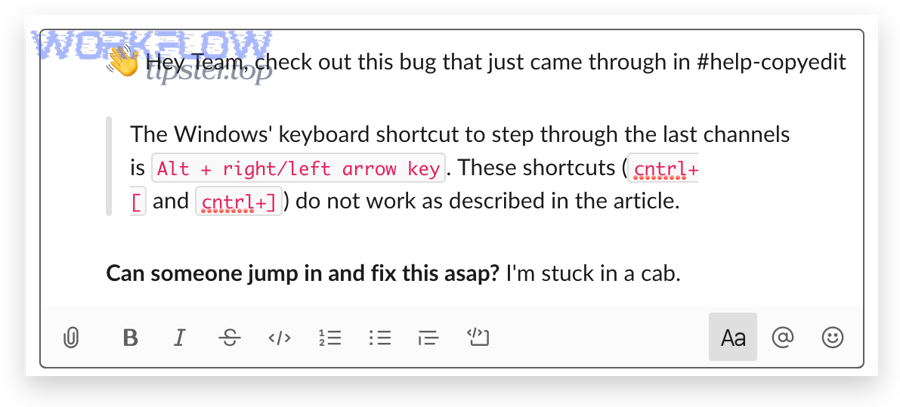
Next, you’ll learn the exact formatting rules that Slack’s UI composer supports (bold, lists, code blocks, quotes) and how those rules differ when you send content through APIs and automation tools. Slack’s own guidance confirms that the formatting toolbar previews how your message will look before you send it, which is a useful baseline for debugging. (slack.com)
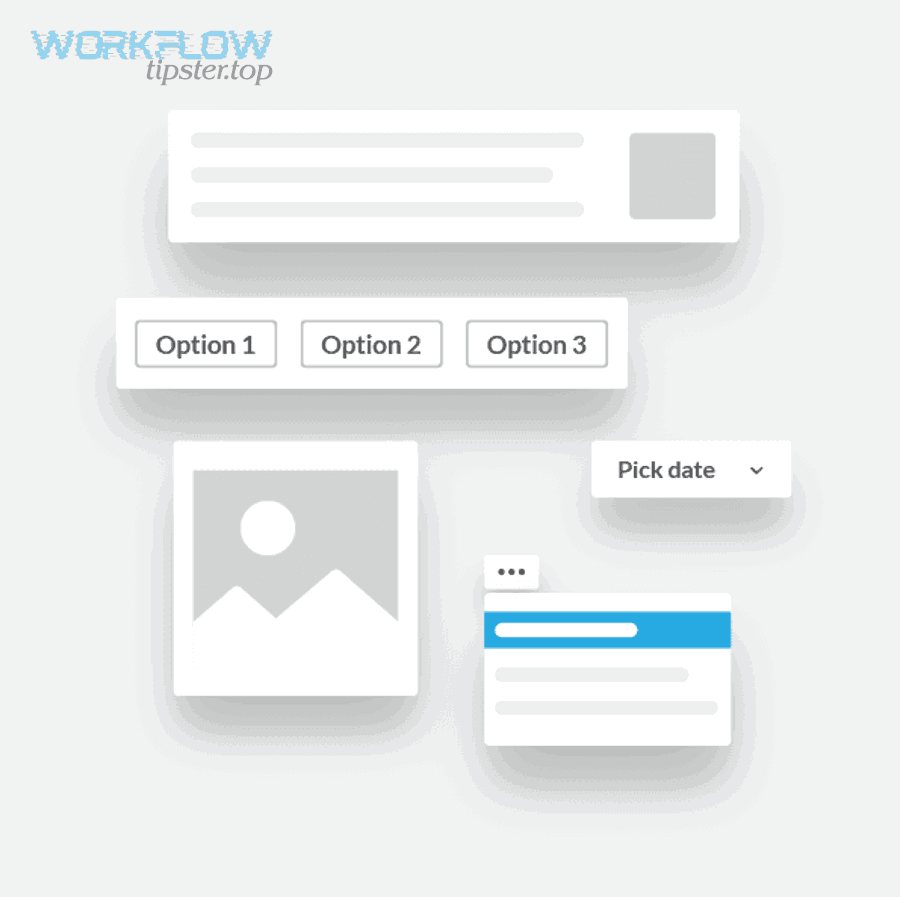
Then, you’ll see how payload structure drives API-side failures: a message can look perfect in a visual builder but still fail when posted programmatically if your blocks array or text objects don’t match what the target API surface accepts. Slack’s Block Kit documentation makes it clear that blocks are “specially-structured JSON,” and that structure matters. (docs.slack.dev)
Introduce a new idea: once your formatting is correct and your JSON is valid, reliability becomes the real goal—so we’ll finish with prevention patterns (sanitization, fallbacks, and rate-limit-safe posting) that keep formatting failures from coming back.
What are “Slack data formatting errors,” and what do they look like in real workflows?
Slack data formatting errors are failures in how message content is represented or interpreted, either because the text formatting rules don’t render as intended or because an API/automation payload violates Slack’s expected structure (often surfacing as invalid_blocks). To reconnect the issue to your workflow, the fastest win is to decide whether you’re dealing with rendering drift (posted but ugly) or validation failure (rejected).
(d34u8crftukxnk.cloudfront.net)
What does “broken message rendering” mean in Slack, and how can you reproduce it?
Broken message rendering means Slack accepts the message but displays formatting differently than you intended, such as collapsed bullet lists, “raw” markup appearing as text, links not rendering as links, or code blocks losing indentation. So, to reproduce it reliably, you should start with a small message that uses only one formatting feature at a time, then add complexity until the rendering breaks.
A practical reproduction path looks like this:
- Start with plain text (no markup, no links, no lists). Confirm it renders.
- Add one newline strategy (Shift+Enter or Enter based on settings) and confirm the line breaks match your intent. Slack notes that Shift+Enter starts a new line by default. (slack.com)
- Add one list (bulleted or numbered). Slack’s Help Center describes how lists can be created and previewed using the toolbar. (slack.com)
- Add one code block (triple backticks) and check indentation and wrapping.
- Add one link and confirm whether it’s displayed as a clickable link or as literal text.
If the message renders correctly in the Slack UI but breaks when sent via an automation platform, that’s your clue that your automation tool is transforming your content (escaping, trimming, or re-wrapping newlines).
What do invalid_blocks and invalid_block_format actually indicate about your payload?
invalid_blocks and invalid_block_format indicate Slack rejected your structured payload, typically because your blocks array contains an invalid object, a missing required field, the wrong field type, or a surface-specific constraint you violated. As a result, you should interpret these errors as “structure/schema” signals, not “Slack is down” signals.
A common real-world pattern is: “It works in Block Kit Builder, but it fails in code.” A documented example in the Slack SDK issue tracker describes exactly that situation—payload works in the builder but triggers an error when posted through chat.postMessage. (github.com)
When Slack rejects blocks, the usual culprits are:
- A block missing a
type - A text object missing
type(mrkdwnvsplain_text) ortext - Wrong nesting (array-of-objects where object expected)
- Unsupported block or element in the specific surface/method you’re calling
- Hidden “empty” values inserted by templating (nulls, empty arrays)
Is the problem caused by message formatting or by your API/automation payload structure?
The problem is message formatting when Slack accepts the message but renders it wrong, while it’s payload structure when Slack rejects the request with an error like invalid_blocks or invalid_arguments. However, you’ll troubleshoot faster if you treat these as two parallel tracks: rendering validation vs payload validation.

Here’s the quick decision test:
| Symptom | Likely cause | What to test next |
|---|---|---|
| Message posts, but bullets/links/code look wrong | Formatting/rich-text rules mismatch | Recreate in UI composer; compare mrkdwn vs plain text |
Request fails with invalid_blocks / invalid_block_format |
Block Kit JSON structure or constraints | Reduce payload; validate required fields/types; test one block at a time |
| Request fails with auth/transport errors | Token/webhook/permissions | Check token validity, scopes, and endpoint health |
| Message fails intermittently at scale | Rate limiting or variable content | Handle Retry-After, queue posts, add fallbacks |
How do you compare Slack UI formatting (composer) vs API formatting (mrkdwn/blocks) to isolate the root cause?
Slack UI formatting and API formatting differ because the UI is optimized for composing and previewing, while the API is optimized for structured content that must follow schema rules. Slack explicitly documents that the formatting toolbar previews the final look before sending, which makes it a stable reference point. (slack.com) So, to isolate the root cause, compare one message in two ways: (1) typed directly in Slack, (2) posted through your integration using the same text.
A reliable comparison workflow:
- Write the message in Slack using the formatting toolbar. Confirm it looks right.
- Copy the final text into your integration input.
- Post the message via your integration using plain text first (no blocks).
- If plain text works, switch to mrkdwn.
- If mrkdwn works, switch to blocks, one block at a time.
This staged approach helps you identify whether the breakage is caused by:
- A formatting feature Slack UI supports but your API surface doesn’t interpret the same way
- Your integration tool rewriting special characters (like
<,>,&) - A blocks schema mismatch
How do you tell if the issue is in “text content” vs “block structure”?
The issue is in text content if removing specific characters (newlines, bullet markers, backticks, brackets) makes the problem disappear, while it’s in block structure if removing specific blocks or fields makes the request succeed. Therefore, your test should remove complexity in the unit that matches the failure mode.
Use this “two-knob” isolation method:
- Content knob: keep the same block structure, but replace text with
"test". - Structure knob: keep the same text, but replace blocks with one simple section block.
Slack’s Block Kit guide shows how a single section block is represented and how mrkdwn text is nested inside it, which makes it easy to build a minimal baseline. (docs.slack.dev)
What are the most common causes of Slack formatting errors you should check first?
There are 2 main types of Slack formatting-error causes you should check first—rendering mistakes (syntax and newline/list behavior) and payload mistakes (missing fields, wrong text object types, unsupported structures). Next, you’ll prioritize checks that typically resolve the issue in minutes rather than hours.
Which text formatting mistakes most often break Slack rendering?
Text formatting breaks most often due to newline/list mechanics and unintended markup, because even small differences in how a message is composed can change list creation and code formatting. Slack notes that certain automatic list formatting behaviors depend on how you compose and send messages. (slack.com) So, check these first:
- Newlines: Your tool may convert
\nto\\n(literal backslash-n), which Slack renders as text. - Bullets: Some tools inject bullets (•) while Slack expects list syntax or toolbar formatting.
- Code blocks: Missing triple backticks or mixing inline code and block code.
- Links: Incorrect link formatting or escaping angle brackets.
- Copy/paste artifacts: “Smart quotes” and invisible characters can change parsing.
When rendering breaks, your fastest fix is often to temporarily force plain text and confirm the message remains readable before reintroducing formatting.
Which payload mistakes most often trigger invalid_blocks / invalid_arguments?
Payload errors most often come from missing required fields, wrong text object types, or templating that inserts empty values, because Slack expects a strict JSON shape for blocks. Slack’s docs emphasize that blocks are JSON objects and that you stack them in a blocks array, which must be correctly structured. (docs.slack.dev) So, check these frequent causes:
- Missing required fields: a block without
type, or a text object without bothtypeandtext - Wrong text type: using
mrkdwnwhereplain_textis required (or vice versa) - Invalid nesting:
fieldsshould be an array of objects;textshould be an object, not a string - Empty payload artifacts: templating that produces
null,"", or[]in required areas—this is where you’ll see issues like slack missing fields empty payload show up in automation logs - Oversized content: very long text in a single block can trigger rejections in practice (even if the structure is correct), as developers have reported in the wild (stackoverflow.com)
How do you troubleshoot Slack formatting errors step-by-step so you can fix them reliably?
A reliable Slack Troubleshooting method is a 5-step loop—capture → reduce → validate → test → harden—that turns a vague formatting error into a minimal failing case you can fix. To make that loop work, you need disciplined reduction: change one thing at a time and keep a known-good baseline.
What is the fastest way to create a minimal reproducible payload for Slack message errors?
The fastest way is to start with one section block that contains "text": {"type": "mrkdwn", "text": "test"}, then add exactly one change per attempt until the failure returns. Specifically, you should reduce both dimensions—blocks and text—until the failure is tied to one block or one character pattern.
A practical reduction workflow:
- Capture the exact outgoing payload (before your HTTP client sends it). Copy it verbatim.
- Replace variable fields (timestamps, user IDs) with fixed placeholders.
- Delete all blocks except one known-safe block (a single
sectionwith short text). - Confirm it posts successfully.
- Add back blocks one at a time until it fails.
- Once a block is suspect, reduce its text to
"test"and re-test. - Add back formatting constructs one by one (newlines, bullets, links, code blocks).
Slack’s Block Kit documentation provides examples of single blocks and stacked arrays, which makes “start small then stack” a natural debugging path. (docs.slack.dev)
How do you validate and test blocks before you ship them into production automations?
You validate blocks by checking schema shape, surface constraints, and runtime behavior, then you test by posting to a dedicated dev channel with controlled inputs. More specifically, validation should happen in layers:
- Layer 1: JSON validity
- No trailing commas, no unescaped quotes, no invalid JSON types
- Layer 2: Block Kit shape
- Every block has a
type - Every text object has
typeandtext - Arrays contain the right object types (e.g.,
fieldsarray of text objects)
- Every block has a
- Layer 3: Surface constraints
- Some blocks/elements only work on certain surfaces (messages vs modals vs Home tab)
- Layer 4: Runtime posting
- Post the exact payload to Slack and confirm it renders correctly in desktop + mobile
If your posting fails but only sometimes, broaden the test to include variation in content length and character sets. That’s where subtle bugs—like a copied “smart quote” or a hidden character—start to show up.
According to a study by Cambridge University Judge Business School from an MBA research project in 2019, 41% of survey respondents identified reproducing a bug as the biggest barrier to fixing issues faster. (undo.io)
Can you prevent Slack data formatting errors in automations and integrations?
Yes—Slack data formatting errors are preventable because you can (1) sanitize and normalize inputs, (2) enforce a strict template schema, and (3) add fallbacks that keep messages readable even when blocks fail. To prevent recurring issues, you should treat formatting as a “data pipeline” with guardrails, not as a last-minute text decoration.
Which sanitization and escaping rules prevent the most Slack formatting failures?
Sanitization prevents failures by ensuring every message follows predictable rules before it reaches Slack, which reduces both rendering drift and payload rejection. To illustrate, implement these high-impact rules:
- Normalize newlines
- Convert
\r\n→\n - Collapse runs of 3+ blank lines to 2
- Convert
- Control markup
- If a field is user-generated, strip unsupported markup or convert it to safe plain text
- Keep a “safe-mode” formatter for high-risk content
- Constrain lengths
- Truncate overly long fields before they reach a single text object
- Defend against hidden characters
- Remove zero-width characters and normalize Unicode where possible
- Validate URLs
- Ensure URLs are complete and properly encoded
These rules matter because many formatting failures are not “Slack problems”—they’re transformations introduced upstream by forms, CRMs, or templating engines.
What fallback strategies remembered by automation builders reduce broken Slack messages to near-zero?
Fallback strategies reduce breakage because they guarantee a valid message even when rich formatting fails. More importantly, they keep your workflow moving when you’re dealing with real-world disruptions like slack oauth token expired or an intermittent upstream data glitch.
Use these proven fallbacks:
- Plain-text fallback
- If
blocksfails, retry with a simplifiedtextmessage that preserves the key information
- If
- Template versioning
- Keep message layouts versioned so you can roll back instantly if a new layout triggers errors
- Graceful truncation
- If a long section might fail, post a summary plus a link to the full content
- Feature flags
- Turn on new layouts for 5% of channels first, then expand
- Error-aware retries
- Only retry when it makes sense (e.g., transient errors), and avoid retry loops that spam channels
Also build rate-limit awareness into your system: Slack documents that exceeding limits can return HTTP 429 with a Retry-After header. This is exactly the scenario teams describe as slack webhook 429 rate limit in incident notes, and it should be handled with queues and backoff. (docs.slack.dev)
Which approach is better: plain text + mrkdwn, or Block Kit blocks for complex Slack messages?
Plain text + mrkdwn wins in reliability and speed, Block Kit is best for structured layouts and interactivity, and “hybrid messaging” is optimal when you need accessibility and robust fallbacks. However, you should choose based on how costly failure is: if failure breaks an ops workflow, keep it simple.
When is mrkdwn more reliable than blocks for formatting (and why)?
mrkdwn is more reliable when you need fast, consistent posting with minimal schema risk, because you’re sending simpler structures and relying on Slack’s text interpretation rather than nested objects. Meanwhile, mrkdwn is easier to debug because you can isolate problems by removing characters and re-posting quickly.
Choose mrkdwn when:
- Your message is mostly text (status updates, alerts, summaries)
- You want fewer “moving parts” in the payload
- Your automation tool struggles with nested JSON objects
- You need graceful degradation under incident pressure
Use it as your baseline: if your blocks fail, mrkdwn is often the fastest path back to “working messages.”
When do blocks win despite invalid_blocks risks?
Blocks win when you need layout control and interaction, because blocks let you build scannable sections, fields, and buttons that make complex messages usable in busy channels. Slack’s Block Kit documentation positions blocks as a UI framework for composing layouts across Slack app surfaces. (docs.slack.dev) Therefore, blocks are worth it when the user experience payoff is high.
Choose blocks when:
- Your message has structured fields (Type/Owner/When/Link)
- You need interactive actions (buttons, menus)
- You want a consistent “card-like” message layout
- You’re willing to validate, test, and version templates
The key to making blocks safe is not “perfect JSON”—it’s operational discipline: validate inputs, keep templates stable, and always provide a fallback message.
Why do Slack formatting errors still happen in edge cases, and how do you handle them?
Slack formatting errors still happen in edge cases because valid-looking content can violate method-specific rules, and automation platforms can silently transform data (escaping, trimming, inserting nulls) before Slack evaluates it. In addition, you’ll see failures that look like formatting issues but are actually delivery constraints—such as rate limiting or intermittent upstream field mapping problems.

Why can a payload work in a visual builder but fail in a real Slack API call?
A payload can work in a visual builder but fail in an API call because preview tools validate a subset of rules, while API methods enforce surface-specific constraints and strict request requirements at runtime. On the other hand, builders also don’t represent how your HTTP client serializes JSON or how your integration tool injects variables.
A documented case shows this exact mismatch: blocks that appear valid in the builder but still produce an error when posted through an SDK/API pathway. (github.com)
To handle it, you should:
- Test the payload in the exact method you’ll use in production
- Ensure you’re not sending a contradictory combination (like empty
textplus blocks in a context that expects a fallback) - Reduce and rebuild the payload until the runtime method accepts it
How do automation tools accidentally introduce formatting errors when mapping fields into Slack?
Automation tools introduce formatting errors by altering data during templating—stringifying JSON, escaping newlines, trimming whitespace, or inserting empty values when a variable is missing. For example, a missing CRM field can become an empty string or null inside a required Slack text object, which leads to the kind of failure people summarize as slack missing fields empty payload.
To reduce these failures:
- Add “required field” checks before building blocks
- Use default values for optional fields
- Log the final payload that you actually send (not just the template)
- Keep a safe fallback that posts a plain text summary when variables are missing
Do Unicode characters, smart quotes, or invisible characters cause Slack formatting problems?
Yes—Unicode quirks can cause Slack formatting problems because invisible or non-standard characters can change how markup is parsed or how JSON strings are interpreted by upstream tools. More specifically, these issues show up when content is copied from docs, rich-text editors, or generated from systems that insert smart punctuation.
To mitigate:
- Normalize Unicode (NFKC where appropriate for your use case)
- Strip zero-width characters
- Convert smart quotes to straight quotes when building JSON
- If a message fails mysteriously, paste the suspect text into a plain-text editor and re-test
What’s the difference between “invalid blocks” errors and “messages that send but render wrong”?
“Invalid blocks” errors mean Slack rejects your request because the payload is not acceptable, while messages that send but render wrong mean Slack accepts the request but displays formatting differently than you intended. Thus, the antonym relationship is practical: rejected vs accepted, and your strategy changes accordingly.
- If it’s rejected, focus on structure: required fields, types, nesting, surface constraints.
- If it’s accepted but ugly, focus on content: newlines, list syntax, escaping, and markup expectations.
When you treat these as separate categories, you stop guessing and start fixing—because each category has a different fastest path back to stable Slack message output.