


If you’re seeing microsoft teams pagination missing records, the core issue is rarely “pagination is broken”—it’s usually a mismatch between how Microsoft Teams data is produced (near-real-time, permissioned, sometimes eventually consistent) and how your reader assumes pages behave (static, ordered, fully accessible).
This guide is written as Microsoft Teams Troubleshooting for developers, automation builders, and integration owners who need reliable exports of channel messages, chat messages, teams, or members via Microsoft Graph—and who need to prove they did not miss items.
We’ll cover the most common causes of gaps (filters, time windows, hidden message types, missing permissions, throttling, connector limits), then show robust paging patterns that reduce both skips and duplicates while keeping runtime and API calls under control.
Giới thiệu ý mới: once you can fetch “all pages,” the real work is verifying completeness with checkpoints and reconciliation so your pipeline stays accurate under load and change.
Why does microsoft teams troubleshooting often start with “missing records” instead of “pagination failed”?
Yes—microsoft teams pagination missing records can happen even when you follow the next page link, because Teams data can change between page requests, visibility can vary per token, and some queries are not stable without explicit ordering and guardrails.
To begin, treat “missing records” as a data contract problem, not just an API loop problem, because the same paging loop can be correct but the dataset you’re paging through is shifting or partially visible.

Is the dataset stable while you page through it?
No—Teams conversations can receive new messages, edits, and deletions while you are paginating, and that change can reorder what appears across page boundaries.
Next, you should define whether you need a snapshot (consistent point-in-time) or a stream (eventually complete over a window), because each goal requires a different strategy.
Are you reading in a context that can “see” every item?
No—if the OAuth token, app permissions, or tenant context cannot access certain messages, the API can return “complete pages” that are incomplete relative to your expectation.
After that, validate scopes, tenant boundaries, and whether you’re using delegated vs application permissions for the specific Teams endpoint you call.
Are you confusing “records” with “messages + replies + system events”?
Yes—Teams has message types, replies, and system events that may require separate calls or expansions; treating them as one flat list often creates perceived gaps.
To move forward, decide your record model (messages only, messages + replies, messages + reactions, etc.) and align your calls to that model.
How does Microsoft Graph paging work for Teams data, and what does @odata.nextLink really guarantee?
Microsoft Graph paging returns a page of results plus an @odata.nextLink URL when more items exist; you must call that URL exactly to retrieve the next page until the link disappears.
However, the guarantee is limited to “next page for this query state,” so your job is to preserve query state precisely and avoid adding instability that changes ordering or visibility mid-stream.
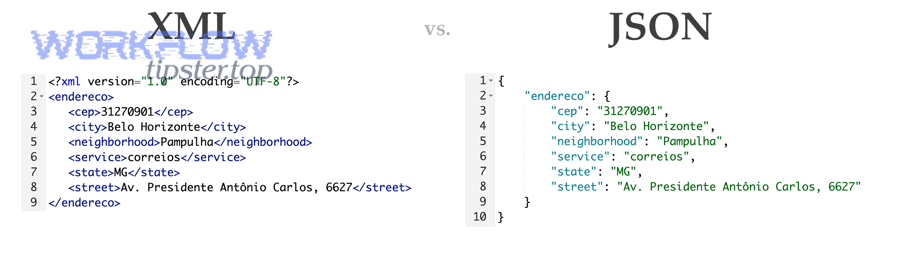
Why using the full nextLink matters more than $skiptoken theory
You should use the entire nextLink URL “as is” because it can embed parameters beyond a visible skip token, and recreating it manually can silently change the query.
To anchor this practice, keep the original request immutable and treat nextLink as an opaque cursor string that you store and replay without modification.
According to research by Microsoft Learn from the Microsoft Graph documentation team, in April 2025, the guidance is to use the entire URL in @odata.nextLink and not extract or reuse the $skiptoken or $skip value in a different request.
Server-side vs client-side paging: why $top is not a promise
Graph can enforce server-side page sizes and cap what $top returns; $top asks for a page size, but the service can return fewer items and still be correct.
Next, treat $top as a tuning knob for efficiency, not as a completeness guarantee, and always rely on nextLink to determine whether more pages exist.
What “missing records” looks like when paging is correct
When paging is correct, you will still see “missing” items if your query filters out message types, you lack permission, or the dataset changes between page pulls.
To proceed, you must separate “paging correctness” (no skipped cursor steps) from “dataset completeness” (what the service decides is in scope and visible).
Which root causes most often create microsoft teams pagination missing records for channel and chat messages?
The most common root causes are unstable ordering, shifting datasets during long reads, partial visibility from permissions, connector-imposed caps, and differences between “messages” and “replies” retrieval paths.
Next, you should diagnose by category—query stability, identity/permissions, connector behavior, and throttling—because each category has a distinct fix and a distinct proof of correctness.

Unstable ordering and timestamp ties
Yes—if you paginate without a stable order key, or if many items share the same timestamp granularity, boundaries can overlap and cause skips or duplicates across pages.
After that, adopt a deterministic ordering strategy (typically “createdDateTime + id” semantics in your own processing) and use overlap windows when you must page by time.
Permissions and tenant context differences
Yes—Teams endpoints can behave differently under delegated vs application permissions, and federation or tenant-owner constraints can limit what you can retrieve for a channel.
Next, verify the exact permission model required by your endpoint and confirm the token’s tenant context matches the resource owner expectations for that channel or team.
Expansions and related data that is not in the base list
Yes—if you assume the base list includes replies, attachments, or rich content uniformly, your “record count” will look wrong even though the base paging is correct.
To move forward, model related objects as separate fetches (or use supported expansions carefully) and reconcile them by message id rather than by list position.
How do you build a paging loop that is resilient, auditable, and hard to break?
Use an opaque-cursor loop with checkpointing: fetch page, persist items, persist nextLink, then continue until nextLink is absent, with retries and idempotent writes so replays do not create gaps or duplicates.
Next, layer in guardrails—retry/backoff, concurrency limits, and reconciliation checks—so your loop stays correct under throttling and partial failures.

Step 1: Persist nextLink as a durable checkpoint
Yes—storing nextLink after each successful page is the simplest way to ensure you can resume exactly where you left off after a crash or timeout.
After that, keep checkpoints per resource (teamId/channelId) and per query variant (filters/expands), because reusing a checkpoint across variants is a common source of “missing” segments.
Step 2: Make writes idempotent by message id
Yes—idempotent storage (upsert by message id) prevents duplicates from retries and overlap windows, which is essential when you trade strict “no duplicates” for “no missing records.”
Next, enforce a unique key on message id (and reply id if applicable) so a re-run is safe and measurable.
Step 3: Add controlled overlap when paging by time
Yes—if you must page by time windows, overlap the window (for example, re-read the last N minutes) to catch late-arriving items, then deduplicate by id.
To complete the loop, log how many items were “new” vs “already seen,” because that ratio is your early warning that ordering or delay is affecting completeness.
How do filters and time windows create gaps, and what’s the safest way to close them?
Filters and windows can cause gaps when messages arrive late, when edits shift items across boundary conditions, or when ordering is not deterministic—so you should prefer cursor-based paging and reconciliation over narrow, non-overlapping time slices.
Next, choose the pagination strategy that matches your operational reality: static snapshots are rare in chat systems, so most teams succeed with “eventually complete within a window” plus deduplication.

This table contains the most practical pagination strategies for Teams/Graph readers and shows what each strategy optimizes for (completeness, speed, or stability). It helps you choose a pattern that minimizes microsoft teams pagination missing records under real-world change.
| Strategy | How it works | Strength | Risk that looks like “missing records” |
|---|---|---|---|
| Cursor paging (nextLink) | Follow @odata.nextLink until exhausted | Best for completeness within query scope | Dataset shifts during long reads; partial visibility |
| Time-window polling | Read messages between start/end times | Simple scheduling; incremental runs | Late arrivals and edits cross boundaries |
| Overlap + dedupe | Re-read recent window and upsert by id | Best practical defense for change | More API calls; requires idempotency |
| Delta-style change tracking | Use change tokens (when supported) to fetch changes | Efficient for long-running sync | Not available for every Teams resource |
Why narrow windows without overlap fail in chat systems
Yes—non-overlapping windows can miss messages that arrive late, are rehydrated after transient service delays, or are edited into/out of filter criteria after your window closes.
Next, add overlap and dedupe, then measure the overlap catch-rate; if it’s non-trivial, you’ve proven the gap mechanism and fixed it.
How to handle “same timestamp” collisions
Use a compound boundary in your processing: treat your checkpoint as (lastTimestamp, lastId) and accept overlap if you cannot enforce stable sorting from the API.
After that, deduplicate by id and keep a “seen set” per sync run to avoid oscillation.
When to prefer broader filters, then post-filter locally
Prefer broad queries when filters can change over time (like “contains keyword” or conditional fields), then apply deterministic filtering in your own store.
To continue, keep the raw record and computed views separately so your sync remains stable while your business logic evolves.
What should you check when an automation connector truncates pages or hides pagination controls?
If your platform returns only the first page, microsoft teams pagination missing records is often caused by connector limits, disabled pagination features, or mapping rules that drop items silently after the fetch step.
Next, isolate the problem by comparing raw HTTP results (or platform logs) with what the connector output exposes—because the missing records might be dropped after retrieval, not during retrieval.

Connector-level caps and “first page only” defaults
Yes—many low-code connectors default to a small page size and require an explicit setting to iterate through all pages, especially for list-style actions.
Next, confirm whether the connector supports following nextLink internally, and if not, switch to a generic HTTP action that lets you loop on nextLink yourself.
Field mapping that discards items with null/unsupported shapes
Yes—if downstream mapping expects a field that is absent for some messages, those records can be dropped or become invisible in your final dataset.
After that, store the entire raw payload first, then transform it, so you can prove retrieval completeness even when transformation fails.
Companion failures you should not ignore
In real pipelines, “missing records” often appears alongside other symptoms. During Microsoft Teams Troubleshooting, you might also see microsoft teams attachments missing upload failed when message content references files your token cannot access, and microsoft teams webhook 429 rate limit when your workflow retries too aggressively and starts losing continuity.
To tie this back to completeness, treat these errors as signals that visibility and throttling are already impacting your run—and address them before trusting record counts.
How do throttling and concurrency create paging gaps, and how do you back off correctly?
Throttling rarely removes records directly, but it increases the chance you time out, restart from a stale checkpoint, or run concurrent readers that overlap and confuse deduplication—so controlling concurrency and honoring Retry-After are essential.
Next, implement a backoff policy that is consistent across retries and across parallel workers, because inconsistent retry behavior is a hidden source of partial coverage.

Why 429 responses can indirectly cause “missing records”
A 429 can push your run into partial completion where you stop early, or can cause you to restart without the last saved nextLink checkpoint, leaving a gap you never backfill.
After that, make your loop checkpoint after each page, not after the entire run, so a throttle event cannot erase progress.
According to research by Microsoft Learn from the Microsoft Graph throttling guidance, in January 2025, Microsoft Graph throttling responses include a Retry-After header and you should wait that duration before retrying, continuing to back off if throttling persists.
Service-specific limits that surprise Teams message collectors
Teams workloads can have per-app, per-tenant, or per-channel constraints that make “high concurrency” fail fast even if total request volume seems reasonable.
Next, scale by partitioning (different channels) with a strict per-partition concurrency limit, instead of blasting one channel with parallel readers.
Practical backoff pattern that preserves continuity
Use exponential backoff with jitter, but cap the max delay and always reissue the exact same URL (the same nextLink) after waiting, so you don’t change query state mid-retry.
To complete the practice, log retry counts per resource and alert when retries exceed a threshold, because frequent throttling is a precursor to incompleteness.
How do you prove you didn’t miss records with reconciliation and checkpoints?
You prove completeness by combining durable checkpoints, idempotent storage, and a reconciliation pass that compares expected vs observed coverage for the window you claim, rather than trusting a single “total count” or a single run log.
Next, build a verification layer that is cheap enough to run routinely, because correctness degrades over time if audits are manual or rare.

Checkpoint integrity: detect stale or reused cursors
Yes—stale checkpoints are a frequent reason for gaps: if you reuse a cursor from a prior query variant, you can jump into the middle of a different result set.
After that, hash your query signature (endpoint + parameters) and store it with the checkpoint so you can reject mismatches automatically.
Backfill strategy: small “safety window” re-reads
Yes—a daily sync that re-reads the last 24–72 hours (with dedupe) is often enough to catch late arrivals and transient visibility issues without excessive cost.
Next, tune the safety window using evidence: if late arrivals are common, expand the window; if not, shrink it to reduce API calls.
Spot checks: sample-by-id and sample-by-time
Run spot checks by selecting random message IDs from known activity and verifying they exist in your store, and also by sampling time slices and confirming coverage density matches expected activity patterns.
To reinforce the audit trail, record the spot-check results per run so you can demonstrate stability across weeks and months.
Advanced patterns to prevent pagination gaps in production-grade Teams syncs
Beyond the core paging loop, production systems reduce microsoft teams pagination missing records by using idempotency, overlap windows, partitioned concurrency, and observability that detects drift early.
Next, treat these as “control-plane” features: they do not change the endpoint you call, but they determine whether your system stays accurate under pressure.
Pattern 1: Two-phase ingest (raw then normalized)
First, store raw pages exactly as received; second, normalize and map into your canonical schema, so transformation bugs cannot masquerade as retrieval gaps.
After that, you can rerun normalization without re-pulling the API, which reduces throttling and improves auditability.
Pattern 2: Partitioned readers with strict per-partition limits
Split work by channelId (or chatId) and enforce a small, fixed concurrency per partition, so you avoid bursty 429 responses and mid-run timeouts.
Next, use a global rate limiter so scaling out workers does not amplify throttling and create partial completion patterns.
Pattern 3: “Overlap + dedupe” as a formal contract
Define your ingestion contract as “eventually complete within X hours,” then implement overlap windows that exceed X and dedupe by id to guarantee completeness.
To finalize the contract, publish the window and your reconciliation method internally so stakeholders understand what “complete” means operationally.
Pattern 4: Drift dashboards for missing/duplicate rates
Track metrics like pages fetched, retries, dedupe hits, and backfill discoveries; spikes in dedupe or backfill are early indicators of ordering instability or latency changes.
According to research by MDN Web Docs from the HTTP Working Group documentation, in July 2025, HTTP 429 Too Many Requests indicates a client has sent too many requests in a given time and a Retry-After header may be included—making it a measurable signal you should chart and alert on.
FAQ
Does following @odata.nextLink guarantee I will get every Teams message ever sent?
No—following nextLink can only enumerate items that are in scope for that endpoint, visible to your token, and retained/available at the time of reading; your completeness guarantee must be defined as a window plus a verification method.
Can $top fix microsoft teams pagination missing records by returning bigger pages?
Not reliably—$top can improve efficiency, but it cannot fix unstable ordering, permissions gaps, connector truncation, or throttling-driven partial runs; those require checkpointing, backoff, and reconciliation.
Why do I see duplicates when I try to “avoid missing records”?
Because overlap windows and retries intentionally trade duplicates for safety; the correct solution is deduplication by id (idempotent writes), not removing overlap and risking gaps.
What’s the fastest practical way to validate completeness after a big export?
Run a backfill re-read of the most recent window, compare “newly discovered” counts, and perform spot checks by id and by time slices; if backfill finds many new items, extend the window and revisit concurrency and throttling behavior.