


Google Chat data formatting errors usually happen because your request body is not valid for Google Chat’s expected JSON schema, which leads to messages like “Invalid JSON payload received,” “Unknown name,” “Cannot find field,” or a plain HTTP 400 response. The fix is to separate JSON syntax problems from schema mismatch problems, then correct fields, nesting, and data types until your payload becomes “valid.”
Next, you’ll see the most common causes behind these errors—especially unknown fields, missing required fields, incorrect capitalization, and wrong payload shapes—so you can identify which mistake matches your error string and fix it quickly without guessing.
Then, you’ll follow a practical diagnostic workflow: start with a minimal payload, reproduce the issue, isolate the failing field, and confirm whether you’re sending to an incoming webhook or the Google Chat API, because that choice changes what “valid” looks like.
Introduce a new idea: once you can reliably send a valid payload, you can prevent regressions by adding lightweight validation and templating, and you can avoid the common confusion between message text formatting (Markdown) and payload formatting (JSON schema).
What are Google Chat “data formatting errors” in webhooks and APIs?
Google Chat “data formatting errors” are client-side request failures caused by invalid JSON syntax or invalid payload structure when sending messages through incoming webhooks or the Google Chat API, typically surfacing as HTTP 400, “Invalid JSON payload,” or “Unknown field” responses.
Next, the fastest way to resolve the issue is to identify which layer failed—syntax or schema—before you touch anything else.

In day-to-day developer language, “data formatting errors” means one of two things:
- Your JSON can’t be parsed (syntax-level failure).
- Your JSON parses, but Google Chat rejects the structure (schema-level failure).
That distinction matters because both can produce “400” and both can look like “formatting,” but the fixes are completely different. When you diagnose the wrong layer, you waste time “correcting fields” when the actual issue is a missing quote—or you keep re-escaping strings when the real problem is an unsupported field.
Google’s developer documentation for Chat card troubleshooting explicitly highlights schema-style mistakes like missing required fields and misspelled or incorrectly capitalized fields as common causes of card failures.
Is this error caused by invalid JSON syntax or an invalid schema?
Syntax errors win as the likely cause when you see parser-type messages (failed to parse, unexpected token), while schema errors win when you see field-path messages (unknown name, cannot find field, missing required field).
However, to avoid mixing them up, you should confirm JSON parse validity first, then confirm schema validity second.
A practical comparison:
- Invalid JSON syntax (parse failure)
- Usually caused by missing quotes, trailing commas, unescaped line breaks, or broken Unicode escaping.
- Typical symptom: your tool (or Google) says it can’t parse JSON.
- Fix approach: validate JSON with a parser; correct the exact character error.
- Invalid schema (structure/field failure)
- Usually caused by wrong field names, wrong nesting, wrong types, or extra unsupported fields.
- Typical symptom: “Unknown name ‘X’ … cannot find field” or “required field missing.”
- Fix approach: align your payload to the correct schema for the endpoint you are using.
To keep your hook chain tight: you can’t trust later fixes until you know the JSON itself is parsable, because schema troubleshooting assumes the payload can be interpreted as JSON.
What do “Unknown name,” “Cannot find field,” and “Failed to parse JSON” actually mean?
“Unknown name” means you used a field name that the endpoint does not recognize at that location; “Cannot find field” means the schema has no such field in that object; and “Failed to parse JSON” means the message body isn’t valid JSON at all.
More specifically, these messages tell you whether to focus on payload structure or JSON correctness.
- “Failed to parse JSON”
- Treat it as: “Your payload never reached schema validation.”
- Action: validate raw body; check escaping; ensure your request tool isn’t double-encoding.
- “Unknown name ‘X’ at ‘message’: Cannot find field.”
- Treat it as: “Field X is not allowed inside message for this endpoint.”
- Action: remove the field or move it to the correct object (if valid elsewhere).
- “A required JSON field is missing.”
- Treat it as: “You used a valid-looking structure but omitted something mandatory.”
- Action: add the required key where the schema expects it.
This interpretation is consistent with how Google Chat card troubleshooting describes errors caused by missing required fields and incorrectly named/capitalized fields.
What are the most common causes of invalid Google Chat JSON payloads?
There are 4 main types of invalid Google Chat JSON payload causes—unknown fields, missing or wrongly nested fields, data type mismatches, and endpoint/payload-shape mismatch—based on how the payload violates the expected schema.
Then, once you classify the failure type, you can fix the payload with fewer edits and a much faster feedback loop.
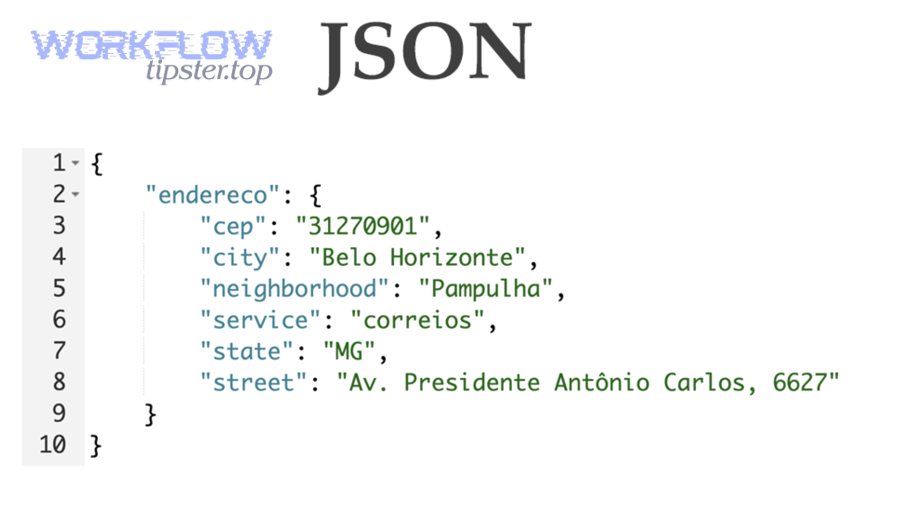
These causes repeat across tools and stacks. Whether you’re sending through curl, Apps Script, a workflow tool, or a custom service, the error mechanics are the same: Google Chat expects a specific JSON shape; your payload deviates.
Which “unknown field” mistakes trigger Google Chat payload rejection?
There are 3 common “unknown field” mistake groups: extra fields inherited from another platform’s webhook format, fields placed at the wrong level, and fields whose casing doesn’t match the schema, based on how the field becomes “unrecognized.”
Specifically, these mistakes are common when developers copy payloads from Slack/Teams-style webhooks or from generic “alerting payloads” that include metadata Google Chat doesn’t accept.
- Borrowed fields from another system
- username, attachments, channel, icon_emoji (often seen in Slack-shaped payloads)
- Google Chat rejects them if they are not part of its schema for that endpoint.
- Tool-injected fields
- Some automation tools include fields like callback URLs, diagnostic blocks, or internal IDs.
- If you see “Unknown name … cannot find field,” suspect the tool template first.
- Wrong casing
- A field might be valid in concept but invalid in practice if the schema expects exact casing.
- Card structures are especially sensitive to naming and capitalization.
In real integrations, communities repeatedly resolve 400 errors by removing extra fields Google Chat does not recognize and sending only the expected structure.
To connect the hook chain: “unknown field” errors are not random—your payload contains something Google Chat will never accept in that position.
Which “missing field” or “wrong nesting” issues cause 400 errors?
There are 3 main missing/nesting issue groups: missing required keys, wrapping the payload in an extra container object, and placing card structures under the wrong parent, based on where the schema expects the data.
Next, you should verify the “shape” of the body before you hunt for smaller mistakes.
- Missing required fields in card definitions
- For cards and dialogs, leaving out required fields can cause partial rendering or total failure.
- The failure can look like “nothing happens” or a sudden close in UI contexts.
- Extra wrapper object
- Many tools send {“data”: {…}} or {“message”: {…}} by default.
- If Google Chat expects {“text”:”…”} and you send {“message”:{“text”:”…”}}, the body can be valid JSON but invalid schema.
- Wrong level for card content
- Card JSON is hierarchical. One wrong level can invalidate a large block.
- This often triggers errors that mention a field path (where the schema check failed).
Google’s troubleshooting guidance for cards calls out missing required fields and misspelled/capitalized fields as likely causes when parts of a card don’t appear.
To keep progress smooth, treat “wrong nesting” as a structural bug: fix the tree first, then polish the leaves.
Which data type mismatches (string vs object vs array) are most likely?
There are 3 high-probability data type mismatch groups: string vs object, object vs array, and boolean/number represented as strings, based on how JSON types diverge from the schema.
More importantly, these mismatches are harder to spot because the payload “looks fine” in a log.
- String vs object
- A schema expects {“text”:”hello”} but you send {“text”:{“value”:”hello”}}.
- Or the opposite: schema expects a structured object, but you send a string.
- Object vs array
- A schema expects sections: [ … ], but you send sections: { … }.
- Or it expects widgets: [ … ], but you send a single widget object.
- Booleans and numbers as strings
- “true” instead of true
- “5” instead of 5
- Some validators tolerate this; strict schemas do not.
A simple way to prevent this category: keep a canonical “valid example” payload and compare your payload types against it field-by-field, not just name-by-name.
How do you quickly diagnose Google Chat 400 errors step-by-step?
A fast diagnosis method is a 5-step loop—validate JSON, confirm endpoint type, send a minimal payload, add complexity gradually, and isolate the first failing field—so you can turn a vague 400 into a specific schema fix.
Then, with each iteration, you reduce the payload until the failure becomes obvious.

Before diving in, note that many developers search this as “google chat troubleshooting” because it feels like a platform issue. In practice, 400 errors are overwhelmingly payload problems: you control the fix.
- Validate JSON syntax with a strict parser (not a “forgiving” formatter).
- Confirm your target: incoming webhook vs Chat API endpoint.
- Send a minimal text payload that you know should work.
- Add one change at a time (cards, widgets, threading, etc.).
- Stop at first failure and isolate the field, nesting, or type that triggered it.
What is the fastest “minimal payload” test to confirm the endpoint works?
The fastest minimal test is to send one text-only message with the smallest supported body, confirm it posts successfully, and only then add cards or advanced fields, so you prove the endpoint and URL are correct first.
Next, once the minimal payload works, every later failure becomes a schema delta—not a mystery.
- Use only the minimal key(s) expected for that sending method.
- Avoid any wrappers like data, payload, or message unless required by that specific endpoint.
- Set Content-Type: application/json.
- Keep the message text simple (ASCII first) to avoid escaping issues.
If your tool or pipeline produces an empty object, you’ll see the classic “google chat missing fields empty payload” type of scenario: the request arrives, but there’s no valid content for Chat to process. The fix is not “try again,” it’s to ensure your automation actually populates the required fields before sending.
How do you use error details to pinpoint the exact bad field?
You pinpoint the bad field by reading the error’s field path, identifying the first unrecognized key or missing required key, and then checking whether that key belongs to your endpoint’s schema at that exact nesting level.
Specifically, the phrase “at ‘message’” is a clue: it tells you where Google expected a known field but found something else.
- Copy the exact error message into your notes.
- Underline the field name and the object path.
- Find that field in your payload.
- Ask: is this field valid at all, and is it valid here?
Should you remove fields or rebuild from a known-good template?
Removing fields wins when your payload is mostly correct and you can identify a few suspicious extras; rebuilding wins when your payload is copied from another platform or deeply nested with multiple unknown errors, because a known-good template restores correct structure faster.
However, the best choice depends on how “close” your payload is to a valid Chat format.
- Remove fields: best when a small change broke a working payload.
- Rebuild: best when the payload came from Slack/Jira/monitoring templates or mixed formats.
Atlassian’s Jira automation guidance for Google Chat webhook 400 errors emphasizes that mismatches often come from payload formats generated by automation templates that don’t align with Chat’s required JSON structure.
How do you fix “Unknown field” and “Cannot find field” errors reliably?
You fix “Unknown field” and “Cannot find field” errors by removing unsupported keys, correcting exact field names/casing, and aligning nesting to the correct schema for your sending method, so Google Chat recognizes every field at the path where it appears.
Then, you confirm the fix by re-sending a minimal version and re-adding only schema-valid elements.
Is the payload meant for a webhook or the Chat API—and does that change the schema?
Incoming webhooks win for simple one-way notifications with a simpler payload shape, while the Chat API is best for app-authenticated messaging and richer interactions; your schema must match the method because fields valid in one context can be invalid in another.
Meanwhile, developers often get 400 errors by mixing examples across these two methods.
Are you sending a card message, and is your card schema valid?
Yes—card schema validity is often the deciding factor in Google Chat data formatting errors, because (1) cards have deeper nesting, (2) cards enforce required fields and exact casing more strictly, and (3) one invalid widget can invalidate a whole section and trigger missing/unknown field errors.
Next, if you suspect cards are involved, validate your card structure before you change authentication or endpoints.
Do your field names and casing exactly match the expected schema?
Yes—Google Chat schema matching requires exact field names and casing, because (1) schema validators treat unknown keys as invalid, (2) similar-looking keys are not “close enough,” and (3) capitalization errors can break rendering even when the structure is otherwise correct.
More specifically, casing is a silent killer in nested objects: it hides in plain sight.
How can you prevent Google Chat payload formatting errors in production?
There are 4 main prevention strategies—pre-send validation, canonical templates, contract testing, and observability-friendly logging—based on how you reduce invalid payloads before they hit Google Chat.
Then, once prevention is in place, formatting errors become rare incidents instead of recurring disruptions.
What validation checks should run before sending the payload?
There are 4 essential pre-send checks: JSON parse validation, schema/shape checks, required-field checks, and type checks, based on the minimum set needed to catch the majority of payload failures.
Next, you can implement these checks incrementally, starting with the ones that catch the biggest portion of errors.
This table contains the validation layer, what it catches, and the fastest practical approach to implement it.
| Validation layer | What it catches | Fastest practical approach |
|---|---|---|
| JSON parse validation | Broken JSON syntax | Strict JSON parser in your runtime |
| Shape/schema validation | Wrong nesting, unknown fields | Compare against a known-good template; optional JSON Schema validator |
| Required-field validation | Empty content / missing mandatory keys | Assert required keys are present before sending |
| Type validation | String/object/array mismatches | Typed models or runtime type guards |
A useful evidence point comes from a Rochester Institute of Technology Computer Science capstone report that analyzed tens of thousands of JSON-related artifacts and observed that many validation errors arise from schema/version mismatches rather than pure syntax issues—highlighting why schema-aware checks are valuable.
How do you standardize payloads across tools (Jira/workflows/custom code)?
You standardize payloads by defining one canonical “valid” message contract and building small adapters for each tool (Jira automation, workflow platforms, custom services) so every sender outputs the same schema-correct structure.
Besides reducing errors, this also makes debugging faster because every payload “looks the same.”
This is especially important because some automations generate payloads that are valid JSON but invalid for Chat’s webhook format—resulting in repeated 400 errors until you constrain the outgoing shape.
Also, this is where you can safely handle special cases like “google chat timezone mismatch”: timestamps often arrive from tools in different formats and time zones. If you standardize your payload builder to normalize time representation before building the message text, you prevent confusion and reduce repeated “formatting” blame when the real issue is data consistency.
Should you use a “Valid vs Invalid” payload checklist before deployment?
Yes—you should use a “Valid vs Invalid” payload checklist, because (1) it catches breaking changes before release, (2) it prevents tool-injected unknown fields from reaching Chat, and (3) it enforces a repeatable standard across environments and teams.
More importantly, a checklist turns debugging from “tribal knowledge” into a consistent process.
- Valid JSON: the body parses with a strict JSON parser.
- Correct endpoint: webhook URL uses webhook shape; Chat API uses API shape.
- No unknown fields: no Slack-like or tool-specific extras.
- Required fields present: content fields are populated (avoid empty payloads).
- Minimal payload test passes: simplest message posts successfully.
- Incremental complexity: cards/widgets added one step at a time.
That checklist also helps you distinguish formatting vs routing errors like “google chat webhook 404 not found.” A 404 often indicates the wrong webhook URL, deleted webhook, or wrong endpoint path—so a checklist item that verifies the URL and minimal-post behavior can prevent hours of debugging the payload when the route is the real problem.
What are quick examples of Valid vs Invalid Google Chat payload patterns?
A valid payload wins in schema compliance, an “invalid-by-unknown-fields” payload is best explained by cross-platform leftovers, and an “invalid-by-wrong-nesting” payload is the most common culprit for 400 errors after automation changes.
However, once you can recognize the pattern visually, you’ll often fix the issue in minutes.
Which invalid pattern is most common: extra wrapper object or unknown keys?
Extra wrapper objects win as the most common pattern in automation and middleware pipelines, while unknown keys are more common when developers copy payloads from other platforms; type mismatches often become the hidden third option when everything “looks right.”
On the other hand, both wrapper errors and unknown keys often appear together in real systems.
What does a “valid minimal payload” look like compared to a “valid card payload”?
A valid minimal payload wins for speed and reliability, a valid card payload is best for rich UI content, and a mixed payload is optimal only when you intentionally combine text and a schema-correct card—because cards add strict structure that multiplies failure points.
Meanwhile, the safest workflow is to ship minimal first, then evolve to cards.
Is Google Chat message text formatting (Markdown) the same as JSON payload formatting errors?
JSON payload formatting wins as the root cause when the message fails to send (400, invalid payload, unknown fields), while Markdown text formatting is best explained when the message sends successfully but looks wrong (styling, lists, code blocks).
In addition, mixing these two meanings of “formatting” is one of the fastest ways to misdiagnose the issue.
When should you troubleshoot Markdown rendering vs payload schema?
Payload schema troubleshooting wins when you see transport failures (400/invalid payload), Markdown rendering wins when the transport succeeds and the content displays but looks different than expected; the optimal workflow is to confirm delivery first, then adjust formatting second.
To begin, ask one simple question: “Did the message post to the space?”
- If the message did not post, fix JSON syntax and schema validity.
- If the message did post, adjust message text formatting.
Can special characters or escaping break JSON even if your text looks fine?
Yes—special characters and escaping can break JSON even when the text looks normal, because (1) unescaped quotes terminate strings early, (2) newline characters can invalidate JSON in some generators, and (3) templating engines can insert raw characters that require escaping.
Specifically, this is common when alerts include stack traces, JSON fragments, or user-generated content.
Do automation tools add hidden fields that make payloads invalid?
Yes—automation tools can add hidden or template-driven fields that make a Google Chat payload invalid, because (1) they may inject metadata keys not supported by Chat, (2) they may wrap the payload under a tool-specific container object, and (3) they may stringify types that Chat expects as arrays or objects.
Next, you should inspect the final outbound body (not the template) to confirm what actually gets sent.
What’s the best “one-minute sanity check” before blaming Google Chat?
There are 4 one-minute sanity checks: verify the webhook URL isn’t stale (404), verify JSON parses, verify minimal payload posts, and verify no extra fields exist, based on the fastest checks that eliminate the most common root causes.
Thus, you can avoid chasing phantom “platform bugs” when the issue is local.
- URL check: if you see “google chat webhook 404 not found,” confirm the webhook exists and you’re posting to the correct URL/space.
- JSON parse check: confirm the body is valid JSON.
- Minimal payload post: prove the route and context with the simplest message.
- Extra fields check: remove everything except essentials; add fields back gradually.
According to a study by Rochester Institute of Technology from the Department of Computer Science, in 2021, an empirical analysis of 47,610 JSON files found that many validation failures relate to schema/version mismatches, reinforcing why schema-aligned payload templates prevent repeated “formatting” errors.