


A “google chat missing fields empty payload” error almost always means your webhook request reached Google Chat, but the HTTP body that arrived was either empty, not valid JSON, or missing the minimum message fields that Chat can accept—so Chat can’t construct a message from it.
To resolve it fast, you need to separate what you intended to send from what was actually delivered, then validate required fields, headers, and serialization before you touch Google Chat settings.
After you understand what “empty payload” really means at the HTTP level, you can systematically classify root causes: upstream automation tools, middleware, proxies, content-type mismatches, and rate/response behaviors that hide the real failure.
Introduce a new idea: once you can reliably produce a “complete payload,” you can prevent missing-field failures permanently with validation, observability, and guardrails that keep future changes from silently stripping your request body.
Is a “missing fields” or “empty payload” error always caused by invalid JSON?
No—a “google chat missing fields empty payload” issue is not always invalid JSON because (1) the HTTP body can be empty due to upstream tooling, (2) headers can cause the body to be ignored, and (3) the JSON can be valid but still omit required message fields.
To begin, the fastest way to avoid guessing is to confirm whether the request body that hits Google Chat is empty, unreadable, or incomplete—because each category has different fixes.

Is the payload body truly empty at the HTTP layer?
Yes/no comes down to what was actually transmitted: if your request reaches Google Chat with Content-Length: 0 (or no body bytes), Chat has nothing to parse—so you’ll see “empty payload” even if your app “built” JSON internally.
Next, treat “empty” as a transport outcome, not a JSON outcome. Common patterns include automation steps that default to “send empty body,” conditional branches that skip mapping, or templates that evaluate to an empty string.
- Tell-tale signs: logs show a POST with no body; request inspectors show an empty “raw” body.
- Fix direction: force a non-empty JSON object; disable “omit empty fields” settings that drop the entire object.
- Prevention: add a preflight check that blocks outbound requests when the body is empty.
Can valid JSON still trigger “missing fields”?
Yes: JSON validity only means the syntax is correct; it does not mean Google Chat can build a message. For example, sending {} or {“message”:{}} might be valid JSON but still lacks a message body like text (or a valid card structure), producing a missing-fields style failure.
Then, focus on the minimal “complete payload” that Chat accepts and work backward. Once you can send the smallest valid message, you can layer optional fields safely.
Do headers and content type affect payload parsing?
Yes: when the sender sets the wrong Content-Type (or sends form-encoded data while claiming JSON), the receiver can treat the body as unparseable or ignore it, which looks identical to “empty” from the application’s perspective.
More specifically, many low-code tools let you choose “JSON” vs “form” vs “empty,” and they silently switch encoding rules. A payload that looks correct in a UI can be delivered as form fields or plain text, leading to missing fields after parsing fails.
- Recommended header baseline: Content-Type: application/json; charset=utf-8
- Practical check: inspect the raw outgoing HTTP request, not the tool’s “preview.”
What does “empty payload” mean in Google Chat webhook requests?
“Empty payload” in Google Chat webhook requests means the inbound HTTP POST reached the webhook endpoint, but the request body that Google Chat attempts to parse contains no usable message content—either because the body is blank, not parseable as JSON, or missing the minimum message fields required to render a post.
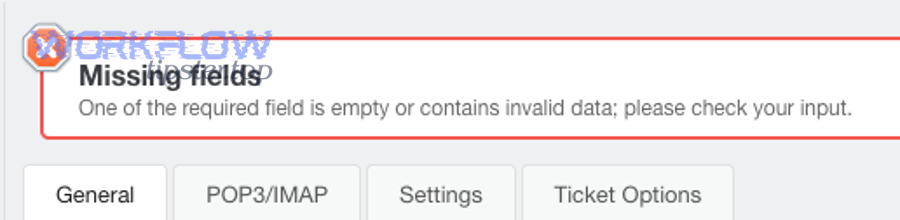
Next, translate the vague error into concrete checkpoints: bytes-on-the-wire, JSON parseability, and message schema completeness.
What does “empty” look like in a raw request?
“Empty” usually looks like a POST request with no body bytes, which you’ll see as an empty “Raw” view, a missing “Request Body” section, or a Content-Length of 0 in a request inspector.
For example, if your integration builds JSON but then passes an empty string to the HTTP client, the transport layer will faithfully send nothing—so Chat will report an empty payload regardless of your internal object.
What does “empty payload” look like when JSON parsing fails?
A payload can be “effectively empty” when parsing fails: the body exists, but it isn’t valid JSON for the content type, so the receiver can’t extract fields and treats it as unusable.
To illustrate, common causes include trailing commas, unescaped quotes, broken template substitution, or sending JSON inside a string field without proper quoting.
How is “empty payload” different from “missing fields”?
“Empty payload” is about no usable message object, while “missing fields” is about a message object that exists but lacks required properties (for example, a message without text or an invalid card structure).
In addition, treat these as a spectrum: many systems label both problems inconsistently, so your best diagnostic is the raw request and the minimal accepted message shape.
Which fields are required to post a “complete” Google Chat webhook message?
There are 3 practical “complete payload” patterns for Google Chat webhooks—text-only, card-based, and threaded—based on how you want Chat to render the message and whether you need threading.

Next, start with the simplest “text-only” payload, verify it works, then expand toward cards and threads once you have a known-good baseline for google chat troubleshooting.
This table contains the minimal field sets that typically separate an “empty payload” from a “complete payload,” helping you build a lowest-risk request before adding optional fields.
| Payload goal | Minimum fields | Common failure that looks “empty” | Safer first test |
|---|---|---|---|
| Post plain text | text (non-empty string) | text resolves to empty after templating | Hardcode text: “hello” |
| Post a basic card | Valid cardsV2 structure (non-empty) | Wrong nesting; card object exists but invalid | Start with a minimal card template |
| Post to a thread | Message fields + thread info | Thread reference invalid or omitted | Send without thread first, then add thread |
What is the minimal “text-only” payload that avoids missing fields?
The minimal payload is a JSON object with a non-empty text field. If you can’t reliably send text, you should not attempt cards yet because cards add more schema surface area.
To better understand why your tool might “send nothing,” check how it handles nulls and empty strings. Many tools treat an empty templated value as “omit field,” which can reduce your message object to {}.
What fields become “required” when you add cards?
Cards require that the card structure is present and valid as a whole. A common mistake is generating the correct-looking JSON but with incorrect nesting, producing a payload that parses yet still behaves like “missing fields.”
Besides, use a known-good card JSON as a baseline and only substitute dynamic values after it posts successfully.
What fields matter when you add threads or reply behavior?
Threading adds constraints: the message must include valid thread metadata, and the target space/thread must accept that reference. When the thread reference fails, some senders fall back to an “empty” retry or log only the last error, hiding the real cause.
Meanwhile, many “google chat webhook 404 not found” scenarios are actually thread or space targeting issues—so validate the destination and permissions before you change payload structure.
Why do Google Chat webhook payloads end up missing fields or empty?
There are 6 major root-cause groups for missing fields/empty payloads in Google Chat webhook integrations: templating collapse, mapping omissions, wrong encoding, middleware stripping, rate/timeout side effects, and destination mis-targeting.

Specifically, you can debug faster when you stop treating “empty payload” as one bug and instead classify the failure into one of these groups using a single captured request.
How do template variables collapse into an empty payload?
Templates collapse when variables resolve to null/empty and your sender is configured to omit empty fields. In practice, one missing variable can eliminate the only required field (text), turning a message into {}.
For example, a workflow might build “text”: “{{title}} – {{status}}”, but if both variables are blank, the system can output an empty string and then drop the field entirely.
- Force defaults: if title is missing, use “(no title)”
- Block send when required fields resolve empty
- Log the fully rendered JSON before transmission
How do field mappings get omitted in low-code tools?
Mapping omissions happen when a tool’s UI shows “mapped,” but the runtime path skips that mapping due to conditions, branches, or step re-use. This is especially common when multiple event types share one workflow.
More importantly, compare the “test run” payload vs the “live run” payload—because the test data often includes fields that live events don’t, hiding missing-field behavior until production.
How do encoding mismatches produce empty payload symptoms?
Encoding mismatches occur when the sender posts form-encoded or plain text while declaring JSON, or when it double-encodes JSON as a string. The receiver can’t parse fields, so the message becomes unusable.
On the other hand, some HTTP clients automatically serialize objects only when you pass a native object type; if you pass a string, it may transmit it differently than you expect.
How do proxies, gateways, and security layers strip request bodies?
Middleware stripping happens when a proxy or gateway blocks or rewrites bodies (for example, blocking unknown content types, limiting body size, or removing bodies on redirects).
To illustrate, a 301/302 redirect can turn a POST into a GET in some clients, and GET requests often have no body—so your endpoint “works” but sends an empty payload.
How do rate limits and retries create confusing “empty” outcomes?
When you exceed per-space or per-project quotas, Chat can respond with errors like 429, and some tools retry with degraded payloads or lose the body on retry. That can make the second attempt look “empty,” even if the first attempt was fine.
Especially, if you’ve seen “google chat api limit exceeded,” treat it as an observability problem too: you need stable retry rules and body preservation across retries.
How can destination issues masquerade as payload issues?
Destination issues include invalid webhook URLs, expired/rotated webhook endpoints, or posting to the wrong space/thread. In these cases, the sender might log a payload error when the real failure is “not found.”
In short, you should validate the webhook URL itself independently, because payload debugging is wasted effort if the destination is invalid.
According to a study by Univ. of Illinois at Urbana-Champaign and Univ. of California, San Diego from their computer science research teams, in 2011, researchers analyzed 546 real-world misconfiguration cases and found that 70.0%–85.5% stemmed from mistakes in setting configuration parameters—exactly the kind of “looks fine in the UI, fails at runtime” pattern that causes missing-field payloads.
How do you debug “empty vs complete” webhook requests step-by-step?
The most reliable debugging method is a 7-step capture-and-compare workflow that turns “google chat missing fields empty payload” into a measurable gap between rendered payload, transmitted payload, and accepted payload.
Then, you can isolate whether the failure is happening before the HTTP client, during transport, or inside the schema layer that Google Chat validates.
Step 1: Can you reproduce the issue with a single hardcoded message?
Yes/no is your first fork: if a hardcoded payload works, your webhook URL and basic connectivity are fine, and the bug lives in your dynamic mapping or templating path.
Next, send the simplest message: a non-empty text field. If you cannot make that work, stop and validate the destination and HTTP headers.
Step 2: Did the outbound request actually contain a body?
Answer this by capturing the raw request. If your tooling can’t show raw requests, route through a request inspector (or your own temporary endpoint) so you can see the exact bytes sent.
Specifically, confirm: method is POST, body is present, content-type is correct, and the body is not an empty string.
Step 3: Is the JSON parseable and shaped like a message?
If the body exists, validate that it is parseable JSON and that it has the minimal message fields. A payload can be parseable but still empty in meaning, like {}.
To better understand the gap, compare the payload “preview” from your tool to the payload captured on the wire—those often differ when templating or runtime conditions apply.

Step 4: Are required fields being dropped by “omit empty” behavior?
Check how your sender treats null/empty values. If the only required field becomes empty, the tool may remove it and leave you with an object that passes JSON checks but fails message checks.
Moreover, implement a guard rule: if rendered text is empty, do not send; instead log a structured error with the missing variables.
Step 5: Are you hitting quotas or receiving non-2xx responses?
Record response codes and bodies. Rate limiting, timeouts, and transient failures can trigger retries that mutate requests in certain platforms.
Meanwhile, if you see 429s, apply backoff and ensure the retry path sends the same body—not a fallback empty payload.
Step 6: Are you accidentally targeting an invalid URL or thread?
Validate the webhook URL and any thread identifiers. A broken destination often surfaces as “not found,” and teams misdiagnose it as payload corruption.
In practice, “google chat webhook 404 not found” troubleshooting starts with confirming the URL is exact, current, and not copied with hidden characters or truncated parameters.
Step 7: Can you confirm the “complete payload” baseline before adding complexity?
Yes: establish a baseline payload that reliably posts, then version-control your payload structure and add changes in small increments. This prevents a single schema tweak from collapsing into empty payload behavior.
To sum up, your goal is to turn a vague error into a repeatable test suite: minimal text message, then minimal card, then threaded message—each validated with captured raw requests.
How can you prevent missing-field and empty-payload errors long-term?
The best prevention strategy is a 5-layer guardrail system—schema validation, preflight checks, observability, safe retries, and change control—that stops empty payloads before they ever reach Google Chat.

In addition, long-term reliability improves when your integration treats payload construction as a product surface with tests, not as a one-off workflow step.
How do you enforce payload validity before sending?
Use a strict “must-have fields” rule at the last possible moment before the HTTP call. If required fields are missing or empty, fail fast and log why.
More importantly, validate the fully rendered payload (after templating). Validating the template itself is not enough because runtime values can still produce emptiness.
How do you add observability that catches empty payloads quickly?
Log a correlation ID, the destination (space/thread), response code, and a redacted snapshot of the final JSON. This makes “empty payload” diagnosable in minutes instead of hours.
Specifically, keep a sample of failed requests so you can compare them to the last known good payload after a change.
How do you design retries so they never send an empty body?
Retries should be idempotent and should preserve the request body. If your platform can’t guarantee that, treat retries as a higher-level workflow action that re-renders the payload explicitly before resending.
Besides, cap retries and back off. When you see “google chat api limit exceeded,” uncontrolled retries can amplify failures and increase the chance of body loss in retry code paths.
How do you reduce breakage from workflow edits and version drift?
Version your payload templates and store them alongside tests. Even in low-code tools, you can keep canonical JSON samples in documentation and require changes to be reviewed against the baseline.
In short, stability comes from treating payload structure as an API contract you own, not a side effect of UI mappings.
According to a study by Univ. of Illinois at Urbana-Champaign from its systems research work on real-world misconfigurations, in 2011, researchers reported that most misconfigurations arise from parameter-setting mistakes at scale—so prevention works best when you automate checks rather than relying on manual “looks correct” verification.
What advanced edge cases cause “empty vs complete” behavior in Google Chat integrations?
There are 4 advanced edge-case categories—payload size/limits, redirect/method rewrites, thread semantics, and tool-specific serialization quirks—that can make identical workflows alternate between “empty payload” and “complete payload” depending on timing and context.

Especially, these cases appear after the basics are correct, so you should only chase them once your minimal baseline payload consistently succeeds.
Can payload size or platform limits cause partial or missing fields?
Yes: if your tool truncates or rejects large bodies, you can end up with a body that is syntactically incomplete or missing the very field you need. This is common when you embed long text blocks, large cards, or repeated sections.
Next, shrink your payload to a minimal version, confirm it posts, then reintroduce content while watching for size thresholds and truncation behavior.
Can redirects or URL normalization erase the POST body?
Yes: some clients follow redirects and change POST to GET, and GET requests often carry no body. That creates a classic “it worked yesterday, now it’s empty” pattern when an endpoint URL changes or a proxy adds redirects.
To illustrate, validate that your webhook URL is HTTPS and final (no redirect), and that your sender does not rewrite methods on redirects.
Do thread-related behaviors trigger “not found” or “missing fields” confusion?
Yes: thread targeting issues can look like payload issues when the tool logs only a generic failure. If you add threads and suddenly see errors, remove thread fields and confirm the message posts, then add threading back carefully.
Meanwhile, keep your “google chat webhook 404 not found” checks close at hand: verify space/thread identifiers, webhook freshness, and that the URL matches the intended space.
How do tool-specific serialization quirks create intermittent emptiness?
Some tools serialize objects only when fields exist, so a condition that removes one field can remove the entire object. Others stringify JSON unexpectedly, sending a JSON-looking string rather than an object.
In addition, one of the most effective mitigations is to insert a final “render and validate” step that outputs the exact JSON body to logs before the HTTP request is dispatched.