


If you want DevOps notifications to be useful (not noisy), you should automate a clear chain: GitHub events → Jira issue context → Slack alerts so engineers see what changed, why it matters, and what to do next—without leaving their workflow.
Next, you’ll also need to choose an implementation path that fits your team’s reality: a lightweight approach (native automations) for speed, or a customizable approach (actions/webhooks/middleware) for control and scale.
Moreover, you should design alert quality from day one: define which events are worth paging, which are worth posting, how to deduplicate repeats, and how to route messages so Slack stays an execution layer—not a dumping ground.
Introduce a new idea: once the alert chain is reliable and secure, you can optimize for scale—editing messages instead of spamming channels, enforcing least-privilege access, and building automation workflows that stay calm even when delivery gets chaotic.
What does “GitHub to Jira to Slack DevOps alerts” automation mean in practice?
GitHub → Jira → Slack DevOps alerts automation is a workflow pattern that turns GitHub activity into Jira-tracked work updates and posts actionable Slack notifications so teams can ship faster with fewer context switches.
To better understand why this matters, think of the “alert chain” as a three-part contract: GitHub provides truth, Jira provides intent, and Slack provides speed. GitHub events (pull requests, commits, CI runs, releases) are often too granular to broadcast directly. Jira issues, however, carry meaning: priority, owner, sprint, risk, and readiness. When you combine them, Slack messages stop being “FYI noise” and become “here’s the work item, here’s the change, here’s the action.”
In practice, a good chain looks like this:
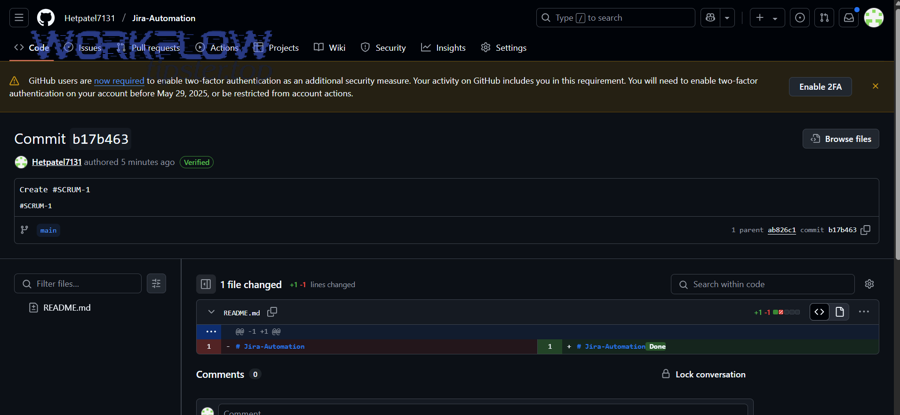
- A pull request is opened in GitHub.
- The PR title contains a Jira issue key (or is linked through a branch naming rule).
- Jira reflects that progress (comment, status change, or linked development panel update).
- Slack posts a structured message to the right channel with the Jira issue link, PR link, and next action.
This is the core of DevOps notifications: reduce ambiguity and increase response speed. If a message does not contain context, ownership, and a recommended action, it is not an alert—it is a distraction.
According to a study by University of California, Irvine from the Department of Informatics, in 2008, interrupted work increased stress and frustration even when people compensated by working faster. (ics.uci.edu)
Do you need all three tools (GitHub, Jira, Slack) to automate DevOps notifications?
No—you don’t always need all three tools—but you usually should keep all three if you want reliable DevOps notifications, because (1) Jira preserves work intent, (2) Slack enables fast team response, and (3) GitHub provides the event truth engineers actually act on.
Next, the decision comes down to what you want the alerts to accomplish.
You can skip Jira when:
- Your team runs lightweight delivery without structured ticketing.
- Alerts are purely operational (e.g., CI failed) and do not map to planned work.
- You only need direct GitHub → Slack notifications for simple visibility.
You can skip Slack when:
- Your organization prefers email-based or dashboard-based delivery.
- Notifications are compliance-driven and must live in ticket history only.
- You use Jira as the primary notification surface for teams.
You can skip GitHub (rarely) when:
- Your “source of truth” is not GitHub (e.g., another VCS), and GitHub is not in the chain.
- You are designing Jira-only operational notifications (less common for modern DevOps alerts).
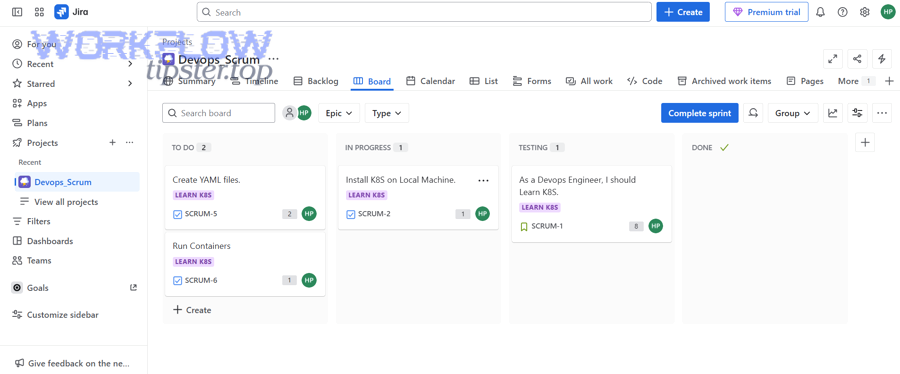
However, for most engineering organizations, the three-tool chain is the cleanest way to prevent one common failure: Slack messages that lack work context. Without Jira, Slack alerts often become “something happened” with no prioritization. Without Slack, Jira updates often become “something changed” that no one sees in time. Without GitHub, Jira can become detached from actual delivery events.
So the practical answer is: No, but you’ll regret simplifying too far unless your use case is very narrow.
Which GitHub events should trigger Jira updates and Slack alerts?
There are four main types of GitHub events you should use for DevOps alerts—delivery, quality, risk, and planning—based on whether they create an actionable change in engineering work.
Next, treat these four groups as a hierarchy: start narrow (high signal), then expand when your team trusts the system.
1) Delivery events (release progress)
Use these when the team needs to coordinate shipping:
- PR opened (only for critical repos or when reviewers must respond quickly)
- PR approved (optional, used for “ready to merge” visibility)
- PR merged (high signal; often the best trigger)
- Release created / tag pushed (high signal for deployment workflows)
Best Slack behavior: post to a team delivery channel, include the Jira issue, PR link, and deployment implications.
2) Quality events (build and test health)
Use these when failures block shipping:
- CI workflow failed on default branch
- Required status check failed on a PR
- Build recovered (success after failure) to close the loop
Best Slack behavior: route failures to a triage channel; route recoveries to the same thread or update the message.
3) Risk events (security and policy)
Use these when the alert changes priorities:
- Security alert opened / dependency vulnerability (when high severity)
- Branch protection failure (blocked merges)
- Incident-related signals (if integrated into GitHub workflows)
Best Slack behavior: notify security/infra channels, include severity, and link to policy requirements.
4) Planning events (work alignment)
Use these when GitHub activity must reflect planned work:
- Issue created (if GitHub issues are used for intake)
- PR linked to issue key (especially when work-in-progress must be visible)
Best Slack behavior: keep planning alerts light, or batch them, unless the work is urgent.
A simple, safe starter set for most teams:
- PR merged → Jira transition/comment → Slack post
- CI failed on main → Slack post
- CI recovered → Slack update or thread reply
This starter set builds trust, because it captures real moments where action is needed.
How do you map GitHub activity to Jira issues so alerts stay actionable?
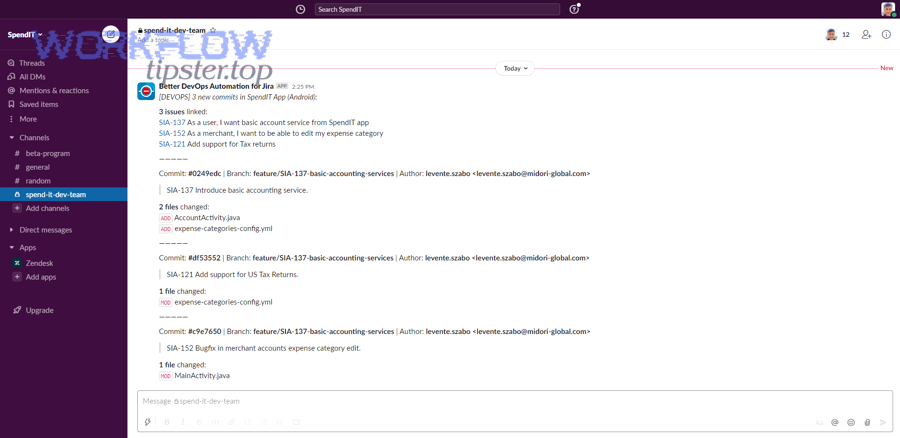
Mapping GitHub activity to Jira issues works when you enforce one consistent linking rule—issue key in branch/PR/commit metadata—so every Slack alert carries a Jira anchor that tells people what the work means.
To better understand why this is the backbone of the system, notice what happens without mapping: Slack becomes a stream of “PR #1842 merged” without priority, owner, or sprint context. Jira mapping turns that into “PROJ-312 shipped to main; verify staging; ready for deploy.”
The most reliable mapping methods
- Branch naming rule
Example:feature/PROJ-312-add-retry-logic
Pros: easy and visible; Cons: requires discipline. - PR title rule
Example:PROJ-312 Add retry logic to webhook handler
Pros: review-time enforcement; Cons: depends on reviewers and templates. - Commit message rule (smart-commit style)
Example:PROJ-312 Fix flaky tests
Pros: robust for automation; Cons: harder to enforce consistently.
The “actionable alert” standard
An alert stays actionable when it includes:
- Issue key (Jira link)
- Change summary (what happened in GitHub)
- Ownership (assignee/team, or mention policy)
- Next action (review, test, deploy, investigate)
Prevent duplicates with idempotency thinking
Even without heavy engineering, you can avoid spam by using a simple dedupe rule:
- Use a stable key: repo + issue key + event type + PR number (or commit SHA)
- If the same key repeats within a time window, update instead of posting again.
This “dedupe-first mindset” is what separates DevOps notifications from notification noise.
What are the main ways to implement GitHub → Jira → Slack alerts?
There are four main ways to implement GitHub → Jira → Slack alerts—native Jira automation, GitHub Actions, webhooks with middleware, and third-party automation tools—based on how much control and scale you need.
Next, choose the simplest path that meets your reliability and governance requirements; complexity is only a benefit if it solves a real constraint.
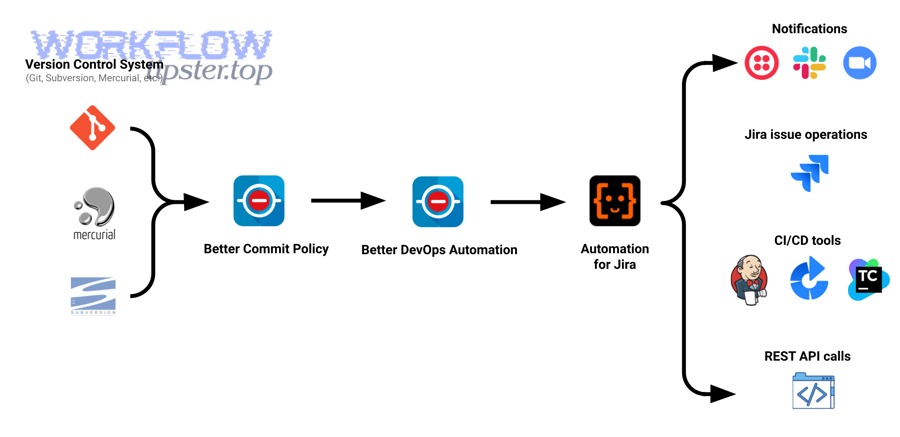
1) Jira Automation + Slack actions (fastest to implement)
- Trigger: Jira issue updated (or development info reflected)
- Action: send Slack message / update issue / transition status
- Best for: teams that want quick wins and standard patterns
2) GitHub Actions → Jira + Slack (workflow-centric control)
- Trigger: GitHub workflow run, PR events, deployment events
- Action: call Jira API; post to Slack webhook; format messages
- Best for: DevOps teams who already live in CI/CD pipelines
3) Webhooks → middleware → Jira + Slack (most scalable)
- Trigger: GitHub webhook events
- Middleware: serverless function / queue / integration service
- Action: Jira updates + Slack posts with correlation and retries
- Best for: high-volume repos, strict observability, complex routing
4) Automation platforms (Zapier/Make/etc.)
- Trigger: GitHub/Jira events
- Action: Slack notifications + Jira updates
- Best for: non-engineering owners, lightweight “automation workflows” that need speed and low maintenance
Each method can work; the difference is how safely it handles: retries, dedupe, secrets, and scale.
Which implementation method is best for Engineering & DevOps teams?
GitHub Actions wins in pipeline control, Jira Automation is best for fast standardization, and webhook middleware is optimal for scale and reliability—so the “best” method depends on whether your priority is speed, control, or resilience.
Next, use this comparison to decide in minutes instead of debating for weeks.
Decision criteria that actually matter
1) Setup time
- Jira Automation: fastest
- Automation platforms: fast (but may hit limits)
- GitHub Actions: medium
- Middleware: slowest (but most durable)
2) Message quality and formatting
- GitHub Actions + middleware: strongest (full control)
- Jira Automation: good enough for many teams
- Automation platforms: depends on connector capabilities
3) Reliability at high volume
- Middleware: best (queues, retries, dedupe)
- GitHub Actions: strong, but can become noisy without design
- Jira Automation: depends on rule complexity and limits
- Automation platforms: can struggle with bursty event streams
4) Security & governance
- Middleware + app-based auth: strongest in regulated orgs
- GitHub Actions: good if secrets are managed properly
- Jira Automation: good in Atlassian-centered governance
- Automation platforms: depends on enterprise controls
A practical “choose this if” map
- Choose Jira Automation if: you want a standard workflow quickly and your alerting needs are moderate.
- Choose GitHub Actions if: alerts must follow CI/CD outcomes, environments, or deployment logic.
- Choose Middleware if: you need dedupe guarantees, correlation IDs, complex routing, and observability.
- Choose an automation platform if: a non-engineering operator must own the workflow and iteration speed is critical.
This is also where lexical overlap helps search intent: “notifications” and “alerts” are synonyms in many teams, but “alerts” implies urgency; your implementation should reflect that in routing and policy.
As a reminder, if your team is also building other automation workflows (for example, “calendly to google calendar to google meet to monday scheduling”), the same selection logic applies: choose the path that matches your tolerance for complexity and failure handling—because workflows break at the edges, not in the happy path.
How do you build the workflow step-by-step (from GitHub to Jira to Slack)?
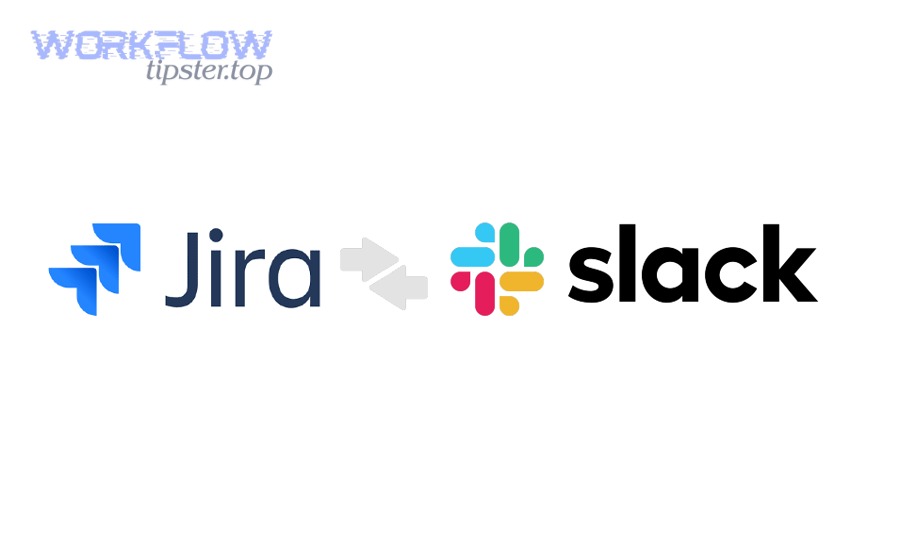
A reliable GitHub → Jira → Slack workflow has 7 steps—define alert goals, select events, enforce Jira linking, configure updates, design Slack delivery, add dedupe/retries, and validate with real scenarios—so the outcome is actionable alerts instead of constant noise.
Next, follow the steps in order; skipping the early design steps is the fastest way to build an alert system nobody trusts.
Step 1: Define what “good alerts” mean for your team
Write a short policy:
- Which events qualify as alerts (action required)
- Which qualify as updates (informational)
- What response time is expected
If you don’t define this, every tool will happily notify you about everything.
Step 2: Choose your initial triggers (start small)
Pick 2–3 high-signal triggers:
- PR merged to main (with Jira key)
- CI failed on main
- Release created (if you deploy from tags/releases)
Step 3: Enforce Jira issue linking
Choose one rule and make it non-negotiable:
- Branch naming includes issue key, or
- PR title includes issue key
Add guardrails:
- PR template reminder
- CI check that fails if no key is found (for critical repos)
Step 4: Configure Jira updates
Decide how Jira should reflect GitHub activity:
- Add a comment (“Merged PR #123 for PROJ-312”)
- Transition status (e.g., “In Review” → “Done” on merge)
- Update fields (e.g., “Fix Version”, “Released” flag)
Keep it conservative: transitioning too aggressively can create workflow conflicts.
Step 5: Design Slack delivery (routing + format)
Routing rules:
- Delivery alerts → team delivery channel
- CI failures → build/triage channel
- High severity risk → security/infra channel
Message format template:
- Title:
[PROJ-312] PR merged: Add retry logic - Links: Jira + PR + build (if relevant)
- Action line: “QA verify staging” / “On-call investigate failing check”
Step 6: Add dedupe, retries, and failure visibility
Even simple implementations need resilience:
- Dedupe key (issue + event + PR/sha)
- Retry policy (especially for rate limits)
- Dead-letter behavior (log + fallback notification)
Step 7: Test with real scenarios
Run a small “tabletop test”:
- PR opened without key (should fail or warn)
- PR merged (should update Jira and post Slack)
- CI fails twice (should not spam)
- Recovery happens (should update prior message)
According to a study by Harokopio University of Athens from the Department of Informatics and Telematics, in 2024, an alert-fatigue mitigation approach for cloud monitoring achieved accuracy surpassing 90% in most cases—showing that filtering and prioritization measurably improves signal quality. (sciencedirect.com)
How can you reduce noise and prevent alert fatigue in Slack?
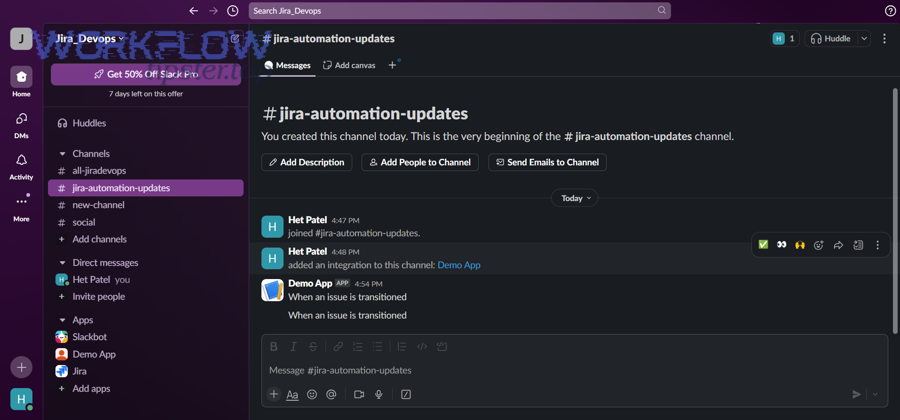
You can reduce Slack alert fatigue—yes—by (1) filtering by actionability, (2) deduplicating repeats, and (3) routing by severity so the GitHub → Jira → Slack chain stays trustworthy and engineers respond faster instead of tuning it out.
Next, treat Slack noise as a systems design problem, not a discipline problem; if the system is loud, people will mute it.
Reason 1: Actionability filter (only notify when someone must act)
A message is actionable when it answers:
- What happened?
- What’s impacted?
- Who owns it?
- What is the next step?
If you can’t answer those in one Slack card, it should not be an alert.
Reason 2: Dedupe and “state change only” rules
Common noise patterns:
- CI fails repeatedly across retries
- Multiple commits update the same PR
- Jira transitions trigger rules that trigger more transitions
Fix patterns:
- Notify only on state change (success → failure, failure → success)
- Post once, then update the message for additional context
- Use time windows for batching (e.g., 10 minutes)
Reason 3: Severity routing (the right channel, the right urgency)
Define severity levels:
- S1: immediate action (pager/on-call + dedicated channel)
- S2: same-day action (triage channel)
- S3: informational (digest or thread)
Slack becomes calmer when every channel has one purpose.
Practical policies that keep teams sane
- Quiet hours for non-critical alerts
- No
@here/@channelexcept for S1 - Weekly review of top noisy rules (delete or tighten)
- Ownership requirement: every alert class must have an owner
When you build these rules into the automation workflows, teams stop arguing about notifications and start trusting them.
What are the most common failures—and how do you troubleshoot them?
There are five common failure categories in GitHub → Jira → Slack alerts—auth, missing links, delivery failures, rate limits, and loops—and you can troubleshoot them fastest by diagnosing the layer where the signal breaks.
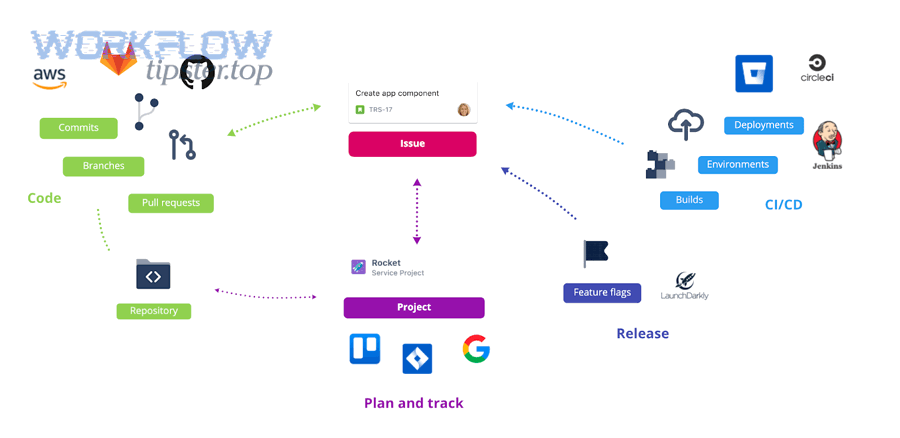
Next, follow the chain in order: GitHub event → mapping → Jira update → Slack delivery → dedupe logic.
1) Authentication and permissions failures
Symptoms: 401/403 errors, missing updates, Slack webhook rejects
Causes: wrong scopes, expired tokens, app not installed, channel restrictions
Fixes:
- Use least-privilege scopes
- Rotate secrets
- Confirm app installation context matches repo/project
2) Missing Jira linkage (the “no issue key” problem)
Symptoms: Slack posts without Jira link; Jira never updates
Causes: inconsistent branch/PR naming; merge commits without keys
Fixes:
- Enforce PR title format
- Add a CI check for issue key presence
- Use a fallback: parse Jira key from branch if PR title missing
3) Webhook delivery failures and timeouts
Symptoms: events stop arriving; intermittent gaps
Causes: endpoint downtime, slow middleware, network blocks
Fixes:
- Add retries
- Use queues for burst control
- Monitor webhook delivery logs
4) Rate limiting and burst traffic
Symptoms: delays during busy merges; partial failures
Causes: API limits, too many calls per event
Fixes:
- Batch updates
- Cache Jira issue data for a short TTL
- Implement exponential backoff
5) Rule loops and duplication storms
Symptoms: Slack spam; Jira transitions firing repeatedly
Causes: Jira automation rule triggers itself; multiple triggers for same event
Fixes:
- Add “do not re-trigger” markers (labels/fields)
- Use idempotency keys
- Separate “update” rules from “notify” rules
Troubleshooting is faster when you keep one operational principle: every alert should be traceable from Slack back to the GitHub event and the Jira issue.
Is the workflow secure and compliant enough for production DevOps usage?
Yes, GitHub → Jira → Slack alerts can be production-grade when you enforce (1) least-privilege access, (2) secure secret handling, and (3) auditable traceability, because those three controls prevent data leaks, privilege creep, and untraceable automation actions.
Next, treat the workflow like any production service: it needs guardrails, not just configuration.
Reason 1: Least privilege across all systems
- GitHub: limit to required repos and event scopes
- Jira: limit to required projects and actions (comment/transition vs admin)
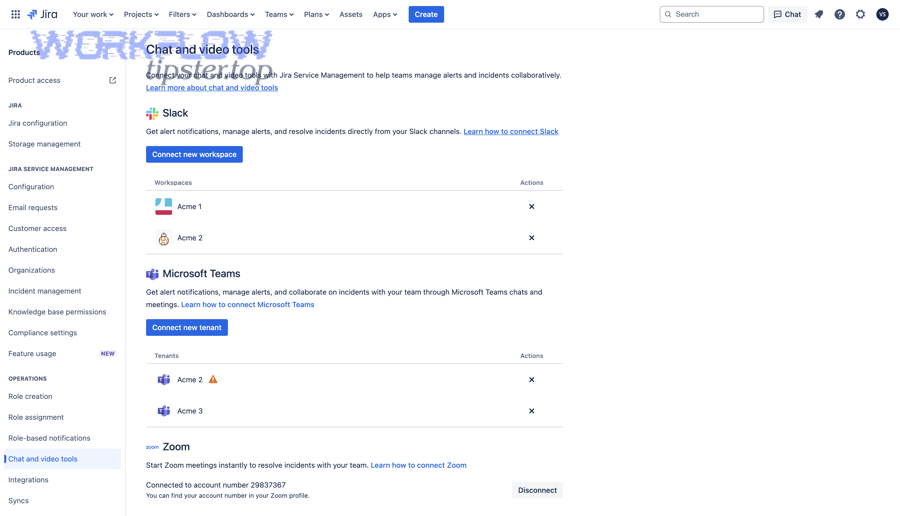
- Slack: restrict to approved channels and webhooks
If the automation can do everything, it will eventually do something you didn’t intend.
Reason 2: Secret handling and rotation
- Store secrets in a proper secret manager (or GitHub secrets with restricted access)
- Rotate on a cadence and on employee offboarding
- Avoid long-lived tokens when app-based auth is possible
Reason 3: Auditability and traceability
- Log event IDs (PR number, commit SHA)
- Store correlation IDs in Jira comments or custom fields
- Keep a failure log so missed alerts are visible
This is also how you defend the workflow socially: when people ask “why did Slack notify us,” you can show exactly which event triggered it.
According to a study by University of California, Irvine from the Department of Informatics, in 2008, interrupted performance produced significantly higher stress and workload after only a short period—so reducing unnecessary alerts is not just a productivity issue, it’s also a human-systems issue. (ics.uci.edu)
How do you optimize GitHub → Jira → Slack alerts for scale, clarity, and reliability?
You optimize GitHub → Jira → Slack alerts by editing instead of spamming, deduplicating across event streams, routing by environment/severity, and choosing safer authentication models so the system stays high-signal as volume grows.
Next, think of optimization as the micro-layer: you already have the chain working, now you make it trustworthy at scale—especially if you operate multiple alert flows like “github to trello to discord devops alerts” alongside this one.
Should Slack alerts be edited/updated instead of posting new messages to reduce noise?
Updating messages wins for ongoing states, posting new messages is best for discrete decisions, and threaded replies are optimal for investigations—so you should mix all three based on how the alert evolves.
Specifically, “edit vs post” is the easiest noise reduction lever because it keeps the channel readable while still preserving the latest truth.
Use message updates when:
- CI status changes (failed → fixed)
- Deployments progress through stages
- Long-running incidents need status refresh
Use new posts when:
- A new high-severity event begins
- Ownership changes or escalation is required
- The event is discrete and final (release created)
Use threads when:
- You want investigation context without flooding the channel
- Multiple contributors are adding updates
- You need a clean “single alert card” plus discussion
A simple rule: if the alert is about the same thing changing state, update. If it is about a new thing needing action, post.
What is the best way to deduplicate alerts across PRs, commits, and CI events?
The best deduplication method is to generate one idempotency key per actionable unit—issue key + PR number (or commit SHA) + event type—then update the existing alert when the same key repeats.
More specifically, duplicates happen because multiple systems emit overlapping signals:
- A commit triggers CI
- CI triggers a status check
- The PR triggers another workflow
- Jira receives multiple development updates
- Slack receives multiple notifications
To control this, enforce:
- One “source event” per alert class (e.g., PR merged is the “delivery” event)
- A time window (e.g., suppress repeats for 10 minutes)
- A state machine (notify only on state changes)
When teams skip dedupe, Slack becomes a “CI ticker” instead of a coordination surface.
How do you route alerts by environment and severity (dev/stage/prod) in Slack and Jira?
There are three routing tiers you should use—environment, severity, and ownership—because they control who sees what, when, and why.
Moreover, environment routing is how you prevent “prod urgency” from leaking into “dev experimentation.”
Environment routing examples:
- Dev: #dev-builds (informational)
- Staging: #release-coordination (actionable for QA)
- Prod: #prod-incidents (urgent, on-call aligned)
Severity rules:
- S1: immediate page + dedicated channel + strict template
- S2: triage channel + owner mention policy
- S3: digest or thread-only updates
Jira alignment:
- Prod S1 might create or update an incident ticket (JSM style)
- Staging issues might link to release epics
- Dev failures might remain as tasks/bugs without escalations
This routing design is what makes alerts feel “professional,” not chaotic.
Which security model is safer: long-lived tokens or app-based permissions with rotation?
App-based permissions with rotation are safer for most production teams, long-lived tokens are acceptable only with strict controls, and short-lived tokens are optimal when supported—so you should prefer app-based auth whenever your tools allow it.
Especially for Slack webhooks and Jira API tokens, the risks of long-lived secrets are predictable:
- People copy them into scripts
- They get shared in docs
- They outlive role changes
- They are hard to audit
A safer model includes:
- App installation with scoped permissions
- Centralized secret storage
- Rotation procedures tied to org policy
- Audit logs that show what the automation did
In short, the “secure model” is the one your team can maintain every month—not just the one that looks best on day one.