


Real-time GitHub → ClickUp → Slack DevOps alerts work best when you treat them as one workflow: GitHub creates the signal, ClickUp captures the accountable work, and Slack delivers the immediate notification so the right people act quickly instead of discovering problems late.
Next, you’ll see how to define the workflow clearly so everyone shares the same expectations: what becomes a ClickUp task, what stays as a Slack message, and how Issues and PRs flow through triage without becoming channel spam.
Then, you’ll learn how to choose the right event set (Issue events, PR events, and CI failures) and the right integration style (native vs automation tools vs GitHub Actions) so your alerting stays reliable as your team and repos grow.
Introduce a new idea: once the pipeline is running, the difference between “useful DevOps alerts” and “notification chaos” comes down to routing, deduplication, and a troubleshooting playbook you can apply in minutes.
What is a GitHub → ClickUp → Slack DevOps alert workflow, and what does it automate?
A GitHub → ClickUp → Slack DevOps alert workflow is an automation pipeline that converts GitHub events (Issues/PRs/check failures) into ClickUp-tracked work and delivers real-time Slack alerts, so teams respond fast without relying on slow, easily ignored email notifications.
Then, to keep the workflow practical, you need one shared rule: Slack is for awareness and coordination, ClickUp is for ownership and execution—and GitHub is the source of truth for development signals.
To better understand why this “three-system chain” matters, think in terms of where work lives versus where attention lives:
- GitHub produces operational signals: new issue opened, PR ready for review, checks failing, a release PR merged, etc.
- ClickUp turns signals into commitments: a task gets an assignee, priority, due date/SLA, and a clear next action.
- Slack turns signals into real-time coordination: the right channel sees the alert immediately, and the on-call or owning team can confirm and act.
The automation part is what makes the workflow scalable. Without automation, each GitHub event requires a human to copy-paste links into ClickUp and notify Slack manually. With automation, you standardize the chain:
- Trigger: “Issue opened” or “PR merged” (or “workflow failed”).
- Transform: format the alert message and map fields into ClickUp.
- Route: choose the correct ClickUp List/Space and the correct Slack channel.
- Deduplicate: ensure updates modify the same ClickUp task rather than creating new ones.
- Log: capture what happened so troubleshooting is fast.
Why “Not Just Emails” belongs in the title: email is fine for low-urgency updates, but DevOps alerts are often time-sensitive. Slack gives immediate visibility where the team already coordinates—but it only works if you protect signal-to-noise, which you’ll build later in the routing and optimization sections.
According to a study by the University of California, Irvine from the Department of Informatics, in 2008, interrupted work made people compensate by working faster but at the cost of higher stress, frustration, and time pressure. (dl.acm.org)
Do you need ClickUp and Slack connected to GitHub to get real-time DevOps alerts?
Yes—for github to clickup to slack devops alerts to be reliable at scale, you generally need GitHub connected to ClickUp and Slack because it enables consistent automation, reduces manual handoffs, and lets you route alerts to the right place with fewer missed events.
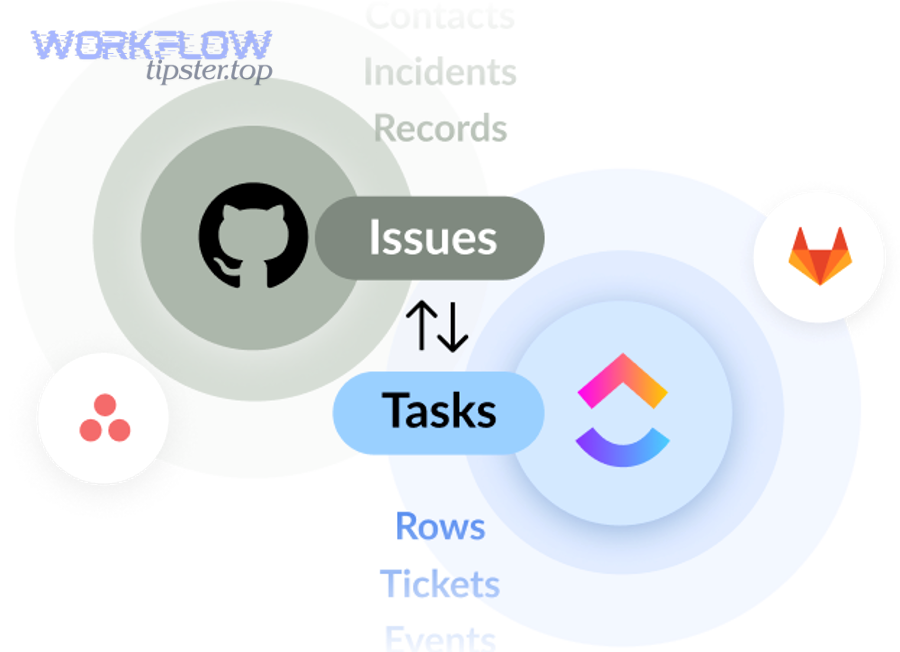
Next, the key question becomes how you connect them—native integrations, automation platforms, or GitHub Actions—because each option changes your control, reliability, and noise level.
In practice, teams choose “Yes” for three main reasons:
- Speed of response (real-time visibility): Slack alerts reduce the delay between “event happened” and “team saw it.”
- Accountability (a single owner): ClickUp tasks assign work clearly, so Issues/PRs don’t float in chat.
- Consistency (standard templates + routing): integration rules ensure every alert includes the same minimum info.
There are legitimate exceptions where “No” can still work:
- If you only need Slack awareness (no task tracking) for non-actionable updates.
- If you already track work elsewhere and Slack is only a broadcast channel.
- If your DevOps workflow is fully ticket-based and GitHub is secondary.
But for most DevOps teams, the “Yes” answer holds because real-time alerting without ownership quickly becomes “seen but not done.”
Do native integrations alone cover Issues and PR alerts end-to-end?
No—native integrations rarely cover GitHub → ClickUp → Slack alerts end-to-end with routing, deduplication, and formatting because they usually connect tools in pairs (GitHub↔ClickUp or ClickUp↔Slack), not as one cohesive alert workflow.
However, native integrations are still a strong base layer, so the smart move is to start with them and add automation logic only where you need control.
Here’s where native connections commonly succeed:
- Linking PRs and commits to tasks for traceability
- Showing basic activity updates
- Supporting a simple notification feed
Here’s where teams often hit gaps:
- Routing by label/service/environment (e.g.,
service:payments,env:prod) - Severity-based behavior (P0 alerts @channel, P2 alerts silent)
- Deduplication across multiple events (Issue opened, then labeled, then assigned)
- Richer Slack formatting (a consistent “what happened + owner + next action” layout)
For example, ClickUp documents that the GitHub integration requires connecting repos and linking them to Spaces so ClickUp can link pull requests to tasks—useful, but it doesn’t automatically solve multi-channel Slack routing by incident severity. (help.clickup.com)
Should you use automation tools if you need conditions and routing rules?
Yes—you should use an automation layer when you need github to clickup to slack devops alerts to behave differently based on labels, branches, authors, or environments, because conditional logic is what prevents “every event goes everywhere” spam.
Besides, conditional routing is what transforms Slack notifications from “noise” into “targeted operational signals.”
A simple decision rule works well:
- If your needs are one repo + one channel + one list, native links may be enough.
- If your needs are many repos + many channels + multiple teams, automation rules become essential.
When you introduce automation, aim to keep the chain deterministic:
- If Issue label contains
P0then create ClickUp task in “Incident” list and notify#on-call. - If PR targets
mainand checks fail then notify#build-breakersand add “Build failure” custom field in ClickUp. - If PR is labeled
docsthen notify a docs channel and avoid @mentions.
According to ClickUp’s own Slack integration requirements, only Workspace owners/admins can enable the Slack integration, and one ClickUp Workspace can be connected to only one Slack workspace at a time—constraints you should account for before designing cross-workspace routing. (help.clickup.com)
What GitHub events should you alert on for DevOps: Issues, PRs, or CI failures?
There are 3 main event groups you should alert on for DevOps—Issues, Pull Requests, and CI/workflow failures—based on one criterion: whether the event changes operational risk or blocks delivery.

Then, once you choose your event groups, you can tune each group’s alert style (task creation vs Slack-only) so Slack stays readable.
A practical grouping model looks like this:
- Issues (triage + ownership): usually deserve ClickUp tasks because they represent work to do.
- PR events (delivery flow): often deserve Slack alerts, but only specific moments should create tasks.
- CI failures (release safety): usually deserve immediate Slack alerts and sometimes a ClickUp task if the failure persists.
To avoid alert fatigue, define an “alert threshold”:
- If it needs a human decision or work within hours → alert.
- If it’s informational and can wait → digest or no alert.
Which Issue events should create or update a ClickUp task?
There are 5 core Issue-event types that should create or update ClickUp tasks—opened, labeled, assigned, reopened, and closed—based on whether the Issue changes ownership, priority, or state.
Specifically, this is where ClickUp provides the durable “task record” that Slack messages can’t replace.
Recommended Issue-to-ClickUp mapping (keep it consistent):
- Task name:
[repo] Issue #123 – short title - Description: Issue body + link + reporter + labels
- Custom fields: severity, environment, component/service
- Assignee rule: GitHub assignee → ClickUp assignee when possible
Use update logic to avoid duplicates:
- If Issue already has a ClickUp task link stored (or a unique ID) → update the existing task.
- If not → create the task and store the unique reference.
When this mapping is stable, Slack alerts can stay short because ClickUp holds the details.
Which PR events should trigger Slack alerts without spamming channels?
There are 4 PR alert moments that are high value without being spammy—ready for review, checks failed, changes requested, and merged—based on one criterion: whether a PR requires action from someone other than the author.
However, avoid alerting on every commit push because it floods channels and trains people to ignore alerts.
A clean PR alert policy:
- Ready for review: notify the review channel with PR link + owner + scope summary
- Checks failed: notify a build channel with failure summary + last successful run info
- Changes requested: notify author (DM or thread mention), not the whole channel
- Merged: notify release/deploy channel if it affects production or release branches
For Slack delivery style, threads matter:
- Start a thread for each PR and keep updates in that thread.
- Keep channel-level messages to “start” and “final outcome.”
How do you set up GitHub → ClickUp → Slack alerts step by step?
Set up GitHub → ClickUp → Slack alerts by using a 5-step method—connect accounts, pick triggers, map fields into ClickUp, format Slack messages, and test/deduplicate—so Issues and PRs reliably create accountable tasks and real-time alerts.
To begin, treat setup like a deployment: define scope first, then connect tools, then validate with test events before you go live.
Step-by-step (tool-agnostic)
- Define scope: which repos, which channels, which ClickUp lists/spaces, which events.
- Connect GitHub ↔ ClickUp: authorize access; attach repos; link repos to ClickUp Spaces.
- Connect ClickUp ↔ Slack: enable Slack integration; decide default channels and permissions.
- Build automation logic: conditions, routing, and dedupe rules.
- Test with controlled events: create a test Issue, open a PR, fail a test workflow, verify outcomes.
If you build this as “one pipeline,” you prevent common failure patterns like “Slack got the message but ClickUp didn’t create the task,” or “ClickUp created tasks but Slack posted them to the wrong channel.”
How do you map GitHub Issue/PR data into ClickUp tasks correctly?
GitHub Issue/PR data maps into ClickUp tasks correctly when you treat the Issue/PR as the identifier and ClickUp as the execution record, using consistent fields (title, link, state, labels, owner) so updates modify one task instead of creating duplicates.
Then, once mapping is consistent, you can add custom fields to support triage without expanding the Slack message length.
A robust mapping template:
- Task title:
[repo] PR #456 – short titleor[repo] Issue #123 – short title - Task description: summary + links + acceptance criteria + “why it matters”
- Status mapping: Open/In Progress/Blocked/Done aligned to GitHub state
- Priority mapping: P0/P1/P2 driven by labels
- Owner mapping: GitHub assignee/reviewer → ClickUp assignee/watchers
To support DevOps routing, include two “must-have” custom fields:
- Service/component (what system it touches)
- Environment (prod/staging/dev)
This prevents the classic problem where every alert looks identical and people can’t tell whether it matters.
How do you format Slack messages so they’re actionable (not noisy)?
Slack messages are actionable (not noisy) when they answer four questions in one glance—what happened, where, who owns it, and what to do next—so the channel becomes a triage surface, not a scrolling archive.
More specifically, the format you choose is your “signal contract” with the team.
A proven Slack alert layout:
- Headline:
🚨 P0 – CI failed on main/🧭 PR ready for review - Context: repo + branch + environment + short summary
- Ownership: assignee/on-call + ClickUp task link
- Next action: “Review PR,” “Re-run job,” “Assign owner,” “Start incident checklist”
Keep mentions disciplined:
- Use
@channelonly for true P0/P1 events. - Use specific user mentions when a single owner is clear.
- Use thread replies for updates and resolution notes.
If you want a quick mental model: ClickUp holds the details; Slack holds the decision.
According to GitHub’s official documentation for integrating GitHub with Slack, teams can install the GitHub app and invite it to channels (for example using /invite @github), which enables real-time visibility in Slack where teams collaborate. (docs.github.com)
What are the best routing and filtering rules for DevOps Slack alerts?
There are 4 best-practice rule groups for DevOps Slack alert routing—team routing, severity routing, environment routing, and deduplication rules—based on one criterion: ensuring the right people see the right alerts at the right urgency.
Next, you’ll use these rule groups to reduce “channel blast radius” while still preserving fast response.
Here are the 4 groups:
- Team routing: map repo/service/component → owning team channel
- Severity routing: P0/P1 → on-call channel; P2/P3 → team triage channel
- Environment routing: production events → ops channel; staging/dev → dev channel or digest
- Deduplication + throttling: update existing task/thread rather than posting new alerts repeatedly
A small rule set beats a complicated one. Start with 10–15 rules that cover 80% of events, and expand only when a failure pattern repeats.
How do you route alerts by label, component, or environment?
There are 3 routing dimensions that work reliably—label-based, component-based, and environment-based routing—based on the criterion “who is responsible for fixing it.”
Then, when these dimensions are consistent, Slack alerts naturally land where action happens.
Examples you can implement immediately:
- Label-based:
P0→#on-call;security→#security-triage;deps→#platform - Component-based:
service:payments→#payments-devops;service:auth→#identity-team - Environment-based:
env:prod→#prod-ops;env:staging→#release-candidates
This is also where you can naturally support multiple workflow families without mixing them:
- Your DevOps alert workflow stays separate from automation workflows like calendly to google calendar to zoom to jira scheduling, even if both are “automation workflows,” because the routing criteria differ (incident ownership vs scheduling ownership).
- Similarly, calendly to calendly to zoom to linear scheduling belongs to product/ops scheduling channels, not DevOps incident channels.
Keep your routing keys short and standardized. If one repo uses P0 and another uses sev-1, your automation rules become fragile. Normalize labels early.
How do you deduplicate alerts so one Issue/PR doesn’t create multiple tasks?
You deduplicate alerts by using a single idempotency key—usually the GitHub Issue/PR number plus repo—and by enforcing an “update-first” rule so repeated events modify the same ClickUp task and Slack thread instead of creating new objects.
Besides, deduplication is the #1 feature that prevents alert fatigue once your repos get busy.
A practical dedupe design:
- Unique key:
repo + type(issue/pr) + number - ClickUp behavior: search by stored key → update if found → create if not found
- Slack behavior: store the thread timestamp/message ID → reply in thread for updates
Common duplicate causes (and fixes):
- Cause: multiple automations listening to the same event
Fix: define one “source of truth” workflow per event type. - Cause: retries that run “create task” again
Fix: create is only allowed when the idempotency key is not found. - Cause: “Issue labeled” triggers multiple times
Fix: only act on label changes relevant to routing/severity.
If you also run github to clickup to discord devops alerts for a different audience, dedupe still matters—otherwise you’ll duplicate not only Slack messages but also cross-channel alerts that multiply noise.
Which setup is better for your team: native integrations vs Zapier/Unito vs GitHub Actions?
Native integrations win on simplicity, Zapier/Unito is best for no-code conditional workflows and syncing, and GitHub Actions is optimal for CI/CD-native control and developer-owned alert logic.

However, the best setup depends on your primary constraint: speed of setup, depth of routing logic, or engineering-grade control.
To better understand the trade-offs, use this comparison table as a decision tool. It summarizes what each option is best at and what it typically struggles with.
| Option | Best for | Strength | Typical limitation |
|---|---|---|---|
| Native integrations | Quick connection + basic visibility | Fast setup, fewer moving parts | Limited routing/dedupe/custom formatting |
| Automation platforms (e.g., Zapier) | Rule-based alerts + multi-app workflows | Flexible conditions, easy iteration | Can get complex; governance needed |
| Two-way sync tools (e.g., Unito) | Keeping Issues/Tasks in sync | Strong for bi-directional updates | Sync design must be disciplined |
| GitHub Actions | CI/CD alerts + code-driven workflows | Full control, repo-specific logic | Requires engineering ownership |
From an operations perspective, the “right” choice is the one you can maintain under pressure. If only one engineer understands the pipeline, your alert workflow becomes a single point of failure.
According to Zapier’s ClickUp–GitHub integration documentation, teams can automatically create ClickUp tasks when a new GitHub issue is opened and set up the connection without coding—useful when you want fast, no-code automation. (zapier.com)
Is two-way sync worth it, or is one-way alerting better for DevOps?
Two-way sync wins in cross-tool consistency, one-way alerting is best for fast DevOps signaling, and a hybrid approach is optimal when you want ownership in ClickUp but still treat GitHub as the technical source of truth.
Meanwhile, the wrong approach is “sync everything,” because it creates noise and conflicting states.
Use this decision rule:
- Choose one-way alerting if your goal is “notify + create a task when needed.”
- Choose two-way sync if your goal is “keep Issue status and task status aligned across tools.”
Two-way sync is worth it when:
- Teams actually update task status in ClickUp and you want that reflected back
- You need a single coordinated view of state across engineering + operations
One-way alerting is better when:
- GitHub is the primary state machine (issues/PRs)
- You only need ClickUp for execution tracking and accountability
The hybrid pattern (often best):
- Sync minimal fields (status/owner/priority)
- Keep the detailed technical discussion in GitHub
- Keep operational checklists and SLA tracking in ClickUp
When should you choose GitHub Actions/webhooks instead of an automation platform?
GitHub Actions/webhooks win for CI/CD precision, automation platforms are best for rapid no-code routing, and native integrations are optimal for the simplest “connect and go” setups.
More importantly, Actions become the best choice when alerts must match build and deployment logic exactly.
Choose GitHub Actions/webhooks when:
- You need alerts for workflow failures, deployment steps, or test summaries
- You want version-controlled alert logic in the repo
- You require strict security controls and environment-specific behavior
Choose an automation platform when:
- Non-engineers need to adjust routing logic quickly
- You need cross-app enrichment (e.g., lookup owners, map services, add context)
- You want fast iteration without changing repo code
A practical “DevOps mature” pattern:
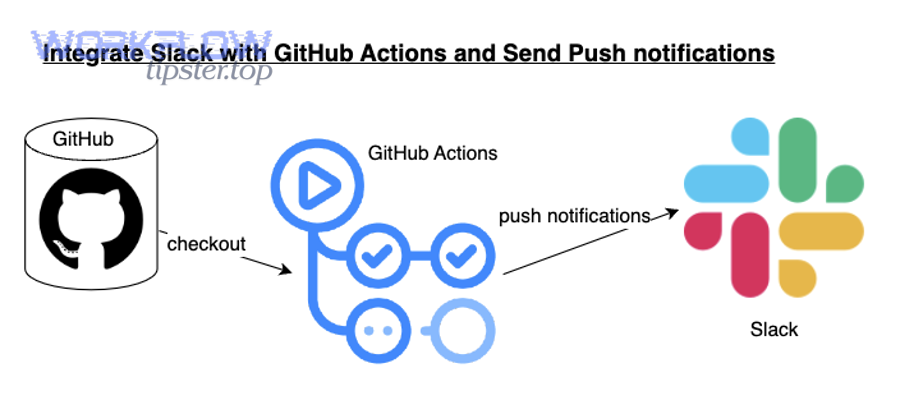
- Use GitHub Actions for CI failure alerts
- Use automation workflows for Issue/PR triage routing into ClickUp and Slack
Why are your GitHub → ClickUp → Slack alerts failing, missing, or duplicating?
GitHub → ClickUp → Slack alerts fail, go missing, or duplicate because of permission gaps, mis-scoped triggers, inconsistent routing rules, or lack of deduplication keys—so the fix is a structured checklist that isolates where the chain broke.
Next, you’ll diagnose failures the same way you debug a deployment: confirm the trigger, confirm the action, confirm delivery, then confirm update behavior.
Use this symptom-to-cause map:
Symptom A: No Slack alert
- GitHub event didn’t fire (wrong repo, wrong event type)
- Slack integration not installed in that channel
- Routing rules sent it elsewhere
- Message formatting failed (payload issue)
Symptom B: No ClickUp task
- Action step failed (authentication expired, permission missing)
- List/Space mapping wrong (invalid destination)
- Required fields not mapped (task creation rejected)
Symptom C: Duplicates
- Multiple workflows active
- Retry created new task instead of updating (no idempotency key)
- Multiple GitHub events treated as independent “create” actions
Symptom D: Wrong channel
- Routing order incorrect (default route overrides rule-based route)
- Labels not standardized (rules don’t match)
- Environment not detected (falls back to generic channel)
The fastest operational win is to add one “debug log message” step—either to a private Slack channel or to an internal log—so you can see what the automation believed the event contained (repo, labels, branch, environment, owner).
Are permissions and scopes the #1 cause of missing GitHub events?
Yes—permissions and scopes are the #1 cause of missing github to clickup to slack devops alerts because the workflow cannot read the right repos, cannot post to the right Slack channels, or cannot create tasks in the correct ClickUp Space, and these failures often look like “nothing happened.”
Then, once permissions are validated, most “missing event” issues become easy to reproduce and fix.
Three common permission failures:
- GitHub app access is partial: installed, but not granted to the required repos.
- Slack app isn’t in the channel: the integration exists, but the channel never invited it.
- ClickUp permissions block actions: the automation account can’t create tasks in the target list/space.
Your permission checklist (run it in this order):
- Confirm the event fires in GitHub (Issue/PR action visible in GitHub activity)
- Confirm the integration has repo access (installed + correct repos)
- Confirm ClickUp destination exists and the account can write to it
- Confirm Slack app is authorized and present in the target channel(s)
How do you fix duplicate alerts, wrong channels, and formatting issues?
There are 3 fix categories—dedupe fixes, routing fixes, and formatting fixes—based on the criterion “what broke in the chain: identity, destination, or message.”
In addition, fixing these issues early prevents the long-term damage of alert fatigue, where teams stop trusting alerts.
1) Dedupe fixes
- Add an idempotency key (
repo + type + number) - Force update-first logic: “find existing task/thread → update → else create”
- Disable overlapping workflows and consolidate to one authoritative pipeline
2) Routing fixes
- Normalize labels (
P0/P1/P2,env:prod,service:x) - Define routing precedence (severity before component, component before default)
- Add a “safe default channel” that is monitored, not a random team channel
3) Formatting fixes
- Use a stable template with required fields (what/where/owner/next action)
- Keep channel messages short; move updates to threads
- Ensure links are always present (GitHub URL + ClickUp URL)
According to a study by the Reuters Institute for the Study of Journalism, in 2025, many people disable notifications due to overload, illustrating how repeated low-value alerts can drive users to opt out—an outcome DevOps teams should avoid by prioritizing signal over volume. (theguardian.com)
How can you optimize DevOps alerting so Slack stays useful (not noisy)?
High-signal alerting wins by making fewer, clearer messages; noisy notification streams are best avoided; and a balanced policy is optimal when you combine strict routing, deduplicated threads, and ClickUp ownership so Slack remains a coordination tool instead of a distraction feed.
Next, you’ll apply micro-level tactics—signal vs noise, escalation design, Actions-based enrichment, and webhook hardening—to increase semantic coverage without changing the core workflow.
What is the difference between high-signal alerts and noisy notifications?
High-signal alerts win in urgency and actionability, noisy notifications are best for none of your DevOps channels, and a smart middle layer is optimal for updates that matter but don’t require immediate action.
However, the difference is not subjective—it’s measurable by whether the message causes the right action within the expected time window.
A practical definition:
- High-signal alert: leads to an action (assign, investigate, rollback, review) within minutes/hours.
- Noisy notification: creates attention cost without a clear next step.
Use three criteria to keep it objective:
- Action clarity: does the message include “next action” and “owner”?
- Audience fit: is this the correct channel for the owning team?
- Urgency alignment: does the severity match the mention behavior?
A “noise budget” policy (simple, enforceable):
- P0/P1: immediate Slack + ClickUp task + explicit owner
- P2: Slack alert without channel-wide mentions + ClickUp task if repeated
- P3/info: digest (daily/weekly) or no alert
This is where “Not Just Emails” becomes meaningful: you’re not replacing email with spam—you’re replacing slow notifications with high-signal operational messaging.
How do you build an escalation path from Slack alerts to owned ClickUp work?
You build escalation by defining a 3-stage path—triage, ownership, and escalation—so Slack alerts start coordination, ClickUp tasks confirm accountability, and unresolved items automatically rise in severity over time.
More specifically, escalation only works when time and ownership are explicit.
A clean escalation design:
- Stage 1: Triage (Slack)
Post alert → assign initial owner or on-call → confirm in thread. - Stage 2: Ownership (ClickUp)
Create/update ClickUp task → set priority + SLA → attach runbook/checklist. - Stage 3: Escalation (Policy)
If no owner within X minutes → escalate (mention on-call lead).
If not resolved within Y hours → escalate to incident channel and leadership.
Your ClickUp task fields should support escalation:
- SLA time
- Severity
- Service
- Environment
- “Escalation status” (none / warning / escalated)
This turns Slack into a controlled front door instead of a chaotic inbox.
Can GitHub Actions send richer DevOps alerts than standard integrations?
Yes—GitHub Actions can send richer DevOps alerts than standard integrations because it can include job summaries, step-level context, environment variables, and direct links to logs, and it can trigger only on precise pipeline states rather than broad event categories.
Besides, Actions-based alerts are version-controlled, which makes them auditable and repeatable.
Common “richer alert” wins with Actions:
- Include test failures count and the failing test names
- Add deployment environment and commit SHA automatically
- Post only when
mainfails, not when feature branches fail - Attach a short remediation hint (“re-run job” vs “rollback”)
For CI failures, a powerful pattern is:
- GitHub Actions → Slack: immediate failure alert to
#build-breakers - GitHub Actions → ClickUp: create/update a persistent “Build broken” task if it stays failing
How do you secure and harden webhooks for enterprise workflows?
You harden webhooks by applying 4 security practices—signature verification, least-privilege secrets handling, replay protection, and rate-limit-aware retries—so your DevOps alert pipeline remains trustworthy under real-world threat and traffic conditions.
To better understand why this matters, remember that alert workflows often carry internal links, repo metadata, and team structure—valuable context you don’t want exposed.
Enterprise webhook hardening checklist:
- Verify signatures: reject requests that don’t match expected signing secret.
- Rotate secrets: treat webhook secrets like credentials; rotate on schedule.
- Limit permissions: automation accounts should have only what they need.
- Add replay protection: timestamps/nonces prevent old payload replays.
- Backoff on rate limits: queue and retry with exponential backoff rather than spamming.
When you secure the pipeline, your team can trust that DevOps alerts are both accurate and safe—and that trust is what keeps Slack channels actionable over the long term.