


You can automate DevOps notifications (alerts) from GitHub to ClickUp and Google Chat by selecting high-signal GitHub events, mapping them into actionable ClickUp tasks, and routing concise messages into the right Google Chat spaces so engineers act fast instead of scrolling noise.
Next, you’ll decide which events deserve “alert status” (like failed CI on main or a security issue) and which should be summarized, because a working alert workflow is defined as much by what it doesn’t send as by what it sends.
Then, you’ll build the end-to-end automation with clean field mapping—repo/service → ClickUp List, label/severity → priority, owner → assignee—so each message answers “what happened, who owns it, what’s next.”
Introduce a new idea: you’ll also learn how to choose between native integrations, automation platforms, and GitHub Actions/webhooks, and how to harden the workflow against duplicates, missed events, and alert fatigue so it scales with your team.
What does “GitHub → ClickUp → Google Chat DevOps alerts” automation mean in practice?
GitHub → ClickUp → Google Chat DevOps alerts automation is a workflow that converts GitHub activity into tracked work in ClickUp and delivers timely notifications into Google Chat spaces so engineering teams can triage, assign, and resolve incidents faster.
To better understand why this matters, start by separating alerts (action required) from notifications (information), because that single distinction determines whether your team trusts the channel.
In practice, the workflow behaves like a pipeline:
- Signal source (GitHub): events such as a failed CI run, a critical issue label, or a merged PR into
main. - Work system (ClickUp): a task is created or updated so the event becomes trackable, assignable, and measurable.
- Communication layer (Google Chat): a message is posted to the correct space so the right people see it immediately.
The “DevOps” part is not the tools—it’s the operating rhythm. A good alert workflow does three operational jobs:
- Creates a single place to act (ClickUp): the task becomes the record of triage, ownership, and resolution.
- Keeps response fast (Google Chat): the message is short, but it links to the task and the GitHub object for full context.
- Protects focus (filters + thresholds): you only page humans when the alert crosses a defined severity threshold.
When you do this well, you get consistent automation workflows across engineering operations—similar to how teams standardize flows like “calendly to outlook calendar to microsoft teams to jira scheduling” for scheduling coordination, or “airtable to microsoft excel to dropbox to docusign document signing” for document execution—except here the output is incident-ready DevOps work instead of meetings or contracts.
Which GitHub events should trigger DevOps notifications to avoid spam?
There are 3 main types of GitHub events that should trigger DevOps notifications—CI/quality failures, PR lifecycle risks, and operational changes—based on the criterion of “does this require timely human action to protect reliability?”

Specifically, you should build an “alert ladder” where P0 events are immediate, P1 are batched, and P2 are summarized, so Google Chat stays credible.
A practical grouping model looks like this:
The table below groups common GitHub events into alert categories and shows why each category is worth alerting on.
| Event group | Examples | Default severity | Why it’s worth alerting |
|---|---|---|---|
| CI / build health | workflow failed on main, deployment job failed |
P0/P1 | Blocks delivery or risks production stability |
| PR lifecycle risks | PR merged into main, PR labeled “hotfix”, review requested |
P1 | Requires review/validation to prevent regressions |
| Operational changes | release published, tag created, config repo changed | P1/P2 | Signals change that may require follow-up |
Which events are high-signal for engineering teams (CI failures, broken main, hotfix releases)?
High-signal events are the ones that threaten uptime, delivery speed, or customer impact—so yes, you should alert on CI failures on protected branches, broken builds, and hotfix releases because they directly affect reliability, throughput, and risk.
Next, treat these events as “must-route” alerts so they always land in the same ClickUp List and Google Chat space for consistent ownership.
High-signal patterns that work in most teams:
- Workflow failure on
main/ release branch: especially if it blocks deploys. - Deployment failure: failed promotion to staging/prod.
- Hotfix labels or emergency branches:
hotfix/*,p0,sev1. - Security-related issues: issues/PRs labeled
security,vuln,CVE. - Rollback signals: reverted PRs on
main, failed canary, failed health checks (if emitted into GitHub via checks).
To keep the signal pure, add conditions:
- Alert only on state changes (fail → pass, pass → fail).
- Alert only on protected branches (mainline, release).
- Alert only when attempt count exceeds a threshold (e.g., failed twice).
Which events should be muted or summarized (pushes, comments, low-priority issues)?
Muted or summarized events are those that produce high volume with low operational value—so there are 4 common categories you should suppress: routine pushes, conversational comments, low-priority issues, and repetitive bot updates, based on the criterion of “does this require action within a time window?”
Then, summarize them into daily or per-PR rollups to avoid alert fatigue.
Events to suppress by default:
- Push events (especially on feature branches): too frequent and rarely actionable.
- Issue comments (unless tagged/mentioned with a triage keyword): conversational noise.
- Label changes (unless label implies severity): lots of micro-changes.
- Bot updates (Dependabot, formatting bots): route to a dedicated low-noise channel or weekly digest.
A simple summarization rule that works:
If an event does not change priority, ownership, or release readiness, don’t alert—log it in the ClickUp task instead.
How do you set up the workflow end-to-end from GitHub to ClickUp to Google Chat?
The best way to set up GitHub → ClickUp → Google Chat DevOps alerts is a 4-step method—connect accounts, define triggers and routing, map fields into actionable tasks, and test with real events—so you get reliable notifications without duplicates.
Below, we’ll walk through the setup sequence in the same order your system will execute it, so each step naturally validates the next.
How do you connect GitHub to ClickUp so repository activity creates or updates tasks?
You connect GitHub to ClickUp by authorizing the GitHub integration, attaching repositories to your ClickUp Workspace, and linking repos to the correct Spaces so ClickUp can associate commits/branches/PRs with tasks.
To begin, follow ClickUp’s setup flow so ClickUp can “see” repo events and relate them to work items.
A clean connection setup checklist:
- Authorize GitHub inside ClickUp (admin/owner typically required).
- Attach repositories to your Workspace (so ClickUp can reference them).
- Link repos to Spaces (so tasks in those Spaces can be connected to GitHub objects).
- Standardize task references in PR titles/descriptions (e.g., include task ID) to improve automatic linking.
If your goal is DevOps alerts, don’t stop at “linking.” You want ClickUp to create/update tasks based on triggers. ClickUp supports GitHub automations where you choose triggers/conditions/actions to define what happens when GitHub events occur.
How do you send ClickUp task updates into a Google Chat space as alerts?
You send ClickUp task updates into Google Chat by adding the ClickUp bot to the target Chat space and linking it to your ClickUp Workspace so task events can post notifications where the team collaborates.
Then, configure which task changes qualify as alerts (creation, assignment, status change, priority escalation) so the space receives only actionable updates.
A practical setup approach:
- Add the bot to a space, not just a direct message, so alerts become shared context.
- Link to the correct ClickUp Workspace immediately after adding the bot.
- Define a routing map: service/repo → ClickUp List → Google Chat space.
- Decide what the “alert event” is on the ClickUp side:
- Task created from CI failure
- Status changed to “Blocked” / “Incident”
- Priority escalated to “Urgent”
- Assignee changed to on-call engineer
If you use a webhook-based path for Google Chat, store webhook URLs securely and never hard-code them into scripts or repos; GitHub’s own action for Google Chat recommends using GitHub Secrets for webhook URLs.
What field mapping makes alerts actionable for DevOps (not just “FYI”)?
Actionable DevOps alerts require a minimum 6-field mapping—what happened, where it happened, impact/severity, owner, next action, and links—so engineers can triage in seconds without asking follow-up questions.
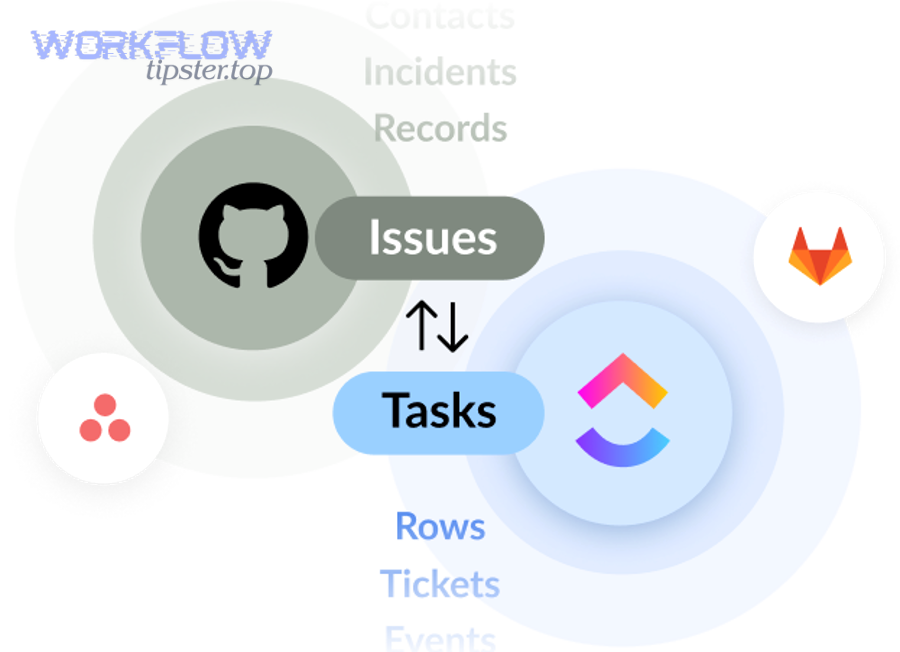
More specifically, map GitHub event data into ClickUp fields first, then surface the same essentials in the Google Chat message to keep the “hook chain” consistent.
A strong minimum mapping model:
- What: short event summary (e.g., “CI failed: integration-tests”)
- Where: repo + branch + environment
- Severity: P0/P1/P2 (or urgent/high/normal)
- Owner: assignee/on-call
- Next action: “rerun job / revert / review logs”
- Links: GitHub run/PR + ClickUp task
To make this consistent, standardize your ClickUp task template:
- Title format:
[P1] Repo — CI failed on main — workflow_name - Description: include the GitHub link, last successful run, suspected area
- Custom fields: Service, Environment, Severity, Run ID, On-call rotation
How do you map GitHub labels/branches/statuses to ClickUp priority and status?
Mapping wins when it is deterministic: GitHub labels are best for severity, branches are best for urgency, and statuses are best for workflow state—so you avoid subjective triage and keep alerts consistent.
However, you should choose between a simple mapping and a severity-based mapping depending on team size and alert volume.
Simple mapping (fast to implement):
main/release/*failures → Priority: High, Status: Blocked- feature branch failures → Priority: Normal, Status: Investigate
- label
hotfix→ Priority: Urgent, Status: Incident
Severity-based mapping (best for scale):
- Labels drive priority:
sev1,p0→ Urgent / Incidentsev2,p1→ High / Blockedsev3→ Normal / Investigate
- Branch drives routing:
mainalerts → Core engineering spacerelease/*alerts → Release management space
- Status drives lifecycle:
- fail → create/update incident task
- pass after fail → auto-close or move to “Resolved”
In short, the more repos you operate, the more you should lean toward severity-based mapping because it reduces debate and speeds response.
How do you route alerts to the right ClickUp List and the right Google Chat space?
There are 3 main routing strategies—by repo, by service/domain, or by environment—based on the criterion of “who owns the fix when something breaks.”
Meanwhile, a good routing strategy makes the Chat message predictable: engineers should know where an alert will appear before it appears.
Routing by repo (best for small teams):
repo-a→ ClickUp List A → Space A
Routing by service/domain (best for microservices):
billing-*repos → Billing List → Billing spaceplatform-*repos → Platform List → Platform space
Routing by environment (best for incident response):
- Production failures → Incident List + On-call space
- Staging failures → QA/Release space
A simple operational rule:
Route by ownership first, then by severity. Ownership determines where the alert lands; severity determines how loud it is (mentions, urgency, escalation).
Should you use native integrations, an automation platform, or GitHub Actions for this workflow?
Native integrations win for speed, automation platforms win for flexibility, and GitHub Actions/webhooks win for control—so the best choice depends on your team’s scale, governance, and the complexity of your DevOps notification logic.
Let’s explore the decision using the criteria that most affect real-world alert workflows: setup time, branching logic, reliability features, and security posture.
Is a no-code automation tool better than native integrations for multi-step DevOps alerts?
An automation platform is better than native integrations when you need at least 3 capabilities: conditional logic (severity rules), deduplication/throttling, and multi-step actions (create task + enrich + notify), because native setups often stay linear.
Especially as alert volume grows, those controls keep Google Chat usable and ClickUp clean.
Where automation platforms typically shine:
- Branching rules: different outputs for
mainvs feature branches. - Enrichment: add service metadata, ownership, runbook links.
- Multi-channel: notify Chat, email, incident tool, and update ClickUp consistently.
- Retries and error handling: more visibility into failures and replays.
Where native integrations shine:
- Fast time-to-value: fewer moving parts.
- Lower maintenance: fewer external dependencies.
- Clear permissions model: fewer systems holding tokens.
Decision shortcut:
If your alert workflow is “if X then create task and notify space,” native is enough. If it’s “if X and Y and not Z then create incident with dedupe and throttle,” automation platforms usually win.
When is GitHub Actions + Google Chat webhook the best choice?
Yes—GitHub Actions + Google Chat webhook is the best choice when you need CI-first alerts with code-level control, predictable formatting, and secure secret handling, because the workflow runs where the signal originates and posts only what you decide.
Next, use this approach when you want the alert message to be a disciplined artifact of your pipeline rather than a side-effect of a tool integration.
A minimal mental model:
- Workflow fails → job step triggers → send message to Chat webhook
- Message includes:
- Run URL
- Repo/branch
- Owner/commit author
- Suggested next step
- Optional: call ClickUp API or automation platform to create/update tasks
How do you prevent duplicate notifications and reduce alert fatigue in Google Chat?
You prevent duplicates and reduce alert fatigue by applying 3 controls—idempotency (dedupe keys), throttling (suppression windows), and escalation tiers (critical vs routine)—because human attention is the limiting resource in DevOps.
More importantly, these controls protect trust: once engineers think the channel is noisy, they stop acting on it.
The core anti-duplication pattern is:
Only notify when state changes. “Still failing” should update the ClickUp task, not re-alert Chat every time.
What deduplication rules stop repeated alerts for the same PR or failed workflow?
There are 4 main deduplication rules that stop repeated alerts—by workflow run ID, by PR ID, by branch + status, and by time window—based on the criterion of “is this the same incident signal repeating?”
Then, implement the simplest dedupe key your system supports so you can debug it later.
Recommended dedupe keys:
- CI run-level dedupe:
repo + workflow_name + run_id - PR-level dedupe:
repo + pr_number + status - Branch-level dedupe:
repo + branch + failing_check_name - Window-level dedupe: “no more than 1 alert per 10 minutes per key”
Operationally, you can apply these rules at different layers:
- In automation platforms: use storage steps or built-in dedupe features.
- In GitHub Actions: track “already notified” using artifacts, issue comments, or external state (best for mature setups).
- In ClickUp: update the existing task instead of creating a new one.
How do you design an escalation policy so critical alerts stand out from routine updates?
A good escalation policy is tiered: critical alerts get immediate visibility and ownership, while routine updates are batched—so P0 stands out, P1 stays manageable, and P2 becomes a digest.
On the other hand, a flat policy (everything loud) produces the antonym outcome: silence, because people mute the channel.
A tiered escalation model:
- P0 (critical): production outage risk, broken
main, security incident- Send immediately to an on-call space
- Mention only the on-call role or a single owner
- Create/upgrade ClickUp task to “Incident”
- P1 (high): deployment blocked, release branch failing
- Send immediately, no mention unless unresolved after X minutes
- Update ClickUp task with logs/runbook link
- P2 (routine): PR opened, review requested, minor test flake
- Batch into daily summary or per-PR thread updates
A simple “stand out” rule:
Reserve mentions and urgency formatting for P0 only. Everything else gets a clean, quiet message style.
What are the most common setup failures and how do you troubleshoot them?
There are 5 common failure categories—permissions, incorrect routing, missing triggers, webhook delivery issues, and rate/volume problems—based on where the signal breaks between GitHub, ClickUp, and Google Chat.
Specifically, troubleshoot in layers and verify one hop at a time so you don’t guess across systems.
A quick layered diagnostic sequence:
- GitHub event occurred? (check PR/run history)
- Automation triggered? (check workflow logs / automation run history)
- ClickUp task created/updated? (check target List)
- Google Chat message posted? (check target space)
- Duplicates/noise? (check event filters and dedupe keys)
Why are GitHub events not creating ClickUp tasks (permissions, scopes, repo access)?
GitHub events usually fail to create ClickUp tasks because the integration lacks repo access, the repo isn’t attached to the Workspace/Space, or the automation trigger/conditions don’t match the event payload.
Next, validate each prerequisite in the same order ClickUp expects during setup.
Use this checklist:
- Confirm GitHub is connected in ClickUp and repos are attached and linked to Spaces.
- Confirm the triggering event is supported by your automation and that conditions match.
- Confirm your task creation target (Workspace/Space/List) still exists and permissions allow creation.
- Confirm the event contains a task reference if your flow relies on linking (e.g., task ID in PR).
Why are Google Chat alerts missing or failing (webhook, space access, payload format)?
Google Chat alerts often fail because the bot/webhook is not added to the correct space, the webhook URL is wrong or revoked, or the message payload format is invalid for the endpoint you’re calling.
Then, test delivery with a minimal message first and expand formatting only after the simplest payload succeeds.
If you’re using the ClickUp bot path, re-check the bot installation steps and ensure the Workspace is linked to the space.
If you’re using a webhook path, validate:
- The webhook exists in the correct space
- The URL is stored in secrets (not hard-coded)
- The action/job is actually running when events occur
How do you validate the workflow before rolling it out to the whole engineering team?
Yes—you should validate the GitHub → ClickUp → Google Chat DevOps alerts workflow before rollout for 3 reasons: it prevents noisy misroutes, confirms task-field mapping is actionable, and ensures reliability under real event volume.

Next, validate using real event scenarios that match your “alert ladder,” because synthetic tests often miss edge cases.
Validation is not just “did a message arrive?” It is:
- Did it go to the right space?
- Did it create/update the right task?
- Did the message include the minimum actionable payload?
- Did it avoid duplicates across retries?
What test scenarios confirm the workflow works end-to-end?
There are 6 core end-to-end test scenarios you should run—PR lifecycle, CI failure and recovery, issue severity mapping, release notification, routing correctness, and dedupe behavior—based on the criterion of “does this reflect real incidents?”
To begin, run them in a controlled repo or staging environment so your first mistakes don’t train the team to ignore alerts.
Recommended tests:
- PR opened → create/update ClickUp task → notify dev space
- PR merged into
main→ notify release space (P1) - CI fails on
main→ create incident task (P0/P1) → notify on-call space - CI passes after fail → update same task → post a “resolved” update (no new incident)
- Issue created with
sev1label → urgent priority mapping → notify incident space - Duplicate event simulation (rerun job) → confirm dedupe prevents repeated alerts
Record results in the ClickUp task itself so the task becomes the test log and future runbook.
What metrics show your DevOps alerts are helping (not distracting)?
There are 5 practical metrics that show your alerts help—time-to-triage, time-to-assign, percent of alerts that lead to an action, duplicate rate, and mute rate—based on the criterion of “does the message produce measurable response?”
In addition, these metrics keep your alert workflow honest: if the numbers degrade, the channel is drifting toward noise.
Suggested measurement approach:
- Time-to-triage: timestamp from event → task created → first assignee set
- Time-to-acknowledge: event → first response in Chat thread
- Action rate: % of alerts that result in status change or comment within X minutes
- Duplicate rate: duplicates per alert key (should trend down)
- Mute rate: number of users who mute the space (a silent quality signal)
According to a study by the University at Albany (Emergency Preparedness, Homeland Security and Cybersecurity), in 2025, researchers discussed how over-alerting contributes to warning fatigue and can reduce attention to alerts, reinforcing the need to reduce non-critical alert volume.
How can you harden and optimize GitHub → ClickUp → Google Chat alerts for scale and security?
You harden and optimize the workflow by adding least-privilege security, correlation for traceability, and controlled “quiet vs critical” alert modes, so the system stays trustworthy as repos, services, and people scale.
Besides reliability, this is where micro-semantics matters: the workflow becomes a policy system—who gets notified, when, and why—rather than just a messaging pipeline.

What security practices keep tokens, webhooks, and alerts safe for DevOps teams?
Security improves when you limit blast radius: use least-privilege scopes, rotate secrets, and centralize auditability so a single leaked token doesn’t compromise your workflow.
More specifically, treat webhook URLs and tokens as production credentials because they control where alerts go and what data they expose.
Security practices to apply:
- Store secrets in secure vaults/secrets managers (GitHub Secrets at minimum).
- Rotate webhook URLs and tokens on a schedule or after staff changes.
- Scope tokens minimally (only repos/spaces needed).
- Limit alert content (avoid sensitive logs; link to secured dashboards instead).
- Add audit trail: update the ClickUp task with “who triggered what,” and keep a minimal log of alert deliveries.
GitHub’s Google Chat webhook action explicitly recommends storing webhook URLs in GitHub Secrets, which aligns with the principle of not committing credentials into repositories.
How do you implement “quiet” vs “critical” alert modes without losing important signals?
Quiet vs critical modes work when you separate delivery urgency from information capture: critical signals page humans immediately, while quiet signals are still written into ClickUp and optionally summarized, so nothing is lost.
On the other hand, if you only suppress alerts without tracking them, you create blind spots instead of focus.
A practical dual-mode design:
- Critical mode (P0):
- immediate Chat message + single mention
- ClickUp task set to Incident
- include runbook link + owner
- Quiet mode (P1/P2):
- update ClickUp task only, or post in a digest thread
- no mentions
- include “why it’s quiet” tag (e.g., “non-prod”, “flake”, “info”)
Make the mode decision from deterministic inputs:
- branch (
mainvs feature) - environment (prod vs staging)
- label (
sev1vschore) - event type (deployment fail vs comment)
What advanced patterns support multi-repo and microservices teams (idempotency, correlation IDs, runbooks)?
Multi-repo teams need 3 advanced patterns—idempotency to prevent duplicates, correlation IDs to connect signals, and runbook links to speed resolution—based on the criterion of “can an engineer go from alert to fix without asking for context?”
Especially in microservices, these patterns keep alerts from fragmenting across repos and spaces.
Advanced patterns to adopt:
- Idempotency keys everywhere:
service + environment + signal + window - Correlation IDs: include a shared ID in:
- ClickUp task custom field
- Chat message text
- GitHub workflow logs (as an output)
- Runbook links: one canonical link per service type (CI failures, deploy failures, security findings)
- Ownership map: service → on-call rotation / owning team
If you run CI workflows across many repos, prefer GitHub Actions/webhooks for consistent message formatting and shared logic across repos, because you can version the workflow templates.
When should you upgrade from simple alerts to incident automation (auto-create incident task + ownership + postmortem)?
Yes—you should upgrade to incident automation when alert volume is high, MTTR is inconsistent, or ownership is unclear, because automation can enforce triage steps, assign owners, and preserve timelines for postmortems.
To sum up, this upgrade is about consistency: every incident follows the same path from detection → ownership → resolution → learning.
Upgrade triggers you can use:
- P0 alerts occur more than a few times per month and require coordination
- Multiple engineers ask “who owns this?” after an alert
- The same failure repeats without a tracked corrective action
- Postmortems are inconsistent or missing
A lightweight incident automation template:
- Create/upgrade ClickUp task to Incident
- Auto-assign owner (on-call / team lead)
- Post Google Chat message with:
- impact
- owner
- next action
- runbook link
- When resolved, transition task to Resolved
- Auto-create a follow-up task: “Postmortem + prevention”
For broader context on alert fatigue mitigation in operational teams, an ACM publication reviewing alert fatigue in security operations emphasizes automation and other mitigation strategies as core lenses for reducing fatigue.