


Support triage becomes dramatically faster when you automate the handoff from Freshdesk tickets to Jira tasks and push the right context into Microsoft Teams, because the workflow turns “someone should tell engineering” into a repeatable system that creates, assigns, and tracks work in seconds.
Then, the key decision is how to build that system: you can rely on native connectors and marketplace apps for speed, use automation platforms for flexibility, or use webhooks/APIs for maximum control—each path changes setup effort, reliability, and long-term maintenance.
Moreover, the workflow only works if it matches real triage operations: you need clear escalation criteria, consistent field mapping, ownership rules, and Teams notifications that reduce back-and-forth instead of adding noise.
Introduce a new idea: once you treat triage as an “automation workflow” with measurable inputs and outputs, you can validate it end-to-end, prevent duplicates, and decide whether two-way sync helps or hurts collaboration.
What does “Freshdesk ticket to Jira task with Microsoft Teams triage” automation mean in practice?
A Freshdesk → Jira → Microsoft Teams triage automation is an end-to-end routing system that turns a qualifying support ticket into a tracked Jira work item and immediately alerts the right people in Teams, so the support-to-engineering handoff becomes consistent, fast, and auditable.
To better understand this, picture the workflow as a chain with three responsibilities:
- Freshdesk decides “this ticket needs escalation.”
That decision can be based on priority, tags (bug/incident), SLA breach risk, customer tier, or the ticket group that owns the category. - Jira becomes the system of record for the work.
The automation creates a Jira issue/task (or links to an existing one), assigns it to a project and owner, and captures the ticket context so engineers don’t need to ask for basics. - Microsoft Teams becomes the collaboration surface.
Teams receives a message (channel or DM) that includes the “what,” “who,” and “next action,” with deep links back to both systems so the team can triage in one conversation thread.
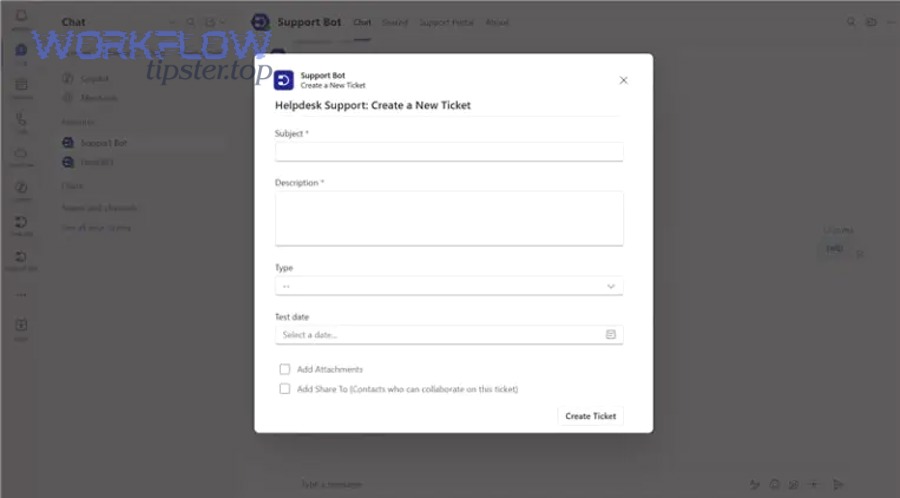
This is why official integrations focus heavily on creating/linking issues and enabling collaboration: Freshdesk’s Jira app emphasizes creating Jira issues from tickets and linking conversations to engineering work, while Atlassian positions Teams integration as a way to collaborate and act on Jira work items inside Teams. (support.freshdesk.com)
What is the fastest way to understand the data that must move from Freshdesk to Jira and Teams?
The fastest way is to define a minimum context bundle—the smallest set of fields that lets engineering triage without opening a ticket, while still keeping the message short enough to scan.
Start with these “always include” fields:
- Freshdesk ticket ID + deep link (so anyone can jump to the full conversation)
- Requester/customer name (or organization) and channel (email/chat/portal)
- Subject + a clean summary (first 1–3 sentences of the description)
- Priority/severity + SLA clock (or due time if you use it)
- Category/tags (bug, outage, billing, feature request)
- Current owner (support agent/group) and desired owner (engineering team)
- Attachments or reproduction steps (best as links unless your policy requires upload)
Then map that bundle into Jira in a predictable way:
- Ticket ID → a dedicated Jira field or prefix in the issue summary (e.g.,
[FD-12345]) - Customer impact → Jira priority/severity or labels
- Product area → Jira component or label
- Conversation link → Jira description and/or issue link
Finally, mirror the same bundle in the Teams message—because Teams is where triage happens in real time.
A practical rule: if a developer can decide “assign / need info / reject / fix now” from the bundle, you mapped enough. If they still ask “which customer?” or “what’s the link?” you mapped too little.
Should this workflow create a Jira issue for every ticket or only for escalations?
Escalation-only wins for signal, “every ticket” wins for completeness, and a hybrid is optimal for most helpdesk teams—because not every ticket deserves engineering attention, but you still need visibility for true product work.
Escalation-only is best when:
- You have high ticket volume and limited engineering triage capacity.
- You want Teams notifications to remain high-signal.
- You’re optimizing for fast handoff of incidents/bugs rather than broad reporting.
Every ticket can make sense when:
- Support and engineering operate as one queue (small teams).
- You need full traceability across all requests for compliance.
- You’re using Jira as the primary service system (less common with Freshdesk-first teams).
Hybrid is usually the sweet spot:
- Create Jira tasks only for bugs/incidents/VIP/SLA risk.
- Store lightweight metadata for non-escalations (tags, category counts) for reporting elsewhere.
If you’re unsure, start escalation-only for stability, then broaden coverage once your rules are clean and your duplicates are under control.
Do you need native integrations, an automation platform, or webhooks for this triage workflow?
Native integrations are best for speed, automation platforms are best for flexible routing, and webhooks/APIs are best for advanced control—so the “right” approach depends on whether your priority is time-to-launch, custom logic, or governance.
To explore this, compare the three paths using the criteria that matter in support triage: reliability, admin overhead, and how easy it is to keep the workflow consistent as your team grows.
Which approach is best for helpdesk teams who want speed and low maintenance?
Native apps/connectors usually win for speed and low maintenance because they’re designed for common workflows: create/link Jira issues and keep collaboration tight with minimal setup.
- Freshdesk’s Jira integration is explicitly built around creating Jira issues from Freshdesk and linking tickets to engineering work. (support.freshdesk.com)
- Freshdesk’s Teams app is positioned as a collaboration bridge between support and internal teams. (support.freshdesk.com)
- Atlassian’s Jira Cloud for Microsoft Teams highlights real-time notifications and the ability to create/search/update work items from Teams. (support.atlassian.com)
In practice, this path works well when:
- Your field mapping is mostly standard (summary, description, priority, labels).
- Your routing is straightforward (one Jira project or a small set).
- Your team prefers configuration over custom development.
Best-fit checklist (speed-first):
- You can define 3–6 escalation rules and stick to them.
- You don’t need heavy redaction logic in Teams.
- You’re okay with “good enough” formatting and standard triggers.
Which approach is best if you need advanced routing, deduplication, or redaction?
Webhooks/APIs (or advanced automation tooling) are best when your triage requires logic that “forms and toggles” can’t reliably express—especially for deduplication, multi-project routing, and privacy rules.
Choose this path when you need any of the following:
- Deduplication: “one Jira issue per Freshdesk ticket” even under retries or multiple triggers
- Conditional notification: notify only if severity changes, or only if no engineer has acknowledged in X minutes
- PII handling: mask personal data in Teams while keeping it in Freshdesk
- Complex routing: map product + region + customer tier to different Jira projects/components
- Governance: central logs, controlled change management, and staging before production
The tradeoff is real: more control means more ownership. You’ll need someone to maintain credentials, monitor failures, and update mappings when either platform changes fields or permissions.
How do you set up the Freshdesk → Jira task creation step without breaking triage?
The safest method is to implement ticket-to-task creation in five steps—trigger, qualify, map, assign, and link back—so you create the right Jira tasks, in the right project, with the right context, and with a clear audit trail.
Specifically, support triage breaks when Jira tasks are created without rules (too many), without mapping (missing context), or without ownership (no one acts). A structured setup prevents all three.
Step 1: Define the trigger (when the automation runs).
- Ticket created
- Priority changed to high
- Tag added (e.g.,
bug,incident) - SLA risk threshold crossed
- Ticket moved to a specific group/queue
Step 2: Define qualification rules (which tickets become Jira work).
- Severity is High/Critical
- Product tag matches a Jira component list
- Customer tier is VIP/Enterprise
- Category is “Bug report” or “Outage”
- Agent explicitly flags “Escalate to engineering”
Step 3: Map fields (what Jira must receive).
- Summary: include ticket ID
- Description: include clean customer story + reproduction steps + link to ticket
- Priority/Severity mapping table
- Labels/components based on category/tags
Step 4: Assign ownership (who should act).
- Jira project based on product
- Issue type: bug/task/incident
- Assignee: team lead, on-call, or triage owner (not “everyone”)
Step 5: Link back .
- Write Jira issue key into Freshdesk ticket
- Add a comment that includes the Jira link
- Keep a consistent status note (e.g., “Escalated to Jira: ABC-123”)
This is consistent with how official tooling frames the integration: Freshdesk’s Jira app emphasizes creating and linking issues, and Atlassian’s integrations emphasize ownership and actionability within the receiving system. (support.freshdesk.com)
What fields should be mapped from Freshdesk to Jira for reliable triage and handoff?
There are two main mapping types—context mapping and control mapping—based on whether the field helps someone understand the problem or helps the system route and track it.
1) Context mapping (helps humans decide quickly)
- Ticket subject → Jira summary
- Ticket description + latest customer message → Jira description
- Attachments / screenshots → links (or uploads if required)
- Customer/org + environment info → custom fields
- Steps to reproduce → structured section in description
2) Control mapping (helps systems route and measure)
- Priority/severity → Jira priority + labels
- Category/product → Jira component
- Support group → Jira project (or component)
- SLA deadline / due time → Jira due date (if used)
- Ticket status → Jira status hints (careful with two-way sync)
To keep mapping consistent, create a simple “field dictionary” document that every admin can reference:
The table below lists common Freshdesk fields, where they should land in Jira, and why that mapping prevents routing errors and reporting drift.
| Freshdesk Field | Jira Field | Purpose | Example |
|---|---|---|---|
| Ticket ID | Custom field / summary prefix | Traceability | FD-12345 |
| Priority | Priority | Triage urgency | High → P1 |
| Group | Project/Component | Routing | Billing → FIN |
| Tags | Labels | Categorization | bug, login |
| Ticket link | Description | Fast access | URL to ticket |
This table matters because it prevents drift: when teams grow, drift creates misrouted issues and inconsistent reporting.
How do you design escalation rules so Jira only receives the right tickets?
There are four main escalation rule types—Severity-based, SLA-based, Customer-based, and Agent-flagged—based on the criterion that best predicts “engineering needs to act.”
Then, connect each rule type to an outcome:
- Severity-based rules
- If severity is Critical/High → create Jira issue + alert Teams triage channel
- Add
incidentlabel and assign on-call
- SLA-based rules
- If SLA remaining < X hours and unresolved → create Jira issue + alert escalation channel
- Add due date and escalate owner
- Customer-based rules
- If customer tier is VIP/Enterprise → create Jira issue earlier, add account label
- Notify a dedicated channel for key accounts
- Agent-flagged rules
- If agent selects “Escalate to engineering” → create Jira issue
- This is your best “human override” rule
A best practice is to keep your first release small:
- Start with 1–2 severity rules + 1 agent-flag rule.
- Run for two weeks.
- Review false positives (unnecessary Jira issues) and false negatives (missed escalations).
- Expand gradually.
How do you notify Microsoft Teams so the team can triage faster (without alert fatigue)?
The best Teams notification method is to send high-context, low-noise messages to the right channel with consistent formatting, clear ownership, and deep links—so the team can decide and act without opening three tabs.
Next, because Teams is a real-time environment, your biggest risk is not “missing an alert,” but drowning the team in alerts that no one reads. Atlassian’s Teams integration explicitly focuses on customizable notifications and acting on work items within Teams, which matches this goal. (support.atlassian.com)
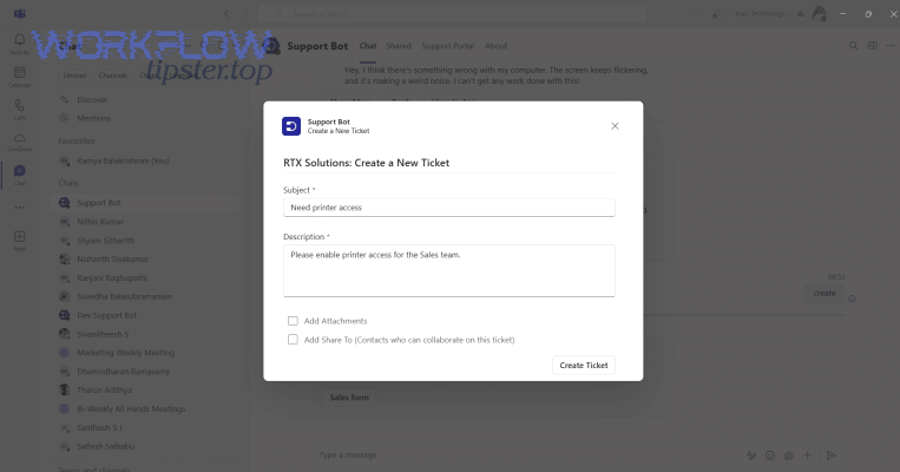
Decide the destination first:
- One triage channel for all escalations (best for smaller orgs)
- Product-specific channels (best for larger orgs with clear ownership)
- DM to on-call + channel post for critical events (best for incidents)
Decide the message style:
- Short summary + links (fastest)
- Rich card with fields and buttons (best UX if available)
- Threaded updates for status changes (best for ongoing incidents)
What should a good Teams triage message include to reduce follow-up questions?
A good triage message includes seven essentials: what happened, how bad it is, who it affects, who owns it, what’s next, and links to both systems—because follow-up questions are almost always missing one of those items.
Use this checklist as your standard template:
- Title:
[Severity] Ticket subject (FD-12345) - Impact: “Login failing for EU customers” (one sentence)
- Customer/context: account name or segment (if allowed)
- SLA/urgency: time remaining or breach risk
- Routing: “Assigned to: Platform On-call” or “Needs owner”
- Next action: “Acknowledge / reproduce / assign / request info”
- Links: Freshdesk ticket + Jira issue
If you want to keep it ultra scannable, use a two-line layout:
- Summary + severity
- Owner + links + next action
And if you operate multiple automation patterns (for example, you also run freshdesk ticket to linear task to slack support triage for product teams that prefer Linear), keep the Teams template consistent so people recognize it instantly—only the destination system changes.
Optional: one video embed (for Teams + Jira context)
Should Teams notifications be real-time, batched, or conditional?
Real-time wins for incidents, batched wins for volume, and conditional is optimal for daily triage—because the best notification strategy matches the risk level of the ticket.
Here’s a practical comparison:
- Real-time is optimal when:
- Severity is Critical/High
- SLA breach risk is imminent
- You need rapid acknowledgment (incident response)
- Batched (digest) is optimal when:
- You have many low-priority escalations
- The goal is planning, not firefighting
- You want to reduce context switching
- Conditional is optimal when:
- You notify only on meaningful state changes (e.g., escalated, assigned, blocked)
- You want Teams to stay readable
- You want to avoid “update spam”
This matters because context switching has a real cost. According to a study by University of California, Irvine from the Department of Informatics, in 2008, researchers reported that interruptions in knowledge work increase stress and create reorientation costs when returning to a task. (ics.uci.edu)
So your notification design should reduce interruptions, not amplify them.
Is it working correctly, and how do you troubleshoot the most common failures?
Yes—your workflow is working correctly only if it reliably creates the right Jira tasks, posts the right Teams alerts, and maintains a clean link between systems, for at least three scenarios (normal, high-severity, and edge-case) without duplicates, missing fields, or permission errors.
In addition, troubleshooting becomes easy when you treat each step as a checkpoint: Freshdesk trigger → Jira create/link → Teams notify → link-back confirmation.

End-to-end validation checklist (run this first):
- Create a test ticket that should escalate (clear tags + high priority).
- Confirm the Jira task is created in the correct project and issue type.
- Confirm mapped fields are present (ticket ID, links, description).
- Confirm Teams message arrived in the correct place (channel/DM).
- Confirm Freshdesk ticket now contains the Jira key/link.
- Update ticket status/priority and confirm expected behavior (no extra tasks unless intended).
When something fails, isolate by symptom:
- No Jira task created → trigger not firing, rules too strict, or credentials/permissions missing
- Jira task created but wrong project/fields → mapping/routing error
- Teams not notified → Teams connector permissions, destination mismatch, or message formatting failure
- Duplicates → retrigger loops, retries without idempotency, multiple rules competing
Freshdesk and Atlassian both emphasize integration configuration and ownership, which is why permission/ownership issues are common in real deployments. (support.freshdesk.com)
Are duplicates happening, and how can you prevent multiple Jira tasks for one Freshdesk ticket?
Yes—duplicates happen most often because the same ticket triggers the automation multiple times, retries re-run the “create issue” action, or multiple rules overlap, and you can prevent them by combining a single-source-of-truth link, rule gating, and idempotency-like checks.
Use these three safeguards:
- Write the Jira key back to the Freshdesk ticket immediately
- Store it in a custom field or internal note
- Your creation rule should include a condition: “Only run if Jira key is empty”
- Gate by state changes, not “any update”
- Trigger only on specific updates (priority escalated, tag added, agent flag set)
- Avoid triggers like “ticket updated” unless you filter heavily
- Make rules mutually exclusive
- If “VIP escalation” and “SLA risk” can both apply, ensure one rule wins
- Use priority order or a shared “escalated=true” marker
A simple diagnostic question catches most duplicate causes: “What changed right before the duplicate was created?” That change usually reveals the retrigger.
Are comments/status updates syncing, and should you enable two-way sync?
Sometimes—and two-way sync is helpful for shared ownership, but risky if it creates notification noise, status conflicts, or accidental loops, so you should enable it only when your teams have agreed on a single workflow definition.
Compare the two approaches:
- One-way (Freshdesk → Jira + Teams)
- Pros: simpler, fewer loops, easier to govern
- Cons: support may need to check Jira manually for progress
- Two-way (Freshdesk ↔ Jira + Teams updates)
- Pros: better transparency, fewer “any update?” pings
- Cons: noisy notifications, conflicting status models, higher duplicate risk
A practical middle path is “two-way, but filtered”:
- Sync key status milestones only (e.g., acknowledged, in progress, done)
- Sync developer comments back to Freshdesk only when marked customer-safe
- Notify Teams only for milestone changes, not every comment
If your org also runs other workflow patterns (like calendly to google calendar to google meet to basecamp scheduling for scheduling operations), you’ll recognize the same principle: cross-tool automations are powerful, but they need clear event boundaries, or they flood teams with low-value activity.
How can you optimize and govern Freshdesk → Jira → Teams triage automation for scale and edge cases?
You can optimize and govern this workflow by adding advanced routing, noise controls, privacy safeguards, and resilience patterns—so the automation stays reliable as volume grows and edge cases appear.
Then, this is where the antonym in the title becomes practical: “Automate (Not Manual)” doesn’t just mean “create a task automatically.” It means you systematically remove the manual failure points: unclear ownership, inconsistent data, and untracked decisions.
What are advanced routing patterns (multi-project, multi-team) for complex support orgs?
Advanced routing usually falls into two patterns:
- Product-based multi-project routing
- Map Freshdesk product/category → Jira project
- Map tag/component → Jira component
- Keep a shared severity definition across projects
- Regional or customer-tier routing
- Enterprise tickets → dedicated project or component
- Region tags → regional squads
- After-hours → on-call escalation path
To keep this maintainable, create a routing matrix and review it monthly:
The table below shows example routing criteria and where each escalation should land in Jira and Microsoft Teams to keep ownership consistent at scale.
| Criterion | Destination Jira Project | Default Assignee | Teams Destination |
|---|---|---|---|
| Login / Auth | AUTH | On-call | #triage-auth |
| Billing | FIN | Billing lead | #triage-billing |
| Outage | OPS | Incident commander | #incidents |
This table is your governance asset: it prevents routing logic from living only in someone’s memory.
How do you reduce noise in Microsoft Teams while keeping triage fast?
You reduce noise by designing notifications around decisions, not events—because most events do not require action.
Use these techniques:
- Conditional notifications: post only when the ticket becomes “escalated,” “blocked,” or “SLA risk”
- Threaded updates: keep all updates in one thread per ticket/issue
- Digest for low severity: daily/half-day summary for P3/P4 items
- Mentions sparingly: mention owners only for P1/P2 or when unassigned for too long
A simple operating rule: every Teams message should have an explicit “next action.” If it doesn’t, it’s probably noise.
(And if you publish practical playbooks like Workflow Tipster does, your readers will thank you for message templates that teams can copy and standardize across channels.)
How do you protect sensitive data when sending ticket context into Teams?
You protect sensitive data by applying minimal disclosure, field redaction, and channel hygiene, so Teams gets enough context to triage without exposing personal or regulated information.
Apply these controls:
- Minimal disclosure: only include customer name/ID if necessary for triage
- Masking: redact phone numbers, addresses, payment references, and secrets
- Safe summaries: rewrite the first message into a short, non-sensitive “impact statement”
- Restricted channels: use private channels for VIP/security-related escalations
- Link-first approach: keep sensitive details in Freshdesk; share links in Teams
If you work in regulated environments, document what fields are allowed in Teams, and enforce that in templates.
What rare failure modes appear at scale (idempotency, retry storms), and how do you design for resilience?
At scale, rare failure modes usually come from retries, rate limits, and event loops, and you design resilience by adding idempotency-like checks, backoff, and monitoring.
Here are the patterns that prevent outages caused by your own automation:
- Idempotency key: use ticket ID as the unique key so “create Jira issue” becomes “create if not exists”
- Retry backoff: retry with increasing delays to avoid hammering APIs
- Circuit breaker: temporarily pause automation if failures spike
- Dead-letter queue: store failed events for manual replay
- Health dashboard: track “tickets escalated,” “issues created,” “alerts sent,” and “failures”
These resilience practices are what let you confidently expand the automation beyond the first use case—whether that means adding richer Teams cards, supporting multiple Jira projects, or integrating other operational chains like airtable to microsoft word to onedrive to pandadoc document signing without turning your support stack into a fragile web of scripts.
Evidence (operational rationale): Atlassian’s Teams integration emphasizes real-time notifications and acting on work items directly inside Teams, which increases the need for careful notification and routing governance as usage scales. (support.atlassian.com)