


If you want faster, cleaner support execution, the most reliable approach is to automate a ticket-routing pipeline where every Freshdesk ticket that needs internal action becomes a properly labeled Linear task and triggers a targeted Slack alert to the right responders.
To make that automation trustworthy, you also need a consistent mapping model (what ticket fields become which task fields) so priority, ownership, SLAs, and context stay intact as the work moves from customer support to delivery.
Then you must design routing rules that minimize noise and maximize accountability—so Slack alerts create clarity (not distraction), and Linear tasks represent real work (not duplicated busywork).
Introduce a new idea: once your workflow logic is stable, you can expand into advanced patterns—tool choices, governance, and rare edge-case controls—without breaking the core triage loop.
What is a “Freshdesk → Linear → Slack” support triage automation workflow?
A Freshdesk → Linear → Slack support triage automation workflow is an end-to-end ticket-routing system that converts selected Freshdesk tickets into structured Linear tasks and sends Slack alerts so the right team sees, owns, and resolves the work quickly.
Next, to understand why this workflow works in practice, you need to separate “routing logic” from “notification behavior” so the automation stays predictable.
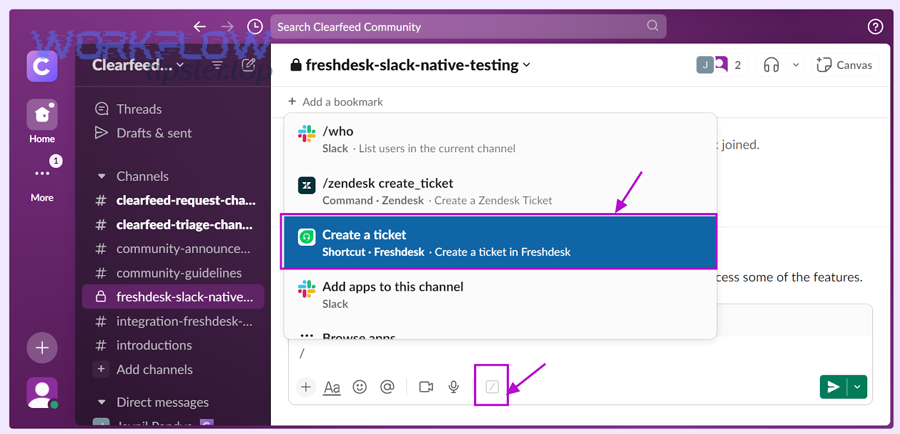
What does “ticket routing” mean in support triage automation?
Ticket routing means deciding where a ticket should go, who should own it, and how urgently it should be handled, based on explicit criteria (category, severity, SLA risk, customer tier, product area, region, or channel). In a Freshdesk → Linear → Slack workflow, routing is the “brain” that determines:
- Whether the ticket becomes a Linear task (actionable internal work) or stays in Freshdesk only (support-only resolution).
- Which Linear team/project gets the task (e.g., “Core Product,” “Billing,” “Infrastructure,” “Integrations”).
- Which Slack channel/person gets alerted (e.g., #support-triage, #billing-urgent, on-call DM).
- What metadata must be attached (labels, priority, SLA deadline, customer tier) so downstream work is consistent.
Routing is not the same as “assignment.” Assignment is only one output. Routing also includes classification (what type of issue it is), prioritization , and escalation (what happens if it is not handled in time).
A simple example:
- Freshdesk ticket tagged
billing+ priorityhigh+ customer tierenterprise
→ Create Linear task in “Billing” team with priority “Urgent,” add label “Enterprise,” alert #billing-urgent with @oncall mention.
When routing is explicit and stable, you can scale support volume without scaling confusion, because every ticket follows a known path.
What does “Slack alerting” mean for support teams (channel vs DM vs thread)?
Slack alerting means delivering the right triage information to the right people in the right format so action happens immediately—and so context remains accessible during resolution. In this workflow, Slack alerting usually takes three forms:
- Channel alerts (shared visibility)
Best for team-level triage and transparency: “New P1 ticket created; Linear task assigned to Infra.” - Direct messages (DMs) (personal accountability)
Best when one owner must respond quickly: “You were assigned this ticket-task pair; SLA breach in 45 minutes.” - Thread-based alerts (context preservation)
Best when discussion and decision-making must stay attached to the original notice. A thread becomes the living audit trail: updates, links, and resolution notes can remain in one place.
A good Slack alert includes:
- Ticket identity: ID + subject (and a link)
- A one-line “why it matters” summary (severity/SLA/customer tier)
- A clear next action (who owns it, where the Linear task is)
- The routing reason (label/category) so humans can sanity-check automation
If you treat Slack as a “firehose,” people mute channels and triage fails quietly. If you treat Slack as a precision instrument, your automation becomes faster without becoming louder.
Should you automate triage from Freshdesk to Linear and Slack?
Yes—automating triage from Freshdesk to Linear and Slack is worth it when you want faster response, more consistent routing, and clearer ownership, because it reduces manual handoffs, prevents missed tickets, and turns support signals into trackable work.
However, to make that “yes” true in real operations, you need to know when automation helps more than it hurts.
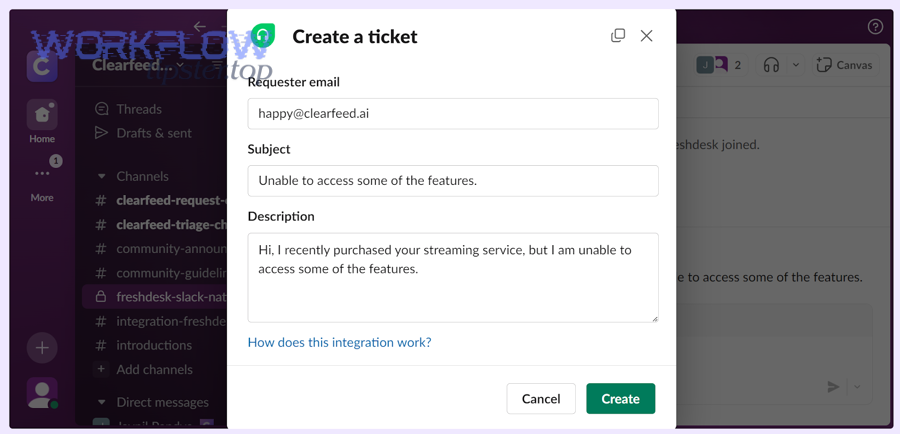
What are the benefits of automating triage vs doing it manually?
Automated triage wins when volume, speed, and consistency matter more than ad-hoc judgment for every ticket. Manual triage wins when context is ambiguous and you lack a stable taxonomy.
Here’s the operational difference:
- Automated triage improves speed because the system routes instantly, 24/7, without waiting for a coordinator.
- Automated triage improves consistency because the same rules apply every time, so teams trust the flow.
- Automated triage improves accountability because Linear tasks have owners, priorities, and status that can be tracked.
Manual triage has strengths too:
- Humans can interpret nuance in messy tickets.
- Humans can spot category drift early.
- Humans can adapt when products, teams, and priorities change.
The best implementation is rarely “all automation” or “all manual.” It’s usually automation with controlled exceptions: the workflow handles the obvious 80%, and humans handle the risky 20%.
Practical decision checklist (if you answer “yes”):
- You have stable ticket categories (or can enforce them with tags/forms).
- You have clear ownership per category (who should get what).
- You have defined severity and SLAs (what “urgent” means).
- You can commit to monitoring failure modes (duplicates, loops, noise).
Evidence: According to a study by the University of California, Irvine from the Department of Informatics, in 2008, researchers found that interruptions increase stress and that frequent context switching carries measurable costs in knowledge work—making “notify everything” alerting a productivity risk unless it’s tightly controlled. (ics.uci.edu)
When is “create a Linear task” better than “just notify in Slack”?
Creating a Linear task is better when the ticket represents work that must be planned, tracked, and completed, not merely acknowledged. Slack is excellent for coordination, but it is not a durable work system unless you intentionally make it one.
Use Linear tasks when you need:
- Ownership (one accountable assignee)
- Priority ordering (P0/P1/P2)
- Work visibility over days (not lost in chat history)
- Progress tracking (in progress, blocked, done)
- Reporting
- Cross-team collaboration (engineering + product + support)
Use Slack-only notifications when:
- The ticket is informational (“FYI, there’s a minor outage report”)
- The fix is already in motion and the team just needs awareness
- The issue is resolved by support without internal execution
A helpful rule: if the ticket needs a commitment, create a task; if it needs awareness, send an alert.
What information should be mapped from Freshdesk tickets into Linear tasks?
There are 2 main types of ticket-to-task mapping you must implement—(1) core context mapping and (2) routing metadata mapping—based on the criterion of whether the field is required to understand the issue or required to route and prioritize the work correctly.
Specifically, mapping should preserve meaning, priority, and accountability while keeping the Linear task readable.
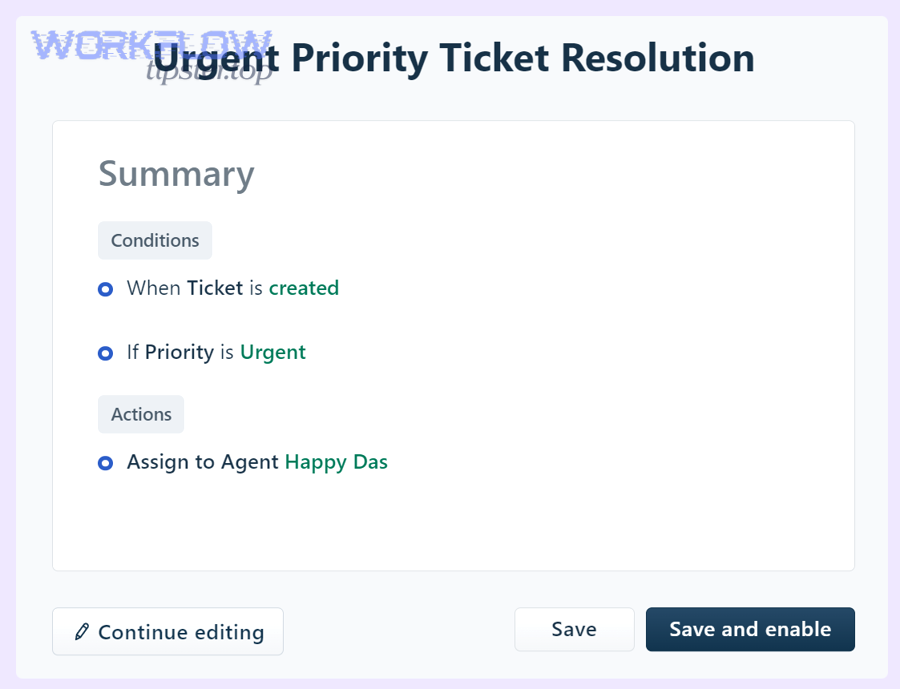
Which Freshdesk fields are “must-map” for accurate triage?
Must-map Freshdesk fields are the ones that prevent ambiguity and ensure a Linear assignee can act without searching for context. At minimum, map:
- Ticket ID + direct link (so the Linear task always points back)
- Subject (human-readable summary)
- Description (customer’s words + support agent notes if needed)
- Requester identity (name/company; avoid sensitive data if necessary)
- Priority / severity
- Status (new, open, pending, resolved—useful for sync strategy)
- Group / agent (current support ownership)
- Tags / category (your classification signal)
- SLA timers or deadlines (if used in routing or escalation)
- Attachments or key links (logs, screenshots, reproduction steps)
If you skip the ticket link or ID, your workflow loses traceability. If you skip priority and category, your routing becomes guesswork. If you skip description, your Linear tasks become “empty shells” that frustrate engineering.
A useful pattern is to place a compact mapping block at the top of the Linear issue description:
- Freshdesk Ticket: #12345 (link)
- Customer: Company X (tier)
- Severity: P1
- Category: Billing / Payment
- SLA risk: breach in 2h
- Summary: …
- Steps to reproduce: …
This structure turns every Linear task into a predictable “triage artifact.”
Which Linear fields should you standardize for triage consistency?
Standardize Linear fields so every support-created issue behaves like any other internal issue—same semantics, same reporting, same lifecycle. At minimum, standardize:
- Team (where the issue lives)
- Assignee (who owns it)
- Priority (P0–P3, or Urgent/High/Normal/Low)
- Labels (category, product area, customer tier, environment)
- Project / milestone (optional, but helpful for recurring work)
- Due date (especially if tied to SLA risk)
- Source label (e.g.,
Support,Freshdesk,Customer-Reported) - Links (Freshdesk ticket link + Slack thread permalink if relevant)
To reduce chaos, decide which fields are “automation-controlled” vs “human-controlled.” For example:
- Automation sets: team, source label, initial priority, ticket link
- Humans can change: assignee, priority (within bounds), labels refinement
This keeps your workflow deterministic while allowing human correction.
How do you design routing rules that create the right Linear tasks and Slack alerts?
There are 4 main routing rule layers—classify, assign, notify, and escalate—based on the criterion of moving from “what is it?” to “who owns it?” to “who must know?” to “what happens if we fall behind?”
Next, once you build these layers deliberately, you stop treating automation workflows as a pile of triggers and start treating them as an operating system for support triage.
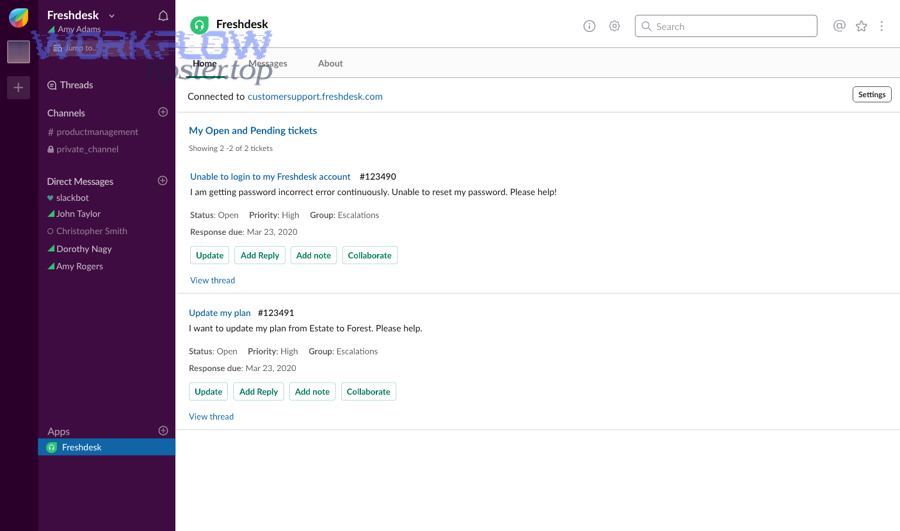
What are common rule patterns for triage (severity, product, customer tier)?
Most high-performing triage systems reuse a small set of rule patterns. The trick is to keep them simple enough to maintain and specific enough to be correct.
Pattern 1: Category-first routing
- If tag/category is
billing→ Linear team Billing → Slack #billing-triage - If category is
integrations→ Linear team Integrations → Slack #integrations-triage
Pattern 2: Severity override
- If severity is P0/P1 → Slack #incident-support + @oncall
- Else → normal channel alert only
Pattern 3: Customer tier override
- If tier is Enterprise/VIP → add label
VIP+ alert private #vip-escalations - Else → normal routing
Pattern 4: Environment-based routing
- If tag includes
production→ alert #prod-support and set higher default priority - If tag includes
staging→ route to standard queue
Pattern 5: Keyword-assisted classification (carefully)
- If subject contains “chargeback” + “payment failed” → propose billing tag
- Keep this as “assist” not “decide,” unless validated over time
To keep rules maintainable, store your routing logic as a readable “policy” document (even if it lives inside your automation tool). When rules exist only inside toggles and filters, people cannot audit them.
How do you route by priority vs by SLA risk (and which is better)?
Priority wins in business impact clarity, SLA risk wins in time sensitivity precision, and combining both is optimal for operational accuracy.
- Priority is a declaration: “This ticket matters more.”
- SLA risk is a countdown: “This ticket will breach soon.”
If you route only by priority, you might miss time-sensitive tickets that were mis-prioritized. If you route only by SLA risk, you might over-alert during high volume.
A strong model is:
- Use priority to set the Linear issue priority (work ordering)
- Use SLA risk to trigger escalation notifications (time-based alerts)
Example escalation ladder:
- SLA breach in 2 hours → notify channel
- SLA breach in 60 minutes → notify owner + on-call
- SLA breach in 15 minutes → notify escalation channel + manager rotation
This approach keeps Slack alerts proportional to urgency while keeping Linear tasks stable and trackable.
How do you implement the workflow step-by-step without missing tickets?
Implementing this workflow reliably requires one main method—build the taxonomy first, then map fields, then automate, then test and monitor—using 6 steps to achieve the outcome of consistent ticket routing with zero silent drops.
Below, the goal is not to “connect apps,” but to create a workflow that behaves like a dependable system.
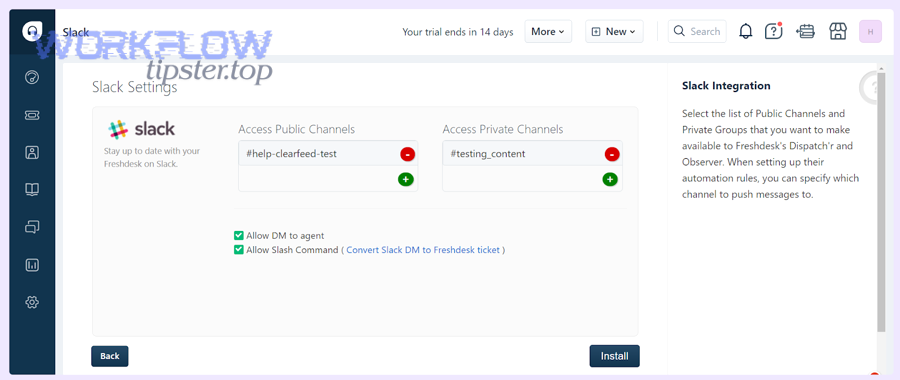
What triggers should start the automation (new ticket, status change, tag added)?
Triggers should start automation when the ticket becomes actionable—not merely when it exists—so you avoid duplicates, noise, and half-baked tasks.
Use these trigger patterns:
- New ticket created (with filters)
Trigger on new tickets, but only if they match actionable criteria (category, severity, group). This is the simplest and fastest path, but needs strong filtering. - Tag/category added
Trigger when a ticket is categorized (manually or via form). This often reduces misrouting because the classification step happens before automation fires. - Priority escalated
Trigger when severity moves upward (P2 → P1). This is excellent for “escalation automation” without spamming Slack on every new ticket. - Status transitions
Trigger when status moves to “Open” or “In Progress” to indicate active work, especially if “New” tickets are noisy or incomplete.
A practical recommendation is:
- Create Linear task on: tag added OR priority >= threshold
- Send Slack alert on: Linear task created OR SLA risk threshold crossed
This separation keeps Slack signals aligned with work creation.
To keep the system safe, add one fallback:
- A daily summary to a triage channel of tickets that matched conditions but did not create a task (a “missing sync” report)
This is how you prevent silent failure.
What testing checklist prevents duplicates, loops, and broken permissions?
A workflow is only real after you test it against failure modes. Use a checklist that covers both logic and operations:
Duplicate prevention tests
- Re-run the same trigger event: does it create a second Linear task?
- Edit a ticket field that should not retrigger: does it avoid re-creating?
- Add/remove tags: does it create one task and then only update it?
Loop prevention tests
- If Linear status changes, does it update Freshdesk correctly (if you sync)?
- Does that Freshdesk update re-trigger task creation? (it must not)
- If Slack thread updates, does it cause task updates? (only if intended)
Permissions and access tests
- Does the automation have permission to read ticket details?
- Does it have permission to create issues in the correct Linear team?
- Does it have permission to post in the target Slack channels?
Data integrity tests
- Does the ticket link always appear in the Linear task?
- Are labels and priorities mapped correctly?
- Are attachments handled (or explicitly omitted)?
Noise control tests
- High volume simulation: do you flood Slack?
- Do P0/P1 tickets trigger the right escalation path?
If you use a platform connector approach, Freshdesk itself documents how Zapier-based integrations work and how a Zap is structured (trigger + action), which is useful when validating that your trigger/action boundaries are correct. (support.freshdesk.com)
Can you keep Freshdesk, Linear, and Slack in sync without creating chaos?
Yes—you can keep Freshdesk, Linear, and Slack in sync without chaos if you define a source of truth, limit which fields sync bidirectionally, and use thread/task links as the audit trail, because unrestricted sync creates loops, conflicts, and noisy updates.
However, the key is deciding what “sync” means for each system, not treating sync as one big switch.
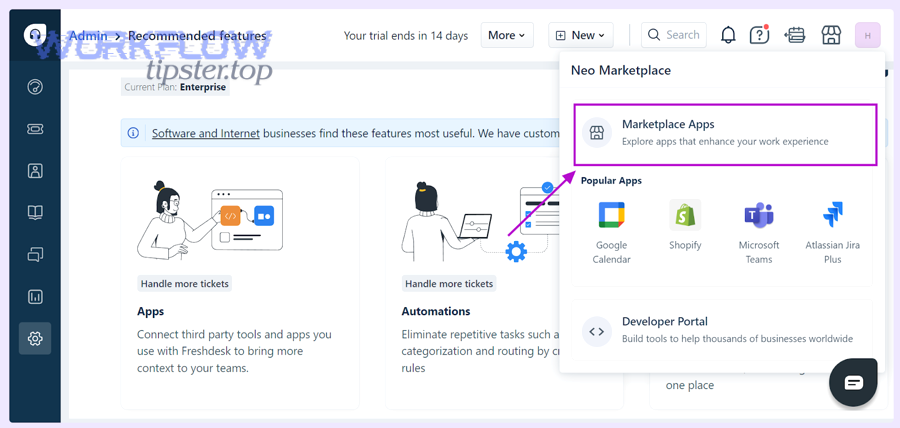
Which system should be the “source of truth” for status and ownership?
Freshdesk should be the source of truth for customer-facing status, Linear should be the source of truth for internal execution status, and ownership should be shared via a deliberate rule: “who owns the ticket” vs “who owns the fix.”
A clean model:
- Freshdesk status answers: “What is the customer-visible state?”
New / Open / Pending (waiting on customer) / Resolved - Linear status answers: “What is the internal work state?”
Triage / In Progress / Blocked / Done / Canceled
Then define a bridge:
- When Linear moves to Done → Freshdesk gets an internal note (“Fix shipped; advise customer”) or a status suggestion (support agent decides final customer messaging).
- When Freshdesk resolves → Linear task can be closed only if it truly represents no remaining work (avoid auto-closing engineering tasks prematurely).
For ownership:
- Freshdesk owner = support agent accountable to the customer
- Linear assignee = resolver accountable to internal delivery
This separation prevents situations where engineering “owns the ticket” while support loses customer accountability—or vice versa.
What’s the difference between one-way automation and bi-directional sync?
One-way automation means Freshdesk triggers creation/updates in Linear and Slack, while bi-directional sync means updates can flow both ways (e.g., Slack thread ↔ Linear comments, Linear status ↔ Freshdesk notes).
- One-way automation is simpler, safer, and easier to debug.
- Bi-directional sync is more powerful but riskier because it can create loops and conflicting states.
A practical strategy is “one-way by default”:
- Freshdesk → Linear: create task + update selected fields (priority, tags)
- Freshdesk → Slack: alert on create/escalate
- Linear → Slack: optional thread syncing (comments/status updates)
- Linear → Freshdesk: internal note only (avoid changing customer-facing status automatically)
Linear’s Slack integration explicitly supports creating issues from Slack messages and syncing threads bidirectionally, which is valuable—but only when you intentionally scope it to the right channels and ticket types. (linear.app)
What failure modes break triage automation—and how do you fix them?
There are 5 main failure modes that break triage automation—duplicates, misrouting, missing alerts, alert fatigue, and permission/rate-limit errors—based on the criterion of whether the system creates incorrect work, fails to create work, or creates work people ignore.
Next, each failure mode needs both a technical fix and an operational guardrail.
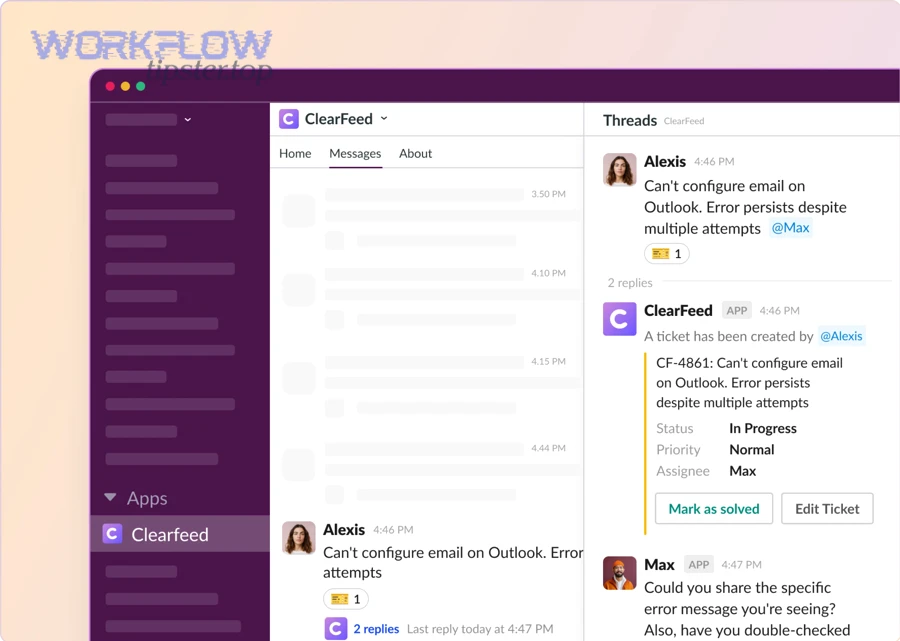
Why do duplicate Linear tasks happen and how do you prevent them?
Duplicate Linear tasks usually happen because the workflow has multiple triggers for the same logical event or because it lacks an idempotency strategy. Common causes include:
- A ticket update re-fires “create task” instead of “update task”
- Tag changes trigger multiple times (added, removed, re-added)
- Multiple automations overlap (two zaps/workflows both active)
- Retry behavior re-submits the create action after a timeout
Prevention strategies that actually hold up:
1) Idempotency key strategy (ticket ID as the unique key)
Use Freshdesk ticket ID as the unique key stored in the Linear issue:
- Put it in the title prefix:
[FD-12345] … - Put it in a custom field/label:
freshdesk:12345 - Put it in the description mapping block
Then apply “search-before-create” logic:
- If a Linear issue already exists with
freshdesk:12345, update it instead of creating a new one.
2) Trigger minimization strategy
Avoid multiple triggers that represent the same event. If you create tasks on “new ticket,” do not also create tasks on “status change” unless it is an escalation path that updates—not recreates.
3) Ownership boundary strategy
Ensure only one automation pipeline owns the “create Linear task” action. If you need multiple teams, route inside one pipeline rather than duplicating pipelines.
4) Human-visible duplication check
Post a short diagnostic line into Slack alerts:
- “Linked Linear issue: ABC-123 (freshdesk:12345)”
If someone sees two different issue IDs for the same ticket, they can flag it immediately.
Duplicates are not just annoying—they destroy trust. If the system creates fake work, people stop believing real alerts.
Why do Slack alerts fail or get ignored, and how do you reduce noise?
Slack alerts fail for two reasons: delivery failure (no permission, wrong channel, rate limits) and attention failure (people ignore them). Most teams fix delivery and forget attention—then wonder why triage still misses tickets.
Delivery fixes
- Validate the bot/app has channel access
- Use stable channel IDs (not renamed channels)
- Create a fallback channel for failures (#triage-errors)
- Implement retry rules with backoff (don’t spam)
- Log every alert event with a correlation ID (ticket ID)
Attention fixes (reducing noise)
- Send fewer alerts, but make each alert more actionable
- Use severity thresholds for @mentions
- Route informational tickets to a low-noise channel
- Batch non-urgent alerts into a periodic digest
- Keep alert messages short and consistent (same structure every time)
A simple noise policy that works:
- P0/P1 → immediate alert + owner mention
- P2 → channel alert only
- P3 → digest only (unless VIP tier)
This is also where your broader automation workflows strategy matters: if you already run pipelines like “github to clickup to discord devops alerts,” you’ve likely seen how notification floods reduce signal. The same principle applies here—triage needs signal, not volume.
What advanced patterns and tool choices improve Freshdesk → Linear → Slack triage automation?
Advanced improvement comes from choosing the right integration method, adding governance controls, and designing “anti-automation” escape hatches, because once your core workflow works, micro-optimizations determine whether the system stays reliable under scale and edge cases.
Besides, these patterns help you expand semantic coverage without changing the core ticket-routing logic.
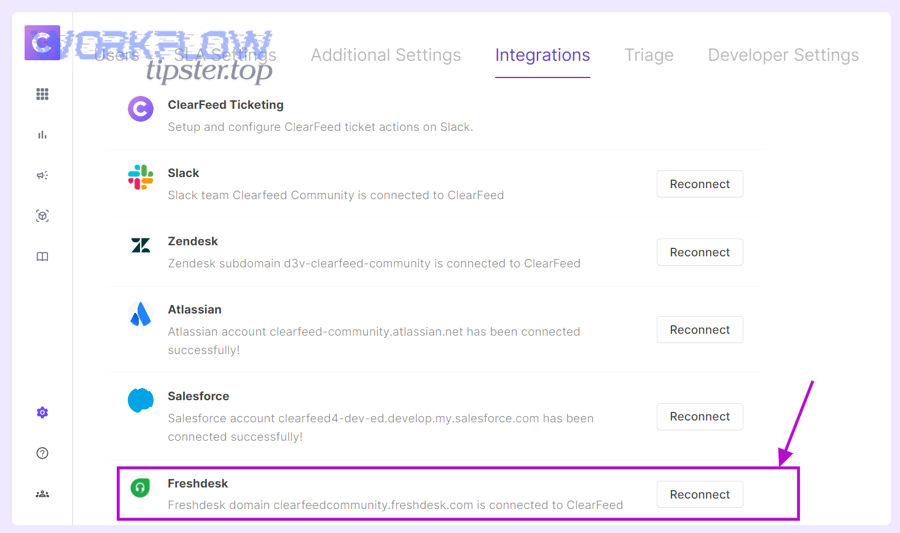
Which is better for this workflow—native integrations or automation platforms (e.g., Zapier/n8n-style)?
Native integrations win in simplicity and stability, automation platforms win in flexibility and customization, and the best choice depends on how complex your routing and mapping requirements are.
- Choose native integrations when:
- Your routing rules are simple and stable
- You want fewer moving parts
- You want faster setup and less maintenance
- Choose automation platforms when:
- You need complex filters (VIP tier, region, SLA thresholds)
- You need multi-step logic (create issue, then post alert, then write-back note)
- You need transforms (format ticket description, redact PII, attach structured blocks)
For example, Zapier provides a ready-made pattern to create Linear issues from new Freshdesk tickets, which is ideal when you want to start with a proven template and then refine mapping and routing over time. (zapier.com)
As your operations mature, you may also run adjacent pipelines like “airtable to microsoft word to google drive to docusign document signing” or “airtable to google docs to box to dropbox sign document signing,” and the same selection logic applies: native is fast, automation platforms are flexible, and governance decides what is safe.
What governance rules protect customers and the team (PII redaction, permissions, private channels)?
Governance rules keep automation from leaking sensitive information and keep teams from exposing customer data in public channels. Strong governance includes:
1) Data minimization rules
- Post only what responders need to act: ticket ID, subject, category, severity, link
- Keep raw customer messages inside Freshdesk unless necessary
- Avoid including emails, phone numbers, payment info in Slack messages
2) Redaction rules
- Replace patterns (emails, credit card-like sequences) with
[REDACTED] - Strip attachments from Slack alerts; keep them linked from Freshdesk
3) Channel security rules
- VIP/legal/security tickets route to private channels
- Restrict who can invite others to those channels
- Use DM alerts for sensitive tickets instead of channel posts
4) Principle-of-least-privilege for integrations
- The automation app should only access what it needs (specific teams/projects/channels)
- Separate “posting” permissions from “admin” permissions
Governance is not bureaucracy; it is what lets you scale automation workflows without scaling risk.
How do you handle high-volume incidents without notification storms (throttling, batching, escalation)?
Incident mode is where most triage systems fail, because the volume spikes and humans mute channels. You need rules that preserve signal under load.
Throttling patterns
- Rate-limit alerts per category (e.g., max 1 alert per minute per route)
- Collapse duplicates: “12 new tickets in Billing P1 in last 10 minutes”
- Use a single “incident thread” where updates are aggregated
Batching patterns
- Digest P3 tickets every 30–60 minutes
- Digest repeated low-severity tickets by cause (“login issue” cluster)
Escalation patterns
- Escalate only when breach risk rises, not when ticket count rises
- Escalate to on-call only for P0/P1, and only after classification is confident
A good incident rule is: make the channel quieter as the incident gets louder, so responders can think.
What’s the antonym of “fully automated triage”—and where should manual review stay?
The antonym of fully automated triage is human-gated triage, and it should remain in place where mistakes are expensive: VIP tickets, legal/security issues, ambiguous categories, and early rollout periods.
Use human-gated triage when:
- The category is uncertain (misrouting risk is high)
- The customer tier is sensitive (VIP risk is high)
- The content may include PII (exposure risk is high)
- The system is new (rules not validated yet)
A practical “manual gate” design:
- Automation creates a Linear task in a “Triage Review” queue
- A triage lead approves routing with one action (then automation completes assignment + alerts)
This approach gives you the best of both worlds: automation for speed, humans for correctness where it matters most.
Note on terminology consistency (hook chain): throughout this article, the same hook chain stays intact: Freshdesk ticket → ticket routing (support triage) → Linear task → Slack alerts → ownership and resolution—so your workflow remains predictable as you scale.