


If your Zap fails with 403 Forbidden in a Zapier Webhooks / Webhooks by Zapier step, you can usually fix it by aligning three things: identity (auth), authority (permissions/scopes), and endpoint rules (security policies)—so the server stops refusing your request.
Many 403 cases feel confusing because the request “looks correct,” yet the destination still denies it. The fastest path is to treat 403 as an authorization + policy problem and prove which layer is blocking you using logs and controlled tests. (developer.mozilla.org)
Some 403 errors are not about your credentials at all—they’re caused by WAF/bot protection, IP deny rules, or security plugins that label automated traffic as suspicious. Once you recognize those signatures, you can switch from random tweaking to targeted remediation. (developers.cloudflare.com)
Introduce a new idea: below is a structured, repeatable workflow that moves from meaning → diagnosis → fixes → prevention, and then into advanced cases that turn “Forbidden” into “Allowed” without weakening security.
What does “403 Forbidden” mean in Zapier Webhooks?
A 403 Forbidden in Zapier Webhooks is an HTTP refusal where the server understands your request but will not process it, typically due to permission rules or security policy—even if your endpoint is reachable. (developer.mozilla.org)
Next, because “Forbidden” is a precise signal, you can use it to narrow the problem faster than generic trial-and-error.
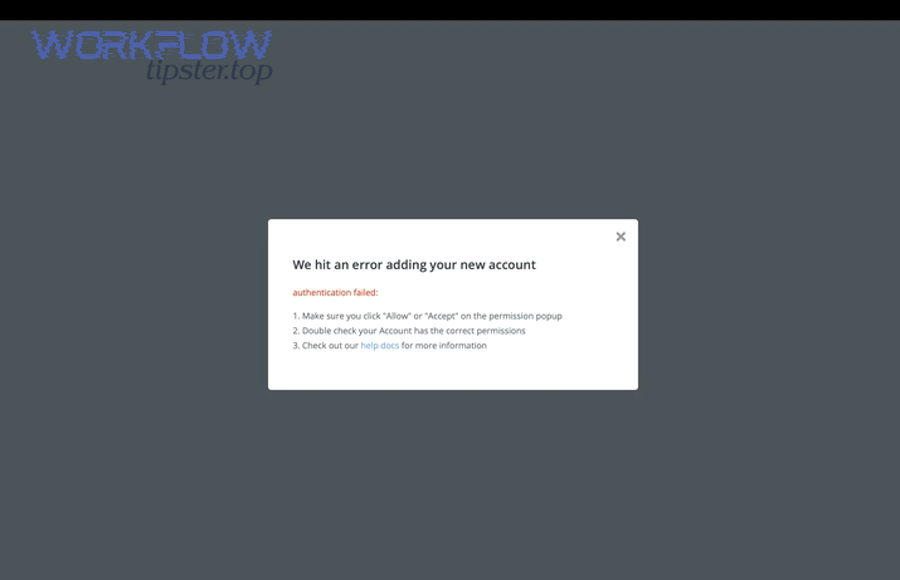
In Zapier Webhooks, a 403 almost always means the destination system has identified one of these patterns:
- You authenticated, but you’re not allowed to access that resource or perform that action (role/scope mismatch, missing capability, restricted tenant).
- You did not authenticate in the required way, but the server intentionally returns 403 (some APIs do this to avoid leaking auth details).
- A security layer in front of the API (WAF, bot protection, IP rules, plugin firewall) blocks the request before the app logic sees it.
- The request shape violates policy (method not permitted by policy, missing required header, disallowed content type, suspicious payload keys).
A practical way to think about it: 403 is the server saying “I know what you’re asking, but I’m not letting you do it.”
Is a 403 error the same as a 401 in Zapier webhooks?
No—403 Forbidden is not the same as 401 in Zapier webhooks, because 401 points to missing/invalid authentication, while 403 points to access being denied even when the server understands who you are or what you’re attempting. (developer.mozilla.org)
Then, once you separate 401 vs 403, your troubleshooting becomes much cleaner:
- 401 Unauthorized: fix credentials (wrong token, missing Authorization header, token expired, wrong auth type).
- 403 Forbidden: fix permission or policy (token lacks scope, user role insufficient, IP blocked, WAF rule triggered).
To illustrate this difference in a real workflow: if you rotate an API token and still get 403, you likely need to adjust scopes/roles or endpoint allow rules, not just “reconnect the account.”
Which parts of the webhook request usually trigger a 403?
There are 5 main parts of a webhook request that most often trigger a 403: Authorization, Permissions/Scopes, Endpoint/Method, Headers, and Security filters, based on where the destination decides to deny access. (developer.mozilla.org)
Next, use this checklist to quickly isolate the culprit:
- Authorization header
- Missing
Authorizationheader - Wrong prefix (e.g., missing
Bearer) - API key placed in the wrong location (header vs query param)
- Missing
- Permissions / scopes / roles
- Token belongs to a user without required role
- OAuth token lacks scope required for the endpoint
- Org-level setting blocks the action (read-only, restricted resources)
- Endpoint path + method
- Correct domain but wrong resource path
- Endpoint requires
POSTbut you sendGET, or vice versa - Using a “write” endpoint while authenticated as a “read-only” integration
- Required headers / content types
- Missing
Content-Type: application/jsonwhen JSON is required - Missing tenant header (some APIs require
X-Org-Idor similar)
- Missing
- Security filters / gateways
- WAF blocks “automated traffic”
- IP deny rules
- Bot protection challenges that non-browsers can’t solve (developers.cloudflare.com)
If you treat these as the “five doors” a request must pass through, you can troubleshoot 403 systematically instead of guessing.
How do you confirm what’s causing a 403 in a Zapier webhook request?
Use a 3-step diagnostic method—capture the exact request, reproduce it outside Zapier, and change one variable at a time—to confirm precisely why your webhook gets 403 and what to fix. (community.zapier.com)
To begin, you need evidence from the run that failed; otherwise, you’re troubleshooting a moving target.

Can you reproduce the 403 outside Zapier to isolate the issue?
Yes—you can reproduce the 403 outside Zapier, and doing so is one of the fastest ways to isolate whether the block is caused by the endpoint policy or your Zapier-specific request shape. (developers.cloudflare.com)
Next, reproduce with a tool that lets you see and control every field:
- cURL for a minimal, exact request.
- Postman/Insomnia for quicker iteration and viewing responses.
- A lightweight script (Node/Python) if you need custom signing or headers.
When reproducing, match these details exactly:
- URL (including query params)
- HTTP method
- Headers (especially Authorization and Content-Type)
- Body encoding and JSON structure
- Any required tenant/account context headers
How to interpret the result:
- If cURL/Postman also gets 403, the block is not Zapier-specific—it’s permissions/policy/security at the destination.
- If cURL/Postman succeeds but Zapier fails, the destination is rejecting something about Zapier’s request (headers, user agent, IP reputation, missing required field, or payload differences).
This is also where you’ll catch “silent differences,” such as Zapier sending JSON vs form-urlencoded, or adding/removing headers you assumed were present.
What should you check first in Zapier Task History for a 403?
You should check 4 things first in Zapier Task History for a 403: the response body, the request URL/method, the Authorization/header set, and whether the failure happens in Test vs Live. (community.zapier.com)
Then, follow this quick triage sequence:
- Response body (most valuable clue)
- Look for strings like
insufficient_scope,access_denied,forbidden,blocked,WAF,cloudflare,mod_security. - Some systems return a JSON error object that clearly names the missing permission.
- Look for strings like
- Request summary
- Confirm the exact endpoint path (typos and wrong versions cause “permission-like” failures).
- Confirm the HTTP method matches the API documentation.
- Headers
- Verify
Authorizationis present and properly formatted. - Confirm
Content-Typefits the body (JSON vs form).
- Verify
- Test vs Live behavior
- A Zap that passes “Test” but fails “Live” often indicates token/storage differences, environment differences, or rate/security rules that trigger under real data.
If you’re doing zapier troubleshooting often, save a template checklist for Task History so every 403 investigation starts from the same evidence—not memory.
How do you fix 403 Forbidden in Zapier Webhooks step-by-step?
Fix 403 Forbidden in Zapier Webhooks by applying a 6-step checklist—verify auth, confirm permissions, validate endpoint/method, normalize headers/body, handle security blocks, and retest—to turn the request from blocked to accepted. (developer.mozilla.org)
Next, use the steps in order; they’re arranged from “most common and fastest” to “less common but decisive.”
Here’s a structured checklist you can copy into your runbook. This table shows what to change, what it proves, and what success looks like.
| Step | What you do | What it proves | What success looks like |
|---|---|---|---|
| 1 | Confirm the exact endpoint + method | You’re calling the correct resource with the correct verb | 2xx response or a different, more specific error |
| 2 | Re-check Authorization format | Token/key is present and structured correctly | Error changes from “forbidden” to “ok” or to “missing scope” |
| 3 | Verify scopes/roles at destination | The account is allowed to perform the operation | Response becomes 2xx |
| 4 | Align headers + content type | The server can parse and accept your request shape | Response becomes 2xx or validation errors (progress) |
| 5 | Address WAF/IP/security blocks | The request is trusted by edge/security layers | 403 disappears or challenge removed |
| 6 | Retest in Zapier (Test + Live) | The fix holds in real runs | Successful live task completion |
Is your authentication configured correctly for the target API?
Yes—authentication is correctly configured only if your Zapier webhook includes valid credentials in the required location, and the destination accepts them; you confirm this by matching auth type + format + placement and seeing the response change or succeed. (developer.mozilla.org)
Then, validate by auth type:
- Bearer token (most common)
- Header must look like:
Authorization: Bearer YOUR_TOKEN - Common mistake: sending the raw token without
Bearer
- Header must look like:
- API key
- Some APIs require
X-API-Key: ... - Others require
api_key=...in query params - If you put it in the wrong place, many servers respond 403
- Some APIs require
- Basic auth
- Ensure base64 encoding is correct and the account has privileges
- OAuth
- Confirm token is not expired and includes the correct scopes
- Reconnect if token storage changed or access was revoked (community.zapier.com)
Practical Zapier tip: If you paste credentials into a header field, avoid invisible characters (copy/paste from formatted docs can add whitespace). A single trailing space can turn “Allowed” into “Forbidden.”
Do you have the required permissions/scopes/roles on the destination app?
Yes—you have required permissions only if the user/account behind the token has a role or scope that explicitly allows the endpoint action, and you can demonstrate it by testing a known-allowed operation (read) vs the blocked operation (write). (developer.mozilla.org)
Next, treat permissions as three layers:
- User role (e.g., admin/editor/viewer)
- App permissions/scopes (OAuth scopes, API entitlements)
- Resource-level access (the specific project/list/site the token can touch)
A reliable way to debug scope/role issues is to change only the operation:
- If
GET /resourceworks butPOST /resourcereturns 403, your identity is valid but your authority is insufficient. - If
POST /resourceAworks butPOST /resourceBfails, your authority is limited to certain resources.
Evidence: According to a study by Carnegie Mellon University from the Software Engineering Institute, in 2024, broken authentication and access issues are frequently driven by weak mechanisms and misconfigurations, and the report notes the importance of clearly separating authentication mechanisms from authorization controls. (sei.cmu.edu)
Is your request method or endpoint path restricted by the API?
Yes—your method/path is restricted if the API only allows certain verbs or routes for your role/tenant, and a fast confirmation is to compare the same token against a documented “allowed” endpoint versus the failing one. (developer.mozilla.org)
Then, check these common restrictions:
- Method restrictions
- Some gateways allow
GETbut blockPOST/DELETEunless special permission is granted.
- Some gateways allow
- Path restrictions
- Versioning matters:
/v1/...vs/v2/... - Admin-only routes often return 403 even with valid tokens
- Versioning matters:
- Tenant context
- Multi-tenant APIs may require an org/workspace header or subdomain
- Without it, the server “knows you” but refuses the action
If you’re seeing 403 after a small endpoint change, assume “policy boundary” first—not “random failure.”
Which common 403 scenarios happen most in Zapier webhook automations?
There are 3 main categories of 403 scenarios in Zapier webhook automations—permission denial, security blocking, and request-shape policy violations—based on where the destination decides to refuse your request. (developers.cloudflare.com)
Next, use these categories to pick the right fix path immediately.
What are the most common 403 causes: permissions, security blocks, or request formatting?
Permissions win in “I’m logged in but not allowed” cases, security blocks win in “edge layer rejects automation traffic” cases, and request formatting is best for “server policy refuses how you sent it” cases. (developers.cloudflare.com)
Then, differentiate by the fingerprints:
- Permissions / scopes / roles
- Response body mentions
insufficient_scope,permission,role,capability - A different user/token might work
- Often consistent across environments
- Response body mentions
- Security blocks (WAF / bot protection / IP rules)
- Response body may include a branded block page or generic “Access denied”
- Often intermittent or triggered by certain payload patterns
- May appear after enabling security features at the edge (developers.cloudflare.com)
- Request formatting / policy
- Response indicates unacceptable content type or missing required header
- Changing
Content-Typeor payload encoding changes the result - Might show validation-style errors after you fix the blocking condition
This is also where you should think about adjacent failure modes in automation: if your team is dealing with zapier duplicate records created troubleshooting, a silent 403 retry loop can contribute to partial failures and compensating logic that creates duplicates—so classifying 403 correctly reduces downstream data damage.
Which platform-specific cases cause 403 in WordPress/WooCommerce + Zapier?
There are 4 common platform-specific 403 causes in WordPress/WooCommerce + Zapier—plugin/version mismatch, REST API user permissions, security plugin/firewall blocking, and stale/revoked credentials—based on the component that denies access. (community.zapier.com)
Next, use targeted fixes for each:
- WooCommerce plugin/version mismatch
- Update the WooCommerce Zapier plugin or integration components
- Re-test the connection after updating (community.zapier.com)
- REST API user permissions
- Ensure the API user has the right WordPress role/capabilities for the action (create/edit categories, posts, products)
- Security plugins / WAF
- Temporarily disable the blocking rule for the API route
- Allowlist
/wp-json/routes or add exclusions for authenticated API calls
- Credentials revoked / expired
- Reconnect and reauthorize the WordPress account inside Zapier (community.zapier.com)
If your WordPress site recently tightened security, it’s common for an automation that worked yesterday to start returning 403 today—without any Zap change—because the policy boundary moved.
How do you validate the fix and prevent 403 from returning?
Validate and prevent 403 by doing a two-phase retest (Test + Live) and implementing 3 long-term controls—token lifecycle management, least-privilege permissions with documentation, and monitoring/alerting on failures—so your webhook stays allowed over time. (community.zapier.com)
Next, think of validation as proving two things: the request now succeeds and it will keep succeeding when data and conditions change.
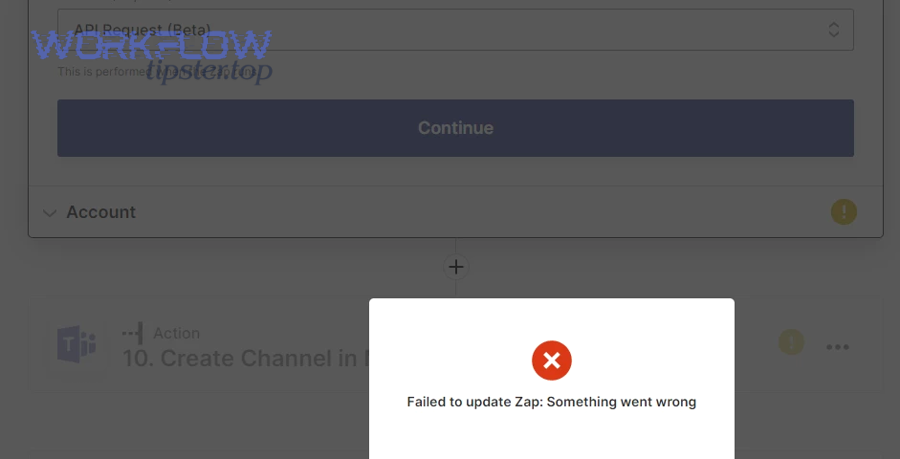
Should you retest in Zapier after changing auth, permissions, or headers?
Yes—you should retest in Zapier after changes because Zapier caches samples and credentials, and a fresh Test + Live run verifies the updated request actually reaches the endpoint with the new identity, authority, and headers. (community.zapier.com)
Then, retest in this order:
- Re-test the Webhooks step (generate fresh sample and confirm status code)
- Run the Zap with known-safe sample data
- Trigger a real live event (the same path your production data will take)
- Confirm downstream steps (no partial failures, no missing data)
If you only test the webhook step but don’t run live data through the whole Zap, you can miss “live-only” constraints like edge security rules or missing dynamic fields.
How do you prevent 403 errors in production Zaps long-term?
There are 5 practical prevention controls for production Zaps: document scopes, use least-privilege roles, rotate tokens intentionally, separate environments, and monitor failures with action thresholds, based on what most often causes “403 regressions.” (developers.cloudflare.com)
Next, apply them as operational habits:
- Document “what this token is allowed to do”
- Write down the endpoints and actions the integration needs
- Keep the scope list in the same place your Zap is documented
- Use least privilege, but avoid “too little privilege”
- Overly strict scopes cause recurring 403s after new actions are added
- Align privileges to your real automation requirements
- Token lifecycle management
- Rotate tokens on a schedule
- Reauthorize OAuth connections when ownership changes
- Environment separation
- Use sandbox endpoints/tokens for testing and production endpoints/tokens for live
- Monitoring and alerting
- Alert on repeated 403s, not one-off noise
- Add “circuit breaker” logic so repeated failures don’t create side effects (like duplicate writes)
This is also a good place to proactively reduce related workflow risks—if your team is doing zapier attachments missing upload failed troubleshooting, a 403 to your file endpoint can present as “upload failed,” so keeping credential scopes and allow rules healthy reduces attachment-related breakage too.
Why do some endpoints block Zapier webhooks as “Forbidden,” and how do you make them “Allowed”?
Endpoints block Zapier webhooks as “Forbidden” when security policy rejects the request, and you make them “Allowed” by fixing 3 trust signals—identity, reputation, and verification—so edge/security layers stop denying automation traffic. (developers.cloudflare.com)
Next, this is where many experienced builders get stuck: the token is valid, the role is correct, and the endpoint is right—yet 403 persists because the block happens before the application logic.
Can a WAF (e.g., Cloudflare or mod_security) block Zapier and return 403?
Yes—a WAF can block Zapier and return 403 because WAF rules, security levels, bot checks, or mod_security policies may classify automated webhook traffic as suspicious and deny it at the edge. (developers.cloudflare.com)
Then, confirm a WAF-driven 403 by looking for these signs:
- 403 response includes WAF branding or references to challenges/managed rules
- The same request succeeds from a browser but fails from automation
- The block starts after security settings are enabled or tightened (developers.cloudflare.com)
Safe fixes that preserve security:
- Add an exception for the specific API route (not global disablement)
- Allow only the necessary methods and content types
- Create a rule that trusts authenticated API traffic while still blocking anonymous attack patterns
If you’re publishing internal notes for your team, label this section clearly as a policy change so it doesn’t get “undone” later during unrelated security work.
Do you need IP allowlisting or custom headers to make Zapier requests pass?
Yes—you may need IP allowlisting or custom headers when the destination API enforces network trust boundaries, requires gateway-specific context headers, or blocks unknown IP ranges by default. (developers.cloudflare.com)
Next, treat this as “trust boundary alignment,” not “Zapier misbehavior”:
- IP allowlisting is common in enterprise environments where only known sources may call the API.
- Custom headers may be required for tenant context, org routing, or internal policy compliance.
If you can’t change allowlists (because security team controls them), you can still provide them the exact request fingerprints they need: endpoint routes, methods, auth type, and failure timestamps from Task History.
Is webhook signing (HMAC) required, and can missing signatures cause 403?
Yes—webhook signing can be required, and missing or invalid HMAC signatures can cause 403 when the server treats unsigned requests as untrusted and denies them even if other credentials look correct. (sei.cmu.edu)
Then, handle signing like a first-class requirement:
- Confirm the exact signing scheme (secret, hashing algorithm, canonical string, timestamp tolerance)
- Generate signature deterministically (avoid whitespace/encoding differences)
- Send signature in the correct header (e.g.,
X-Signature,X-Hub-Signature-256, or vendor-specific headers)
When signing is required, “it works in Postman” might still fail if Postman’s body encoding differs from Zapier’s. Your goal is to make the signed string match exactly what the server recomputes.
What’s the difference between fixing 403 by changing permissions vs changing the request shape?
Fixing 403 by changing permissions is best when the identity is correct but lacks authority, while changing the request shape is optimal when policy rejects how the request is formed; security-layer blocks often require trust rule adjustments rather than either. (developers.cloudflare.com)
In practice:
- Choose permissions changes when:
- Error body mentions scope/role/capability
- Read works but write fails
- Choose request-shape changes when:
- Content-Type or required headers are missing
- The endpoint rejects payload encoding
- Choose security/policy changes when:
- WAF/bot protections block requests
- IP rules deny traffic at the edge (developers.cloudflare.com)
If you’re publishing this as a public-facing guide (or a branded resource like WorkflowTipster), the most helpful takeaway is to teach readers to pick the right fix class early—because that’s what turns “Forbidden” into “Allowed” with minimal risk and maximum speed.