


If Slack pagination feels like it’s “missing records,” the fastest fix is to treat paging as a repeatable cursor loop: request a page, process it, extract next_cursor, and keep going until that cursor is empty—while keeping your time filters and sort assumptions stable.
Many “missing” results aren’t actually missing—they’re filtered out by subtle parameters (like oldest/latest), permissions (bot not in the channel, wrong token), or data shape (threads vs channel timeline, edits, deletions), so the API output is complete for the query you actually sent.
You’ll also want to harden the loop against operational realities—rate limits, retries, and long-running exports—so you don’t silently stop early and mistake it for a data gap.
Introduce a new idea: once you connect each of those failure modes to a specific check, Slack pagination becomes predictable and you can consistently pull complete, verifiable datasets.
Why do Slack API pages look like they’re “missing records”?
Yes—Slack pagination can look like it’s missing records because your query window, permissions, or paging logic can exclude items in at least three common ways: time-bounding filters, incomplete cursor loops, and access/visibility limits. Next, the quickest way to debug is to separate “records not returned” into (a) not in scope, (b) not accessible, or (c) not paged yet.
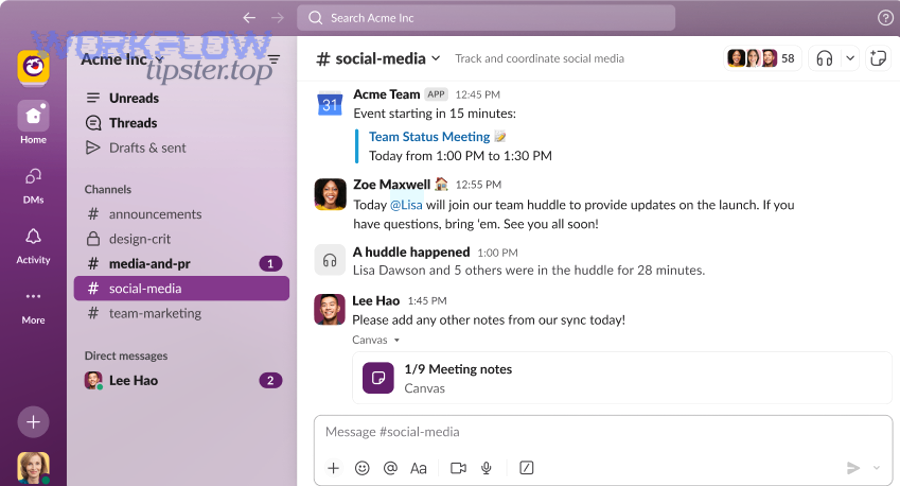
Is it “missing records,” or are you querying a smaller time window than you think?
A lot of Slack “missing” reports come from sending oldest/latest (or equivalent bounds) that don’t match the UI timeline you’re comparing against.
- UI vs API perspective mismatch: The Slack client often loads messages lazily, and you may be scrolling across a much wider range than your API bounds.
- Inclusive boundaries: Depending on the endpoint, time bounds are typically inclusive, which can create perceived gaps or duplicates if you treat them as exclusive during incremental pulls.
- Timezone assumptions: You compare “yesterday” in local time, but your job computed bounds in UTC (or vice versa), shifting the window.
Slack Troubleshooting tip: print the exact oldest/latest values you send and translate them into human time before you compare results to the UI.
Are you stopping after the first page (or treating limit as “all results”)?
Many Slack Web API methods return a page of items plus a cursor for the next page. If you:
- call once,
- see “some” data,
- and assume Slack returned everything,
…you’ll almost always conclude “missing records” when the channel is larger than one page.
The limit is a maximum per response, not a promise that Slack will return the entire dataset in one go. Your code must keep requesting additional pages until the cursor is exhausted.
Could the data be there, but in a different shape (threads, replies, edits, deletions)?
Channel history and thread replies are related but not identical.
- A message can appear in the channel timeline without all thread replies.
- A thread reply can exist even if your “main timeline” query doesn’t expose it the way you expect.
- Edits and deletions can alter what you see in UI vs API, especially when you export incrementally and compare later.
The practical takeaway: define what “complete” means—channel messages only, or messages + replies + file metadata + attachments—then make the API calls that correspond to that definition.
What is the correct Slack cursor pagination loop to avoid missing pages?
The correct approach is a cursor-based paging loop: request a page, process it fully, read next_cursor, and repeat until next_cursor is empty—so you reliably reach the end of the collection. Then, you harden it with logging, idempotent processing, and a clear stop condition.
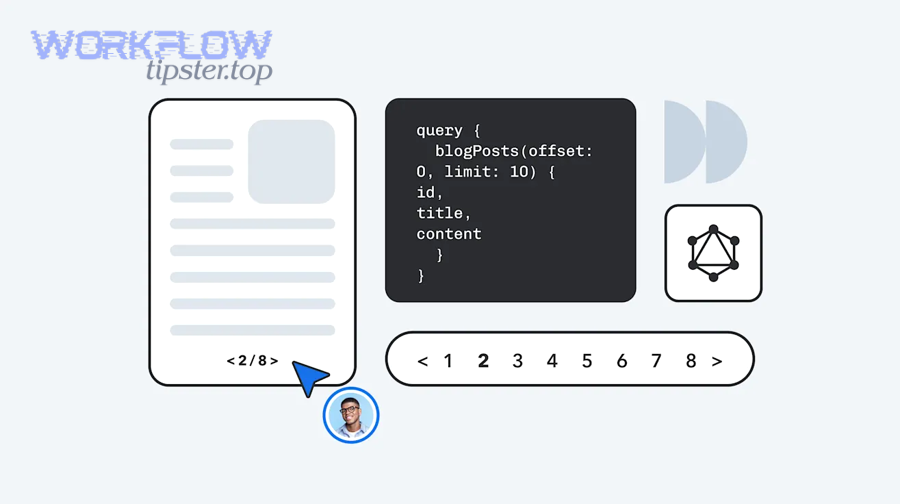
How do you loop on next_cursor without skipping or repeating?
A reliable loop has three invariants:
- You never drop a page
- You only advance after processing the current page.
- You treat the cursor as opaque
- You do not parse it, modify it, or infer meaning from its characters.
- You stop only when the cursor is empty
- “Empty” commonly means missing/blank
next_cursor.
- “Empty” commonly means missing/blank
A conceptual sequence looks like this:
- Start with
cursor = "" - Request page with
limitandcursor(if cursor is not empty) - Process every item in the response (store, transform, or enqueue)
- Read
next_cursor - If
next_cursoris empty → stop; else setcursor = next_cursorand continue
To prevent accidental early stops, log these fields per page:
- page number
- request params (especially bounds and cursor presence)
- count of items returned
next_cursorpresent/empty- cumulative item count
What should your stop condition be when a page returns fewer than limit items?
Do not stop just because a page returns fewer than limit. A smaller page can happen for normal reasons (server-side filtering, internal partitioning, timing boundaries).
Your only safe stop condition is: cursor exhausted (empty next_cursor). If the endpoint uses a has_more flag instead, treat that as the continuation signal—but don’t mix assumptions between endpoints.
Should you page forward or backward (newest-to-oldest vs oldest-to-newest)?
Pick one direction and keep it consistent with your use case:
- Backfills / exports: often easiest to fetch newest-to-oldest and checkpoint the oldest processed message as you go.
- Incremental sync: often easiest to fetch oldest-to-newest within a bounded window so “new messages since last run” is deterministic.
Whichever direction you choose, ensure your “cursor loop” and your “time window logic” don’t fight each other.
Which Slack pagination parameters most often cause “missing records”?
The parameters that most often create “missing records” are the time bounds (oldest, latest), the page size (limit), and the cursor (cursor)—because they change what is in-scope and whether you actually traverse all pages. In addition, message subtype filters and “include/exclude” flags can narrow results in ways that look like gaps.
Which time-bound settings typically exclude messages you expected?
Time bounds are the #1 silent filter. Common mistakes include:
- Using
latestunintentionally (e.g., defaulting to “now” in a retry, but comparing against a UI view that includes messages after your job started). - Overlapping windows without deduping (looks like duplicates), then “fixing duplicates” by skipping items (creates real gaps).
- Rounding timestamps (e.g., truncating milliseconds) which can exclude boundary items during incremental pulls.
A simple rule for incremental pulls:
- Always store a checkpoint (last processed message timestamp + tie-breaker)
- Query from that checkpoint forward
- Deduplicate safely (never “skip” without verifying you already stored the record)
Does limit affect completeness, or only performance?
limit affects performance and throughput, but it can also affect your perception of completeness:
- A small
limitincreases page count, increasing the chance you hit a rate limit or timeout and stop early. - A large
limitreduces page count but can increase payload size, which increases the chance of transient transport failures.
Treat limit as a tuning knob, not a completeness guarantee. Completeness comes from the full cursor traversal plus stable bounds.
Are there endpoint-specific flags that change what “counts” as a record?
Yes. Depending on the method you call, flags can:
- include/exclude bot messages,
- include/exclude certain subtypes,
- change whether you receive extra metadata.
If you compare output from two different endpoints (or two different flag sets), you can easily conclude “missing” when you are really seeing different slices of the same underlying history.
How do you prevent duplicates and gaps when paging Slack history?
You prevent duplicates and gaps by using a stable checkpoint strategy, deduplicating with deterministic keys, and keeping your paging direction and time bounds consistent across runs. In addition, you add a “safety overlap” and prove correctness with counts and page logs.
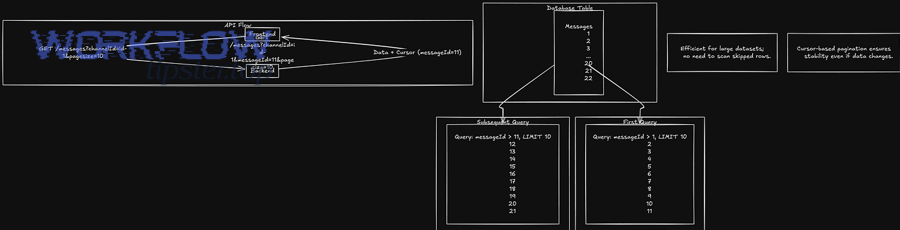
What is the safest dedupe key for Slack messages?
A strong dedupe strategy uses:
- the message timestamp (
ts) as the primary key, - plus a tie-breaker when needed (for edge cases where multiple items share constraints).
Practical options:
- Primary:
channel_id + ts - When you need more: add
client_msg_id(when present) or an internal hash of stable fields
Your goal is idempotency: processing the same page twice should not create duplicates, and retrying after a failure should not “skip ahead.”
Should you use overlap windows, and how large?
Yes—use a small overlap to avoid gaps caused by boundary conditions and clock drift.
Example strategy:
- Each run queries from
last_checkpoint - overlap_seconds - You dedupe records already stored
- You advance the checkpoint to the max processed timestamp after the run completes successfully
Keep overlap small (minutes, not days) unless your system is extremely delayed. Overlap is a safety net, not a substitute for correct cursor traversal.
How do you prove you didn’t miss anything?
Use verification signals:
- Page accounting: total items processed = sum(items per page). If a job ends without cursor exhaustion, treat it as incomplete.
- Checkpoint continuity: the next run should start at or before the last checkpoint and never jump forward without confirming storage.
- Spot checks: compare a handful of known timestamps/messages from the UI against your stored dataset.
This is where “missing vs complete” becomes testable: you can define “complete” as “cursor exhausted and checkpoint advanced.”
Are Slack rate limits, retries, and timeouts causing missing pages?
Yes—rate limits, retries, and timeouts can cause missing pages when your job silently stops early, drops a retry, or changes parameters between attempts, especially in slack timeouts and slow runs. Moreover, the fix is to implement backoff, honor retry guidance, and make your paging loop resumable.
Before the tactics, it helps to map symptoms to causes. The table below summarizes the most common “missing records” patterns that are actually operational failures:
Table context: This table maps common pagination symptoms to their most likely operational causes and the fix that restores complete exports.
| Symptom you see | Likely cause | Fix that restores completeness |
|---|---|---|
| Export always stops around the same page | Rate limit throttling or consistent timeout | Backoff + queue requests; persist cursor checkpoints |
| “Random” gaps appear under load | Retries restart with different bounds or lost cursor state | Make retries idempotent; retry the same request parameters |
| Job finishes “successfully” but counts are low | Early exit on partial page or exception swallowed | Fail fast on incomplete cursor traversal; log next_cursor status |
How should you handle HTTP 429 and “try again later” responses?
Treat rate limiting as a normal control signal, not an error you ignore.
Core practices:
- Honor retry delays (e.g., wait the suggested duration before re-trying)
- Use exponential backoff for transient errors
- Limit concurrency (parallel calls can trigger more throttling than a single steady worker)
- Persist cursor state so you can resume precisely where you left off
According to a study by University of Vienna from the Faculty of Computer Science, in 2023, researchers described rate limiting patterns that rely on explicit communication and retry/queuing strategies to prevent overload while preserving reliable client behavior.
Why do retries sometimes create gaps instead of fixing them?
Retries create gaps when they are not request-identical.
Common anti-pattern:
- you retry after an error but recompute
latest = now(), - or you drop the cursor and start again,
- or you switch between paging direction and time windows.
Reliable retry rule:
- Retry the same request (same bounds, same cursor, same limit)
- Only move the cursor forward after the response was fully processed and committed
What about attachment-related failures—can they look like missing message records?
Yes—if you treat “record completeness” as “message + all file artifacts,” then file retrieval or upload/download failures can make the dataset feel incomplete even when message paging was correct.
This shows up in pipelines as error clusters like: slack attachments missing upload failed. The fix is to decouple:
- message paging (history completeness),
- file fetch/upload (artifact completeness),
…and to track them with separate checkpoints and retry logic so file errors don’t prematurely terminate message pagination.
Could permissions, scopes, or membership be filtering out Slack messages?
Yes—permissions can make records appear missing because the API will only return what the token is authorized to see, and bots often lack channel membership or scopes needed for full history. Besides, the fastest check is to verify membership + scope + token type for the specific endpoint.
Is your bot/user actually a member of the channel you’re reading?
For many channel history methods, the token must have access, which typically implies membership (depending on channel type and token). If the app isn’t in a private channel, the API can’t return messages that it can’t see—so your results are “complete” but limited to visible history.
Are you using the right token type for the job?
Two common pitfalls:
- using a bot token where a user token is required for certain visibility,
- using a token with correct scopes but not installed to the right workspace/org context (especially in larger setups).
Make this deterministic:
- list your required scopes for the method,
- confirm they are granted,
- confirm the token belongs to the principal you expect (bot vs user),
- confirm workspace/channel access.
Can admin policies or retention settings affect what you can retrieve?
Yes. Retention policies can remove older messages, and org policies can constrain app visibility. If the UI shows “some” history because of caching or user permissions, but your token has less access, you will see a mismatch.
The key is to compare like with like:
- compare API results against what the same principal can see in Slack,
- not what an admin user can see.
What edge cases make Slack cursor pagination feel inconsistent?
There are four common edge cases—threads, edits/deletions, channel state changes, and mixed retrieval endpoints—that can make Slack cursor pagination feel inconsistent even when your loop is correct. More importantly, these edge cases are solvable once you explicitly model them.
Do threads require a separate completeness pass?
Yes. If your definition of completeness includes thread replies, a channel history pull alone is not enough. A common robust approach is:
- Pull channel messages completely (cursor loop)
- Identify messages that have threads
- Pull thread replies for those parents
- Merge and dedupe in storage
This avoids the false conclusion that “replies are missing,” when they were simply never requested.
How do edits and deletions affect incremental pulls?
Edits and deletions create two realities:
- a message you already stored may later change,
- a message may disappear from normal retrieval.
So your pipeline should support:
- update events (or periodic reconciliation) for edited messages,
- a deletion marker strategy rather than assuming “absent means never existed.”
Can archived channels, shared channels, or org structure change what you receive?
Yes—channel state changes can alter what your token can access or what endpoints return. If a channel was archived, migrated, or your app was removed, you might see sudden “gaps” that are really access changes over time.
Operational best practice:
- store channel metadata (including type/state) alongside your message checkpoints,
- alert when access changes, rather than silently continuing.
Should you use one endpoint for history and another for “search-like” retrieval?
Avoid mixing retrieval methods when measuring completeness. Some methods are optimized for discovery, not exhaustive exports. If you page history with one API and compare it to a search-based view, you can easily interpret ranking/filters as “missing.”
If you need both:
- use history endpoints for completeness,
- use search endpoints for user-facing discovery,
- and keep their outputs conceptually separate.