


A 403 Forbidden (Access Denied) on an n8n webhook means your request reached a server, but that server refused to process it—usually because a security layer, URL mismatch, or permission rule blocks the call. The fastest fix is to confirm you’re hitting the correct webhook URL (test vs production), then trace which layer returns the 403 (n8n, reverse proxy, WAF, or upstream app). (developer.mozilla.org)
Next, you’ll learn the most common root causes of 403 on n8n webhooks—grouped by where they happen (n8n settings, network/proxy, or security filters)—so you can stop guessing and start isolating the exact blocker.
Then, we’ll verify whether you’re using the right webhook mode and base URL configuration, especially if you’re behind a reverse proxy, where n8n may display or register the wrong URL unless you set WEBHOOK_URL and related proxy headers correctly. (docs.n8n.io)
Introduce a new idea: after the fixes, we’ll shift from solving the immediate error to preventing new 403s while keeping your webhook secure—without accidentally creating “n8n permission denied” situations for legitimate requests.
MAIN CONTENT
What does a “403 Forbidden (Access Denied)” response mean when calling an n8n webhook?
A 403 Forbidden response to an n8n webhook means the server understood your request but refused to process it, typically because access rules or application logic deny the action. (developer.mozilla.org)
To make that practical, the first job in n8n troubleshooting is to figure out which component is saying “no.” A 403 can be generated by:
- n8n itself (for example, a route isn’t available from the public side you think it is, or a security setting blocks the request).
- A reverse proxy (Nginx, Traefik, Caddy) applying path rules, IP restrictions, or missing forwarded headers.
- A WAF/CDN (Cloudflare, CloudFront) blocking by rule, country, reputation, or bot protection.
- The upstream service calling your webhook (rare for webhooks, but possible if you’re debugging through a connector that rewrites requests).
A quick mental model helps: 403 is not “not found” and it’s not always “wrong password.” MDN explains that 403 is similar to 401, but re-authenticating often doesn’t help because the refusal can be tied to permissions or application logic. (developer.mozilla.org)
To avoid confusion while debugging, here’s a small reference table that clarifies what you’re likely dealing with:
| Status | What it usually means in webhook debugging | What to check first |
|---|---|---|
| 401 Unauthorized | Auth is missing/invalid | Headers (API key/JWT), auth middleware |
| 403 Forbidden | Request is understood but blocked | WAF rules, IP allowlist, proxy path rules, correct URL mode |
| 404 Not Found | Endpoint/path doesn’t exist | Wrong webhook path, wrong base URL, wrong environment |
| 405 Method Not Allowed | Verb not accepted | GET vs POST mismatch |
What are the most common root causes of 403 on n8n webhooks?
There are 3 main types of causes of n8n webhook 403 forbidden errors: (1) URL/mode mismatch, (2) network/proxy/CDN blocking, and (3) authentication/authorization rules, based on where the 403 is generated.
Next, the goal is to isolate the “403 generator” layer-by-layer, because the fix depends on whether the block happens in n8n, in front of n8n, or before the request ever reaches your server.
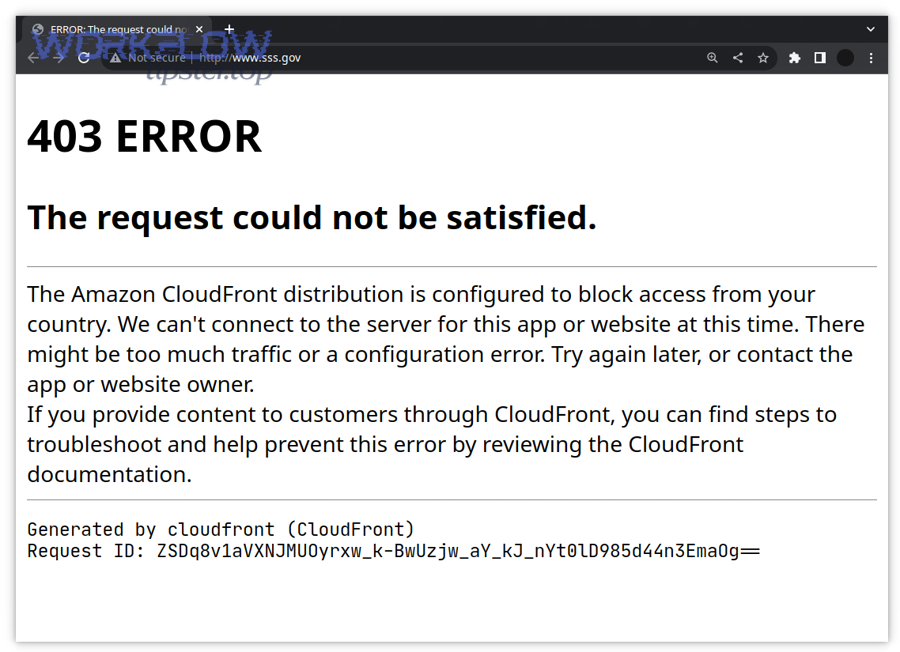
n8n config and webhook node settings
This category covers 403s caused by mismatched URLs, wrong endpoint paths, or incorrectly configured base/webhook URLs.
Common triggers:
- You copied a Test URL but your workflow is inactive or not listening in test mode.
- You used the Production URL but the workflow is not active (or the trigger isn’t enabled).
- Your instance is behind a reverse proxy and n8n builds webhook URLs from internal host/port, so the “correct” URL shown in the editor doesn’t match the public path unless you set
WEBHOOK_URL. (docs.n8n.io) - Your endpoints were customized (for example, different webhook paths) and your caller still uses the default. (docs.n8n.io)
Reverse proxy, firewall, WAF/CDN blocks
This category covers the most frustrating 403s: the request never gets evaluated by your workflow because a gateway rejects it first.
Common triggers:
- Reverse proxy rules deny certain paths (for example, only
/allowed, but/webhook/...blocked). - Missing proxy headers break routing decisions (for example,
X-Forwarded-Hostnot passed) and a rule denies the request. - Cloudflare-style WAF rules block the request and return 403 when a firewall rule is triggered. (community.cloudflare.com)
- IP allowlists/denylists block the caller IP (or your own monitoring IP).
Authentication, authorization, and “soft blocks”
This category covers cases where you intentionally protected the webhook, but the protection is configured too strictly.
Common triggers:
- You added a shared secret (header token) but your client doesn’t send it.
- You require Basic Auth or JWT at the proxy, but the caller can’t provide it.
- You added a rate limit that blocks bursts (which can look like “random 403” in load tests).
- You created an allowlist that only permits one integration, but now you’re testing from Postman/cURL and getting blocked.
Evidence (why this category matters in the real world): According to a study by University of Oxford researchers, in 2022, practitioners reported that security tools can produce high false-positive alarm rates that require manual validation—meaning “blocked but legitimate” traffic is a normal outcome when security layers are mis-tuned. (usenix.org)
Are you using the correct webhook URL and mode (test vs production)?
Yes—using the wrong n8n webhook URL (test vs production) causes 403/trigger failures because (1) test webhooks only listen under specific conditions, (2) production webhooks often require the workflow to be active, and (3) reverse-proxy/base-URL mismatches can make you call an endpoint that isn’t reachable publicly. (docs.n8n.io)
Then, confirm the correct URL by treating n8n webhook URLs as two separate endpoints with different lifecycle rules.
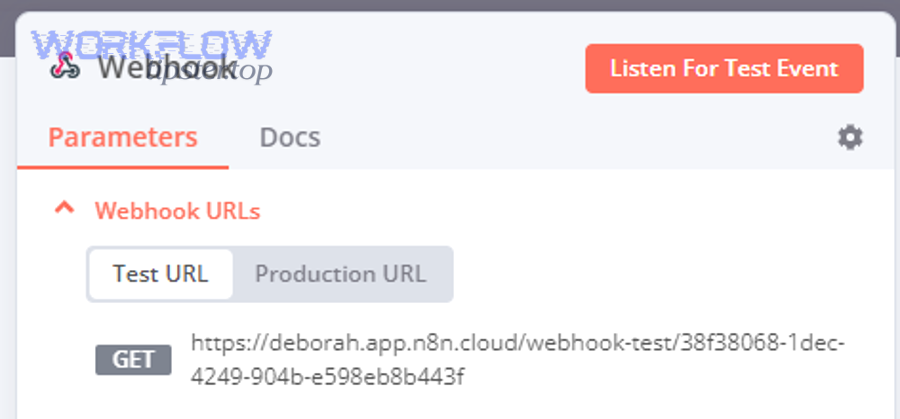
How does n8n generate Test URLs vs Production URLs?
n8n’s Webhook node presents Test URL and Production URL options, and the UI makes it easy to copy the wrong one when you’re switching between “building” and “running in production.” (docs.n8n.io)
Practical rules to follow:
- Use Test URL when you are actively testing the workflow in the editor (and the workflow is in a test/listening state).
- Use Production URL when the workflow is activated and you want stable incoming triggers.
If your caller is an external system (Stripe, Typeform, CRM), you almost always want Production URL once you’re done iterating.
What happens if you call the wrong one?
Here’s what “wrong mode” often looks like:
- You call a test webhook when n8n isn’t listening → the request may be rejected upstream, routed incorrectly, or never produce an execution.
- You call a production webhook but the workflow isn’t active → you get a refusal pattern that feels like access denied (especially when combined with proxy rules).
If you’re unsure, perform a controlled test:
- Copy the URL you’re using.
- Send a simple request from a known client (curl/Postman).
- Check whether n8n logs an incoming request or whether the request is blocked before n8n.
In many teams, this is the moment where “n8n permission denied” is really proxy/WAF permission denied—so don’t stop at the HTTP code; find the component producing it.
Should you troubleshoot 403 differently on n8n Cloud versus self-hosted deployments?
n8n Cloud is best for platform-managed networking, self-hosted is best for full control over proxies and firewall rules, and hybrid setups are optimal for custom domains + strict security, so you should troubleshoot 403 differently based on where you can actually change the blocking layer. (docs.n8n.io)
In addition, the same symptom (403) has different “most likely causes” depending on your deployment model.
What’s different about n8n Cloud troubleshooting?
On n8n Cloud, you generally don’t manage the lower-level reverse proxy stack. That means:
- You focus on workflow activation, correct webhook URL, and any authentication you built into the workflow.
- If you’re using a custom domain or external WAF in front of cloud endpoints, the 403 may be coming from that edge layer, not n8n.
So your fastest path is to:
- Verify you’re calling the right URL mode.
- Test from a clean client.
- If you use a CDN/WAF, check its firewall/security events.
What’s different about self-hosted troubleshooting?
Self-hosted introduces more moving parts, which also means more places to accidentally deny access:
- Reverse proxy path rules (e.g., only allow
/but not/webhook/…) - TLS termination issues
- Wrong forwarded headers
- Incorrect
WEBHOOK_URL, especially behind a proxy
n8n explicitly notes that when running behind a reverse proxy, you often need to manually set WEBHOOK_URL, set N8N_PROXY_HOPS, and ensure forwarded headers are provided so n8n registers and displays correct webhook URLs. (docs.n8n.io)
A special self-hosted note: if you run queue mode, you may see operational problems like n8n tasks delayed queue backlog when workers can’t keep up—this is not a 403 cause by itself, but it can confuse incident response because you’ll see “webhook received” but “execution delayed.” Queue mode behavior and Redis-based queuing are documented in n8n’s scaling guide. (docs.n8n.io)
What is the step-by-step checklist to fix 403 Forbidden on n8n webhooks?
Use this 6-step checklist to fix n8n webhook 403 forbidden issues: identify the blocking layer → validate the exact webhook URL → confirm workflow state → verify proxy/WAF rules → verify forwarded headers/base URL → retest with a controlled request, and you should restore webhook access without weakening security. (developer.mozilla.org)
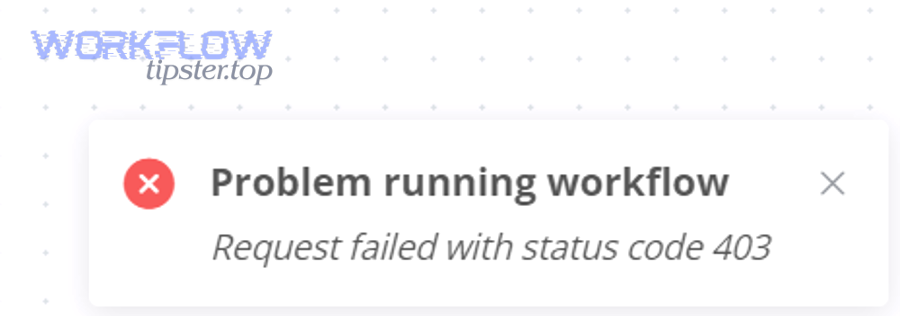
To begin, treat 403 as a trace problem: the quickest fix is the one that proves where the refusal happens.
Step 1: Identify which layer is returning the 403
- Check the response headers (sometimes WAFs add identifying headers).
- If you can, review logs:
- Reverse proxy access/error logs
- WAF security events (if using an edge provider)
- n8n logs for incoming webhook hits
Goal: prove whether the request reached n8n.
Step 2: Confirm the exact webhook URL, path, and mode
- Re-copy the URL from the Webhook node.
- Confirm whether it is Test URL or Production URL and use the correct mode for your scenario. (docs.n8n.io)
- If you customized endpoint paths, verify you’re calling the configured webhook endpoint. (docs.n8n.io)
Step 3: Validate workflow state and trigger behavior
- If you’re using a production webhook, confirm the workflow is active.
- If you’re using a test webhook, confirm the workflow is in a listening/test state.
- Trigger a request and verify an execution is created.
Step 4: Audit reverse proxy rules and forwarded headers (self-hosted)
If self-hosted behind a proxy, validate:
- Your proxy allows the webhook path (commonly
/webhook/plus the ID path). - The proxy forwards the original host/proto via headers (for example
X-Forwarded-Host,X-Forwarded-For). (docs.n8n.io) - You’ve set
WEBHOOK_URLso the editor and external registration use the correct public URL. (docs.n8n.io)
Step 5: Check WAF/CDN and IP allowlist rules
If you use an edge security layer:
- Look for blocked events for the request.
- Temporarily test from an allowed IP or bypass edge security to confirm cause.
- Cloudflare documents that 403 can occur due to insufficient permissions or firewall rules. (developers.cloudflare.com)
Step 6: Retest using a controlled request and lock in the fix
Use a deterministic request:
curl -iwith a simple POST body- A known-good User-Agent (some bot protections flag blank or odd agents)
- Include any required header token if you use one
Once it works:
- Re-enable security controls carefully.
- Add monitoring for spikes or repeated 403s so you catch regressions early.
If you want a practical troubleshooting workflow you can reuse for your whole automation stack, you can document this checklist and your “known-good request” pattern in your internal playbook (some teams keep it alongside their automation notes on WorkflowTipster.top).
SUPPLEMENTARY CONTENT (Contextual Border: from macro “fix the 403 now” → micro “secure + prevent future 403 regressions while maintaining access”)
How can you secure n8n webhooks without causing new 403 “Access Denied” errors?
Secure n8n webhooks with 4 controls—shared-secret auth, allowlisting, rate limiting, and edge/WAF tuning—so you reduce abuse while avoiding accidental 403 blocks for legitimate callers. (developers.cloudflare.com)
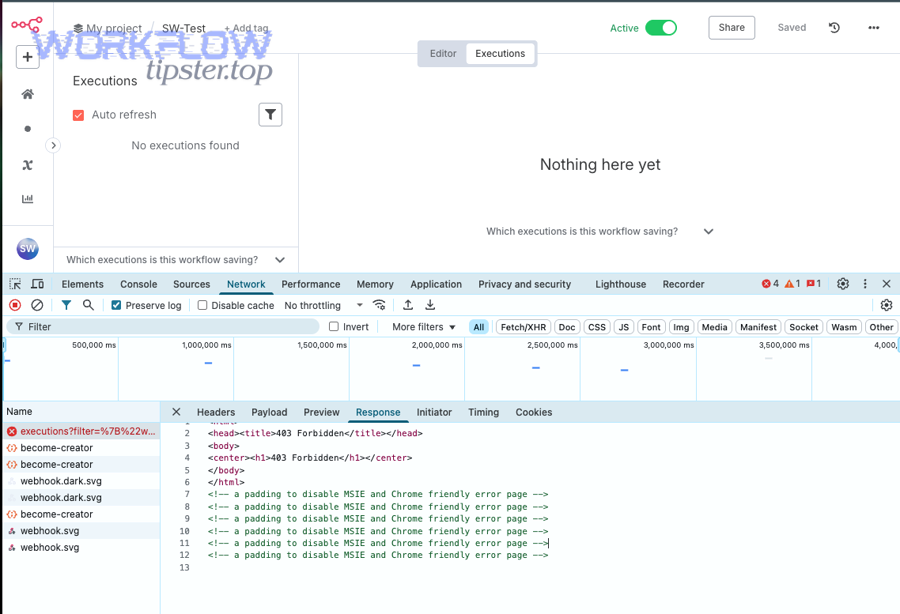
Next, the key is to make every control observable: if a control blocks a request, you should know which control did it and why, otherwise future incidents look like random “403 again.”
Should you add a shared-secret header, Basic Auth, or signed requests?
A shared-secret header is usually the simplest “secure but stable” choice:
- Caller sends
X-Webhook-Secret: <value> - Your workflow or proxy checks it
- Requests without the secret get rejected
To reduce false blocks:
- Keep the rule exact (match on a single header)
- Avoid complex regex rules unless you can test every integration client
If you use Basic Auth at the proxy, verify that all webhook senders support it—many SaaS webhook senders don’t.
Can IP allowlisting reduce attacks without blocking valid SaaS webhook senders?
IP allowlisting works well only when the sender’s IP ranges are stable and you can keep them updated.
Micro-level pitfalls that cause new 403s:
- SaaS providers rotate outbound IP ranges
- You test from a different network and forget to update the allowlist
- Your proxy’s “real IP” is masked by your CDN, so you allowlist the wrong IP
If you do allowlisting behind a proxy/CDN, ensure you’re validating the true client IP correctly (and not trusting spoofable headers).
How do rate limits and bot protection cause “false 403” spikes?
Rate limits are great until a single retry storm or bursty webhook sender triggers them:
- A provider sends multiple events quickly
- Your endpoint responds slowly for a few seconds
- The provider retries aggressively
- Your rate limit blocks and returns 403
This looks like a security problem but is often a capacity/traffic-shaping problem. If you run n8n in queue mode and workers are saturated, you’ll see more burst clustering at the webhook edge even if the underlying execution is queued—again, this is where “n8n tasks delayed queue backlog” can amplify confusion during incidents. (docs.n8n.io)
How do you harden reverse proxy + WEBHOOK_URL settings to prevent accidental denies?
If you’re self-hosted behind a reverse proxy, the most stable security posture is:
- Correct public webhook URL configuration (
WEBHOOK_URL) (docs.n8n.io) - Correct proxy hop and forwarded header handling (docs.n8n.io)
- Minimal, explicit allow rules for webhook paths
- Logging for denied requests (so “access denied” has an explanation)
When these are set correctly, you avoid the classic trap: you “secure” the proxy and accidentally deny the exact /webhook/... routes you’re trying to expose—creating yet another 403 that looks like an n8n bug but is really a gateway rule.