


Automating GitHub DevOps alerts to monday.com and Slack means you turn critical repo and CI/CD events into structured work items and real-time team notifications—so engineers see failures, risks, and approvals quickly, and the team responds with clear ownership and tracking.
Next, you also need a workable model for “what goes where”: which GitHub events should create monday items, which should only notify Slack, and how to map fields like repo, environment, severity, and owner so the alerts remain actionable instead of noisy.
Moreover, successful teams plan for reliability from day one: you prevent duplicates, control alert volume, and resolve the most common failures (permissions, OAuth scopes, missing events, and rate limits) before they become daily friction.
Introduce a new idea: once the pipeline is live, you optimize alert quality and governance—shifting from “we get alerts” to “we get the right alerts, routed to the right people, with measurable outcomes.”
What does “GitHub DevOps alerts to monday.com → Slack” mean in practice?
A GitHub→monday.com→Slack DevOps alerts workflow is an automation pipeline that converts GitHub events (code + CI/CD signals) into monday items for tracking and Slack messages for fast response, with consistent context, routing, and ownership.
To better understand why this matters, you need to define the alert surface area and the minimum “actionable payload” that engineers can trust.
In practice, this workflow behaves like a small “operations nervous system”:
- GitHub is the event source: pull requests, issues, releases, workflow runs, and deployments generate signals. GitHub’s Slack integration can deliver repository activity into channels and can be customized to focus on relevant activity.
- monday.com is the work tracking layer: alerts become items with statuses, owners, priority, and due dates so the team can manage response as work, not as chat noise. monday.com’s GitHub integration supports templates to connect GitHub activity into monday dev workflows. (support.monday.com)
- Slack is the response layer: alerts land in the channels where engineers coordinate, ideally with clear severity cues, mentions, and thread-based follow-ups. monday.com’s Slack integration supports sending board updates to Slack and creating items from Slack, keeping work and communication connected. (support.monday.com)
The macro-semantics (authoritative, “big picture”) are simple: source → structure → signal. The micro-semantics (implementation detail) are where teams win or lose: filtering, dedupe, and routing.
Which GitHub events should you alert on for DevOps teams?
There are 4 main types of GitHub events you should alert on—code change, delivery, stability, and governance—based on how directly the event impacts production risk and team response time.
Next, choosing event types by impact keeps alerts high-signal and reduces the “everything pings everyone” failure mode.
- Code change alerts (PR-centric)
- PR opened (new review workload)
- PR ready for review (handoff clarity)
- Review requested / changes requested (blocked work)
- PR merged (deployment pipeline trigger)
- Delivery alerts (CI/CD-centric)
- Workflow run failed (broken build, test failures)
- Deployment failed / succeeded (environment status)
- Release published (version availability)
- Stability alerts (incident-adjacent signals)
- Hotfix PRs or “revert” merges
- Repeated CI failures on main
- Deployment rollbacks
- Governance alerts (security/compliance-adjacent)
- Security scanning alerts (where applicable)
- Dependency update PRs needing approval
- Policy-required approvals
A practical way to keep this consistent is to define an Alert Policy Matrix:
- P1 (stop-the-line): production deployment failed, security incident, main branch build broken
- P2 (high priority): repeated flaky tests, staging deployment failed, critical PR blocked
- P3 (informational): release published, non-critical PR opened, low-risk updates
According to a study by Duke University from the Software Engineering research community (ICSE ’24), in 2024, interruptions and notification-style events measurably affected time spent on software engineering tasks, reinforcing the need to manage alert timing and dominance rather than blasting every signal. (kjl.name)
What data should every alert include to be actionable?
There are 8 main data fields every DevOps alert should include—repo, environment, status, severity, owner, link, timestamp, and identifier—based on how quickly an engineer can decide “what do I do next?”.
Then, once you standardize the payload, mapping into monday columns and Slack message templates becomes predictable.
Minimum actionable payload (recommended)
- Repository (org/repo)
- Event type (PR, workflow run, deployment)
- Environment (prod/staging/dev) when relevant
- Status (failed/succeeded/blocked/needs review)
- Severity (P1/P2/P3)
- Owner (on-call, service owner, PR author)
- Direct link (PR URL, run URL, deployment URL)
- Timestamp + unique identifier (run_id, commit SHA, PR number)
How it maps
- In monday.com, store it as columns: Severity, Status, Owner, Service/Repo, Environment, Link, SLA/Due date, Last update time.
- In Slack, place it in a consistent message structure: headline (severity + status), context line (repo + environment), action line (owner + link), and thread for updates.
Can you build this workflow using native integrations only?
Yes, you can build GitHub DevOps alerts to monday.com → Slack using native integrations if your needs fit within three constraints: supported triggers, simple routing, and standard message formatting; otherwise you will need GitHub Actions or an automation layer for advanced logic and enrichment.
However, “native-only” works best when you prioritize speed-to-setup and governance simplicity over deep customization.
Here are the 3 main reasons native-only can work:
- Fast authorization and low maintenance
GitHub’s Slack integration installs into a workspace and can be invited to channels, enabling notifications in the team’s existing communication layer. - Template-driven setup for work tracking
monday.com provides an account-level GitHub integration with templates, making it easier for teams to standardize how GitHub activity appears in monday dev boards. (support.monday.com) - Built-in Slack routing from monday boards
monday.com’s Slack integration supports sending real-time updates and creating items from Slack messages, which closes the loop between alerts and work tracking. (support.monday.com)
Where native-only breaks down
- You need enrichment (e.g., query owners by service catalog, add runbook links automatically).
- You need complex branching (e.g., route P1 to on-call, P2 to team channel, P3 to digest with schedule).
- You need deduping rules across reruns and retries with custom keys.
- You need tight CI/CD semantics (workflow job-level details, artifacts, or multi-environment policies).
How do you connect GitHub to monday.com for tracking DevOps work?
Connecting GitHub to monday.com for DevOps tracking means you install the GitHub integration and map repository events to board items so PRs, issues, and related signals become trackable work with owners, statuses, and priorities.
Next, a good board design turns “a flood of updates” into “a stable system of record.”
A practical setup pattern
- Create a board named DevOps Alerts (or per-service boards if scale demands).
- Add columns: Severity, Status, Owner, Repo/Service, Environment, Link, Started at, Last updated, Notes.
- Use integration templates to create or update items based on GitHub signals.
Pro tip for reducing manual linking
If your team wants PRs to map cleanly to specific monday items, monday.com documents an approach where item IDs can be used to link GitHub PRs/issues to the right monday dev item. (support.monday.com)
How do you send monday.com updates to Slack channels reliably?
Sending monday.com updates to Slack reliably means you use monday’s Slack integration templates to route board events (status changes, new items, ownership changes) into the correct Slack channels with predictable formatting and the right mentions.
Then, you harden the “delivery layer” by designing channels and message rules around severity.
Recommended routing rules
- P1: #incident-room (or #oncall) + @here/@oncall + thread updates
- P2: #team-devops + mention the owner
- P3: #devops-digest (batched updates)
monday.com’s Slack integration documentation describes connecting boards to channels, sending real-time updates, and using templates for configuration. (support.monday.com)
How do you implement an end-to-end setup (GitHub → monday → Slack) step by step?
Implement the GitHub → monday.com → Slack workflow by following 5 steps—scope, design, connect, test, and roll out—so your team gets actionable alerts that create trackable work items and deliver notifications into the right Slack channels.
Below, the steps build a clean hook chain from the “why” into the “how,” without skipping the planning that prevents alert chaos later.
Step 1: Scope the alert policy (what counts as DevOps alerts)
- Decide which repos/environments are in scope.
- Choose event categories: PR, CI, deployment, release.
- Define severity rubric (P1/P2/P3).
Step 2: Design the monday tracking model
- Board structure (single vs per-service)
- Columns for payload mapping
- Ownership rules (on-call vs service owner)
Step 3: Connect integrations
- GitHub → monday (work tracking)
- monday → Slack (notification delivery)
- Optional: GitHub → Slack (repo activity visibility)
Step 4: Test end-to-end
- Run test events (PR opened, workflow failed, deployment failed)
- Verify: correct board item created/updated + correct Slack message delivered
Step 5: Roll out gradually
- Pilot with one repo/service
- Add more repos after two stable weeks
- Document runbooks and escalation rules
To help readers visualize the flow, the table below summarizes what each system “owns” in the pipeline.
| Layer | Primary job | What “good” looks like |
|---|---|---|
| GitHub | Produce signals | High-signal triggers with links to details |
| monday.com | Turn signals into work | Items have owner, severity, status, SLA |
| Slack | Coordinate response | Alerts land in the right channel and thread |
What monday.com board structure works best for DevOps alerts?
A single alerts board wins in visibility, per-service boards are best for ownership and scale, and per-team boards are optimal for specialized workflows like platform vs app squads.
However, the “best” structure depends on how many services you have and how often alerts occur.
Compare board structures by key criteria
- Single alerts board
- Best when: <10 services, low-to-medium alert volume
- Pros: unified reporting, one place to triage
- Cons: can become crowded; needs strong filtering/groups
- Per-service boards
- Best when: many services, each with clear ownership
- Pros: fewer collisions, clearer accountability
- Cons: reporting requires dashboards spanning boards
- Per-team boards
- Best when: teams own different alert types (platform vs app vs security)
- Pros: tailored statuses and SLAs per team
- Cons: risk of fragmentation and inconsistent severity definitions
Practical recommendation
Start with one board, then split only when the board’s weekly alert count becomes too large to triage comfortably (your team should define that threshold explicitly).
How do you map alert severity to monday status, owner, and Slack routing?
There are 3 main severity levels—P1, P2, P3—that you map to monday statuses, owners, and Slack routing based on response urgency and blast radius.
Next, consistent mapping prevents the most common failure mode: “everything is urgent,” which makes nothing urgent.
Suggested mapping model
- P1 (Critical)
- monday Status: “Blocked / Incident”
- Owner: On-call or incident commander
- SLA: immediate
- Slack: #incident-room + @here, keep updates in a thread
- P2 (High)
- monday Status: “Investigating”
- Owner: service owner or PR owner
- SLA: same day
- Slack: #team-devops + mention owner
- P3 (Info)
- monday Status: “Noted / Backlog”
- Owner: optional (or automation assigns a default triager)
- SLA: next planning cycle
- Slack: #devops-digest (batched)
This is the exact spot where teams formalize their automation workflows: the severity rubric becomes the routing logic that determines what becomes work, what becomes chat, and who must respond.
How do you test the workflow before rollout?
You test the workflow by running a controlled set of 6 scenarios—PR, CI fail, CI pass, deployment fail, deployment success, and release—and verifying that each event creates/updates the correct monday item and sends the correct Slack message without duplicates.
Then, you lock the test suite in a simple checklist so the team can retest after changes.
Test checklist
- PR opened → monday item created (Severity P3/P2) + Slack message to #devops-digest or #team-devops
- PR merged → monday item updated + Slack message posted as thread reply
- Workflow failed → monday item created/updated (Severity P1/P2) + Slack alert to the correct channel
- Workflow rerun succeeds → monday status changes to “Resolved” + Slack thread update
- Deployment failed (prod) → P1 alert routes to incident channel
- Release published → P3 info routes to digest
According to a study by Vanderbilt University from the Computer Science research environment, in 2024, participants experienced measurable changes in time spent across code tasks when interruptions were introduced, supporting the practice of testing both alert volume and alert timing before enabling organization-wide notifications. (kjl.name)
How do you prevent noisy, duplicate, or missing alerts in this workflow?
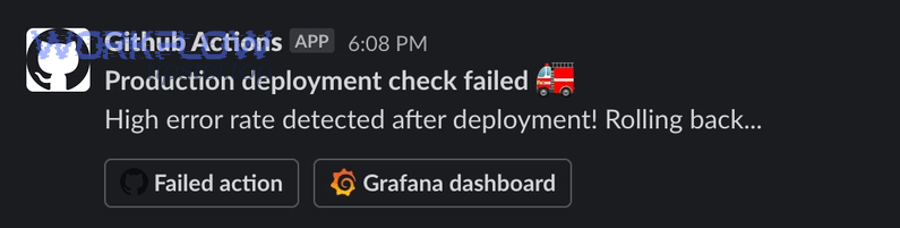
You prevent noisy, duplicate, or missing GitHub→monday→Slack alerts by applying three controls—filtering, deduplication, and reliability checks—so only high-signal events trigger messages, repeated events update the same work item, and authorization failures are caught early.
More importantly, these controls protect engineers from alert fatigue and keep response behavior consistent.
How do you deduplicate alerts across commits, reruns, and retries?
You deduplicate alerts by choosing a stable unique key (such as repo + environment + workflow_run_id, or repo + PR_number) and enforcing a rule that “repeats update the same monday item and reply in the same Slack thread.”
Specifically, dedupe prevents a single broken pipeline from creating 30 “different problems” that are actually one incident.
Deduplication strategies that work
- Workflow run-based dedupe: use
workflow_run_idfor CI notifications - Commit-based dedupe: use commit SHA for build/test chains
- PR-based dedupe: use PR number for review activity and approvals
- Time-window suppression: if the same key repeats within 10 minutes, update only
Thread discipline in Slack
- First alert: create a top-level message
- Subsequent updates: reply in thread with status changes (“rerun started,” “rerun passed,” “deployment completed”)
Teams often mature from “notifications” into “communication-to-work pipelines,” similar to how google forms to hubspot to google sheets to discord lead capture pipelines convert signals into structured action—DevOps alerts do the same, just with engineering signals.
What are the most common failures (auth, permissions, scopes) and how do you fix them?
There are 4 common failure groups—authorization, permissions, configuration, and delivery—based on where the pipeline breaks: GitHub, monday.com, Slack, or the mapping between them.
Then, you fix them fastest by checking the pipeline in order: source → structure → signal.
- Authorization failures
- Symptoms: integration disconnects, events stop arriving
- Fix: re-authenticate, verify the correct workspace/org connection, confirm token validity
- Permissions/scope issues
- Symptoms: private repos not visible, missing channels, cannot post in private channels
- Fix: ensure the app is authorized correctly and added to the right channels; GitHub’s Slack setup requires installing and inviting the GitHub app to specific channels.
- monday’s Slack integration includes guidance for using private channels by adding the app to those channels. (support.monday.com)
- Configuration/mapping issues
- Symptoms: items created with missing fields, wrong severity, wrong owner
- Fix: standardize the alert payload fields and map them consistently to monday columns
- Delivery/noise issues
- Symptoms: too many pings, alerts ignored
- Fix: tighten filters, route P3 to digest, apply suppression windows
According to a study by University Kassel from the Business Psychology department, in 2023, a field experiment (N=247) found that reducing notification-caused interruptions improved performance and reduced strain, supporting DevOps practices that filter and batch lower-severity alerts. (pmc.ncbi.nlm.nih.gov)
Should you use GitHub Actions, automation tools, or native integrations for alerts?
Native integrations win in speed, GitHub Actions is best for custom control, and automation tools are optimal for multi-app branching and enrichment—so the right choice depends on whether you prioritize low maintenance, deep customization, or cross-system orchestration.
However, many mature teams use a hybrid: native integrations for baseline visibility, Actions for CI/CD precision, and automation tools for enrichment.
To make this decision concrete, the table below compares the three approaches across the criteria most DevOps teams care about.
| Approach | Best at | Tradeoff | Typical use |
|---|---|---|---|
| Native integrations | Quick setup | Limited branching/enrichment | Basic GitHub signals → Slack + monday |
| GitHub Actions | Precise logic & payload | Requires code maintenance | CI/CD job-level alerts, custom formatting |
| Automation tools | Multi-step workflows | Cost + complexity | Enrichment, dedupe, routing, approvals |
When is GitHub Actions the best choice for Slack alerting?
Yes, GitHub Actions is the best choice for Slack alerting when you need (1) job-level context, (2) rich custom messages, and (3) deterministic routing by environment and branch, because Actions can evaluate workflow state and send exactly the payload you want.
Meanwhile, Actions becomes less ideal when the team wants a no-code admin experience and standardized templates.
3 reasons to choose GitHub Actions
- Granular triggers: only alert on failures in
mainor only for production deploy jobs - Rich context: include failed step name, logs link, artifacts, and run duration
- Custom routing: map environment=prod to incident channel automatically
If you build more than one pipeline style, Actions can coexist with other pipeline archetypes your org already runs—like airtable to microsoft excel to box to pandadoc document signing—because the goal is the same: move from “event” to “tracked outcome,” with clear ownership and auditability.
When do automation platforms make more sense than native integrations?
Yes, automation platforms make more sense when you need (1) branching logic across apps, (2) enrichment from external sources, and (3) deduplication and retries as first-class features, because they can orchestrate complex, conditional workflows with less custom code.
In addition, they help when you want a single place to monitor failures and re-run steps.
3 reasons to choose an automation platform
- Cross-system enrichment: pull service owners from a directory and auto-assign monday owners
- Conditional routing: route by repo, label, environment, or severity with multiple paths
- Operational controls: backoff retries, dead-letter queues, and monitoring for failed runs
How can you optimize alert quality and governance after the workflow is live?
You optimize alert quality and governance by shifting from “delivery” to “decision systems”: you measure signal vs noise, standardize response behaviors, and use monday reporting plus Slack conventions to keep accountability clear as the organization scales.
Next, this micro-semantic layer (fine-grained tuning) is where teams prevent alert fatigue and improve real response outcomes.
How do you reduce alert fatigue while keeping coverage (signal vs noise)?
Signal wins in actionability, noise grows in volume, and coverage matters for risk—so the best strategy is to maximize actionable alerts while preserving coverage through batching, thresholds, and suppression windows.
However, if you remove too much, teams lose early warning; if you keep too much, teams stop responding.
Practical anti-fatigue techniques
- Severity thresholds: only P1/P2 page channels; P3 goes to digest
- Batching: post “top 10 failures today” at set times
- Suppression windows: suppress repeats for 10–30 minutes for the same key
- Ownership rules: only mention the owner, not the whole channel
- Channel hygiene: one channel for incidents, one for build noise, one for releases
According to a study by University Kassel from the Business Psychology department, in 2023, disabling notifications for one workday reduced interruption frequency and improved performance outcomes, indicating that reducing notification load can increase effectiveness for knowledge workers. (pmc.ncbi.nlm.nih.gov)
What advanced Slack patterns improve DevOps response (threads, buttons, war-room channels)?
There are 4 advanced Slack patterns that improve DevOps response—thread-first updates, structured escalation, war-room channels, and interactive actions—based on how quickly a team can coordinate without losing context.
Especially in high-severity incidents, these patterns prevent the channel from becoming a scroll of unrelated messages.
- Thread-first updates
- Main message stays stable; updates live in thread
- Outcome: faster situational awareness
- Structured escalation
- P1 triggers: @oncall + incident channel
- P2 triggers: mention owner
- P3 triggers: digest
- War-room channels (rare attribute, high leverage)
- Create #inc-YYYYMMDD-service
- Pin runbook + dashboard + owner list
- Close with a short retrospective note
- Interactive actions
- Use links and structured payloads so responders jump straight to the run logs, PRs, and deployments
- If your toolchain supports it, provide “acknowledge” and “assign owner” actions
GitHub’s Slack documentation emphasizes installing the GitHub app and using channel-based subscriptions, which aligns with the “right channel for the right signal” pattern.
How do you design a reporting layer in monday.com for DevOps alerts (SLA, trends, root causes)?
There are 4 reporting groups you build in monday—SLA performance, severity distribution, recurring failures, and ownership load—based on what leaders and teams need to improve response and reduce repeat incidents.
Then, dashboards stop being decoration and become a feedback loop that shapes your alert policy.
Dashboards and metrics
- SLA/Response: time-to-ack, time-to-resolve (using status timestamps)
- Severity mix: % P1 vs P2 vs P3 (too many P1 usually means broken rubric)
- Recurring failures: top failing workflows, repos, environments
- Ownership load: who gets the most P1/P2 and whether reassignment is needed
monday.com’s GitHub integration positioning focuses on providing visibility into development flow, which supports using the board as a measurable source of truth. (support.monday.com)
What are the best practices for compliance and auditability in alert workflows?
Compliance and auditability in alert workflows means you enforce access control, retain change history, and document who acknowledged and resolved which alerts, so incident response is accountable, reviewable, and repeatable across teams and tools.
In short, governance turns the pipeline from “messages” into “evidence-backed operations.”
Best practices
- Least privilege: grant only required permissions to integration apps
- Immutable links: keep direct URLs to PRs/runs/releases inside monday items
- Change history: ensure status changes and owner updates are recorded
- Runbooks: link runbooks from monday items and pin them in incident channels
- Retention: define how long to keep alert items and incident threads
According to a study by Duke University from the software engineering research community (ICSE ’24), in 2024, different interruption types affected developer task time and stress measures differently, supporting governance policies that control urgency cues and reduce high-dominance interruptions unless truly necessary. (kjl.name)