


To set up noise-free GitHub → Linear → Slack DevOps alerts, you need one clear pipeline: define which GitHub events matter, route them to the right Slack channels for awareness, and escalate only actionable signals into Linear so work gets tracked and resolved.
Next, you’ll decide whether you truly need both Slack and Linear, because “where an alert lands” determines whether it becomes a quick heads-up, an on-call interruption, or a traceable work item with ownership and priority.
Then, you’ll design routing and noise controls—filters, thresholds, deduplication, and batching—so you reduce alert fatigue while still surfacing failures fast enough for real incident response.
Introduce a new idea: once you have the baseline working, you can validate the end-to-end flow (GitHub event → Slack message → Linear issue) and apply advanced optimizations like correlation keys and severity models to keep the system reliable as you scale.
What does “noise-free GitHub → Linear → Slack DevOps alerts” mean in practice?
Noise-free GitHub → Linear → Slack DevOps alerts is a notification system that delivers only high-signal GitHub events to the right Slack audience and turns only actionable items into Linear work, using routing, filtering, and deduplication to prevent alert fatigue.
To better understand why “noise-free” matters, start by separating awareness from action and connecting both to the same source of truth: GitHub events.
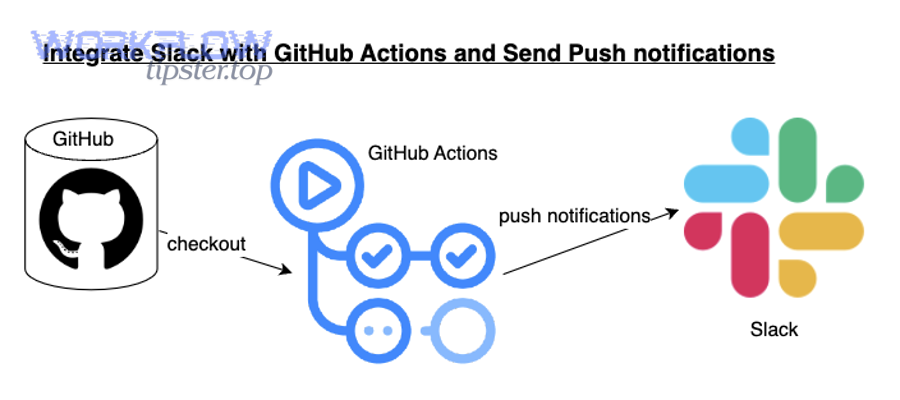
In practice, “noise-free” has three requirements:
- Relevance: the alert corresponds to a decision or action someone can take now (retry, rollback, assign, review, triage).
- Right destination: Slack is for rapid visibility and coordination; Linear is for durable tracking and ownership.
- Low duplication: the same incident shouldn’t ping five channels and generate three issues—one event should become one thread, one trackable item, and one owner.
Use a simple model to keep terminology consistent:
- Signal: a GitHub event that indicates change or risk (e.g., workflow failed on main).
- Alert: a Slack message that notifies a scoped audience about that signal.
- Incident candidate: an alert that requires human action and may need a Linear issue.
- Work item: a Linear issue created only when the alert needs tracking, SLA, priority, and ownership.
That separation is the core of “noise-free.” A DevOps team that sends everything everywhere creates constant context switching. A DevOps team that routes and escalates intentionally keeps Slack readable and keeps Linear meaningful.
Evidence: According to a study by the University of California, Irvine from the Informatics Department, in 2008, researchers reported that after interruptions, people can require roughly over 20 minutes to fully resume their original task, highlighting why unnecessary alerts have a real productivity cost.
Do you need both Slack and Linear for DevOps alerts, or is one enough?
Yes—most DevOps teams benefit from using both Slack and Linear for GitHub → Linear → Slack DevOps alerts because Slack enables fast coordination, Linear enforces ownership and follow-through, and the combination prevents “lost alerts” that never become resolved work.
More specifically, the decision becomes obvious when you look at how teams fail: they either overload Slack until people mute channels, or they put everything into a tracker and lose real-time response.

Use both Slack and Linear when these three conditions are true:
- You have real-time operational risk: CI failures, failed deployments, flaky tests on main, production regressions—these need fast eyes in Slack.
- You need durable accountability: when a failure requires investigation, a rollback, or a fix that spans days, Linear captures the owner, priority, and timeline.
- You need scale without chaos: as repos and workflows grow, you must separate “notify” from “track” to keep noise under control.
Use Slack only (rarely) when: you’re a small team with low operational complexity, and every alert can be handled inside one channel without losing accountability. Even then, you still need a manual habit: convert the few critical alerts into a tracked task.
Use Linear only (also rare) when: you operate in an async environment where real-time interruption is more expensive than delayed response. In this case, you still need a “daily triage ritual” so failures don’t quietly accumulate.
In short, Slack is your reaction layer and Linear is your resolution layer. A noise-free pipeline uses Slack to notice, and Linear to finish.
Evidence: According to GitHub’s official documentation on using GitHub in Slack, teams can subscribe repositories and control how notifications appear (including threaded behavior), which supports Slack as a real-time response surface rather than a full task system.
Which GitHub events should trigger DevOps alerts for PRs, Issues, and Actions?
There are 4 main types of GitHub events that should trigger DevOps alerts—Change, Quality, Delivery, and Risk—based on the criterion of “does this event require immediate awareness or action from a defined owner?”
Next, map each type to a destination so the same signal does not become noise across multiple channels.

1) Change events (what changed):
- PR opened (low signal unless it blocks)
- PR ready for review (higher signal)
- PR merged to main/release branch (high signal for delivery awareness)
2) Quality events (did it break):
- Workflow run failed on main
- Required check failed for a PR
- Security scanning findings that meet severity threshold
3) Delivery events (did it ship):
- Deployment started / succeeded / failed
- Release published
4) Risk events (does it need a response):
- Repeated failures (same workflow, same commit SHA)
- Rollback signals
- Production hotfix PRs
Routing rule of thumb: If the event requires coordination, send it to Slack. If it requires ownership and follow-through, create or update a Linear issue.
Which PR events are high-signal vs high-noise (opened, review requested, merged, checks failed)?
Checks failed wins for immediate action, review requested is best for workflow progress, and PR opened is optimal only for lightweight awareness when it affects a shared queue.
However, the “right” event depends on what your team treats as a blocking constraint.

Use this comparison to keep alerts noise-free:
- PR opened: high noise in large repos. Send to Slack only for hotfix branches or critical services, or when labeled “incident.”
- Review requested: high signal because it creates a clear next action (review). Route to a team’s dev channel, not the on-call channel.
- Checks failed: highest operational signal because it blocks merge and may indicate broken main or unstable CI. Route to the owning team channel and optionally to on-call if on main.
- PR merged: high delivery signal; route to release/deploy channel or service channel so downstream teams know what changed.
Practical recommendation: default to “checks failed” + “merged” + “review requested.” Add “opened” only when your team has a strong labeling discipline and you can filter aggressively.
Which GitHub Actions statuses should notify (failure, cancelled, timed out, success)?
Failure wins for urgent response, timed out is best for pipeline health monitoring, and success is optimal only as a digest or release confirmation—not as a constant real-time ping.
Meanwhile, “cancelled” often becomes noise unless it indicates a systemic issue (like frequent auto-cancels on main).
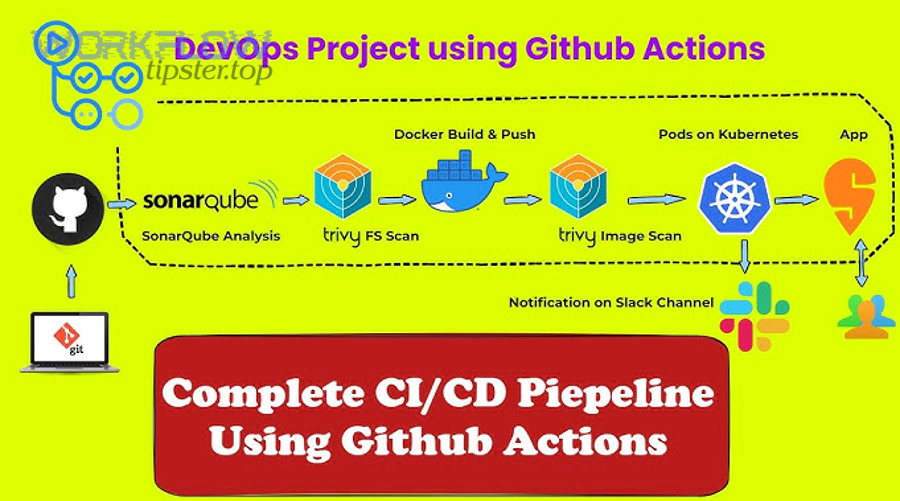
Recommended defaults for DevOps alerts:
- Notify immediately: failure on main/release branches; failure on deployments; failure on security scans above threshold.
- Notify with throttling: timed out (group by workflow + branch); repeated failure patterns.
- Notify as digest: success (daily or per-release), especially for stable pipelines.
- Notify rarely: cancelled (unless it correlates with flakiness or misconfiguration).
This creates a “signal staircase”: failures interrupt; timeouts inform; successes reassure without distracting.
Which issue events belong in Slack vs Linear (bug report, incident, task)?
Incidents belong in Slack for coordination, bugs belong in Linear for tracking, and tasks are optimal in Linear unless they represent an urgent operational action.
Besides, using the correct destination prevents your Slack channels from becoming a second issue tracker.

Use this destination rule set:
- Incident: Slack first (single thread), then create/attach a Linear issue for the root-cause fix and post-incident follow-up.
- Bug: Linear first (priority + owner), and optionally notify Slack if it impacts production or blocks a release.
- Task: Linear by default; Slack only if immediate coordination is required.
When teams get this right, Slack becomes a clean operational feed and Linear becomes a clean operational backlog.
How do you design the routing rules so alerts land in the right Slack channel and Linear team?
You design routing rules for GitHub → Linear → Slack DevOps alerts by mapping each GitHub event to a service owner, an audience, and a severity level, then enforcing that map with consistent naming, channel taxonomy, and Linear team/project assignment.
Specifically, treat routing as a small “ownership database” that answers one question fast: who owns this and where do they respond?

Build routing around three axes:
- Ownership: repo/service → team (use CODEOWNERS or internal mapping)
- Environment: dev/staging/prod → channel urgency
- Severity: P0/P1/P2/P3 → escalation policy
A minimal routing table (start simple): map each repository to one Slack channel and one Linear team. Expand later only when you have strong service boundaries.
How do you map repositories and services to Slack channels without spamming everyone?
There are 4 main channel types to map repositories and services to Slack—team channels, on-call channels, release channels, and build-health channels—based on the criterion of “who needs to see this signal and how quickly?”
To illustrate the difference, each channel type should represent a different interruption cost.
- Team channel (default): PR review requested, PR merged, non-prod failures. Audience is the service team.
- On-call channel (high urgency): prod deployment failure, main is broken, incident signals. Audience is responders.
- Release channel (delivery awareness): releases published, deployments succeeded. Audience is cross-team stakeholders.
- Build-health channel (operational hygiene): flaky tests, timeouts, repeated failures. Audience is maintainers.
Noise-free tactic: prefer threads for repeated updates on the same event so the channel timeline stays readable. If a failure keeps updating, it should update one thread, not create ten separate channel messages.
How do you map alerts into Linear fields (team, project, label, priority) so they become actionable?
There are 5 main fields to map alerts into Linear—team, project, label, priority, and owner—based on the criterion of “does this issue route automatically to the right backlog with minimal human cleanup?”
More importantly, mapping must be predictable so everyone trusts the system.

Use a “triage issue template” that your automation workflows fill consistently:
- Title: [Service] + [Signal] + [Environment] (e.g., “Payments: CI failed on main (prod deploy blocked)”)
- Team: derived from repo/service ownership
- Project: “Operational Health” or “Release Stabilization” (keep one stable bucket)
- Labels: incident, ci, deploy, flaky, security (limit the label set)
- Priority: map severity to P0–P3 with clear definitions
- Owner: on-call for P0/P1; service maintainer for P2/P3
Where the extra phrases fit naturally: If you already run multiple automation workflows across tools—for example, google forms to hubspot to google sheets to discord lead capture or airtable to microsoft word to onedrive to pandadoc document signing—apply the same discipline here: one trigger, one routed destination, one trackable outcome.
How do you set up the GitHub → Slack layer for DevOps notifications?
You set up the GitHub → Slack layer by installing the GitHub app for Slack, inviting it to the correct channels, and subscribing each channel to the specific repositories and event types you actually want to see, with threading and broadcasting configured to reduce noise.
Then, use subscription scoping as your first line of noise control—because the easiest alert to manage is the alert you never send.

Baseline setup checklist (keep it simple at first):
- Install the GitHub integration in your Slack workspace.
- Invite the GitHub app into the target Slack channel(s).
- Subscribe to only the repos/services that channel owns.
- Start with “failures + merges + review requests” rather than “everything.”
- Enforce a channel naming convention so routing remains stable over time.
Can you configure GitHub → Slack notifications per repository and per channel?
Yes—you can configure GitHub → Slack notifications per repository and per channel because repository subscriptions can be scoped to the channel where the GitHub app is present, enabling precise routing, better relevance, and lower alert noise.
Next, treat each channel subscription as a contract: “this channel owns these repos and responds to these signals.”
What to do immediately after subscribing:
- Validate routing: trigger a test event (a small PR, a harmless workflow run) and confirm it appears only where expected.
- Validate visibility: confirm the right people see it (team channel) and the wrong people don’t (company-wide channels).
- Validate threading: confirm updates don’t spam the timeline—repeated updates should cluster.
Evidence: According to GitHub’s documentation on using GitHub in Slack, teams can invite the GitHub app into specific channels and use subscription commands to control what activity is delivered to that channel, supporting scoped per-channel notification strategies.
What should an ideal Slack alert message include to be instantly actionable?
An ideal Slack alert message is a compact operational summary that includes the signal, the scope, and the fastest path to action: what failed/changed, where it happened, who triggered it, and the direct link to logs, PRs, or deployments.
More specifically, the alert must reduce time-to-triage by answering the first questions responders always ask.

Minimum payload checklist:
- Signal: “Workflow failed” / “Deploy failed” / “Checks failed”
- Scope: repo + branch + environment
- Actor: who triggered the run or merge
- Status + timestamp: when it happened and current state
- Direct links: run logs, PR, commit SHA, deployment view
- Suggested action: retry, rollback, assign, escalate
Noise-free improvement: if you can’t add a suggested action, downgrade the alert (digest or lower urgency) because it’s likely informational, not operational.
How do you connect GitHub activity to Linear so work is automatically tracked?
You connect GitHub activity to Linear by enabling the GitHub integration in Linear, linking PRs and commits to Linear issues, and using consistent issue references so Linear can update statuses as PRs progress—turning operational signals into traceable, owned work.
In addition, treat Linear as the place where “we decided to work on this” becomes explicit, prioritized, and assigned.
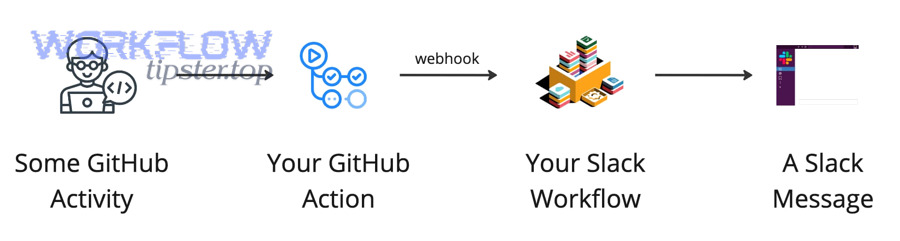
Core workflow:
- Create or identify the Linear issue for the operational problem (or planned change).
- Reference the Linear issue key in branch names, commits, or PR titles where your team standardizes it.
- Let the integration link the PR/commits to the Linear issue.
- Escalate only meaningful alerts into Linear (failures that require investigation, incidents, repeated flakiness).
This is how a “notification” becomes “resolved work” without manual copy-paste.
Does Linear automatically update issue status based on GitHub PR states?
Yes—Linear can automatically update issue status based on GitHub PR states because the integration links issues to pull requests and can move issues forward as PRs progress from drafted to merged, reducing manual status maintenance and keeping tracking accurate.
Then, use that automation as a reliability tool: when status moves automatically, your tracker stays aligned with delivery reality.
Practical ways to use auto-status updates without creating noise:
- Define status meaning: “Done” should mean merged, or merged + released—choose one definition and document it.
- Use a “Released” status if needed: if your team distinguishes merged from deployed, keep a separate status and update via your deployment pipeline.
- Keep status changes out of Slack unless urgent: status updates are mostly for tracking; Slack should focus on exceptions and coordination.
Evidence: According to Linear’s official GitHub integration documentation, the integration links issues to pull requests and commits so issues can update automatically as the PR moves from drafted to merged, reducing the need for manual updates.
How do you turn a Slack alert into a Linear triage issue in one step?
You turn a Slack alert into a Linear triage issue in one step by using a consistent “create issue from message/thread” action, capturing the Slack context link, and mapping the issue to the correct Linear team, priority, and labels through a standard template.
Especially in incident response, this one-step conversion prevents the most common failure: everyone saw the alert, but nobody owned the fix.

One-step triage pattern (works well for noise-free operations):
- Start a single Slack thread for the alert and keep updates inside it.
- Create a Linear issue from the message/thread with the context link attached.
- Auto-fill fields (team, labels, priority, owner) based on routing rules.
- Post back the Linear issue link into the same Slack thread so everyone sees ownership.
This pattern keeps the channel timeline clean, keeps the discussion coherent, and ensures durable follow-through.
How do you reduce alert fatigue while keeping critical failures visible?
Filtering wins for removing low-value noise, batching is best for high-volume informational updates, and deduplication is optimal for recurring failures—while escalation ensures critical alerts still interrupt the right responders quickly.
However, these techniques work only when you apply them in the right order: remove noise first, then compress what remains, then escalate what’s truly urgent.

Use a four-layer noise control stack:
- Layer 1: Filtering (don’t send what no one will act on)
- Layer 2: Routing (send to the smallest responsible audience)
- Layer 3: Deduplication (collapse repeats into one thread/work item)
- Layer 4: Escalation (only for P0/P1 signals with a defined responder)
Common anti-pattern: escalating everything because “we’re afraid of missing something.” That creates the exact conditions where you will miss something—because people tune out.
Should you send real-time alerts or scheduled digests for builds and deployments?
Real-time alerts win for failures and production-impacting changes, while scheduled digests are best for successes and informational build events; a hybrid approach is optimal because it protects focus while keeping critical failures visible.
Meanwhile, digests become even more powerful when they summarize the “shape of the day” rather than every individual event.

Hybrid recommendation (noise-free default):
- Real-time: deployment failures, main broken, security scan high severity, repeated flaky failures that block release.
- Digest: successful deployments, routine merges, stable workflow successes, informational build completions.
- Escalation: if a failure persists beyond a time threshold (e.g., 30–60 minutes) or blocks production.
That structure keeps attention reserved for exceptions while still giving stakeholders a clean delivery story.
How do you deduplicate repeated failures from the same workflow run or flaky tests?
You deduplicate repeated failures by grouping alerts using stable keys—workflow name, branch, and commit SHA—then applying a cooldown window so repeated events update one Slack thread (and one Linear issue) instead of generating new alerts each time.
More importantly, deduplication is how you turn “spam” into “signal history” that’s easy to triage.

Practical deduplication rules that stay easy to maintain:
- Group key: repo + workflow + branch + commit SHA
- Cooldown window: 15–30 minutes for repeats (updates the same thread)
- Escalation threshold: after N repeats or after X minutes, create/update a Linear issue
- Flaky detection: if the same test fails intermittently across commits, route to build-health channel and label “flaky”
Evidence: According to a 2025 research survey published by ACM Computing Surveys reviewing alert fatigue in operational contexts, over-alerting and low-actionable signals contribute to fatigue and require mitigation strategies such as automation and prioritization—principles that map directly to deduplication and escalation in DevOps alerting.
What are the most common failure points when setting up this workflow, and how do you fix them?
There are 4 main failure points when setting up GitHub → Linear → Slack DevOps alerts—permissions, event selection, routing mistakes, and verification gaps—based on the criterion of “where does the signal get lost or misdirected?”
Thus, troubleshoot by testing one controlled event at a time and verifying each hop in the pipeline.

1) Permissions and access:
- GitHub app not installed to the right org or repo
- Slack app not invited to the correct channel
- Linear integration not granted access to relevant repos
2) Wrong event scope:
- Subscribed to too many events (noise), or too few (missing critical signals)
- Filtering that excludes main/release branches
3) Routing mistakes:
- Alerts landing in broad channels that no one owns
- Linear issues created without team/priority/owner
4) Verification gaps:
- No test plan to validate each hop
- No correlation key to connect Slack ↔ Linear ↔ GitHub
Are missing alerts usually caused by permissions, event selection, or filters?
Permissions are the most common root cause for missing alerts, event selection is the next most common, and filters are the most subtle cause because they silently exclude the exact branch or environment you care about.
However, you can diagnose the cause quickly if you test with a known event and track where it stops.
Fast diagnosis approach:
- If nothing arrives in Slack: check Slack app installation + channel invite + repo subscription scope.
- If Slack receives events but the wrong ones: fix event selection first (subscribe to fewer, higher-signal events).
- If only some branches alert: audit filters for main/release and environment naming.
- If Linear never updates: confirm GitHub integration access and issue linking conventions.
This comparison keeps debugging calm: permissions first, scope second, filters last.
How do you verify the end-to-end pipeline from GitHub event → Slack message → Linear issue?
You verify the end-to-end pipeline by running a controlled test that triggers a known GitHub event, confirming it appears in the expected Slack channel/thread, and then converting or syncing it into a Linear issue with correct fields, ownership, and back-links.
To begin, treat verification like a release checklist: you don’t “hope” it works—you prove it works.
End-to-end test plan (repeatable):
- Test 1 (PR signal): open a small PR, request review, confirm the message lands in the team channel.
- Test 2 (CI failure): intentionally fail a non-critical workflow on a test branch, confirm failure formatting and direct log link.
- Test 3 (main protection): fail a required check on a protected branch in a safe repo, confirm it routes to the right channel and starts one thread.
- Test 4 (Linear tracking): create a Linear issue from the Slack message, confirm team/priority/labels are correct and the Slack link is captured.
- Test 5 (correlation): confirm you can navigate GitHub → Slack thread → Linear issue → back to GitHub logs without losing context.
Evidence: According to Linear’s Slack documentation, teams can create Linear issues from Slack messages and sync context through rich unfurls and thread workflows, enabling a verifiable conversion from “alert” to “tracked work.”
How can you optimize GitHub → Linear → Slack alerts for advanced DevOps use cases and edge cases?
There are 4 main ways to optimize GitHub → Linear → Slack DevOps alerts for advanced use cases—correlation keys, severity models, ownership mapping for mono/multi-repos, and richer message formatting—based on the criterion of “does this improvement reduce time-to-triage without increasing noise?”
Next, apply these only after your baseline is stable; otherwise optimization becomes accidental complexity.

How do you correlate one incident across Slack threads, Linear issues, and GitHub commits using IDs like PR number or SHA?
You correlate one incident by choosing a single primary key—usually commit SHA or PR number—then embedding it consistently in Slack messages, Linear issue titles/descriptions, and GitHub references so every system points to the same event history.
Specifically, correlation is what turns scattered notifications into one coherent narrative.
Correlation tactics that scale well:
- Include commit SHA (short) and PR link in every failure alert message.
- Use one Slack thread per correlation key and keep updates inside it.
- Prefix Linear issue titles with the service + correlation key (e.g., “Payments / PR #1842 / Deploy failed”).
- Store back-links in Linear: Slack thread URL + GitHub run URL + PR URL.
This creates a single “incident spine” that anyone can follow in seconds.
What’s the best severity model (P0–P3) to route alerts differently and avoid noisy “everything is urgent” messaging?
P0 wins for production outage response, P1 is best for production degradation or release blocks, and P2/P3 are optimal for non-urgent failures and hygiene—because this model separates true interruptions from work that can be handled asynchronously.
On the other hand, skipping severity labeling makes every alert feel the same, which destroys trust.
Simple, practical severity definitions:
- P0: production down, data loss risk, security incident in progress → on-call channel + immediate Linear issue + explicit owner.
- P1: production degraded, deploy failing, main broken → team channel + on-call mention + Linear issue created.
- P2: non-prod failure, flaky tests, intermittent timeouts → build-health channel + Linear issue only if persistent.
- P3: informational or cleanup → digest only; avoid real-time alerts.
Noise-free success comes from consistency: the same signal should always map to the same severity so the team’s reflexes become reliable.
How do mono-repos and multi-repo systems change alert routing and ownership mapping?
Mono-repos win for unified pipeline visibility, multi-repos are best for clear service ownership, and a hybrid mapping is optimal in practice because ownership often follows services or folders rather than repository boundaries.
Besides, routing is only as good as your ownership model.
Routing recommendations by architecture:
- Mono-repo: route by path/service (folder ownership) and label alerts by service name; keep a build-health channel for shared pipeline failures.
- Multi-repo: route by repository owner team; each repo maps cleanly to a Slack channel and Linear team.
- Hybrid: use a lightweight ownership map (service → team) even if repos are split, so routing doesn’t depend on historical repo organization.
The goal is the same: the smallest responsible audience sees the alert first, and the responsible owner can act without hunting.
Can you format GitHub Actions alerts with richer Slack layouts (blocks) for faster triage?
Yes—you can format GitHub Actions alerts with richer Slack layouts because structured message blocks can present the workflow name, status, environment, and direct action links in a scannable format, which reduces time-to-triage and keeps channels readable.
More importantly, richer formatting supports the same noise-free principle: one compact message replaces multiple follow-up pings.
Block-format best practices for DevOps alerts:
- One-line header: “Deploy failed: payments-api (prod)”
- Key fields: repo, branch, workflow, commit, actor, duration
- Primary action links: “View logs,” “Open PR,” “Create Linear issue”
- Thread updates: post retries and follow-ups as thread replies, not new messages
Evidence: According to GitHub’s Slack integration guidance for using GitHub in Slack, notifications can be controlled and displayed with threading and subscription options, supporting structured alert delivery patterns that reduce channel noise.