


Connecting Airtable to ServiceNow for automated ITSM workflows is a practical way to turn structured intake data into real tickets, assignments, and status updates—without building a custom app—so your ServiceNow instance stays the system of record while Airtable stays a flexible front-end for collecting and organizing work.
Next, you’ll learn what “integration” and “sync” mean in this context, how they differ in practice, and how to choose a reliable approach that matches how ITSM teams actually work (incidents, requests, tasks, SLAs, and assignment rules) rather than treating your data like generic rows.
Then, you’ll build a mapping-first setup: decide the right ServiceNow table, translate Airtable fields into ServiceNow fields safely, and implement predictable rules for deduplication and updates so you don’t accidentally create duplicate incidents or overwrite key fields like state, assignment group, or priority.
Introduce a new idea: once the flow works, you’ll harden it for production with least-privilege access, monitoring, error handling, and a realistic plan for one-way automation versus true two-way sync so the integration remains stable even when volume grows.
What does “Airtable to ServiceNow integration (sync)” mean for ITSM workflows?
An Airtable to ServiceNow integration (sync) is a structured connection that moves ticket-ready data between Airtable records and ServiceNow ITSM tables, typically using triggers, field mappings, and update rules so incidents/requests/tasks are created or updated automatically.
To better understand why this matters, start by treating “integration” as the broad capability and “sync” as a specific behavior you may or may not want in ITSM, depending on ownership of truth and update safety.

What’s the difference between “integration” and “sync” (and why do people use both terms)?
Integration is the umbrella term for connecting Airtable and ServiceNow so they can exchange data and trigger actions; sync is a specific integration pattern where changes in one system are mirrored to the other, either one-way or two-way.
More specifically, many teams say “sync” when they really mean “automatically create and update tickets,” but true sync implies ongoing, repeated updates—and in ITSM that introduces conflicts unless you define strict field ownership. For example, creating an incident from Airtable is integration, while continuously updating Airtable whenever an incident’s state changes is a sync behavior.
A clean terminology model keeps your build predictable:
- Integration (broad): “When X happens, do Y” across systems (create/update, notify, enrich).
- One-way sync (narrower): Airtable → ServiceNow updates only, or ServiceNow → Airtable updates only.
- Two-way sync (strictest): Both directions, plus conflict rules (who wins) and dedupe keys (what’s the same record).
When your stakeholders ask for “sync,” your next move is to ask “Which direction, and which fields are allowed to change?”—because the safe answer is rarely “everything, both ways.”
Which ITSM use cases are most common for Airtable ↔ ServiceNow?
There are 5 main ITSM use cases for Airtable ↔ ServiceNow based on the workflow stage: intake, triage, fulfillment, status reporting, and analytics enrichment.
Next, align each use case to a table and a minimal, safe field set so the integration supports ITSM practice instead of bypassing it:
- Intake → Incident creation: Airtable collects structured issue reports (category, impact, affected service) and creates ServiceNow incidents.
- Intake → Request creation: Airtable captures service requests (equipment, access, onboarding) and creates a request item / request record workflow.
- Triage support: Airtable acts as a triage board (severity, duplicates, impacted teams) while ServiceNow remains the authoritative ticket record.
- Status visibility for non-SN users: ServiceNow states and timestamps sync back to Airtable for dashboards shared outside of IT.
- Enrichment and standardization: Airtable holds standardized service catalog metadata that populates consistent values in ServiceNow tickets.
The theme is consistent: Airtable provides flexible structure and visibility; ServiceNow provides governance, lifecycle, and auditability.
Can you connect Airtable to ServiceNow without code?
Yes—an Airtable to ServiceNow integration can be built without code because iPaaS/no-code automation tools can authenticate to both systems, map fields, and create/update ServiceNow records, while also adding reliability features like retries, logs, and conditional routing.
To begin, treat “no-code” as “no custom software,” not “no technical decisions,” because your success still depends on correct tables, correct fields, correct permissions, and correct update rules.

What prerequisites do you need in Airtable and ServiceNow before you connect them?
There are 6 prerequisite groups you need before connecting Airtable to ServiceNow: data readiness, table selection, authentication, permissions, required fields, and ownership rules.
Next, lock these down before you build any automation, because fixing them later usually means re-mapping everything:
- Airtable data readiness
- Confirm the “source” table (intake or backlog table) and the fields you’ll treat as canonical.
- Add a unique record key field (e.g., External Key or Integration ID) to prevent duplicates.
- Normalize important fields (single select for priority, single select for category) to avoid mismatched text.
- ServiceNow target selection
- Decide which ServiceNow table is the target: incident, request, task, or a custom table.
- Identify mandatory fields and business rules that will run on insert/update.
- Authentication
- Choose a ServiceNow integration user (not a personal admin account).
- Ensure API access method (basic auth, OAuth, or instance policy) matches your org’s security standards.
- Permissions
- Minimum create/update rights on the target table(s).
- Read rights if you want to “lookup then upsert.”
- Required fields & defaults
- Confirm required values (caller, short description, assignment group, service offering, etc.).
- Define defaults if Airtable doesn’t collect them.
- Ownership rules
- Decide which system owns which fields (state, assignment group, priority, notes).
When these are explicit, the integration stops being “magic” and becomes a controlled process.
When is a no-code connector enough vs when do you need API/custom logic?
A no-code connector is enough for standard ticket creation and limited updates, while API/custom logic becomes necessary when you need complex transforms, high volume, strict compliance, or advanced objects like attachments and journal fields at scale.
However, the real dividing line is not “complexity” in general—it’s governance and correctness under change. No-code tools typically excel at:
- Event triggers (new/updated record)
- Mapping simple field types
- Conditional logic (if/then, router)
- Retries and notifications
Meanwhile, custom/API approaches become more appropriate when you need:
- Bulk ingestion patterns (batching, pagination) with strict performance constraints
- Advanced idempotency guarantees (exactly-once behavior)
- Complex data relationships (linked records, reference fields)
- Fine-grained audit requirements and in-house control of credentials and logs
If your ITSM team is early in the automation journey, start no-code, but design like you might scale later (stable keys, clean mapping, minimal permissions). That “design-first” approach prevents painful rebuilds.
How do you map Airtable fields to ServiceNow fields correctly?
You map Airtable fields to ServiceNow fields correctly by building a mapping plan that (1) respects ServiceNow’s required fields and valid values, (2) standardizes Airtable field types, and (3) defines a record-matching key so updates are predictable instead of creating duplicates.
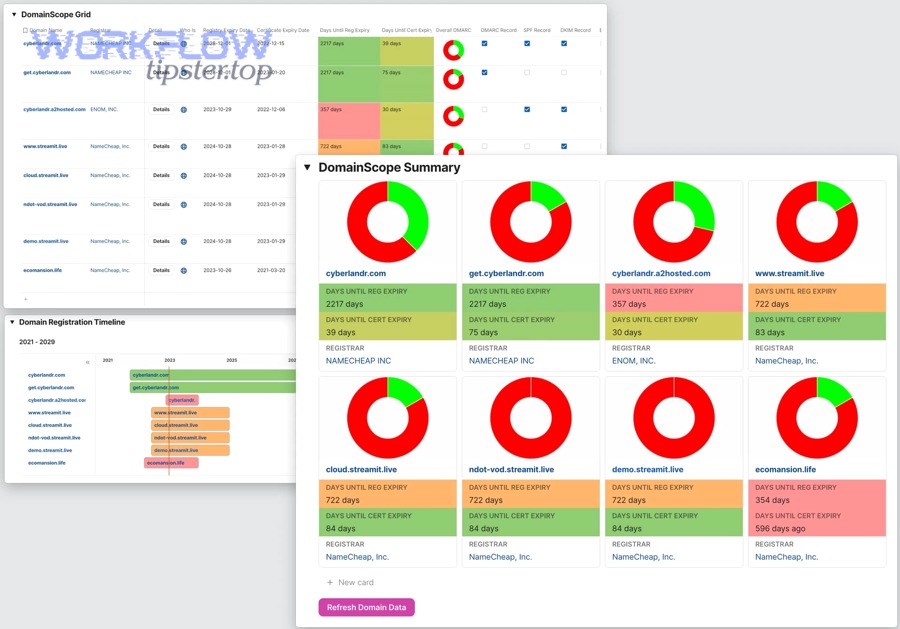
Next, treat field mapping as a contract: when a value is invalid, the integration should fail loudly (with logging) rather than silently writing incorrect data.
Airtable-to-ServiceNow mapping becomes far easier when you document it clearly. The table below contains a practical mapping template that helps admins align Airtable fields to typical ServiceNow incident fields while capturing validation notes and ownership rules.
| Airtable field (example) | ServiceNow field (example) | Why it matters | Validation / notes |
|---|---|---|---|
| Title | short_description | Ticket headline | Enforce length; avoid empty |
| Description | description | Triage details | Keep formatting consistent |
| Requester email | caller_id (lookup) | Correct caller identity | Requires lookup or mapping table |
| Priority | priority | SLA + routing impact | Use controlled values (1–5) |
| Impact | impact | Incident classification | Standardize in Airtable |
| Urgency | urgency | Priority logic | Consider computed mapping |
| Category | category | Reporting consistency | Use select values; avoid free text |
| External Key | u_external_key (custom) | Idempotency / dedupe | Unique per Airtable record |
| Status | state (read-only often) | Lifecycle control | Usually owned by ServiceNow |
Which Airtable field types typically cause mapping issues ?
There are 6 Airtable field types that commonly cause mapping issues based on how they serialize into APIs: multi-select, linked records, attachments, formulas, rollups, and collaborator/user fields.
Then, handle them with explicit conversion rules instead of “hoping” the connector does what you mean:
- Multi-select
- Problem: produces an array/list; ServiceNow may expect a single value or a comma string.
- Fix: convert to a single select, or map to a text field with controlled formatting.
- Linked records
- Problem: references another table’s record IDs, not the human label.
- Fix: map the “primary field” label (or create a lookup field in Airtable) and decide whether ServiceNow needs a reference lookup.
- Attachments
- Problem: attachments require special handling; they’re URLs + metadata, not raw file bytes.
- Fix: start by syncing attachment links as text; only implement file upload when required.
- Formulas
- Problem: formula output may be empty, formatted, or inconsistent.
- Fix: create a “final” text field where you copy stable output (or validate formula output).
- Rollups
- Problem: rollups depend on linked record state, can change unexpectedly.
- Fix: treat rollups as display-only; avoid using them to drive critical workflow decisions unless you cache values.
- Collaborator/user fields
- Problem: user identity formats differ across tools.
- Fix: map to email where possible, then resolve to ServiceNow user reference in a controlled step.
A practical habit is to add a “Mapping QA” view in Airtable that highlights blanks, invalid values, and records missing the external key.
Should you map to ServiceNow Incident vs Request vs Task ?
Incident wins when the goal is restoration and interruption handling, Request is best for standardized fulfillment, and Task is optimal for structured work items inside a broader process.
Next, decide based on how ServiceNow will govern the record’s lifecycle:
- Choose Incident when
- The user reports an unplanned interruption or degradation.
- You need incident states, incident SLAs, and major incident processes.
- The “caller” and “impacted service” matter for urgency and routing.
- Choose Request when
- The work is a known catalog item (access, equipment, onboarding).
- Approvals and fulfillment steps are standard and repeatable.
- You want request items and fulfillment tracking.
- Choose Task (or custom task table) when
- The work is internal and structured (subtasks, project work).
- You’re integrating with operational checklists or runbooks.
- You need flexible assignment but not the full incident/request semantics.
The fastest way to decide is to ask: “Is this an interruption (incident), a standard service (request), or a unit of work (task)?” Then map accordingly.
What are the best workflow patterns to automate ITSM with Airtable → ServiceNow?
There are 4 best workflow patterns to automate ITSM with Airtable → ServiceNow based on operational safety: create-only intake, create-then-update, deduplicated upsert, and controlled status feedback.
Below, you’ll see these patterns as building blocks you can combine while still keeping ServiceNow as the system of record.

How do you create a ServiceNow incident automatically from an Airtable record?
You create a ServiceNow incident automatically from an Airtable record by using a trigger (new record or status change), mapping required fields, inserting the record into the incident table, and writing the returned incident number/sys_id back into Airtable for traceability.
Next, implement this as a predictable “create” workflow with guardrails:
- Trigger (Airtable side)
- Use triggers like “When record is created,” “When Status changes to Ready,” or “When Create Ticket becomes true.”
- Validate (before create)
- Block creation when required fields are missing: short description, requester/caller, category/service, priority or impact/urgency.
- Create incident (ServiceNow side)
- Create an incident with short_description, description, classification fields, caller_id resolution, and optional routing.
- Write back identifiers to Airtable
- Store incident number, sys_id, timestamps, and integration status for traceability.
- Route and notify
- Optionally notify stakeholders or add internal Airtable comments for triage.
This structure prevents the common failure mode: “We created tickets, but we can’t reliably update or trace them later.”
How do you update Airtable when a ServiceNow ticket changes status?
You update Airtable when a ServiceNow ticket changes status by using a ServiceNow-driven trigger (webhook/event when possible) or scheduled polling, then mapping ticket state fields back to Airtable fields using the stored sys_id or incident number as the matching key.
However, status updates are where “sync” becomes risky unless you limit scope. A safe approach is to sync only a small, read-only set back to Airtable: state, assignment display fields, last updated timestamp, and optional close details for visibility.
- Webhook/event approach
- Fire an outbound message when state changes and update Airtable with sys_id, number, state, and updated timestamps.
- Polling approach
- Query recently updated tickets on a schedule, match by sys_id, and apply updates if the ticket is newer than Airtable’s stored timestamp.
To reduce confusion, add an Airtable field like “ServiceNow is Source of Truth = Yes” and treat state as non-editable by policy even if Airtable allows editing.
According to a study by the University of California, Irvine from the Department of Informatics, in 2008, interrupted knowledge workers took on average around 23 minutes to resume interrupted tasks—so reducing manual ticket re-entry and status chasing can protect meaningful focus time in IT operations.
Should you build one-way automation or true two-way sync?
Airtable-to-ServiceNow one-way automation is usually the safest default, two-way sync is best for shared visibility with strict field ownership, and a hybrid “one-way + read-only feedback” model is optimal for most ITSM teams that need transparency without lifecycle conflicts.
Next, choose the model that matches operational control rather than choosing the model that sounds most “connected.”
Is two-way sync safe for ITSM data?
Yes, two-way sync can be safe for ITSM data if you enforce at least three safeguards: a clear system of record per field, conflict rules to prevent overwrites, and idempotent matching keys to prevent duplicates.
However, two-way sync becomes unsafe when teams edit the same “decision fields” in both places—especially state, assignment group, priority, and work notes. A practical safe model is to let Airtable own intake metadata while ServiceNow owns lifecycle fields, and Airtable displays those lifecycle fields read-only.
What conflict rules prevent overwrite problems in two-way sync?
There are 4 main conflict rule types that prevent overwrite problems in two-way sync based on how you define field ownership: priority-of-source, state-gated edits, timestamp-based resolution, and locked-field policies.
Then, choose the simplest rule that fits your operating model:
- Priority-of-source: For each field, define the winning system (e.g., state always from ServiceNow).
- State-gated edits: Allow edits only in certain states (e.g., editable before In Progress).
- Timestamp-based resolution: Newer wins, but risky for ITSM because newer isn’t always correct.
- Locked-field policies: Once ServiceNow writes a field, lock it in Airtable to prevent accidental overwrites.
A simple implementation step is to control editing permissions in Airtable Interfaces so the UI enforces what your integration rules enforce.
How do you secure and govern an Airtable ↔ ServiceNow integration?
You secure and govern an Airtable ↔ ServiceNow integration by applying least privilege, controlling credentials, minimizing synced data, documenting field ownership, and implementing audit-friendly logging and change control so your automation remains safe, compliant, and maintainable.
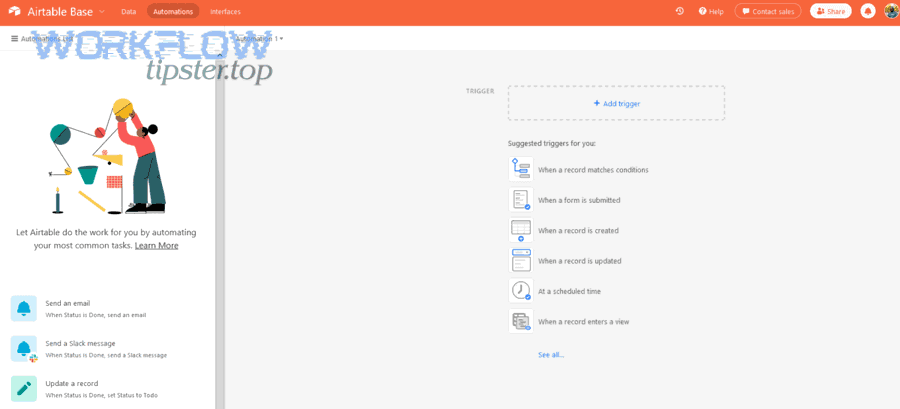
Next, treat your integration like production infrastructure—because it is—especially when it can create or update ITSM records.
What permissions should the ServiceNow integration user have (minimum viable access)?
There are 5 minimum viable permission areas for a ServiceNow integration user based on least privilege: table access, API access, lookup access, update scope, and audit visibility.
- Create rights only on the specific target table(s) used.
- Update rights only if needed and ideally limited to controlled fields.
- Read rights only for required lookups (e.g., caller resolution).
- API access aligned with instance policies for Table API usage.
- Clear auditing so integration actions are attributable and reviewable.
According to a study by the National Institute of Standards and Technology from its Computer Security Resource Center (CSRC), in the principle of least privilege guidance, systems should restrict access privileges to the minimum necessary to accomplish assigned tasks—so your integration user should never be a broad admin account.
What data should you avoid syncing ?
There are 4 categories of data you should avoid syncing based on risk and necessity: sensitive personal data, authentication secrets, security incident details, and unnecessary identifiers.
Then, minimize risk with a “need-to-create-ticket” filter:
- Sensitive personal data (PII): Avoid syncing unnecessary HR or identity details; prefer minimal identifiers.
- Secrets and credentials: Never store API keys in Airtable fields; use secure credential handling in your automation layer.
- Security incident details: Consider restricted processes/tables for sensitive security tickets.
- Unnecessary identifiers: Don’t sync large directories “just in case”; sync only what the ticket needs.
A simple operational safeguard is to create a “Sync Allowed” view in Airtable that excludes restricted fields and is the only view your automation reads from.
According to a study by IBM and the Ponemon Institute from their Cost of a Data Breach research, in 2024, the global average cost of a data breach was reported at USD 4.88 million—so reducing integration-driven exposure through minimization and least privilege is practical risk management.
How do you test, troubleshoot, and monitor the integration in production?
You test, troubleshoot, and monitor an Airtable to ServiceNow integration by using a staged rollout (dev → test → prod), validating mappings with known records, logging every run, adding retries with alerts, and tracking duplicates and failures so operations teams can trust the automation.

Next, focus on reliability habits that make the integration boring—in the best way.
What are the most common failures (auth, mapping, duplicates, rate limits) and quick fixes?
There are 5 common failure types in Airtable to ServiceNow automation based on where the pipeline breaks: authentication, authorization, validation/mapping, duplication, and throughput limits.
Then, troubleshoot with a symptom → cause → fix checklist:
- Authentication failures
- Symptom: 401/403 errors or sudden failures.
- Cause: token expiration, password rotation, policy changes.
- Fix: rotate credentials properly and document ownership.
- Authorization failures
- Symptom: can read but can’t create/update.
- Cause: missing roles/table rights.
- Fix: grant narrowly scoped permissions to required tables only.
- Mapping/validation failures
- Symptom: record insert fails or fields arrive incorrect.
- Cause: wrong field name, invalid choice value, missing mandatory field.
- Fix: enforce controlled values and add pre-create validation steps.
- Duplicate tickets
- Symptom: multiple incidents for one Airtable item.
- Cause: triggers firing multiple times; no idempotency key.
- Fix: external key + upsert behavior + processed flags.
- Rate/throughput limits
- Symptom: timeouts, throttling, slow runs.
- Cause: frequent polling, heavy lookups, no batching.
- Fix: batch operations, reduce polling windows, add backoff.
The operational difference between a fragile integration and a durable one is whether you can diagnose failures in minutes instead of hours.
How do you prevent duplicate incidents and ensure idempotency?
Yes—you prevent duplicate incidents and ensure idempotency by using at least three mechanisms: a unique external key per Airtable record, an upsert strategy that updates when the key exists, and a trigger guard that prevents repeated processing.
Then, implement this as a standard “idempotent create” design:
- External key field: Add a ServiceNow custom field (e.g., u_external_key) to store the Airtable record ID or stable key.
- Lookup-before-create: Query ServiceNow for the external key; update if found, create if not.
- Processed guard: Track an Airtable Integration Status (Pending → Created → Synced → Error) and trigger only from Pending.
- Retry-safe writes: Ensure retries do not create duplicates; retries should find and update.
According to a study by ServiceNow documentation guidance on Table API usage, REST-based record retrieval and updates are supported through the Table API endpoints—so building your idempotency around stable record keys and controlled queries aligns with standard platform behavior rather than workarounds.
Which integration approach is best for Airtable ↔ ServiceNow (Zapier vs Make vs n8n vs API)?
Zapier wins for speed-to-first-automation, Make is best for flexible routing and complex mapping, n8n is optimal for self-hosted compliance and deep customization, and direct API is best for maximum control at scale.
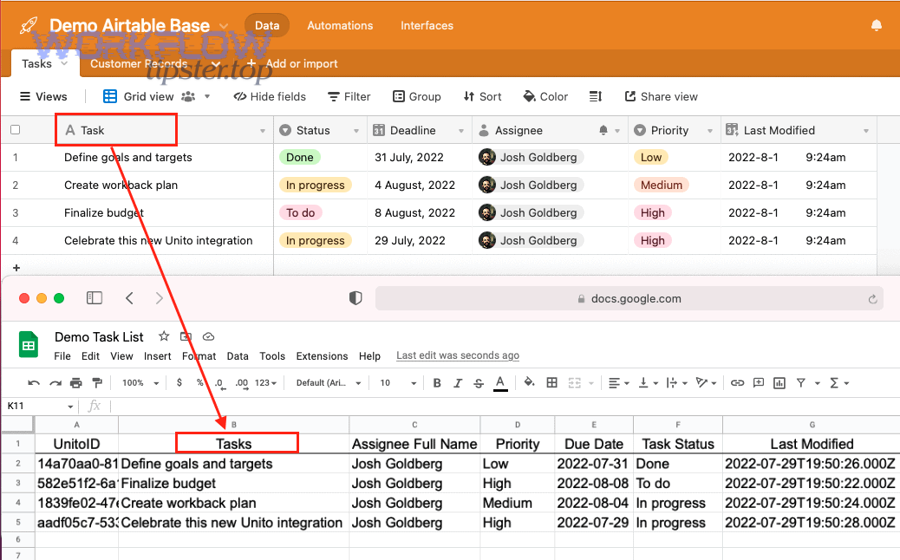
Next, choose based on operational ownership: who will maintain it, who will debug it, and how strict your org’s security and deployment requirements are.
To make this decision concrete, the table below contains a practical comparison framework that helps you choose an approach based on governance, complexity, and ITSM-friendly reliability features.
| Approach | Best for | Strengths | Tradeoffs |
|---|---|---|---|
| Zapier | Quick incident creation, basic updates | Fast setup, common connectors, low effort | Less control for advanced transforms |
| Make | Branching logic, richer data shaping | Powerful routers, mapping flexibility | Requires more build discipline |
| n8n | Self-hosting, custom logic, compliance | Full control, extensible workflows | Requires ops ownership |
| Direct API | High scale, advanced behaviors | Max control, custom performance | Highest build/maintenance cost |
Along the way, remember you’re not just “connecting apps”—you’re building Automation Integrations that will influence how IT tickets are created, classified, and tracked.
Zapier vs Make: which is better for straightforward ticket automation?
Zapier wins in simplicity, Make is best for control, and a combined approach is optimal when you need quick wins now and deeper logic later.
However, “straightforward” ITSM automation still benefits from Make when you need conditional routing by category, transformations (priority mapping tables), dedupe lookups, and more detailed error branches.
Zapier is a strong fit when you only need create-only flows, the field set is small and standardized, and your team wants non-technical admins to own the integration.
If you already run adjacent workflows like clickup to airtable for project intake, you’ll recognize the same tradeoff: speed-to-automation versus workflow control.
When does n8n (self-hosted) outperform cloud no-code tools for compliance or customization?
n8n outperforms cloud no-code tools when your organization needs on-prem/self-hosted control, strict credential governance, custom network routing, or deeper workflow logic that would be fragile or expensive in purely SaaS-based connectors.
More specifically, n8n becomes compelling when security requires keeping credentials and logs inside your environment, you need custom code steps for specialized transforms, you must integrate with internal systems behind firewalls, or you want versioning and CI/CD-like practices for workflow changes.
This is also the point where many teams begin thinking in “platform” terms: your Airtable-to-ServiceNow flow becomes one node in a broader automation ecosystem (like airtable to zoom for incident review meetings or airtable to surveymonkey for post-resolution surveys).
What’s the “import set + transform map” option in ServiceNow, and when is it worth it?
An import set + transform map is a ServiceNow ingestion pattern that loads data into a staging table (import set) and then transforms it into target tables using mapping and scripts, and it’s worth it when you need higher-scale, more controlled ingestion with standardized transformations and strong governance.
Then, consider it when you’re ingesting large volumes, you need consistent transformation rules beyond simple field mapping, or you want a repeatable, auditable import pipeline.
It’s “rare” in everyday no-code setups, but it’s powerful when your integration evolves from “a workflow” into “a data ingestion system.”
Should you use the ServiceNow API directly (and what do you lose/gain)?
Yes—you should use the ServiceNow API directly when you need maximum control and scale, because direct API gives you full flexibility over authentication, upserts, batching, and error handling, but you lose the speed and built-in convenience of no-code tooling.
On the other hand, direct API integration becomes your responsibility end-to-end: monitoring, retries/backoff, security hardening, documentation, and maintenance.
According to a study by Gartner from its market forecasting work on low-code development technologies, the low-code market has been projected to grow strongly—reflecting why many teams start with no-code and only move to direct API when the integration becomes mission-critical and needs deeper engineering control.