


When you set up GitHub → Jira → Google Chat DevOps alerts, you turn raw engineering signals (commits, PRs, deployments, incidents) into actionable notifications that create or update Jira issues and immediately inform the right responders in Google Chat—without drowning your team in noise.
Next, this guide explains what a good end-to-end alert workflow looks like, which GitHub events are worth alerting on, and how to structure Jira tickets so Chat messages carry enough context to drive fast triage instead of guesswork.
Then, you’ll follow a practical setup path—starting with GitHub triggers, moving through Jira Automation (including incoming webhooks), and finishing with clean, readable Google Chat messages that land in the right space and thread, with size limits and formatting in mind. (support.atlassian.com)
Introduce a new idea: once the pipeline works, the real win comes from rules—severity, deduplication, routing, and continuous improvement—so your DevOps alerts stay trustworthy even as repos, teams, and release volume scale.
What is a GitHub to Jira to Google Chat DevOps alerts workflow?
A GitHub → Jira → Google Chat DevOps alerts workflow is an automation chain that converts GitHub events into Jira work items (or updates) and posts a compact, actionable message into Google Chat so the on-call team can acknowledge, triage, and resolve faster with shared context.
Next, it helps to picture the workflow as three linked “handoffs”: signal → ticket → notification. GitHub produces signals (push, PR, release, workflow failure). Jira stores the durable work record (issue type, severity, owner, SLA, links). Google Chat delivers the human-facing alert (what happened, where, who owns it, what to do next).
In practice, strong workflows share a few characteristics:
- They’re event-driven: only defined GitHub events generate alerts.
- They’re stateful: Jira becomes the “source of truth” for ongoing incidents (not the chat stream).
- They’re routed: each alert goes to the correct team space and thread.
- They’re constrained: only the most actionable details are sent to Chat, while deep context lives in Jira and linked runbooks.
Which GitHub events should trigger Jira alerts?
The best GitHub events for Jira alerts are the ones that directly change operational risk: failed CI/CD runs, blocked releases, security scanning failures, and production-impacting rollbacks—because these events demand an explicit owner and a trackable resolution path.
Specifically, you can group GitHub signals by intent:
- Build & test reliability (DevOps)
workflow_runconclusion = failure (CI failure on main branch)- required status checks failing on PRs that target release branches
- Release & deployment risk (Platform/Release Engineering)
- release published, deployment started/failed, rollback triggered
- tagged release on protected branches without approvals
- Security & compliance (AppSec)
- code scanning alerts elevated to high/critical
- secret scanning detected credential exposure
- Availability “tripwires” (SRE)
- automated smoke tests failing after deploy
- error budget guardrails violated (if pushed into GitHub checks)
Operationally, this is the “less is more” moment: if you alert on every push, your workflow becomes a noise factory—and your on-call team learns to ignore it.
What Jira issue fields should be included in Google Chat notifications?
A Google Chat alert should include only the minimum Jira fields that accelerate a decision: what broke, impact/severity, ownership, and the next action—while the full timeline remains inside Jira.
A practical “Chat payload” field set looks like this:
- Jira Issue Key + Summary (the anchor link the team clicks)
- Severity / Priority (P0–P3 or Sev1–Sev4)
- Service / Component (or repository name mapped to service)
- Environment (prod/staging/dev) + region if relevant
- Owner / On-call rotation (mention the responder group if you use it)
- One-line trigger (e.g., “CI failed on main” / “Deploy rollback triggered”)
- Runbook link (or “First step” checklist)
- Dedup key
This structure makes the message readable in a scrolling chat stream, while still pointing to Jira as the durable system of record.
How do you set up GitHub → Jira → Google Chat DevOps alerts step by step?
You can set up GitHub → Jira → Google Chat DevOps alerts with a three-stage method: (1) capture GitHub events, (2) create/update Jira issues via automation and incoming webhooks, (3) post a formatted message to Google Chat—so every alert is both trackable and immediately visible. (support.atlassian.com)
Next, the key design choice is where you place the “brain” of your automation: in GitHub Actions, in Jira Automation, or in a middleware tool. Many teams start with Jira Automation because it’s fast to iterate and already “speaks Jira” well.
Step 1: Capture GitHub signals with webhooks or Actions
Start by choosing one consistent trigger mechanism:
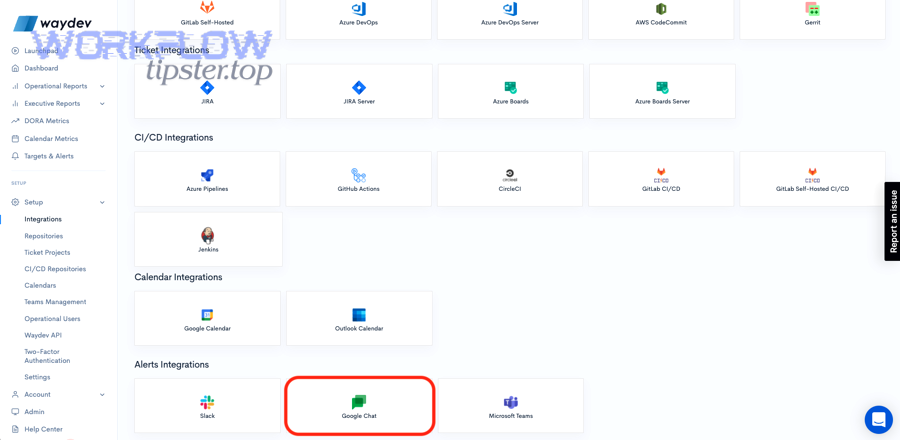
- GitHub webhooks are best when you want real-time event delivery to an external endpoint.
- GitHub Actions are best when you want to compute context (labels, env, changed files, owners) before calling Jira/Chat.
A pragmatic approach for DevOps alerts is:
- Pick the events that matter (for example: workflow failures on main; deployment failures; release tags).
- Normalize them into a small, consistent JSON payload (repo, branch, environment, status, URL, commit SHA, actor).
- Add a stable deduplication key (for example:
repo + workflow + run_idorrepo + deploy_env + release_tag).
This is also where you decide your “ticketing rule”:
- Create a new Jira issue for a new incident class, or
- Update an existing Jira issue if the dedup key matches (reduces alert spam dramatically).
Step 2: Create or update Jira issues using Automation incoming webhooks
Jira Automation can accept inbound triggers via an Incoming webhook trigger, then run conditions/actions to create or update issues. (support.atlassian.com)
A clean Jira pattern looks like this:
- Trigger: Incoming webhook receives your normalized JSON
- Conditions:
- if environment == prod AND status == failed → continue
- else log or ignore
- Lookup: Search existing issues by dedup key (custom field) or label
- Branch:
- If found → add comment / update status / increment occurrence count
- If not found → create issue with mapped fields
Field mapping recommendations:
- Put the dedup key in a custom field (not just the description).
- Store deep links (GitHub run URL, PR URL, deployment URL) in the description in a consistent “Links” block.
- Use components/service fields to drive assignment and routing.
This keeps the workflow resilient when Chat is noisy—because Jira remains the place where state, ownership, and resolution live.
Step 3: Post actionable messages to Google Chat via webhooks or Chat API
Finally, send the human-facing notification to Google Chat.
You have two common options:
- Incoming webhook to Chat space (simple one-way notifications; great for alerts)
- Google Chat API (richer messages, cards, thread control, app identity)
If you use the Chat API, remember that message size limits exist: the maximum message size (including text/cards) is 32,000 bytes, so long incident details should stay in Jira, and Chat should carry a summary + link. (developers.google.com)
A good Chat message includes:
- Emoji/severity marker (e.g., 🔴 Sev1)
- Jira issue key + link
- Short summary + environment
- One “what to do next” line (runbook / rollback / acknowledge)
Here’s one simple style rule that scales: one alert = one Jira key. If you want updates, reply in the same thread with status changes (rather than creating a new message each time).
What rules make DevOps alerts actionable instead of noisy?
Yes—DevOps alerts become actionable (not noisy) when you enforce severity thresholds, deduplication/grouping, and context completeness, because those three rules stop alert fatigue, keep Jira clean, and make Google Chat messages immediately “doable.” (pubmed.ncbi.nlm.nih.gov)
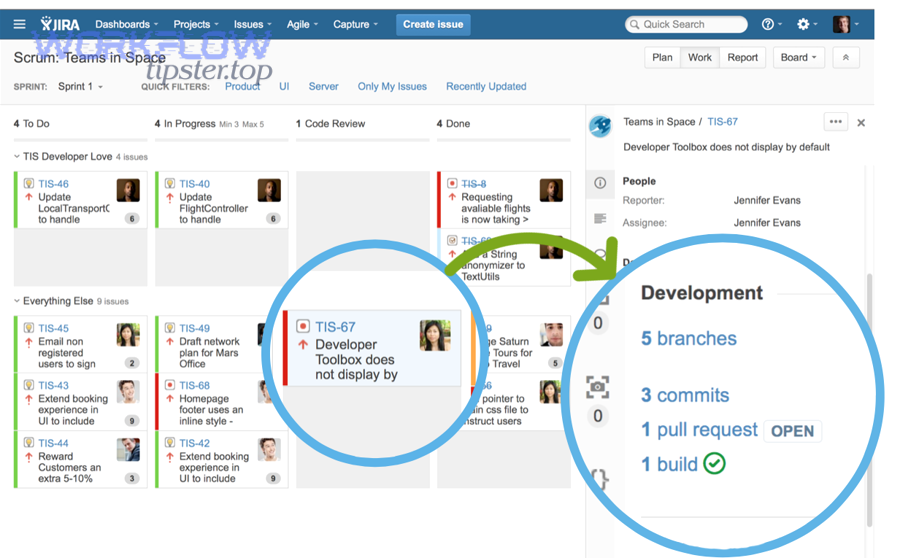
Next, treat alert quality as a product: if alerts are frequently wrong or repetitive, responders stop trusting the channel, and real incidents get missed.
How do you prioritize alerts by severity and impact?
Severity rules should be predictable and measurable, not subjective.
A simple mapping model:
- Sev1 / P0: production outage, security critical, deployment rollback in prod, payment failures
- Sev2 / P1: degraded service, elevated error rate, release pipeline blocked for production
- Sev3 / P2: repeated CI failures on main without user impact, flaky tests trending upward
- Sev4 / P3: informational (release published), low-risk notices
Then apply gates:
- Only Sev1–Sev2 go to the primary on-call space.
- Sev3 goes to an engineering health room (or daily digest).
- Sev4 is logged only (or threaded under a “FYI” channel).
This is where “automation workflows” stop being just automation and start being operational design: the routing policy defines how humans experience your system.
How do you deduplicate and group related events?
Deduplication prevents “spam storms” during cascading failures.
Use at least two layers:
- Event-level dedup (same GitHub run ID, same deployment ID, same SHA)
- Incident-level grouping (same service + environment + symptom within 30–60 minutes)
Implementation patterns:
- Store a dedup key in Jira custom field and search before creating.
- Increment a counter (occurrence count) and append the latest GitHub link as a comment.
- In Chat, reply to the same thread with “Update #2 / #3” rather than posting new alerts.
Why it matters: repetition directly reduces attention over time. In a clinical decision support study at Weill Cornell Medical College (Department of Healthcare Policy & Research, Division of Health Informatics), researchers found that likelihood of reminder acceptance dropped by 30% for each additional reminder received per encounter (2017). (pubmed.ncbi.nlm.nih.gov)
That’s healthcare, not DevOps—but the human mechanism is the same: repeated alerts train people to ignore the channel.
How do you include runbook links and context in each alert?
An actionable alert answers four questions instantly:
- What happened? (failure type + symptom)
- Where? (service + environment + region)
- Who owns it? (team/on-call)
- What’s the first move? (runbook link or first command)
Make this a rule: every alert message must include either:
- a runbook link, or
- a first-step checklist (max 3 bullets) that can be executed without hunting.
Example “first step” bullets that work well in Google Chat:
- Check deploy dashboard link
- Verify error rate in APM link
- Roll back to last green release (link)
And keep the deep details in Jira—especially stack traces and long logs—because Chat has size constraints and is optimized for quick scanning, not archival. (developers.google.com)
What are the most common errors and how do you troubleshoot them?
The most common failures in GitHub → Jira → Google Chat DevOps alerts are (1) triggers not firing, (2) Jira automation mapping/search issues, and (3) Chat delivery limits or auth problems—and each category can be isolated quickly by checking request logs, payload shape, and endpoint permissions. (support.atlassian.com)
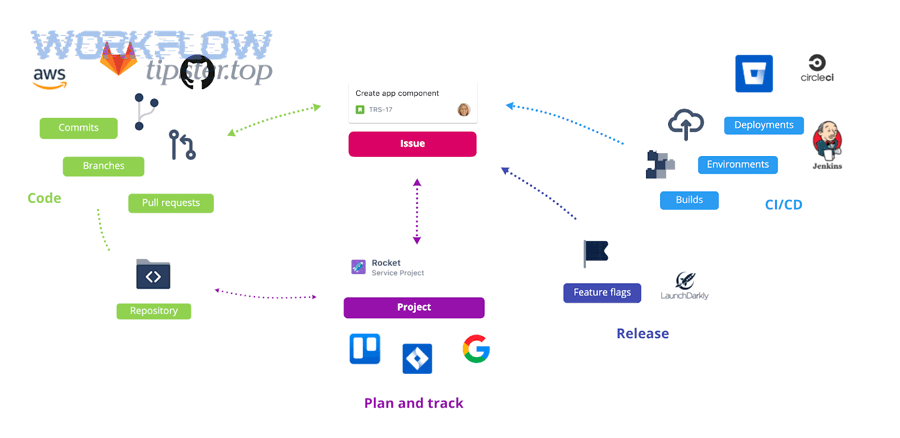
Next, troubleshoot in the same order as the workflow: GitHub → Jira → Chat, because downstream errors can’t be solved if upstream events never arrive.
Why are GitHub webhooks failing or not firing?
Common root causes:
- Wrong event selection: you configured
pushbut expectworkflow_run. - Branch filtering mismatch: the workflow runs on
main, but alerts look forrelease/*. - Endpoint unreachable: firewall, SSL issues, DNS, or timeouts.
- Signature validation mismatch: your receiver rejects valid GitHub payloads due to secret mismatch.
- Rate limiting during storms: bursts cause dropped/queued deliveries.
Fix pattern:
- Verify GitHub delivery logs show “delivered” with 2xx.
- Inspect the exact JSON payload and confirm required fields exist.
- Add a lightweight “ping” event test that creates a Jira issue in a sandbox project.
Why is Jira Automation not creating/updating issues?
This usually happens when conditions don’t match or lookup queries don’t find existing issues.
Typical issues:
- Incoming webhook payload keys don’t match your smart values.
- Custom field for dedup key is missing/incorrect type.
- JQL search is too strict (or searching the wrong project).
- Permissions: automation actor can’t create issues or edit fields.
- Rule trigger endpoint changed (rare, but happens with platform migrations).
Start with a minimal rule:
- Trigger: incoming webhook
- Action: create issue with summary = fixed test string + payload snippet
Then add one piece at a time: conditions → mapping → lookup → branching.
Atlassian’s documentation for configuring the Incoming webhook trigger is the right baseline reference when validating the trigger and rule structure. (support.atlassian.com)
Why are Google Chat messages failing or truncated?
Common causes:
- Message exceeds size limits (too much text, giant JSON, long stack traces)
- Invalid JSON formatting for the chosen delivery method
- Webhook URL revoked or space permissions changed
- Posting to the wrong space/thread key
- Using advanced formatting/cards without correct API/auth
A key constraint to design around: Google Chat API messages have a maximum size of 32,000 bytes (text + cards). If you exceed it, split into multiple messages or move detail into Jira and send only the summary + link. (developers.google.com)
A simple “anti-truncation” approach:
- In Chat: severity + Jira link + 1–3 key facts
- In Jira: full failure context (links, logs, metadata)
If you need a real-world mental model, treat Google Chat like a pager and Jira like the incident record.
How can you customize and scale the workflow for different teams?
You can scale GitHub → Jira → Google Chat DevOps alerts by standardizing mapping rules (repo→service→project), routing notifications by ownership, adding escalation policies, and measuring alert quality with feedback loops—so the workflow supports multiple teams without becoming chaos.
Next, scaling is mostly about governance: shared conventions, not more automation.
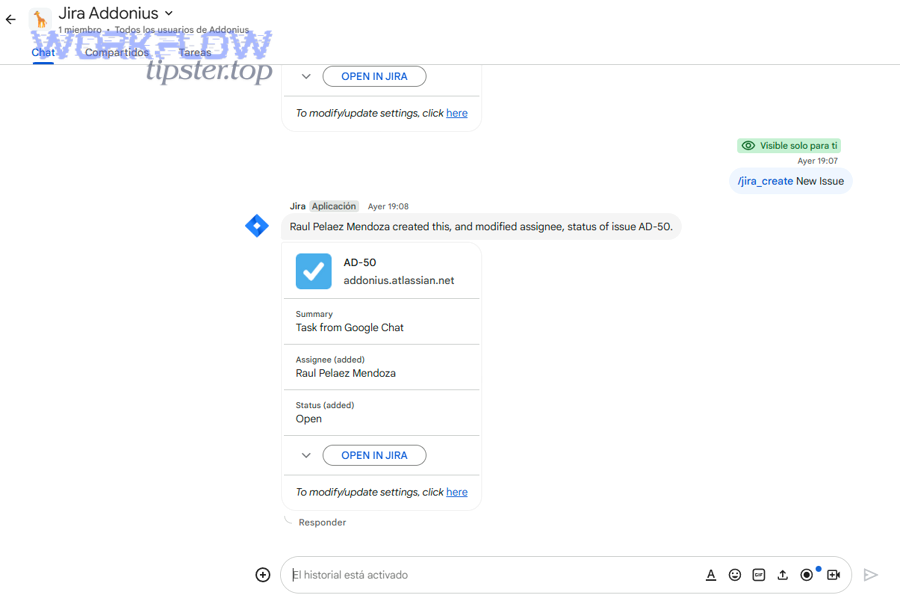
How do you map repositories to Jira projects and components?
Use an explicit mapping table (even if it’s small at first):
- Repo → Service name
- Service → Jira project key
- Repo/service → Jira component
- Default assignee/on-call schedule
Then enforce it in your automation:
- If mapping exists → route and create correctly
- If mapping missing → create a “Mapping Needed” issue in a platform project (prevents silent drops)
This is also where teams integrate broader, cross-tool patterns—like airtable to confluence to box to dropbox sign document signing—because consistent mapping makes multi-system automation predictable across domains, not just DevOps.
How do you route alerts to the right Google Chat spaces/threads?
Routing rules that scale:
- By service ownership: service A → chat space A
- By severity: Sev1 → on-call war room; Sev2 → service room
- By environment: prod → paging channel; staging → engineering channel
Threading rules:
- One Jira issue = one Chat thread (ideal)
- Updates reply in thread, not as new messages
- Include the Jira key in every message so humans can correlate quickly
If you rely on incoming webhooks rather than a full Chat app, keep thread identifiers stable and deterministic (for example: threadKey = jiraIssueKey), so message grouping stays consistent.
How do you add escalation and after-hours policies?
Escalation should be a rule, not a hero moment.
A basic escalation ladder:
- Alert posted to on-call space + Jira issue created
- If not acknowledged within X minutes → mention on-call lead
- If still not acknowledged → page secondary rotation / manager on duty
- If resolved → auto-post a “Resolved” update and transition Jira status
This is where support workflows can share the same pattern: a freshdesk ticket to basecamp task to google chat support triage pipeline uses the same mechanics—ticket creation, routing, and escalation—just with different systems and ownership rules.
How do you measure and improve alert quality over time?
Alerting gets better when you measure what matters:
- Precision: % of alerts that required action
- Noise: repeats per incident, alerts per deploy
- Time-to-acknowledge and time-to-resolve
- Top offenders: rules that generate the most false positives
- Coverage gaps: incidents that occurred without a matching alert
Run a monthly review:
- Identify the noisiest alert sources
- Reduce repeats
- Improve context (better runbook links, clearer ownership)
- Adjust severity thresholds
If you want a single guiding metric: aim to increase “alerts that lead to a Jira status change” and decrease “alerts that get ignored.” The same human-factor dynamics behind alert fatigue—where repeated reminders reduce acceptance—make continuous improvement non-optional at scale. (pubmed.ncbi.nlm.nih.gov)