


If you want GitHub activity to turn into actionable DevOps alerts inside Google Chat, the most reliable path is to treat it like a pipeline: event → filter → enrich in Basecamp → deliver to a Chat space with clear ownership and next steps. This article shows how to build that pipeline so your team gets fewer pings—but responds faster.
Next, you’ll learn what this workflow really means in day-to-day engineering: which GitHub events matter, when Basecamp adds value (assignment + coordination), and when you should skip the middle step entirely and notify Chat directly.
Then, you’ll see the practical setup logic that works across tool choices: how to map GitHub events to Basecamp to-dos/messages without losing context, and how to format Google Chat notifications so engineers can act in under 60 seconds.
Introduce a new idea: once the flow works, the real difference between “helpful alerts” and “noise” comes down to approach selection (webhooks/GitHub Actions vs no-code automation workflows) and the hygiene layer (filters, dedupe, severity, testing).
What does a “GitHub → Basecamp → Google Chat DevOps alerts” workflow mean in practice?
A “GitHub → Basecamp → Google Chat DevOps alerts” workflow is an event-driven notification pipeline that captures GitHub changes, turns them into Basecamp work context, and posts concise, actionable alerts into a Google Chat space so engineers can respond quickly with clear ownership.
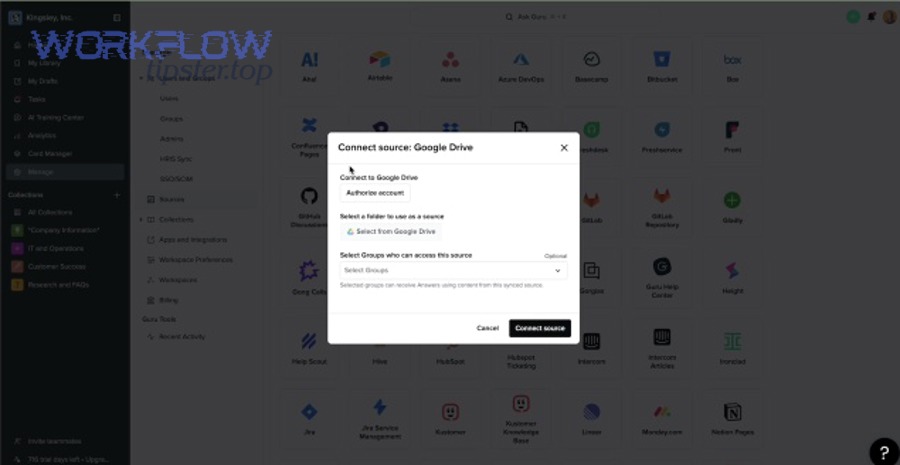
To better understand the workflow, start by visualizing the three systems as three roles in one chain:
- GitHub = the signal generator (PRs, builds, deployments, security alerts)
- Basecamp = the work hub (assign, discuss, track, and document what to do next)
- Google Chat = the attention surface (where the right team sees the right alert at the right time)
A useful mental model is: Chat tells you something happened; Basecamp tells you what you’re doing about it. When you implement it this way, your alerting becomes operational—not just informational.
What GitHub events should you treat as DevOps alerts vs routine updates?
There are two main types of GitHub-driven messages—alerts and updates—based on one criterion: does someone need to respond now (or soon) to reduce risk or unblock delivery?
To illustrate, here’s a practical grouping many engineering teams use:
1) High-signal DevOps alerts (respond soon)
- CI/CD failures on main/default branch
- Deployment failures or rollbacks
- Security alerts (dependabot alerts, critical CVEs, secret scanning)
- Production incident indicators (failed workflow runs tied to production deploys)
- Blocked releases (release workflow failed, tag publish failed)
2) Work coordination updates (respond when scheduled)
- Pull request opened
- Pull request ready for review
- Review requested
- Issue opened/triaged
- Merge completed (when not tied to production risk)
3) Noise unless filtered
- Every push on every branch
- Every comment
- Every label change
- Every check run (especially for PRs with many checks)
Specifically, DevOps alerting works when you design it like a triage queue: only time-sensitive signals become Chat alerts, while everything else becomes Basecamp work items or batched summaries.
Do you need Basecamp in the middle, or can GitHub notify Google Chat directly?
Yes—sometimes you need Basecamp in the middle, and sometimes you don’t, and the best choice depends on (1) ownership, (2) coordination complexity, and (3) the number of teams involved.
Next, here are three clear reasons to keep Basecamp in the chain:
- Basecamp adds ownership: you can assign a to-do to a person or group the moment the alert triggers.
- Basecamp adds continuity: incident notes, decisions, and follow-ups live in a project space that survives chat scrollback.
- Basecamp adds workflow: approvals, checklists, and “definition of done” can be attached to the alert as work.
However, you can notify Google Chat directly from GitHub when:
- Your alerts are purely CI notifications and don’t require project coordination
- Your team already uses another work hub for ownership (e.g., Jira/Linear)
- You only need a “heads up” in one space and nothing else
In practice, many teams run a hybrid: GitHub → Chat for immediate failure signals, and GitHub → Basecamp → Chat for items that require follow-up, assignment, and documentation.
How do you set up the workflow step-by-step for reliable notifications?
The most reliable setup method is a 6-step pipeline build—connect, capture, filter, enrich, format, and test—so GitHub events become Basecamp work items and Google Chat notifications that consistently arrive with enough context to act.
Then, treat your setup as engineering, not “just integration”: you want predictable behavior under load, minimal false positives, and an alert format that’s stable across teams.
Here’s the setup blueprint that works whether you choose webhooks, GitHub Actions, or no-code tools:
Step 1: Define your alert contract (before connecting tools)
Write down:
- Which events are alerts (P1/P2) vs updates (P3/P4)
- Which Basecamp project receives them
- Which Google Chat space receives them
- Who owns each alert type (team or on-call role)
- What a “good alert message” must include (see below)
Step 2: Establish permissions and identity
Make sure:
- GitHub has permission to read repo events (webhook, Actions, or integration)
- Basecamp has a bot/service user or integration token with access to the target project
- Google Chat has either an incoming webhook URL for a space or a configured Chat app/bot
Step 3: Capture GitHub events
Choose capture mechanism:
- Webhooks (near real-time, flexible)
- GitHub Actions (versioned, repo-local control)
- No-code trigger (fast setup, UI-driven)
Step 4: Filter and route (prevent noise early)
Filter by:
- Branch (main only for failures)
- Severity (failed only, not queued)
- Labels (e.g., “prod”, “security”)
- Environment (production deploys only)
Step 5: Enrich in Basecamp (add “what to do”)
Convert an alert into:
- Basecamp to-do (assigned owner + checklist)
- Basecamp message (context + decisions)
- Basecamp Campfire thread (real-time coordination)
Step 6: Deliver to Google Chat (short, structured, actionable)
Send a message that includes:
- What happened (headline)
- Impact/severity
- Owner (person/team)
- Next step (what to do now)
- Links (GitHub + Basecamp)
You can support this build with automation workflows that branch logic (e.g., “if production deploy fails → create Basecamp to-do and ping #on-call; else if PR ready-for-review → create Basecamp to-do and post summary to #dev-updates”). This is where tool choice matters, but the logic stays the same.
How do you map GitHub events into Basecamp work items (to-dos/messages) without losing context?
The best mapping is the one that preserves minimum actionable context while keeping Basecamp clean, and in most teams that means: PR/incident = Basecamp to-do, postmortem/decision = Basecamp message, active coordination = Campfire thread.
More specifically, use this “minimum context” checklist for every mapping:
Required context fields
- Repository + PR/issue title
- Actor (who triggered the event)
- Status (failed/succeeded/blocked)
- Environment (prod/stage/dev if applicable)
- Direct link to GitHub object (PR/run/security alert)
- One-line “why it matters”
Work context fields (Basecamp-specific)
- Assigned owner (person/team)
- Due time or urgency indicator
- Checklist of first actions
- Link back to Basecamp item (so Chat can point to the work)
A practical mapping table (and what it accomplishes):
| GitHub event | Basecamp object | Why this mapping works |
|---|---|---|
| CI failed on main | To-do assigned to on-call | Creates ownership immediately |
| Deploy failed/rollback | To-do + Campfire thread | Enables coordination + tracking |
| Security alert (critical) | To-do + message (policy) | Tracks remediation + documents decision |
| PR ready for review | To-do assigned to reviewer | Turns “FYI” into “do this” |
| Release workflow failed | To-do to release captain | Keeps releases predictable |
On the other hand, avoid “Basecamp everything” if it clutters projects. If an event doesn’t require action, don’t create a task—send a summary digest to Chat instead.
How do you deliver alerts to Google Chat in a way engineers will actually act on?
A Google Chat alert works when it’s short, specific, and actionable, and the message structure itself guides the next action without requiring extra clicks or back-and-forth.
Below is a battle-tested message template:
Alert template (copy structure, not necessarily exact words)
- [Severity] What happened (e.g., “P1: Deploy failed on production”)
- Where (repo/service/environment)
- Owner (on-call/team/person)
- Next step (restart workflow, rollback, check logs, open Basecamp task)
- Links (GitHub run + Basecamp to-do)
Example (conceptual):
- P1: Production deploy failed — payments-service
- Owner: @on-call-payments
- Next step: Review failed job logs, rollback if needed
- Basecamp task: (link)
- GitHub run: (link)
In addition, design routing rules that match engineering reality:
- By service/team: each team has a space
- By severity: P1/P2 to on-call, P3/P4 to dev-updates
- By workflow stage: review reminders in a separate space from incidents
This is also where you can naturally connect cross-team consistency: if your org already runs “freshdesk ticket to asana task to microsoft teams support triage,” the same principle applies—alerts are only useful when they assign a next action to a specific owner.
Evidence: According to a study by the University of California, Irvine (Department of Informatics), in 2008, researchers reported that after interruptions, workers can experience increased stress, and widely cited follow-on reporting notes it can take around ~23 minutes on average to resume an interrupted task—highlighting why alert noise must be controlled in chat-first teams. (dl.acm.org)
Which approach should engineering teams choose: Webhooks/API or No-Code automation?
Webhooks/API approaches win in control and versioning, no-code approaches win in speed and ease of routing, and the best choice depends on your team’s tolerance for maintenance, compliance requirements, and how many branches/filters your alert logic needs.
Meanwhile, don’t frame the decision as “engineering vs non-engineering”—frame it as “how stable and auditable does this alerting pipeline need to be?”
Use these criteria to decide:
Decision criteria (what matters most)
- Change control: do you need PR-reviewed changes to alerting logic?
- Reliability: do you need retries, idempotency, and logging?
- Complex routing: multiple repos → multiple Basecamp projects → multiple Chat spaces
- Security: secrets, token scope, audit trail
- Cost: per-task runs vs “free” repo-native automation
Is a “Webhooks/GitHub Actions → Google Chat” approach better for speed and control?
Yes, a GitHub-native approach is often better for engineering teams because it provides (1) versioned configuration, (2) tight repo context, and (3) low-latency notifications with fewer moving parts.
However, that control comes with responsibilities:
Why it’s strong
- Config lives in the repo (reviewable, change-tracked)
- Easy to tailor by branch, label, event type
- Natural integration with CI/CD states
What to watch out for
- Secret management (rotations, scope)
- Complex transformations (message formatting can be finicky)
- Central governance (many repos can drift into inconsistent alert rules)
In practice, this approach shines when your alerting logic is highly technical and you want the same rigor as code.
Is a No-Code platform better for non-engineering admins and multi-app routing?
Yes, no-code tools are often better when you need fast setup, visual routing, and easy branching across tools—especially if the workflow touches multiple systems beyond GitHub, Basecamp, and Chat.
For example, if you also want a scheduling side-stream like “calendly to outlook calendar to google meet to trello scheduling”, a no-code platform can keep these different automation workflows consistent in one place.
Why it’s strong
- Quick connectors and UI mapping
- Built-in retry and execution logs
- Easy to add conditions, branching, and fallbacks
- Easier for ops/admins to maintain
What to watch out for
- Scaling cost with higher event volume
- Limits (rate limits, payload size, API quotas)
- Vendor lock-in for complex transforms
- Governance if many people edit flows
A useful rule: choose no-code when you need breadth (many apps); choose webhooks/Actions when you need depth (tight control, repo-native standards).
How can you prevent noisy or duplicate alerts across GitHub, Basecamp, and Google Chat?
You can prevent noisy or duplicate alerts by implementing (1) filtering, (2) throttling, and (3) deduplication so only high-signal GitHub events produce Basecamp work and Google Chat pings—and every ping reliably maps to one owner and one next step.
Besides tool choice, alert hygiene is the real differentiator between “useful DevOps alerts” and a muted Chat space.
What filters and thresholds reduce alert fatigue without missing critical failures?
There are five main filter categories you should apply, based on the criterion “does this event change risk or delivery outcome?”
1) Branch filters
- Alert only on main/default branch failures
- Exclude feature branch churn
2) Status filters
- Alert on failed or cancelled (if it blocks deploy)
- Exclude “queued”, “in progress”, or “neutral” unless needed
3) Environment filters
- Alert on production only (or production + staging)
- Treat dev environment failures as digest items
4) Label/component filters
- Alert on “security”, “prod”, “release”
- Route “docs” and “chore” updates to summaries
5) Threshold filters
- “Alert only if failure persists for N minutes”
- “Alert only if failure repeats N times in 30 minutes”
- “Send a summary after 10 similar events”
To illustrate, a mature pattern is:
- Real-time alerts for P1/P2
- Hourly digest for P3/P4
- Daily report for trend tracking
Can you design an alert taxonomy (P1–P4) for DevOps events and route to different Chat spaces?
Yes, you can—and you should—because severity taxonomy is how you keep Chat useful while still comprehensive.
Here’s a practical taxonomy many teams adopt:
- P1 (Immediate): production deploy failure, critical security alert, outage indicators
- Route: on-call space + @on-call mention
- P2 (Urgent): main branch CI red, release blocker, high-risk regression
- Route: team space + assigned owner
- P3 (Important): PR review needed, non-prod deploy failure, flaky test trend
- Route: dev-updates space, no mention
- P4 (Informational): merges, tag creation, minor automation events
- Route: digest only
Then, enforce one behavior rule: Every P1/P2 alert must create a Basecamp work item (to-do or thread) so the alert becomes accountable.
This is where a small editorial layer helps: if you run a knowledge hub like WorkflowTipster.top, write a short internal standard that defines P1–P4 and link it inside the Basecamp project so new engineers learn the system immediately.
What are the most common setup failures and how do you troubleshoot them?
There are five common failure points in this workflow—trigger, auth, payload, endpoint, and permissions—and you can troubleshoot them quickly by validating each link in order until GitHub events reliably create Basecamp work and Google Chat notifications.
More importantly, troubleshooting should be systematic: don’t change three things at once; validate one hop, then proceed.
Here’s the troubleshooting path that prevents guesswork:
1) Verify the trigger (GitHub side)
- Confirm the event is actually firing (e.g., workflow run failed, PR opened)
- Confirm your trigger conditions match reality (branch, event type, path filters)
- Confirm it’s not excluded by label or environment rules
2) Verify authentication (each system)
- GitHub → Basecamp: token validity, correct account/project access
- GitHub → Chat webhook: correct webhook URL, not rotated/invalid
- No-code tools: connection still authorized, scopes not reduced
3) Verify payload mapping
- Ensure required fields exist (repo, link, status, owner)
- Ensure transforms don’t drop content (null values, long messages)
- Ensure Basecamp item creation uses the correct project ID/list ID
4) Verify endpoint reachability
- Webhook URL is reachable from where the automation runs
- No firewall blocks or restricted networks
- Correct HTTPS format and path
5) Verify permissions and destination
- Google Chat space allows incoming webhooks (or correct app install)
- Basecamp project permissions allow posting/creating to-dos
- Chat message is posted to the intended space (not a test space)
Why do GitHub/Chat webhook notifications fail (401/403/404) and what do they usually mean?
A 401/403/404 usually means auth or destination mismatch, and the fastest way to fix it is to interpret the error class as a clue about which link in the chain broke.
Then, use this quick mapping:
- 401 Unauthorized: token invalid/expired, webhook secret wrong, integration revoked
- Fix: re-auth, rotate secret, verify token scopes
- 403 Forbidden: permissions missing, policy blocks, workspace restrictions
- Fix: grant access to Basecamp project, enable webhook permissions, verify Chat space settings
- 404 Not Found: wrong webhook URL, wrong endpoint path, wrong project/list IDs
- Fix: re-copy webhook URL, confirm endpoint path, validate Basecamp IDs
As a practice, store your webhook URLs and tokens in a managed secrets system and document “where to rotate” in the Basecamp project so you don’t lose time during incidents.
How do you validate the workflow end-to-end before rolling it out to the full team?
End-to-end validation is a three-phase test plan: sandbox, controlled live, then full rollout—so you prove the workflow under real events without spamming your entire engineering org.
Next, run it like this:
Phase 1: Sandbox
- Use a test repo and test Basecamp project
- Trigger known events (failed build, PR opened, label added)
- Confirm expected Chat message format and Basecamp object creation
Phase 2: Controlled live
- Enable for one service/team
- Alert only on P1/P2 initially
- Watch volumes for 3–7 days and tune filters
Phase 3: Full rollout
- Expand routing rules by team/service
- Add digest channels for P3/P4
- Document standards and ownership
A strong rollout guideline is: if engineers start muting the space, you shipped noise—so tune filters before scaling.
How can you optimize and govern DevOps alerts across GitHub, Basecamp, and Google Chat at scale?
You can optimize and govern DevOps alerts at scale by separating alerts vs updates, implementing deduplication/idempotency, choosing a routing model (centralized vs distributed), and enforcing security practices so your workflow remains reliable as repos, teams, and alert volume grow.
In addition, “scale” is not just volume—it’s also change frequency. The more repos and teams you have, the more you need consistent standards so one team’s alert logic doesn’t overwhelm another team’s attention.

What is the difference between “alerts” and “updates” in engineering chat, and how should you separate them?
Alerts are time-sensitive signals that demand action, while updates are informational changes that can be consumed asynchronously, and separating them protects focus and prevents critical signals from being ignored.
Next, apply this separation mechanically:
- Put alerts in a dedicated space (or dedicated threads) with ownership rules
- Put updates in a digest space with batching
- Use consistent severity language (P1–P4) so people can triage instantly
This is the antonym pair that makes the system work: signal vs noise.
How do you implement deduplication and idempotency so the same event doesn’t ping the team twice?
Deduplication and idempotency ensure one real-world event produces one alert, even when multiple triggers fire (GitHub event + Basecamp update + retries).
Then, implement it with simple design choices:
- Use a dedupe key (e.g., repo + workflow_run_id, PR_id + status)
- Store “processed keys” for a short time window (e.g., 30–120 minutes)
- If the same key arrives again, update the existing Basecamp item instead of creating a new one
- Prefer threaded Chat messages per incident/PR, so updates land in one place
Even if you’re not writing code, many no-code platforms can simulate this through “lookup then create/update” patterns.
Should you centralize routing in one “alert hub” space or distribute alerts across team spaces?
A centralized alert hub is best for cross-cutting incidents and shared on-call, distributed team spaces are best for ownership clarity and reduced noise, and most engineering orgs succeed with a hybrid model.
Next, pick one of these patterns:
- Centralized: one #devops-alerts space for P1/P2 across the org
- Best when on-call rotates across teams
- Distributed: one space per service/team
- Best when services are owned independently
- Hybrid: P1 to central hub + team space; P2/P3 to team spaces; P4 digest
- Best when you want both visibility and focus
What security and compliance practices matter for webhook-based alerting (secrets, scopes, audits)?
There are four core security practices that keep webhook-based alerting safe: least privilege, secret hygiene, environment separation, and auditability.
Besides reliability, these practices reduce operational risk:
- Least privilege scopes
- Only grant permissions needed to read events and post messages
- Secret rotation and storage
- Store tokens/webhooks in a secrets manager; rotate on schedule
- Environment separation
- Separate test vs prod routes and credentials
- Audit trail
- Keep execution logs and change history (especially if multiple admins edit flows)