


Automating Freshdesk tickets into Trello tasks and Slack alerts is a practical way to turn incoming support requests into visible, owned work—so the right people see the right ticket fast, and nothing gets lost between “support” and “delivery.”
Then, once the workflow is working, you can improve it by choosing the best integration method (native apps, Trello Power-Ups, or third-party automation) based on how much logic, governance, and scale your team needs.
In addition, strong triage design matters as much as technical setup: priority mapping, routing, ownership, and deduplication determine whether the system becomes a calm, reliable pipeline—or noisy chaos.
Introduce a new idea: below is a complete, step-by-step structure that starts with the core workflow and ends with security, reliability, and troubleshooting patterns that keep the automation trustworthy over time.
What is a Freshdesk → Trello → Slack support triage automation workflow?
A Freshdesk → Trello → Slack support triage automation workflow is an automation workflow that converts a Freshdesk ticket into a Trello task/card and posts a Slack alert so the support team can triage, assign, and track work in one consistent flow.
To better understand why this structure works, you need to see it as a “handoff system” that moves a request from customer-facing intake to team-owned execution with minimal friction.
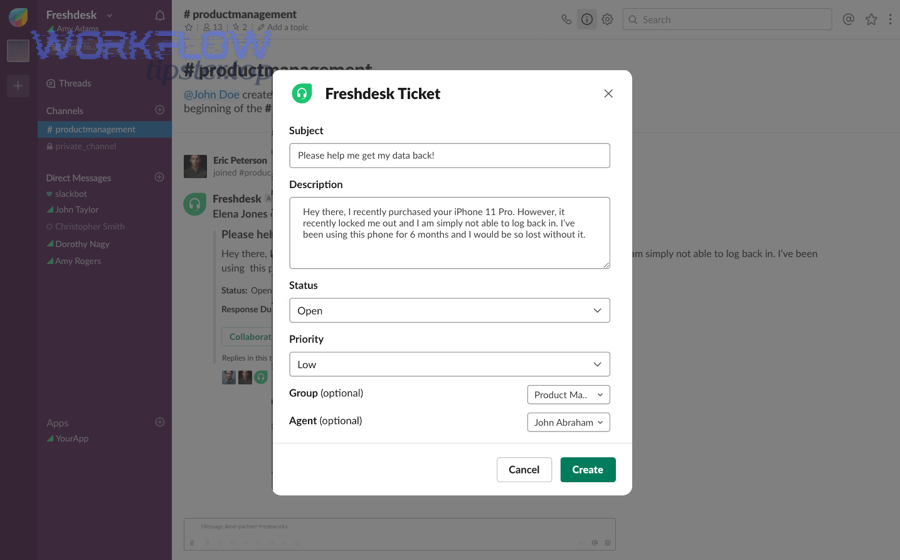
At a macro level, the workflow has three linked jobs:
- Capture (Freshdesk): the ticket contains the customer request, context, and lifecycle fields (status, priority, requester, tags, assignee).
- Convert (Trello): the request becomes a task with a place on a board (list), visible ownership (members), and clear execution metadata (labels, due dates, checklist).
- Coordinate (Slack): the team gets notified in the right channel with enough context to decide “who owns this, how urgent is it, what’s next,” without opening three tabs.
This matters because support triage is not just “creating tasks.” Triage is a sequence:
- Intake: ticket arrives with context.
- Classify: type, urgency, and impact become explicit.
- Route: the right team/person owns it.
- Escalate: urgent items get fast visibility.
- Resolve: progress is tracked until completion.
A well-designed automation workflow makes that sequence consistent. A poorly-designed one just creates more objects (cards, messages) without improving decision speed or accountability.
Does automating Freshdesk tickets into Trello tasks and Slack alerts improve triage speed and accountability?
Yes—automating Freshdesk tickets into Trello tasks and Slack alerts improves triage speed and accountability because it (1) reduces manual copying, (2) creates immediate shared visibility, and (3) makes ownership explicit through assignment and workflow states.
However, those benefits only appear when the workflow is designed to be selective, structured, and deduplicated—otherwise the team experiences alert fatigue and ignores the stream.
Why triage speed improves (reason 1: fewer handoffs)
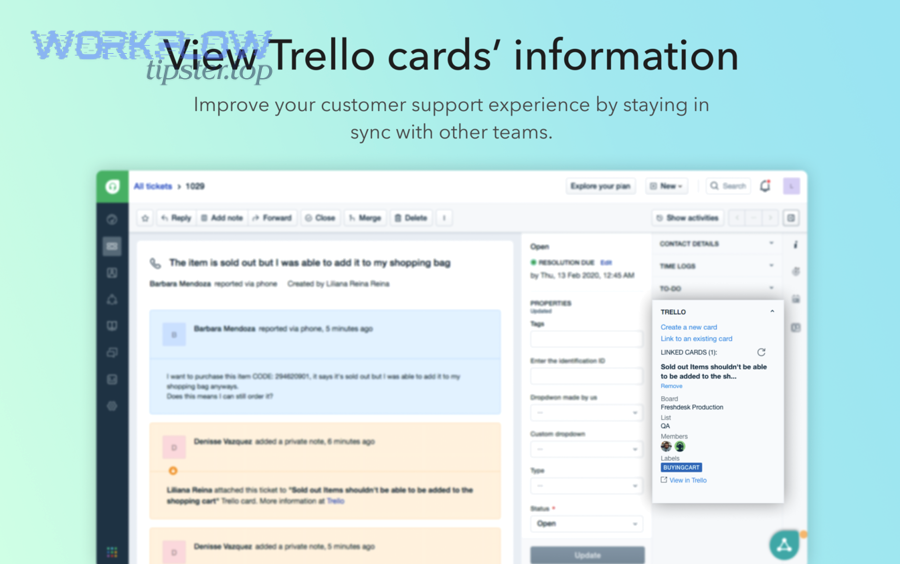
When a ticket automatically creates a Trello card, the team avoids the “someone should put this into the board” delay. In many support teams, that delay is not minutes—it’s the gap between shifts, between tools, or between responsibilities (“support logged it, engineering hasn’t seen it yet”). Automation collapses that gap.
Why accountability improves (reason 2: ownership becomes visible)
A Trello card can carry explicit ownership (members) and explicit state (list position). That immediately answers the two accountability questions that teams ask in every triage meeting:
- Who owns this?
- Where is it in the process?
Why outcomes improve (reason 3: Slack turns triage into a real-time decision)
Slack is where teams already decide, coordinate, and unblock. A structured alert with a ticket link + Trello link + priority + request type makes triage decisions faster because the team can decide “assign, escalate, schedule, or close” without waiting for a separate standup.
Evidence (if any): According to a 2025 study by the University of Texas at Austin, in 2025, an AI-ChatOps approach can reduce the time from detection to initial response by using chat notifications and automated actions “within seconds,” which lowers Mean Time To Respond compared to manual workflows that can take minutes or hours. (ijctjournal.org) (ijctjournal.org)
How do you set up the Freshdesk → Trello → Slack automation step by step?
There are 5 main steps to set up Freshdesk → Trello → Slack: (1) confirm permissions, (2) define triggers, (3) map fields, (4) design Slack routing, and (5) test end-to-end to ensure one ticket reliably becomes one actionable card with the right alert.
Next, you’ll build the workflow in the same order your team experiences it: access first, then logic, then output.
What prerequisites and permissions do you need across Freshdesk, Trello, and Slack?
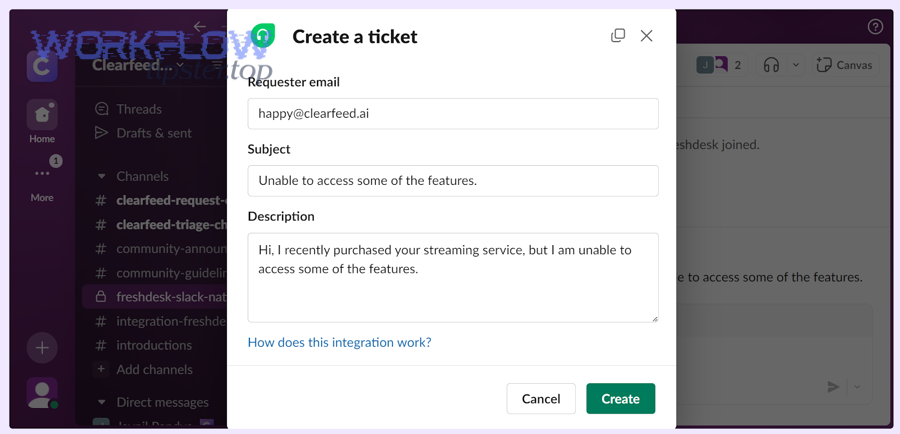
You need admin-level installation rights (or approved app access), a Trello workspace/board with correct member permissions, and Slack channel permissions that allow the integration to post messages—otherwise the workflow will “connect” but fail silently during posting or assignment.
To begin, treat permissions as part of workflow design, not a checkbox—because permissions determine whether triage is trustworthy.
Key prerequisites checklist:
- Freshdesk: permission to install/configure apps or integrations; access to ticket fields you plan to map; ability to read ticket IDs/URLs consistently.
- Trello: access to the target Workspace and Board; ability to create cards, assign members, set labels, and add attachments/links.
- Slack: permission for the integration/bot to post in target channels; permission to @mention roles/users if your process requires it; clarity on private vs public channel policy.
Practical governance tip: Use a shared integration identity (service account / bot identity) rather than one employee’s personal token, so the workflow doesn’t break when someone leaves or changes permissions.
Which ticket events should trigger Trello card creation or updates?
There are 4 main trigger types for ticket-to-card triage: ticket created, status changed, priority changed, and tag/category changed, based on whether you want to create new work, escalate work, or re-route work.
Then, choose the smallest trigger set that matches your real triage behavior, and expand only after reliability is proven.
Recommended trigger logic (simple and stable):
- Create Trello card when: ticket is created and matches a triage condition (e.g., “Bug,” “Outage,” “Feature request,” or “Escalation needed”).
- Update Trello card when: ticket priority changes, status changes to a key state, or assignment changes.
Avoid common trigger mistakes:
- Creating a card on “any ticket update” (this produces duplicates and noise).
- Creating a card before the ticket has required classification fields filled in (this creates bad tasks).
How should you map Freshdesk ticket fields into Trello card fields?
There are 6 core mapping groups for reliable ticket-to-card conversion: identity, summary, urgency, ownership, timelines, and context links, based on what a teammate must know to execute without reopening the ticket repeatedly.
Specifically, map the information that changes decisions, not every field.
A practical mapping table (what it contains: a clear one-to-one translation from ticket fields to Trello fields so your team can triage in Trello without losing context):
| Freshdesk ticket field | Trello card destination | Why it matters in triage |
|---|---|---|
| Ticket ID + Ticket URL | Card title prefix + attachment/link | Creates an unambiguous reference and quick jump-back |
| Subject | Card title | Keeps task readable in board views |
| Description + key customer details | Card description | Stores the “why” and reduces context switching |
| Priority / impact | Labels (e.g., P1/P2/P3) | Enables visual sorting and escalation patterns |
| Status | List position (New → In triage → In progress → Done) | Makes workflow state visible |
| Assignee / group | Card members | Makes ownership explicit |
Implementation detail that prevents duplicates: Store the Freshdesk Ticket ID in a consistent place (title prefix like [FD-12345] or first line of description). That makes “search before create” possible and supports update-only logic.
Evidence (if any): Freshworks’ Trello app for Freshdesk explicitly supports creating a Trello card from a Freshdesk ticket and linking tickets to cards, which is the foundation for stable field mapping and traceability. (freshworks.com) (freshworks.com)
How do you design Slack alerts so the right team sees the right ticket at the right time?
There are 4 main Slack alert designs for support triage—single triage channel, team-based channels, severity-based routing, and thread-based updates—based on how your organization splits ownership and how quickly escalations must happen.
More importantly, the alert must contain decision-ready context, not just “a ticket exists.”
Core Slack alert content template (minimal but sufficient):
- Ticket ID + short title
- Priority / severity label
- Request type (bug, incident, billing, feature request)
- Owner or routing hint (“@oncall”, “Support-Ops”, “Payments team”)
- Freshdesk link + Trello card link
- Next action prompt (“Assign owner / Confirm severity / Add reproduction steps”)
Routing patterns that reduce noise:
- Only alert Slack for tickets that meet triage criteria (priority threshold, specific tag, specific group).
- Post updates as thread replies instead of new channel posts when the card/ticket status changes.
- Use mentions sparingly: reserve @mentions for P1/P2 or SLA escalation thresholds.
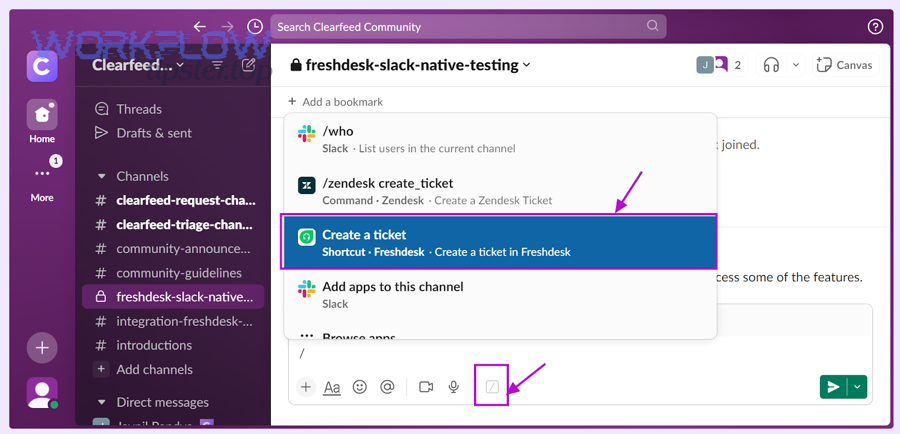
Implementation anchor: Atlassian documents that Trello’s Slack app can create cards from Slack and support notifications, which makes it practical to treat Slack as the “coordination layer” rather than just a noisy mirror. (support.atlassian.com) (support.atlassian.com)
What are the best triage rules for turning tickets into actionable Trello tasks?
There are 5 main triage rule groups—classification, priority, routing, definition of done, and deduplication—based on what makes a ticket become a task that a team can actually finish without clarification loops.
Then, once rules are explicit, you can encode them into automation rather than relying on memory.
How do you group tickets into Trello boards/lists for faster triage?
There are 4 common grouping models for Trello triage boards: by product, by team, by severity, and by request type, based on how your organization shares ownership and how often cross-functional handoffs occur.
Specifically, pick the model that matches how decisions get made—not how org charts look.
Practical board/list patterns:
- Single board, multiple lists (simple teams): New → In triage → Assigned → In progress → Waiting → Done
- Multiple boards (larger orgs): a central “Support Triage” board routes to product/team boards after classification
- Severity swimlanes (incident-heavy teams): lists by severity: P1 / P2 / P3, with strict WIP limits
Quantitative factor that helps: Add a WIP guideline (“no more than 10 cards in triage”) so the team feels backlog pressure early, not late.
How do you prevent duplicates and ensure each ticket creates only one Trello task?
You prevent duplicates by using one stable identifier (the Freshdesk Ticket ID) as the deduplication key, running a “search-before-create” check, and limiting triggers to meaningful events so one ticket cannot repeatedly generate new cards.
Moreover, deduplication is not optional—duplicate cards destroy trust in the board and make Slack alerts ignorable.
Deduplication playbook:
- Rule 1: one ticket ID = one card (store
[FD-12345]in title or description). - Rule 2: create only on a single event (usually “ticket created” with conditions).
- Rule 3: update on later events (priority/status/assignee change updates the same card).
- Rule 4: handle edge cases (merged tickets, reopened tickets, reassigned tickets).
Operational tip: When duplicates happen anyway (they will, early on), your runbook should say: “Keep the earliest card, close/mark duplicates, and fix trigger conditions.”
Which integration approach is better for your team: native apps, Power-Ups, or automation platforms?
Native apps win in speed of setup, Power-Ups are best for Trello-centered teams, and automation platforms are optimal for complex conditional routing and multi-step transformations—so the “best” choice depends on your workflow complexity, governance needs, and tolerance for maintenance.
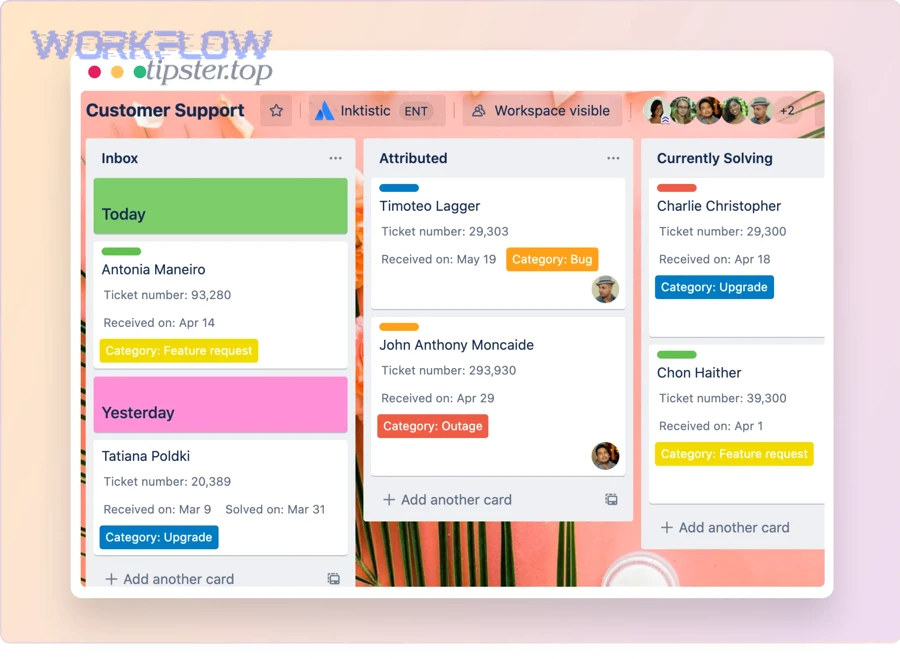
However, you should choose based on the real decision criteria your support org cares about: flexibility, reliability, and operability.
Key criteria comparison:
- Setup time: native apps are fastest; automation platforms require more configuration.
- Logic depth: automation platforms support branching rules and transformations better.
- Governance: enterprise teams often prefer centrally managed integrations and auditability.
- Observability: automation platforms tend to provide logs, run histories, and retry controls.
A useful way to think about it:
- If your workflow is “create card + post alert,” start with native.
- If your workflow is “if category=A route to board X, else if VIP escalate with mention, else digest daily,” use automation.
And this is exactly why many teams standardize multiple automation workflows across departments—like github to jira to discord devops alerts for engineering notifications, or document pipelines such as airtable to google docs to onedrive to pandadoc document signing and airtable to docsend to box to docusign document signing for sales and legal—because the integration method you choose should scale with process complexity, not just with tool popularity.
What are the pros and cons of native Freshdesk↔Slack and Freshdesk↔Trello options?
Native options win in simplicity and lower maintenance, while they lose in advanced conditional routing and deep customization—so they’re best for teams that want speed and stability more than complex branching logic.
Meanwhile, native integrations often align with standard permissions models, which makes them easier to govern.
Pros:
- Faster setup and fewer moving parts
- Easier onboarding for non-technical admins
- Lower risk of breakage from custom logic
Cons:
- Limited “if/then/else” routing and transformations
- Less control over formatting and dedupe behavior (depending on the app)
- Less robust run-history visibility compared to automation platforms
When should you use Zapier/Make instead of native integrations?
Automation platforms win when you need conditional routing, multi-step transformations, and reliable run logs, while native integrations are best when you only need a straightforward connection and minimal logic.
On the other hand, you must accept that more flexibility usually means more configuration and ongoing ownership.
Use an automation platform when you need:
- Conditional rules (VIP, SLA threshold, category-based routing)
- Data transformation (custom fields → labels, tags → checklists)
- Deduplication logic (search-before-create)
- Standardized operations (run logs, retries, error alerts)
Evidence (if any): Zapier documents a ready-made automation to create Trello cards from new Freshdesk tickets, demonstrating that automation platforms are designed for cross-tool workflows with configurable triggers and actions. (zapier.com) (zapier.com)
How do you test and launch the workflow safely without disrupting support operations?
There are 4 main launch phases—pilot, parallel run, controlled rollout, and operational monitoring—based on how you reduce risk while proving the automation is accurate, reliable, and non-spammy.
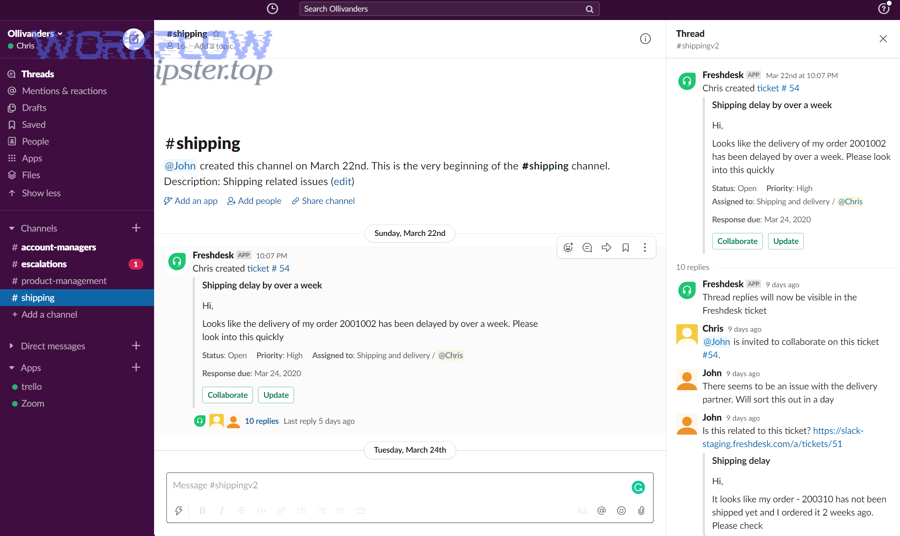
Next, you’ll treat rollout like any other production change: staged, observable, and reversible.
What is a practical testing checklist for Freshdesk → Trello → Slack triage automations?
There are 10 core test checks for this workflow: triggers, permissions, field mapping, deduplication, routing, formatting, links, edge cases, failure handling, and team adoption, based on what most often breaks in real environments.
Specifically, test the most expensive failures first: duplicates, missed alerts, and wrong routing.
Testing checklist:
- Trigger correctness: ticket created triggers only when conditions match
- No duplicates: same ticket does not create multiple cards
- Field mapping: title, links, priority labels, owner mapping are correct
- Slack routing: posts go to the intended channel(s)
- Message quality: alerts include decision-ready context
- Link integrity: Freshdesk link and Trello link both work
- Update behavior: priority/status changes update the existing card (if designed)
- Permissions: integration can create cards, set labels, and post to Slack
- Edge cases: merged tickets, reopened tickets, reassigned tickets
- Failure handling: what happens when an API call fails (retry/log/notify)
Launch safety practices:
- Start with a single queue (e.g., “Bug reports”) and a single Slack channel.
- Run for one week, then adjust triggers and routing based on noise.
- Publish a short runbook: “What to do when a card didn’t create / created twice / posted to the wrong channel.”
How do you make Freshdesk → Trello → Slack automations more secure and reliable at scale?
You make these automations secure and reliable at scale by applying least-privilege permissions, limiting sensitive data in Slack, designing escalation without spam, and adding reliability patterns (idempotency, retries, and monitoring) so failures become visible and recoverable.
More importantly, “secure and reliable” means the team trusts the workflow enough to use it daily.
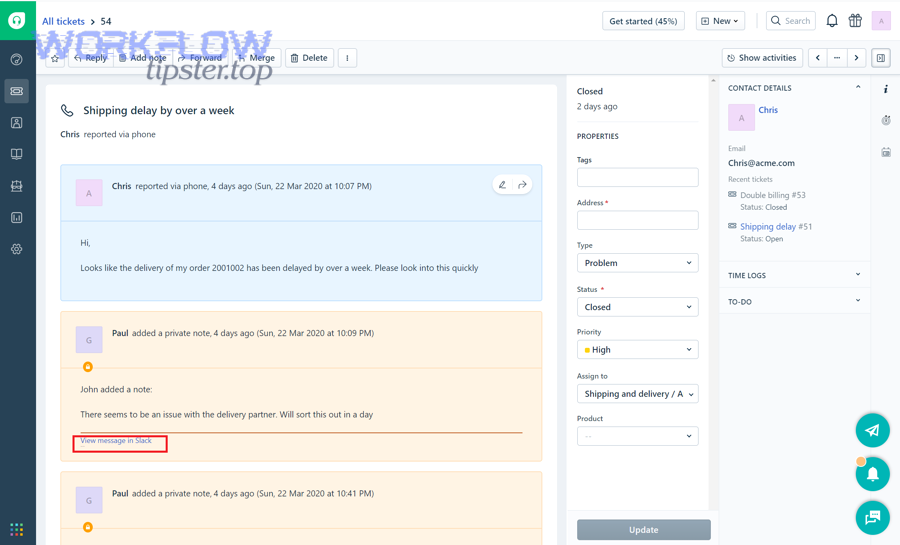
What are the best practices for handling PII and permissions in Slack alerts?
There are 5 best-practice groups for PII and permissions: data minimization, channel strategy, role-based access, token governance, and auditability, based on how support teams protect customers while still moving fast.
Besides speed, this is the biggest reason teams standardize alert formats.
Practical rules:
- Do not post sensitive content by default (full addresses, payment details, IDs). Post a link to the ticket instead.
- Use private Slack channels for sensitive queues (billing, security, legal).
- Limit who can install/modify integrations; keep a clear owner.
- Rotate tokens/keys and remove access when roles change.
- Maintain an audit trail: what posted, when, and under which identity.
Micro-level pattern that prevents accidental exposure: Put only a short summary and classification in Slack, and make the Freshdesk link the path to full details.
How do you add SLA-aware escalation and on-call notifications without spamming channels?
There are 4 escalation patterns that avoid spam: threshold-based escalation, digest + exceptions, threaded status updates, and role-mention policy, based on how teams balance visibility with signal-to-noise.
Especially in high-volume support, your escalation design determines whether people stay responsive or start muting channels.
Recommended escalation structure:
- Base alerts: posted only for triage-worthy tickets (not every ticket).
- Escalation alerts: only when SLA is at risk (e.g., 15 minutes to breach) or severity is P1/P2.
- Digest: a scheduled summary (e.g., hourly) for non-urgent tickets.
- Threads: updates belong in the original thread to avoid flooding.
On-call policy that works: Use @oncall only for P1/P2 or “SLA breach imminent,” and use a standard phrase like “Action required within 10 minutes.”
What rare reliability patterns prevent duplicate cards and missed alerts (idempotency, retries, rate limits)?
Rare but powerful reliability patterns include idempotency keys (ticket ID as the unique key), controlled retries with backoff, rate-limit awareness, and a “dead-letter” approach for failed runs—so the system behaves like “exactly once” even when tools behave like “at least once.”
More specifically, reliability is about designing for failure, not hoping it won’t happen.
Reliability patterns to implement:
- Idempotency: use ticket ID as the unique key; create only if no card exists.
- Retry with backoff: if a Trello or Slack API call fails, retry after increasing delays (and stop after a cap).
- Rate-limit protection: avoid posting multiple updates per ticket per minute; batch updates when possible.
- Run logging: record each run with ticket ID, card ID, Slack message timestamp, and outcome.
- Dead-letter handling: if a run fails repeatedly, route it to a “needs attention” queue (a Trello list or a Slack admin channel).
Why this matters operationally:
- If your automation occasionally creates duplicates, the board becomes untrustworthy.
- If your automation occasionally misses alerts, triage becomes inconsistent.
- Reliability patterns protect both trust and speed.
What should you troubleshoot first when tickets aren’t creating Trello tasks or Slack alerts?
There are 6 first-check troubleshooting categories: permissions, authentication, trigger conditions, field mapping, destination configuration, and rate limits, based on the most common real-world breakpoints.
In short, you troubleshoot from “can it run?” to “did it run correctly?” to “did it reach the right place?”
Fast troubleshooting order:
- Permissions: can the integration create cards and post to the channel?
- Authentication: are tokens valid, unexpired, and still authorized?
- Trigger conditions: did the ticket actually meet the condition to run?
- Field mapping: did a required field come through empty and break creation?
- Destination settings: correct Trello board/list? correct Slack channel?
- Rate limits / throttling: are bursts causing drops or delayed posting?
A practical “single source of truth” tip: Keep the Freshdesk Ticket ID visible in every card and every alert. When something breaks, that ID is how you trace the run across systems quickly.
Evidence (if any): Atlassian’s documentation notes that the Trello app for Slack supports creating cards from Slack and configuring capture settings after accounts are linked—so account linking and configuration are a primary root cause when creation/alerts fail. (support.atlassian.com) (support.atlassian.com)