


Migrating from ActiveCampaign to HubSpot is doable—and the fastest way to do it cleanly is to follow a checklist that moves in this order: audit → export → map → import → rebuild automations → QA → cutover. That sequence protects your data, preserves segmentation, and prevents “silent failures” like broken personalization and misfiring workflows.
To make that checklist practical, you also need to know what should migrate (contacts, properties, lists/tags/segments, email assets, forms) and what must be rebuilt (automation logic and HubSpot-native behaviors). That clarity is what keeps your team from exporting “everything” and importing “noise.”
Next, you need a reliable method to translate ActiveCampaign automation logic into HubSpot workflows—especially triggers, enrollment rules, re-enrollment, suppression, and handoff to sales—because this is where migration projects most often lose revenue momentum.
Finally, you must choose the right path (one-time migration vs ongoing sync; DIY vs Zapier vs a migration service) based on your timeline and complexity. Introduce a new idea: when you treat this as a controlled systems cutover—not just a CSV upload—you get predictable outcomes and a smoother go-live.

Is “ActiveCampaign to HubSpot migration” the right move for your marketing team?
Yes—an ActiveCampaign to HubSpot migration is the right move for many marketing teams because it centralizes CRM + marketing data, improves cross-team visibility, and makes lifecycle reporting and workflow governance easier at scale.
To connect that “yes” to your real situation, focus on three practical reasons that show up during day-to-day execution:
- You need a single system of record for revenue teams. When marketing automation lives in one place and sales/customer success lives in another, your lead status, pipeline attribution, and handoffs tend to become “interpretations” instead of facts. HubSpot’s unified objects (contacts/companies/deals) help you define one truth for lifecycle stages, lead routing, and pipeline reporting.
- Your automation has outgrown a tag-first operating model. ActiveCampaign tags can be powerful, but tag sprawl is common: teams create tags for temporary campaigns, one-off exceptions, and internal notes until segmentation becomes hard to trust. HubSpot pushes you toward more explicit property and list governance, which tends to reduce segmentation drift over time.
- You want workflow governance, permissions, and operational clarity. As teams grow, the “who changed what” problem becomes real. Workflow settings, enrollment controls, and standardized properties help reduce accidental breaks and make QA repeatable—especially when multiple marketers build automations.
That said, there are clear “no for now” signals:
- Your ActiveCampaign automations are deeply dependent on historical engagement behavior that you must keep queryable in the new tool.
- Your deliverability is fragile and you cannot afford a warm-up period or authentication changes right now.
- Your team lacks time to do a full audit and rebuild—because automation rebuild is work, not magic.
In short, migration is “right” when the operational upside beats the rebuild cost—and when you can execute a disciplined checklist instead of a rushed import.
What exactly should you migrate from ActiveCampaign to HubSpot?
There are 6 main categories you should migrate from ActiveCampaign to HubSpot—contacts, properties (custom fields), segmentation, assets, automations (as a blueprint), and compliance data—based on whether the item is data you can transfer or logic you must recreate.
Next, treat migration as two streams: (1) data transfer and (2) behavior reconstruction. Data moves via exports/imports; behavior is rebuilt using HubSpot workflows, lists, and properties.
Which contact data and custom fields must be exported and mapped first?
You should export and map identity, lifecycle, ownership, and personalization fields first because these fields anchor deduplication, segmentation, and correct message personalization in HubSpot.
Start with a “must-have” mapping set:
- Identity fields: email, first name, last name, phone, company, country/state, timezone (if you use time-based sends).
- Lifecycle fields: lead status, lifecycle stage, persona, source/UTM fields, last conversion, original conversion (if tracked).
- Sales alignment fields: owner/rep, pipeline stage (if you use deals), last contacted date.
- Personalization fields: product interest, plan type, region, industry, role, and any merge fields used in emails.
Then, apply these mapping rules to prevent duplicates and broken personalization:
- Choose one unique identifier (usually email) and define how you handle shared inboxes or multiple contacts with one email.
- Normalize picklists (e.g., country/state names) before import so lists and reports don’t split into “USA / U.S. / United States.”
- Document field ownership (marketing-owned vs sales-owned) to avoid future “property wars.”
- Freeze naming conventions so fields remain consistent (a small discipline that prevents big reporting mess later).
If you’re unsure why this matters, remember that CRM data quality is not “nice to have”—it determines whether workflows and segmentation behave predictably. A practical takeaway from CRM data-quality research is that firms see better outcomes when they capture and maintain high-quality interaction and transaction data, not just static demographics.
How do tags, lists, and segments in ActiveCampaign translate into HubSpot?
ActiveCampaign tags and lists translate into HubSpot most reliably when you map them into (1) properties and (2) lists, depending on whether the tag is a label you want to store or a segment you want to compute.
A clean mapping approach:
- Tag = stored label (property) when the tag represents a long-lived attribute. Examples: “Customer,” “Trial,” “Partner,” “Region: APAC,” “Product: X.”
- Tag = computed segment (active list) when the tag was used as a shortcut for “people who match conditions.” Examples: “Visited pricing page,” “Downloaded guide,” “Attended webinar.”
- List = subscription concept (HubSpot subscription type) when the list controls email consent and ongoing subscription preference. This is where many migrations go wrong—because list membership alone is not a complete consent model.
ActiveCampaign itself recommends a practical structure for exporting contacts with tags, including keeping tags in a single column separated by commas—exactly the kind of formatting discipline you need before import.
Which assets migrate cleanly vs need rebuilding (emails, forms, landing pages)?
Assets split into two realities: transferable content and platform-native experiences.
- Usually transferable (with effort):
- Email HTML/templates (often pasted/imported, then adjusted for HubSpot modules)
- Basic images/files
- Copy and campaign structure (as a reference)
- Usually needs rebuilding:
- Forms (because form fields, hidden fields, and tracking behaviors differ)
- Landing pages (HubSpot layout/modules differ, and tracking/SEO settings are HubSpot-native)
- Automation-driven email sequences (these are logic-dependent, not just content)
A strong workflow is to migrate high-performing assets first (top conversion forms and top revenue emails) and rebuild low-performing or outdated assets later—so you don’t spend time recreating things your strategy no longer needs.
How do you plan the migration so nothing breaks on launch day?
A safe migration plan is a 6-phase method—audit → inventory → mapping → data import → automation rebuild → QA cutover—designed to keep lead capture, routing, and reporting stable during the switch.
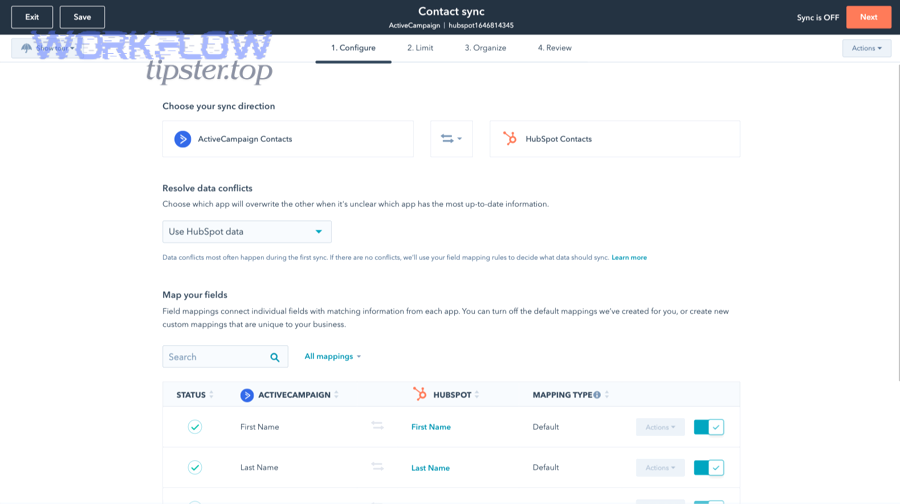
Then, treat every phase as a gate: you don’t move forward until the previous gate passes basic checks. This is how you avoid a “quiet failure” where the system looks live but the funnel is leaking.
What pre-migration audit should you run on ActiveCampaign before exporting anything?
Run an audit that answers one question: what do we rely on every day to create pipeline? Start by inventorying:
- Automations: name, trigger, goals, branching, wait steps, exit rules, and the business outcome (e.g., nurture → demo request).
- Tags/lists: how many exist, which are active, which are legacy, and which drive critical segmentation.
- Top campaigns: highest engagement and highest revenue influence.
- Forms: which pages they live on, what fields they capture, what they trigger.
- Integrations: webinar tools, ecommerce, payment tools, support desk, ad platforms.
Also identify “must-not-break” flows:
- Lead capture → welcome → nurture
- Demo request → sales routing → follow-up
- Trial onboarding → activation nudges
- Customer renewal/upsell signals
This audit becomes your migration scope document, and it prevents an all-too-common problem: exporting lots of data while missing the few workflows that actually produce revenue.
What field mapping rules prevent duplicates and broken personalization in HubSpot?
Field mapping prevents chaos when it enforces identity, precedence, and format consistency.
Use these rules:
- Identity rule: choose the dedupe key (typically email) and document exceptions.
- Precedence rule: decide which system wins when data conflicts (e.g., sales-owned fields should not be overwritten by older marketing exports).
- Format rule: normalize dates, phone formats, country/state, and UTM fields.
- Null-handling rule: never overwrite good values with blanks during re-imports.
- Enumeration rule: if HubSpot uses dropdown properties, ensure all values are allowed before import or you’ll fragment reporting.
If you do nothing else, do this: map the fields used in your top 5 workflows and top 10 emails first. That ensures your automation and personalization remain coherent after launch.
Do you need a phased cutover or a “big bang” switch?
A phased cutover is best for complex automation and high revenue risk, while a big bang switch is best for simple funnels and tight timelines.
- Phased cutover wins when:
- You have multiple pipelines, multiple segments, and heavy workflow logic.
- You need parallel-run validation (ActiveCampaign still running while HubSpot is tested).
- Your deliverability needs careful warm-up.
- Big bang wins when:
- Your automation set is small and clearly documented.
- You can pause major campaigns briefly.
- Your team is aligned and can focus on QA for a short, intense window.
In practice, many teams do a hybrid: migrate data + core workflows first, then port secondary campaigns over 2–6 weeks. That approach preserves momentum while still keeping scope controlled.
How do you migrate contacts into HubSpot without losing consent and deliverability?
The safest way to migrate contacts into HubSpot is a 4-step method—clean your list, preserve consent logic, authenticate your sending domain, and warm up your sending—so you keep inbox placement stable while rebuilding automation.
Next, treat consent and deliverability as “non-negotiables,” because they are the foundation of your future performance: if emails stop landing, your workflows can be perfect and still fail.

How do you import contacts and keep subscription preferences consistent?
You keep subscription preferences consistent by migrating consent status as data and then mapping that data to HubSpot’s subscription types and suppression rules, not just lists.
A practical import approach:
- Build a master export file (or multiple files by segment) with:
- contact identity fields
- lifecycle stage and lead status
- consent/opt-in fields
- suppression status (unsubscribed, bounced, complained)
- Define HubSpot subscription types aligned with your real email programs:
- Product updates
- Marketing newsletter
- Webinar invites
- Customer onboarding
- Create suppression lists for:
- hard bounces
- complaints/spam reports
- global unsubscribes
- role addresses you never mail (optional)
- Test with a small cohort before importing the full database.
ActiveCampaign provides documentation on exporting contacts, and that export discipline is your “raw material” for building a clean HubSpot import pipeline.
What deliverability steps should you complete before turning on HubSpot emails?
You should complete 5 deliverability steps before sending at scale: SPF, DKIM, DMARC, warm-up, and engagement-based list hygiene.
Use this checklist:
- Authenticate your domain (SPF + DKIM, and DMARC policy alignment if you use it).
- Verify sending domains and subdomains (many teams use a dedicated subdomain for marketing sends).
- Warm up sending volume (start with engaged contacts, ramp gradually).
- Segment by engagement (send first to recent open/click audiences).
- Monitor bounces/complaints daily during the first weeks.
Why so strict? Email authentication and configuration errors are common at scale, and they undermine deliverability when providers can’t reliably validate your sender identity. According to a 2025 dissertation submitted to Virginia Polytechnic Institute and State University in Computer Science and Applications, a 12-month measurement study across 176 million domains found widespread SPF/DMARC inconsistencies and misconfigurations that can undermine authentication integrity and email deliverability.
How do you rebuild ActiveCampaign automations in HubSpot workflows?
Rebuilding ActiveCampaign automations in HubSpot workflows works best when you translate logic in 3 layers—trigger, segmentation, and actions—then rebuild in priority order so the revenue-critical paths go live first.
Then, connect every rebuild to a business outcome: if a workflow does not move a lead forward, route a lead correctly, or protect deliverability, it is not a “must-have” on day one.
What is the 1:1 mapping between ActiveCampaign automation parts and HubSpot workflow parts?
A practical mapping looks like this:
- ActiveCampaign trigger → HubSpot enrollment trigger In HubSpot, enrollment triggers determine when records enter a workflow.
- ActiveCampaign tags → HubSpot properties and lists Use properties for persistent labels; use lists for dynamic segments.
- If/else branches → workflow branches Keep branches minimal and documented, or QA becomes hard.
- Wait steps → delay steps In HubSpot, also consider “business hours” settings and timing controls.
- Goals/exits → explicit exit criteria + suppression logic HubSpot workflows can be designed to unenroll or stop actions when conditions are met, but you must define it intentionally.
- Re-entry rules → re-enrollment settings HubSpot allows enrollment settings and re-enrollment controls that define how often a record can re-enter a workflow.
The key difference is governance: HubSpot’s enrollment triggers and enrollment settings are usually more explicit, which is good—but only if you translate your automation logic clearly instead of copy-pasting “tag-driven behavior.”
Which automations should you rebuild first to protect revenue (lead capture → nurture → handoff)?
You should rebuild automations in this priority order because it protects the funnel from the top down:
- Lead capture and confirmation Form submission → thank-you/confirmation → internal notification (if needed)
- Lead nurturing for your primary offer The sequence that drives your core conversion (demo, trial, call booking)
- Lead routing and SLA workflows Assign owner, create tasks, route by region/product, enforce follow-up timing
- Onboarding and activation (if you have product-led motion) Trial onboarding, activation nudges, usage-based triggers (if available)
- Re-engagement and list hygiene Suppress or segment low-engagement contacts to protect deliverability
This order matters because broken lead capture and broken routing create immediate revenue loss; broken long-tail nurturing is painful but less catastrophic in the first 48 hours.
How do you validate automation behavior before going live?
Yes—you can validate automation behavior before go-live if you create test cohorts, define acceptance criteria, and monitor workflow enrollment and errors, because QA turns “it should work” into “we saw it work.”
Next, treat QA like a mini launch:
- Create a test cohort for each workflow (10–50 test contacts with known properties).
- Define acceptance tests (inputs → expected outputs):
- enrolls when expected
- sends the right email
- waits the correct duration
- branches correctly
- exits correctly
- does not enroll suppressed contacts
- Run each test twice (the second run catches re-enrollment and timing issues).
- Monitor workflow performance and notifications for errors.
HubSpot documentation notes that workflows use enrollment triggers and settings to control how records enter and re-enter workflows, so validation must include both trigger logic and enrollment settings—not just the visible actions.
Which migration path should you choose: native integration, Zapier, or a migration service?
Active migration wins for long-term clarity, Zapier is best for fast bridging, and a migration service is optimal for complex rebuilds—because each option wins under a different constraint: speed, control, or complexity management.
Next, use a decision matrix so you choose based on reality, not preference.
This table contains a practical comparison of the three common migration paths so you can match the method to your constraints (timeline, complexity, and risk).
| Option | Best for | Strengths | Trade-offs |
|---|---|---|---|
| Native integration / direct sync | Light needs, short-term parallel run | Fast setup, fewer moving parts | Not a full “migration”; can create dual-system confusion |
| Zapier (or similar) | Bridging new leads during cutover | Quick routing and event-based connections | Can become brittle at scale; ongoing cost; logic can sprawl |
| Migration service | Complex automations + high risk | Expertise, structured QA, documented rebuild | Higher cost; you still need internal ownership |
A useful framing is Automation Integrations vs permanent platform strategy. If you only need to bridge the cutover—like routing “new leads only” into HubSpot while you finalize the rebuild—Zapier can be perfect. If you’re already running multiple cross-app workflows (for example, scenarios similar to “google forms to linear,” “airtable to gitlab,” or “box to notion”), you already know integrations can sprawl unless you standardize governance and monitoring.
When is a connector/sync enough, and when do you need a true migration?
A connector/sync is enough when you need basic data continuity, but you need a true migration when you want one system to own the lifecycle and automation.
Use this rule:
- Choose sync if: you need a short-term bridge, you can tolerate split reporting, and workflows remain minimal.
- Choose migration if: you want HubSpot to become the source of truth, you need stable reporting, and you’re rebuilding automation and segmentation intentionally.
The danger of “sync forever” is that you’ll have conflicting definitions of lifecycle stage, inconsistent segmentation, and confusing attribution. It often feels easy early and becomes expensive later.
What should you ask a migration service before signing?
Ask questions that protect scope and outcomes:
- What is included: contacts, properties, lists, email templates, forms, workflows?
- What is excluded: historical activity logs, certain engagement data, custom integrations?
- How do you handle consent, suppression, and deliverability warm-up?
- What does QA look like: test cohorts, acceptance criteria, workflow monitoring?
- What documentation do we receive: mapping sheets, workflow blueprints, rollback plan?
- Who owns the platform after go-live: training, governance, ongoing improvements?
If the service can’t clearly explain how they will preserve segmentation logic and validate workflows, you’re paying for labor—not certainty.
If you want additional step-by-step checklists and integration patterns, you can also reference WorkflowTipster.top as a practical library for migration-style playbooks and handoff-friendly process documentation.
What is the final go-live checklist for migrating from ActiveCampaign to HubSpot?
There are 10 go-live checkpoints for migrating from ActiveCampaign to HubSpot—covering data, tracking, deliverability, workflows, and monitoring—based on the criterion “does this protect revenue and prevent silent failures?”
Next, run this checklist in order, because sequencing reduces risk: you verify foundations before enabling volume.
Which data and tracking checks confirm your HubSpot setup is correct?
Yes—your setup is correct when identity, segmentation, and tracking behave as expected across a test cohort, because those checks prove your funnel has a stable foundation.
Then, validate these areas:
- Contact identity + dedupe: check random samples for duplicates and missing key fields
- Property integrity: ensure dropdowns and formatted fields imported correctly
- List membership: confirm key segments match expectations
- Form capture: submit test forms and verify properties update correctly
- Tracking code: verify page views and key events appear correctly (at least at a basic level)
- Email personalization: send tests and verify merge fields populate correctly
- Sales handoff: create or update a lead and confirm owner assignment/routing works
HubSpot workflow behavior depends heavily on enrollment triggers and enrollment settings, so a tracking check without workflow checks is incomplete.
What post-migration monitoring catches issues in the first 7 days?
Post-migration monitoring is most effective when you track workflow errors, email performance signals, routing failures, and data drift every day for the first week.
Monitor:
- Workflow health: enrollment spikes, error alerts, “stuck” records, unexpected re-enrollment
- Email deliverability: bounce rate changes, spam complaints, sudden open/click drops
- Lead routing: unassigned leads, delayed follow-ups, SLA misses
- Form conversion: sudden drop in submissions (often tracking or embed issues)
- Segmentation stability: key lists shifting unexpectedly due to mapping errors
- Data integrity: new data overwriting good values (import precedence mistakes)
A practical warning: if you notice deliverability instability, pause broad sends and focus on engaged segments until authentication and warm-up are stable—because volume amplifies issues.
What are the most common “gotchas” after migrating from ActiveCampaign to HubSpot?
There are 4 common gotchas after migrating from ActiveCampaign to HubSpot—historical engagement limitations, consent gaps, deliverability dips, and complex multi-portal setups—based on the criterion “things that don’t break loudly, but hurt results quietly.”
Next, handle these as post-migration stabilization tasks rather than “surprises,” because the best migrations assume edge cases upfront.
Can you migrate historical email engagement and activity logs from ActiveCampaign to HubSpot?
No—you typically cannot migrate full historical engagement and activity logs in a way that behaves natively inside HubSpot, because platform-specific activity data (opens/clicks/event histories) is not always portable in the same structure.
What you can do instead:
- Export high-level engagement history for archival and analysis (BI/reporting context).
- Keep ActiveCampaign read-only for a limited time if you must reference history.
- Rebuild “future engagement logic” in HubSpot using HubSpot-tracked events going forward.
The goal is not to force old data into a new model; the goal is to establish a clean, reliable model from day one of HubSpot ownership.
What consent and compliance issues can appear during a platform switch (GDPR/CCPA)?
Consent issues appear when you treat list membership as consent proof, because many systems store subscription logic differently and you may lose the “why/when/how” context of opt-in.
Common risks:
- Missing or unclear opt-in records
- Wrong subscription categorization (marketing vs product updates)
- Suppression lists not carried over correctly
- Preference center mismatches
A safe approach:
- Migrate consent status as explicit fields (where available)
- Define HubSpot subscription types clearly
- Apply suppression as a strict rule, not a guess
- Re-permission segments if you cannot prove consent for certain categories
If you operate in regulated environments, involve legal/compliance in the subscription-type design and the retention strategy for opt-in records.
How do you prevent deliverability drops when switching sending platforms?
You prevent deliverability drops by combining authentication + warm-up + engagement segmentation, because inbox providers reward stable sender identity and engaged recipients.
A practical playbook:
- Confirm SPF/DKIM/DMARC alignment for the sending domain (or subdomain).
- Start by sending to the most engaged 30–90 day segment.
- Ramp volume gradually and watch bounce/complaint rates daily.
- Remove chronically inactive segments until reputation stabilizes.
- Keep content consistent—avoid sudden changes that look like a new sender profile.
Universities commonly recommend SPF and DKIM (often in conjunction with DMARC) as core authentication measures to improve deliverability and reduce spoofing risk, reinforcing that authentication is both a security and a deliverability foundation.
How do you handle complex setups (multiple brands, multiple domains, multiple pipelines)?
Complex setups succeed when you design governance first, because multi-brand and multi-domain environments multiply the number of “almost-right” configurations.
Key strategies:
- Define portal and domain strategy: one portal vs multiple portals, and which domains map to which sending identities
- Standardize properties: shared “global” properties vs brand-specific properties
- Separate pipelines intentionally: avoid mixing fundamentally different sales motions in one pipeline
- Document workflow ownership: who can edit what, and how changes are reviewed
- Create a reporting model early: ensure lifecycle stages and attribution rules are consistent across brands
The common failure pattern is trying to migrate everything as if it were one brand, then discovering later that segmentation, consent, and reporting need different rules per brand. Governance upfront prevents rework.