


You can fix a “Google Sheets API limit exceeded” error by identifying which quota bucket you hit (per-minute, per-user, or per-project), then reducing request volume with batching and range design, and finally adding exponential backoff and client-side throttling so 429 spikes stop breaking your workflow.
Next, you’ll learn how to confirm the exact quota metric behind the failure using the right logs and Cloud Console usage signals, so you stop guessing and start targeting the bottleneck that actually caused the 429 or RESOURCE_EXHAUSTED response.
Then, you’ll implement a reliable retry strategy (with jitter, caps, and safe write behavior) and compare rate limiting models like token bucket vs fixed delays, so your production jobs stay stable even during bursts or parallel workers.
Introduce a new idea: once your main pipeline is stable, you’ll extend into advanced edge cases—multi-tenant fairness, connector limitations, and scaling patterns that prevent recurring throttling when workloads grow.
What does “Google Sheets API limit exceeded” mean (and is it always a quota problem)?
“Google Sheets API limit exceeded” is a rate-and-quota throttling state where your app sends more requests than a quota bucket allows within a refill window, triggering 429 Too Many Requests (and sometimes RESOURCE_EXHAUSTED) until you slow down or the window resets.
To better understand why the error keeps returning, you need to separate true quota exhaustion from request amplification caused by inefficient loops, overly granular writes, or bursty concurrency.
What’s the difference between 429 Too Many Requests and RESOURCE_EXHAUSTED?
429 wins as the clearest “you exceeded a quota window” signal, while RESOURCE_EXHAUSTED is best interpreted as “the service can’t accept more of this resource right now,” often mapping to the same underlying throttling behavior in practice.
Specifically, Google’s Sheets API limits documentation describes per-minute quotas that generate a 429 response when exceeded, and it recommends exponential backoff to recover gracefully.
- 429 Too Many Requests: Your request volume exceeded a defined limit in the current refill interval; you should reduce request rate and apply exponential backoff.
- RESOURCE_EXHAUSTED: A broader “capacity is exhausted” signal you may see in some client libraries; treat it as rate limiting unless logs show a different root cause (for example, a quota metric or a burst of parallel writes).
- Practical takeaway: Log the HTTP status, error reason, method name, and timestamp; then correlate spikes with your concurrency and job schedules.
Is the error caused by per-user limits, per-project limits, or per-minute limits?
There are 3 main types of “limit exceeded” causes—per-user, per-project, and per-minute windows—based on who shares the quota bucket and how quickly it refills.
More specifically, current Sheets API guidance emphasizes per-minute quotas that refill each minute, while older community guidance commonly references “per 100 seconds” buckets; both patterns describe the same reality: too many requests in too little time.
This table contains a diagnostic map that helps you infer which bucket you likely hit based on symptoms, scope, and traffic shape.
| Quota bucket | Who shares it | Typical symptom | Fastest fix |
|---|---|---|---|
| Per-user | One end-user identity (or one service account acting as “one user”) | One tenant/user fails, others succeed | Queue per user + token bucket per user |
| Per-project | All traffic in the same Google Cloud project | Everything fails during a batch job window | Batch requests + global concurrency cap |
| Per-minute window | Applies to the relevant metric window (refills each minute) | Spiky bursts; succeeds after waiting | Exponential backoff + smoothing bursts |
In short, you diagnose the “who” (user vs project) and the “when” (burst window) first, because that tells you whether to throttle per tenant, globally, or both.
Do read-heavy workflows hit limits differently than write-heavy workflows?
Read-heavy workflows win on data safety, while write-heavy workflows are best for freshness—and each hits limits differently because reads often amplify via pagination loops and writes amplify via per-cell or per-row updates.
However, the most common real-world failure pattern is not “reads vs writes” but “granularity vs batching”: a thousand tiny calls will hit rate limits faster than a few well-structured batch calls.
- Read amplification: Repeated range reads inside nested loops, polling, and over-fetching small ranges repeatedly.
- Write amplification: Updating each cell or row individually, appending one record at a time, or running parallel writers without a shared limiter.
- Best practice: Convert repeated micro-operations into fewer macro-operations (batchGet/batchUpdate style patterns) where your architecture allows it.
How can you confirm which Google Sheets API quota you’re exceeding?
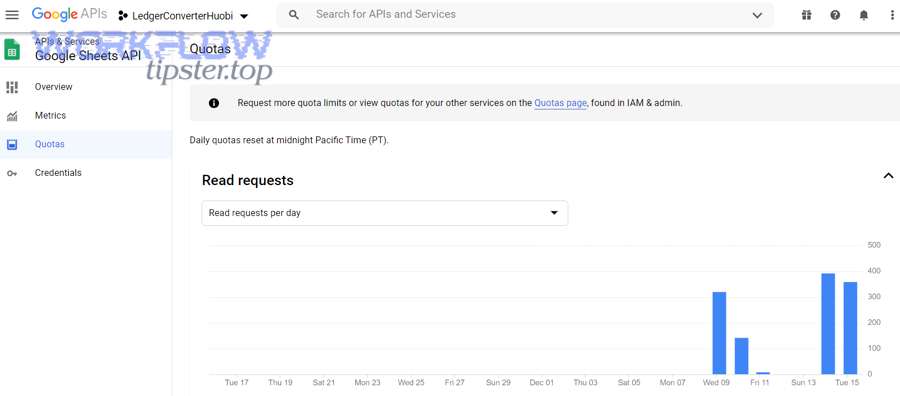
You can confirm the quota you’re exceeding by correlating (1) your client-side request counters, (2) the failing method and timestamp, and (3) Cloud Console metrics that show which quota bucket spiked when 429 responses appeared.
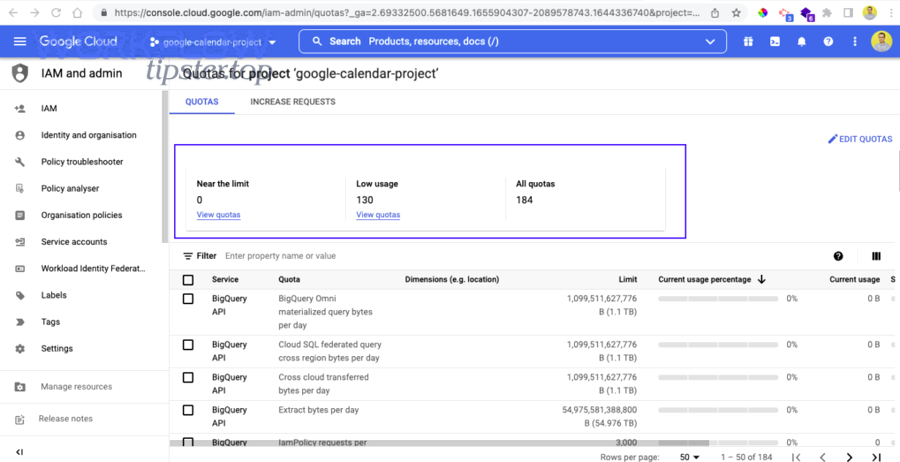
Next, move from “it fails sometimes” to “it fails when this metric crosses this threshold,” because that turns rate limiting into an engineering problem you can control.
Which request metadata should you log to diagnose the limit (method, user, batch size)?
You should log the method name, authenticated principal (user or service account), spreadsheet ID, request size (ranges/rows), concurrency level, and a timestamped request counter, because these fields let you trace exactly which dimension caused the quota bucket to overflow.
For example, a loop that issues 30 calls per second might not look large in code, but it becomes catastrophic when 20 workers run it concurrently with the same credentials.
- Identity: OAuth user ID or service account email (who shares “per-user” buckets).
- Method: reads (get/batchGet) vs writes (batchUpdate/values.update) so you can see whether “read requests” or “write requests” are spiking.
- Scope: project/environment (prod vs staging) to avoid mixing traffic and misreading quotas.
- Shape: concurrency, burst size, and queue depth at the moment of failure.
How do you use Google Cloud Console metrics to pinpoint the quota metric?
You pinpoint the quota metric by locating the Sheets API usage and quota charts for your project, then narrowing to the timeframe of failures and identifying which request metric spikes immediately before 429 responses appear.
To illustrate, Google’s own guidance across APIs emphasizes monitoring “how close you are to hitting API usage quotas” so you can detect unexpected application interactions before they become outages.
- Filter to the correct project and environment first (many teams accidentally inspect staging while prod fails).
- Locate the timeframe where error logs show 429/RESOURCE_EXHAUSTED.
- Compare request rate and error rate lines; look for “sawtooth” patterns that match per-minute refill behavior.
- Confirm whether the spike is global (project-wide) or isolated (single user/tenant identity).
Can you fix “limit exceeded” by reducing calls without changing your product behavior?
Yes—most “Google Sheets API limit exceeded” issues are fixed by (1) batching operations, (2) redesigning ranges to reduce request count, and (3) eliminating request-multiplying loops, all without changing what your product does for the user.
Besides, reducing calls is the highest-leverage fix because it simultaneously lowers quota pressure, improves latency, and makes backoff less frequent.
Should you switch from many single calls to batchGet or batchUpdate?
Yes—you should switch to batchGet or batchUpdate because it reduces request count, consolidates network overhead, and prevents rate-limit bursts caused by per-row or per-cell loops.
More importantly, batching turns “N operations” into “1 request,” which is the most direct way to stop 429 responses when your traffic pattern is bursty.
- Batch reads: collect ranges first, then request them in one batchGet instead of many get calls.
- Batch writes: accumulate row changes in memory, then send one batchUpdate (or values batchUpdate) per chunk.
- Chunking rule: use bounded chunk sizes (for example, per 200–1,000 rows depending on payload size) so a single failure doesn’t force a massive retry.
What range design reduces API calls the most (larger ranges vs many small ranges)?
Larger ranges win in request efficiency, many small ranges win in bandwidth precision, and the best design is the one that minimizes total calls while keeping payload size reasonable for your runtime and memory limits.
However, you should avoid the common trap where “precision” causes a hundred micro-reads; one macro-read plus local filtering is often cheaper than 100 targeted reads.
- Prefer: one read of A2:Z2000 and filter in code when you need many scattered fields.
- Prefer: one write that updates a contiguous block rather than 500 writes updating individual cells.
- Watch for: formulas and formatting updates that expand payloads unexpectedly.
Which common coding patterns accidentally multiply requests (loops, pagination, per-cell writes)?
There are 3 main request-multiplying patterns—nested loops, pagination-style repeated reads, and per-cell writes—based on how many network calls your code generates for each logical business record.
To begin, if you’re doing google sheets troubleshooting for recurring 429s, audit these anti-patterns before you touch quotas, because they are the fastest to fix and the easiest to miss.
- Nested loops: “for each row” then “for each field” triggers a request; replace with one batch read and one batch write.
- Polling: checking the same ranges repeatedly on short intervals; replace with event-driven triggers or longer intervals.
- Per-cell writes: update calls inside loops; replace with batchUpdate and chunked payloads.
- Pagination-style re-reads: “read page 1, then page 2” by slicing ranges repeatedly; replace with a single range read when feasible to prevent google sheets pagination missing records caused by off-by-one slicing and concurrent edits.
What is the correct retry strategy for 429 (and when should you stop retrying)?
The correct retry strategy is exponential backoff with jitter, bounded retries, and a switch to throttling when errors persist, because 429 responses mean the server is enforcing a time window and repeated immediate retries only increase contention.
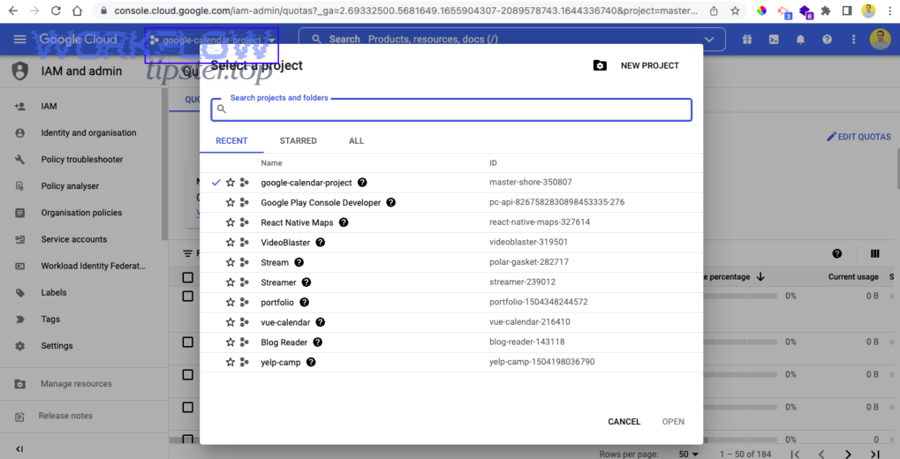
Specifically, once you treat 429 as “slow down,” you stop turning a temporary quota window into a self-inflicted outage.
Should you use exponential backoff with jitter for Google Sheets API 429 errors?
Yes—use exponential backoff with jitter because it reduces synchronized retry storms, adapts to congestion automatically, and improves success rates under shared-resource contention.
To better understand the “why,” randomized backoff is a classic coordination mechanism when many processes compete for one shared resource, which matches how API quota windows behave under bursts.
- Start: small delay (for example, 250–500ms) on the first retry.
- Grow: double delay each retry up to a cap (for example, 30–60 seconds).
- Jitter: randomize the delay so clients do not retry in lockstep.
- Cap: stop after a bounded number of retries; then fail gracefully or enqueue for later.
According to a study by Stony Brook University from the Department of Computer Science, in 2016, randomized exponential backoff is widely used to coordinate access to shared resources under contention, which is exactly the failure mode you see during synchronized API retries.
How can you make write retries safe (idempotency, de-duplication, conflict checks)?
You can make write retries safe by adding idempotency at the application layer, de-duplicating using a stable record key, and applying conflict checks so a retry does not create duplicate rows or overwrite newer data.
Meanwhile, this is where many developers get burned: reads are easy to retry, but writes can create “double apply” effects if you do not design for it.
- Idempotency key: attach a unique record ID to each logical write (row key, event ID, job ID).
- Upsert pattern: read once to find the row index by key, then update a bounded range; avoid “append on retry” unless you can detect duplicates.
- Conflict checks: store a “lastUpdatedAt” or version column; reject stale updates.
When is the correct fix throttling (slowing down) instead of retrying?
Retrying wins for short spikes, throttling is best for sustained overload, and queueing is optimal for large batch jobs, because persistent 429s indicate your average throughput exceeds the quota window—not just a transient blip.
In addition, if you see a “flatline” of 429s during a job, stop retrying aggressively and switch to a steady request rate below the limit so the window can refill predictably.
Should you implement client-side rate limiting (and which model fits best)?
Yes—you should implement client-side rate limiting because it prevents burst overload, stabilizes multi-worker throughput, and reduces 429 retries; token bucket is best for controlled bursts, fixed delays are simplest, and queue-based workers are optimal for predictable batch pipelines.
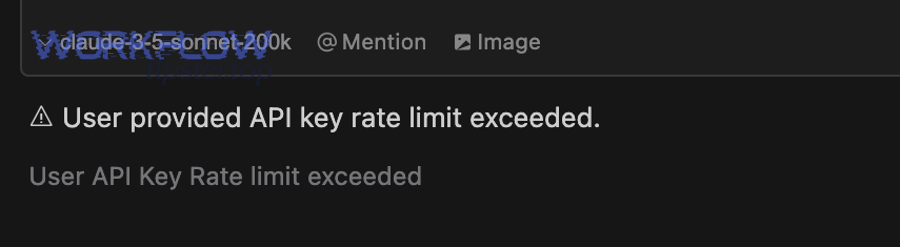
Moreover, rate limiting turns “hope the API survives my traffic” into “my app guarantees it will not exceed a safe request rate,” which is the core reliability shift.
Is a token bucket better than a fixed delay for Sheets API workloads?
Token bucket wins in burst tolerance, fixed delay is best for simplicity, and queue-based scheduling is optimal for fairness when multiple tenants compete, because the model you pick determines whether you smooth spikes or just slow everything down.
On the other hand, a fixed delay can still fail if your workload is parallel: ten workers each sleeping 200ms can still overload the API.
- Token bucket: allows short bursts, enforces a long-term average rate, and adapts well to user-driven spikes.
- Fixed delay: simple, but fragile under concurrency and hard to tune across environments.
- Queue/worker: best for batch syncs and ETL; you can apply one global limiter and keep throughput stable.
How do you limit concurrency across multiple workers or servers?
You limit concurrency across multiple workers by enforcing one shared limiter (central queue or distributed token bucket), because without shared coordination each worker behaves “correctly” locally while the system overloads globally.
To illustrate, a single service account running all writes can hit per-user style buckets quickly when 20 replicas deploy at once—even if each replica is “well behaved” alone.
- Central queue: push jobs to a queue, process with a fixed number of workers, and throttle at the worker boundary.
- Distributed limiter: store tokens/counters in a shared system (for example, Redis) so all servers draw from the same bucket.
- Per-tenant fairness: apply a per-tenant bucket to prevent one customer from consuming the entire project quota.
Can adaptive throttling based on 429 frequency reduce failures faster than static limits?
Yes—adaptive throttling reduces failures faster because it learns the safe throughput from real 429 feedback, automatically backing off during contention and increasing concurrency when the API is stable.
Especially when you integrate with event-driven triggers, adaptive control prevents “thundering herd” spikes that look like a google sheets webhook 429 rate limit scenario after many webhook events land simultaneously.
- Decrease concurrency when 429 rate rises above a threshold (for example, >1% in a 1-minute window).
- Increase slowly after sustained success (for example, 5 minutes with near-zero 429s).
- Protect writes with stricter caps than reads to reduce duplicate-apply risks.
According to a study by Beijing Institute of Technology from the School of Computer Science, in 2012, binary exponential backoff based congestion control reduces contention in shared mediums by increasing wait time after failures, supporting the reliability logic behind adaptive throttling under repeated 429 responses.
Can you increase Google Sheets API quotas (or is optimizing the only realistic option)?
Optimizing wins for speed and reliability, while quota increases help only when your architecture is already efficient—so you should reduce calls first, then request quota changes only if Cloud Console metrics prove you’ve hit a legitimate ceiling at a stable, efficient request pattern.
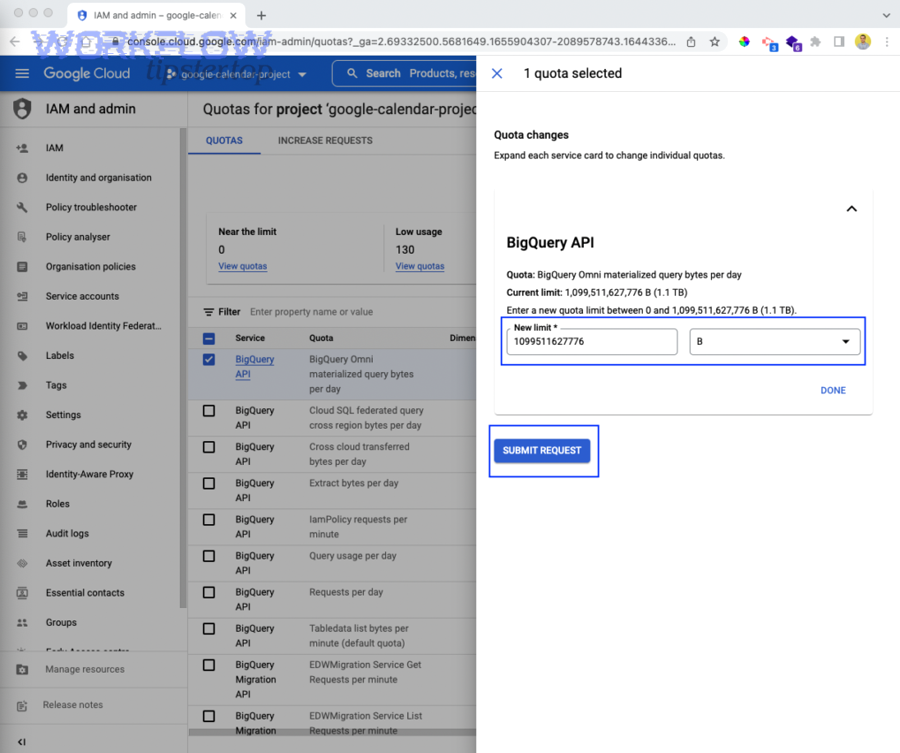
More importantly, quota increases cannot save an inefficient per-cell write loop, because higher limits will still be overwhelmed as your data grows.
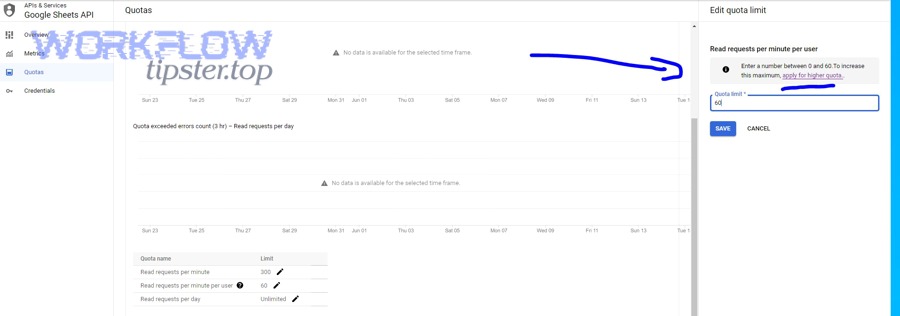
Which quotas are adjustable in Google Cloud Console, and which are hard caps?
There are 2 practical categories—adjustable quotas you can request changes for, and hard caps that you must design around—based on whether Google exposes an “edit quotas / request increase” pathway for the metric.
Specifically, Google’s own limits guidance for Sheets explains per-minute quotas and the behavior of refilling windows, which function like design constraints even if some quota parameters can be increased.
- Often adjustable: some per-minute or per-day quotas in the Console (depends on API and account/project context).
- Often hard: “per-user style” buckets when all traffic concentrates on one identity (you can’t “scale” a single identity without redesigning auth/workload).
- Reality check: if your job needs 10x more throughput, batching usually delivers it faster than paperwork.
Should you redesign your sync pipeline instead of requesting more quota?
Yes—redesign your pipeline when your workload pattern is inherently bursty or request-heavy, because batching, queueing, and incremental sync reduce calls permanently and keep costs predictable even if quotas change later.
Next, look for these redesign triggers, because they signal “architecture” rather than “quota setting” is the true bottleneck.
- Full refreshes every minute: switch to incremental updates and cache change markers.
- Parallel writers: serialize writes or group them into deterministic batches.
- Repeated lookups: cache row indexes by key so you don’t re-scan ranges each time.
Is using multiple projects or multiple credentials a valid solution—or a risky workaround?
Multiple projects can increase isolation, multiple credentials can distribute per-user buckets, and both are risky if used to “evade limits” rather than to enforce clean tenancy boundaries, because they add operational complexity and can break auditing and supportability.
Besides, if you are building a multi-tenant product, the valid reason to split is governance: separating environments, billing, and blast radius—not bypassing quotas.
- Valid: separate staging vs production projects; isolate enterprise tenants with contractual boundaries.
- Risky: sharding credentials without strong ownership rules (debugging and security become painful).
- Better alternative: one project, strong batching + shared limiter + per-tenant fairness.
Does your authentication choice affect rate limits (OAuth user vs service account)?
Yes—OAuth user flows distribute traffic across user identities, while a single service account concentrates traffic into one “user-like” principal, so your authentication choice directly affects whether you hit per-user buckets quickly during bursts.
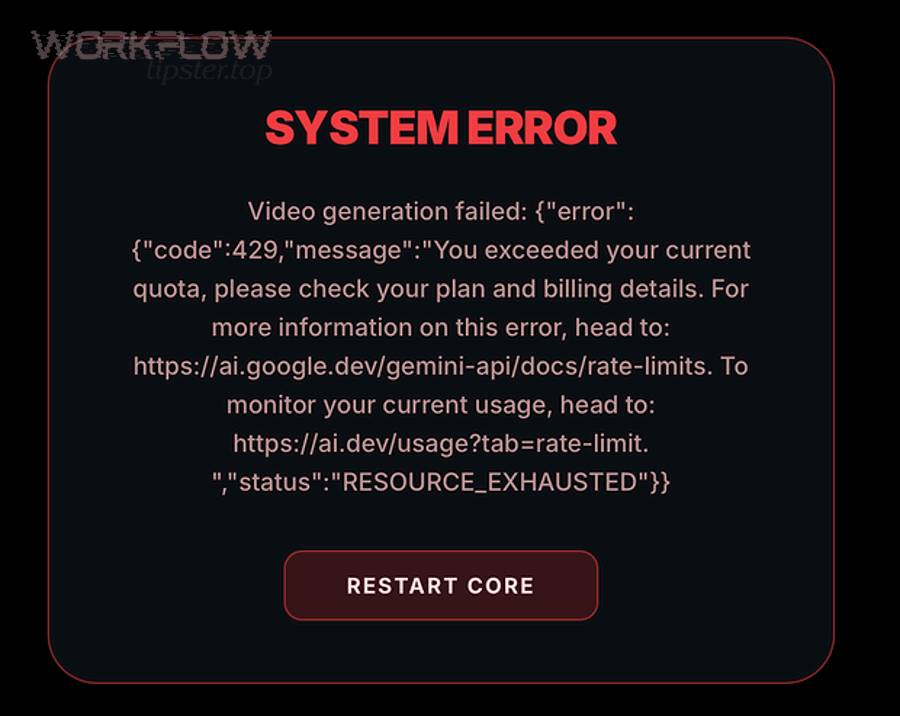
To begin, this matters most when your app runs background syncs: background jobs often use one credential, which makes per-user-style throttling more likely.
Will a single service account hit per-user limits faster than many OAuth users?
Yes—a single service account hits per-user limits faster because every request is attributed to the same principal, while OAuth users distribute requests across many identities, reducing concentration in per-user quota buckets.
However, distributing across OAuth users is not a free win; you must still enforce per-project and per-minute smoothing so a global burst does not take the entire system down.
- Service account: great for server-to-server automation, but requires strict global throttling and batching.
- OAuth users: better for user-driven interactions, but you still need a global cap so many users don’t overload the project bucket.
How do you structure multi-tenant apps to avoid one user/project becoming the bottleneck?
You structure multi-tenant apps by applying per-tenant queues, per-tenant rate limits, and a global project cap, so no single tenant starves others and no burst overwhelms the project-wide quota bucket.
More specifically, separate “interactive” traffic (low latency) from “batch” traffic (high volume) so your background jobs do not cannibalize the user experience.
- Fairness: one token bucket per tenant plus one global token bucket.
- Scheduling: run batch jobs in controlled windows and spread heavy tasks across time slices.
- Resilience: store jobs durably so a throttled run can resume later without duplicating writes.
What advanced patterns and edge cases help prevent recurring Sheets API throttling at scale?
Advanced prevention is a 4-part strategy—incremental reads, workload sharding, connector-aware throttling, and safe write tradeoffs—because recurring throttling is usually caused by growth (more tenants, more events, more parallelism) rather than a one-time misconfiguration.
Thus, once your baseline pipeline is stable, these micro-level patterns keep your system stable as usage scales and integrations become more complex.
How can caching and change-detection reduce read requests (full refresh vs incremental sync)?
Incremental sync wins for quota efficiency, full refresh is simplest for correctness, and the scalable approach is incremental-by-default with periodic full refresh checks, because caching prevents repeated range scans that silently multiply request counts.
To illustrate, if you re-read the entire sheet every minute, you will eventually exceed per-minute quotas even if each read is “valid,” because your average throughput rises with data size.
- Cache row indexes by key so writes don’t require repeated searches.
- Track deltas (last processed row, timestamp column, or a change log sheet).
- Guardrail: if deltas fail or drift, schedule a controlled full refresh at off-peak times.
When should you shard workloads across spreadsheets or time windows (single sheet vs segmented data)?
Single sheets win in simplicity, sharded sheets win in throughput and isolation, and time-window segmentation is optimal for high-volume append workloads, because sharding reduces contention and spreads write pressure across separate resources.
Meanwhile, sharding is only worth it when your limiter and batching are already correct; otherwise you just distribute the same inefficiency into more places.
- Shard by tenant: separate sheets for large customers to isolate spikes.
- Shard by time: one sheet per month/quarter for append-only logs.
- Tradeoff: reporting becomes harder; build an aggregation layer if analytics matters.
How do automation platforms (Zapier/Workato/Make/UiPath) change the best-practice throttling approach?
Automation platforms add hidden concurrency and “loop fan-out,” so queue-based throttling and batch operations become more important than in custom code, because one trigger can spawn many parallel actions that overload the Sheets API quickly.
Especially, communities around automation tools frequently solve “too many requests” by inserting explicit waits in loops, which is a practical form of throttling when you cannot implement a true shared token bucket.
- Prefer batch steps when the platform supports them.
- Throttle loops with wait/delay nodes to smooth bursts.
- Reduce reads by caching lookups inside the workflow run instead of re-querying the sheet repeatedly.
What are the safest “faster vs safer” tradeoffs for high-write workloads (append vs update vs bulk replace)?
Append wins in speed, targeted update is best for correctness, and bulk replace is optimal only for controlled rebuild jobs, because the safest strategy is the one that prevents duplicate writes during retries while keeping request count low.
In addition, the safest operational posture is “fewer writes with stronger guarantees,” because aggressive write retries can silently corrupt data even if they reduce 429 failures.
- Append: fastest, but must include de-duplication keys to avoid duplicate rows on retry.
- Update: safer for idempotency when you can locate rows deterministically by key.
- Bulk replace: simplest for rebuilding a sheet, but schedule it off-peak and throttle heavily to avoid saturating quotas.