


Google Chat field mapping failed is fixable when you treat it as a data pipeline problem: verify the source fields, confirm the mapping layer output, and send a payload that matches what Google Chat will actually accept and render—then compare a failed payload to a successful one to pinpoint the mismatch.
Next, you’ll learn what “field mapping failed” usually means in real automations: not only “wrong mapping,” but also “wrong payload shape,” “wrong data types,” or “wrong message format,” especially when moving from a simple text message to a card-based message. ([developers.google.com](https://developers.google.com/workspace/chat/api/reference/rest/v1/cards))
Then, you’ll get a practical checklist that finds the break point fast—missing fields, stale test data, nested objects, null values, formatting problems, and webhook constraints—so you can correct the mapping and the payload without guessing. ([support.atlassian.com](https://support.atlassian.com/jira/kb/fix-400-errors-with-json-payloads-in-google-chat-webhooks-via-jira-cloud/))
Introduce a new idea: once you can reliably turn “failed” into “successful,” you’ll also see how to prevent repeat failures with validation, logging, and safe fallbacks—so your automation keeps posting even when the data changes. ([developers.google.com](https://developers.google.com/workspace/chat/troubleshoot-chat-apps))
What does “Google Chat field mapping failed” actually mean in an automation workflow?
Google Chat field mapping failed means the data you mapped from your automation didn’t arrive in a Google Chat-compatible message shape—typically because the mapping output is missing required fields, uses the wrong structure, or breaks Chat’s message or card expectations. ([developers.google.com](https://developers.google.com/workspace/chat/api/reference/rest/v1/cards))
Specifically, the fastest way to fix it is to stop treating it as a single error and treat it as three checkpoints: source fields → mapped fields → webhook payload fields.
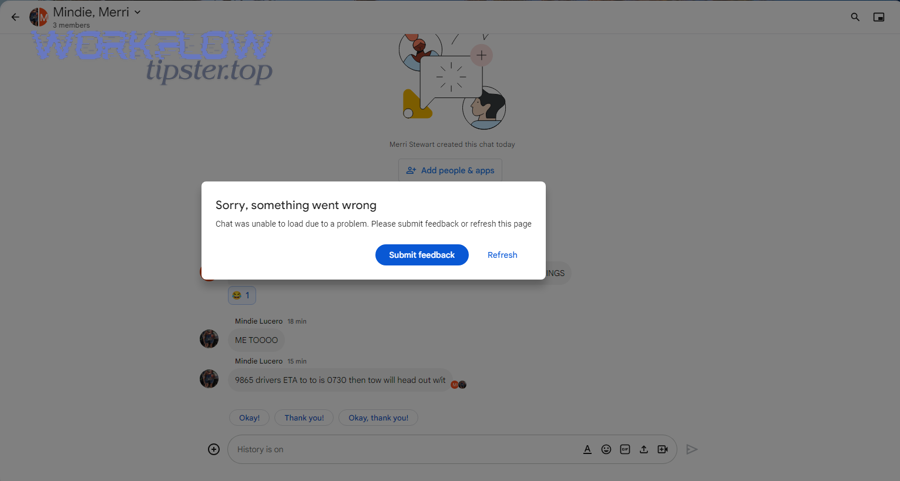
Where can the failure happen: source data, mapping layer, or Google Chat payload validation?
The failure can happen in three places: (1) source data where fields are empty or renamed, (2) the mapping layer where you selected the wrong output or used stale samples, or (3) payload validation where Google Chat rejects the final JSON or can’t render the message/cards. ([developers.google.com](https://developers.google.com/workspace/chat/api/reference/rest/v1/cards))
To illustrate the pipeline, think in “what changed” questions:
- Source changed: the record field exists sometimes but not always (optional fields, conditional steps, different triggers).
- Mapping changed: the automation step output differs between test vs live runs, or you mapped from the wrong step.
- Payload changed: the final JSON moved from a simple text message to a structured card message, and the shape no longer matches what Chat expects. ([developers.google.com](https://developers.google.com/workspace/chat/api/reference/rest/v1/cards))
More specifically, card payloads are structured JSON and are more sensitive to incorrect nesting and types than plain text messages. ([developers.google.com](https://developers.google.com/workspace/chat/api/reference/rest/v1/cards))
This table contains a quick “break-point locator” so you can classify the failure without reworking everything at once:
| Checkpoint | Most common symptom | What to inspect | Fastest fix |
|---|---|---|---|
| Source fields | Mapped values are blank | Trigger payload, record fields, prior step outputs | Refresh sample/test data; add defaults for optional fields |
| Mapping layer | Wrong values appear (swapped, truncated) | Which step you mapped from; variable paths | Re-map from correct step; flatten nested fields |
| Payload validation | 400 / invalid JSON / card won’t render | Final JSON structure and required root fields | Start from a minimal “known-good” payload and add back |
What’s the difference between a mapping failure and a delivery/auth failure (401/403/404)?
A mapping failure happens when the message is delivered but the fields are wrong/blank, or the JSON is rejected for structure; a delivery/auth failure happens when your automation cannot post to the endpoint because of permissions, scopes, or endpoint reachability. ([developers.google.com](https://developers.google.com/workspace/chat/troubleshoot-chat-apps))
However, automation tools often label both as “failed,” so you need clear separators:
- Mapping/payload failure signals: 400 errors, “Invalid JSON payload,” “Unknown name … cannot find field,” or cards render broken while plain text works. ([support.atlassian.com](https://support.atlassian.com/jira/kb/fix-400-errors-with-json-payloads-in-google-chat-webhooks-via-jira-cloud/))
- Auth/permission failure signals: 403 scope/admin approval problems, or organization policies prevent adding/using apps in spaces. ([developers.google.com](https://developers.google.com/workspace/chat/troubleshoot-chat-apps))
- Endpoint failure signals: 404 wrong URL, server unreachable, or your runtime logs show no outbound request.
In practice, fix mapping/payload problems by comparing successful vs failed JSON, and fix delivery/auth problems by addressing scopes, workspace policy, and endpoint correctness. ([developers.google.com](https://developers.google.com/workspace/chat/troubleshoot-chat-apps))
Is this really a “field mapping” issue or a payload/schema issue?
Yes, it’s usually a payload/schema issue when Google Chat rejects the final JSON or cards don’t render, because (1) Chat requires specific root fields for incoming webhook messages, (2) structured cards have strict JSON shape, and (3) small formatting/type differences can invalidate the payload even when your mapping “looks” correct. ([developers.google.com](https://developers.google.com/workspace/chat/api/reference/rest/v1/cards))

Meanwhile, it’s usually a mapping-layer issue when your automation produces the wrong values even though a minimal text payload posts successfully.
Are mapped fields showing as blank even though the source has data?
Yes—blank mapped fields are a classic mapping-layer problem because (1) you mapped from the wrong step output, (2) your tool is using stale sample data, or (3) the source field is conditionally missing and you didn’t set defaults. This is where google chat missing fields empty payload shows up as a symptom: the payload exists, but the mapped fields inside it are empty.
Then, fix it by forcing a stable input and confirming the variable path:
- Re-run the trigger with real data: refresh the tool’s sample and confirm the field is present in the latest run output.
- Verify the mapping path: if your source is nested (e.g., record.customer.name), extract it to a flat field before mapping.
- Add defaults: if a field can be null, map a fallback like “N/A” or an empty string so your payload is never missing required keys.
More importantly, blank fields often mean your “successful test” used a record that had the field populated, but production data doesn’t, so your mapping breaks only in live runs.
Does the error appear only when cards are enabled (not plain text)?
Yes—if plain text posts but cards fail, the root cause is almost always card JSON structure because (1) cards are structured in JSON with nested components, (2) invalid nesting or unknown fields can be rejected, and (3) empty/invalid widget data can prevent rendering. ([developers.google.com](https://developers.google.com/workspace/chat/api/reference/rest/v1/cards))
Next, treat cards as “schema-first”:
- Start with a minimal text message to prove delivery works. ([support.atlassian.com](https://support.atlassian.com/jira/kb/fix-400-errors-with-json-payloads-in-google-chat-webhooks-via-jira-cloud/))
- Switch to a minimal card example and confirm it renders. ([developers.google.com](https://developers.google.com/workspace/chat/api/reference/rest/v1/cards))
- Add mapped fields one widget at a time so you can isolate the exact path/type that breaks rendering.
For example, an array mapped into a text field or a null mapped into a required string location can break the card even though the automation step “succeeds.”
What are the most common root causes of Google Chat field mapping failures?
There are 4 main types of Google Chat field mapping failures: (A) missing/empty fields, (B) wrong structure or nesting, (C) data type and formatting mismatches, and (D) webhook format constraints, based on where the data becomes invalid for Chat to accept or render. ([developers.google.com](https://developers.google.com/workspace/chat/api/reference/rest/v1/cards))
Besides identifying the type, you should also identify which step introduced it—because fixing the wrong layer wastes the most time.
Which payload field problems break mapping most often (missing keys, wrong nesting, nulls)?
There are 3 common payload field problems: missing keys, wrong nesting, and null values, based on whether Google Chat can parse the JSON and find fields where it expects them. ([support.atlassian.com](https://support.atlassian.com/jira/kb/fix-400-errors-with-json-payloads-in-google-chat-webhooks-via-jira-cloud/))
To better understand the failure modes:
- Missing keys: your payload omits the root field Google Chat requires for incoming webhook messages, so the request fails fast. ([support.atlassian.com](https://support.atlassian.com/jira/kb/fix-400-errors-with-json-payloads-in-google-chat-webhooks-via-jira-cloud/))
- Wrong nesting: you send fields inside the wrong object level, so Chat can’t “see” them and rejects unknown names or can’t find expected fields. ([support.atlassian.com](https://support.atlassian.com/jira/kb/fix-400-errors-with-json-payloads-in-google-chat-webhooks-via-jira-cloud/))
- Null values: your automation inserts null for a field that must be a string or a valid object, causing validation or rendering failure.
More specifically, webhook integrations often require a simple top-level structure for basic messages, so “extra objects” from upstream tools must be transformed into Chat’s expected shape. ([support.atlassian.com](https://support.atlassian.com/jira/kb/fix-400-errors-with-json-payloads-in-google-chat-webhooks-via-jira-cloud/))
Which mapping UI mistakes cause failures (wrong token, wrong step output, stale sample data)?
There are 3 frequent mapping UI mistakes: mapping from the wrong step, relying on stale sample data, and mixing test vs live variables, based on how automation tools bind fields at design time versus runtime.
Then, correct them systematically:
- Wrong step output: confirm the field you mapped is actually produced by that step in the latest run, not by a different earlier step.
- Stale sample data: refresh the test sample so the mapping UI reflects the current schema and field names.
- Test vs live drift: ensure your final payload uses the same structure in production runs as in tests—especially for optional nested objects.
This is where google chat troubleshooting becomes a discipline: your goal is not to “try fixes,” but to prove each stage produces the expected output before moving to the next stage. ([developers.google.com](https://developers.google.com/workspace/chat/troubleshoot-chat-apps))
Which formatting/data type issues cause silent failures (dates, numbers, booleans, arrays)?
There are 4 common data formatting problems: date/time formatting, numeric/boolean coercion, array-to-string conversion, and escaping, based on whether Chat expects a string field but receives a complex or incorrectly formatted value. ([developers.google.com](https://developers.google.com/workspace/chat/format-messages))
Next, apply safe normalization rules:
- Date/time: convert to a clear, human-readable string and include a timezone indicator; otherwise you risk google chat timezone mismatch where the message is “correct” but misleading.
- Numbers/booleans: convert to string for display widgets unless the schema explicitly expects numeric types.
- Arrays: join arrays into a single string (comma-separated or bullet-like text) before mapping into a text widget.
- Escaping/newlines: format text carefully; Google Chat text messages support a subset of Markdown, and formatting differs between text messages and cards. ([developers.google.com](https://developers.google.com/workspace/chat/format-messages))
In other words, many “mapping” failures are really google chat data formatting errors that only appear when real-world data contains nulls, arrays, or unexpected characters.
How do you compare a “failed” vs “successful” mapping to find the exact mismatch?
Failed payloads reveal structure mistakes, successful payloads reveal the target shape; the fastest way to find the mismatch is to compare (1) top-level keys, (2) nested paths, and (3) data types, then isolate the first point where the failed payload diverges from the successful one. ([support.atlassian.com](https://support.atlassian.com/jira/kb/fix-400-errors-with-json-payloads-in-google-chat-webhooks-via-jira-cloud/))
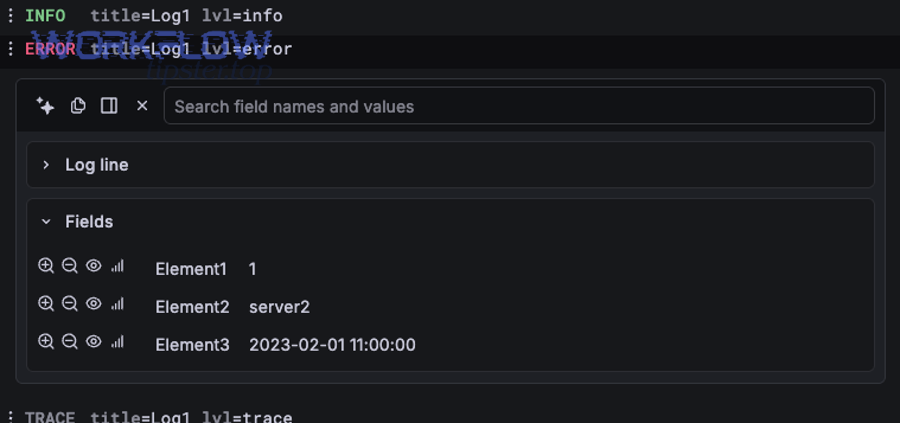
However, comparison only works when you keep one variable constant: use the same input record whenever possible so you’re comparing payload shape, not payload content.
What should you compare first: top-level keys, nested paths, or data types?
Top-level keys first, nested paths second, data types third is the winning order because a missing root field fails immediately, wrong nesting fails next, and type mismatches often cause intermittent or rendering-only failures. ([support.atlassian.com](https://support.atlassian.com/jira/kb/fix-400-errors-with-json-payloads-in-google-chat-webhooks-via-jira-cloud/))
Then, follow a consistent diff routine:
- Top-level: confirm the root message fields are present and named correctly for the webhook endpoint. ([support.atlassian.com](https://support.atlassian.com/jira/kb/fix-400-errors-with-json-payloads-in-google-chat-webhooks-via-jira-cloud/))
- Paths: confirm that each field is located at the same JSON path as the successful payload.
- Types: confirm the successful payload uses strings where you are sending arrays/objects/nulls.
This order matters because it narrows the failure from “everything is broken” to one field or one branch of the payload.
How do you create a minimal “known-good” payload and add fields back safely?
A minimal known-good payload starts with the simplest message Google Chat accepts, and you add one mapped field per step until it fails, because incremental changes make the breaking field obvious and reversible. ([support.atlassian.com](https://support.atlassian.com/jira/kb/fix-400-errors-with-json-payloads-in-google-chat-webhooks-via-jira-cloud/))
Next, use the “ladder method”:
- Rung 1: post a plain text message with a fixed string to prove the webhook URL works. ([support.atlassian.com](https://support.atlassian.com/jira/kb/fix-400-errors-with-json-payloads-in-google-chat-webhooks-via-jira-cloud/))
- Rung 2: replace the fixed string with one mapped field that is guaranteed to exist.
- Rung 3: add a second mapped field that is optional, but include a default value.
- Rung 4: introduce cards only after text is stable, because cards amplify structure sensitivity. ([developers.google.com](https://developers.google.com/workspace/chat/api/reference/rest/v1/cards))
To sum up, a known-good payload is not “the final payload that works once”; it’s a payload shape that remains valid even when some values are empty, optional, or slightly different.
What is the step-by-step checklist to fix Google Chat field mapping failed?
There are 4 steps to fix Google Chat field mapping failed: (1) verify source fields, (2) normalize mapped fields, (3) validate webhook payload fields, and (4) test with repeatable cases, based on the exact stage where failures occur. ([developers.google.com](https://developers.google.com/workspace/chat/troubleshoot-chat-apps))
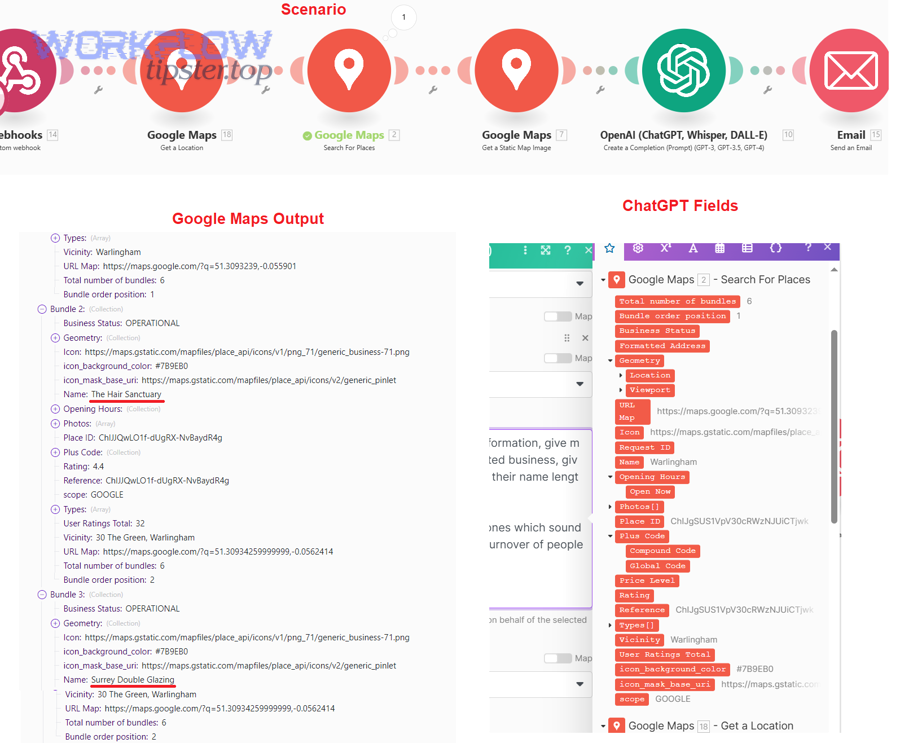
Below, each step is designed to produce proof, not guesswork, so every change either confirms or eliminates a cause.
How do you verify the source fields are present and stable across runs?
There are 3 checks to confirm source stability: verify field existence, verify field population, and verify field consistency across test and live events, based on what your trigger actually sends at runtime.
Then, apply these checks:
- Existence: confirm the field name exists exactly as referenced (including case sensitivity in some tools).
- Population: confirm the field is not null or empty in multiple recent events (not just one test record).
- Consistency: confirm the field path is identical across scenarios (e.g., create vs update events can differ).
Practically, your best move is to capture a raw sample of the trigger payload and treat it as your “truth,” instead of trusting the mapping UI preview.
How do you normalize fields before mapping (defaults, trimming, stringify, flatten)?
There are 4 normalization actions: defaulting, trimming, stringifying, and flattening, based on transforming real-world data into predictable display-safe values for Chat.
Specifically, use these patterns:
- Defaulting: if a value can be missing, set a default like “(not provided)” so the payload remains complete.
- Trimming: remove leading/trailing whitespace to avoid invisible “blank” fields that look empty to humans.
- Stringify: convert numbers, booleans, and complex types into strings for message rendering.
- Flatten: extract nested fields into a single flat token (e.g., customer.name → CustomerName) to reduce mapping mistakes.
This is also where you prevent “silent mapping failures”: if a widget expects a string and you provide an array, you often won’t see the mismatch until the webhook request fails or the card won’t render. ([developers.google.com](https://developers.google.com/workspace/chat/api/reference/rest/v1/cards))
How do you validate the final webhook payload before sending it to Google Chat?
There are 3 validation checks: root field compliance, schema shape compliance, and formatting compliance, based on what Google Chat webhooks accept and how Chat renders text versus cards. ([support.atlassian.com](https://support.atlassian.com/jira/kb/fix-400-errors-with-json-payloads-in-google-chat-webhooks-via-jira-cloud/))
Next, validate in this order:
- Root field compliance: confirm the payload includes the root-level fields required by Google Chat webhooks for basic messages. ([support.atlassian.com](https://support.atlassian.com/jira/kb/fix-400-errors-with-json-payloads-in-google-chat-webhooks-via-jira-cloud/))
- Schema shape compliance: if you use cards, ensure the cards JSON uses the correct structure and only valid fields. ([developers.google.com](https://developers.google.com/workspace/chat/api/reference/rest/v1/cards))
- Formatting compliance: ensure your text formatting follows Chat’s supported formatting rules when you post text messages. ([developers.google.com](https://developers.google.com/workspace/chat/format-messages))
If you see errors like “Unknown name … cannot find field,” treat them as a schema/path signal: your payload contains fields Google Chat doesn’t recognize at that location. ([support.atlassian.com](https://support.atlassian.com/jira/kb/fix-400-errors-with-json-payloads-in-google-chat-webhooks-via-jira-cloud/))
How do you test reliably (test run vs live run) and confirm the fix?
There are 3 reliable test practices: use controlled input, repeat runs across scenarios, and confirm acceptance criteria in the final Chat message, based on the difference between “a payload that sends” and “a message that renders correctly.”
Then, test like this:
- Controlled input: use the same record/event for both “failed” and “successful” comparisons when possible.
- Scenario coverage: run at least one case where optional fields are missing and one where they are present.
- Acceptance criteria: confirm (1) no webhook error, (2) message appears in the right space, and (3) mapped fields display correctly (not swapped, not truncated, not misformatted).
If your environment supports runtime logs, use them to confirm what your automation actually sent; official troubleshooting guidance emphasizes checking logs when behavior is unclear. ([developers.google.com](https://developers.google.com/workspace/chat/troubleshoot-chat-apps))
What should a “Google Chat webhook payload fields” template include for consistent success?
A Google Chat webhook payload fields template is a standardized JSON message structure—starting from a minimal valid message and optionally adding cards—that keeps stable root fields, predictable paths, and display-safe values so automations can post reliably across different input data. ([support.atlassian.com](https://support.atlassian.com/jira/kb/fix-400-errors-with-json-payloads-in-google-chat-webhooks-via-jira-cloud/))
More specifically, you should treat the template as a contract: the mapping must always produce the same structure, even if some values are empty.
What are the “must-have” fields for a basic message payload?
The basic payload must include the root-level text field (or equivalent minimal message field required by the webhook) because Google Chat webhooks validate the top-level message shape before rendering anything. ([support.atlassian.com](https://support.atlassian.com/jira/kb/fix-400-errors-with-json-payloads-in-google-chat-webhooks-via-jira-cloud/))
Then, make the text field resilient:
- Build the message from safe strings (no arrays/objects).
- Apply consistent formatting; Chat supports a subset of Markdown for text messages. ([developers.google.com](https://developers.google.com/workspace/chat/format-messages))
- Use defaults for optional data so the text never becomes empty due to missing fields.
This is the simplest “known-good” baseline you can always fall back to when cards fail.
What are the “must-have” fields for card payloads to render consistently?
Card payloads must include a valid card structure with correctly nested components because Google Chat cards are structured JSON UI elements, and invalid nesting or unknown fields can prevent rendering. ([developers.google.com](https://developers.google.com/workspace/chat/api/reference/rest/v1/cards))
Next, keep your card template strict:
- Stable structure: don’t make the structure conditional; only make values conditional.
- Display-safe values: pre-normalize values to strings so widgets don’t receive nulls or complex types.
- Incremental expansion: add one widget at a time and re-test; cards are powerful but less forgiving than text. ([developers.google.com](https://developers.google.com/workspace/chat/api/reference/rest/v1/cards))
According to a study by McGill University from the School of Computer Science, in 2015, surveyed practitioners identified ambiguity, incompleteness, and incorrectness as the most severe API documentation problems—issues that often surface as “field mapping” confusion when developers don’t know the exact required payload shape. ([cs.mcgill.ca](https://www.cs.mcgill.ca/~martin/papers/ieeesw2015.pdf))
How do you prevent field mapping failures from coming back next week?
Yes, you can prevent repeat mapping failures by (1) validating payloads before sending, (2) logging the final mapped output for every run, and (3) using safe fallbacks when optional fields or card rendering fails, so minor data changes don’t break your automation. ([developers.google.com](https://developers.google.com/workspace/chat/troubleshoot-chat-apps))
Moreover, prevention is where you stop treating the workflow as “set and forget” and start treating it as “schema + monitoring.”
Should you add payload validation and logging before every send?
Yes, you should add validation and logging because (1) validation catches missing keys and wrong types early, (2) logging makes “failed vs successful” comparisons trivial, and (3) both reduce time-to-fix when source data changes without warning. ([developers.google.com](https://developers.google.com/workspace/chat/troubleshoot-chat-apps))
Then, implement lightweight guardrails:
- Validation: fail fast if required fields are missing; convert nulls to defaults.
- Logging: store the final JSON or the flattened mapping output used to construct the payload.
- Alerting: notify the owner when posts fail repeatedly, so failures don’t silently accumulate.
According to a study by Rochester Institute of Technology from the Department of Computer Science, in 2021, errors in invalid JSON schemas were mainly due to unknown keywords or formats—an outcome that mirrors real integration failures where small schema/format deviations invalidate otherwise “reasonable” payloads. ([cs.rit.edu](https://cs.rit.edu/~dataunitylab/uploads/publications/Alsulami2021.pdf))
Should you use fallbacks (default values / plain-text fallback) when card rendering fails?
Yes, you should use fallbacks because (1) plain text payloads are easier to keep valid, (2) defaults prevent missing-field breakage, and (3) fallbacks preserve business continuity even when card payloads become invalid due to a single unexpected field value. ([support.atlassian.com](https://support.atlassian.com/jira/kb/fix-400-errors-with-json-payloads-in-google-chat-webhooks-via-jira-cloud/))
Next, implement a practical fallback strategy:
- Primary: card message with fully mapped fields.
- Fallback A: simplified card with fewer widgets and only required safe fields.
- Fallback B: plain text message that contains the most important fields as strings. ([support.atlassian.com](https://support.atlassian.com/jira/kb/fix-400-errors-with-json-payloads-in-google-chat-webhooks-via-jira-cloud/))
In short, your automation should degrade gracefully: a “less pretty” message is almost always better than no message.
Contextual Border: At this point, you can diagnose and fix the primary problem—Google Chat field mapping failed—using a repeatable checklist and a failed-vs-successful comparison method. Below, the article shifts into edge cases and micro-level pitfalls that can still break posting even when the main checklist passes.

What advanced edge cases can still cause “field mapping failed” even after your checklist passes?
Advanced failures usually come from environment differences, card-specific strictness, encoding issues, or threading context, meaning your payload is “almost correct” but breaks under specific data or posting conditions that weren’t covered by your initial test runs. ([developers.google.com](https://developers.google.com/workspace/chat/api/reference/rest/v1/cards))
Especially for automation builders, these cases are frustrating because the workflow appears stable until one rare input value triggers a rejection.
Why does mapping work in “test mode” but fail in “live mode” payloads?
Test mode works while live mode fails when test samples contain fields that production events omit, or when production events change nesting paths and types, causing your mapped fields to resolve differently at runtime.
Then, protect against test/live drift:
- Test with worst-case data: include cases where optional fields are missing and arrays are empty.
- Validate paths: confirm the production event uses the same JSON paths your mapping expects.
- Default aggressively: if a live event might omit a field, ensure your mapping outputs a safe default.
To sum up, “it worked in test” is not proof your mapping is correct; it is proof your mapping worked for one data shape.
Which card-specific schema pitfalls cause intermittent failures (arrays, nesting depth, empty widgets)?
There are 3 card schema pitfalls: arrays mapped into scalar widget fields, excessive or incorrect nesting, and empty widgets/sections, based on how strictly the card JSON must match expected structures. ([developers.google.com](https://developers.google.com/workspace/chat/api/reference/rest/v1/cards))
Next, apply these fixes:
- Arrays: join arrays into a string before mapping into text widgets.
- Nesting discipline: follow a consistent card template and avoid conditional structural branches.
- Empty widgets: don’t create widgets with empty required values; either default the value or omit the widget entirely.
This is why incremental card building is so effective: when one widget breaks the payload, you remove it, normalize its value, and add it back.
How can encoding/escaping (special characters, newlines) break rendering even when fields map?
Encoding and escaping break rendering when mapped values introduce characters or line breaks that change how JSON is parsed or how text is interpreted, so the payload is either invalid JSON or valid JSON with unintended formatting. ([developers.google.com](https://developers.google.com/workspace/chat/format-messages))
Then, sanitize and format intentionally:
- Escape special characters: ensure quotation marks and backslashes don’t break JSON serialization.
- Normalize newlines: keep a consistent newline strategy so your text stays readable and predictable.
- Use supported formatting: Chat text messages use a limited formatting syntax, and formatting differs from card messages. ([developers.google.com](https://developers.google.com/workspace/chat/format-messages))
In practice, a single unexpected character in a customer name or a pasted description is enough to create intermittent failures if you don’t sanitize values before mapping.
What’s the difference between posting to a space vs a thread, and how can that affect your mapped fields?
Posting to a space is simpler, threading adds context and constraints; threading can change which message fields are required or how your automation constructs the request, which can indirectly affect mapping outputs and the final payload shape.
Next, keep threading safe:
- Start in space mode: prove your payload posts consistently without threading parameters.
- Add threading only after stability: introduce thread behavior once your base payload is reliably valid.
- Log both variants: store the final payload for space posts and thread replies so you can compare when issues recur.
Thus, if mapping failures appear only in threaded replies, compare the two payloads first—because the difference is often structural, not data-related.