


A Google Chat trigger not firing is almost always fixable when you treat it as an event-delivery problem: you confirm the correct architecture (Chat app vs incoming webhook), verify the exact event types you expect, and trace whether requests reach your endpoint and return valid responses.
This guide also helps you avoid the most common “wrong mental model” issues—like expecting incoming webhooks to listen for messages, or expecting a third-party automation connector to create triggers without a properly configured Google Chat app.
Next, you’ll learn how to prove where the failure lives (Google Chat, your endpoint, or your automation platform) using a simple isolation workflow, so you stop guessing and start validating each hop in the chain.
Introduce a new idea: once the core trigger path is stable, you’ll prevent “it works sometimes” behavior by addressing quotas, retries, event-type constraints, and context differences like DM vs space vs @mentions.
Is your “trigger not firing” actually a Google Chat app event problem (Yes/No)?
Yes—most “google chat trigger not firing” reports are event-delivery problems because the app type is wrong (webhook vs interactive app), the expected event scope is mismatched (DM/space/@mention), or your endpoint never successfully acknowledges requests.
To reconnect this to the symptom you see in production, start by proving whether you’re dealing with a one-way webhook or a two-way event-driven Chat app; then you can narrow the failure to “no event emitted” vs “event emitted but not delivered” vs “delivered but not processed.”
Yes: Are you expecting incoming webhooks to “trigger” on messages (Yes/No)?
No—incoming webhooks don’t “trigger” on user messages because they are designed for one-way posting into a space, not for receiving interaction events; they can’t read or respond to user messages, so no message-based trigger can fire from an incoming webhook alone.
Specifically, an incoming webhook is like a mailbox slot: your system posts a message into Google Chat, but nothing inside Chat will push user messages back to that webhook URL. If your automation expects “when a user posts a message, fire my workflow,” that is not a webhook problem—it’s an event subscription / Chat app interaction event problem.
For example, if you’re following a “google chat troubleshooting” checklist and you see “Webhook test succeeded,” that only proves you can send messages into Chat. It does not prove you can receive user messages from Chat. Your next step is to switch to an interactive Chat app architecture that receives interaction events and to configure an endpoint that can handle them.
- Webhook success looks like: your script or tool posts a message into a space.
- Trigger success looks like: Google Chat sends your service an event payload when users interact.
- Key decision: if you need “listen to messages,” you need interaction events, not only a webhook.
No: Are you using a Chat app that should receive interaction events (Yes/No)?
Yes—if you built (or installed) an interactive Chat app, Google Chat can send interaction events like MESSAGE or ADDED_TO_SPACE to your configured endpoint, and the trigger should fire when those user interactions happen.
However, “should receive events” is not the same as “will receive events.” Google Chat only delivers interaction events when your app is configured correctly (Interactive features, endpoint, visibility/testing scope), installed where you’re testing (space/DM), and able to respond within constraints (timeouts, valid responses, permissions).
More importantly, you must align your expectation with the event model: some messages are not supposed to invoke the app unless the user explicitly interacts with it (for example, @mentioning the app, using a slash command, or clicking a card button). The fastest way to know which you’re dealing with is to verify the event type you expect and reproduce a user interaction that is guaranteed to create that event.
Are you relying on a third-party “Watch Events/Triggers” module that requires a Chat app (Yes/No)?
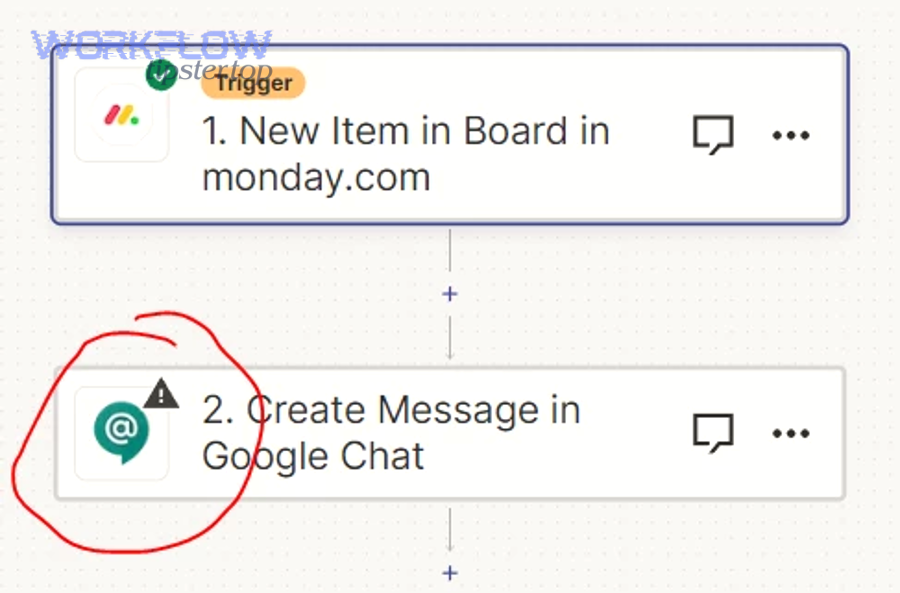
Yes—many automation platforms can only create “triggers” from Google Chat if you connect an interactive app/event source, and the trigger won’t fire if you only created a webhook URL or if the connector lacks real event subscriptions for your scenario.
Then, treat the platform as the last mile, not the source of truth. Your goal is to first prove that Google Chat is sending interaction event payloads to some endpoint you control (even a temporary request-bin or a simple logging service). Once you can demonstrate consistent payload delivery, you can reintroduce the automation platform and debug mapping, filters, and authentication inside that tool.
If you skip this ordering, you can waste hours debugging the wrong layer—especially when the tool UI says “Connected” but silently drops events because the payload schema doesn’t match, the platform polls incorrectly, or it only supports a narrow set of interactions.
What does “Google Chat trigger not firing” mean in plain terms?
“Google Chat trigger not firing” is a delivery and handling failure where an interaction event that should be generated by Google Chat (like a MESSAGE or ADDED_TO_SPACE) doesn’t reach your configured endpoint—or reaches it but isn’t accepted—typically due to configuration, permissions, or response constraints.
To better understand why this matters, notice that “trigger” is not a single feature; it’s a chain: user action → Chat generates event → Chat sends HTTPS request → your service authenticates/validates → your logic processes → (optional) your service responds. If any link breaks, the trigger feels like it “didn’t fire.”
What is an interaction event in Google Chat?
An interaction event is a structured JSON payload that Google Chat sends to your Chat app when users invoke or interact with the app—such as adding it to a space (ADDED_TO_SPACE), messaging it (MESSAGE), or clicking a card button (CARD_CLICKED).
Specifically, the event tells you what happened (event type), where it happened (space/thread), and who did it (user identity context), along with the message content or form inputs when relevant. Your app uses this payload to decide what to do next—reply, update a database, call another API, or route work to an automation pipeline.
This is why “trigger not firing” is fundamentally an event problem: if no payload arrives, your code never had a chance to run.
What’s the difference between an incoming webhook and an event-driven Chat app?
An event-driven Chat app wins for receiving user interactions, while an incoming webhook is best for sending one-way notifications; webhooks can post messages, but they can’t receive interaction events or respond conversationally.
However, both can coexist in a real system. For example, you might use an interactive Chat app to capture a user request (“create an incident”) and then use a webhook or Chat API message write to push status updates back into the same space. The critical point is that the “trigger” side must be backed by interaction events, not by incoming webhooks alone.
What does “events not delivered” usually look like in real debugging?
“Events not delivered” usually means your expected interaction produces no inbound requests, or produces requests that fail quickly (timeouts, non-2xx, invalid payload response), leading to partial, inconsistent, or absent triggers.
In practice, it tends to show up as one of these patterns:
- No inbound traffic at all: endpoint URL is wrong, app isn’t installed where you test, or interactive features aren’t enabled.
- Only some events arrive: MESSAGE arrives only on @mention, but not on regular messages; ADDED_TO_SPACE works, but clicks don’t.
- Events arrive but workflow doesn’t run: your automation platform filter or field mapping drops the payload.
- It worked yesterday: quotas/rate limits, deployment changes, or permissions changed, making triggers look “stuck.”
Which Google Chat events should you enable and test first?
There are 3 main categories of Google Chat events to enable and test first—baseline lifecycle events, message invocation events, and interactive UI events—based on how quickly each category proves end-to-end delivery from Chat to your endpoint.
Below is the simplest way to rebuild confidence in a broken trigger: you pick the smallest event that must work, confirm delivery, then move up in complexity until the “not firing” behavior reproduces reliably.
What are the “baseline” events to test delivery (MESSAGE, ADDED_TO_SPACE, REMOVED_FROM_SPACE)?
There are 3 baseline events to validate wiring quickly: ADDED_TO_SPACE (installation proves configuration), MESSAGE (invocation proves routing), and REMOVED_FROM_SPACE (cleanup proves lifecycle handling).
Start with ADDED_TO_SPACE because it’s the cleanest “known good” interaction: a user adds the app to a space, and Google Chat should send an event immediately. If you can’t receive ADDED_TO_SPACE, you’re not ready to debug message behavior yet.
Then test MESSAGE with an invocation that you know generates an event (for example, an @mention or a slash command if your app uses them). Finally, test REMOVED_FROM_SPACE to verify that your app can handle removal gracefully without expecting to post a normal message response.
Which events commonly “feel broken” because of expected behavior differences?
The events that feel most “broken” are the ones whose expected behavior differs by context: MESSAGE might require explicit invocation (like @mention), and REMOVED_FROM_SPACE has response restrictions that can look like a failure if you expect a message back.
More specifically, developers often interpret “no response in the space” as “no trigger fired.” But with certain events, Google Chat may deliver the event payload while also disallowing a normal response message. If you don’t log the inbound request, you won’t see that the event actually arrived and your own response logic caused the “silence.”
How do dialogs/cards change the event set you should test?
Dialogs and cards expand your test set because they introduce separate interaction pathways—like CARD_CLICKED and form submissions—so you must validate both payload delivery and your handler logic for each UI action.
If your trigger “works for messages” but not for buttons, treat it as a different integration: confirm the card schema and action identifiers, ensure your endpoint handles the correct event type, and verify your response timing. UI-driven interactions are also more likely to surface payload validation issues if your platform expects a specific schema and silently rejects unknown fields.
What are the most common configuration reasons triggers don’t fire ?
There are 5 common configuration causes of a Google Chat trigger not firing—wrong app architecture, wrong endpoint settings, missing event enablement, install/visibility restrictions, and deployment/environment mismatch—grouped by where the misconfiguration occurs in the app lifecycle.
Next, you’ll verify them in the order that eliminates the largest classes of failure fastest, so you don’t waste time debugging payload parsing when the app isn’t even delivering events.
Is the Chat app configured to receive the right event types (Yes/No)?
Yes—your trigger can fire only if the app is configured for the exact interaction events you expect, because event delivery depends on enabled functionality and the specific eventType objects Chat sends for each user interaction.
However, configuration errors are usually subtle, so verify with a concrete checklist:
- Event expectation: write down the exact eventType you expect (MESSAGE, ADDED_TO_SPACE, CARD_CLICKED, etc.).
- Reproduction step: define a user action that must generate that event (e.g., add app to space, @mention app, click card button).
- Confirmation signal: confirm you see an inbound request logged with that event type.
If you can’t name the event type, you can’t prove the trigger is “not firing” versus “not supposed to fire.” Treat uncertainty as a configuration bug until you verify the intended invocation behavior.
Is “interactive features” enabled and pointing to the correct endpoint (Yes/No)?
Yes—Interactive features must be enabled and the connection settings must point to a reachable endpoint, because Google Chat delivers interaction events only to the endpoint configured for the interactive app.
Specifically, confirm these failure points:
- Endpoint URL mismatch: you updated code but left the old URL in configuration.
- HTTP vs HTTPS issues: Chat apps typically require HTTPS endpoints; non-HTTPS endpoints can break delivery.
- Timeouts: slow endpoints create the appearance of “not firing” when Chat drops or retries requests.
If you ever see a “google chat webhook 500 server error” while testing related message posting, treat it as a signal that your service can error under load or bad inputs; the same operational hygiene—robust error handling and validation—applies to interactive event endpoints too.
Is the app live, installed in the right space, and permitted for your users (Yes/No)?
Yes—your trigger won’t fire unless the app is actually installed where you’re testing and permitted for your test accounts, because Google Chat only sends events to apps that users can access and invoke in that context.
Besides obvious “not installed” mistakes, permissions failures often hide behind “it works for me” symptoms:
- Visibility/testing scope: your app is restricted to a group that your test user isn’t in.
- Admin restrictions: an organization policy disables Chat apps or webhooks for certain users/spaces.
- Context mismatch: you test in a DM but configured behavior for spaces (or vice versa).
If your organization recently changed Google Chat settings, re-check whether webhooks and Chat apps are allowed; Google documents known limitations and organization-level considerations that can affect how Chat behaves for users.
How do you isolate whether the failure is in Google Chat, your endpoint, or your automation platform?
Google Chat is the culprit when no interaction events are emitted, your endpoint is the culprit when requests arrive but fail validation or timing, and your automation platform is the culprit when raw payloads arrive but filters/mapping drop them.
However, the symptom “trigger not firing” feels identical across all three layers, so you need a disciplined isolation workflow that produces a yes/no answer at each hop.
This table contains a practical isolation map: it shows what you observe, what it means, and what to do next so you stop debugging blindly.
| What you observe | Most likely cause | Next action |
|---|---|---|
| No inbound requests logged anywhere | Chat app configuration / install / permissions | Test ADDED_TO_SPACE and verify endpoint settings |
| Inbound requests logged, but your handler errors | Endpoint validation / auth / parsing | Return a minimal 2xx response and log payload safely |
| Inbound requests logged, endpoint returns 2xx, but automation doesn’t run | Automation filters / field mapping | Inspect raw payload in the tool and remove filters temporarily |
| Works in tests but fails in bursts | Quota / rate limiting | Add backoff and reduce event frequency per space |
Chat vs endpoint: Are requests reaching your server logs (Yes/No)?
Yes—if your server logs show inbound HTTPS requests from Google Chat during a reproducible interaction, then the trigger did fire at Chat’s side, and the remaining problem is your endpoint behavior (auth, parsing, timing, or response payload).
Then, prioritize the most important reason first: your endpoint must respond correctly and quickly enough for Chat to consider delivery successful. If you’re slow, Chat may retry delivery “a few times within a few minutes,” and if you’re invalid, it may not retry, leading to confusing duplicates or missing events.
Practically, you want three logs for every event:
- Receipt log: timestamp + event type + space/thread IDs + request ID.
- Decision log: what code path you took (ignored, processed, deferred).
- Outcome log: response status + processing result + any downstream calls.
Endpoint vs automation tool: Is the tool receiving the raw payload but failing to map fields (Yes/No)?
Yes—if the automation tool shows a received payload but the workflow step doesn’t run, the trigger is firing and the failure is internal to the tool (filters, schema mismatch, or mapping), not in Google Chat delivery.
Moreover, this is where “looks like nothing happened” is common: many platforms drop events quietly if a required field is missing, if a path is null, or if a filter expression evaluates to false. Your fastest test is to remove every filter, log the raw payload, and run a workflow step that simply stores the payload or sends it to a debug channel.
This is also where you’ll hear “google chat api limit exceeded” from downstream calls: the trigger might fire correctly, but the automation tool can still fail when it attempts to write messages back into Chat too frequently or across multiple workflows simultaneously.
Manual test vs real traffic: Do “test messages” behave differently than real user events (Yes/No)?
Yes—test flows often differ from real traffic because they trigger a different event type, run with different permissions, or omit contextual fields, so a handler that “works in test” can fail in production interactions.
To illustrate, a manual “send a test payload” button in an automation platform might use a simplified schema, but Google Chat’s real event payload includes nested objects and context-specific structures (space/thread membership, user identity, message annotations). If your code assumes a field always exists, you’ll crash only in real traffic.
The fix is to build a robust parser that treats optional fields as optional, validates event types explicitly, and logs unexpected payload shapes. This is not just defensive programming—it directly converts “inconsistent triggers” into “predictable handling.”
According to a study by De La Salle University from the Department of Industrial and Systems Engineering, in 2023, applying structured process improvement methods to outage response can measurably reduce recovery time (MTTR), showing why disciplined logging and repeatable isolation steps outperform ad-hoc debugging.
What limits and platform rules can make triggers appear to stop firing?
There are 4 platform rules that can make a Google Chat trigger appear to stop firing—per-space and per-project quotas, webhook-specific rate limits, event-type response restrictions, and retry/timeout behavior—based on how Google Chat protects performance and enforces interaction semantics.
More importantly, these rules often create intermittent failures: your trigger works in light testing, then breaks under bursts, or it “fires” but your expected response never shows up, leading you to think the trigger didn’t happen.
Can rate limits or quotas suppress messages/events (Yes/No)?
Yes—quotas and rate limits can suppress writes and make workflows fail with 429 errors because Google Chat enforces per-space and per-project limits, and exceeding them returns “Too many requests,” which looks like missing messages or missing follow-up actions.
Then, treat a “google chat webhook 429 rate limit” not as a mystery, but as a capacity signal: you are trying to write too many messages too quickly in one space, or multiple automations are sharing the same quota bucket.
Practical fixes that preserve reliability:
- Backoff and retry: implement exponential backoff for 429 responses.
- Reduce write frequency: batch updates (one status message every 30–60 seconds instead of per event).
- Deduplicate events: if Chat retries delivery, ensure idempotent processing so a retry doesn’t create extra messages.
- Spread load: avoid sending bursts into the same space from multiple workflows simultaneously.
What are the webhook limitations that confuse debugging?
Incoming webhooks are limited by per-space quota behavior and partial responses, which confuses debugging because a successful write doesn’t return a full Message object and rapid posting can be rejected at roughly one request per second per space for webhook message creation.
This matters when you use a webhook as part of a trigger pipeline: your trigger might fire correctly, but your “notification step” that posts into Chat fails or throttles, so the team sees nothing and assumes the trigger never fired. In reality, the trigger fired and the downstream notification hit a rate limit.
If you’re seeing “google chat api limit exceeded” messages in your tool logs, interpret it as “my messaging strategy violates quotas,” not “Google Chat is broken.” The fix is almost always to reduce chat writes, apply backoff, and consolidate updates into threads.
Which events have special rules (for example, responding after removal) and why does that matter?
Some events have special rules that can make responses disappear even when the trigger fires—most notably REMOVED_FROM_SPACE, where Chat apps can’t respond with a normal message because the app is already removed from the space.
Therefore, “no visible response” is not proof of “no trigger.” For REMOVED_FROM_SPACE, your handler should focus on cleanup tasks (revoke tokens, stop scheduled jobs, delete per-space configuration) and log the event externally rather than trying to post a farewell message.
Also note that admin-installed nuances can alter what events you see; Google documents cases where an admin uninstall can affect installation state and event delivery behavior.
What edge cases cause Google Chat triggers to fire inconsistently, and how do you prevent regressions?
There are 4 edge-case patterns that make Google Chat triggers fire inconsistently—context differences (DM/space/@mention), UI interaction mismatches (cards/buttons), bursty quota behavior, and insufficient observability—and you prevent regressions by turning each pattern into an explicit test and monitor.
In addition, treat this section as your “stability layer”: once the trigger is firing reliably, these practices keep it firing after changes to code, configuration, or usage volume.

Are direct messages, space messages, and @mentions supposed to trigger the same way (Yes/No)?
No—DMs, space messages, and @mentions don’t always trigger the same way because invocation rules can differ by context, app configuration, and how users interact with the app; assuming they’re identical causes “inconsistent trigger” reports.
Then, make expected behavior explicit so your future self doesn’t reintroduce the bug:
- DM expectation: define whether users must message the app directly or use commands.
- Space expectation: define whether the app triggers on @mentions only, commands only, or specific interactions.
- @mention expectation: treat mentions as the most reliable reproduction step for MESSAGE-style invocations.
Once you document this, your tests become precise: you can verify “MESSAGE fires on @mention in spaces” separately from “MESSAGE fires in DM,” instead of calling everything “not firing.”
Why do CARD_CLICKED or button interactions fail even when MESSAGE events works ?
MESSAGE wins for basic invocation, but CARD_CLICKED is best for structured UI actions, and dialogs are optimal for multi-field submissions—so when buttons “don’t work,” the failure is usually in action configuration, handler routing, or schema expectations rather than in basic event delivery.
However, the fix becomes straightforward when you compare setups side by side:
- Action identifier mismatch: the button sends an action name your handler doesn’t recognize.
- Wrong event handler: your code processes MESSAGE but ignores CARD_CLICKED.
- Validation assumptions: your automation platform expects fields that exist in MESSAGE but not in CARD_CLICKED.
To prevent this regression, create a minimal “UI harness” card with one button and one known handler path, and keep it as a permanent test endpoint you can trigger after any deployment.
How can quotas and burst traffic make “not firing” look random, and what monitoring catches it early?
Quotas make “not firing” look random when bursts push you over per-space or per-project limits, causing 429 errors that block message writes or downstream calls; monitoring request counts, 429 rates, and latency by space catches this before users report it.
Specifically, webhooks can be subject to tight per-space write constraints, so a burst of automated alerts may collide and get rejected, even though individual tests pass. Google notes that webhooks are subject to per-space quotas and can be rejected when exceeding roughly one query per second in a space for webhook message creation.
To keep your system stable as usage grows:
- Track per-space write rate: messages per minute and per second.
- Track error rate: especially 429 and 5xx; label by space and workflow name.
- Track latency: p95 handler time; slow handlers raise retry/timeout risk.
- Implement backoff: exponential backoff on 429, and queue/batch writes.
What should you log in every request to debug “events not delivered” vs “events not processed”?
There are 4 log groups you should record in every request—identity/context, event metadata, processing decisions, and outcomes—because these fields let you prove whether Chat delivered the event and whether your app actually processed it.
Moreover, this logging structure directly supports “google chat troubleshooting” at scale because it creates a consistent story across incidents rather than one-off debugging notes.
- Identity & context: user ID (if provided), space ID, thread ID, whether it’s DM or space.
- Event metadata: eventType, message text or action name, timestamps, correlation/request IDs.
- Decision trail: routing branch taken, filter results, validation outcomes, deduplication decision.
- Outcome: HTTP response status, downstream API calls, retries scheduled, and final success/failure.
If you also post notifications back into Chat, log message-write outcomes separately so you can distinguish “trigger fired but notification failed” from “trigger never fired.” This is where you’ll quickly identify patterns like “google chat webhook 429 rate limit” bursts or recurring “google chat webhook 500 server error” failures from your own service or proxy layers.