


You can set up a reliable support triage pipeline by converting Freshdesk tickets into monday.com tasks and sending Slack alerts that carry the right context, routing, and ownership—so urgent issues move from “noticed” to “assigned” to “resolved” without delays.
To make that work in real operations, you need more than a simple “ticket creates task” rule: you need consistent field mapping, clear triage rules, and a notification design that prioritizes signal over noise—especially when multiple teams share channels.
You’ll also want a practical way to choose between implementation paths (native integrations, no-code automation tools, or low-code workflow builders) while keeping governance tight—permissions, board structure, channel structure, and naming conventions all matter when your workflow scales.
Introduce a new idea: once the core workflow is in place, the fastest teams improve outcomes by testing for duplicates, monitoring failures, and measuring triage KPIs—then extending into advanced patterns like SLA escalations and incident-style swarming.
What does “Freshdesk ticket → monday.com task → Slack alerts” mean in a support triage workflow?
A Freshdesk ticket → monday.com task → Slack alerts triage workflow is an automation sequence that turns incoming support requests into trackable execution items and pushes time-sensitive updates into Slack so the right people act quickly with full context.
Next, it helps to treat this workflow like a single “móc xích” chain: the ticket is the source of truth, the monday item is the work container, and the Slack alert is the coordination trigger—and each link must carry the same identifiers and status meaning.
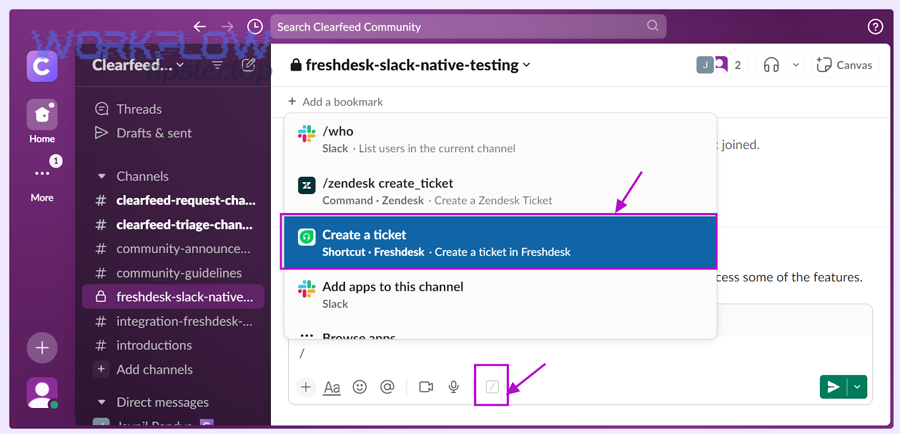
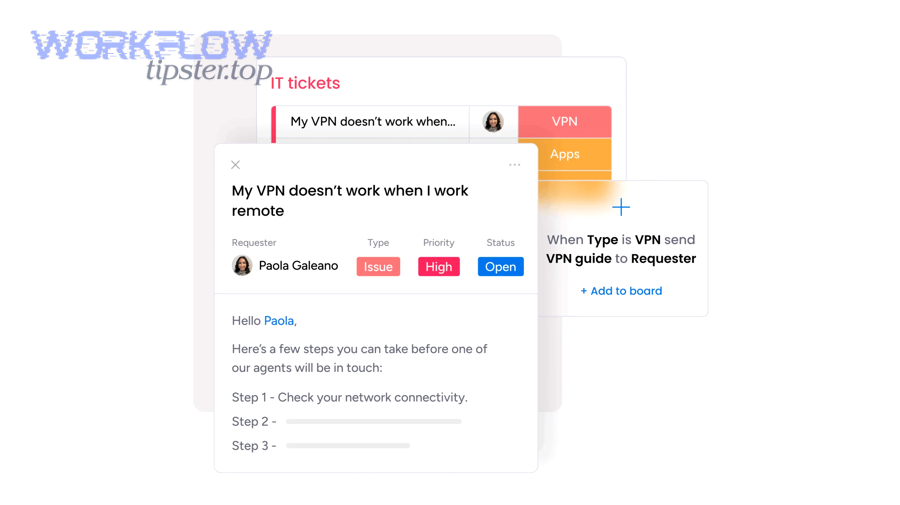
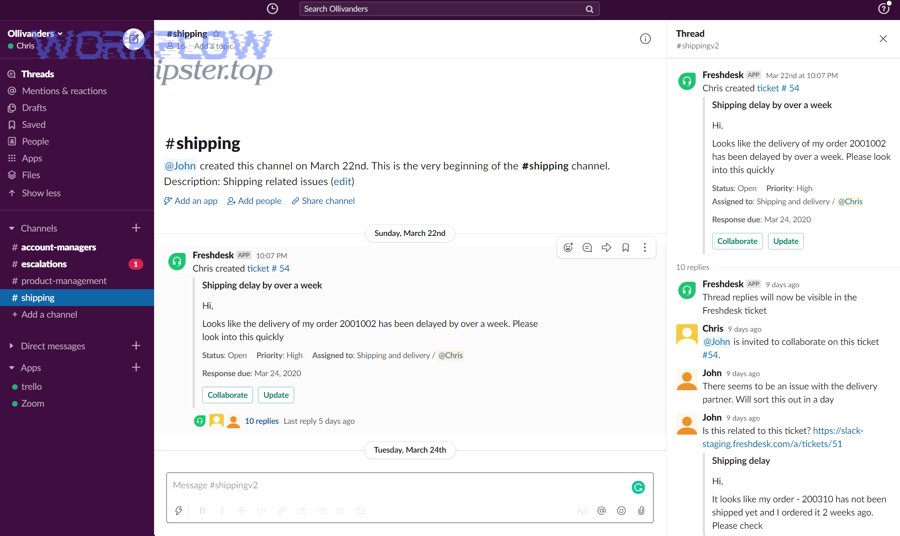
In practice, this workflow exists to solve a common triage gap: tickets are excellent for intake, but execution requires assignment clarity, due dates, dependencies, and visible progress. That is where monday.com becomes the operational “board,” while Slack becomes the fast lane for escalation and collaboration.
A clean macro semantic model looks like this:
- Freshdesk answers: What is the customer asking for, and how urgent is it?
- monday.com answers: Who owns the work, what is the next action, and when is it due?
- Slack answers: Who must be aware right now to unblock or escalate?
When the chain is consistent, you get predictable triage outcomes:
- Fewer “lost” tickets
- Faster assignment
- Less back-and-forth searching for context
- Clear accountability for SLAs and escalations
What are the minimum pieces you must configure to make the workflow work?
There are five minimum pieces you must configure to make the workflow work: (1) ticket trigger, (2) destination board, (3) field mapping, (4) notification routing, and (5) a unique identifier strategy.
Then, each piece should be designed to preserve context end-to-end rather than forcing agents to open multiple tools just to understand what to do next.
- Ticket trigger (Freshdesk event)
- Ticket created (new intake)
- Ticket updated (priority or status changes)
- Tag applied (e.g., “P1,” “bug,” “billing,” “VIP”)
- Destination in monday.com
- Board selection (Support Ops, Engineering Bugs, Billing Escalations)
- Group selection (New, In Progress, Escalated, Waiting on Customer)
- Ownership defaults (assignee logic, team mapping)
- Field mapping (ticket → item)
- Ticket ID (critical for dedupe)
- Subject + summary
- Priority/urgency
- SLA due date or response deadline
- Customer/account name
- Category/tags
- Ticket deep link
- Slack notification routing
- Channel or DM decision
- Mention rules (@oncall, @team, or owner)
- Template (what appears in the message)
- Unique identifier strategy
- Store Freshdesk Ticket ID in a dedicated monday column
- Use that ID as the anchor to update an existing item instead of creating duplicates later
How does support triage change when tickets become tasks?
Ticket-to-task triage changes the operating model: tickets become intake records, while tasks become execution commitments.
To illustrate the difference, consider what an agent needs in the first 60 seconds:
- In a ticket-only world, the agent triages by reading the ticket and deciding what to do next.
- In a ticket-to-task world, triage produces an explicit outcome: this work is now assigned, visible, measurable, and connected to a due date.
A simple comparison table shows what shifts when you move triage into a task board:
| Dimension | Ticket-only triage | Ticket → task triage |
|---|---|---|
| Ownership | Often ambiguous until assigned | Explicit owner on the item |
| Work visibility | Buried in queues/views | Visible on board + groups |
| Dependencies | Hard to track | Linked items/subitems |
| Status meaning | Tool-specific states | Shared operational states |
| Reporting | Mostly ticket metrics | Ticket + workflow throughput |
This is why many teams keep Freshdesk as the customer-facing system, and use monday.com to manage internal throughput and commitments, with Slack to coordinate urgent work.
Can you set up Freshdesk → monday.com → Slack triage without code?
Yes—you can set up Freshdesk → monday.com → Slack support triage without code because most teams can rely on native integrations and no-code automation workflows, and the main benefits are speed to launch, lower maintenance, and easier adoption.
Then, the key is choosing the right “no-code shape” for your environment: a native connector if your rules are simple, a no-code automation tool if you need conditional routing, or a low-code builder if you require advanced controls.
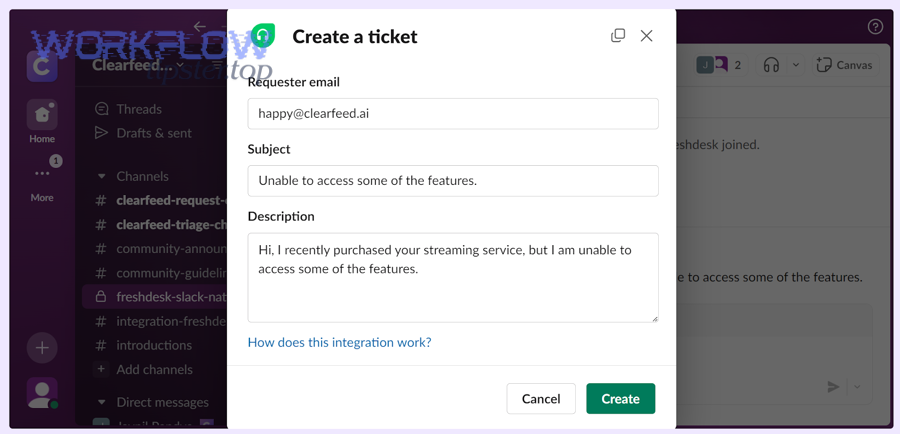
The three reasons no-code works for this use case are practical:
- Triggers and actions are standardized (ticket events and task creation are common primitives).
- Field mapping is UI-driven (you map columns, not write payloads).
- Slack messaging is template-based (you format structured alerts without building a bot).
Which setup path fits your team: native app, no-code automation, or low-code workflow builder?
Native app wins in simplicity, no-code automation is best for flexible routing, and low-code workflow builders are optimal for complex governance and error handling.
However, that decision becomes obvious when you compare the three options against the same triage criteria:
| Option | Best for | Strengths | Limitations |
|---|---|---|---|
| Native integrations | Straightforward flows | Fast setup, fewer moving parts | Limited branching logic |
| No-code automation workflows | Conditional routing | Filters, multi-step sequences, easier iteration | Requires governance to avoid sprawl |
| Low-code builders | Advanced requirements | Idempotency patterns, custom logic, deeper observability | Higher build/maintain effort |
A good rule: if your triage requires one board and one channel, start native. If you need multiple boards + routing rules, choose no-code automation workflows. If you need audit, strict dedupe, multi-step approvals, go low-code.
What should you prepare before connecting tools (permissions, boards, channels, naming rules)?
You should prepare four things before connecting tools: permissions, structures, naming rules, and test data.
Moreover, preparation prevents the two most common roll-out failures: “it works for one admin account but not the team,” and “it creates tasks but nobody knows where they went.”
Permissions
- Freshdesk: ensure the integration identity can read ticket fields and events
- monday.com: ensure it can create/update items and write into required columns
- Slack: ensure it can post to the target channel(s) and mention groups if needed
Structures
- monday board(s): create columns for ticket ID, priority, SLA, link, category
- Slack channels: define #support-triage, #p1-incidents, #billing-escalations (examples)
- Ownership: clarify who is responsible by category or priority
Naming rules
- monday item name template:
[P1] Ticket #12345 – short subject - Slack message format: priority + customer + SLA countdown + links
- Tag taxonomy in Freshdesk: consistent tags enable clean routing
Test data
- Create sample tickets for each path: P1 bug, P2 billing, VIP request, after-hours ticket
- Include tricky cases: missing fields, multiple tags, reassigned owner
Evidence: According to a University of California Irvine research finding summarized by Duke Today in 2021, workers take around 23 minutes to get back on task after an interruption, which is why “notification design” and noise control matter when Slack becomes part of triage. (today.duke.edu)
What is the best trigger and filter logic for turning tickets into monday.com tasks?
There are four main trigger-and-filter patterns for turning tickets into monday.com tasks: intake, escalation, classification, and change-driven updates, based on whether the team needs tasks for every ticket or only for the tickets that require active internal execution.
Next, the safest approach is to start with a narrow filter (high-signal tickets), validate behavior, and then expand coverage once your routing rules are stable.
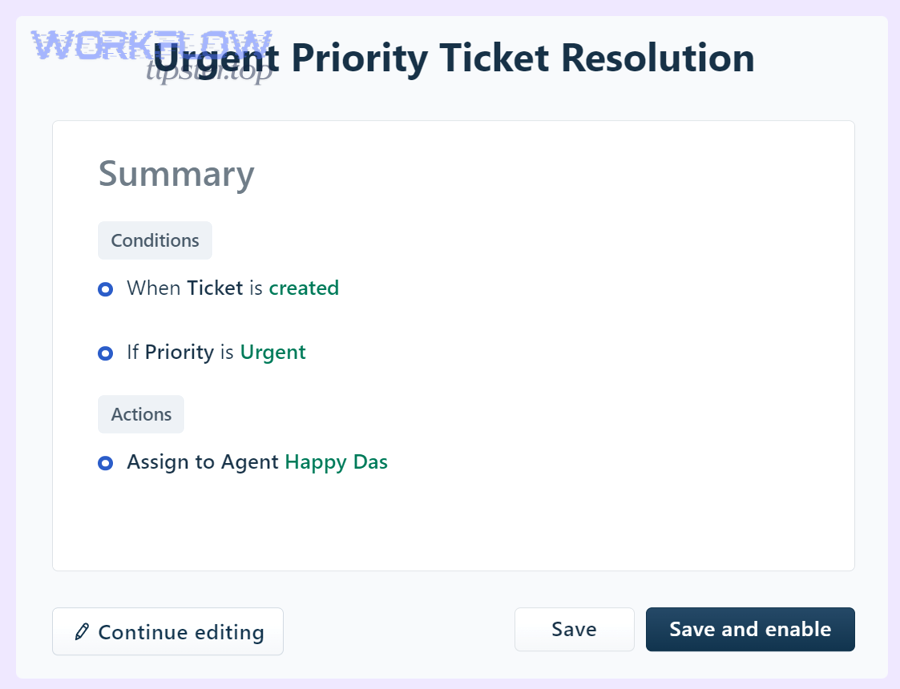
Here’s the macro logic that supports reliable triage:
- Intake trigger (ticket created)
- Use when the board is your system of execution for most tickets
- Best for: smaller teams, consistent processes, unified backlog
- Escalation trigger (priority raised / SLA risk)
- Use when only urgent tickets should create tasks
- Best for: teams protecting engineers from routine volume
- Classification trigger (tag/category applied)
- Use when categories define ownership (billing vs bug vs onboarding)
- Best for: multi-team support organizations
- Change-driven updates (status/assignee changes)
- Use to update existing monday items rather than create new ones
- Best for: keeping the chain consistent and avoiding duplicates
Which tickets should become tasks (and which should stay as tickets)?
“All tickets become tasks” wins for full visibility, while “only selected tickets become tasks” is best for focus and lower noise, and a hybrid approach is optimal for scaling without overwhelming teams.
However, the decision should follow execution reality: if a ticket requires internal work, it needs a task; if it’s routine (FAQ, password reset, simple request), it may stay ticket-only.
Option A: All tickets → tasks
- Pros: single operational backlog, easy reporting, fewer hidden items
- Cons: can overwhelm boards, requires strict grouping and automation discipline
Option B: Only selected tickets → tasks
- Pros: high signal, protects engineering and specialized teams
- Cons: risk of “missed” tickets if filters are wrong
Hybrid (recommended starting point)
- Create tasks for:
- P1/P2 tickets
- Specific tags (bug, outage, data-loss, VIP)
- Specific groups (enterprise support, billing escalations)
- Keep ticket-only for:
- Known low-complexity categories
- Self-service candidates
- Non-actionable notifications
What conditions should you use to route tasks to the right monday board/group?
There are six practical routing conditions you should use: priority, category/tag, group/team, customer tier, business hours, and geography/language, based on which variable most reliably predicts ownership and urgency.
More specifically, you should route with the smallest number of stable signals—then add richer segmentation later.
A clean routing matrix looks like this:
- Priority → group
- P1 → “Escalated”
- P2 → “Urgent”
- P3/P4 → “Standard”
- Category/tag → board
- bug/outage → Engineering Bugs board
- billing/payment → Billing Ops board
- onboarding/training → Customer Success board
- Customer tier → board or column
- VIP/Enterprise → dedicated group + extra SLA field + Slack mention policy
- Business hours
- after-hours → on-call Slack mention + “After-hours” group
- Region/language
- route to regional support boards or teams
If you build routing this way, the workflow remains explainable and maintainable, which is crucial when automation workflows evolve over time.
How do you map Freshdesk ticket fields into monday.com so triage stays consistent?
Freshdesk-to-monday mapping is the process of translating ticket context into structured board columns so teams can assign, prioritize, and execute work consistently, using a stable ID, shared status meaning, and standardized urgency signals.
Then, the most important principle is to map identifiers and urgency first, and map long-form text second—because triage speed depends on quick scanning and consistent columns.
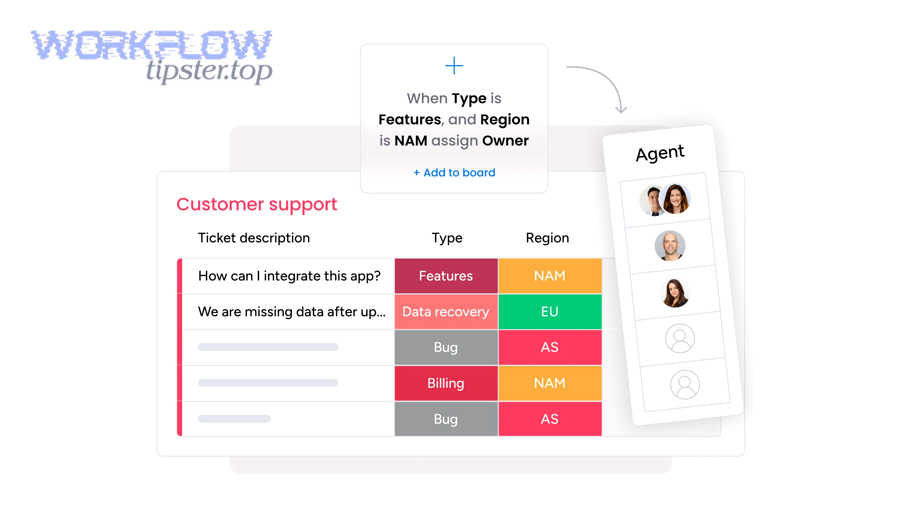
A strong mapping scheme typically includes:
Identity
- Ticket ID (unique key)
- Ticket URL (deep link)
- Requester (customer name/email)
- Company/account (if applicable)
Urgency and risk
- Priority (P1–P4)
- SLA due date / first response due
- Impact flags (outage, payment block, data-loss)
Classification
- Group/category
- Tags
- Product area
Execution
- Assignee / owner
- Status
- Next action (optional)
- Dependencies or linked items (if needed)
Which fields are essential for triage visibility on monday.com?
There are eight essential fields for triage visibility: Ticket ID, Ticket Link, Priority, SLA Due, Customer/Account, Category/Tags, Current Status, and Owner, based on what a triager must know to decide next actions quickly.
To better understand why this matters, imagine a board view where someone must determine “what needs attention right now” in under one minute—these fields enable that scan.
A practical “triage-ready” monday item structure:
- Item name:
[P1] Ticket #12345 – short summary - Columns:
- Ticket ID (number/text)
- Ticket link (URL)
- Priority (status)
- SLA due (date/time)
- Customer/account (text)
- Category/tags (multi-select)
- Owner (people)
- Workflow status (status)
If you want deeper context, store it as a linked update or long-text field—but keep the board’s first-screen view focused on the essential triage signals.
How do you prevent mismatched statuses between Freshdesk and monday.com?
One-way status sync wins for simplicity, two-way sync is best for tight alignment, and a canonical status model is optimal for scale and clarity.
Meanwhile, the practical fix is to define a shared status vocabulary and decide which system “leads” for each phase.
Step 1: Define a canonical status model
Example (simple, cross-tool friendly):
- New
- Triaged
- In Progress
- Waiting on Customer
- Blocked
- Resolved/Closed
Step 2: Decide status ownership
- Freshdesk leads customer-facing states (Waiting on Customer, Resolved)
- monday leads internal execution states (In Progress, Blocked)
Step 3: Sync rules
- If Freshdesk moves to Waiting on Customer → monday moves to Waiting on Customer
- If monday moves to Blocked → Freshdesk gets an internal note/tag, not necessarily a customer-visible status change
- If Freshdesk closes → monday closes (or moves to “Done”)
Step 4: Ensure updates don’t create duplicates
- Updates should “find existing item by Ticket ID” and then update fields
- New item creation should be reserved for “first time seen” tickets only
This is where your unique identifier strategy becomes non-negotiable: Ticket ID is the anchor that keeps the chain consistent over time.
How should Slack alerts be structured to reduce noise and speed up response?
Slack alerts should be structured as actionable, routed, and contextual messages that highlight priority and next steps, because the goal is not “more notifications,” it is faster decisions with fewer interruptions.
Specifically, you should treat Slack as a triage cockpit: alerts must say what happened, how urgent it is, who owns it, and what to do next—in one glance.
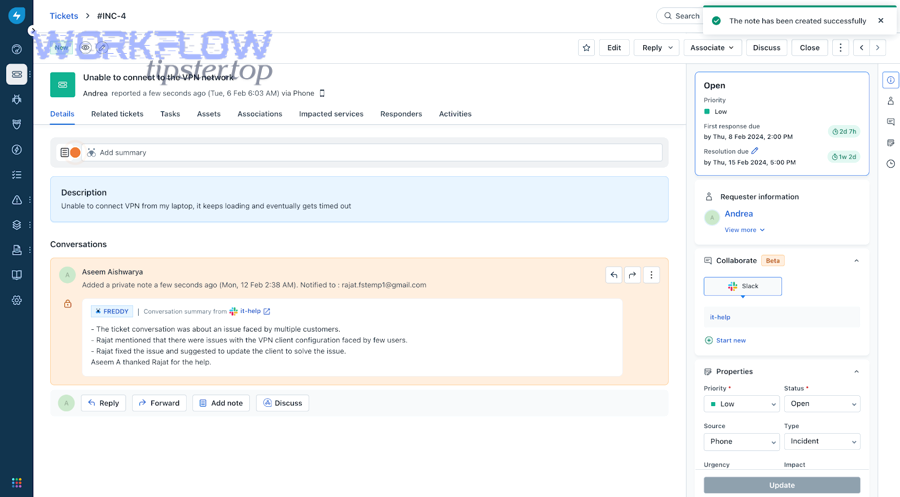
A useful mental model:
- Bad alert: “New ticket created.”
- Good alert: “P1 billing outage ticket → owner assigned → SLA due in 30 minutes → click to open ticket/task.”
You can also weave Slack alerts into broader automation workflows beyond support triage—many operations teams run multi-tool chains such as airtable to google docs to google drive to docusign document signing when customer approvals are required, or airtable to docsend to box to pandadoc document signing when sales documents must be reviewed, or airtable to confluence to google drive to pandadoc document signing when internal documentation drives external agreements. In each case, Slack alerts work best when they summarize the moment that requires human attention, not the entire process.
What Slack message template helps agents triage fastest?
A high-performing Slack alert template includes seven parts: priority, customer, summary, SLA clock, owner, links, and the next action, based on what agents need to decide quickly.
Then, your template should stay consistent so teams learn to scan it—this is how you get speed without forcing extra clicks.
Template example (plain-language)
- Title:
[P1] Billing outage – Ticket #12345 - Customer: Acme Corp (Enterprise)
- SLA: First response due in 20 minutes
- Owner: @oncall-support
- Next action: Confirm scope and post ETA
- Links: Freshdesk ticket + monday item
Template example (structured bullets)
- Priority: P1 (Outage)
- Customer: Acme Corp (Enterprise)
- SLA: 20 minutes remaining
- Assigned: @Jane
- Board: Engineering Bugs → Escalated
- Links: Ticket | Task
If you want to reduce noise further, include a rule: only include long descriptions when the ticket is P1/P2 or VIP.
Which notification routing is better: channel alerts or direct messages?
Channel alerts win for shared situational awareness, direct messages are best for clear ownership and accountability, and a hybrid model is optimal for fast response without spamming everyone.
Besides, the real objective is to match routing to the type of triage moment:
Use channels when:
- Many people must be aware (outage, incident, widespread impact)
- You need quick swarm collaboration
- You want a searchable timeline in one place
Use direct messages when:
- A single owner must act
- The alert is routine and should not interrupt everyone
- You want private escalation reminders
Use hybrid when:
- P1 goes to a channel + mentions on-call
- P2 goes to owner DM + optional channel summary
- P3/P4 triggers only board updates (no Slack)
Evidence: According to UC Irvine research referenced by UCI News, it takes an average of 23 minutes and 15 seconds to resume a task after an interruption, which supports the practice of minimizing low-signal Slack alerts and routing only what matters. (news.uci.edu)
How do you test, monitor, and debug the workflow so it doesn’t break in production?
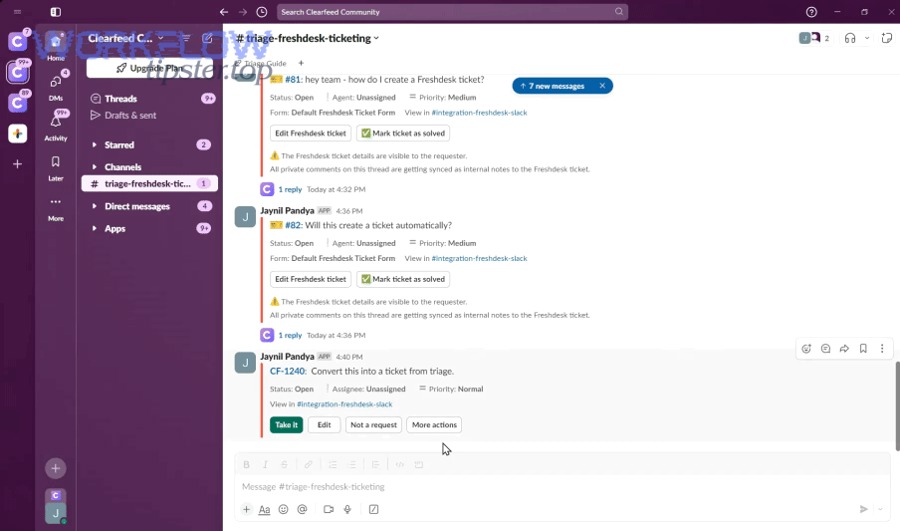
You test, monitor, and debug this triage workflow by using a staged rollout plus controlled test cases, then adding logging, retry handling, and KPI tracking so failures surface early and fixes are systematic rather than reactive.
Below, the most important move is to build confidence with a “known set” of tickets—then expand the workflow scope once you can explain every outcome.
What are the most common failure modes (duplicates, missing data, alert storms) and how do you fix them?
There are five common failure modes: duplicates, missing fields, wrong routing, alert storms, and stale status sync, based on how automation workflows typically fail when real-world ticket data is messy.
More importantly, each failure mode has a predictable cause-and-fix pattern:
- Duplicate monday tasks
- Cause: workflow “creates item” on every update event
- Fix: “upsert” logic—find by Ticket ID, then update; create only if not found
- Missing key fields
- Cause: fields not available at trigger time (or optional fields not filled)
- Fix: default values + delayed enrichment step + validation rules
- Wrong routing
- Cause: inconsistent tags/categories in Freshdesk
- Fix: enforce a tag taxonomy; add fallback routing (“Needs classification” group)
- Alert storms
- Cause: multiple updates fire alerts (status change + note + assignment)
- Fix: alert only on high-signal events; batch updates; add cooldown windows
- Status drift
- Cause: two tools “lead” for the same status stage
- Fix: define canonical status ownership; sync only in one direction for ambiguous states
A practical debugging checklist:
- Pick one ticket and trace it end-to-end: trigger → item creation → Slack alert
- Confirm Ticket ID is present and unique
- Confirm routing conditions match expected board/group
- Confirm Slack message template contains links and correct mentions
- Simulate an update event and ensure it updates—not duplicates
How do you validate success with KPIs (time-to-first-response, SLA compliance, triage throughput)?
You validate success with KPIs by measuring time-to-first-response, SLA compliance, triage cycle time, assignment latency, and escalation accuracy, because these metrics show whether the workflow improves real service outcomes rather than just moving data between tools.
To sum up the KPI logic, the workflow should improve both speed (faster first response and assignment) and control (fewer missed escalations, clearer ownership).
A KPI set that aligns with the workflow chain:
- Time to first response (Freshdesk)
- Time to assignment (monday)
- Cycle time (monday: created → done)
- SLA compliance rate (Freshdesk)
- Escalation accuracy (did P1 reach on-call?)
- Notification quality
- ratio of actionable alerts to total alerts
- number of alert storms per week
If you need a measurement framework, Forrester has highlighted service desk success measures like low-contact/no-contact resolution rates and other outcome-oriented metrics that better reflect automation impact than raw ticket counts. (forrester.com)
Contextual Border: From here onward, the article moves beyond “core setup” into advanced operational patterns that deepen micro semantics—SLA escalation ladders, idempotency architecture, privacy boundaries, and incident-style swarming.
How do you optimize Freshdesk → monday.com → Slack triage for edge cases and advanced ops?
You optimize this triage workflow by adding SLA-based escalation design, idempotency safeguards, privacy controls, and incident-mode routing, because advanced ops failures rarely come from “missing features” and usually come from scale, noise, and edge cases.
Next, think of optimization as the antonym of ad-hoc triage: instead of reacting manually, you build rules that make outcomes predictable when volume spikes.
How do you design SLA-based escalation rules (P1/P2) without creating alert fatigue?
SLA escalation wins when it is timed, tiered, and routed, while alert fatigue happens when escalations are noisy, repetitive, and non-actionable—so the best design uses fewer alerts with higher urgency clarity.
Then, build escalations as a ladder:
P1 escalation ladder (example)
- T+0: Post to #p1-incidents + mention on-call + include SLA countdown
- T+10 min (if not acknowledged): DM on-call + mention team lead
- T+20 min (if still not acknowledged): escalate to manager/on-duty incident commander
- T+30 min: create incident-mode channel (optional) and pin status template
P2 escalation ladder (example)
- T+0: DM owner + optional channel summary (no broad mention)
- T+30 min: reminder DM (only if still unassigned)
- T+60 min: team lead ping (only if SLA risk threshold crossed)
To reduce fatigue:
- Trigger escalation only when SLA risk is real (e.g., remaining time < threshold)
- Suppress repeated alerts for the same ticket within a cooldown window
- Prefer “update the same Slack thread” instead of posting new messages each time
For a broader perspective on alert fatigue and why teams must prioritize signals over raw alert volume, Harvard Business Review has discussed how organizations are rethinking alert handling and down-selection approaches to reduce fatigue. (hbr.org)
How can you prevent duplicate monday tasks using ticket IDs and idempotency rules?
Duplicate prevention works when you implement idempotency, meaning the workflow produces the same final state even if the same event runs multiple times.
Specifically, treat Freshdesk Ticket ID as the immutable key and implement a simple rule: create once, update forever.
A practical idempotency pattern:
- On trigger, search monday board for an item where
Ticket ID = {freshdesk_ticket_id} - If found → update the item (status, owner, priority, SLA, last activity time)
- If not found → create the item and write the Ticket ID immediately
- Store a “last processed event time” or “last sync timestamp” to prevent loops
If you have multiple boards, extend the pattern:
- First search in the “primary board index” (or a dedicated tracking board)
- Store “board location” for each Ticket ID so updates land correctly
This is the difference between automation that feels trustworthy and automation that creates cleanup work.
What compliance or privacy boundaries should you apply when sending ticket data into Slack?
Yes—you should apply privacy boundaries when sending ticket data into Slack because Slack is a broad collaboration surface, and three common risks are PII leakage, over-sharing customer details, and long-lived searchable copies of sensitive content.
Moreover, privacy-safe triage often improves clarity: instead of dumping full ticket text, you send a structured summary and link out to the source of truth.
Practical boundaries:
- Do not include full customer messages for routine tickets; include a short summary + link
- Redact emails, phone numbers, addresses, payment references, and IDs
- Use private channels for VIP or regulated data flows
- Prefer “internal notes” in Freshdesk for sensitive context
- Create a rule: only P1/P2 alerts include a longer snippet, and even then avoid PII
When should you use an incident-style triage pattern (war-room channel + task swarm) instead of standard routing?
Standard routing wins for steady-state support, incident-style triage is best for high-impact outages, and a mixed strategy is optimal when you need to switch modes quickly based on severity and blast radius.
To illustrate, use incident-style triage when:
- Many tickets share the same root cause in a short period
- Revenue-impacting services are down
- Multiple teams must coordinate simultaneously (support + engineering + ops)
- You need a single shared “status narrative” and action log
In incident-mode, the workflow changes:
- Slack becomes the war-room (dedicated channel, pinned status template, thread discipline)
- monday becomes the action board (swarm tasks, owners, timelines, dependencies)
- Freshdesk remains the customer-facing record (public updates, SLA tracking, resolution confirmation)
Evidence: A Forrester Total Economic Impact study for an ITSM platform reported improvements tied to service automation—such as large reductions in handling time and faster resolution—which supports investing in structured automation and triage design rather than relying on ad-hoc manual coordination. (tei.forrester.com)