


If you want faster, cleaner support triage, the most reliable approach is to automatically convert every qualifying Freshdesk ticket into a structured monday.com task (item) and post a clear triage notification into Microsoft Teams—so nothing depends on someone remembering to copy details.
Next, you also need to pick the right integration route for your environment: a native app where possible, or an automation platform when you need more flexible field mapping, routing rules, and monitoring across multiple tools.
Then, a workable triage system requires more than “create task and notify”: you must define ownership, status rules, and escalation signals so your team can act consistently without creating notification noise.
Introduce a new idea: once the workflow is live, you can harden it against duplicates, sync loops, and compliance risks so it scales from a small queue to a multi-team support operation.
What does “Freshdesk ticket → monday task → Microsoft Teams triage” mean in practice?
Freshdesk ticket → monday task → Microsoft Teams triage is a support triage automation workflow that turns incoming tickets into trackable work items and posts actionable alerts in Teams so your team can assign, prioritize, and resolve issues without manual copy-paste.
To begin, it helps to see this workflow as one “hook chain”: the ticket is the customer problem, the monday item is the team’s work container, and the Teams message is the real-time triage trigger that gets the right humans involved.
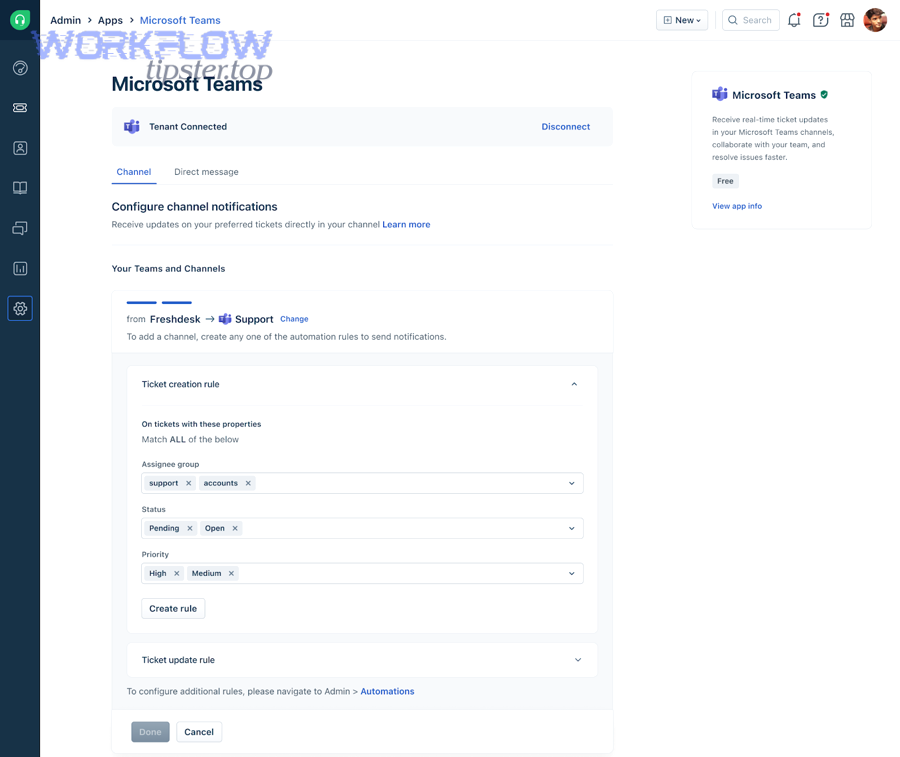
Macro semantics: what the workflow accomplishes. At a high level, this workflow is about converting “unstructured support signals” into “structured work.” A Freshdesk ticket often arrives as a message: a subject line, a description, attachments, and maybe a priority label. A monday task (item) is different: it is built for team execution, with owners, statuses, due dates, and grouped views. Microsoft Teams is different again: it is designed for visibility and coordination in the moment.
Micro semantics: what must move from system to system. The workflow only works if you define what “ticket-to-task” actually contains. In practice, the minimum set usually includes:
- Identity: ticket ID (the unique key), ticket link, requester identity (or an anonymized reference), and created time.
- Meaning: subject, category/type, product/service, and short summary of the issue.
- Urgency: priority, SLA timers, escalation flags, and customer impact tags.
- Action: assignment/owner, status, and next step notes.
Why Teams is part of triage. If you only create monday tasks, you may still rely on people to notice a new item. If you only post to Teams, you may lose long-term tracking and structured ownership. The combined chain makes triage both fast and measurable.
Evidence (if any). According to a study by Tilburg University researchers (survey of 416 working professionals) published in 2023, instant messenger use is analyzed in relation to interruptions and stress factors like overload and complexity, highlighting why structured routing and controlled notification design matter in real workplaces.
Do you need monday.com and Microsoft Teams integrations to automate this workflow?
Yes—automating Freshdesk ticket to monday task to Microsoft Teams triage requires integrations because (1) your tools need authenticated access to share ticket/task data, (2) you must map fields into consistent work structures, and (3) Teams notifications must be triggered from defined events rather than manual posts.
Next, the practical question is not “integration or no integration,” but “which integration approach fits your requirements and reduces operational risk.”
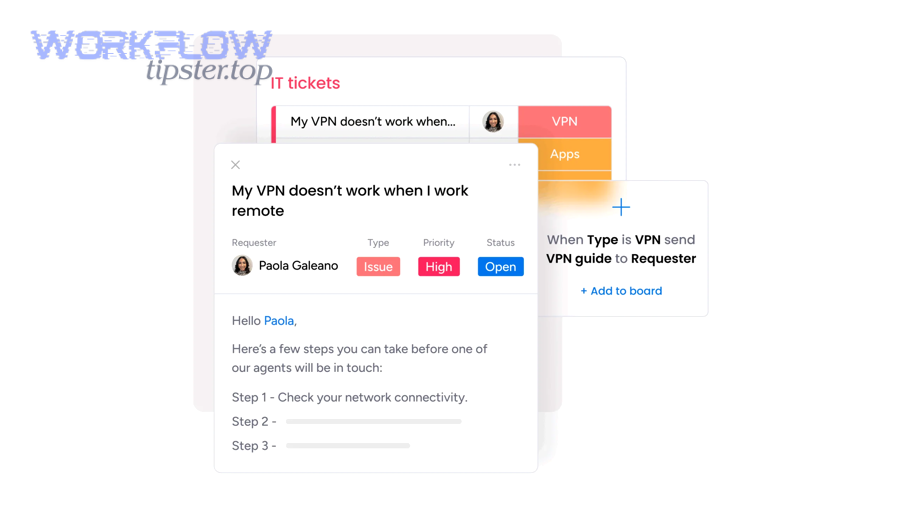
Reason 1: Permissions and trust boundaries. Freshdesk ticket data is support data; monday items are internal work objects; Teams channels are communication spaces with their own membership. Integrations handle authentication and authorization so only allowed fields are shared and only allowed users can see or act on information.
Reason 2: Field mapping is not optional if you want clean triage. “Create an item” is not enough. You need consistent columns for priority, owner, SLA, and links back to the original ticket. Without mapping, your board becomes a list of vague titles that forces agents to click into Freshdesk for everything—exactly what you are trying to avoid.
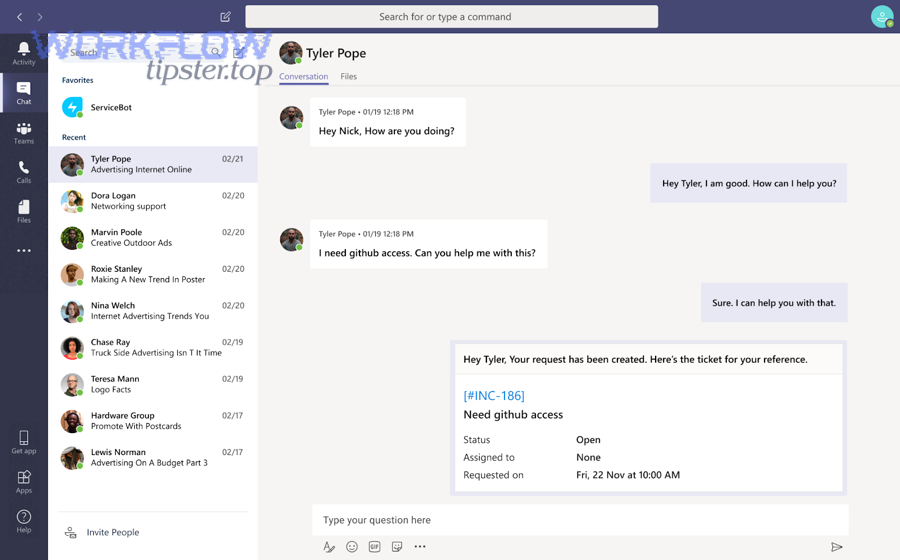
Reason 3: Reliable notifications must be event-driven. Teams triage works when messages arrive for the right events (new urgent ticket, SLA breach, status change) and when the message content is actionable (who owns it, what changed, what to do next). Integrations create that event-driven pipeline.
Which integration routes are common. Most teams choose one of these routes, depending on how much control they need:
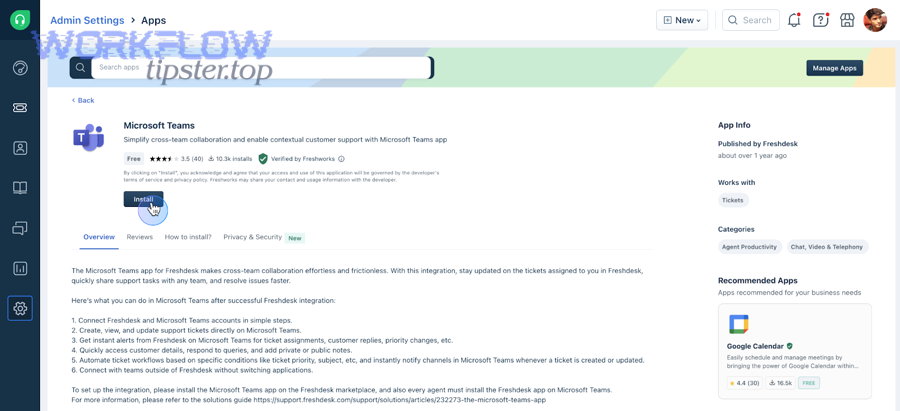
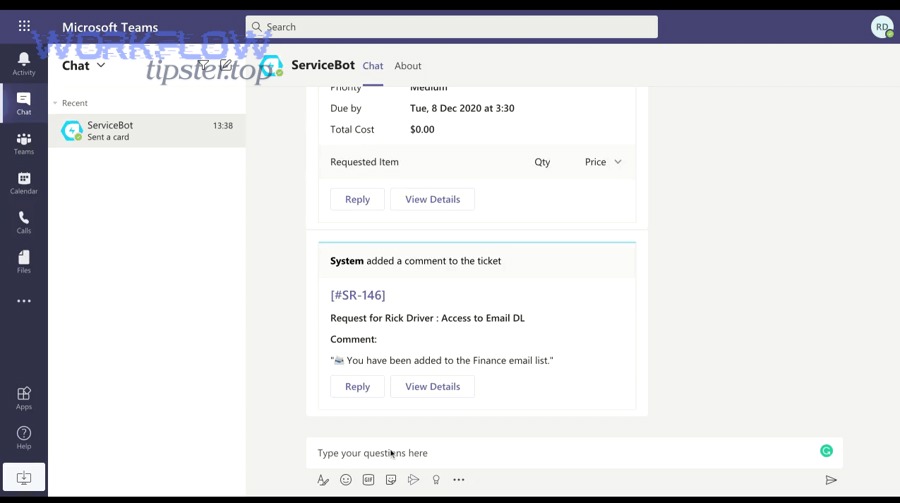
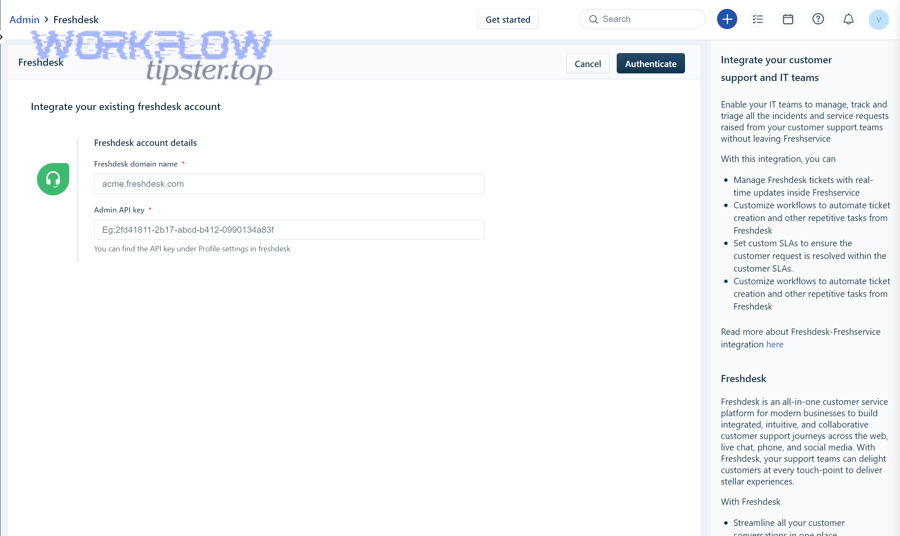
- Native app + native integration: Use the Freshdesk ↔ Teams app for ticket visibility and the monday ↔ Teams integration for board-to-channel notifications, while connecting Freshdesk ↔ monday via an app or connector.
- Automation platform route: Use an automation tool to trigger on Freshdesk events, create/update monday items, and post messages to Teams with consistent templates and error handling.
- Hybrid route: Use native integrations where they fit, and only “fill gaps” with automation for advanced routing, enrichment, and monitoring.
Evidence (if any). According to monday.com’s support documentation updated January 2026, its Microsoft Teams Integration can turn updates, new items, and changes from an item into messages in Teams—supporting an event-driven approach rather than manual posts.
How do you set up the workflow step-by-step from Freshdesk to monday.com to Microsoft Teams?
The most effective setup method is a 7-step workflow: connect accounts, choose Freshdesk triggers, map ticket fields to monday columns, create or update the monday item, route ownership, post an actionable Teams message, and validate with test tickets—so triage becomes predictable and repeatable.
Then, you can treat each step as a “quality gate”: if one gate fails (bad mapping, noisy routing, weak notification design), triage slows down or becomes chaotic.
Step 1: Define the triage promise. Write one operational sentence: “Every priority P1–P2 Freshdesk ticket becomes a monday triage item within X minutes and posts in the Teams triage channel with an owner or an assignment rule.” This sentence becomes your acceptance test later.
Step 2: Choose the board model in monday. Create a dedicated “Support Triage” board that is separate from long-term project boards. Keep it fast and operational, not a dumping ground for every ticket. If you run multiple products, use groups (or separate boards) by product line or queue.
Step 3: Decide your integration style. If you want a quick starting point, templates that create monday items from new Freshdesk tickets are common. If you need “update item when ticket changes,” choose an approach that supports updates, not just one-time creation. This is where automation workflows often outperform simple one-way templates.
Step 4: Design your Teams channel strategy. Pick a dedicated triage channel (e.g., “Support-Triage”) and decide how messages will be grouped. A single channel works early on; later, you may split by severity (SEV) or product. Keep the first version simple to avoid fragmentation.
Step 5: Implement your triggers and mapping. The point is not “sync everything,” but “sync what makes triage faster.” A short, consistent message plus a structured monday item usually beats a long chat dump.
Where the required phrases fit naturally. In many teams, this triage flow sits beside other automation workflows, such as calendly to calendly to zoom to jira scheduling for internal coordination, github to asana to microsoft teams devops alerts for engineering incident visibility, or calendly to google calendar to google meet to asana scheduling for cross-team handoffs—your triage chain should be built with the same reliability mindset.
Field mapping table (what it contains). The table below lists a practical “minimum viable mapping” from Freshdesk ticket fields to monday columns so your team can triage from the board without constantly jumping back to Freshdesk.
| Freshdesk Ticket Field | monday Column | Why it matters for triage |
|---|---|---|
| Ticket ID | Text/ID (Unique) | Prevents duplicates; enables “update existing item” logic. |
| Subject | Item name | Fast scanning; keeps the board readable. |
| Priority | Status/Dropdown | Drives sorting, routing, and escalation triggers. |
| Status | Status | Aligns triage state (“New”, “Triaging”, “In Progress”, “Waiting”, “Resolved”). |
| Requester | Text (or anonymized reference) | Provides context; supports follow-up without exposing unnecessary PII. |
| Assigned agent/group | People / Team | Clarifies ownership; reduces “Who’s on this?” messages in Teams. |
| Ticket URL | Link | One-click return to the source of truth. |
| Created/Updated time | Date | Supports aging views and SLA risk visibility. |
Which Freshdesk ticket events should trigger triage automation?
There are 5 main trigger types for Freshdesk-to-monday-to-Teams triage automation: new ticket creation, priority changes, status changes, tag additions, and SLA threshold events—based on the criterion of “does this event change what the team must do next?”
Specifically, using “action-driving events” prevents notification overload while keeping the triage channel meaningful.
- New ticket created: Best for baseline coverage. Use filters so not every ticket becomes a task—start with a priority threshold or a category filter.
- Priority changed: Best for escalation. If a ticket becomes urgent, you want a new Teams message even if the item already exists.
- Status changed: Best for keeping the board accurate, but risky for spam if you broadcast every change. Prefer updating monday silently and only notifying Teams for key transitions.
- Tag added: Best for routing. Tags like “billing,” “bug,” “security,” or “VIP” can instantly route to the correct board group and Teams channel.
- SLA threshold reached: Best for preventing breaches. Notify Teams when the clock is at risk, not after the breach happens.
Practical recommendation. Start with two triggers: (1) new ticket for P1–P2 (or your top categories), and (2) priority escalation to P1. Expand once your team trusts the signal.
Evidence (if any). According to Freshdesk’s support documentation updated October 2025, the Freshdesk–Microsoft Teams integration is positioned to improve cross-team collaboration on tickets, which aligns with using triggers that bring the right stakeholders into a triage conversation at the moment it matters.
How should you map Freshdesk fields to monday columns for clean triage?
The cleanest mapping strategy is to treat ticket ID as the unique anchor, then map urgency (priority/SLA), ownership (agent/group), and context (subject/link/category) into dedicated monday columns so the board answers triage questions at a glance.
More specifically, strong mapping prevents the “context ping-pong” where Teams fills with questions that a good board design would answer immediately.
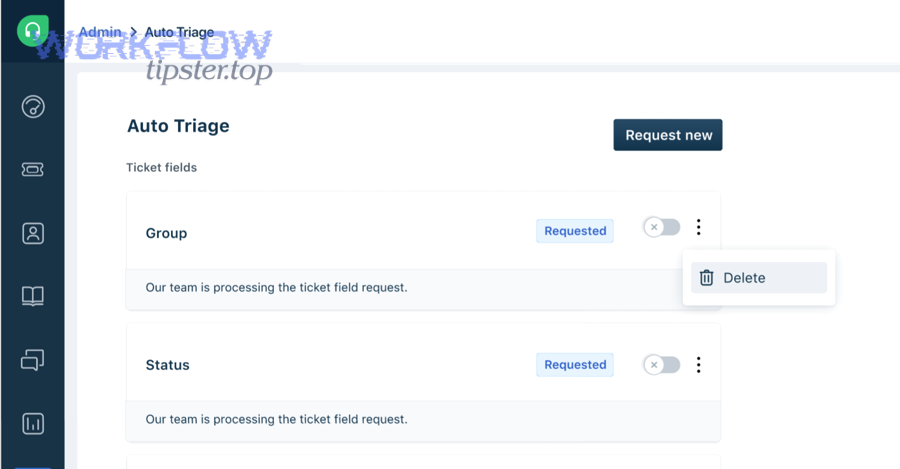
Map for the triage questions your team actually asks. Your columns should answer:
- What is it? Subject, category/type, and short summary.
- How urgent is it? Priority, SLA risk, aging.
- Who owns it? Assigned agent or triage owner.
- Where is the source of truth? Ticket URL and ticket ID.
Use “update, don’t recreate” as your default. If the same ticket changes, update the existing monday item by matching on ticket ID. This is the simplest way to reduce duplicates and avoid confusing the triage channel.
Keep sensitive fields out of the default mapping. Do not automatically post full ticket descriptions into monday or Teams if they contain personal data. Instead, store a short summary plus a link back to Freshdesk.
Evidence (if any). According to Zapier’s Freshdesk → monday.com template description, a common baseline automation is “new ticket creates new item,” which is useful as a starting point—but teams typically evolve to “create or update item” patterns to maintain cleanliness as volume grows.
How do you route tickets to the right monday board/group and Teams channel?
There are 4 main routing patterns for ticket-to-task triage: by product line, by category, by region/timezone, and by severity—based on the criterion of “who must act first and where that team works day-to-day.”
Besides speed, routing is also about reducing chatter: the fewer irrelevant alerts people see, the more they trust the triage channel.
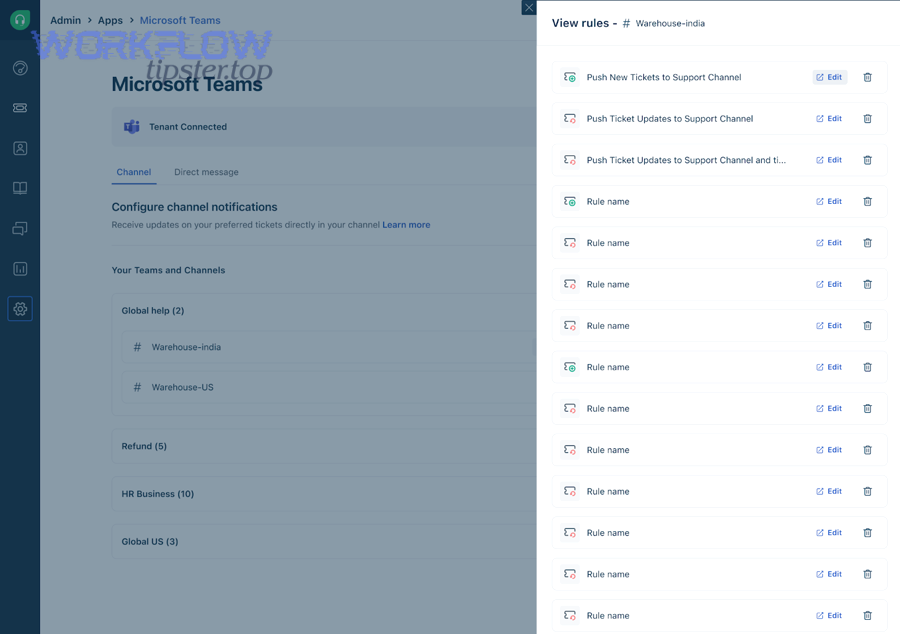
Routing pattern 1: Product line. If you support multiple products, route tickets into dedicated groups or boards per product (e.g., “Product A,” “Product B”). Post to the corresponding Teams channel so subject-matter experts see what matters.
Routing pattern 2: Category/type. Route “billing” tickets to a finance-support group, “bug” tickets to a technical triage group, and “access” tickets to an admin queue. This reduces handoffs because the first handler is already the right handler.
Routing pattern 3: Region/timezone. If you have follow-the-sun support, route by region (APAC/EMEA/AMER). The goal is not just coverage—it is response speed during local business hours.
Routing pattern 4: Severity. Create SEV groups and channels (SEV1/SEV2) so urgent issues are unmistakable. Use stricter notification rules for low severity to keep noise down.
Ownership rule that scales. Even if the ticket routes to a team channel, assign a single “triage owner” in monday. Teams can discuss, but monday must show ownership.
Evidence (if any). According to monday.com’s integration overview for Microsoft Teams, teams can receive real-time updates and interact in context, which supports routing designs where each channel receives only the updates that match its scope.
How do you structure Teams notifications so they drive action, not noise?
Channel posts win for broad visibility, threaded replies are best for ongoing triage context, and mention-based alerts are optimal for urgent ownership changes—so the “best” Teams notification format depends on whether your goal is awareness, continuity, or immediate accountability.
However, whichever format you choose, the message must be actionable in its first two lines or it becomes triage spam.
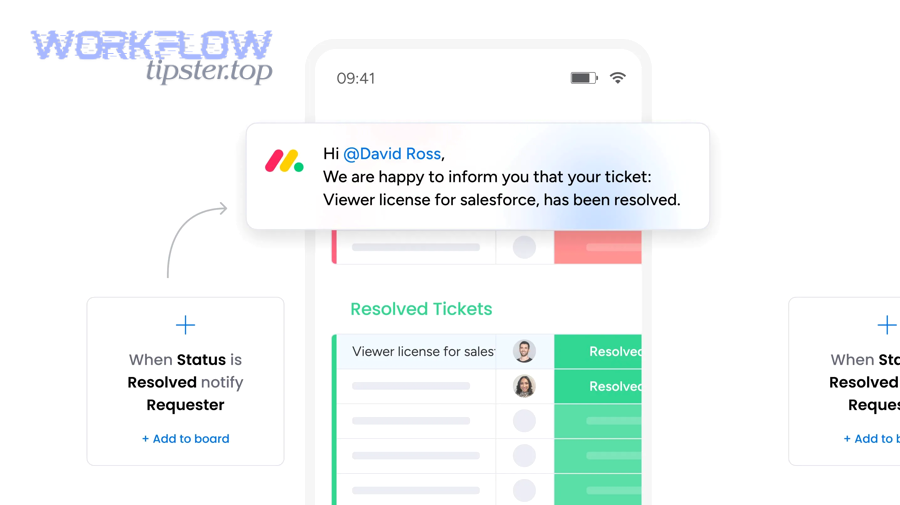
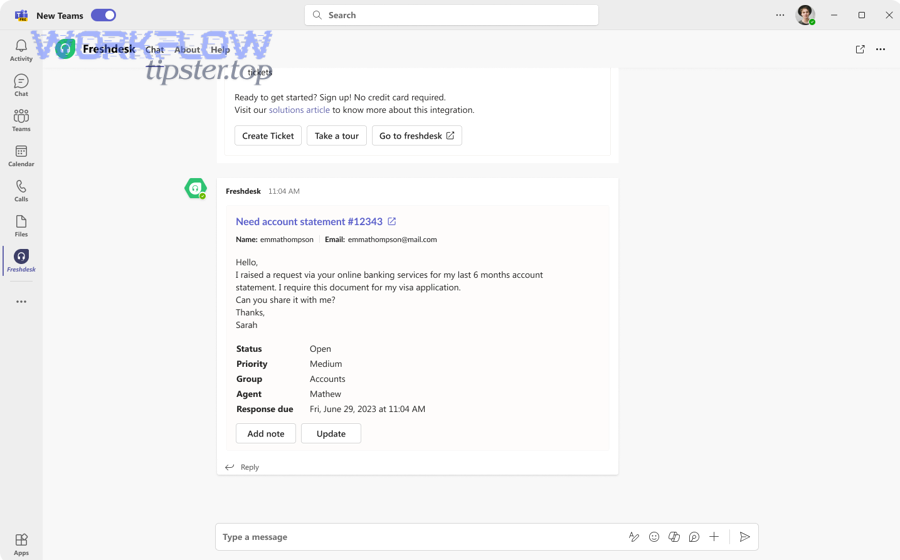
A practical Teams message anatomy. Use a consistent structure:
- What happened: “New P1 ticket” / “Priority escalated to P1” / “SLA risk in 30 minutes.”
- What it is: Ticket subject + short category tag.
- Who owns it: Owner or “Needs owner” with a triage lead mention.
- What to do next: “Assign owner” / “Add investigation update” / “Notify customer.”
- Links: monday item + Freshdesk ticket.
Use a two-tier notification model.
- Tier 1 (broadcast): new P1/P2 tickets, priority escalation, SLA risk.
- Tier 2 (quiet updates): status changes, internal notes, routine reassignment—update monday without posting a new Teams message.
One optional video (embedded).
Evidence (if any). According to a 2024 study published on ScienceDirect about instant messaging in the workplace, instant messaging can streamline communication by channeling queries into exchanges that reduce unnecessary interruptions—reinforcing the idea that disciplined notification design can improve focus rather than fragment it.
What is the best triage flow for statuses between Freshdesk, monday, and Teams?
One-way sync wins for simplicity and stability, two-way sync is best for mature teams that need cross-system consistency, and a hybrid “one-way plus selective feedback” is optimal for most support organizations because it keeps Freshdesk as the source of truth while still improving task execution and visibility.
Meanwhile, the status design you choose determines whether your triage board becomes a control panel or a second place where truth gets lost.
A simple triage state model that works. Keep your shared states consistent across tools even if labels differ:
- New: ticket arrived, not yet acknowledged.
- Triaging: owner is analyzing, gathering context, and deciding next action.
- In Progress: work is underway (support troubleshooting or internal escalation).
- Waiting: blocked on customer response, vendor response, or internal dependency.
- Resolved: resolution delivered; closing steps underway.
Where Teams fits in the status flow. Teams is not the system of record for status; it is the coordination layer. Use Teams for:
- Notification when a ticket enters “New” with high urgency.
- Notification when a ticket is at risk (SLA threshold).
- Discussion and quick questions during “Triaging.”
- Targeted updates for key transitions, not every micro-change.
Should ticket status sync back from monday to Freshdesk?
No—ticket status should not sync back from monday to Freshdesk by default because (1) Freshdesk must remain the source of truth for customer-facing resolution states, (2) two-way syncing increases the risk of loops and conflicting updates, and (3) agents can accidentally close or mislabel tickets from a task board context.
In addition, you can still achieve speed without two-way status syncing by using selective feedback signals instead of full synchronization.
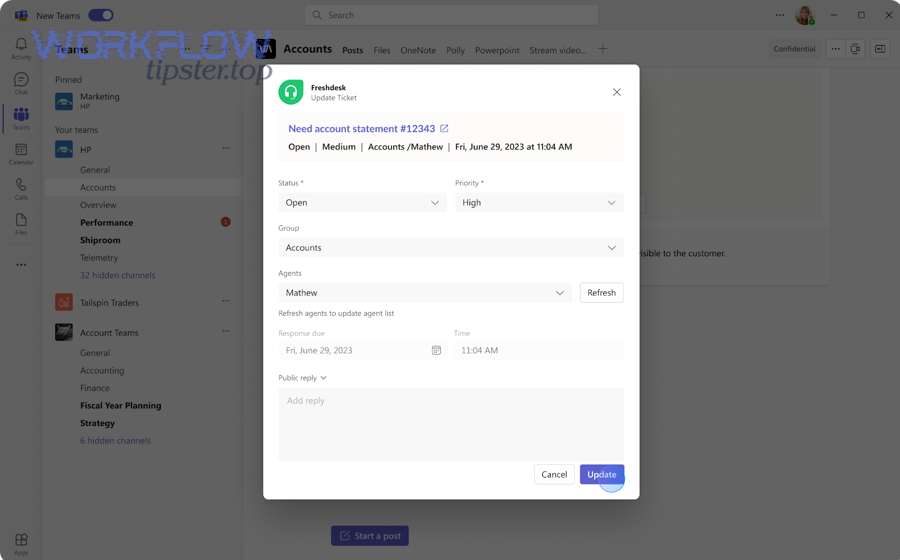
When “No” is the right operational decision. If your team is still stabilizing routing and mapping, one-way sync keeps failures easy to diagnose. It also prevents “accidental customer impact” because Freshdesk statuses often control customer notifications, SLAs, and reporting.
What to do instead (selective feedback). Rather than syncing every status back, send structured feedback such as:
- Owner assigned: write back the internal owner name or group reference.
- Internal milestone reached: “Engineering engaged,” “Bug filed,” “Fix scheduled.”
- Next update time: a timestamp field for customer communication cadence.
When “Yes” can work. Two-way sync can work when you have strict governance, clear “field ownership rules,” and loop prevention logic. In that case, only sync a limited subset of fields and only on specific transitions.
Evidence (if any). According to Freshworks’ marketplace overview for its Microsoft Teams integration, the integration focuses on helping agents stay updated and resolve issues faster—suggesting Teams is best used for collaboration and visibility, not as a replacement for ticket state authority.
Which monday status design works best for support triage boards?
A single “Status” column wins for speed and adoption, a “Status + Priority + SLA risk” design is best for operational control, and a “Status + Priority + Aging + Owner” design is optimal for high-volume support because it makes urgency, accountability, and time risk visible at a glance.
More importantly, your board should answer triage questions without requiring a meeting or a long Teams thread.
Design option A: Minimalist (fast adoption).
- Status
- Owner
- Ticket link
This design works when volume is low and the team is co-located or tightly coordinated. It breaks down when the queue grows and you need more prioritization signals.
Design option B: Operational control (recommended for most teams).
- Status
- Priority
- SLA risk (e.g., “Safe / Watch / Breach soon”)
- Owner
- Aging (created time or last update)
This design supports daily triage without micromanagement because the board shows what needs attention now.
Design option C: High maturity (advanced).
- Status (customer-facing mirror)
- Internal stage (triage-specific)
- Escalation flag
- Next update time
This design is powerful but requires discipline. Use it only after the team trusts the basics.
Evidence (if any). According to monday.com’s Teams integration documentation, changes and updates on items can become Teams messages, which makes a structured status design especially important—because your column changes can directly influence how often Teams gets pinged.
How can you validate and monitor the automation so tickets don’t slip through?
You can validate and monitor a ticket-to-task triage automation by using a test suite of scenarios, a daily reconciliation habit, and failure alerts—because (1) workflow connectors can fail silently, (2) field mappings drift over time, and (3) duplicates and loops destroy trust in triage.
Especially as volume grows, monitoring becomes the difference between “automation that saves time” and “automation that creates new messes.”
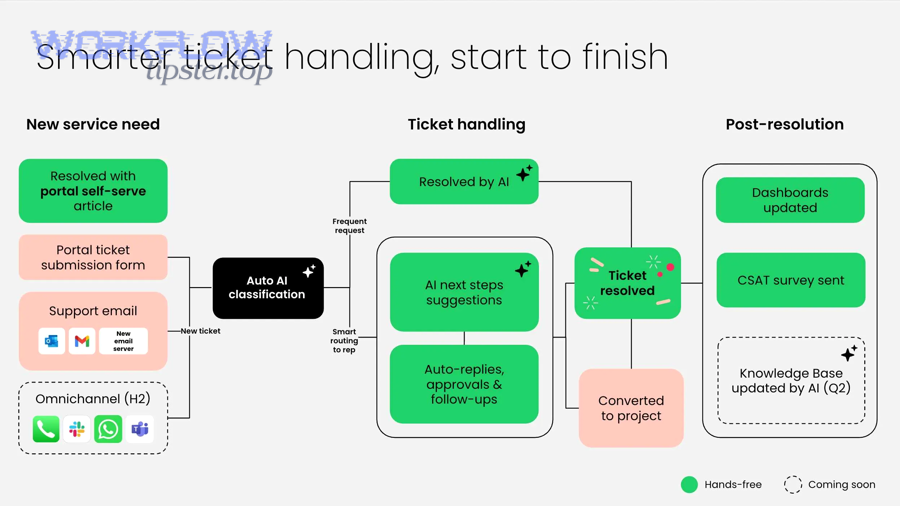
Validation checklist (before going live). Create 10–15 test tickets that represent reality:
- New P1 ticket with clear subject
- New P3 ticket (should not create a monday item if filtered)
- Ticket with missing category
- Ticket with attachment
- Ticket escalated from P3 to P1
- Ticket reassigned to another group
- Ticket reopened after resolved
- Ticket merged (if your process uses merges)
What “passing” looks like. A test passes only if:
- The correct monday board/group receives the item.
- Ticket ID is present and unique.
- The Teams notification appears in the right channel with the correct severity.
- The message contains working links to the monday item and ticket.
- Updates modify the existing item rather than creating duplicates.
Monitoring checklist (after going live).
- Failure alerts: notify a maintainer when the automation fails (auth error, rate limit, missing board).
- Daily reconciliation: compare “Freshdesk urgent tickets created today” to “monday triage items created today.”
- Drift review: review mappings monthly—new ticket fields appear, old ones change, boards evolve.
- Noise review: track Teams posts per day; if volume rises while resolution doesn’t improve, your triggers are too broad.
What are the most common failure points in ticket-to-task triage automation?
There are 6 common failure points: permissions, authentication expiry, broken mappings, board/channel changes, rate limits, and brittle filters—based on the criterion of “what most often causes the workflow to stop creating the right item or message at the right time.”
To illustrate, each failure has a predictable symptom chain that you can detect before customers feel the impact.
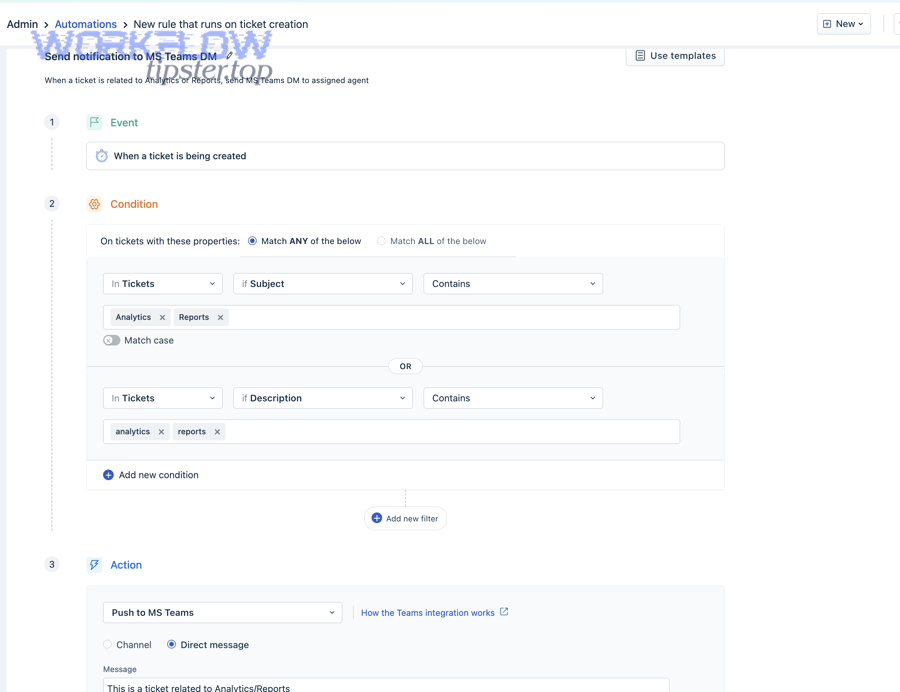
- Permissions: The integration user loses access to a board, or Teams posting is restricted. Symptom: items stop appearing or messages fail to send.
- Auth expiry: Tokens expire or OAuth connections disconnect. Symptom: sudden stop across all events.
- Broken mappings: Column names change or required fields become empty. Symptom: items created with missing priority/owner, making triage slower.
- Board/channel changes: Someone renames, archives, or replaces a board/channel. Symptom: routing goes to nowhere or to the wrong place.
- Rate limits: High volume triggers throttling. Symptom: delayed creation or intermittent failures during spikes.
- Brittle filters: Over-specific conditions miss tickets (e.g., matching exact category spelling). Symptom: “some tickets slip through” in a non-obvious way.
Operational habit that prevents surprises. Create a “triage automation health” view: count of items created per day, count of failures, and average delay from ticket creation to item creation.
Evidence (if any). According to Zapier’s Freshdesk integrations directory, Freshdesk can connect to many apps through event-based automations, which makes monitoring essential because failures often happen at the connector layer rather than inside Freshdesk or monday themselves.
How do you prevent duplicates and repeated Teams alerts?
Using a unique ticket ID column wins for preventing duplicates, “search-before-create” is best for flexible matching, and idempotency keys are optimal for high-scale automation—so the best approach is typically a ticket-ID-based upsert that updates an existing monday item instead of recreating it.
More importantly, the duplicate problem is not only a data problem; it becomes a trust problem that makes people ignore triage notifications.
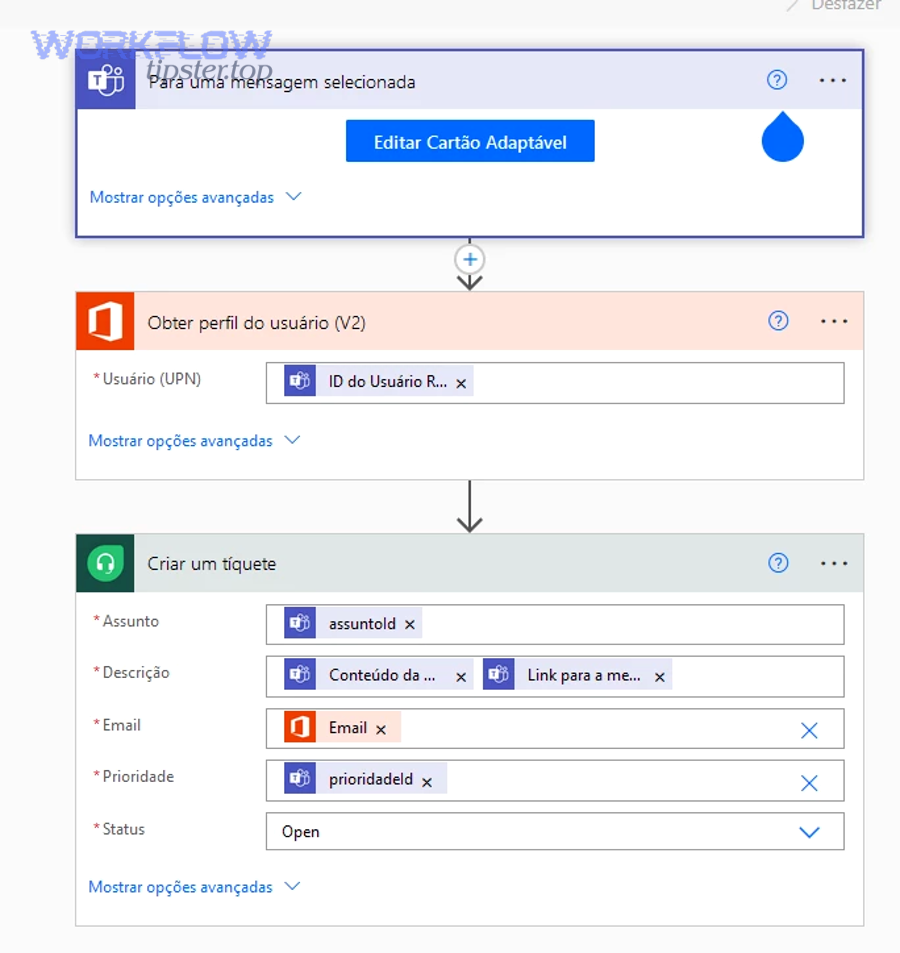
Technique 1: Ticket ID as the primary key (recommended baseline).
- Create a dedicated monday column for ticket ID.
- Before creating an item, check whether that ticket ID already exists.
- If it exists, update the item (status, priority, owner) instead of creating a new one.
Technique 2: Search-before-create (good for messy sources). If tickets sometimes come from merged threads or different channels, searching by ticket link or subject plus requester can help, but it is less reliable than ticket ID and can create false matches.
Technique 3: Idempotency keys (advanced). Build an idempotency key from ticket ID + event type (e.g., “TICKET-12345:PRIORITY_ESCALATED”). Store it so the same event cannot trigger two notifications. This is especially useful when retries occur.
How to reduce repeated Teams alerts.
- Notify Teams only for Tier 1 events (new urgent tickets, escalation, SLA risk).
- For routine updates, update monday silently and rely on board views.
- If you must notify, post as a threaded reply to the original message to keep context and reduce channel noise.
Evidence (if any). According to a study by Tilburg University researchers published in 2023, the relationship between instant messaging use and interruptions is mediated by stress indicators like overload and complexity—supporting a design that limits repeated alerts and keeps only high-signal triage messages flowing into Teams.
How can you optimize and govern Freshdesk → monday → Teams triage for scale and edge cases?
Optimizing and governing this triage automation means adding loop prevention, idempotency, compliance controls, and multi-queue routing—so the workflow stays fast under load while avoiding the antonym of automation value: manual firefighting caused by noisy alerts and broken sync.
Thus, governance is not bureaucracy; it is the set of rules that protects your triage speed as your organization grows.
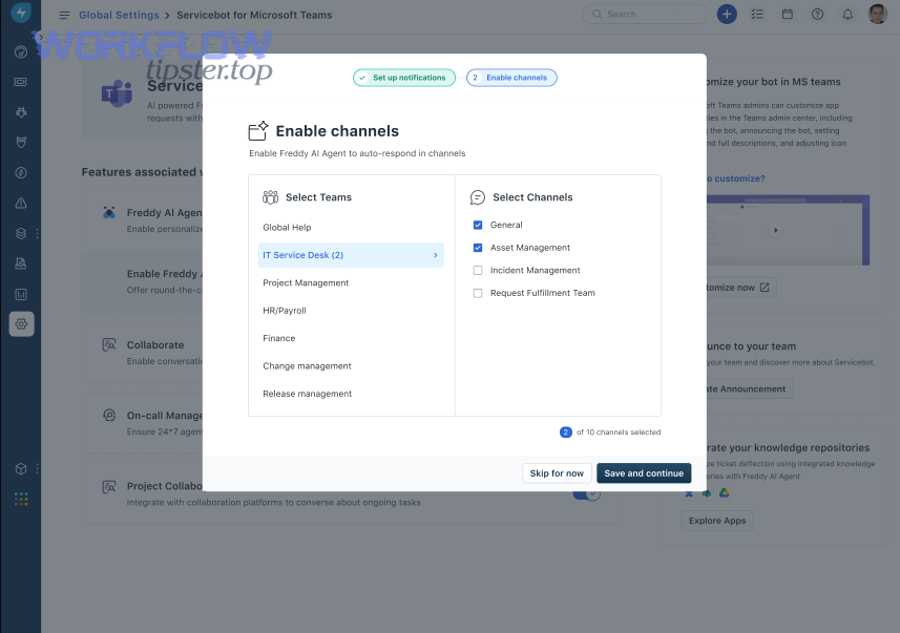
What is the best way to stop sync loops in two-way ticket and task updates?
monday wins for internal execution fields, Freshdesk is best for customer-facing ticket truth, and Teams is optimal for coordination—so the best way to stop sync loops is to define one source of truth per field, sync only the fields each system “owns,” and block updates that originate from the other side.
In short, loop prevention is a rule system: who can change what, and when.
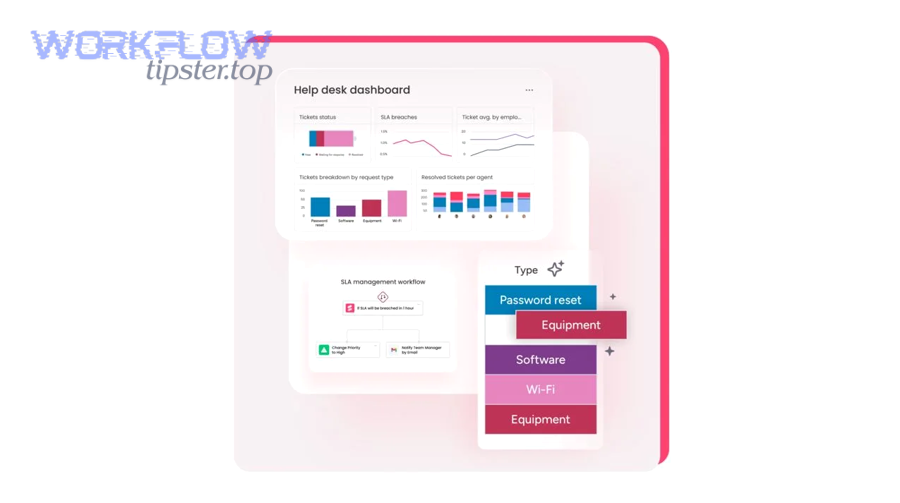
Loop scenario you must prevent. A ticket status changes in Freshdesk, which updates monday, which triggers an update rule that writes back to Freshdesk, which triggers the original automation again. The result is repeated changes and repeated Teams notifications.
Loop prevention rules that work.
- Field ownership: Freshdesk owns ticket status; monday owns internal execution stage; Teams owns nothing (it displays events).
- Change origin marker: Write a hidden “updated by automation” flag so your workflow can ignore changes it created itself.
- Selective sync: Only sync status on key transitions (e.g., “Resolved”) and only in one direction unless you have a strong reason.
- Threaded messaging: If a change is an “update,” post it as a reply in Teams rather than a new top-level alert.
Evidence (if any). According to monday.com’s Teams integration documentation (January 2026), item changes can trigger Teams messages, which makes loop prevention essential because uncontrolled two-way syncing can amplify message volume without improving resolution.
How do you design idempotency so one ticket always equals one monday item?
Idempotency means the same Freshdesk ticket produces the same monday item outcome every time, achieved by using the ticket ID as a stable key, applying an upsert pattern (create-or-update), and storing processed event markers—so retries and duplicate events never create extra items.
To better understand this, think of idempotency as the “anti-duplicate contract” of your automation.
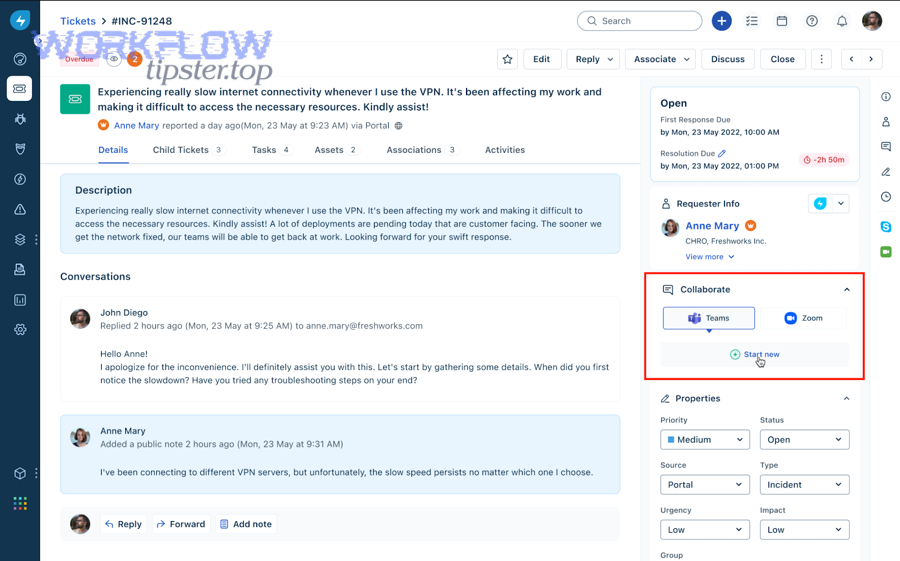
Design the “one ticket = one item” rule.
- Unique key: Always store ticket ID in a dedicated column.
- Upsert logic: If item exists for ticket ID, update it; otherwise create it.
- Event markers: Store “last processed event time” or “last processed event type” to avoid reprocessing old changes.
Edge cases you must handle.
- Reopened tickets: Reopen should update the same item, not create a new item. Consider moving the item back to a “Reopened” group for visibility.
- Merged tickets: Decide whether the merged ticket becomes the primary item and the others become references, or whether you keep one item and add notes about the merge.
- Cloned tickets: Clones get new ticket IDs, so they should become new items, but you may want a “related ticket” reference column.
Evidence (if any). According to Zapier’s “Create items in monday.com for new tickets in Freshdesk” template description, the baseline pattern is “new ticket → new item,” which is exactly why mature teams add idempotency and upsert behavior to prevent duplicates when workflows expand beyond simple creation.
How should you handle PII and compliance when posting ticket info into Teams?
There are 3 main compliance-safe posting styles for Teams triage messages: link-only, redacted summary, and role-gated detail—based on the criterion of “how much sensitive information is necessary to triage quickly without exposing personal data to the wrong audience.”
Moreover, privacy is not a separate project; it is part of designing trustworthy triage automation.
- Style 1: Link-only (safest). Teams message includes ticket ID, category, priority, and links to Freshdesk/monday—no description text.
- Style 2: Redacted summary (balanced). Include a short summary that removes emails, phone numbers, addresses, payment details, and identifiers.
- Style 3: Role-gated detail (advanced). Post richer details only in private channels with strict membership, and keep public channels link-only.
Practical redaction rules.
- Mask emails (e.g., j***@domain.com).
- Mask phone numbers except last 2–4 digits.
- Avoid pasting full ticket threads into Teams; store them in Freshdesk where access is controlled.
- If you need context, summarize the issue in a neutral sentence and link back to the source of truth.
Governance checklist. Assign an owner for the triage workflow, document what fields are allowed to flow into Teams, review channel memberships periodically, and add an approval step for any mapping that includes sensitive fields.
Evidence (if any). According to Freshdesk’s Teams app documentation (updated October 2025), the integration is designed to bring internal and support teams together for collaboration, which makes it essential to control what ticket data is shared into Teams channels depending on who can access them.
How do you route multi-brand or multi-region support into separate boards and channels without chaos?
There are 4 scalable routing layers—brand, product, region, and severity—based on the criterion of “which dimension most strongly determines who can resolve the issue fastest,” and the cleanest implementation is to route first by brand/product, then by region, and finally apply severity as an override.
Besides clarity, layered routing prevents the triage channel from turning into a global firehose.
Layer 1: Brand. If you support multiple brands, each brand should have its own primary monday board (or at least its own group structure) and a dedicated Teams channel. This keeps context tight and reporting clean.
Layer 2: Product/service within brand. Within each brand, route by product so specialists do not waste time scanning irrelevant tickets.
Layer 3: Region/timezone. Route by region for follow-the-sun coverage. If you cannot split channels, at least split board groups and assign owners by region so accountability is visible.
Layer 4: Severity override. A SEV1 issue should override brand/product routing if it requires a central incident response team. In that case, route SEV1 into a central “SEV1” board/group and a dedicated Teams incident channel, while still keeping links back to brand-specific context.
How to keep it from becoming chaos.
- One naming system: Keep consistent names across boards and channels (e.g., “BrandA-Triage,” “BrandA-SEV”).
- One triage playbook: Define what qualifies as P1/P2 and what the first response looks like.
- One owner per item: Channels can discuss, but items need owners.
- One escalation ladder: Define who gets paged/mentioned and when.
Evidence (if any). According to monday.com’s Teams app and integration materials, boards can be embedded into Teams and updates can be reflected in Teams channels, which supports a routing model where each channel maps to a specific board scope rather than mixing everything into one place.