


If your goal is to turn customer tickets into actionable product work without losing context, the most reliable approach is to connect Freshdesk to Linear so a ticket can automatically create (and later update) a Linear issue with the right fields, owners, and status signals.
That said, “Freshdesk to Linear integration” can mean different things in practice: a simple one-way “create issue” flow, a structured handoff loop between Support and Product, or a tighter two-way sync that keeps both systems aligned without creating noise.
You’ll also need to choose how to integrate—no-code connectors, low-code workflow builders, or Freshdesk webhooks plus custom logic—because the best choice depends on routing complexity, governance, and how much control your teams want.
Finally, reliability matters more than the first successful test run: duplicates, noisy comment mirroring, and broken auth can quickly undermine trust in the workflow. Introduce a new idea: build the integration like a product feature—with clear mapping rules, guardrails, and monitoring—so Support and Product teams keep using it.
Can you integrate Freshdesk with Linear to automate ticket-to-issue workflows?
Yes—Freshdesk to Linear integration can automate ticket-to-issue workflows because it speeds up triage, standardizes Support→Product handoffs, and reduces manual context switching that typically causes missed details and duplicate work.
To make that “yes” real in daily operations, you need two things: a workflow definition (what triggers an issue, what updates it, and when) and a mapping layer . Specifically, automation succeeds when it preserves the thread of truth—the ticket link, the issue link, and the rules that connect them over time.

A practical way to think about it is simple: Freshdesk is where customer reality arrives, and Linear is where product work gets planned. Your automation bridges them by doing four jobs consistently:
- Create a Linear issue when a ticket meets a rule (e.g., bug, escalation, churn risk).
- Enrich the issue with structured fields (priority/severity, environment, customer impact).
- Link back both ways (ticket URL in Linear; issue URL in Freshdesk).
- Update status signals so Support knows what’s happening without chasing Product.
The rest of this guide shows how to choose the right integration method, set up the first workflow, and keep it stable.
What does “Freshdesk to Linear integration” mean for Support and Product teams?
Freshdesk to Linear integration is a cross-team workflow system that moves customer-reported problems from a help desk ticket into a tracked product issue, preserving context, assigning ownership, and translating support urgency into a product-ready backlog signal.
To keep Support and Product aligned, the integration should be designed around one question: what does “done” mean on both sides? Specifically, Support wants customer closure and SLA compliance, while Product wants clear scope, reproducible steps, and prioritization. Your integration is the translation layer that lets both be true.
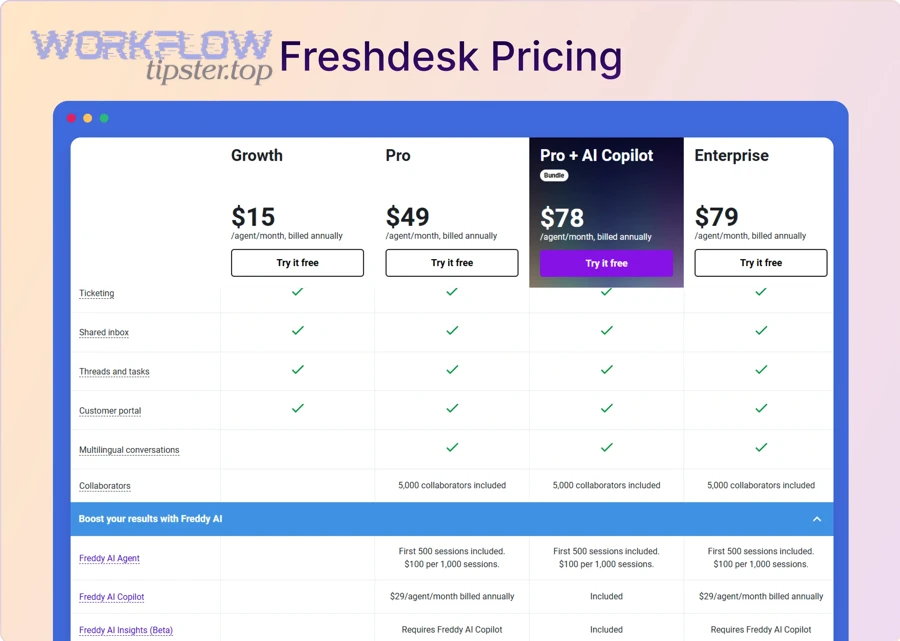
In practice, this integration usually supports three operational outcomes:
- Faster triage: Support can create a Product-ready issue in minutes, not hours.
- Cleaner backlog: Product receives issues that already include the context needed to decide.
- Shared visibility: Support sees progress without interrupting Product for updates.
What data should a Freshdesk ticket pass into a Linear issue?
A Freshdesk ticket should pass a minimum set of structured fields into a Linear issue so Product can reproduce, prioritize, and route the work without re-interviewing Support or the customer. More specifically, treat the Linear issue as a “product artifact,” not a copy of the ticket.
Minimum viable data (should be included almost always):
- Ticket link (canonical URL) and ticket ID (for traceability)
- Issue title (customer-visible symptom condensed into a product framing)
- Description containing:
- Steps to reproduce (or observed behavior + expected behavior)
- Customer impact statement
- Environment context (app version, OS/browser, plan tier, region if relevant)
- Owner signal (which Product team or triage queue should receive it)
High-value optional data (include when available):
- Priority / severity indicator (mapped, not copied blindly)
- Attachments and logs (or links to attachments if copying is risky/noisy)
- Tags/labels (e.g., “Bug”, “Escalation”, “Billing-blocker”)
- Customer segment signals (enterprise, trial, key account)
A simple rule that prevents “garbage-in issues”:
- If Support cannot provide at least impact + reproduction attempt, the ticket may still create an issue, but it should route to a triage state with a clear “needs info” checklist.
What does “two-way sync” change compared to a one-way workflow?
Two-way sync increases visibility but also increases risk, because both systems can change independently. In other words, one-way “ticket → issue creation” is usually safer to start, while two-way sync is best when you have stable mapping rules and clear ownership.
One-way workflow (Freshdesk → Linear) is best when:
- You mainly need reliable creation and assignment
- Support wants a predictable escalation path
- Product wants minimal noise in Linear
Two-way sync (Freshdesk ↔ Linear) is best when:
- Support needs status updates automatically (e.g., “In Progress”, “Fixed”, “Released”)
- Product wants to reduce manual updates back to Support
- You can define conflict rules (what happens if both sides update status)
Key tradeoff:
- Two-way sync is powerful for closing the loop, but it requires guardrails: which fields are syncable, what triggers updates, and how you prevent comment storms.
According to a study by University of California, Irvine from the Department of Informatics, in 2008, researchers found that interruptions change work patterns and contribute to stress while people work faster after interruptions—highlighting why reducing back-and-forth status pings can matter in cross-team workflows. (ics.uci.edu)
Which integration method should you choose: no-code, low-code, or custom webhooks?
No-code wins in speed, low-code is best for branching and data transforms, and custom webhooks are optimal for full control and governance—so the right choice depends on workflow complexity, compliance needs, and how much maintenance your team can realistically own.
To pick the method confidently, hook it to the real question: what must the integration do reliably every day? Then choose the simplest approach that meets those requirements—because complexity is not a feature if it reduces adoption.
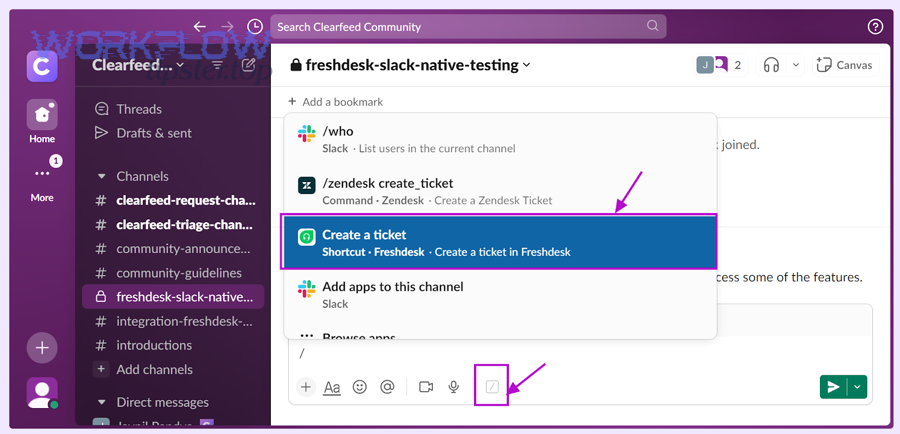
Here’s a practical decision table that helps teams choose quickly. This table contains the most common selection criteria and shows which approach typically fits best.
| Criteria | No-code connectors | Low-code workflow builders | Custom webhooks + code |
|---|---|---|---|
| Time to first working flow | Fast | Medium | Slow |
| Branching / complex routing | Limited | Strong | Strongest |
| Data transformations | Basic | Strong | Strongest |
| Observability and audit control | Medium | Medium–Strong | Strongest |
| Compliance / PII governance | Medium | Medium–Strong | Strongest |
| Maintenance cost | Low | Medium | High |
A note on semantic fit: this is the same category of decision you make in many Automation Integrations, whether you’re connecting “asana to bitbucket” for dev workflows or “airtable to microsoft word” for document generation—the integration method should follow your governance and complexity requirements, not just convenience.
Is a no-code connector the best option for most teams?
Yes, a no-code connector is the best option for most teams because it delivers a fast setup, reduces engineering dependency, and provides enough structure for standard ticket-to-issue workflows.
However, the “yes” depends on one condition: your workflow is not heavily branched. Specifically, no-code is ideal when you can express your routing as a small number of clear if/then rules: “If ticket tag = bug, create Linear issue in Team X; if priority = urgent, add label Y and assign triage owner.”
No-code is a strong fit when you need:
- Ticket created → issue created
- Ticket updated → issue comment added (selectively)
- Simple priority/status mapping
- A small set of teams and labels
No-code becomes fragile when you need:
- Complex deduplication logic
- Sophisticated transforms (e.g., parse logs, normalize fields)
- Strict PII handling rules beyond basic filters
- Two-way sync with conflict resolution
What are the key differences between Zapier-style automation and Make/n8n-style workflows?
Zapier-style automation is best for simple, linear workflows; Make/n8n-style workflows are best for multi-step branching, richer transforms, and more explicit control over retries and data handling.
More specifically, the difference shows up in three daily realities:
- Branching and routing depth
- Zapier-style: fewer branches, optimized for “trigger → action”
- Make/n8n-style: complex branches and routers are first-class
- Data transformation sophistication
- Zapier-style: basic mapping and lightweight formatting
- Make/n8n-style: deeper transforms, iterators, and conditional handling
- Reliability and observability
- Zapier-style: simpler to run, but debugging can be less granular
- Make/n8n-style: more “workflow-engine” features, better for advanced failure handling
If you already manage other integrations like “dropbox sign to dropbox” for document workflows, you’ll recognize the pattern: the more you need conditional logic and auditability, the more low-code (or custom) becomes attractive.
According to a study by Stanford University from the Communication Department, in 2009, researchers reported that heavy media multitaskers performed worse on measures tied to filtering irrelevant information—supporting the idea that reducing noisy updates and context switching improves operational focus. (news.stanford.edu)
How do you connect Freshdesk to Linear step-by-step from scratch?
Connect Freshdesk to Linear by completing 6 steps—define the trigger, authorize both systems, map ticket fields to issue fields, add routing rules, test edge cases, and then monitor errors—so your first ticket reliably becomes a correctly labeled Linear issue.
To better understand what makes this work in production, don’t start with “tools”; start with a workflow contract: when is an issue created, who owns it, and what fields must be correct? Then implement.
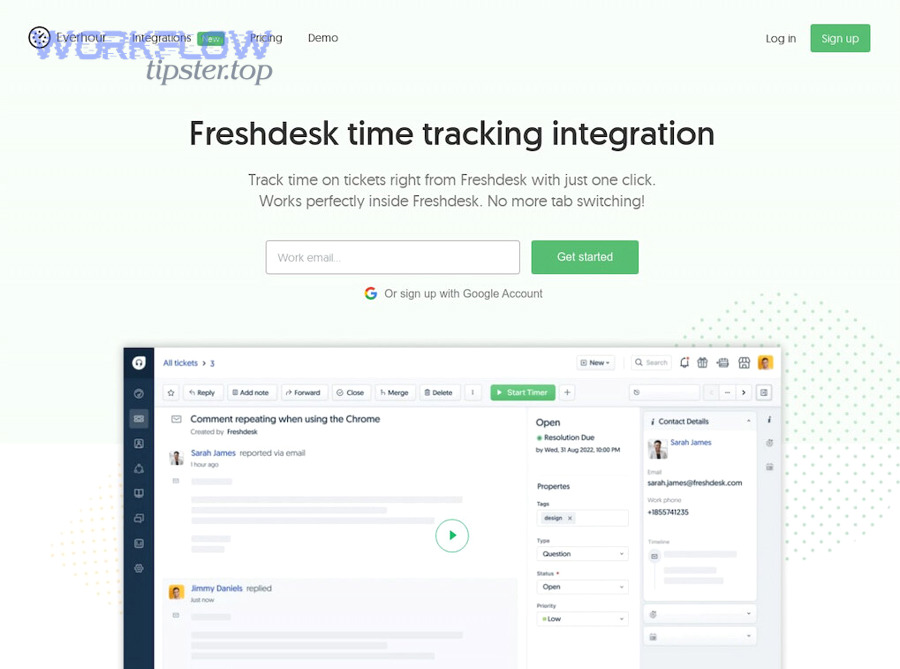
What prerequisites do you need before you start (accounts, permissions, API keys)?
You need prerequisites in three categories—access, security, and taxonomy—so the integration doesn’t break the moment you go beyond a demo.
Access prerequisites
- Freshdesk: admin (or workflow automation) permissions to create automation rules and view required ticket fields
- Linear: workspace access to create issues, assign to teams, and apply labels/projects
- A designated integration owner (Support Ops, RevOps, or Engineering)
Security prerequisites
- Decide how credentials are stored (service account, scoped token, or OAuth)
- Define least-privilege access (only what the integration needs)
- Confirm whether tickets include PII and how it should be handled
Taxonomy prerequisites (the hidden success factor)
- A label set in Linear that matches how Support categorizes tickets (Bug, Feature, Escalation, Billing, etc.)
- A routing map from Freshdesk tags/groups to Linear teams/projects
- A priority/severity mapping rule (even if it starts simple)
If you plan to use Freshdesk webhooks as part of your integration, Freshdesk documentation describes setting up webhook actions inside automation rules under workflows and automations, including choosing request type and configuring the callback. (support.freshdesk.com)
How do you build the first workflow: “New Freshdesk ticket → Create Linear issue”?
Build the first workflow as a “minimum lovable automation,” not a full sync. Specifically, aim for one reliable pipeline: New ticket that matches conditions → Create issue with correct fields → Write links back.
Step-by-step workflow blueprint
- Choose your trigger
- “Ticket created” (best for new bugs/requests)
- Or “Ticket updated” (best for escalation after triage)
- Add conditions (filters)
- Example filters: tag contains “bug”; group = “Tier 2”; priority ≥ “High”
- Create the Linear issue
- Title: “{Ticket subject}”
- Description: include structured sections (Impact, Repro, Environment, Links)
- Apply routing
- Team: based on tag/group/category
- Labels: based on ticket type and urgency
- Project/Cycle: optional, if your Product process uses it
- Write the linking data
- Add Freshdesk ticket URL into the Linear issue
- Add Linear issue URL into the Freshdesk ticket (as a private note or custom field)
- Confirm idempotency (basic version)
- If ticket already has an issue link, do not create another issue
A practical issue template (copy into your mapping)
- Impact: Who is blocked, how often, how severe
- Expected vs Actual: One short paragraph each
- Reproduction: numbered steps + screen recording/log links if available
- Freshdesk context: ticket link, customer plan, internal notes summary
How do you validate the integration with test tickets and edge cases?
Validate the integration by running a test matrix that covers real-world variation—because the workflow that passes one happy-path ticket is not ready for daily use.
Test matrix (minimum set)
- Ticket types: bug, feature request, billing, outage
- Priorities: low, medium, high, urgent
- Attachments: none, images, logs, large files
- Content: short ticket, long ticket, internal note present
- Routing: correct team, incorrect tag, missing category
- Updates: status changes, comment changes, reassignment
- Failure simulation: revoke token, change required field, platform downtime
Pass/fail criteria
- Exactly one Linear issue created per eligible ticket
- Issue includes required fields (template sections populated)
- Correct team and labels applied
- Links created both ways
- No issue creation for ineligible tickets (filters work)
- Errors are visible to the owner (monitoring exists)
Which Freshdesk → Linear workflows should you automate first?
There are 4 main Freshdesk → Linear workflows to automate first—Create Issue, Escalate with Routing, Sync Status Signal, and Post Key Updates—based on the criterion of maximizing customer-impact visibility while minimizing noise.
Next, the fastest way to build trust is to automate the smallest set of workflows that deliver clear value to both Support and Product. That means picking workflows that reduce manual steps and reduce interruption-driven communication.
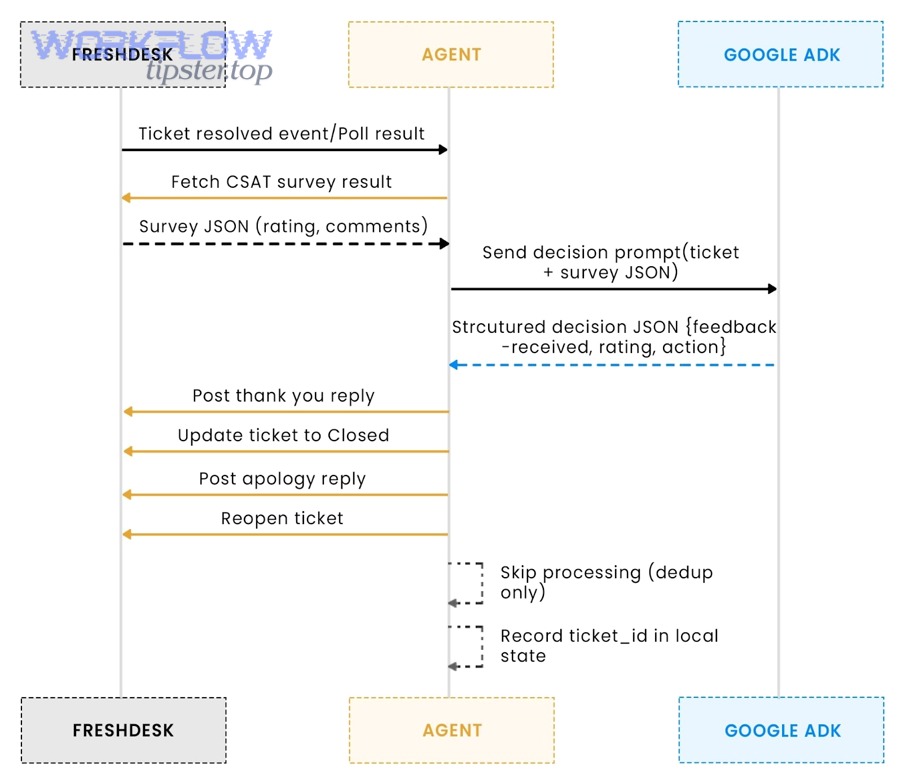
What are the “core 3” workflows most teams implement?
Most teams implement three workflows first because they create a complete “handoff loop” without requiring full two-way sync.
- Create Linear issue from Freshdesk ticket (triggered by conditions)
- Primary benefit: no missed escalations
- Key design point: consistent issue template
- Sync a status signal back to Freshdesk
- Primary benefit: Support can update customers without pinging Product
- Key design point: sync only key milestone states (e.g., In Progress, Fixed, Released)
- Push key updates/comments selectively
- Primary benefit: preserve context without flooding Linear
- Key design point: only mirror tagged updates (e.g., “#product-update”)
If you want a fourth workflow early, make it a dedupe guardrail (block duplicates if a link exists), because duplicates destroy trust faster than any other error.
How do you route tickets to the right Linear team using tags, groups, or categories?
Route tickets by defining a routing taxonomy that maps Freshdesk classification to Linear ownership, then applying that mapping consistently in your automation conditions.
Routing criteria that work in practice
- Freshdesk Group → Linear Team (best for stable ownership)
- Ticket Tag → Linear Label (best for flexible categorization)
- Ticket Type/Category → Linear Project (best when Product uses projects for buckets)
Example routing rules
- If Group = “Payments Support” → Team = “Payments”
- If Tag contains “mobile” → Label = “Mobile”
- If Category = “Performance” and Priority ≥ High → Label = “Perf” + assign triage owner
Operational tip
- Keep your label set small at first. Over-labeling creates inconsistency and reduces search usefulness in Linear.
How do you map priority and status so Support and Product stay aligned?
Priority and status mapping is a translation framework that converts support urgency and customer impact into product severity and workflow states, so both teams can act consistently without arguing about what “urgent” or “done” means.
Then, the mapping must become explicit rules—not tribal knowledge—because inconsistent mapping is how integrations become “technically working, operationally ignored.”
Before the table below, here’s what it contains: it maps typical Freshdesk priority levels to a practical Linear priority/severity interpretation, plus the reason the mapping exists, so your teams share the same mental model.
| Freshdesk Priority | Suggested Linear Priority/Severity | Why this mapping works | When not to map directly |
|---|---|---|---|
| Low | Low / Backlog | Minor impact or workaround exists | If it’s a compliance risk |
| Medium | Medium / Normal | Affects workflows but not blocking | If it’s a high-value account |
| High | High / Needs triage | Significant customer impact | If it’s a one-off user issue |
| Urgent | Critical / Escalation | Blocking, outage-like, or widespread | If urgency is SLA-driven but not product severity |
How should Freshdesk priority map to Linear priority/severity (and when shouldn’t it)?
Freshdesk priority should map to Linear priority/severity only when priority reflects real product impact, not just SLA pressure. Specifically, “Urgent” in Support can mean “high customer heat,” while “Critical” in Product should mean “high systemic severity.”
When mapping should be direct
- Outage-like behavior affecting many customers
- Data loss or security exposure
- Core flow broken with no workaround
- Reproducible bug that blocks revenue
When mapping should be tempered
- VIP account escalation that is not systemic
- SLA timing pressure without widespread impact
- “Urgent” because the customer is upset, not because the product is broken
A better rule than copying priority
- Define “Severity” based on impact × frequency × workaround availability, and map that to Linear.
- Keep “Urgency” (SLA pressure) inside Freshdesk.
Which status transitions should trigger updates between systems?
There are 5 common status transitions that should trigger updates between systems, based on the criterion of “customer communication value” rather than “every internal change.”
- Issue created → ticket gets issue link + “Escalated” internal note
- Product acknowledges (triage started) → ticket internal note “In review”
- In progress → Support can set expectation with customer if needed
- Fixed (ready for release) → Support prepares resolution messaging
- Released / Deployed → ticket can be resolved with confidence
What not to sync
- Every comment
- Every status micro-change (e.g., “Blocked,” “Unblocked,” “Refined”) unless Support truly needs it
- Internal engineering chatter
This is where hook-chain writing becomes operational: the more aligned your mapping is, the fewer clarifying messages Support sends, and the cleaner your Product backlog stays.
How do you prevent duplicates, noisy updates, and broken syncs?
There are 6 main ways to prevent duplicates, noisy updates, and broken syncs: enforce a single linking field, add idempotency checks, filter which updates sync, limit comment mirroring, implement retries with alerts, and assign an integration owner—based on the criterion of trust and reliability.
Moreover, reliability is not an afterthought; it’s the feature that determines whether humans will keep using the integration. When Support sees duplicate issues or missing updates, they will go back to manual escalation—and your automation becomes shelfware.
How do you stop duplicate Linear issues from being created for the same ticket?
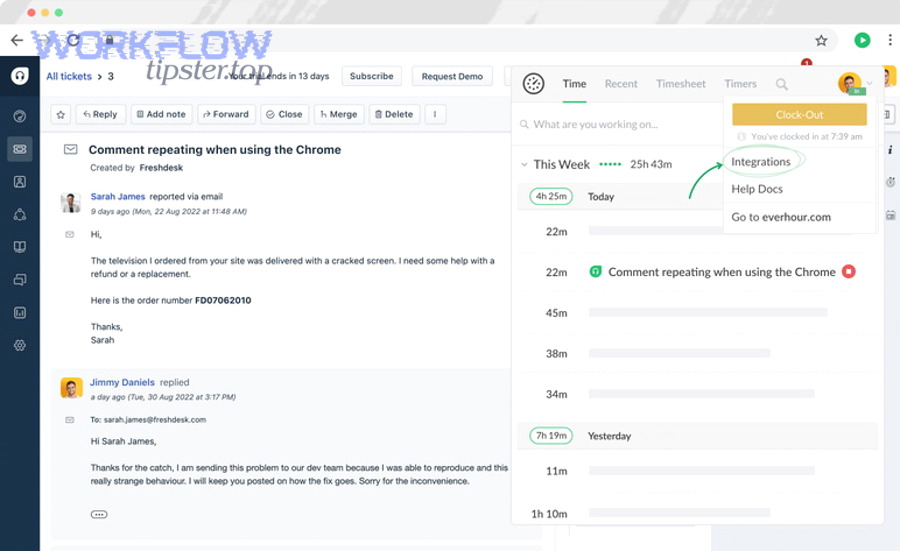
Stop duplicates by implementing idempotency: a ticket that already has an associated Linear issue must not create another issue. Specifically, you need a durable identifier that the workflow checks before creating.
Practical dedupe patterns
- Store Linear issue URL in a Freshdesk custom field (best for durability)
- Store Freshdesk ticket ID in the Linear issue (best for search + traceability)
- Check before create:
- If Freshdesk custom field “Linear Issue” is not empty → do not create
- Else → create issue and then write the link back
Optional stronger pattern (for advanced setups)
- Generate a deterministic key: freshdesk-ticket-{id}
- Store it in Linear (label, custom field, or description header)
- On create attempt, search Linear for that key; if found, link rather than create
Noise-control guardrail
- Only create issues for tickets that meet explicit conditions (tags/groups/categories). Creating issues for every ticket is the fastest path to backlog overload.
What troubleshooting checklist fixes most Freshdesk–Linear automation failures?
A troubleshooting checklist fixes most failures because integration breakage usually comes from auth, field mismatches, filters, or webhook delivery—not from “mystery bugs.” More specifically, you want a checklist that a non-engineer owner can follow.
Troubleshooting checklist (in priority order)
- Authentication
- Token expired? Permissions changed? Workspace access removed?
- Required fields
- Did Linear require a field you’re not providing (team, title, etc.)?
- Filters/conditions
- Is the ticket actually matching the rule you think it is?
- Mapping
- Are you writing a value that violates a field constraint (too long, wrong format)?
- Webhook/action execution
- If using Freshdesk webhook actions, confirm the rule runs on the right event and uses the right request type. (support.freshdesk.com)
- Rate limits / throttling
- Are runs failing under load? Are retries configured?
- Observability
- Can you see error logs and failed runs, and do you have alerts?
Operational discipline
- If you cannot answer “who owns the integration when it breaks,” you don’t have an integration—you have a demo.
What advanced governance, security, and scalability practices improve a Freshdesk–Linear integration?
There are 4 advanced practices that improve a Freshdesk–Linear integration—PII governance, rate-limit-safe retries, two-way conflict rules, and monitoring/auditing—based on the criterion of running the workflow at scale without creating risk or chaos.
Next, this is the contextual border in action: once core setup works, micro-level improvements make the integration safe, durable, and easier to maintain than manual processes.
How do you handle sensitive data (PII) and internal notes when sending ticket content to Linear?
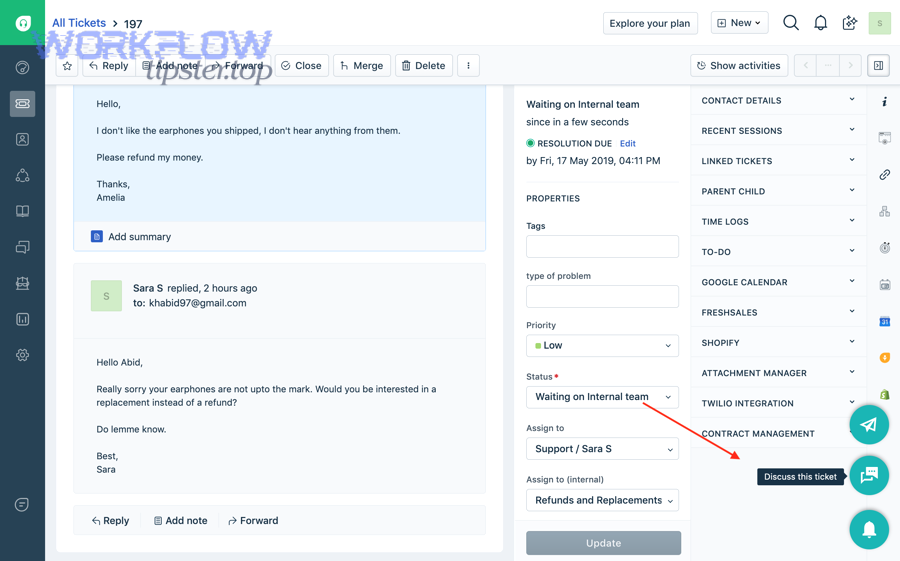
Handle sensitive data by applying data minimization + redaction rules before anything leaves Freshdesk. Specifically, decide what must be shared for Product to act, and strip anything else by default.
Practical PII rules
- Do not copy raw customer emails/phone numbers into Linear unless required
- Keep “internal notes” internal unless explicitly tagged for Product
- Replace account identifiers with a safe reference (account ID, not billing details)
- Use links back to Freshdesk for sensitive context instead of copying content
Team alignment tip
- Write a one-page policy: “What goes to Linear, what stays in Freshdesk, and why.”
What rate-limit and retry strategy prevents missed updates and sync storms?
Prevent missed updates and sync storms by using exponential backoff retries, batching where possible, and a “dead letter” queue (or failed-run list) that a human reviews daily.
Core reliability mechanics
- Retry on transient errors (timeouts, 429 rate limits)
- Stop retrying on permanent errors (invalid field values) and alert the owner
- Batch non-urgent updates (e.g., comment sync) to reduce bursts
- Avoid syncing every micro-change; sync milestones only
For scale planning, McKinsey’s research highlights that many work activities can be automated and that change management matters as much as the tech—useful context for designing automation that humans will actually adopt. (mckinsey.com)
How do you resolve conflicts in two-way sync when both sides change?
Resolve conflicts by defining a source-of-truth rule per field, not per system. Specifically, Freshdesk should typically own customer-facing status and SLA signals, while Linear owns engineering workflow states.
Conflict resolution patterns
- Field ownership
- Ticket status in Freshdesk: owned by Support
- Issue workflow status in Linear: owned by Product/Engineering
- Translation layer
- When Linear moves to “Done,” Freshdesk gets “Ready to resolve”
- When Freshdesk reopens, Linear gets a label “Customer-reopened” rather than a forced status revert
- Manual override
- Provide a “Do not sync” tag for edge cases (hot incidents, legal issues)
What monitoring and audit setup makes the integration maintainable long-term?
Make it maintainable by implementing run logs, alerts, audit trails, and ownership routines—so failures are visible and fixable before users stop trusting the workflow.
Minimum monitoring set
- Daily digest: number of issues created, failures, duplicates prevented
- Alerts: auth failures, repeated failures for the same ticket, high failure rate
- Audit log: who changed mapping rules, when, and why
- On-call owner: a named person/team responsible for triage of failures
Human layer
- A monthly mapping review (labels, routing, priority rules)
- A quarterly “integration fire drill” (revoke token, ensure alerts trigger, confirm recovery steps)
Evidence (summary of key sources used)
- Freshdesk documentation explains how to configure webhook actions inside automation rules, including where to create rules and select “Trigger Webhook/Trigger API.” (support.freshdesk.com)
- UCI research on interrupted work provides support for reducing cross-team interruption patterns via better workflow signaling. (ics.uci.edu)
- Stanford reporting on multitasking research supports the idea that reducing irrelevant noise improves focus and decision quality. (news.stanford.edu)