


Zapier Webhook HTTP 400 Bad Request errors happen when the receiving API rejects the request you sent—most often because the payload shape, required fields, or headers don’t match what that endpoint expects. To fix it fast, you need to inspect the exact request Zapier sent, compare it to the API’s schema, and correct the smallest mismatched detail.
This guide also explains what “400 Bad Request” means inside a Webhooks by Zapier step, so you can stop guessing and start reading the request/response like a checklist. Once you can identify whether the failure is caused by syntax, missing data, or a schema mismatch, the fix becomes mechanical.
You’ll then get a practical, repeatable troubleshooting workflow: reproduce the failing run, validate JSON and content types, isolate the failing field by stripping payloads down to a minimal request, and confirm the fix inside Zapier (not only in external testing tools).
Introduce a new idea: after you’ve fixed the current error, you’ll learn how to prevent recurring 400s in production Zaps with guardrails, normalization, and a retry-safe design—so your automations stay stable as real-world data changes.
What does “HTTP 400 Bad Request” mean in a Zapier Webhook step?
HTTP 400 Bad Request in a Zapier Webhook step means the receiving server rejected your request because it is malformed or invalid for that endpoint—typically due to incorrect payload structure, missing required fields, invalid values, or mismatched headers.
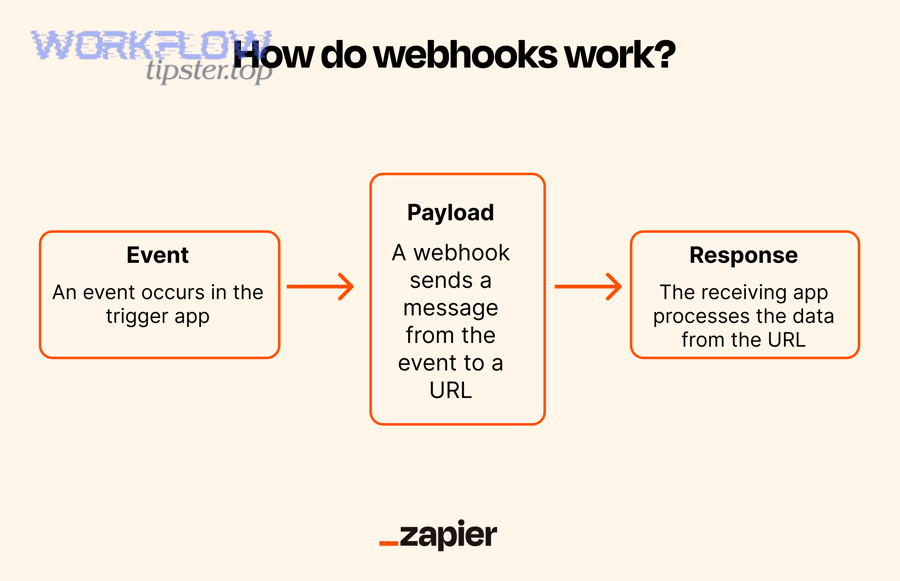
To better understand why that rejection happens, it helps to break down exactly what a webhook request contains and where Zapier shows you the raw details.
What is the “request” that the receiving API is rejecting?
The “request” is the complete package you send to the API: HTTP method, URL, headers, query parameters, and body; if any part violates the endpoint’s rules, the API can return 400 even if the step “looks” correctly configured.
Specifically, a webhook request is not just “some JSON.” It is a contract:
- Method (GET/POST/PUT/PATCH/DELETE): determines whether a body is allowed and how the server interprets fields.
- URL (base + path): often includes required path parameters like an ID; missing or malformed IDs can cause immediate rejection.
- Query string (e.g.,
?page=1&limit=50): many APIs validate these as strictly as body fields. - Headers: especially
Content-TypeandAuthorization; wrong header formats can cause servers to treat the body as unreadable. - Body: the payload, which must match the schema (types, nesting, required fields, allowed values).
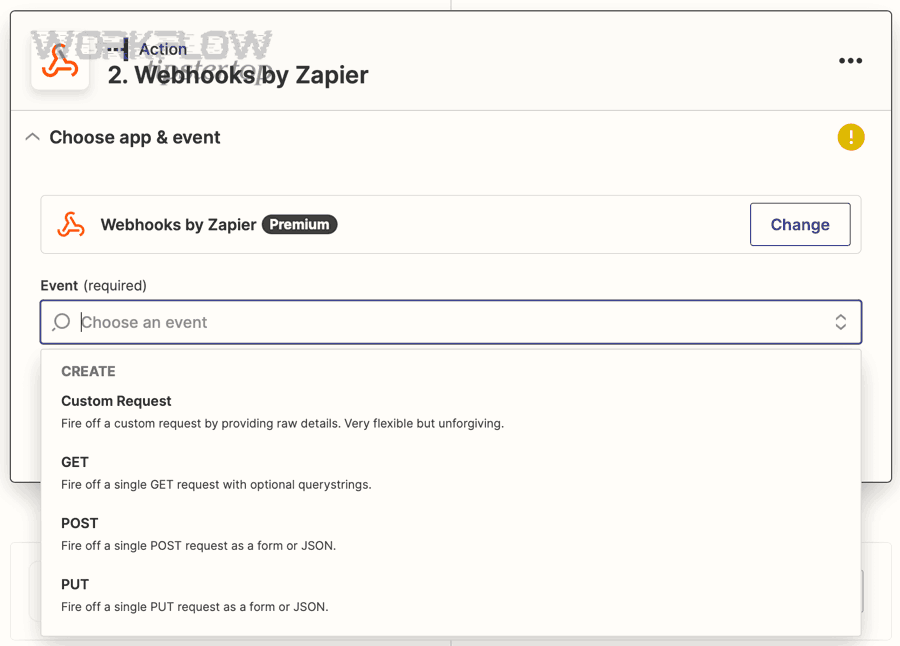
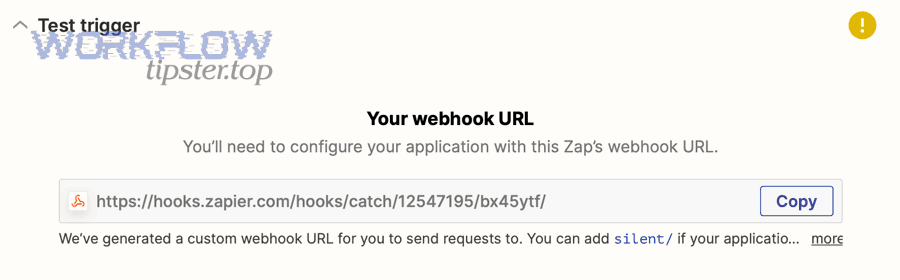
In Zapier, “Webhooks by Zapier” can work in two directions: it can receive data (Catch Hook/Catch Raw Hook), or it can send data (Custom Request/POST/PUT). For a 400 error, you are usually troubleshooting the outbound request (Zapier sending to an API), but if you are using Catch Hook, the “sender” is an external system and that’s the part you’ll fix.
What information in Zapier helps you diagnose a 400 response?
Zapier helps you diagnose a 400 by showing the exact request and the API’s response (including error messages) in the Zap run history—so you can confirm what was sent, what was returned, and which field or rule failed.
Next, use a consistent “read order” so you don’t miss the clue that’s already in the response:
- Response body: many APIs return a message like “missing required field” or “invalid JSON” and may list failing fields.
- Status code: confirm it’s truly 400, not 401/403/404/422 (different fixes).
- Response headers: sometimes the server hints at required content types or validation rules.
- Request you sent: compare method, URL, headers, and body against the endpoint documentation.
If you treat the request/response like a contract check, “zapier troubleshooting” becomes a data-matching exercise instead of trial-and-error.
According to a study by Princeton University from the Department of Computer Science, in 2008, researchers observed that Akamai CDN edge servers responded with “HTTP/1.0 400 Bad Request” when a request was not valid for routing to a customer, illustrating how servers use 400 to reject invalid request framing and context.
Is an HTTP 400 error usually caused by your payload or mapping?
Yes—Zapier webhook HTTP 400 Bad Request errors are usually caused by your payload or mapping because (1) required fields are missing at runtime, (2) data types or nesting don’t match the API schema, and (3) headers/content-type make the server parse the body incorrectly.
However, the best way to fix the issue quickly is to confirm which of those three causes applies to your exact run, and then change only one factor at a time.
Are missing required fields the #1 cause of 400 in Zapier webhook requests?
Yes—missing required fields are a top cause of 400 because many APIs validate presence before anything else, and Zapier mappings that look filled in testing can become empty when real trigger data is missing or formatted differently.
Then, the failure pattern often looks like this:
- The API returns an error message referencing a specific field (e.g.,
emailis required,namemust not be empty). - The Zap test sample had that field, but a later live run did not.
- A formatter step changed the field (trim/replace) and produced an empty result.
To prevent this, treat “required field” as a runtime requirement, not a setup requirement. Add guardrails: filters, defaults, and “if empty then” logic before the webhook step.
Can a “correct-looking” JSON body still trigger 400?
Yes—a JSON body can be perfectly valid syntax yet still trigger 400 if the values violate schema rules, because the server can reject wrong data types, wrong nesting, invalid enums, or invalid date/time formats even when parsing succeeds.
Next, watch for these silent mismatches that make JSON “look right” but fail validation:
- Type mismatch: API expects a number but you send a string like
"12". - Object vs string: API expects an object (
{"id":123}) but you send"123". - Array vs single value: API expects
[...]but you send a single item. - Enum mismatch: API expects
"active"but you send"Active"or a different label. - Date format: API expects ISO-8601 but you send a localized date like
02/01/2026. - Null handling: API rejects
nullwhile accepting empty string—or the opposite.
When this happens, the most reliable fix is to compare your payload to a known-good example from the API docs and match it exactly—field names, casing, nesting, and types.
What are the most common causes of Zapier Webhook 400 errors?
There are 4 main types of Zapier Webhook 400 errors: payload-format issues, header issues, URL/parameter issues, and data-shape issues—grouped by whether the server fails to parse the request, fails to authenticate/interpret it, or rejects it during schema validation.
Specifically, the fastest way to diagnose a 400 is to map your error to one of these categories, then check only the relevant parts of the request.
The table below summarizes the most common 400 causes, what they look like in Zapier, and the fastest corrective action.
| Cause group | Common symptom | Fastest fix |
|---|---|---|
| Payload format | “Invalid JSON”, “Unexpected token”, “Cannot parse body” | Validate JSON, ensure correct body type, remove trailing commas, confirm encoding |
| Headers | “Unsupported Media Type”, “Missing Content-Type”, body appears empty server-side | Set correct Content-Type, ensure auth header format is correct |
| URL/params | “Invalid ID”, “Malformed URL”, validation error on query params | Encode parameters, verify path variables, remove stray spaces, confirm environment |
| Data shape/schema | “Missing required field”, “Invalid value”, “Expected array/object” | Match schema exactly: types, nesting, allowed values, required fields |
Which payload-format issues cause 400 (JSON, form-encoded, raw text)?
Payload-format issues cause 400 when the server cannot parse the body or cannot interpret it as the declared format, which commonly happens with invalid JSON, wrong form encoding, or a mismatch between “body type” and the content you actually send.
Then, prioritize these checks in this order:
- Body is valid JSON (if sending JSON): no trailing commas, quotes properly escaped, arrays and braces correctly closed.
- Body is the correct format: if the API expects JSON, don’t send URL-encoded key/value pairs unless explicitly supported.
- Body matches the “shape”: some endpoints require an object wrapper like
{"data":{...}}and reject a bare object. - Characters and encoding: unescaped newlines, special characters, or double-encoded strings can break parsing.
A practical technique is to copy the outgoing body from Zapier’s run log, paste it into a JSON validator, and compare it to the API’s sample request body. If your payload differs in structure, fix the structure first before changing values.
Which header issues cause 400 (Content-Type, Accept, Authorization)?
Header issues cause 400 when the server uses headers to decide how to parse and validate the request, so a mismatched Content-Type, incorrect Authorization format, or strict Accept rules can make a valid body fail.
Next, focus on the headers that actually change server behavior:
- Content-Type: If you send JSON, use
application/json; if you send form data, use the correct form content type as required by the API. - Authorization: Ensure the token scheme matches the API (e.g.,
Bearerprefix if required). A wrong format can lead to rejection that looks like a 400 in some APIs. - Accept: Some APIs require a specific accept header or versioning header; missing it can yield validation errors.
- Custom version headers: Many APIs enforce version headers; if missing, the server can reject requests.
If your issue is actually authorization-related, the fix may resemble “zapier webhook 401 unauthorized troubleshooting” or “zapier webhook 403 forbidden troubleshooting,” but your first step should be to read the response body to confirm whether the server is complaining about auth or schema.
Which URL and parameter issues cause 400 (path vars, query params)?
URL and parameter issues cause 400 when the endpoint path or query string is invalid or fails validation, which includes missing path variables, unencoded characters, incorrect base URLs, and query values that violate allowed ranges.
Then, verify these items with precision:
- Path parameters exist: If the endpoint is
/items/{id}, make sure{id}is not blank and is the correct ID type. - URL encoding: Encode spaces and special characters in query strings; raw spaces can break routing or validation.
- Environment correctness: Confirm you’re using the correct base URL (production vs sandbox).
- Query param types: If
limitmust be an integer, don’t pass a string or a blank value.
If your server responds like the resource doesn’t exist, you may actually be in “zapier webhook 404 not found troubleshooting” territory—meaning the URL/path is wrong rather than the body.
Which data-shape issues cause 400 (nesting, objects, arrays, line items)?
Data-shape issues cause 400 when the payload’s nesting or structure doesn’t match what the API expects, especially with arrays, line items, and nested objects where Zapier data may arrive flattened or inconsistently structured across runs.
Next, treat data shape as a strict template:
- Object vs array: Many endpoints require arrays for collections even if you only send one item.
- Nesting depth: A field might need to be inside
attributesordata—one nesting level off can fail validation. - Line items in Zapier: Zapier line items often require transformation into a JSON array; if you send them as a comma-separated string, the API may reject it.
- Empty arrays/objects: Some APIs reject empty collections; send only when populated.
When the error is shape-based, your best fix is to send a minimal payload that conforms to the schema, confirm it works, then add optional fields back one by one.
How do you troubleshoot and fix a Zapier webhook 400 error step-by-step?
Use a “minimal valid request” method in 6 steps—reproduce the failing run, inspect the raw request/response, validate payload and headers, compare to API schema, isolate the failing field by shrinking the payload, and retest in Zapier—to reliably fix a Zapier webhook 400 Bad Request.
Below, each step connects directly to what a 400 error actually means: the server rejected something about the request, so your job is to identify the exact mismatch and correct it without changing unrelated pieces.
How do you reproduce the 400 reliably using the same input data?
Reproduce the 400 reliably by using the same Zap run input that failed (not a clean test sample), because the most common reason 400 errors “disappear” during testing is that sample data differs from real data.
Then, lock down your variables:
- Open the exact failed Zap run in history and copy the input values used in that run.
- Re-run the same step with the same trigger data when possible.
- Avoid editing multiple fields at once; change one thing, retest, and observe the result.
If the failure only happens sometimes, that is a strong signal the cause is missing/optional data that becomes required by the API’s schema or business rules.
How do you validate the outgoing request before blaming the receiving API?
Validate the outgoing request by checking (1) body validity and structure, (2) Content-Type and auth headers, and (3) required fields and data types—because most 400 errors are resolved by matching the API’s documented request format exactly.
Next, follow a concrete validation routine:
- Confirm Content-Type: If you send JSON, set
application/json. - Validate JSON: Copy the raw body from the Zap run and validate it with a JSON validator to eliminate syntax errors.
- Check required fields: Compare your request body to the endpoint’s required fields list.
- Check types: Numbers, booleans, arrays, and objects must match the schema.
- Check auth format: Confirm the token scheme and header name match the API’s expectation.
If the response hints at auth issues, switch to the relevant playbook for “zapier webhook 401 unauthorized troubleshooting” (bad/expired token) or “zapier webhook 403 forbidden troubleshooting” (insufficient permissions/scopes), but only after the response body confirms that’s the real cause.
How do you isolate the exact failing field or rule?
Isolate the exact failing field by reducing your payload to the smallest request that should succeed, then adding fields back one at a time until the request fails again—because a 400 is often triggered by a single invalid field hidden in a large payload.
Then, apply this “payload binary search” workflow:
- Start with the API’s smallest example request payload (or create one with only required fields).
- Send that minimal payload from Zapier and confirm it succeeds.
- Add optional fields in small groups, retesting after each change.
- When it fails, remove the last added field(s) to confirm the culprit.
Common culprits you’ll uncover quickly include: a date that isn’t ISO-8601, an enum value with wrong casing, a field that must be numeric but contains punctuation, or a nested object that Zapier is sending as a string.
How do you confirm the fix inside Zapier (not just in an external tool)?
Confirm the fix inside Zapier by rerunning the same Webhooks by Zapier step with real data and verifying a successful status code and expected response payload—because external tools may succeed while your Zap still sends a slightly different body or header set.
Next, do a “production realism” check:
- Test with at least two real samples: one “normal” record and one “edge case” record (missing optional fields, special characters, long text).
- Confirm that mappings are stable across runs (no blank outputs from formatter steps).
- Log and store the last known-good payload structure so future edits don’t drift away from the schema.
According to a study by Princeton University from the Department of Computer Science, in 2008, researchers documented that invalid request context caused Akamai edge servers to return a 400 response, reinforcing that methodical request validation is the shortest path to resolving 400 errors.
What’s the difference between “Webhooks by Zapier” vs app-native Zapier actions for avoiding 400 errors?
Webhooks by Zapier wins in flexibility for custom endpoints and complex payloads, app-native actions are best for built-in validation and simpler setup, and a hybrid approach is optimal when you want both reliability and customization.
However, the best choice depends on whether your current problem is a schema mismatch you must control (webhooks) or a standard use case where Zapier’s native integration already enforces the schema for you.
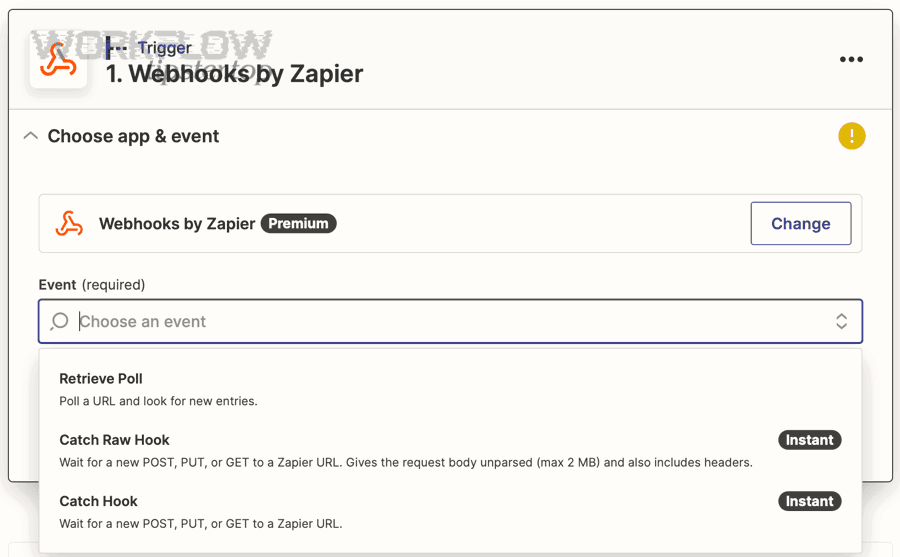
Which option provides better validation and fewer bad requests?
App-native Zapier actions provide better validation and fewer bad requests because Zapier often enforces required fields, data types, and schema constraints in the UI before the request is sent.
Then, the practical benefit is speed: you spend less time deciphering raw request bodies and more time mapping business logic. If your goal is stability and your use case matches a standard action, native steps reduce 400 errors by preventing invalid payloads at configuration time.
By contrast, Webhooks by Zapier assumes you know the endpoint contract. That’s powerful, but it means your payload and headers must be correct every time, or you’ll see 400 errors when real data shifts.
Which option is better for complex payloads and custom endpoints?
Webhooks by Zapier is better for complex payloads and custom endpoints because it lets you control method, headers, and raw body structure—so you can match APIs that require nested JSON, custom auth, or uncommon fields not exposed in native Zapier actions.
Next, use webhooks when you need one of these capabilities:
- Nested objects and arrays that must match an API schema exactly.
- Endpoints not available as a Zapier app or not available in your plan/integration version.
- Custom headers for versioning, idempotency, or special authentication schemes.
- Precise control over query parameters and URL paths.
If you choose webhooks for flexibility, you also accept the responsibility to maintain strict schema compatibility—which is why a checklist-based approach is essential.
How do “Catch Hook” and “Custom Request” differ when troubleshooting 400 errors?
Catch Hook differs from Custom Request because Catch Hook receives incoming requests (you fix the external sender), while Custom Request sends outgoing requests (you fix Zapier’s method, headers, URL, and body to satisfy the receiving API).
Then, align your troubleshooting target correctly:
- If you use Catch Hook and see problems: validate the sender’s payload structure and headers; Zapier is acting as the receiver.
- If you use Custom Request and see a 400: validate the API’s schema and your outbound request; Zapier is acting as the sender.
This distinction prevents wasted effort. Many teams spend hours editing the wrong side of the integration because they don’t clearly label “who is sending what to whom.”
How is HTTP 400 different from 401, 403, 404, 422, and 500 in Zapier webhook troubleshooting?
HTTP 400 usually means invalid request structure or values, 401 is best handled by re-authentication, 403 points to permission limits, 404 indicates a wrong or missing resource, 422 signals semantic validation failure, and 500 suggests server-side instability—so each code demands a different fix path.
Meanwhile, it’s common for webhook setups to misclassify the problem if you only look at the number. Your fastest move is still to read the response body and match it to the right category.
When is it actually 401/403 (auth/permission) masquerading as 400?
It is actually 401/403 masquerading as 400 when the API uses 400 as a generic “bad request” wrapper but the error message references authentication, missing credentials, invalid token, or insufficient scope.
Next, use a quick decision checklist:
- If the response mentions “token,” “signature,” “api key,” or “credentials,” treat it like 401 and re-check auth format.
- If the response mentions “not allowed,” “forbidden,” “insufficient scope,” or “permission,” treat it like 403 and verify scopes/roles.
- If the response mentions missing required fields or invalid format, it’s a true 400 payload/schema issue.
This is where “zapier webhook 401 unauthorized troubleshooting” and “zapier webhook 403 forbidden troubleshooting” become relevant: the fixes are not about payload nesting, but about how you authorize the request.
When should you treat it as 422 instead of 400 (semantic validation)?
You should treat it as 422 when the request is syntactically valid and parseable, but the server rejects it because it violates business rules—such as invalid state transitions, logically inconsistent field combinations, or a value that is well-formed but not allowed.
Then, the fix is usually different from a 400 fix:
- For 400, you correct structure, types, missing fields, or parseability.
- For 422, you correct meaning: choose allowed enum values, valid IDs, correct state, or valid dependencies between fields.
In practice, many APIs will still return 400 for semantic validation issues, which is why your “minimal valid request” method is so powerful: it forces the distinction between structure and meaning.
When is it likely a 500-type issue (server-side) rather than your request?
It is likely a 500-type issue when your same request sometimes succeeds and sometimes fails, when failures cluster around timeouts or transient errors, or when the API provider acknowledges outages—because server-side instability can cause error responses even for valid requests.
Next, confirm server-side behavior carefully:
- Retry the identical request payload: if it succeeds without changes, the issue may be transient.
- Check whether the API provides a request ID or correlation ID you can share with support.
- Implement safe retries only when the endpoint is idempotent (or you provide an idempotency key).
If you see persistent 404 patterns, switch to “zapier webhook 404 not found troubleshooting,” because 404 is often a stable configuration issue (wrong URL/path) rather than a transient server problem.
How can you prevent recurring Zapier webhook 400 errors in production Zaps?
Prevent recurring Zapier webhook 400 errors by adding pre-validation guardrails, standardizing JSON shape, designing retry-safe requests with idempotency, and controlling encoding and headers—so real-world data variations don’t silently produce invalid requests later.
Besides fixing the current run, prevention turns your automation into a stable system: it anticipates missing fields, inconsistent formats, and edge-case characters before the request is ever sent.
What validation checks should you add before the webhook step (required fields, types, enums)?
Add validation checks that stop bad payloads before they reach the API: confirm required fields exist, coerce types to match schema, normalize enums to allowed values, and set defaults for missing data—because preventing an invalid request is faster than debugging it after failure.
Next, implement these guardrails in a predictable order:
- Presence checks: Filter step to stop if a required field is blank; otherwise set a safe default.
- Type coercion: Convert numeric strings to numbers, true/false strings to booleans, and lists to arrays where required.
- Enum normalization: Map human-friendly values to strict API enums (e.g.,
Active→active). - Length/format checks: Trim whitespace, enforce max length, normalize phone numbers, enforce ISO date formatting.
If you want a simple operational label for this layer, brand it internally as WorkflowTipster Guardrails—a pre-flight checklist that keeps your outbound requests clean.
How do you standardize JSON structure for line items and nested objects in Zapier?
Standardize JSON structure by defining one canonical schema for nested objects and line items, then transforming all Zap inputs into that schema every time—because inconsistent nesting is a common reason production data triggers 400 errors after “working in tests.”
Then, apply a “shape contract” approach:
- Always wrap collections as arrays, even for single items, if the API expects arrays.
- Keep object keys consistent: same casing, same nesting, same optional fields strategy (omit vs null).
- Normalize line items into a JSON array of objects (each object representing one row/item) rather than a single concatenated string.
- Separate transformation from sending: do all formatting in steps before the webhook action so the webhook step stays “dumb and consistent.”
This approach makes debugging easy: when the payload is always the same shape, a 400 error is almost always a single value problem, not a structural mystery.
How do idempotency and retries affect 400 errors ?
Idempotency and retries affect 400 errors by changing how you handle failures safely: you should not blindly retry malformed requests (400), but you can retry transient failures if your request is idempotent—while 429 rate limits require slowing down rather than changing payload validity.
Next, separate the concepts clearly:
- 400 (Bad Request): the request is invalid; retries repeat the same invalid request unless you fix the payload or headers.
- 429 (Rate limit): the request may be valid, but the server is throttling you; you respond with backoff and pacing.
- Idempotency: ensures repeating the same request does not create duplicates; often implemented with an idempotency key header.
When you apply idempotency properly, you can safely retry certain failures without creating duplicates. But for 400 errors, your primary prevention is schema validation, not retry logic.
Which subtle request details cause “mysterious” 400s (Content-Type, encoding, special characters)?
Subtle request details cause “mysterious” 400s when the server parses the request differently than you expect, often due to wrong Content-Type, character encoding issues, unescaped special characters, or double-encoded strings that turn valid-looking payloads into invalid input.
Next, use this micro-level checklist when the payload seems correct but still fails:
- Stray spaces before/after the URL or in header values can break routing or validation.
- UTF-8 encoding: special characters (emoji, accented letters) may require correct encoding and escaping.
- Newlines and quotes: unescaped line breaks or quotes inside strings can break parsing.
- Double encoding: sending JSON as a string inside JSON (e.g.,
"{ \"a\": 1 }") when the API expects an object. - Content-Type mismatch: body is JSON but header says form-encoded (or vice versa).
When you keep these details stable, your webhook requests become predictable—and predictable requests are the foundation of reliable automation.