


When Zapier “misses records,” the problem is often simple: your workflow is only retrieving the first page of results, so anything beyond that page never even reaches your Zap. This guide shows you how to diagnose pagination quickly, then switch to a data-pull method that reliably collects all pages—not just the first.
Next, you’ll learn what “pagination” means inside Zapier, where it shows up (especially in trigger test records and dropdowns), and why it’s not always a setting you can change. Once you can recognize the pattern, you can stop chasing the wrong issue.
Then, we’ll walk through practical fixes—whether you’re using a built-in app trigger, Webhooks by Zapier, or a Code step—and explain how to paginate safely without creating duplicates or timeouts. The goal is to pull complete datasets in a repeatable way.
Introduce a new idea: even after you implement pagination correctly, a few micro-level edge cases—rate limits, cursor quirks, or deduplication—can still make results look incomplete, so we’ll cover those stability tactics at the end.
Is pagination the reason Zapier is missing records?
Yes—pagination is often the reason Zapier misses records, because apps return data in limited pages, Zap testing may show only a subset, and your workflow may never request page 2+ unless you explicitly build that logic. To confirm this quickly, start by proving whether the “missing” items exist beyond the first page rather than being filtered or failing later.
What are the most common signs of “first page only” data in Zapier?
There are 7 main signs your Zap is only seeing page 1: (1) you always get exactly a round number of items (like 50/100/200), (2) the same “top” records repeat across runs, (3) older records never appear, (4) totals in the source app exceed what Zapier pulls, (5) dropdowns don’t show all values, (6) “Test trigger” never reveals the record you’re searching for, and (7) missing records cluster around a time window or sort order.
More specifically, these symptoms appear in different places depending on how your Zap gets data:
- In trigger tests: You keep seeing only the most recent items, even though you know older items exist. Zapier explicitly notes that pagination commonly appears in trigger test records and dropdown menus, and that the pagination behavior is built into the app. (help.zapier.com)
- In Webhooks GET calls: Your response includes fields like
limit,page,offset,cursor,next,has_more, or anext_page_url. If your Zap never follows that “next,” it will never see additional records. - In “Find” or search steps: You may get a correct match for newer items but miss older ones, because the app’s search endpoint returns only the first page unless you paginate.
A useful mental model is this: Zapier can’t process what it never receives. If page 2 never gets requested, the record can’t “trigger,” can’t be found, and can’t be mapped—no matter how perfect the rest of the Zap is.
How can you confirm the missing records are beyond page 1 and not filtered out?
Pagination wins as the cause when record totals and IDs exist beyond page 1; filtering is more likely when the record appears in Zap history but is skipped later; and “step failure” is the culprit when a Zap run exists but errors out downstream. However, you shouldn’t guess—validate with a tight comparison using identifiers and timing.
Use this 3-way comparison checklist:
- Compare totals (source app vs Zap output).
- If the app UI shows thousands of records but your Zap output caps at 100/200, pagination is a prime suspect.
- Compare record IDs across pages.
- Grab one known “missing” record ID from your app. If it appears only when you query page 2+ (or after a cursor), you’ve proven pagination.
- Compare Zap History evidence.
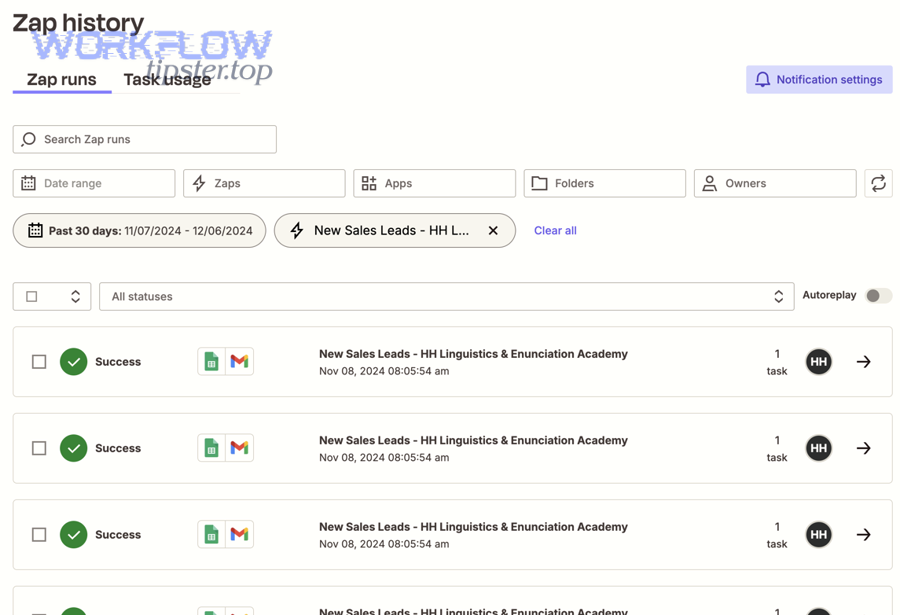
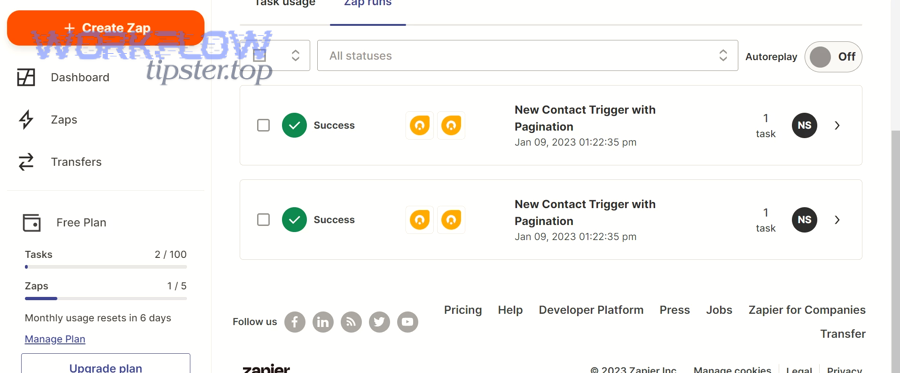
- Search for that record’s ID (or unique field like email/order number) inside Zap history. Zapier recommends using Zap history search to confirm whether Zapier ever triggered on the record. (help.zapier.com)
- If no Zap run exists for that record, the trigger likely never pulled it. If a Zap run exists but the action didn’t happen, the issue is later in the Zap.
If you’re doing zapier troubleshooting for “missing records,” this step is the fastest way to avoid wasting hours in the wrong part of the workflow: first prove whether the record entered Zapier at all.
What does pagination mean in Zapier, and where does it happen?
Pagination in Zapier is a data-delivery pattern where an app splits large datasets into smaller “pages,” sending only a subset per request to avoid overload and speed up processing. (help.zapier.com) To better understand why records go missing, you need to know where Zapier users actually encounter pagination in the editor.
Zapier’s own guidance explains the core idea clearly: apps paginate to avoid sending huge volumes in one response, which helps prevent overload and improves performance. (help.zapier.com) In practice, that means you’ll typically see pagination in:
- Trigger test records (you test a trigger and only see a sample set)
- Dropdown menus (you pick a value and only see some options)
- API-based steps (Webhooks / Code pulling data from endpoints that paginate)
And here’s the tricky part: many pagination behaviors are controlled by the app, not by a switch inside Zapier. (help.zapier.com) So the fix is often about choosing the right method to retrieve data, not “turning on” pagination in a UI.
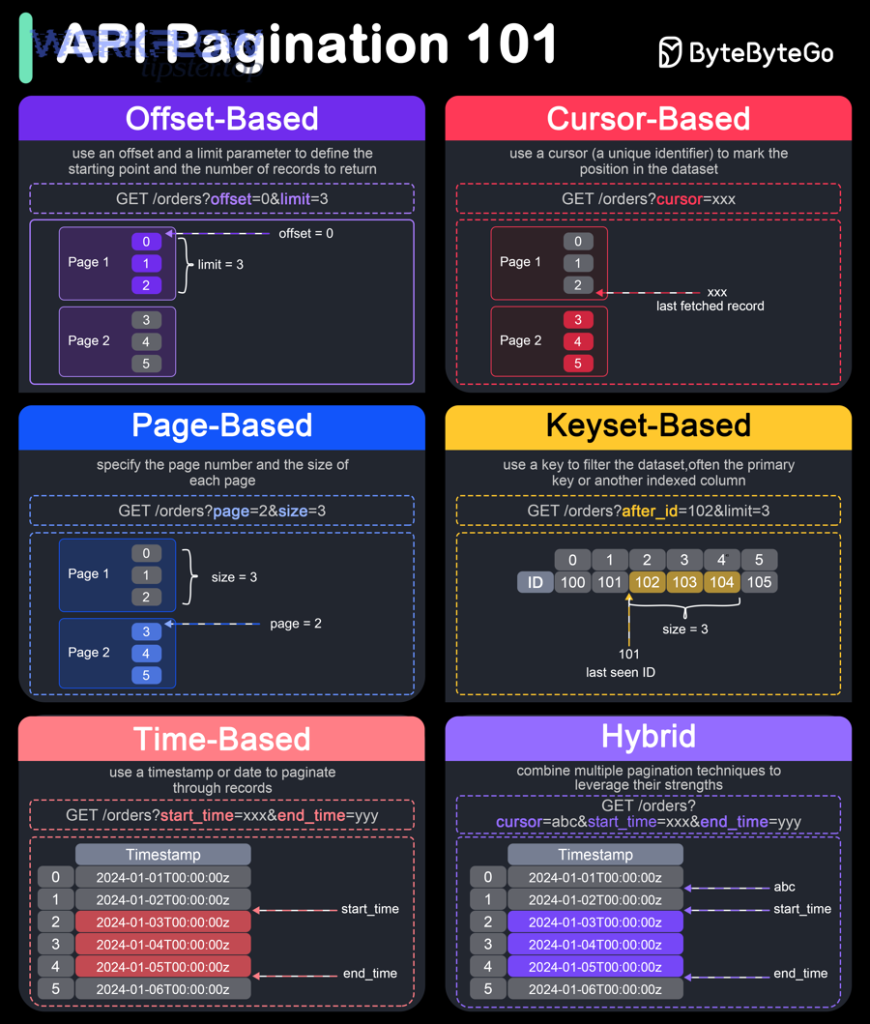
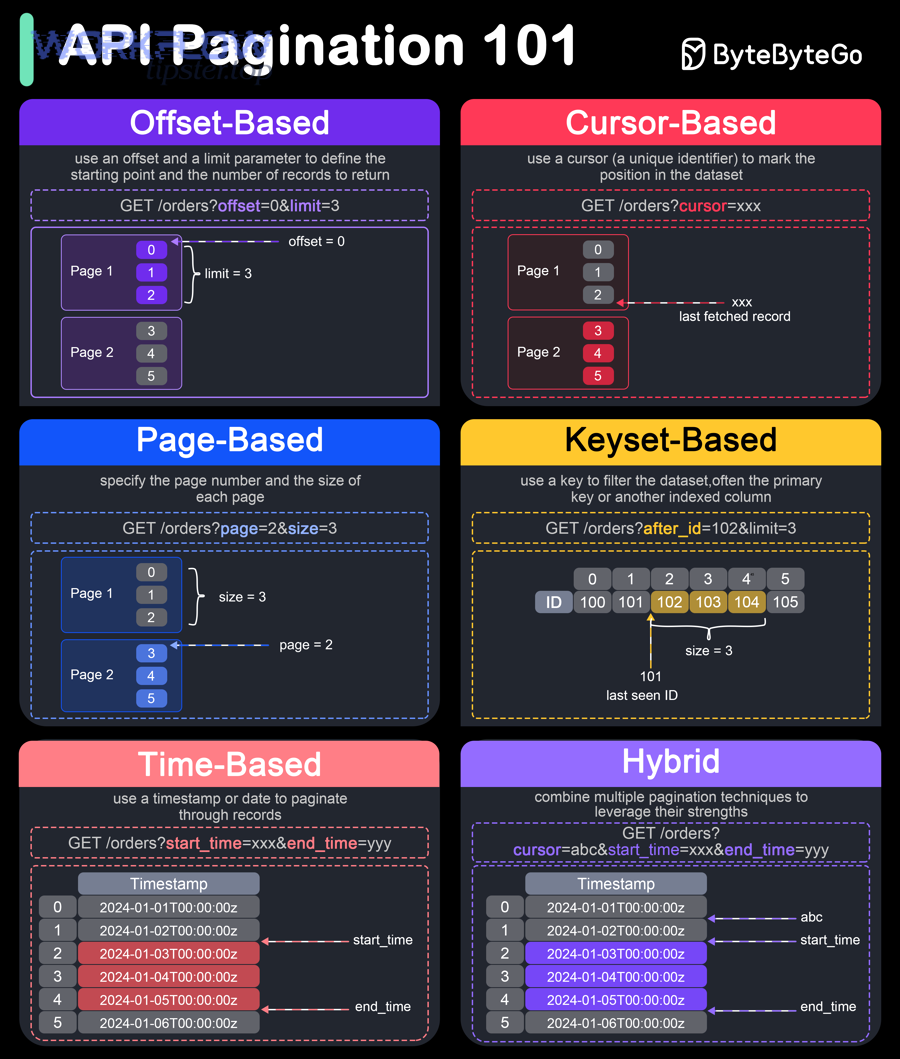
How do page size limits and “next page” tokens work (offset vs cursor vs page number)?
Offset-based pagination wins for simplicity, cursor-based pagination is best for stability on changing datasets, and page-number pagination is easiest to reason about but can drift if data changes between requests. However, the right choice depends on what the source API provides.
Here’s what each looks like in real automation work:
- Page-number pagination
- Request:
GET /items?page=2&size=100 - Risk: if new records are inserted, page 2 might no longer represent the same slice.
- Request:
- Offset pagination
- Request:
GET /items?offset=100&limit=100 - Risk: large offsets can become slow, and inserts/deletes can cause skipping or duplicates.
- Request:
- Cursor pagination
- Request:
GET /items?cursor=abc123&limit=100 - Benefit: more stable for “infinite scroll” and changing data; the cursor points to a position.
- Request:
If you’re building custom integrations, Zapier’s developer platform includes specific guidance for using pagination in triggers for dynamic dropdown experiences (where a trigger powers a dropdown list). (docs.zapier.com) That’s a separate “builder” context, but the underlying concept is the same: you need a mechanism to fetch the next set of results.
Why does “Test trigger” show limited records even when live runs should fetch more?
“Test trigger” is a sampling and setup aid, not a guarantee of full dataset retrieval, because Zapier often shows a limited set of recent or available records for speed and usability. Then, when you build your Zap around that limited sample, it’s easy to assume “the record isn’t there,” when it’s simply beyond what the test fetches.
This is why pagination problems feel confusing: you look at the test output, don’t see the record, and you conclude the trigger is broken. In reality, you may need to:
- Adjust how the trigger identifies “new” vs “existing”
- Use a different trigger that supports the data slice you need
- Switch to Webhooks/Code so you can request page 2+ explicitly
If your scenario is “the dropdown doesn’t show my option,” treat it as a pagination symptom first—especially when the source system has thousands of items.
How do you fix missing records when a Zap only pulls the first page?
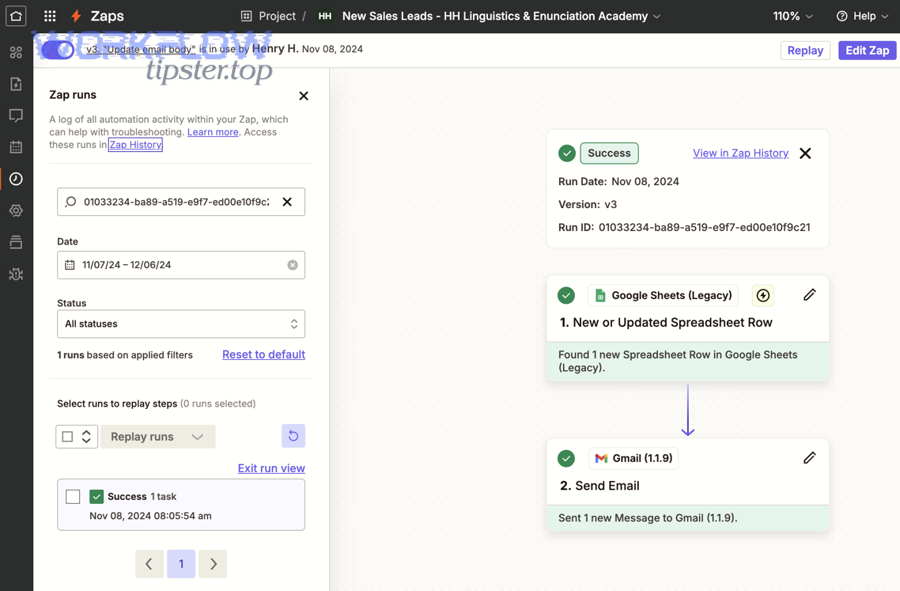
Fixing first-page-only pulls is a practical workflow change: identify the pagination method, then implement a repeatable “request next page” loop until you reach the stop condition, so Zapier can process all records instead of a capped subset. Below, you’ll pick the fix path based on where pagination is happening.
What should you do if the trigger app doesn’t support pagination for all records?
There are 5 main options when the built-in trigger won’t reliably expose all records: (1) change the trigger type, (2) narrow the dataset with “since” logic, (3) use Webhooks to call an API endpoint that paginates predictably, (4) redesign to process records in batches, or (5) shift to a schedule + incremental backfill pattern.
Specifically, use this decision flow:
- Switch to a trigger that emits a single record event (best case).
- For example, “New Record Created” is usually safer than “List Records” style triggers.
- Use time-based criteria if the app supports it.
- Prefer endpoints that accept
updated_sinceorcreated_afterso you can pull smaller slices.
- Prefer endpoints that accept
- If you must list many records, paginate externally (Webhooks/Code).
- This is common when you’re syncing thousands of contacts, invoices, or tickets.
- Batch deliberately.
- Process “one day at a time” or “one hour at a time” until you finish the backlog.
- Backfill with guardrails.
- Store your last processed watermark (timestamp/ID) so each run continues where the last ended.
This is also where adjacent issues can disguise themselves as pagination. For example, if your trigger sends a partial response or key fields are missing, you might misdiagnose it as pagination. Treat “missing key fields” as a separate branch: zapier missing fields empty payload troubleshooting belongs to payload mapping and step output validation, not pagination logic.
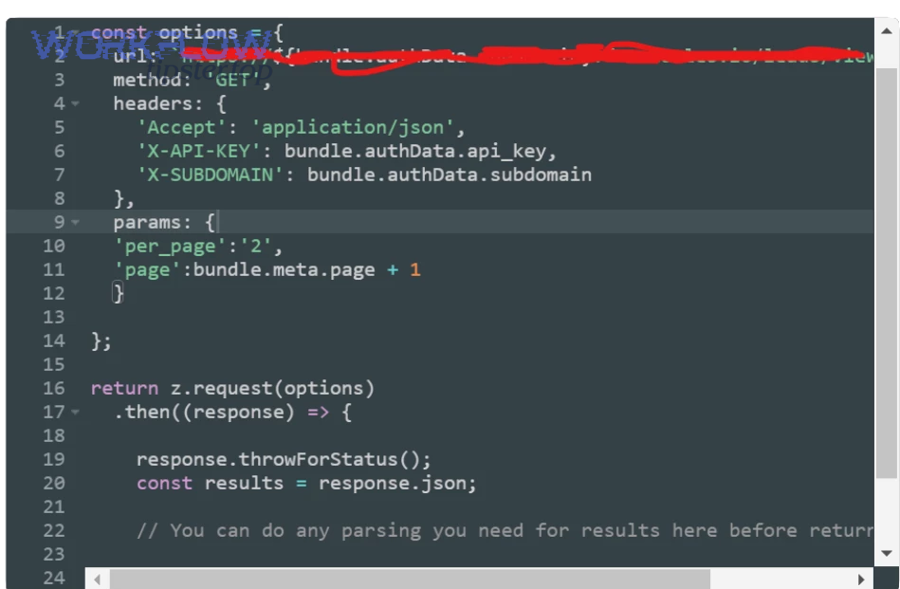
How do you paginate in Webhooks by Zapier to pull all records (page 2+)?
Webhooks pagination is a 6-step method—detect the pagination fields, request page 1, extract the “next” pointer, repeat requests until “no more pages,” merge results, and stop safely—so you can fetch complete datasets without manual intervention. Then, you stabilize it with limits, retries, and checkpointing.
Use this step-by-step pattern (works for cursor, offset, or page-number APIs):
- Make the first GET request with an explicit
limitorpage_size. - Identify the paging mechanism in the response:
- Cursor:
next_cursor,endCursor - Offset: calculate next offset (
offset + limit) - URL:
next_page_urlorlinks.next - Flag:
has_more: true
- Cursor:
- Store the “next” value (cursor/offset/page) in a variable or storage step.
- Loop the next request using that stored value.
- Stop when the API indicates completion:
has_more=false,next=null, or returned items count is 0.
- Aggregate responsibly:
- If the dataset is huge, process each page as you go instead of merging everything into one giant array.
Two cautions matter in real workflows:
- Timeout risk: pulling too many pages in a single Zap run can exceed step limits. In that case, break it into scheduled runs and store the next cursor between runs.
- Rate limit risk: calling many pages quickly can trigger 429s; handle that in the “advanced edge cases” section.
If you see 429 or throttling errors while looping pages, that’s zapier api limit exceeded troubleshooting—it’s not a pagination mistake, it’s a pacing and retry strategy problem.
Which pagination approach is best: Webhooks vs Code vs built-in integration pagination?
Webhooks wins for no-code control and portability, Code is best for complex aggregation/deduplication logic, and built-in integration pagination is optimal when the app’s Zapier connector already supports the exact records you need with minimal configuration. Meanwhile, the “best” choice is the one that stays reliable as data volume grows.
To make this concrete, use three decision criteria:
- Control: Can you explicitly request page 2+ and store a cursor?
- Complexity: Do you need heavy logic (dedupe, joins, transforms)?
- Stability: Will the method keep working with 10x more records?
Here’s a quick comparison table to help you choose. It summarizes what each approach is good at, so you can pick the smallest solution that still guarantees completeness.
| Approach | Best for | Weakness | Typical use case |
|---|---|---|---|
| Built-in app trigger | Simple “new item” workflows | Limited paging control | New lead → send message |
| Webhooks by Zapier | Pulling paginated lists without code | Harder aggregation | Fetch all invoices page-by-page |
| Code step | Complex logic, merging, dedupe | Maintenance + timeouts | Build a clean dataset before actions |
When is Webhooks the best solution for pagination troubleshooting?
Yes—Webhooks is the best solution when the API clearly exposes “next page” data, you need predictable completeness, and you want to avoid custom app development; it is not ideal when the API is unstable, heavily rate-limited, or returns inconsistent sorting. Next, match your situation to these practical signals.
Use Webhooks if:
- You can see obvious pagination params (
page,offset,cursor,next) - You need to backfill or sync large datasets
- You want a repeatable method that does not depend on what the trigger test happens to show
Avoid Webhooks when:
- The API requires complex signing, unusual auth refresh, or strict sequencing
- The API’s sorting is unstable (page 2 overlaps page 1 randomly)
- You cannot safely store progress (no stable ID or timestamp)
If your calls fail with a permissions error during setup, that’s a different branch entirely: zapier permission denied troubleshooting is about app authorization scopes, token validity, or endpoint access—not pagination.
When should you use a Code step to paginate instead of Webhooks?
Webhooks wins for straightforward page-by-page fetching, while Code is best for pagination when you must deduplicate, merge multiple endpoints, or implement smarter retry/backoff; built-in integrations are optimal when they already cover the records you need with reliable triggers. However, Code should earn its complexity.
Use Code when you need one or more of these:
- Deduplication across pages (e.g., API returns overlapping items)
- Joining data (fetch list, then fetch details per ID)
- Custom stop conditions (stop when last seen timestamp is reached)
- Robust retry behavior (backoff, jitter, partial progress)
Use Webhooks when you can keep the logic simple:
- Fetch page
- Process page
- Store cursor
- Repeat
The core strategy is the same for both: always track progress (cursor/offset/page + last processed ID) so you can resume without reprocessing everything.
How can you prevent missed records after you’ve fixed pagination?
Preventing missed records is a reliability discipline: combine stable sorting, watermarking (last seen timestamp/ID), idempotent processing, and run validation so your Zap keeps pulling complete data over time—even as new records arrive mid-sync. Then, you verify success using Zap history rather than “it seems okay.”
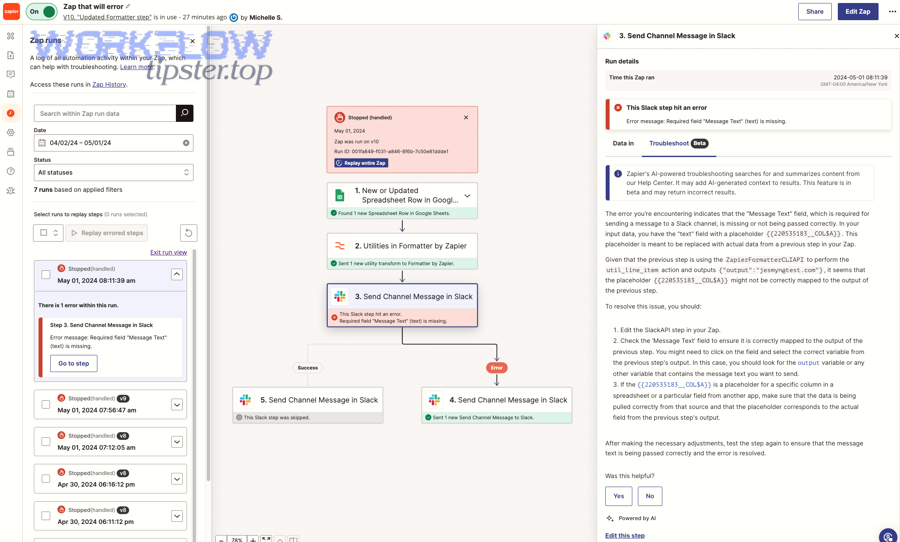
Zap history is your primary verification tool because it shows whether runs happened and what data moved through steps. Zapier’s guidance points users directly to Zap history for diagnosing missed runs. (help.zapier.com) It also documents that Zap history has storage limits (so plan validation windows accordingly). (help.zapier.com)
What are the safest strategies to avoid duplicates while pulling multiple pages?
There are 6 main strategies to prevent duplicates while paginating: (1) stable sort + watermark, (2) unique ID-based idempotency, (3) upsert instead of create, (4) “seen set” storage, (5) batch boundaries, and (6) reconciliation checks.
Specifically, here’s how each works in automation language:
- Stable sort + watermark
- Sort by
updated_at(orcreated_at) consistently. - Store “last processed timestamp,” and only fetch records newer than that on the next run.
- Sort by
- Unique ID idempotency
- Treat the record ID as the truth.
- Before creating an item downstream, check if that ID has already been processed.
- Upsert, don’t create
- If your destination supports it, update existing records instead of creating duplicates.
- Store a “seen set”
- Keep a rolling list (or hash set) of processed IDs in storage for a defined time window.
- Batch boundaries
- Process one page at a time and commit results before fetching the next page.
- Reconciliation checks
- Compare counts between source and destination for a time window (daily/weekly).
If your API or Zap runs are large, break work into smaller units. Your goal is not to “finish in one run,” but to finish without missing anything.
How do you validate in Zap History that you’re truly pulling all pages now?
Zap history validation is a 4-step method: search for a known missing record ID, confirm a Zap run exists, confirm the relevant step received the record, and confirm the workflow completed without filtered/held stops—so you can prove completeness rather than assume it. Then, repeat the check across multiple timestamps to ensure stability.
Do this in practice:
- Pick 3 “sentinel records” you previously considered missing:
- One recent record
- One mid-range record
- One older record that would have been beyond page 1
- Search each sentinel in Zap history using a unique identifier (ID/email/order number). Zapier explicitly recommends searching Zap history by data associated with the missing record to confirm whether Zapier triggered on it. (help.zapier.com)
- Open the Zap run and confirm the trigger step input includes the record you expect.
- Check run outcomes (success vs filtered/held/stopped) and confirm downstream actions executed.
One operational note that matters for long-running audits: Zapier documents limits on Zap history retention and display volume, so if you need longer-term validation you should export logs or run periodic checks. (help.zapier.com)
You can also embed a lightweight monitoring habit: every week, pick a sentinel record that should have been processed and verify it shows up in Zap history. If you publish internal playbooks, a branded reminder like “Workflow Tipster: verify three sentinel records weekly” keeps teams consistent without turning it into a heavy process.
Contextual Border: You’ve now confirmed pagination is the root cause, implemented page 2+ retrieval, and stabilized your workflow with watermarks and Zap history validation. Next, we shift into micro-level issues that can still create “missing record” illusions even when pagination is technically correct.
What advanced edge cases can still cause “missing records” even after pagination is implemented?
There are 4 main edge-case buckets that can still cause “missing records” after pagination: rate limits/timeouts, cursor or offset drift, deduplication collisions, and unsafe backfills that overlap or skip time windows. Below, you’ll harden your approach so “missing” truly becomes “complete.”
How do rate limits and throttling cause partial page pulls ?
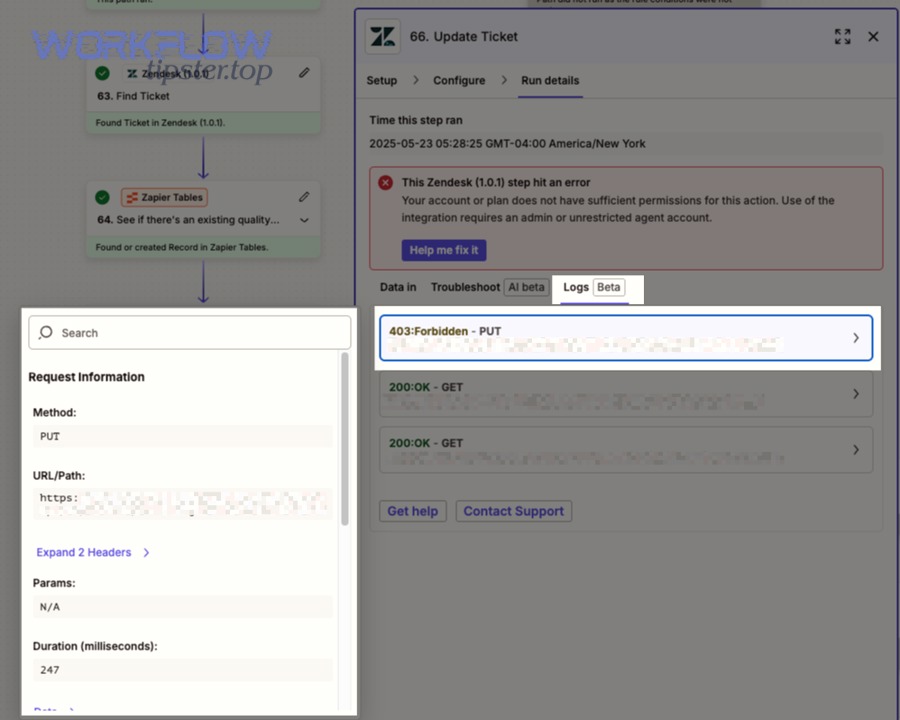
Rate limits cause partial pulls when your Zap fetches multiple pages too quickly, triggering 429 responses or timeouts; you stabilize this by pacing requests, adding exponential backoff, checkpointing progress, and retrying only failed pages. Then, you prevent a single failed page from collapsing the whole sync.
A practical stabilization playbook looks like this:
- Pace your page requests
- Lower the page size or insert delays between calls if the API is sensitive.
- Checkpoint after each page
- Store the last successful cursor/offset/page. If a later page fails, you resume from the checkpoint instead of restarting.
- Retry failed pages with backoff
- Increase the wait time after each retry (e.g., 2s → 4s → 8s) to reduce repeated collisions.
Evidence matters here because backoff isn’t just folklore. According to a study by University of California, Berkeley from the EECS department, in 1988, Jacobson’s congestion-control work discussed why exponential backoff is necessary to help networks recover from congestion, supporting the idea that paced retries reduce repeated overload. (people.eecs.berkeley.edu)
This is where teams often label the incident incorrectly. If you’re seeing intermittent 429s while paginating, treat it as “stability engineering,” not as a broken pagination algorithm.
What cursor/offset pitfalls can skip records (unstable sorting, expiring cursors, shifting datasets)?
Cursor pagination is usually more stable than offset for changing datasets, while offset-based pagination is more likely to skip or duplicate items when new records are inserted; time-based pagination can be the safest when you combine stable timestamps with a watermark buffer. However, even cursor systems can fail when cursors expire or when sorting isn’t deterministic.
Watch for these pitfalls:
- Unstable sorting
- If the API doesn’t guarantee stable ordering, page boundaries can shift between requests.
- Offset drift
- New records inserted at the top shift everything down, so offset=100 may no longer point to the same records.
- Cursor expiration
- Some APIs invalidate cursors after a time window, so long-running jobs may fail mid-way.
A strong mitigation is to combine stable sort + watermark + overlap buffer:
- Fetch records where
updated_at > last_watermark - buffer(e.g., minus 2 minutes) - Deduplicate by ID downstream
- Update watermark only after processing completes
This strategy trades a small controlled overlap (handled by dedupe) for a major reduction in skipped records.
Can Zapier deduplication make it look like pagination is missing records?
Yes—Zapier deduplication can make it look like pagination is missing records because repeated trigger keys, replayed runs, or overlapping pages can be treated as duplicates and suppressed, even though the data was fetched successfully. Next, you’ll separate “fetched but suppressed” from “never fetched.”
This happens most often when:
- The trigger uses a field that is not truly unique (e.g., “status” or “date”)
- Your paginated endpoint returns overlapping items
- You replay runs and expect “create” steps to execute again
To debug it:
- Confirm the record appears in the page response (Webhooks/Code output).
- Confirm whether a Zap run exists for that record (Zap history search). (help.zapier.com)
- If the record appears but actions didn’t fire, inspect filters, dedupe behavior, and “Find or Create” logic.
A clean prevention technique is to force uniqueness by using the record’s immutable ID as the dedupe key and to upsert where possible.
How do you safely backfill past data without duplicates when your history is larger than one page?
Safe backfilling is a 5-step method: define a backfill window, paginate within that window, process page-by-page with idempotency, store checkpoints, and reconcile totals—so you can import historical data without skipping or duplicating records. Then, you gradually narrow the window until you catch up to real-time.
Use this approach:
- Choose a window size based on volume (e.g., 1 day at a time).
- Fetch within the window using time filters if available (
start_time,end_time). - Paginate inside the window until completion.
- Process with idempotency (unique ID checks / upserts).
- Reconcile after each window
- Compare counts (source vs destination) for that specific window.
If you can’t filter by time, simulate it with a stable sort and stop when the last record’s timestamp/ID crosses your boundary.
Evidence (if any): Zapier defines pagination as apps splitting large datasets into pages to limit what they send at once and improve processing speed, and notes that pagination behavior is built into the app and commonly affects trigger test records and dropdowns. (help.zapier.com)