


If you’re seeing “Invalid JSON payload” or “Unable to parse request” from Smartsheet, you can fix it by validating JSON syntax, matching Smartsheet’s expected schema for the endpoint, and ensuring every value type matches what the API can actually deserialize.
Beyond the quick fix, you also need to understand what the error is really telling you: sometimes Smartsheet can’t parse the body because it’s not valid JSON, but other times the JSON is valid and the structure or field types don’t match the endpoint’s request model.
And if you’re using Bridge or another automation layer, the “payload that you think you sent” can be different from what was actually transmitted—especially with templating, escaping, and accidental double-encoding—so troubleshooting requires capturing the exact raw request.
Introduce a new idea: once you can reliably solve the immediate failure, you can prevent repeats by standardizing request-building, adding validation gates, and using minimal reproducible payloads as a fast diagnostic tool in every integration.
What does “Invalid JSON payload” (or “Unable to parse request”) mean in Smartsheet API/Bridge?
An “Invalid JSON payload” or “Unable to parse request” error means Smartsheet received a request body it could not deserialize into the expected model for that endpoint, either because the JSON is syntactically invalid or because the structure/types don’t match what the API expects.
To connect this to what you’re experiencing: the error is not a “mystery Smartsheet bug” by default. It’s a signal that the API server tried to read your body, map it to a defined schema, and failed before it could safely process your intent (create/update rows, create a sheet, change automation states, etc.). More importantly, Smartsheet often returns this family of messages when the server cannot safely interpret the body—so your job is to make the payload unambiguous: valid JSON, correct shape, correct field names, correct types.
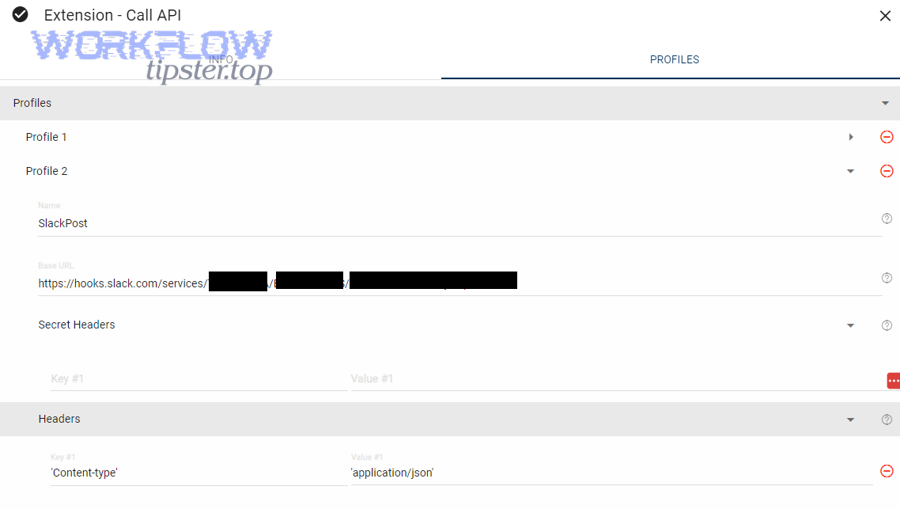
In practical terms, this error usually appears in three places:
- Direct API responses (HTTP 400-level errors) when you call Smartsheet from Postman, curl, or your code.
- Bridge run logs when a “Call API” step fails and the logged request body (or the tool’s “Body” editor) doesn’t match what Smartsheet expects.
- Integration middleware logs (Zapier-like systems, custom connectors, scripts) where the platform transforms your data before sending.
To keep your terminology consistent across the whole article: treat “Invalid JSON payload,” “Unable to parse request,” and “parse error” as synonyms for the same core symptom—Smartsheet can’t deserialize the body. The fix always starts with the same three checks: JSON validity, schema validity, and type validity.
How does Smartsheet interpret a “parse error” vs a “validation error”?
A parse error is about reading the request body into a usable object, while a validation error is about rejecting a readable object because it violates rules (missing required fields, invalid values, permission constraints, etc.).
However, in real-world smartsheet troubleshooting, the boundary can feel blurry because many “validation-like” problems are still reported as “Unable to parse request” when the server can’t confidently map your body to its expected structure. Here’s the practical comparison you can use in daily debugging:
- Parse error signals: malformed JSON (missing comma/bracket), JSON wrapped as a quoted string, invalid escapes, unexpected top-level type (object vs array), or unknown property names that break deserialization in stricter endpoints.
- Validation error signals: readable structure but unacceptable values (e.g., invalid enum), missing required object members that are checked after parsing, wrong IDs, wrong permissions, or rules specific to a column type.
More importantly, you should treat “parse vs validation” as a prioritization tool: if the server can’t parse the body, it can’t evaluate anything else. So you always fix structure and types first before you chase business logic issues.
Is an “Invalid JSON payload” error always caused by broken JSON syntax?
No—an “Invalid JSON payload” error is not always caused by broken JSON syntax, because (1) your JSON can be valid but shaped incorrectly for the endpoint, (2) your field names can be unrecognized, and (3) your values can be the wrong types even though the JSON is well-formed.
To bring this back to the pain point: many developers assume “invalid JSON” means they missed a comma. In Smartsheet, the more common reality is that the JSON parses fine in a generic validator, but it fails at Smartsheet because the request body doesn’t match the endpoint’s required shape. This is especially common in automations where values arrive as strings, nulls, or nested objects and then get inserted into the payload without normalization.
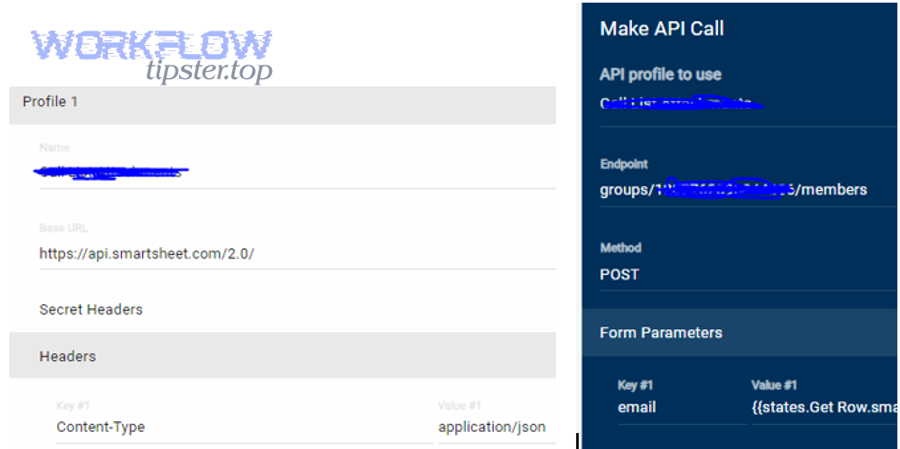
So the correct mental model is: “Invalid JSON payload” is a deserialization failure, and deserialization can fail for multiple reasons. If you follow a consistent Smartsheet troubleshooting workflow, you’ll isolate which reason applies in minutes rather than hours.
What quick checks confirm whether your JSON is syntactically valid?
There are 4 main quick checks to confirm JSON syntax is valid: (1) validate the raw body with a JSON linter, (2) confirm the top-level type (object vs array) matches the endpoint, (3) confirm you are sending raw JSON (not a quoted JSON string), and (4) confirm escaping/quotes are correct after templating.
To keep this fast and repeatable, use this checklist before you touch business logic:
- Check 1: Raw JSON — ensure the body starts with
{or[, not with a quote". If the whole payload is wrapped in quotes, Smartsheet will treat it as a string, not JSON. - Check 2: Balanced brackets — confirm every
{has a}and every[has a], especially when you assemble JSON via concatenation. - Check 3: Commas and trailing commas — trailing commas and missing commas are common when templates insert optional fields.
- Check 4: Escaping after interpolation — confirm that inserted values don’t introduce unescaped quotes or invalid escape sequences (e.g.,
\issues).
Once syntax is clean, move immediately to structure and type checks—because that’s where most Smartsheet parse failures live.
What are the most common payload mistakes that trigger Smartsheet “Unable to parse request”?
There are 3 main types of payload mistakes that trigger Smartsheet “Unable to parse request”: (1) wrong structure (nesting/shape), (2) wrong fields (unknown or missing properties), and (3) wrong types , typically caused by automation tooling or mapping.
To reconnect this to what you’re likely doing: Smartsheet APIs are strict about the “shape” of objects like rows and cells. If your payload is missing a required array, uses the wrong key name, or inserts null where the API expects a string, Smartsheet may not be able to deserialize the object at all. That’s why the fix is best approached as a classification problem: identify which family of mistake you’re dealing with, then apply the matching correction pattern.
The table below summarizes the most common failure patterns and the fastest fix route. It’s designed for quick scanning when you’re in the middle of smartsheet troubleshooting and need to move from “error message” to “specific correction” quickly.
| Symptom in Error/Logs | Likely Cause | Fastest Fix |
|---|---|---|
| Body starts with quotes or looks like JSON inside a string | JSON double-encoded or sent as a string (common in templating) | Send raw JSON object/array; remove wrapping quotes; ensure Content-Type is application/json |
| Works in Postman but fails in Bridge/integration tool | Tool is altering escaping, types, or headers | Capture raw outbound request; diff headers/body with working Postman request |
| “Unknown field” or “unrecognized property” patterns | Wrong key names or wrong nesting level | Align keys to endpoint schema; remove extra wrapper objects |
| “Unexpected type” patterns or silent parse failure | String vs boolean/number/date mismatch; nulls inserted | Normalize types before building payload; guard against null/empty |
Which field-name and nesting mistakes break Smartsheet requests fastest?
There are 4 frequent field-name and nesting mistakes that break Smartsheet requests fastest: (1) wrong top-level container (object vs array), (2) missing or misnamed key arrays (rows/cells), (3) incorrect nesting depth (cells not inside rows), and (4) using human-readable labels where IDs are required (e.g., column names instead of column IDs).
Smartsheet payloads are often modelled around IDs and arrays, so the easiest way to break a request is to remove the array layer or rename a key. Common examples include:
- Sending
"cells": {...}as an object instead of"cells": [...]as an array. - Nesting
cellsat the wrong level (e.g., top-levelcellswithout arowsarray). - Using
columnNameinstead ofcolumnIdwhere the API expects numeric IDs. - Adding an extra wrapper object like
{"data": {...}}because your integration tool standardizes payloads, but Smartsheet doesn’t expect it.
The fix is always the same: start from the endpoint’s canonical shape and ensure your payload matches it exactly—especially at the top level and array boundaries.
Which data-type mistakes are most likely in automations?
There are 5 data-type mistakes most likely in automations: (1) booleans sent as strings, (2) numbers sent as quoted strings, (3) nulls injected into required fields, (4) date/time values in inconsistent formats, and (5) complex objects inserted as “value” fields.
These mistakes happen because automation platforms often treat every field as text unless you enforce typing. A few patterns to watch:
- Boolean coercion:
"true"vstrue. If your tool produces strings, your payload can look correct but still fail deserialization. - Numeric coercion:
"123"vs123. If a field expects a number (like an ID), quoting it can cause parse/type failures. - Null propagation: A missing mapping becomes
null, which then lands in a place where Smartsheet expects a string or array. - Date/time ambiguity: “02/01/2026” might be interpreted differently across systems; send normalized formats consistently.
- Object-in-value: Some integrations insert
{"name":"X"}intovalueinstead of the scalar value Smartsheet expects.
This is also where specialized problems show up, such as smartsheet timezone mismatch troubleshooting when your integration generates date strings using a different timezone than your sheet’s expectation. Even if it’s not the root cause of a parse failure, it commonly appears as a “works sometimes” bug that makes payload debugging feel inconsistent.
Which header and transport mistakes make Smartsheet treat your JSON as “invalid”?
There are 3 header/transport mistakes that make Smartsheet treat JSON as “invalid”: (1) missing or incorrect Content-Type, (2) double-encoding or wrong body mode in the client/tool, and (3) hidden transformations (encoding/escaping) introduced by middleware.
In many stacks, the body is “valid JSON,” but the transport layer lies about what it is. For example, if you forget Content-Type: application/json, some clients may send the body as form-encoded or as plain text without the correct interpretation. In automation tools, another common issue is “body mode mismatch”: you paste JSON into a field that expects a string, so the platform automatically escapes it and sends a string literal.
To prevent these errors, treat headers and body mode as part of your payload contract. Always compare a failing request to a known-good request by diffing method, URL, headers, and raw body—not just the body editor view.
What is the correct Smartsheet request-body structure for the most common operations?
The correct Smartsheet request-body structure is the endpoint-specific JSON schema—typically a top-level object with required arrays and IDs—where operations like updating rows require a rows array containing row objects with a cells array, and sheet creation requires sheet-level properties plus column definitions.
To keep this actionable without turning the article into a copy of the API reference, focus on “conceptual shapes.” If your payload matches the conceptual shape, you can then fill in the correct IDs and values. When it doesn’t, Smartsheet can’t deserialize it and you get the parse error family again.
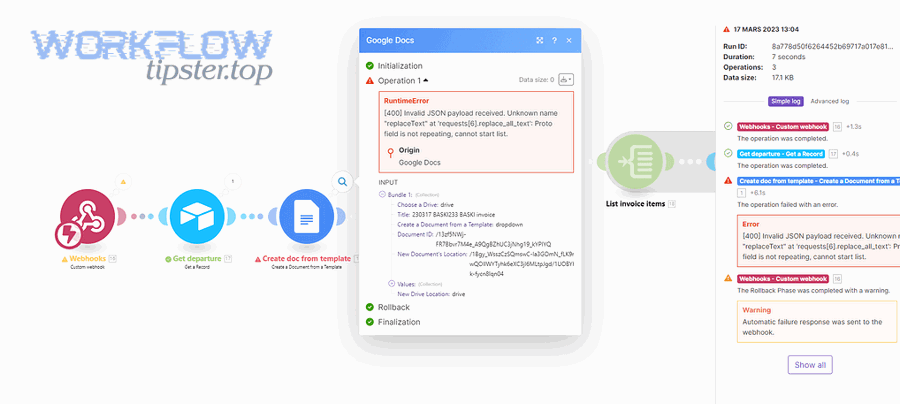
Here are the operations where invalid payload errors show up most often:
- Update rows / Add rows (rows + cells model)
- Create a sheet (sheet properties + columns + optional rows)
- Update sheet metadata (sheet-level object updates)
- Automation-related operations (rule/config objects that are strict about required fields)
What does a valid “update rows” payload look like conceptually (rows → cells → values)?
A valid “update rows” payload is a JSON object that contains a rows array, where each row contains identifiers (like row ID when updating) and a cells array, and each cell provides a columnId plus a scalar value or supported representation for that column type.
Conceptually, you should think like this:
- Rows is always a list: even if you update one row, you send an array so the API can process batches consistently.
- Cells is always a list: each cell update is an item in an array, not a keyed object map.
- IDs are not names: Smartsheet usually wants numeric IDs rather than display names, especially for columns.
- Values must be type-safe: a checkbox wants a boolean; a date wants a normalized date; some columns have special formatting rules.
If your integration sometimes sends “missing” fields as nulls or empty objects, you can fall into smartsheet missing fields empty payload troubleshooting territory: the structure exists, but one row or cell becomes effectively empty or type-invalid after mapping. The fix is to add guards in your mapping layer so you only send valid cells and you omit fields you cannot confidently populate.
How do “create sheet” payload requirements differ from “update rows” payload requirements?
Create sheet payloads emphasize sheet-level configuration (name, columns, optional defaults), while update rows payloads emphasize the rows/cells data model; create sheet is best for defining structure first, whereas update rows is best for changing values inside an existing structure.
In practice, this difference matters because developers often reuse a “rows payload builder” for sheet creation or reuse a “sheet builder” for row updates. When you cross these models, you introduce extra wrappers or missing arrays that cause deserialization failure. Keep your builders separate:
- Create sheet: focus on columns and the sheet’s foundational attributes; treat rows as optional and only add them once columns are correct.
- Update rows: focus on IDs (rowId, columnId) and cell values; don’t include sheet-level fields unless the endpoint supports them.
This is why a “template payload” approach often fails: different endpoints may reuse words like “name” or “id” but with different meanings and nesting expectations.
How do you troubleshoot and fix invalid-payload errors step-by-step?
You can troubleshoot and fix invalid-payload errors with a 6-step method: capture the raw outbound request, validate JSON syntax, confirm headers/body mode, verify endpoint schema shape, reduce to a minimal reproducible payload, and then rebuild incrementally until the request succeeds.
To reconnect this to the heading’s promise: the fastest way to stop guessing is to stop working from “what you intended” and start working from “what you actually sent.” Once you capture the raw request and compare it against a known-good shape, the fix becomes mechanical. Below is a detailed checklist you can reuse whenever Smartsheet returns a parse error.
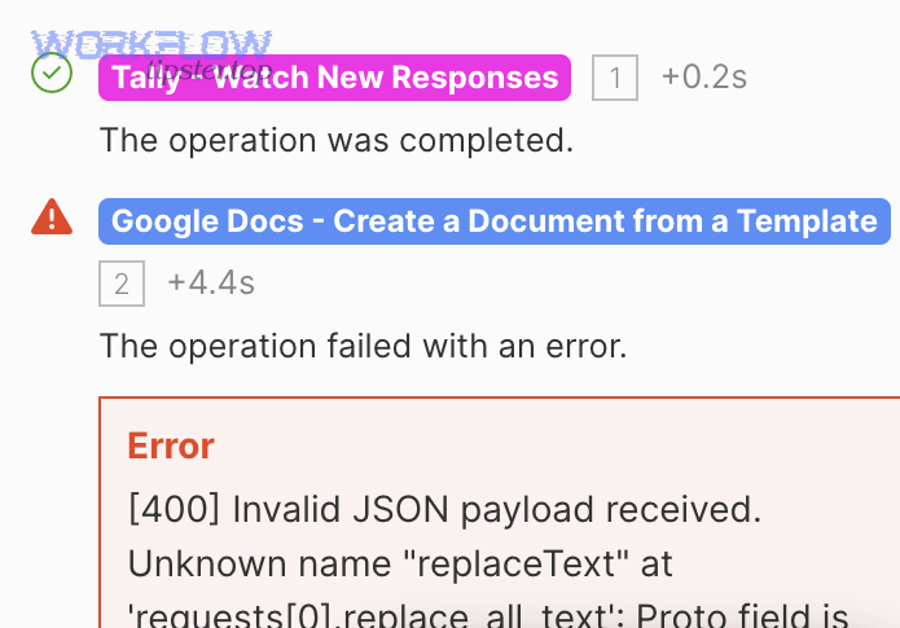
Step-by-step checklist (use in order):
- Capture the raw request (method, URL, headers, and body as actually sent).
- Validate JSON syntax using a JSON validator on the raw body.
- Confirm Content-Type and body mode (raw JSON, not form-encoded or string-escaped JSON).
- Verify endpoint schema (top-level type, required keys, required arrays).
- Reduce the payload to a minimal reproducible request (one row, one cell, no optional fields).
- Rebuild incrementally until you find the exact field/value that breaks parsing.
How do you capture the exact payload your tool actually sent (not what you intended to send)?
To capture the exact payload your tool actually sent, you must log or intercept the raw outbound HTTP request at the point of transmission (or as close as possible), including headers and the unmodified request body.
This step matters because UI editors and templating fields often display a “pretty” version that is not the transmitted version. In Bridge, for example, the body field can look correct while the platform escapes quotes behind the scenes. In code, you might be serializing an object twice. In middleware, a transformer might wrap your payload in {"data": ...}. Your goal is to obtain the payload in the exact bytes that went out.
Practical capture options include:
- Tool-native logs: detailed step logs that show the final request body and headers.
- HTTP inspection: proxies and interceptors that show the raw request.
- Application logs: before-sending logs in your own code that print the body string and headers.
Once you have the raw body, save it as “failing-payload.json” and never overwrite it. That file becomes your reference point for all debugging.
How do you reduce the request to a minimal reproducible payload to pinpoint the breaking field?
There are 3 main reduction strategies to pinpoint the breaking field: (1) remove optional fields, (2) shrink the batch to one row and one cell, and (3) apply binary removal to isolate the failing segment quickly.
When you reduce payloads, you’re trying to answer a single question: “What is the smallest payload that still fails?” That smallest failing payload tells you the failure is structural, type-based, or field-based—without the noise of dozens of fields. Use this reduction approach:
- Start with one operation: pick one endpoint and stick to it.
- Reduce rows to 1: even if your real workflow updates 200 rows, reduce to one.
- Reduce cells to 1: update a single column with a simple value.
- Remove optional metadata: strip anything not required by the endpoint.
- Add fields back one by one: when it breaks, the last addition is your culprit.
This approach prevents the most common time sink in API debugging: changing multiple variables at once and never learning which change mattered.
How do you map the error back to the exact schema rule you violated?
To map the error back to the exact schema rule you violated, compare your minimal failing payload to the endpoint’s expected shape and check each required key, array boundary, and value type until you can point to the exact mismatch (wrong key, wrong nesting, wrong type, or unexpected null).
Think of schema rules as “contracts”:
- Contract 1: Top-level type — object vs array.
- Contract 2: Required keys — missing keys can block parsing or subsequent validation.
- Contract 3: Array boundaries — rows and cells are arrays, not objects.
- Contract 4: Types — booleans, numbers, strings, and null must be where Smartsheet expects them.
If the failure appears only when you insert dynamic values, it’s usually a type or escaping issue. If it fails even with static values, it’s usually structure or field names. This mapping step turns “trial and error” into “contract verification,” which is the fastest way to resolve parse errors reliably.
What’s the difference between troubleshooting in Smartsheet Bridge vs Postman/direct API calls?
Bridge troubleshooting differs because Bridge can transform your request through templating, variable interpolation, and escaping, while Postman/direct calls send exactly what you specify; Bridge failures often come from double-encoding or type coercion, even when the same payload succeeds in Postman.
To connect this to the most common real-world scenario: you test in Postman, everything works, then you paste “the same payload” into Bridge and it fails. That usually means it was not actually the same payload on the wire. Bridge may have altered quotes, escaped characters, or substituted variables as strings. So the fastest fix is to compare raw outbound requests rather than comparing what you typed in each UI.

Here’s the practical difference you should keep in mind:
- Postman/direct: you control method/headers/body precisely; minimal “hidden transformations.”
- Bridge: templates can introduce escaped JSON; variables often arrive as strings; body editors may treat JSON as text; “helpful” formatting can become harmful.
Does Bridge ever send JSON as a string—and how do you prevent that?
Yes—Bridge can send JSON as a string when the body field is treated as text and the platform escapes your quotes, when you wrap the entire payload in quotes, or when your template produces a string literal instead of a JSON object; you prevent it by sending raw JSON, avoiding double quotes around the entire payload, and validating the final rendered body.
To reconnect this to the symptom: when JSON is sent as a string, the server receives something like "{ \"rows\": [...] }" instead of { "rows": [...] }. Smartsheet can’t deserialize a string into the expected object model, so you get parse failure behavior.
Prevention rules that work across most templating-based tools:
- Never wrap the entire payload in quotes just to “make it a string.” The server expects JSON, not a JSON-looking string.
- Insert variables safely: if a variable is numeric, insert it without quotes; if it is text, ensure it is escaped correctly.
- Validate the rendered result: copy the final body (after interpolation) into a JSON validator.
In many Bridge scenarios, this single change is the difference between hours of guessing and a stable integration.
How do you verify headers/auth in Bridge match the working Postman request?
There are 4 key checks to verify Bridge headers/auth match Postman: (1) method and URL match exactly, (2) Content-Type is application/json, (3) authorization header format is identical, and (4) no extra headers or wrappers are being injected by the tool.
Use a simple diff approach:
- Method: POST vs PUT matters; confirm the endpoint expects the method you’re using.
- URL: ensure there’s no missing path segment, wrong API version, or stray query parameter.
- Headers: confirm Content-Type and Authorization are present and spelled correctly.
- Body mode: ensure Bridge is sending raw JSON, not form fields or escaped text.
If you do this consistently, “works in Postman, fails in Bridge” becomes a solvable mismatch instead of an endless loop.
When should you stop tweaking the payload and escalate (support/logs/repro)?
Yes—you should stop tweaking the payload and escalate when (1) you have a minimal reproducible payload that still fails, (2) the same minimal payload succeeds outside your tool but fails inside it, and (3) your captured raw request proves the tool is changing the body or headers in a way you can’t control.
To reconnect this to your workflow: endless payload edits often mean you’re trying to fix a tooling or environment issue by changing data. Escalation is not “giving up”; it’s switching from “guessing in the dark” to “providing evidence.” The moment you can show a smallest failing request and a smallest working request, you’re in a strong position to get a precise answer quickly.
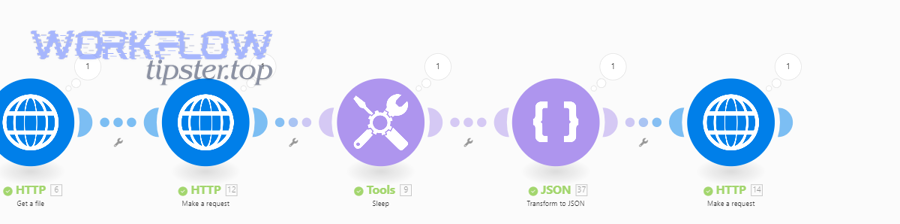
Escalation is especially appropriate if any of these are true:
- You suspect an authentication or permission edge case but the error presents as a parse failure.
- Your tool hides or truncates the outbound request so you can’t verify the true payload.
- The behavior changes between runs without changes to your payload (often a sign of templating or data mapping variance).
What information should you include in a support ticket or community post to get a precise answer?
There are 7 essential items to include for a precise answer: (1) endpoint + method, (2) timestamp and environment, (3) raw request headers (redacted), (4) raw request body (redacted), (5) exact error response, (6) minimal reproducible payload, and (7) confirmation of what works in Postman vs what fails in the tool.
This is the fastest way to move the conversation from “try this” to “here is the exact fix.” Include:
- Endpoint and method: for example, “Update rows via PUT/POST to the rows endpoint.”
- Raw body: paste the minimal failing payload in a code block in the community, with IDs redacted.
- Headers: include Content-Type and Authorization format (without secrets).
- Diff summary: explain exactly what differs between working and failing requests.
If you maintain a consistent internal practice for this, you’ll cut your resolution time dramatically. Many teams even keep a small “payload incident template” so every bug report is structured and complete.
What are advanced edge cases and prevention tactics for Smartsheet invalid-payload errors?
You can prevent Smartsheet invalid-payload errors long-term by hardening serialization (avoid double-encoding), normalizing types (especially booleans and dates), using “invalid vs valid” payload diffs to pinpoint failures, and adding validation gates/tests before any automation sends data to Smartsheet.
To shift into micro-level semantics: once the main fix workflow is done, your biggest remaining risk is edge cases that look “fine” in the UI but break in transit—encoding, escaping, timezone drift, and missing fields becoming null. These are the issues that make integrations feel unreliable even when the main payload shape is correct. If you address these systematically, you’ll move from reactive debugging to proactive prevention.

Which rare serialization issues cause “valid-looking” JSON to fail (encoding, escaping, double-encoding)?
There are 4 rare serialization issues that cause valid-looking JSON to fail: (1) double-encoding JSON into a string, (2) broken escaping introduced by templates, (3) hidden non-UTF-8 characters or wrong charset, and (4) invisible control characters from copied content.
These problems are “rare” only in manual testing; they’re common in automation at scale. Watch for:
- Double-encoding: your code serializes an object to JSON, then wraps that JSON inside another JSON string.
- Template escaping: variables containing quotes or backslashes break the JSON unless they’re escaped properly.
- Charset mismatch: special characters in names or descriptions become corrupted in transit.
- Hidden characters: copy/paste can introduce non-printing characters that break parsing.
A strong prevention tactic is to log the outbound body and run it through a validator automatically in non-production environments. This one habit catches the “looks fine in the editor, fails on the wire” class of bugs early.
What are the most overlooked Smartsheet cell-value pitfalls (null vs empty, dates, booleans, multi-select, contacts)?
There are 5 overlooked cell-value pitfalls: (1) null vs empty string mismatch, (2) inconsistent date/time formats, (3) boolean coercion into strings, (4) multi-select and special column formats requiring specific representations, and (5) contact-like values that need consistent formatting.
This is where targeted practices like smartsheet timezone mismatch troubleshooting save a lot of time. A date that looks correct in your local time can become the wrong date after conversion, and then the integration team tries to “fix” the payload shape when the real fix is type normalization and consistent timezone strategy.
Practical normalization rules that reduce failures:
- Null handling: if a value is missing, omit the cell update rather than sending null into a required scalar field.
- Date/time strategy: standardize one timezone for generation (often UTC) and format consistently; don’t mix local formats across tools.
- Boolean strategy: enforce real booleans in your mapping layer; never pass “true/false” strings unless the endpoint explicitly expects strings.
- Multi-select consistency: ensure you’re passing what the column expects; don’t insert arrays where a string is expected (or vice versa).
If you’ve ever run into “it fails only for certain rows,” this section is usually the reason: one row contains a null, a special character, or a date that your mapper formats differently.
How can “invalid payload” vs “valid payload” examples speed up debugging for key endpoints?
“Invalid payload” vs “valid payload” examples speed up debugging because the valid version isolates the exact structural and type differences that allow Smartsheet to deserialize the request, while the invalid version highlights the minimal change that triggers the parse failure.
Instead of rewriting everything, use an antonym-style diff approach:
- Invalid: JSON string wrapped in quotes → Valid: raw JSON object.
- Invalid:
cellsas object → Valid:cellsas array. - Invalid:
"columnId":"123"→ Valid:"columnId":123(if numeric is required). - Invalid:
"value":"true"→ Valid:"value":true.
This approach is especially powerful when combined with minimal reproducible payloads: you keep the entire request identical, change only one detail, and observe whether Smartsheet can parse it. That single-variable discipline produces reliable conclusions fast.
How do you design automations to prevent invalid JSON payloads long-term (validation gates, schemas, tests)?
There are 4 long-term design strategies to prevent invalid JSON payloads: (1) introduce validation gates before sending, (2) enforce typed mapping (schema-aware transformation), (3) add automated tests for payload builders, and (4) implement structured logging and safe rollback for changes.
Here’s what “prevention engineering” looks like in practice:
- Validation gates: validate JSON syntax and enforce “top-level type + required keys” checks before any request is sent.
- Schema-aware mappers: instead of assembling JSON with string concatenation, map strongly typed objects to JSON with a serializer that preserves types.
- Tests: keep a small set of canonical “golden payloads” and test that your builder produces the same shape; include cases for nulls, dates, and special characters.
- Logging: log raw outbound requests (redacted) with correlation IDs so you can reproduce issues quickly.
If you run a content or automation team that supports multiple integrations, you can also document these prevention tactics as a reusable playbook. For example, a “WorkflowTipster” internal guide can standardize how your team validates payloads, handles nulls, and resolves “works in Postman” mismatches—so every new automation starts from proven patterns rather than rediscovering the same pitfalls.
In short, once you treat invalid-payload errors as a predictable class of failures with repeatable causes, you’ll solve them faster today—and prevent them tomorrow.