


If you’re seeing a microsoft teams invalid json payload error, it almost always means the request body is not parseable JSON or the JSON is valid but fails the schema that Teams expects for that specific endpoint (Incoming Webhook, Workflow/Connector, Bot/Graph posting, or Adaptive Card).
In practical Microsoft Teams Troubleshooting, the fastest win is to determine where the payload is being posted (Webhook URL, Graph API, bot framework, or an automation platform), then validate the raw body bytes (encoding, escaping) before you touch business logic.
Next, you’ll want to isolate whether the problem is syntax (malformed JSON), transport (wrong headers, compression, proxy rewriting), or contract (valid JSON but wrong keys/types for MessageCard/AdaptiveCard). That distinction prevents hours of guessing.
To begin, we’ll walk from root causes to a repeatable step-by-step workflow, then expand into edge cases like adaptive card versioning, multi-line strings, and automation “wrappers” that silently mutate your JSON. Giới thiệu ý mới: below is a structured, integration-ready approach you can reuse across environments.
Why does Microsoft Teams return an invalid JSON payload error?
It returns “invalid JSON payload” when Teams cannot parse the request body as JSON or when the JSON is valid but structurally incompatible with the endpoint’s expected schema. Tiếp theo, you should classify the failure by endpoint and by validation stage (parser vs schema).
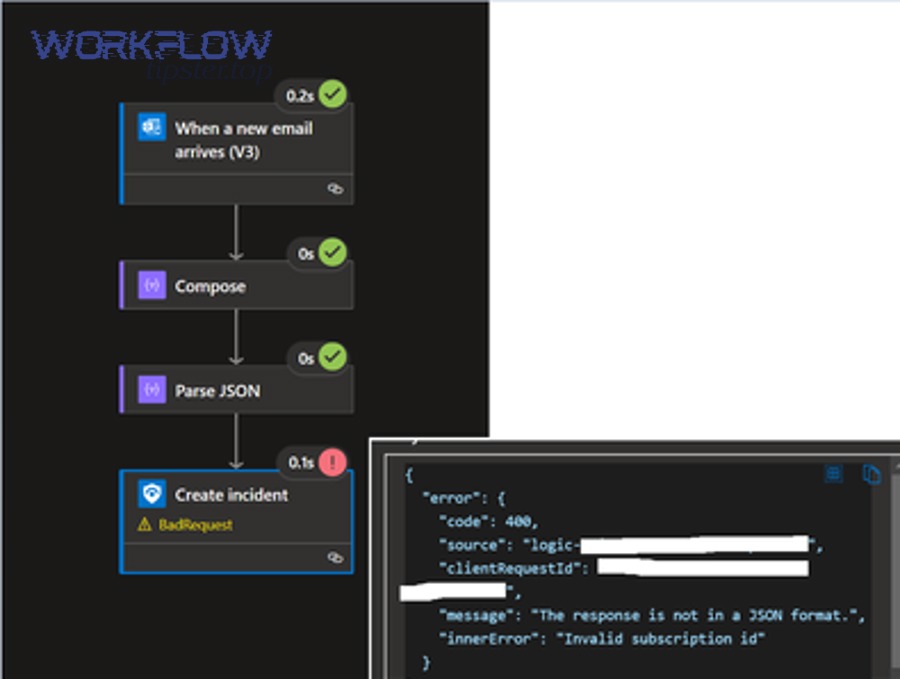
Teams integrations commonly involve one of these posting paths: an Incoming Webhook URL, a workflow connector endpoint, or an API-mediated posting path (such as a bot or Graph). The same phrase “invalid JSON payload” can surface across multiple paths, but the validation rules are not identical.
Cụ thể, Teams first performs a low-level JSON parse: unmatched braces, invalid quotes, trailing commas, broken escape sequences, or invalid UTF-8 will fail here. If parsing succeeds, Teams may then enforce a schema: required properties, allowed property names, types (string vs object), and maximum lengths.
- Parser failures: the body is not valid JSON bytes (often due to escaping or encoding).
- Schema failures: JSON is valid, but Teams rejects it because it’s missing required fields or uses the wrong card format.
- Transport-related failures: a proxy, middleware, or automation tool changes the body or headers before it reaches Teams.
Tóm lại, you should treat “invalid JSON payload” as a signal to inspect the payload at the final hop, not just the payload you think you sent.
How does microsoft teams troubleshooting identify the failing endpoint and contract?
You can identify the failing contract by mapping the exact URL you post to and matching it to the expected payload format for that integration type. Để bắt đầu, capture the full request (URL, headers, body) at the last outbound step.

Start with a simple classification that immediately narrows scope:
- Incoming Webhook: typically expects an Office 365 Connector-style message card (MessageCard) or a Teams-accepted schema variant depending on the webhook type.
- Workflow/Connector action: may expect a specific JSON wrapper, often different from a raw card payload.
- Bot/Graph posting: usually expects a message object that may embed an Adaptive Card within an attachments array.
Ví dụ, an “Incoming Webhook” style message is often a “card-first” payload, while Graph-based posting is “message-first,” where the card is a nested attachment. If you post a Graph-style payload to a webhook URL (or vice versa), your JSON may still be syntactically valid but semantically invalid for that endpoint.
To make this operational, collect three artifacts for every failure: (1) the outbound URL, (2) the raw body exactly as sent on the wire, and (3) the response status + response body from Teams (even if brief). Sau đây, you’ll use those artifacts to decide whether you are fixing JSON syntax, schema, or transport.
What is the fastest way to confirm whether the payload is valid JSON?
The fastest way is to validate the raw request body with a strict JSON parser and ensure it is UTF-8 encoded without hidden characters. Cụ thể, validate the exact bytes you send, not the templated representation in your editor.
Common pitfalls include “smart quotes” copied from rich text editors, invisible non-breaking spaces, and accidental trailing commas introduced by templating or string concatenation.
Which payload shapes are most commonly confused in Teams integrations?
The most commonly confused shapes are “Webhook card payloads” versus “API message payloads,” especially when Adaptive Cards are involved. Trong khi đó, the accepted fields and nesting differ significantly across these shapes.
How do you know if it’s a schema mismatch rather than broken JSON?
If Teams (or your automation platform) confirms the JSON parses but still errors, it is usually a schema mismatch: missing required keys, wrong types, or unsupported card schema/version. Để hiểu rõ hơn, you must compare the payload to the correct format for that endpoint.
What JSON rules matter most for Teams webhooks and card payloads?
The most important rules are strict quoting, proper escaping, correct nesting for objects/arrays, and ensuring every string field is truly a JSON string (not an unescaped multi-line fragment). Bên cạnh đó, you must avoid sending nulls or unexpected objects where Teams expects strings.
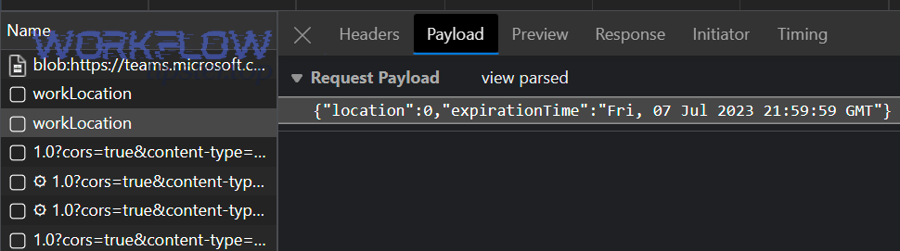
In practice, the failures cluster into a few “high-frequency” causes:
- Unescaped quotes inside text fields (e.g., product names, user input, or HTML fragments).
- Broken newlines when you build JSON via string concatenation (actual line breaks instead of “\n”).
- Trailing commas in objects/arrays after conditional templating.
- Numbers vs strings: IDs or prices sent as numbers where a string is expected (or vice versa).
- Invalid characters due to encoding problems (especially when mixing languages or emoji).
Để minh họa, if your “text” field contains user input like: He said “hello”, that quote must be escaped in JSON. If it is not, the JSON parser fails immediately and you see “invalid JSON payload.”
Below is a quick reference comparison. This table contains the most common “contract differences” that cause valid JSON to be rejected, so you can spot schema mismatches early.
| Integration Target | What the top-level JSON typically represents | Where the card content usually lives | Common mismatch symptom |
|---|---|---|---|
| Incoming Webhook | Card payload | Top-level fields like “type”, “text”, “sections”, or a webhook-accepted schema | Valid JSON but “invalid JSON payload” due to unsupported keys or wrong schema |
| Graph/Bot message | Message envelope | Nested under an attachments array as an Adaptive Card | Card posted at top-level gets rejected even though JSON is valid |
| Automation connector action | Tool-specific wrapper | Often inside a mapped field or a “body” property | Tool serializes objects twice or converts objects to strings incorrectly |
How do escaping and multi-line strings break Teams payloads?
Escaping breaks payloads when your generator produces raw line breaks or unescaped quotes inside JSON strings. Cụ thể, multi-line templating often injects newline characters that aren’t properly represented as “\n” within a JSON string.
Instead of building JSON with concatenated strings, generate a native object (in your runtime), then serialize it once using a JSON library. Tiếp theo, log the serialized output exactly as sent.
What about HTML, Markdown, or special characters in “text” fields?
Special characters are fine if they remain valid UTF-8 and properly escaped in JSON. Ngoài ra, the bigger risk is embedding raw HTML/Markdown that includes quotes, backslashes, or template delimiters.
How do headers, content type, and proxies trigger “invalid JSON payload”?
Headers and transport trigger this error when Teams receives a body that doesn’t match the declared content type, is compressed unexpectedly, or is altered by a proxy/middleware. Quan trọng hơn, a “valid JSON string” can become invalid if a gateway injects characters or changes encoding.

Even when your JSON is correct, Teams may reject it if the request metadata is inconsistent:
- Content-Type not set to a JSON media type (or set inconsistently across hops).
- Double-encoding: the payload is already JSON, but you send it as a string inside another JSON field unintentionally.
- Compression: the body is gzip/deflate but the receiver doesn’t interpret it as such (or a proxy decompresses incorrectly).
- Proxy rewriting: security gateways can normalize quotes, strip characters, or alter line endings.
Để bắt đầu, verify what is actually sent: capture the outbound request via your runtime logs, a request inspector, or a network capture in the same environment where it fails (dev vs prod can differ).
How can “double serialization” create an invalid payload?
Double serialization happens when you serialize an object to JSON, then serialize that JSON string again as a string field. Ngược lại, Teams expects an object, but receives a quoted string that contains JSON text.
This often appears in automation tools where a “JSON module” outputs an object, but a later “text field” mapping converts it back to a string with extra quotes and escapes.
Why do some payloads work in Postman but fail in production?
They work in Postman because Postman sends clean UTF-8 JSON with predictable headers, while production pipelines may add proxies, WAF rules, transformations, or encoding differences. Hơn nữa, production may insert dynamic content that introduces unescaped characters.
How do Adaptive Cards and schema versions cause silent rejection or “invalid JSON payload”?
Adaptive Cards cause this when the card JSON is valid but uses unsupported versions, invalid element structures, or property types that Teams does not accept in that posting context. Tiếp theo, you should validate the card schema separately from the message envelope.

Adaptive Cards introduce a second layer of structure inside your payload. A typical pattern is: message envelope → attachments array → contentType → content (Adaptive Card JSON). If any part of that nesting is wrong, Teams may surface a generic “invalid JSON payload,” even though the outer JSON parses.
Cụ thể, card-related issues often come from:
- Card version mismatches: specifying a version not supported for the target client.
- Invalid element arrays: using an object where an array is required (or vice versa).
- Wrong property types: numbers where strings are required, or nulls where objects are required.
- Unsupported features in that delivery channel (some properties work in bots but not in webhooks, depending on implementation).
To reduce guesswork, validate the Adaptive Card JSON independently, then validate the full message wrapper independently. Sau đây, always test with the smallest possible card, then add components incrementally until the failure reappears.
What is the minimum viable card strategy for debugging?
The minimum viable strategy is to send a minimal message with a single simple text element, confirm delivery, then add one component at a time. Để minh họa, add actions last, since actions frequently introduce nested objects and arrays.
How do “attachments” and “contentType” mistakes show up?
They show up as a generic payload rejection because Teams cannot interpret the nested card content. Bên cạnh đó, a wrong “contentType” string can make Teams treat a card object as an unknown structure, triggering the same error category.
How do automation platforms mutate JSON and create invalid payloads?
Automation platforms create invalid payloads when they coerce types, strip nulls, re-escape strings, or inject wrappers that change your intended structure. Đặc biệt, “mapping” steps that look harmless in the UI can double-encode JSON.

This is where many teams get stuck: you validate JSON in your editor, but the platform sends a different body. The core defense is to inspect the final outbound request body exactly as posted.
Here are the most common automation-related failure patterns:
- Object-to-text conversion: the platform converts an object to a string representation, adding quotes and escaping.
- Implicit arrays: single objects are wrapped into arrays (or arrays collapsed) during mapping.
- Null handling: optional fields become “null” instead of being omitted, and the endpoint rejects null types.
- Template injection: text templates insert quotes, braces, or line breaks into JSON fields.
In long-running automation chains, the root symptom can look like microsoft teams tasks delayed queue backlog even when the primary failure is a malformed outbound body created at the final step. In that situation, slow retries and queued runs can mask the real cause until you inspect a single failed execution’s raw request.
Similarly, teams sometimes label an incident as Microsoft Teams Troubleshooting broadly, but the fastest fix is to identify the exact step that changes the payload from “object” to “string.” Tiếp theo, lock down that boundary by forcing a single JSON serialization at the last possible moment.
What is the safest way to build Teams payloads in automation tools?
The safest way is to build a native object in the tool’s JSON/object builder, avoid manual string concatenation, and ensure the final HTTP step sends the object as JSON without additional encoding. Cụ thể, you want exactly one serialization event.
How do field mappings introduce subtle schema violations?
Field mappings introduce violations when they change types (number to string), drop required properties, or inject empty objects into places Teams expects strings. Ngoài ra, auto-trim or auto-format operations can break escaping inside text fields.
How do authentication and permission errors get misdiagnosed as JSON problems?
They get misdiagnosed when the integration layer converts an auth failure into a generic error message, or when a failing token exchange returns HTML/text that your pipeline forwards as if it were JSON. Hơn nữa, the next hop may interpret that non-JSON error body as the payload.

If your workflow first calls an auth endpoint (to get a token) and then posts to Teams, a token failure can poison the pipeline:
- The token request fails, returning an error response body.
- Your automation stores that body in a variable (expecting JSON).
- The post-to-Teams step sends that variable as the JSON body.
- Teams rejects it as “invalid JSON payload” because it’s actually an HTML or text error.
This is where phrases like microsoft teams oauth token expired become operationally relevant: the token error is the root, but the observed symptom downstream is invalid JSON because you forwarded a non-JSON error payload. The same applies when you hit microsoft teams permission denied in a prior call and the pipeline accidentally posts the permission error body to Teams.
Để bắt đầu, ensure your pipeline stops on auth failure and never “continue with empty” into the Teams post step. Then, log both the token response status and the Teams post request body for the failing execution.
How do you distinguish “permission denied” from “invalid JSON payload” quickly?
You distinguish them by checking whether the Teams endpoint actually received a JSON body or an error blob. Cụ thể, inspect the outbound request body: if it includes HTML tags or plain-text error content, you have an upstream auth/permission issue masquerading as JSON failure.
Why can a correct payload fail only for certain users or tenants?
It can fail for certain users when a connector is restricted, a tenant policy blocks the integration, or the automation runs under a principal with different permissions. Trong khi đó, your test account may have privileges that your production identity lacks.
What step-by-step workflow fixes most “invalid JSON payload” issues?
The most reliable workflow is a 7-step loop: capture raw request, validate JSON bytes, validate schema for the endpoint, shrink to a minimal payload, reintroduce fields incrementally, harden serialization, and add runtime guards. Sau đây, follow the steps in order to avoid circular debugging.

- Capture the exact outbound request: URL, headers, and raw body at the last hop before Teams.
- Validate JSON strictly: confirm the raw body parses as JSON (not “looks like JSON”).
- Confirm UTF-8 encoding: ensure your body bytes are valid UTF-8 and not double-encoded.
- Match the endpoint contract: webhook card vs API message vs automation wrapper.
- Reduce to a minimal payload: remove optional fields until it posts successfully.
- Add fields back incrementally: one field or block at a time until it breaks again.
- Harden generation: build objects natively, serialize once, and sanitize user input.
To make the loop repeatable across teams, standardize what you log on failure: (a) a request ID, (b) the serialized payload length, (c) a checksum of the payload string, and (d) the first 200 characters of the body (careful with secrets). Tiếp theo, you can correlate failures across environments without exposing sensitive content.
Which three checks find the highest percentage of issues fastest?
The three fastest checks are: (1) ensure no unescaped quotes/newlines exist in strings, (2) ensure you are not double-serializing JSON, and (3) ensure the payload shape matches the endpoint (webhook vs API). Tóm lại, these three checks eliminate most recurring failures.
How do you safely sanitize dynamic text fields without breaking formatting?
You sanitize safely by applying JSON-string escaping (quotes, backslashes, control characters) and normalizing line endings, then letting the JSON serializer handle the final encoding. Cụ thể, do not manually “escape once” and then serialize again, because that can create double-escaping.
How can you prevent invalid JSON payload errors long-term?
You prevent them by enforcing schema validation pre-send, using typed payload builders, adding guardrails for dynamic content, and implementing contract tests for each Teams endpoint you use. Ngoài ra, you should treat “payload generation” as a versioned component, not ad-hoc templating.
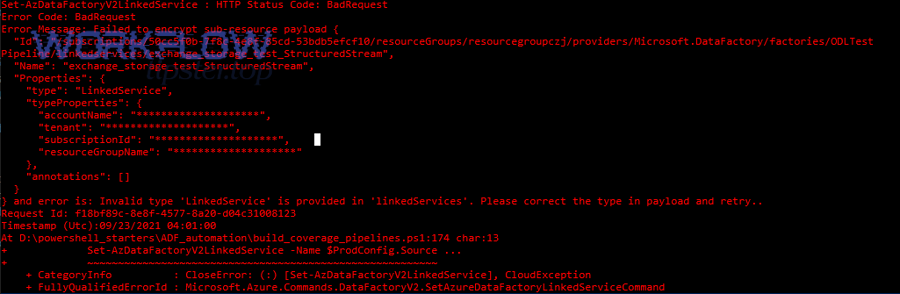
Long-term prevention is a mix of engineering discipline and integration hygiene:
- Typed builders: define a payload model (even if lightweight) for each integration target.
- Schema checks: validate required fields and types before sending.
- Input contracts: constrain user-generated strings (length, allowed characters, normalization).
- Regression fixtures: keep a set of known-good payload samples and test them after any change.
- Observability: log the final serialized payload metadata (size, hash) and response status.
When Teams behaviors change (client updates, connector changes, policy changes), these controls help you identify whether the break is in payload, transport, or platform constraints—without rewriting everything. Quan trọng hơn, prevention reduces production incidents caused by a single unexpected character in dynamic content.
FAQ: What are the most common questions about Teams “invalid JSON payload” errors?
Yes—there are predictable, recurring questions, and each maps to a specific failure mode you can test quickly. Để hiểu rõ hơn, use the Q&A below to jump straight to the right diagnostic check.
Can valid JSON still be rejected as “invalid JSON payload”?
Yes, because “invalid” can mean “invalid for the expected schema,” not only “unparseable.” Cụ thể, if you post a message-envelope payload to a webhook URL, Teams may reject it even though it is perfectly valid JSON.
Why does the error appear only when certain characters or emojis are included?
Because encoding or escaping is breaking—either the string isn’t UTF-8 clean, or your pipeline injects control characters or unescaped sequences. Ngoài ra, some systems silently transform quotes or line endings, which can break JSON strings.
Why do retries make the situation worse?
Because retries can create run congestion and increase difficulty in isolating the first bad payload. Trong khi đó, you may end up debugging the “queue symptoms” rather than the single malformed body that triggered the first failure.
Should I switch from manual JSON templates to a JSON builder?
Yes, in most cases: a builder reduces escaping and type coercion errors by letting a serializer produce valid JSON consistently. Tóm lại, one-serialization-only is the safest operating principle.
Contextual border: The sections above cover the core troubleshooting loop (parser vs schema vs transport). The following section expands into advanced, less common scenarios—use it when the standard checks still don’t explain the failure.
Advanced edge cases: strict parsing, timeouts, and message constraints
Advanced cases usually involve payload size limits, nested card complexity, upstream error forwarding, or time-dependent behaviors that change the body content at runtime. Tiếp theo, focus on eliminating hidden transformations and establishing deterministic payload construction.
What happens when payloads are too large or too complex?
When payloads exceed platform constraints, some intermediaries truncate the body, producing incomplete JSON that fails parsing. Cụ thể, a cut-off closing brace will surface as “invalid JSON payload,” even though your generator produced valid JSON before truncation.
How do timeouts and retries change payload content?
Timeout logic can re-run steps that append fields, duplicate arrays, or attach logs, causing the second attempt’s payload to differ. Ngoài ra, if your workflow adds “debug blocks” on error paths, retries can create unexpected JSON growth and structure changes.
How do you handle error bodies being forwarded into Teams by mistake?
You handle it by adding strict guards: only proceed to the Teams post if the upstream step returns a success status and a verified JSON object (not raw text). Cụ thể, enforce “type checks” in your workflow so HTML/text never reaches the Teams post action.
Is there a practical way to test payloads quickly without building a full app?
Yes: use a minimal HTTP sender that posts a known-good payload, then swap in your generated payload and compare the raw bodies byte-for-byte. Tổng kết lại, the goal is deterministic reproduction and controlled delta testing.