Google Chat API limit exceeded usually means your app sent requests faster than Google Chat’s quotas allow, so the backend protects the service by returning a 429 response instead of processing more traffic.
Next, you need to pinpoint which quota you actually hit—per-project, per-space, or per-user—because each one fails for different reasons and needs a different throttling strategy.
Then, you must implement a safe retry strategy (truncated exponential backoff + jitter) and redesign bursts (queues, batching, token buckets) so you stop creating self-inflicted retry storms.
Introduce a new idea: once you can reliably stay under limits, you can separate rate-limit errors from auth/permission and upload failures—so you fix the right root cause every time.

Is “Google Chat API limit exceeded” always a 429 rate limit error?
No—although it is most commonly a 429 “Too Many Requests” response, “limit exceeded” can also be reported in logs and client libraries as “resource exhausted” or “quota exceeded,” and the fix depends on which quota scope you hit and how you retried.
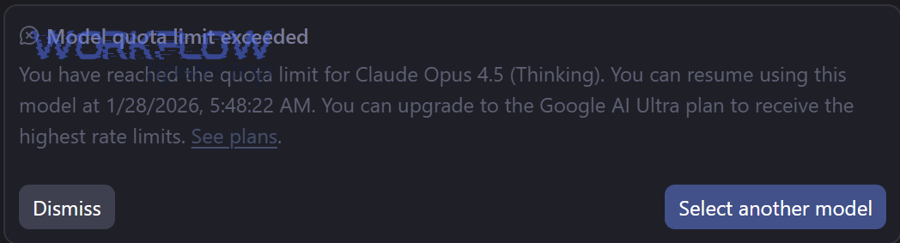
To better understand why this happens, start by treating the error as a symptom of request pacing rather than a one-off failure, and verify the quota scope before changing anything else.
Can per-space quotas trigger 429 even if your project quota is high?
Yes—per-space quotas can trigger 429 even when your project still has capacity, because multiple apps and automations may share the same space-level limit and your app can be throttled by aggregate traffic in that space.
Specifically, this means you should measure request volume per space and throttle by space ID, not only by project or API method.
- What to check: spikes that correlate with one busy space, or a single room used as an automation “hub.”
- What to change: add a per-space queue (one worker per space) and a per-space token bucket to smooth writes.
- What to expect: fewer clustered 429s, more stable latency, and less retry amplification.
Does parallel message sending increase the chance of hitting the limit?
Yes—parallel message sending increases the chance of hitting limits because concurrency creates bursts, and bursts are exactly what rate limiting is designed to stop.
For example, a fan-out workflow that posts to many threads at once can exceed writes-per-second before you ever reach per-minute quotas.
- Common burst sources: parallel webhooks, multi-threaded workers, “send to many spaces” loops, and retry-on-timeout logic.
- Practical control: cap concurrency (e.g., 1–3 in-flight writes per space), and use a global “in-flight” guard for attachment uploads.
Should you retry immediately after a 429 response?
No—you should not retry immediately after a 429 response because immediate retries recreate the same burst and can turn a temporary throttle into a sustained outage for your own app.
Instead, use a backoff schedule with jitter and treat 429 as a signal to reduce request rate until the system recovers.
Evidence: According to Google’s Chat API usage limits documentation from Google for Developers, exceeding quotas returns a 429 “Too many requests” response and Google recommends exponential backoff to retry, which implies retries must be delayed and spread out rather than immediate.
What does “Google Chat API limit exceeded” mean in Google Chat API terms?
“Google Chat API limit exceeded” means your Chat app crossed a published or internal quota that governs request rate, so the API rejects additional calls with a throttle response to protect shared service performance.
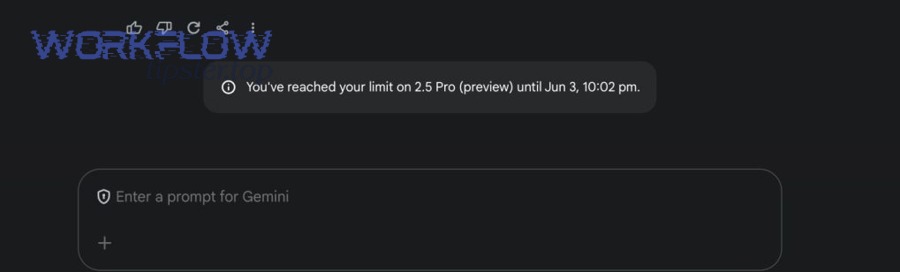
Next, translate the error into quota language—scope (project/space/user), method type (read/write), and time window (per second/per minute)—so your mitigation targets the right constraint.
What quota types exist: per-project, per-space, per-user?
There are three main quota types—per-project quotas (shared by one Google Cloud project), per-space quotas (shared within a single space across apps), and per-user quotas (when acting on behalf of a user identity)—and each one can independently trigger throttling.
More specifically, a single workflow can hit multiple quotas at once: a burst of writes can trip per-space writes/second while still being under per-project writes/minute.
- Per-project: controls how fast your app can call specific methods overall.
- Per-space: controls how fast all activity in one space can be read/written.
- Per-user: controls rate when calls are performed on behalf of a user identity.
What is the difference between writes vs reads limits?
Writes limits constrain actions that change state (create/patch/delete messages, upload media), while reads limits constrain retrieval (get/list messages, download media), and writes are typically far tighter per second because they create more downstream work.
In addition, your design should treat “write paths” as scarce resources: prioritize, queue, and collapse duplicate writes, while keeping reads efficient with pagination and caching.
What are the most common causes of Google Chat API limit exceeded?
There are four common cause groups for Google Chat API limit exceeded: bursty traffic, heavy media/attachments usage, inefficient polling/pagination patterns, and space-level contention where multiple automations compete in the same room.
Then, map the cause to a control lever—reduce burst size, reduce concurrency, reduce repeat requests, or isolate traffic per space—so the fix is structural rather than cosmetic.
Burst traffic and fan-out automations
Burst traffic happens when your app produces many requests in a short interval, such as posting to multiple spaces, replying in multiple threads, or processing a backlog after downtime.
To illustrate, a backlog “catch-up” job can turn minutes of stored events into seconds of outgoing calls if you don’t throttle the drain rate.
- Fix pattern: queue + steady drain rate (tokens/second), not “flush all now.”
- Best lever: per-space worker + global concurrency cap.
- Anti-pattern: retry loops that multiply traffic during throttling.
Attachment uploads and media endpoints
Attachment uploads are a frequent trigger because media flows add extra endpoints (upload/download) and can concentrate load when multiple users share files at the same time.
Especially, if you upload attachments in parallel while also writing messages, you can exceed a tight per-space write budget even when message text volume is modest.
- Fix pattern: serialize uploads per space, or use a separate “media lane” with strict concurrency limits.
- Operational tip: if uploads fail intermittently, don’t assume it’s always throttling—verify whether it matches google chat attachments missing upload failed behavior before retrying aggressively.
Misconfigured pagination or polling loops
Pagination and polling loops cause limit exceeded when they re-fetch the same pages too frequently, or when they ignore nextPageToken semantics and turn a list call into a tight loop.
Meanwhile, real-time designs that poll every second across many spaces can create a sustained read load that hits per-space reads/second.
- Fix pattern: cache results, use incremental cursors, and back off polling frequency when nothing changes.
- Guardrail: enforce “minimum poll interval per space” and a circuit breaker when 429 rate rises.
Shared space contention between multiple apps
Shared space contention happens when multiple bots, workflows, or integrations post to the same space, so your app’s requests are throttled by traffic you don’t control.
In short, you must engineer for the shared environment by rate-limiting per space and by gracefully degrading output (fewer posts, more summarization) during peak activity.
How do you fix Google Chat API limit exceeded with exponential backoff?
The fastest reliable fix is to implement truncated exponential backoff with jitter in 5 steps so your retries slow down quickly, avoid synchronized collisions, and recover automatically once the quota window resets.
Below, treat backoff as part of your normal control plane: it protects both Google Chat and your own infrastructure from a retry storm.
What is truncated exponential backoff with jitter?
Truncated exponential backoff with jitter is a retry method that increases delay exponentially after each 429, caps the delay at a maximum value, and randomizes the wait time so many clients do not retry at the same moment.
Specifically, jitter is what breaks synchronization: without it, thousands of workers can line up and hammer the API at the same retry boundaries.
- Example schedule: base 1s → 2s → 4s → 8s → 16s (cap), each time randomized within a range.
- Why truncation matters: it prevents delays from growing without bound and keeps user-perceived latency predictable.
Evidence: According to an MIT PRIMES 2024 research report from the MIT Department of Mathematics program materials, retry strategies discussed for distributed systems include exponential backoffs with random jitter, indicating jittered exponential backoff is a recognized approach to reduce harmful retry patterns in dynamic systems.
How many retries and what max backoff should you use?
A practical default is 5–8 retries with a max backoff of 16–60 seconds, because this usually spans at least one quota window while limiting worst-case user delay and preventing runaway retry cost.
However, the correct values depend on whether the call is user-facing (tight latency budget) or batch/backfill (looser latency budget).
- User-facing: 5 retries, cap 16–30s, then fall back to a “try later” message or enqueue for async delivery.
- Batch/backfill: 8–10 retries, cap 60–120s, and slow the queue drain rate globally when 429 rate rises.
- Hard rule: never allow unbounded retries; always enforce a retry budget.
How do you handle Retry-After and idempotency?
You should honor Retry-After when present and make retries idempotent (or safely de-duplicated) so repeated attempts do not create duplicate posts or inconsistent state.
More importantly, idempotency is what lets you retry confidently: you either reuse a request key or store a message “intent” record and only publish once.
- Idempotency key: generate a deterministic key per business event (space + thread + eventId).
- De-dup store: keep a short TTL cache of keys you’ve already posted.
- Retry lane separation: use a dedicated retry queue so retries don’t block fresh work.
How can you redesign your workflow to stay within Google Chat API quotas?
You can stay within Google Chat API quotas by redesigning traffic in three layers—request shaping (debounce/batch), execution control (queues), and admission control (token bucket)—so your system never produces bursts larger than the API can absorb.
Then, connect each control to a metric (requests/sec per space, 429 rate, queue depth) so the workflow tunes itself instead of relying on manual fixes.
Batching, debouncing, and queue-based throttling
Batching and debouncing reduce bursts by collapsing many small events into fewer Chat writes, while queue-based throttling enforces a steady output rate that matches quota windows.
For example, instead of posting 20 separate updates, post one summary message or update the same message (when appropriate) to reduce write volume.
- Debounce: wait 2–10 seconds to combine rapid-fire events into one update.
- Batch: group events by space/thread, then publish once per interval.
- Queue: drain at a fixed rate (tokens/second), increasing delay instead of increasing request count.
Token bucket client-side limiter settings
A token bucket limiter is a simple client-side control that enforces “average rate + burst size” so your code physically cannot exceed a chosen request pace.
Specifically, you set a refill rate (tokens per second) and a bucket capacity (max burst), and every request must consume a token or wait.
This table contains a simple mapping of limiter knobs to real-world outcomes, helping you pick safe defaults without guessing.
| Limiter knob | What it controls | Too low causes | Too high causes |
|---|---|---|---|
| Refill rate | Average requests per second | Slow throughput, backlog growth | Sustained throttling, higher 429 rate |
| Bucket capacity | Allowed burst size | Over-smoothing, delayed messages | Short bursts that trip per-space writes/sec |
| Concurrency cap | In-flight requests at once | Underutilization | Spiky traffic, synchronized retries |
Scheduling and smoothing traffic by space/user
The most quota-stable design schedules and smooths traffic per space and per user, because those are the scopes where “shared contention” and “tight per-second limits” commonly appear.
Moreover, smoothing lets you keep total throughput high while avoiding the burst thresholds that trigger throttling.
- Per-space lanes: one queue per space, one worker per space, strict write pacing.
- Per-user lanes (user auth): cap per-user reads/writes when acting on behalf of users.
- Priority: user-facing posts first, batch summaries second, backfills last.
What are the current Google Chat API usage limits you should design around?
You should design around published per-project per-minute quotas and per-space/per-user per-second quotas, because “limit exceeded” is fundamentally a rate problem, not a daily usage problem.

Next, use the official limits as your upper bound, but choose lower internal targets (like 60–80% of the limit) to absorb spikes without crossing the line.
Per-project per-minute quotas for messages, memberships, spaces, attachments
Per-project quotas limit how many method calls your project can perform per 60 seconds, so they define your maximum sustained throughput across all spaces.
This table contains a practical subset of key per-project quotas so you can quickly align your architecture to realistic ceilings.
| Category | Example methods | Published limit (per 60 seconds) | Design takeaway |
|---|---|---|---|
| Message writes | spaces.messages.create / patch / delete | 3000 | High throughput is possible, but per-space writes/sec can still be the bottleneck. |
| Message reads | spaces.messages.get / list | 3000 | Optimize polling/pagination to avoid wasteful repeats. |
| Membership writes | spaces.members.create / delete | 300 | Membership changes must be paced; avoid bulk churn. |
| Space writes | spaces.create / patch / delete | 60 | Space mutations are scarce; design to avoid frequent updates. |
| Attachment writes | media.upload | 600 | Uploads can dominate write budget; separate media concurrency from message writes. |
Evidence: According to Google’s Chat API usage limits documentation from Google for Developers, exceeding quotas returns HTTP 429 and the limits include per-project quotas such as 3000 message writes per minute and 600 attachment writes per minute, which must be reflected in your pacing design.
Per-space per-second limits for reads and writes
Per-space limits constrain how fast traffic can occur inside one space, and they often explain why one “busy room” can trigger 429 even when your project-wide volume seems fine.
More specifically, per-space write limits can be extremely tight, so your design must treat each space as a separate “rate-limited lane.”
Per-user per-second limits with user auth
Per-user limits apply when you use user authentication, and they prevent any single user identity from generating too many requests per second through one or many apps.
In addition, if you see spikes tied to one user’s actions, throttle by user ID and reduce bursty reads such as repeated list calls.
Google Chat API limit exceeded vs other failures: how do you tell them apart?
Google Chat API limit exceeded (429) is a pacing failure, while permission/auth/media errors are access or payload failures, so you should route them to different handling logic and different user-facing messages.
However, these errors often appear together in production, so you need a fast classification method to avoid applying backoff to problems that require re-auth or permission changes.
429 vs 403 permission denied
429 indicates you sent too many requests, while 403 indicates the request is not allowed for that identity or scope, so backoff alone won’t fix a 403.
To illustrate, if you see google chat permission denied errors, you must validate OAuth scopes, Chat app configuration, space membership rules, and whether the app is allowed in that workspace.
- 429 handling: backoff + throttle + queue.
- 403 handling: fix auth scopes, permissions, or workspace policy; do not spam retries.
429 vs 401 oauth token expired
429 is quota throttling, while 401 typically means the access token is invalid or expired, so retrying with the same token will keep failing regardless of delay.
More importantly, if you observe google chat oauth token expired, refresh tokens (or re-authenticate) first, then resume with normal pacing limits.
- 429: reduce rate until accepted.
- 401: refresh credentials, then replay idempotent work.
429 vs upload/attachment failures
429 is a rate signal, while attachment failures can be payload, size, or media-flow issues, so you must validate upload steps and response bodies before assuming it’s only throttling.
For example, if you see google chat attachments missing upload failed patterns, confirm the upload session, media endpoint usage, file constraints, and whether the failure correlates with concurrency spikes.
Should you request a quota increase or change architecture instead?
Architecture changes usually win first because they reduce bursts and retries across all limits, while a quota increase only helps if your workload is steady and legitimately needs more sustained throughput.
Next, make the decision using measurements—429 rate, queue depth, retry budget burn, and per-space hotspot analysis—so you choose the lowest-risk lever.
When a quota increase helps (and when it doesn’t)
A quota increase helps when your traffic is smooth, predictable, and consistently near the published per-project ceilings, but it doesn’t help when per-space writes/second or shared-space contention is the real bottleneck.
On the other hand, if your 429s cluster around a few spaces, a quota increase is unlikely to solve the problem because the constraint is local to those spaces.
How to measure: success rate, latency, retry budget
You should measure success rate (2xx/total), end-to-end latency, and retry budget consumption, because a “working” retry strategy that burns massive retries still harms user experience and risks cascading failures.
More specifically, track these signals per space and per method:
- 429 rate: percentage of calls returning 429 by method and space.
- Queue depth: backlog size and time-to-drain.
- Retry budget: retries per successful call and max attempts hit frequency.
Architecture options: service accounts, sharding by project, space-level throttles
Space-level throttles are the highest-impact option because they directly control the tightest bottleneck, while sharding by project only helps when per-project quotas are the dominant constraint.
In addition, when you split workloads, you must keep idempotency and de-duplication consistent, or you risk solving 429 while creating duplicates.
How can you build a Google Chat troubleshooting checklist for recurring API errors?
You can build a google chat troubleshooting checklist by capturing the minimum diagnostic signals (quota scope, method, space/user, retry timing) and pairing them with “first action” runbooks, so recurring incidents become fast classification instead of repeated guesswork.
Then, use the checklist to prevent mis-fixes—like applying backoff to auth failures or refreshing tokens for a pure throttling issue.
What logs and metrics to capture
You should capture request metadata, response codes, and pacing context so every incident can answer: “what limit did we hit, how fast were we sending, and did retries amplify the load?”
- Request dimensions: method, space ID, user ID (if applicable), payload size, attachment presence.
- Response dimensions: status code, error reason, retry-after (if present), latency.
- Pacing dimensions: current tokens available, queue length, in-flight concurrency.
What alerts to set for 429 spikes
You should alert on 429 spikes by space and by method because hotspot detection is usually the shortest path to the real bottleneck.
More importantly, include “retry amplification” alerts: if retry volume rises faster than successful volume, you are entering a retry storm condition and must slow the queue drain rate immediately.
How to test in staging without exhausting quotas
You can test safely by lowering internal rate limits in staging, simulating 429 responses, and validating that your retry/backoff logic reduces traffic rather than multiplying it.
For example, inject 429 responses at a controlled rate and verify that your system keeps throughput stable while queues absorb the burst.
Quick fixes for google chat permission denied and google chat oauth token expired
The fastest fix for google chat permission denied is to validate access scopes, workspace policies, and whether the bot identity is allowed in the target space, while the fastest fix for google chat oauth token expired is to refresh credentials and replay only idempotent work.
In short, treat these as access-layer failures, not pacing failures, and keep your backoff logic focused on true 429 throttling so your system stays predictable under pressure.